
Data Protection Certificate - ISO27001
What is a data protection certificate - ISO27001?
It expressly and in writing certifies SW Hosting's compliance with current laws in force regarding European data protection (GDPR), as well as the ISO27001 Information Security Management Systems certification held by SW Hosting. If you wish, you can download the certificate, issued by the company BSI (British Standards Institution). Below, we detail how to do it.
Generate data protection certificate - ISO27001
Within your SWPanel, in the top search window, enter the name of the Cloud from which you wish to extract the certificate. Once the service is located, you can click on its name to access its Dashboard.
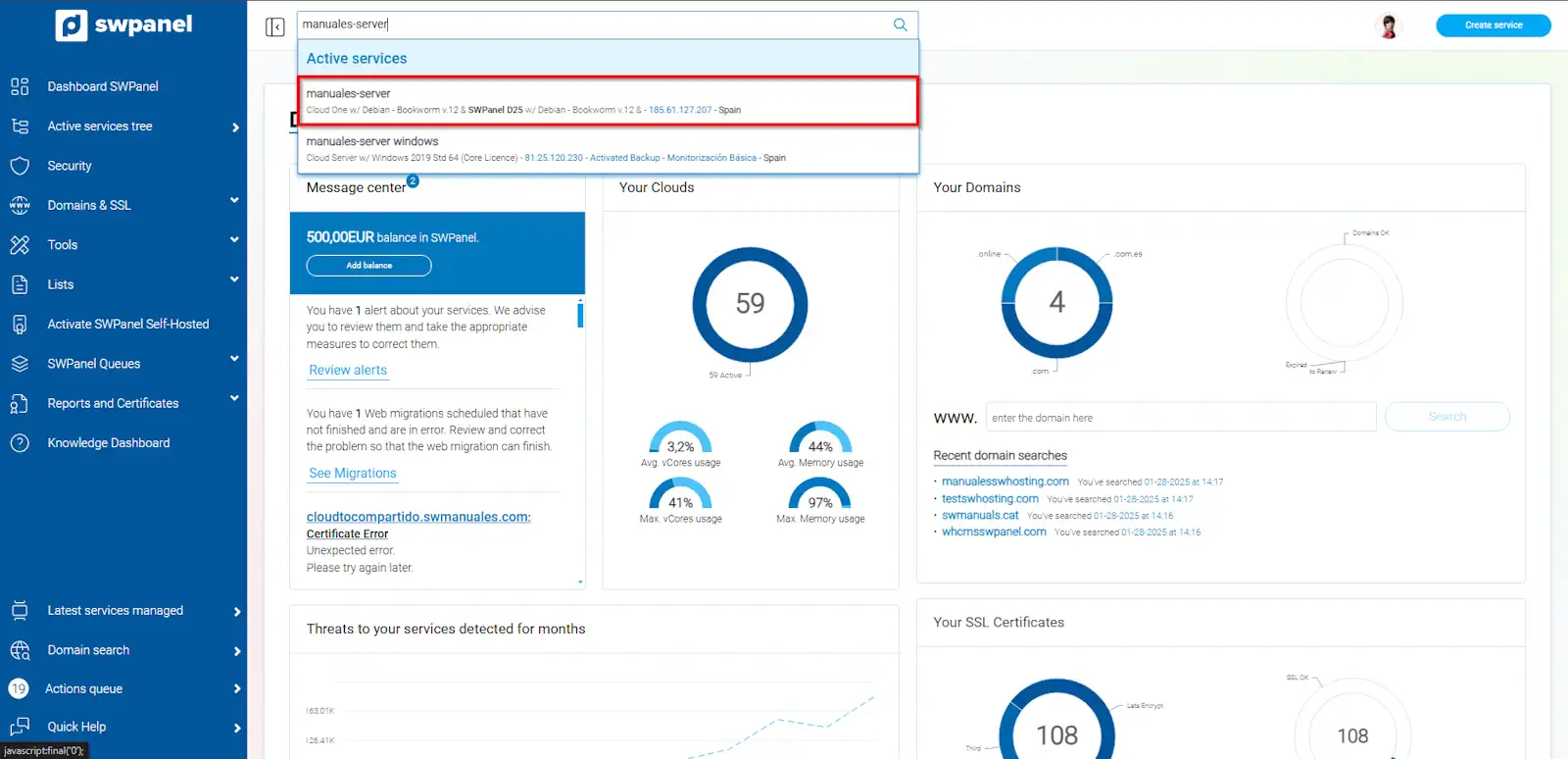
info_capture The screenshot is for guidance only. It was taken from version 2026.001.0255 dated 18/10/2026. It may differ from what is shown in the current version of SWPanel.
Once inside the service, you must select the "certificate" icon located at the top, within the "Reports" section.
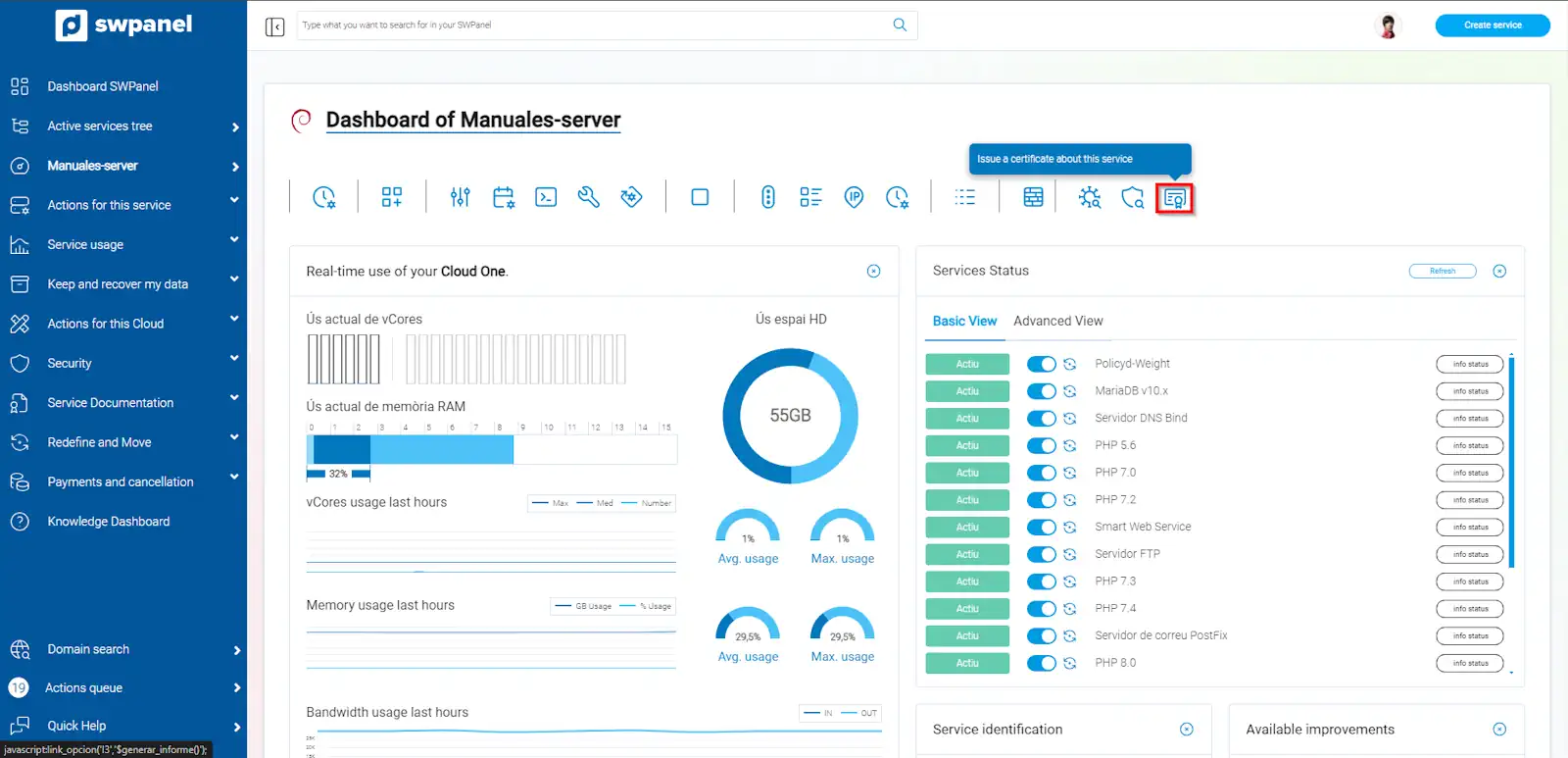
info_capture The screenshot is for guidance only. It was taken from version 2026.001.0255 dated 18/10/2026. It may differ from what is shown in the current version of SWPanel.
From the dropdown menu, select the type of certificate you want, in this case Data Protection Certificate - ISO27001, enter the required data (name and NIF) and click on the "Request now" button.
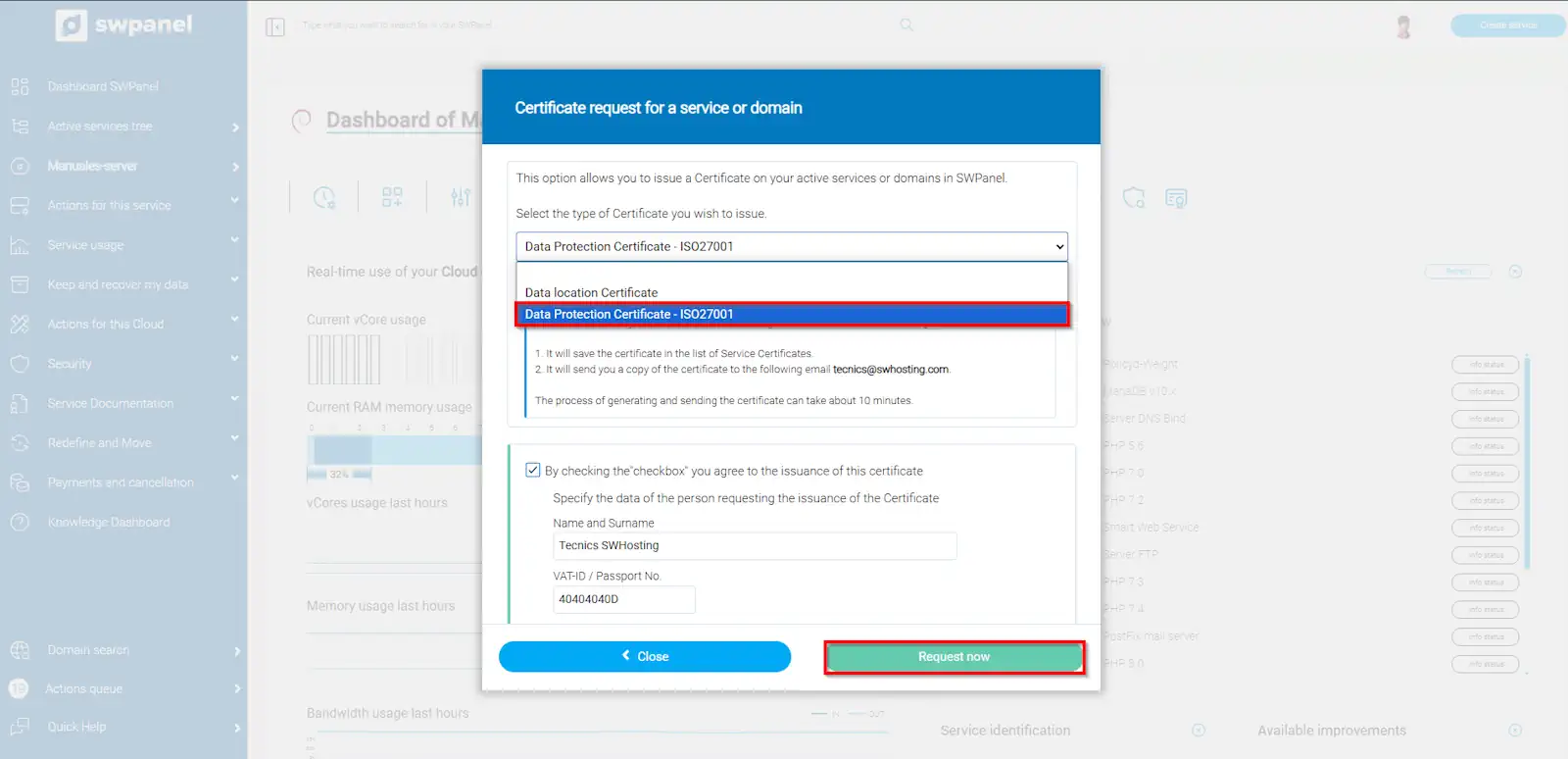
info_capture The screenshot is for guidance only. It was taken from version 2026.001.0255 dated 18/10/2026. It may differ from what is shown in the current version of SWPanel.
This certificate is generated in a short period of time. Once requested, you will be able to view and/o download it from your SWPanel. From the service dashboard, click on Service documentation, and then Certificates and reports.
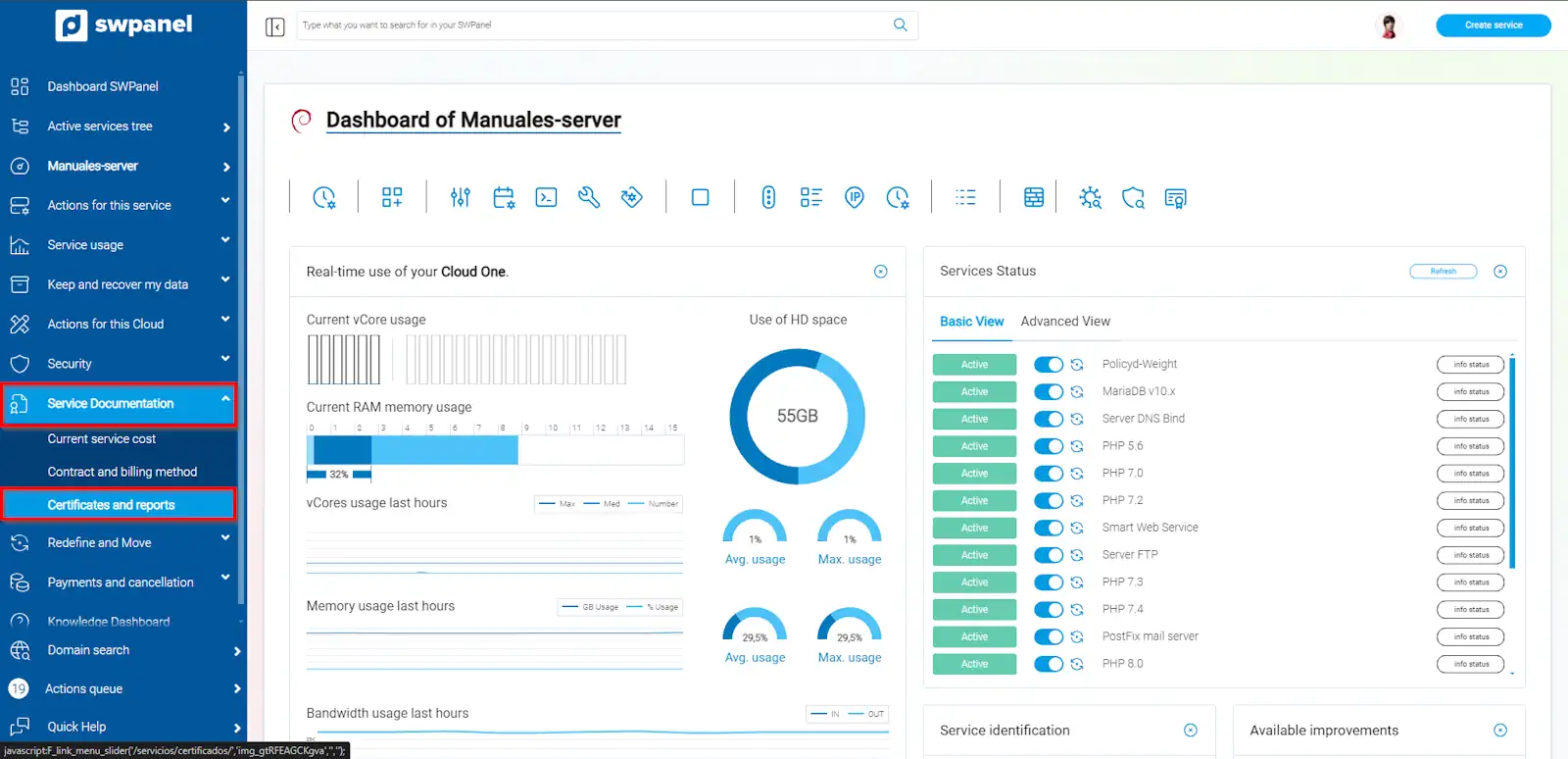
info_capture The screenshot is for guidance only. It was taken from version 2026.001.0255 dated 18/10/2026. It may differ from what is shown in the current version of SWPanel.
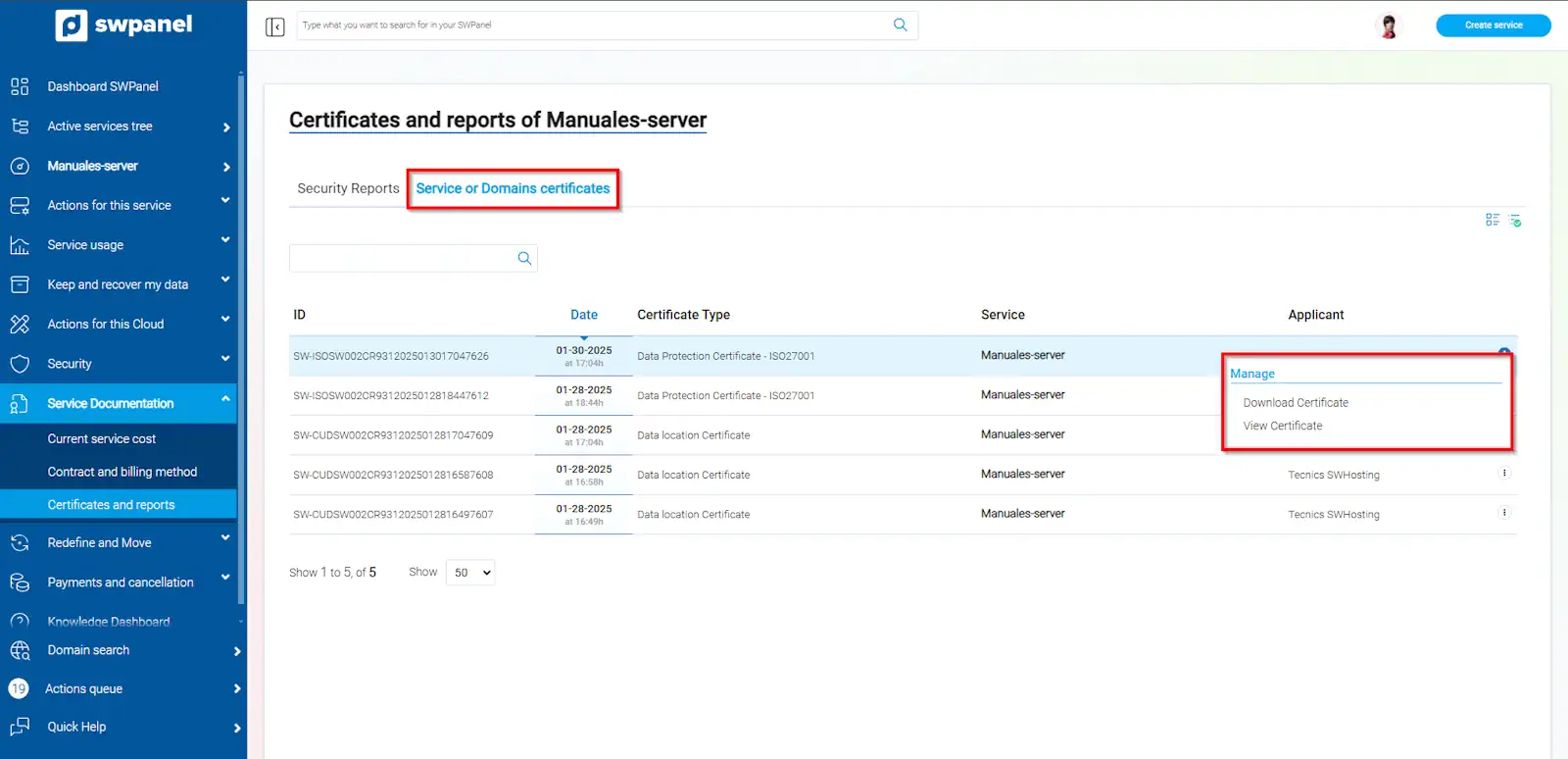
Next, you must click on "Service or domain certificates", and place the mouse cursor on the [...] menu found to the right of the issued certificate. From Manage, you can download the certificate, or view it via SWPanel.
info_capture The screenshot is for guidance only. It was taken from version 2026.001.0255 dated 18/10/2026. It may differ from what is shown in the current version of SWPanel.
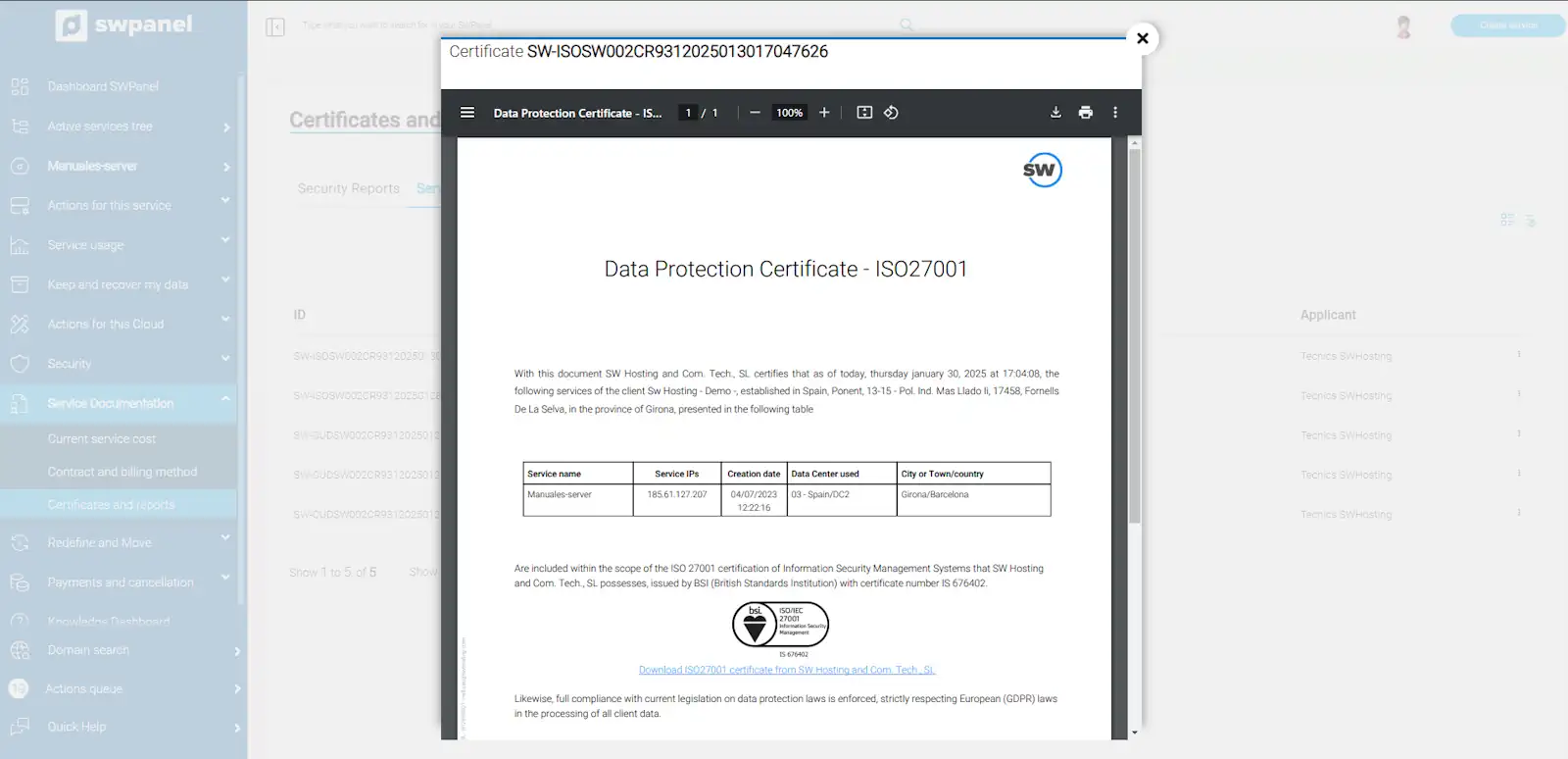
Below, we show you an example of a data protection certificate - ISO27001.
info_capture The screenshot is for guidance only. It was taken from version 2026.001.0255 dated 18/10/2026. It may differ from what is shown in the current version of SWPanel.