
How to Hire a Hosting Service at SWHosting
How to Purchase a Hosting Service at SWHosting
For your website to be successful and work properly, it is crucial to have a hosting service suited to your project.
Below, we show you how to purchase a SMART HOSTING FLEX PRIME at SWHosting.
Steps to Purchase Your Hosting
- Choose Your Hosting Plan:
Select the hosting plan that best fits your needs.
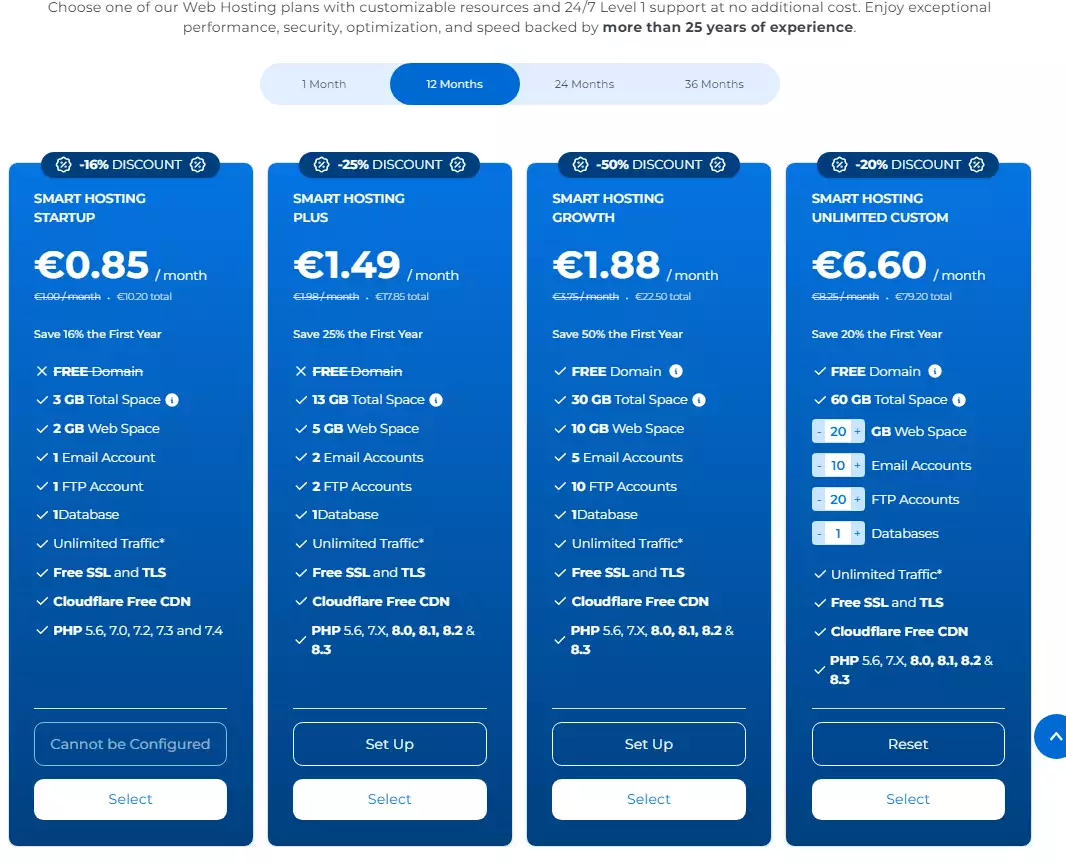
info_capture The screenshot is for guidance only. It was taken on 18/10/2026. It may differ from what the current version of the website shows.
- Select Your Domain:
Choose the domain you want to use for your website.
- Check Domain Availability:
Make sure the selected domain is available.
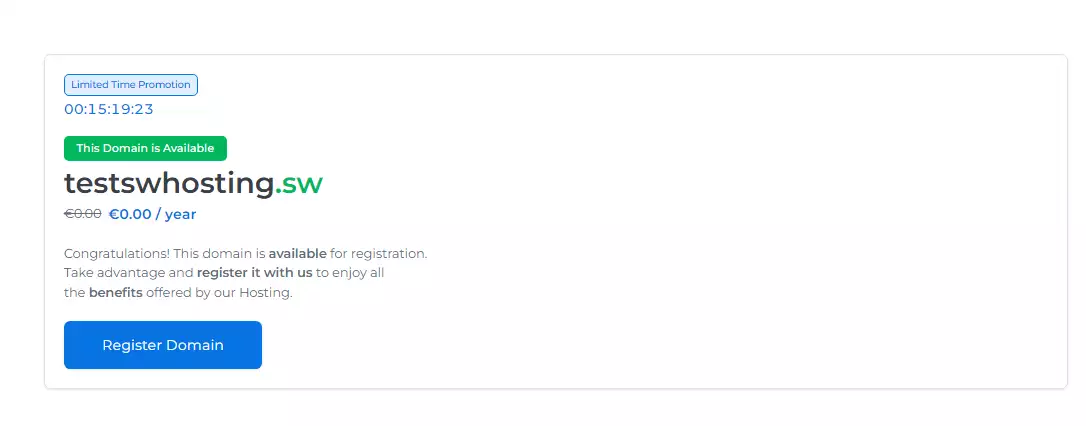
info_capture The screenshot is for guidance only. It was taken on 18/10/2026. It may differ from what the current version of the website shows.
- Purchase the Hosting:
Proceed to purchase the hosting plan you chose previously.
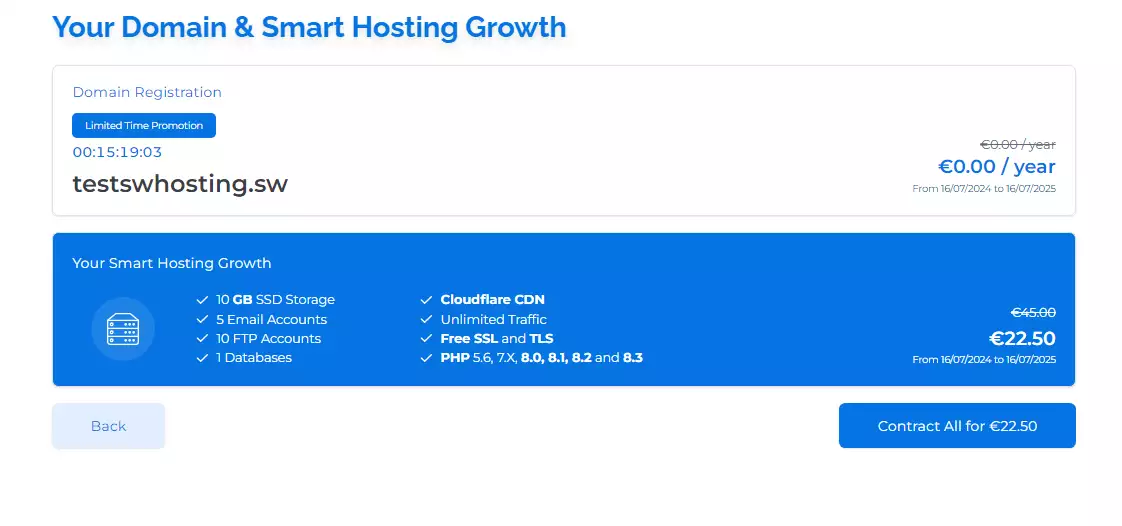
info_capture The screenshot is for guidance only. It was taken on 18/10/2026. It may differ from what the current version of the website shows.
- Fill In Your Details in SWPanel:
Go to the SWPanel page to enter your personal and contact details.
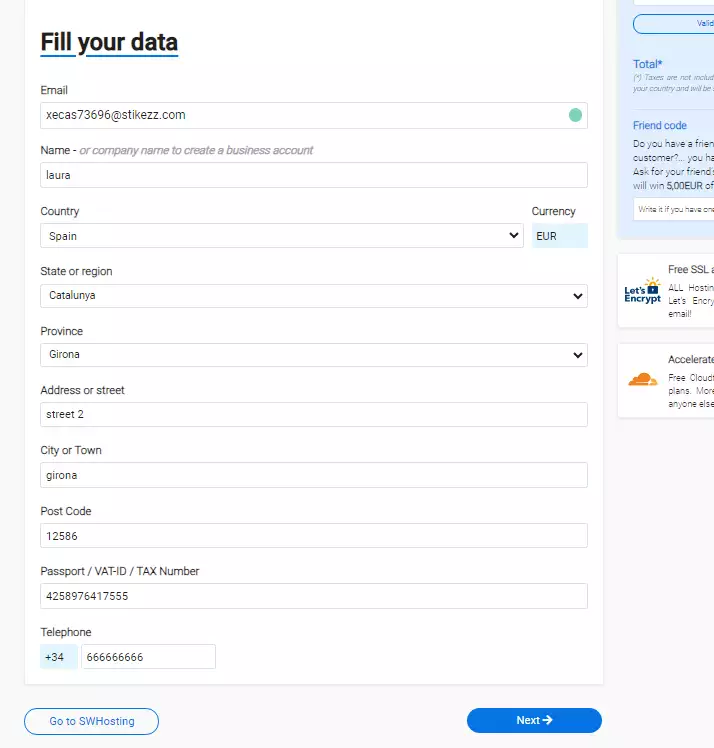
info_capture The screenshot is for guidance only. It was taken on 18/10/2026. It may differ from what the current version of the website shows.
- Verify Your Email:
Confirm your email address by entering the 6-digit validation code we have sent to your email.
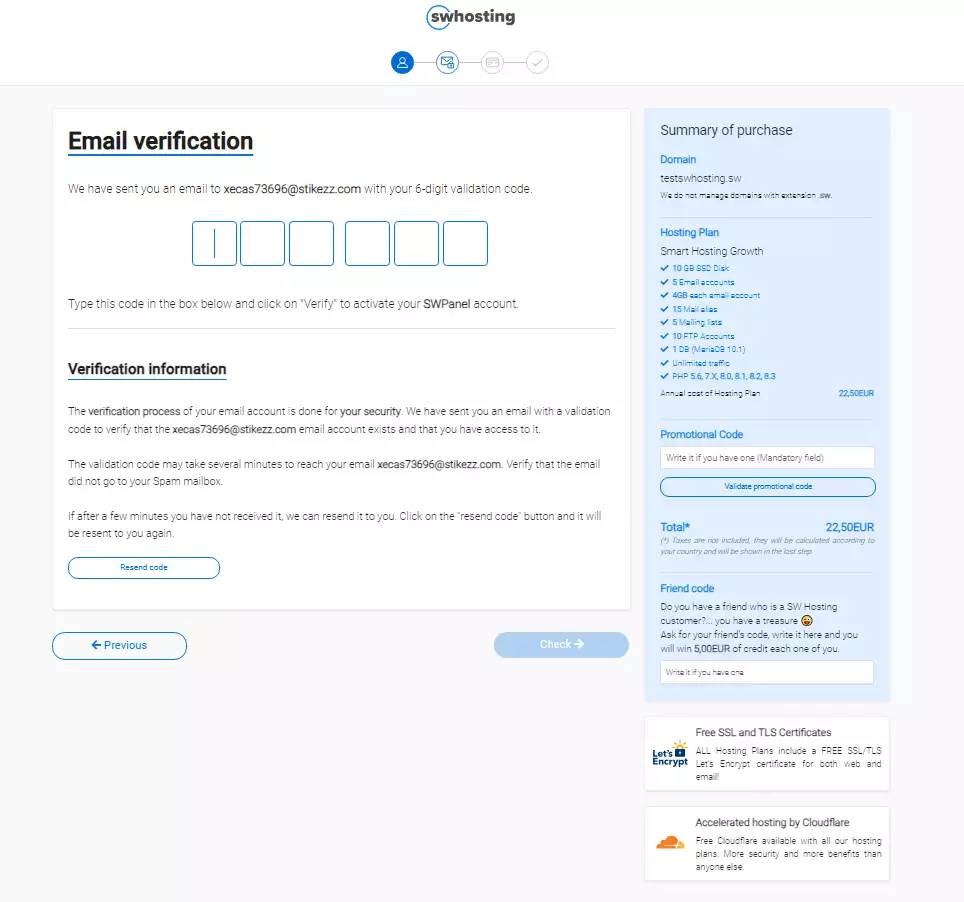
info_capture The screenshot is for guidance only. It was taken on 18/10/2026. It may differ from what the current version of the website shows.
- Make the Payment:
Choose your preferred payment method and pay for your hosting plan.
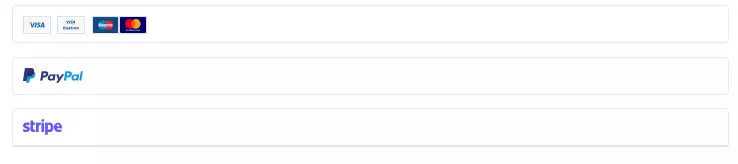
info_capture The screenshot is for guidance only. It was taken on 18/10/2026. It may differ from what the current version of the website shows.
- Redirection to SWPanel:
Once your plan has been paid for, you will be automatically redirected to the SWPanel control panel so you can manage your project there.
By following these simple steps, you will have purchased your SMART HOSTING FLEX PRIME and will be ready to start managing your website with SWHosting.