
How can I change the size of my email account mailbox ?
To modify the mailbox size of an email account, you must first access the Hosting service dashboard:
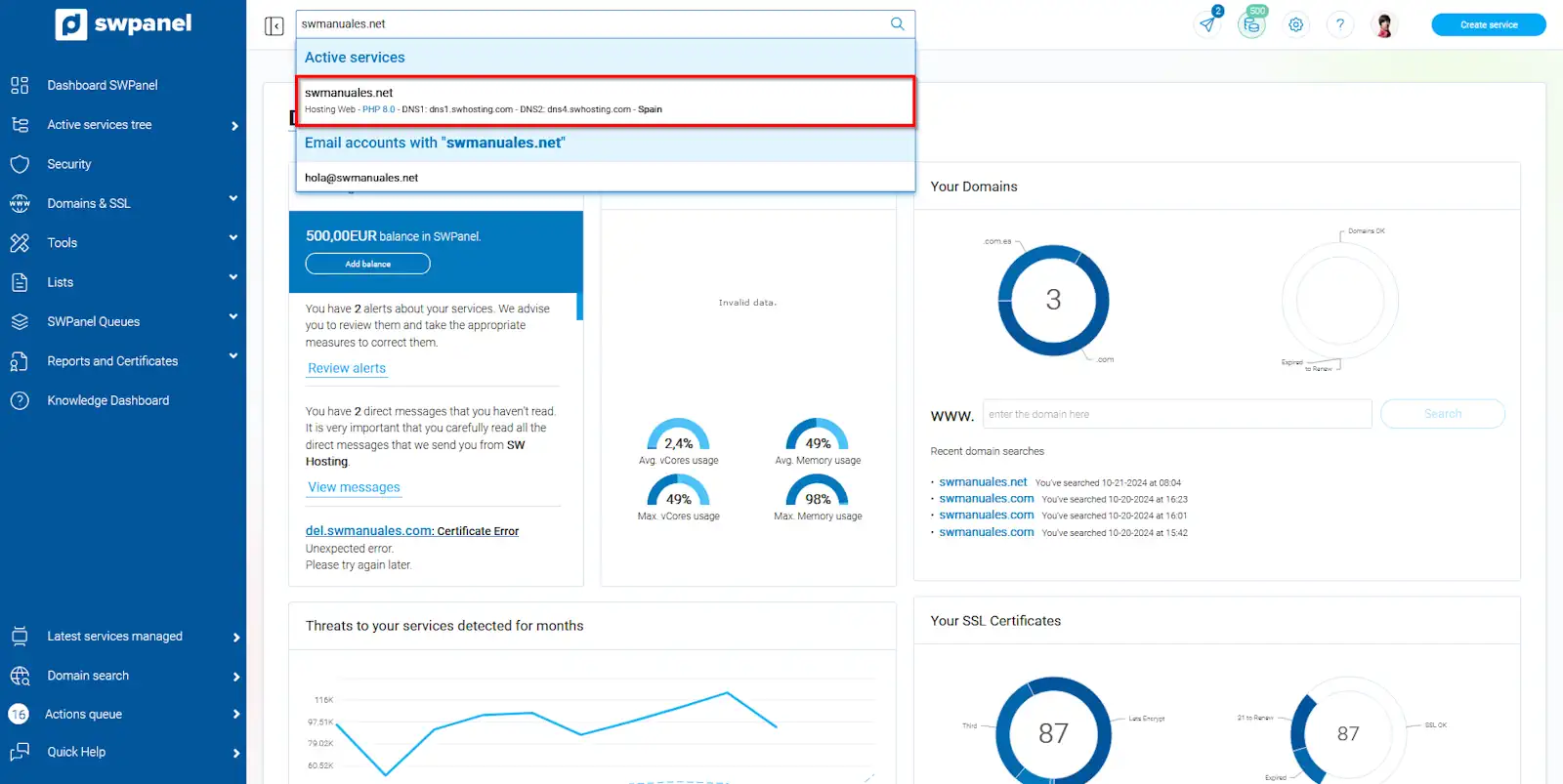
info_capture The screenshot is for guidance purposes. It was taken from version 2024.07.0123 dated 24/10/2024. It may differ from what the current version of SWPanel shows.
From the blue side menu, go to Service Management → Email Management:
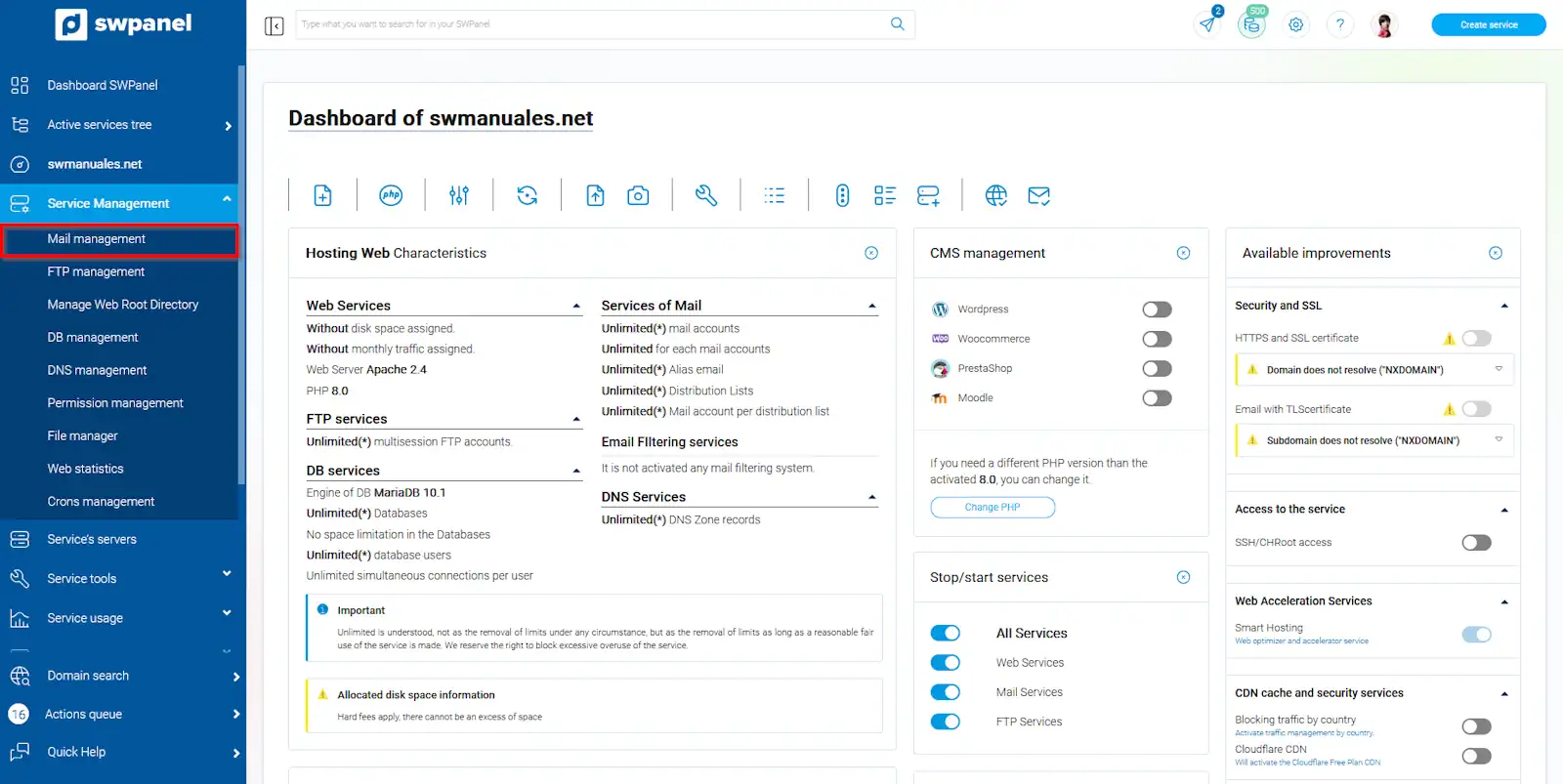
info_capture The screenshot is for guidance purposes. It was taken from version 2024.07.0123 dated 24/10/2024. It may differ from what the current version of SWPanel shows.
Locate your email account. Using the [...] menu, click on Modify this email account:
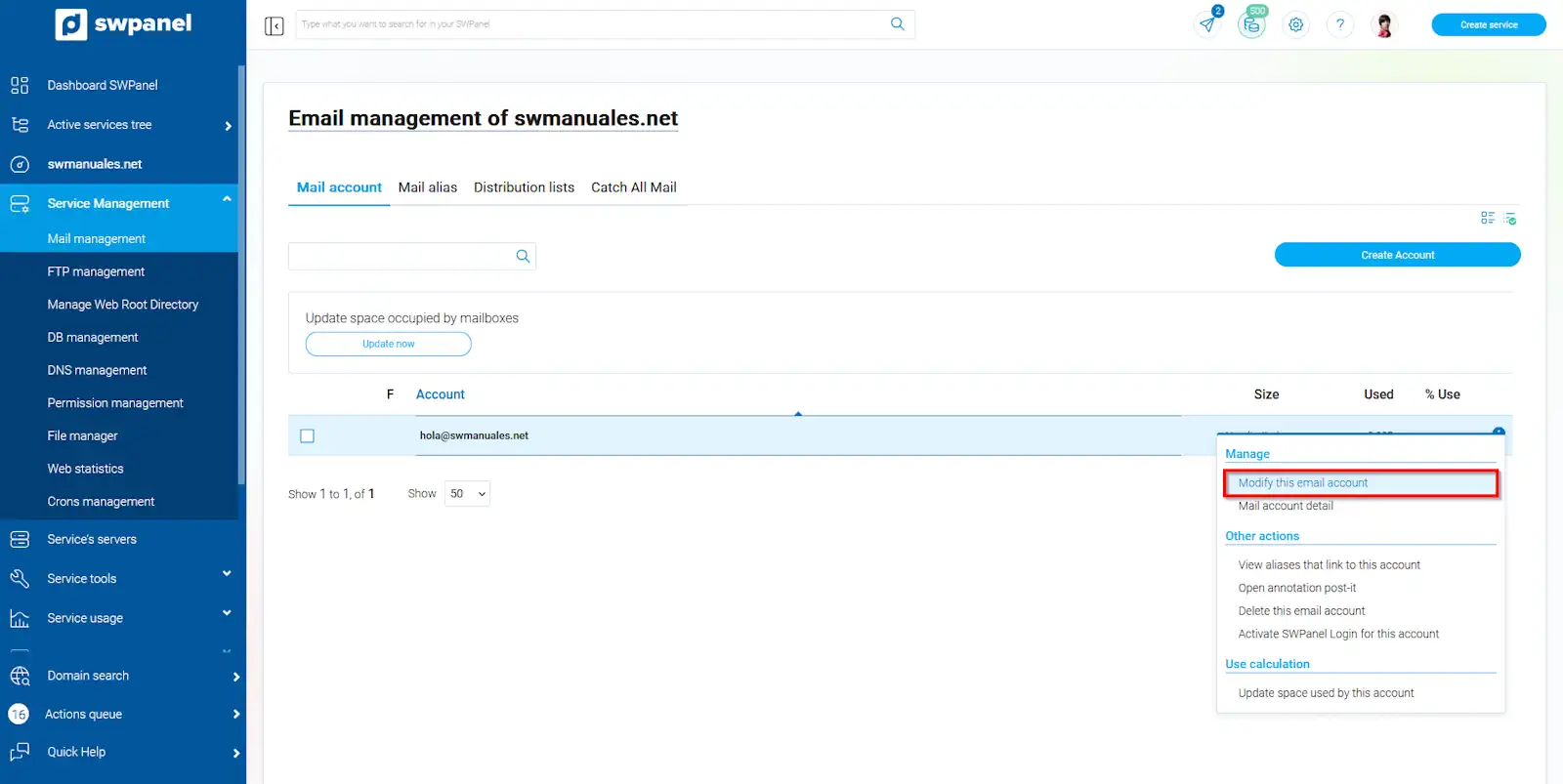
info_capture The screenshot is for guidance purposes. It was taken from version 2024.07.0123 dated 24/10/2024. It may differ from what the current version of SWPanel shows.
You will be able to modify the space limit of your email account:
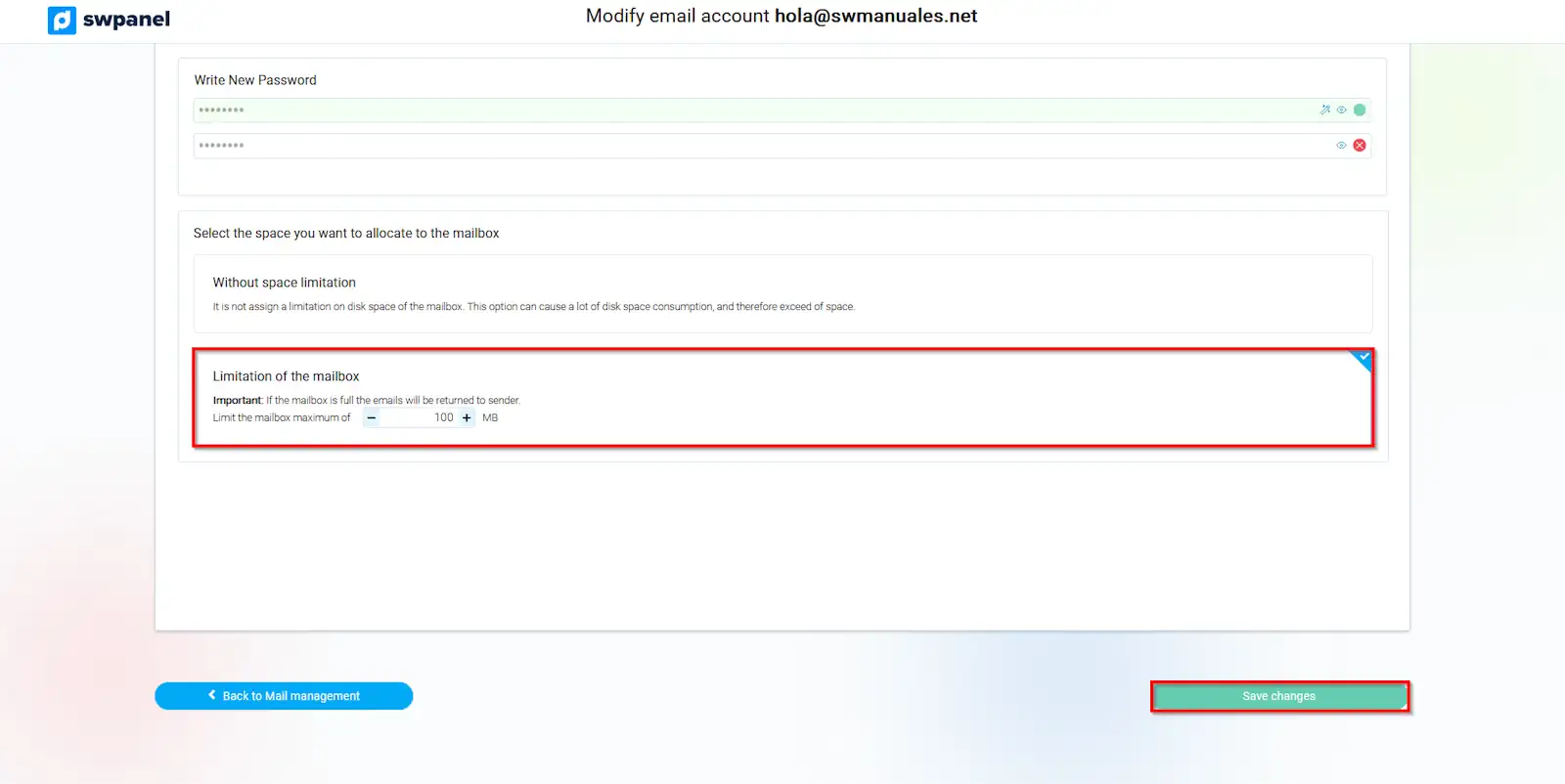
info_capture The screenshot is for guidance purposes. It was taken from version 2024.07.0123 dated 24/10/2024. It may differ from what the current version of SWPanel shows.
If the mailbox becomes full, emails will be returned to the sender