
How to activate Smart Hosting + for your website
Smart Hosting + is a Memcached-based tool that substantially improves a website's speed, allowing it to load faster.
Smart Hosting + saves the most visited elements of your website in your Cloud server's RAM, thus reducing the need to access an external data source such as a database or an API.
In this way, your website first checks if it can access the data through the Smart Hosting + system before resorting to slower data storage, such as a database.
All new Cloud servers with SWPanel and Linux Debian v.11 OS version or higher have the possibility of activating the Smart Hosting + system for your website.
To activate it on your website, you must follow these steps:
1. In the general Dashboard of your SWPanel, look for the Cloud hosting service on which you wish to activate the Smart Hosting + system and, once located, click on its name.
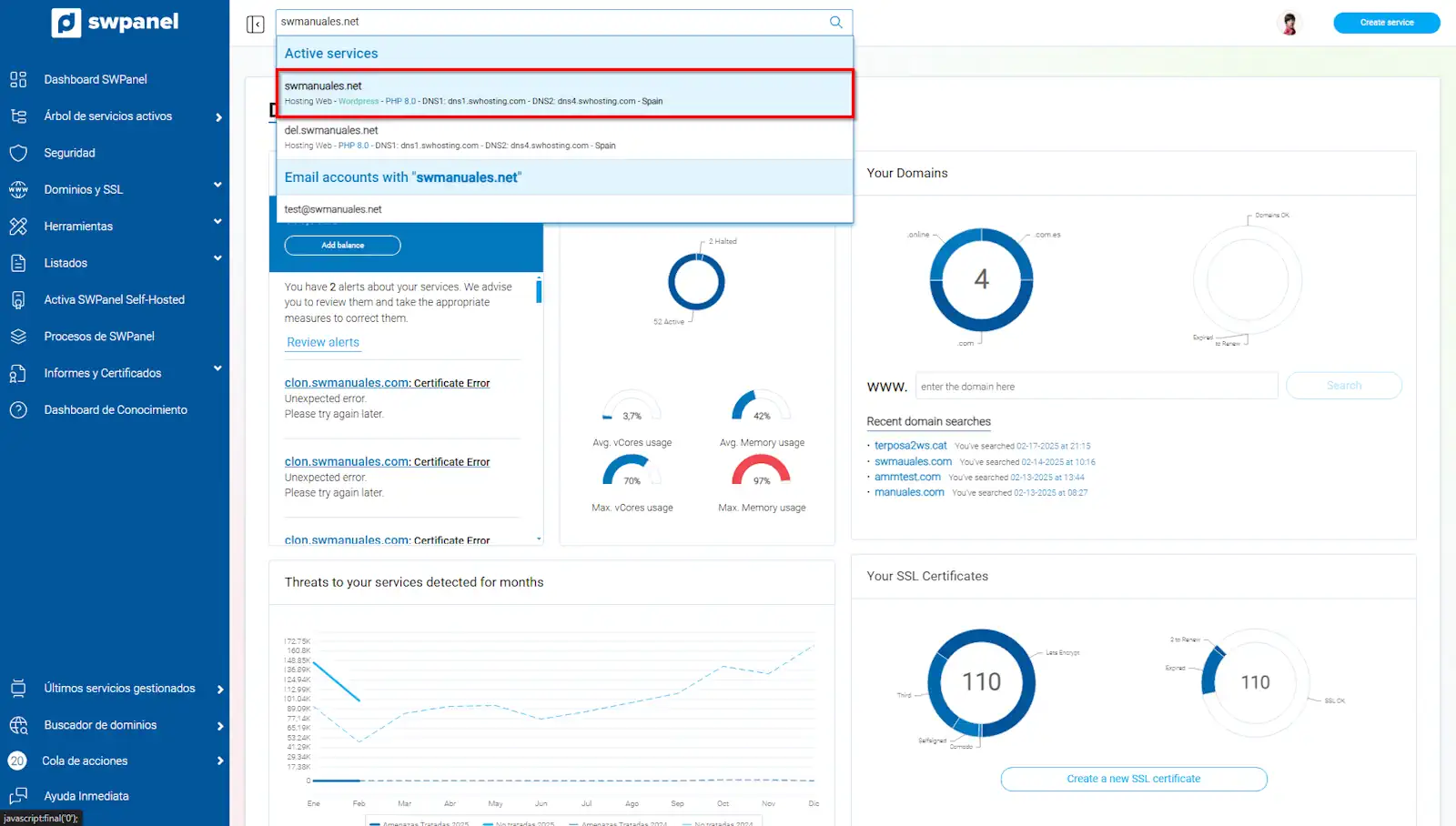
info_capture The screenshot is for guidance only. It was taken from version 2026.001.0255 dated 17/10/2026. It may differ from what the current version of SWPanel shows.
2. Once located in the Dashboard of your Hosting service, activate the Smart Hosting + option
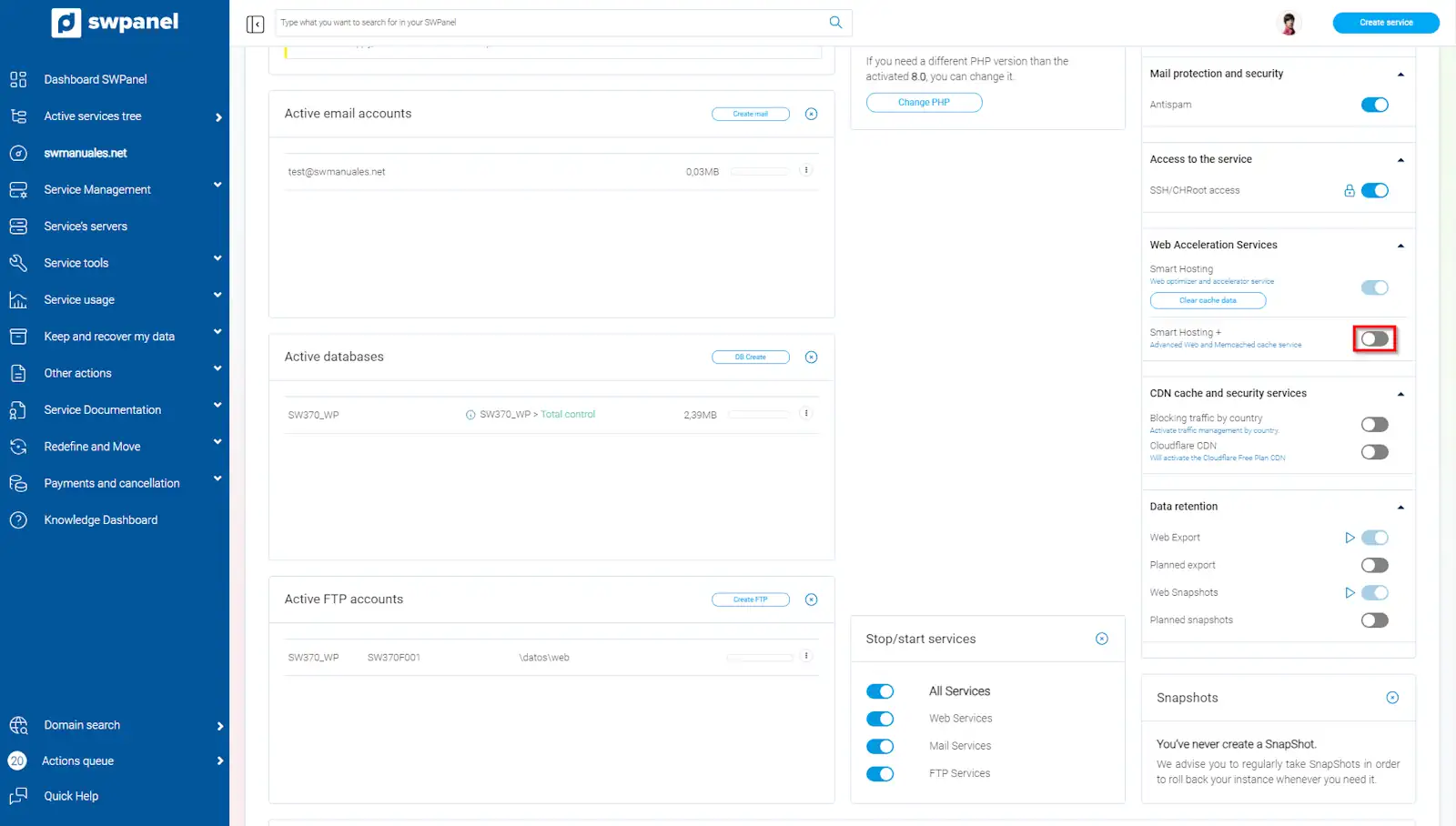
info_capture The screenshot is for guidance only. It was taken from version 2026.001.0255 dated 17/10/2026. It may differ from what the current version of SWPanel shows.
3. In the following pop-up window, click on the Yes, activate button
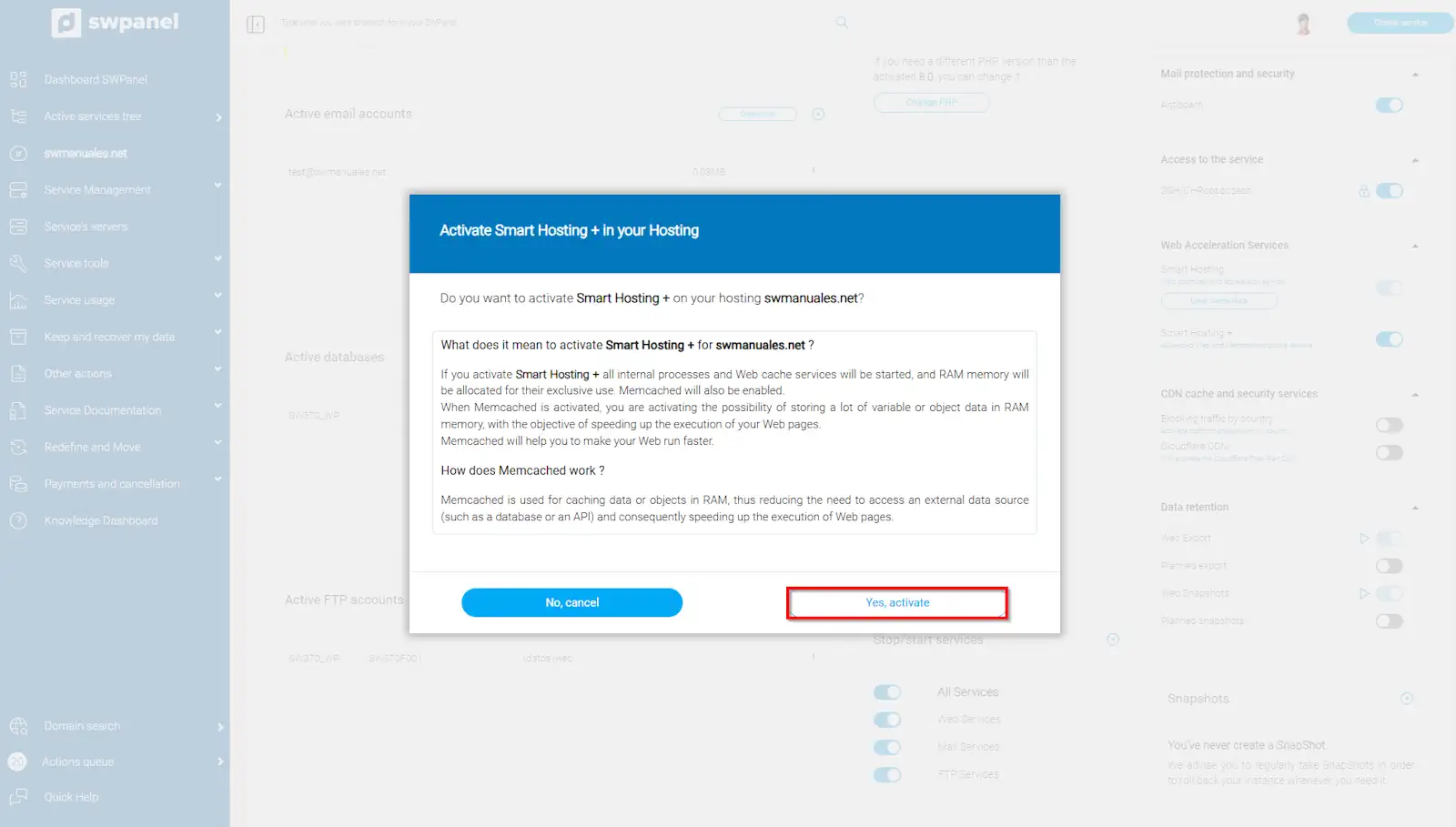
info_capture The screenshot is for guidance only. It was taken from version 2026.001.0255 dated 17/10/2026. It may differ from what the current version of SWPanel shows.