
How do I activate Layer 4 security profiles in my Cloud
What are security profiles
Firewall security profiles are a set of predefined rules that allow you, by enabling or disabling them, to accept or deny certain data traffic.
To be able to enable or disable the Firewall profiles, you must have Handbuch: Manageable Layer 4 Perimeter Firewall contracted ⚠️Keep in mind that enabling or disabling Firewall Profiles may cause your services not to respond correctly to internet requests.
How to enable security profiles
First, you must access your server dashboard. You can do this by searching for it in the SWPanel search bar or from the services tree:
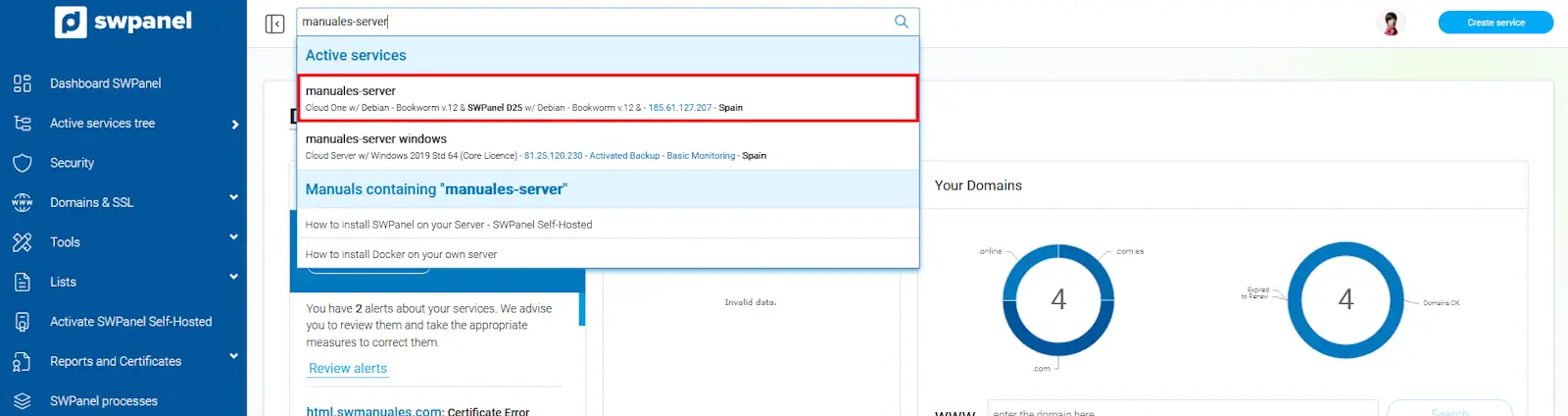
info_capture The screenshot is for guidance purposes. It was taken using version 2025.03.0003 dated 25/03/2025. It may differ from what is shown in the current version of SWPanel.
Once in the Cloud server dashboard, you must click Security → Layer 4 FW → Layer 4 FW Dashboard from the blue side menu:
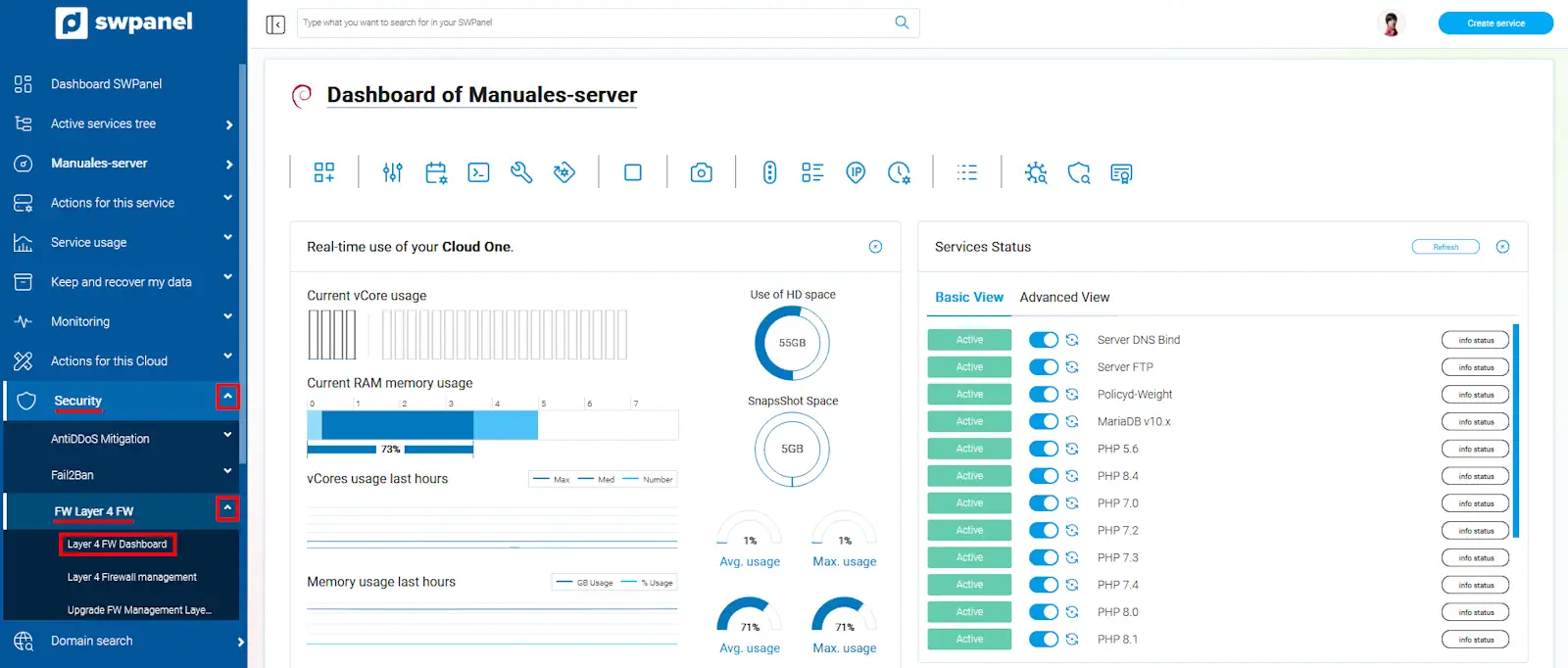
info_capture The screenshot is for guidance purposes. It was taken using version 2025.03.0003 dated 25/03/2025. It may differ from what is shown in the current version of SWPanel.
In this new window, you can enable and disable the Security Profiles of your manageable Layer 4 Firewall. Once modified, you must click the Apply Changes button:
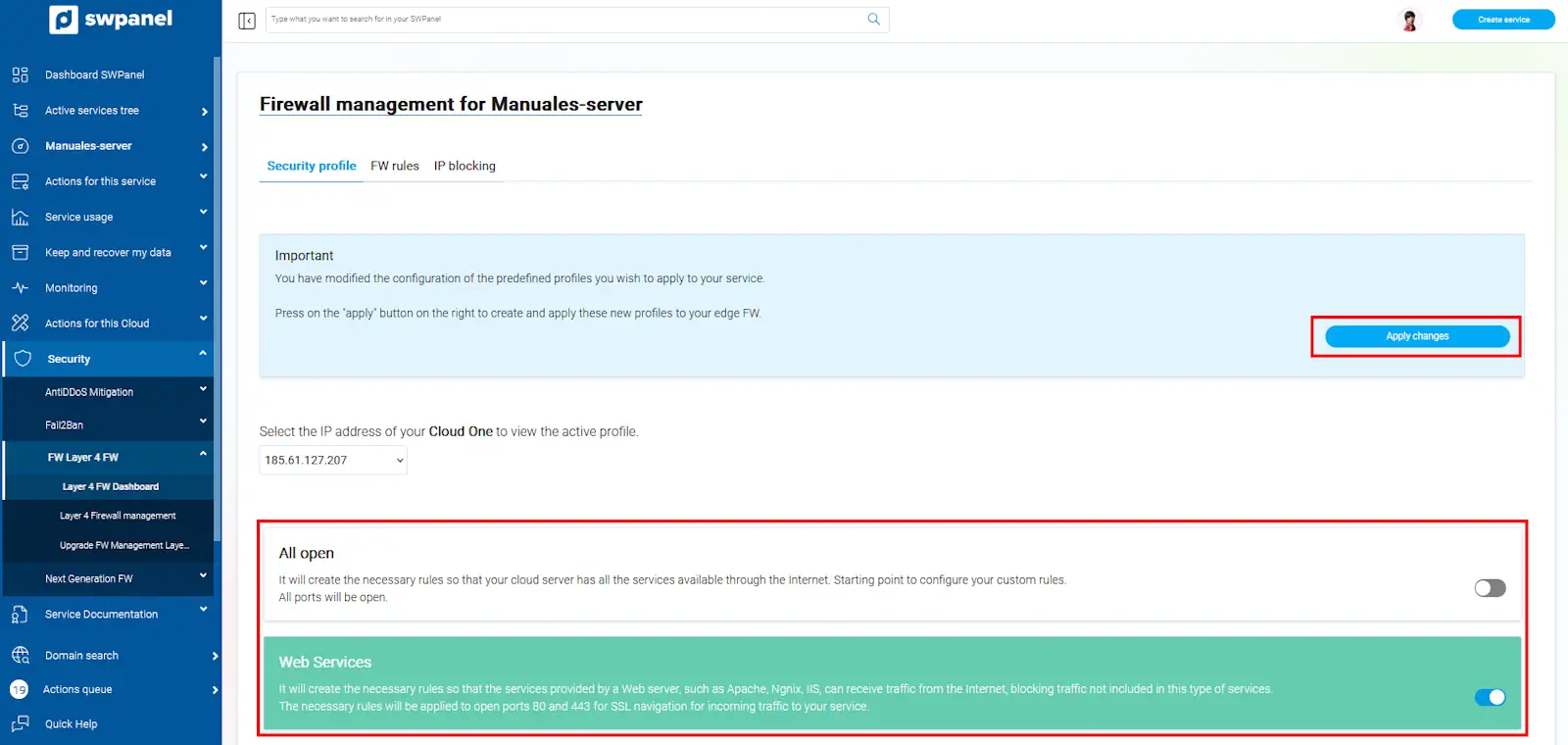
info_capture The screenshot is for guidance purposes. It was taken using version 2025.03.0003 dated 25/03/2025. It may differ from what is shown in the current version of SWPanel.
If you have more than one IP in your Cloud, you can manage the security profiles of each one separately using the IP selector.
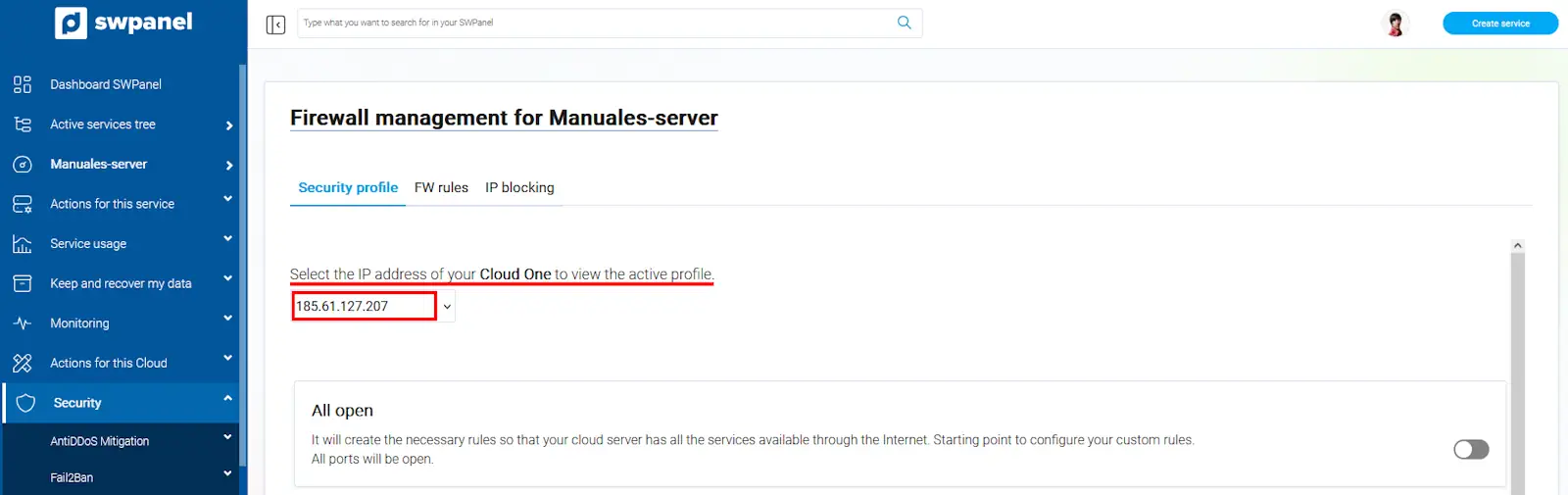
info_capture The screenshot is for guidance purposes. It was taken using version 2025.03.0003 dated 25/03/2025. It may differ from what is shown in the current version of SWPanel.