
How to adjust Cloudflare CDN and cache parameters
To adjust the Cloudflare CDN parameters from SWPanel, first access your service dashboard:

Subsequently, in the "Available Improvements" panel, click on the icon that appears next to the button to activate "Cloudflare CDN":
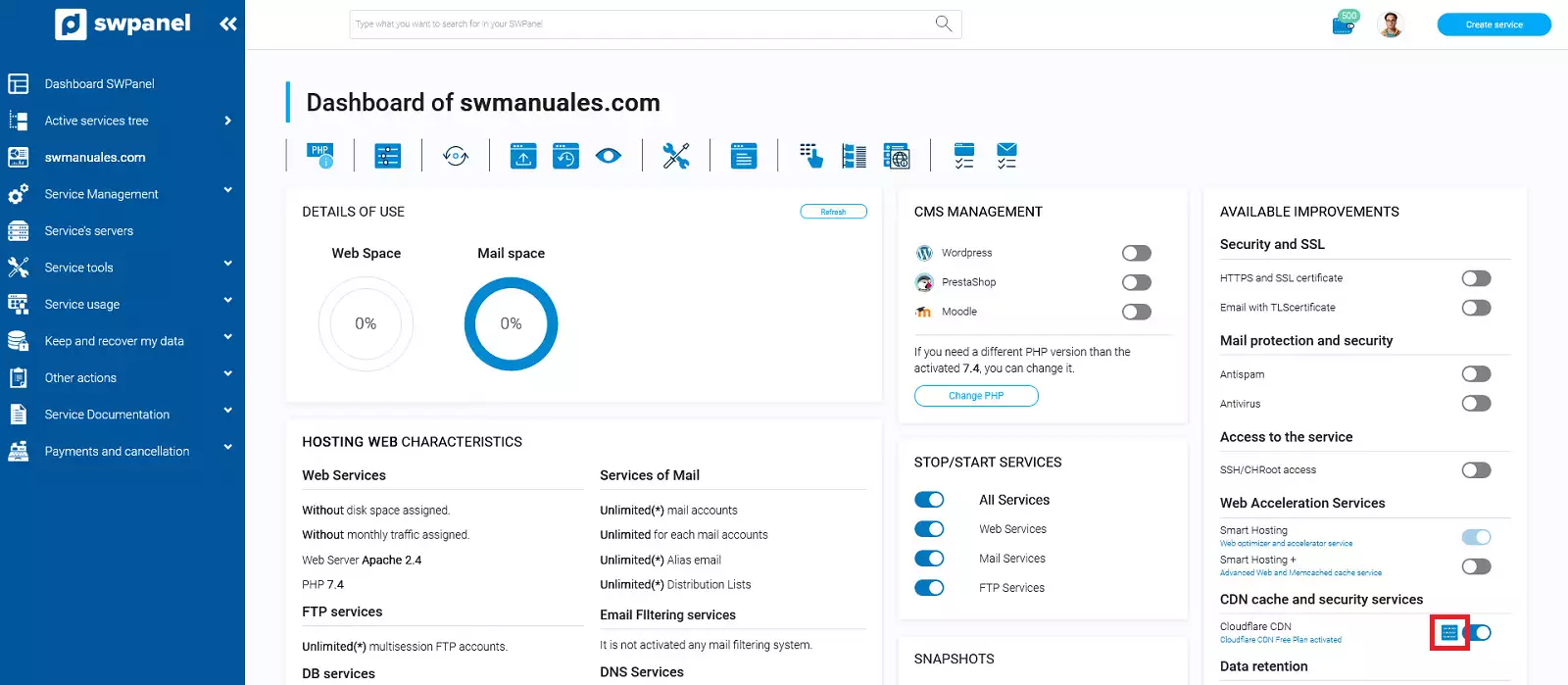
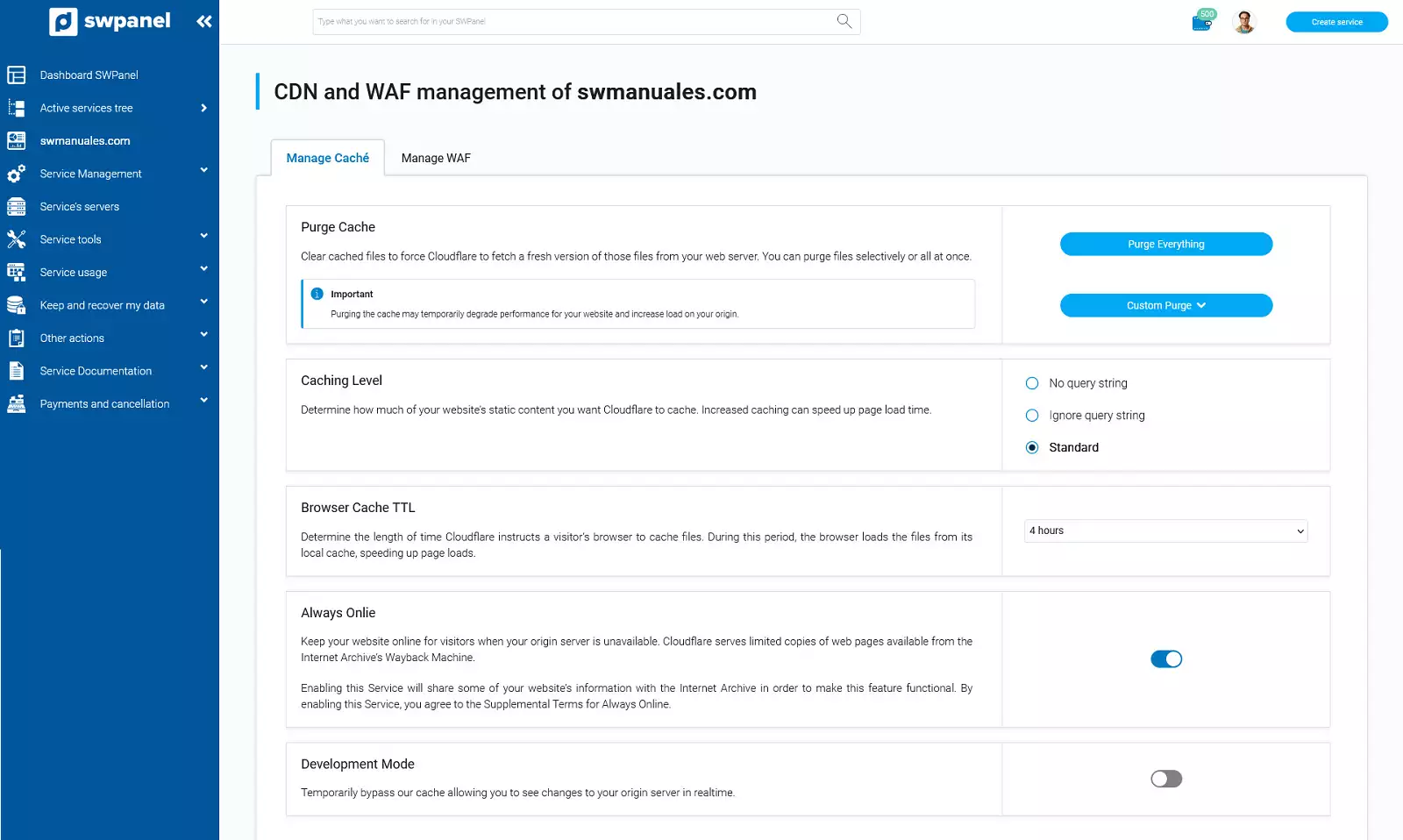
The following window will open where you can modify the variables regarding the CDN configuration:
-
Purge Cache: Deletes cached files to force Cloudflare to fetch a new version of those files from your web server. You can purge files one by one or all at once.
-
Caching Level: Determines how much static website content you want Cloudflare to cache. Increasing caching can speed up page load time.
-
Browser Cache TTL: Determines the amount of time that Cloudflare will tell a visitor's browser to cache files. During this period, the browser will load files from its local cache and speed up page loading.
-
Always Online: Keeps your website online for visitors when your origin server is unavailable. Cloudflare provides limited copies of web pages available on Internet Archive's Wayback Machine. By enabling this service, some of your website's information will be shared with Internet Archive to make this feature functional.
-
Development Mode: Temporarily bypasses our cache, allowing you to see changes on the origin server in real time.