
How to manage your credit cards using SWPanel
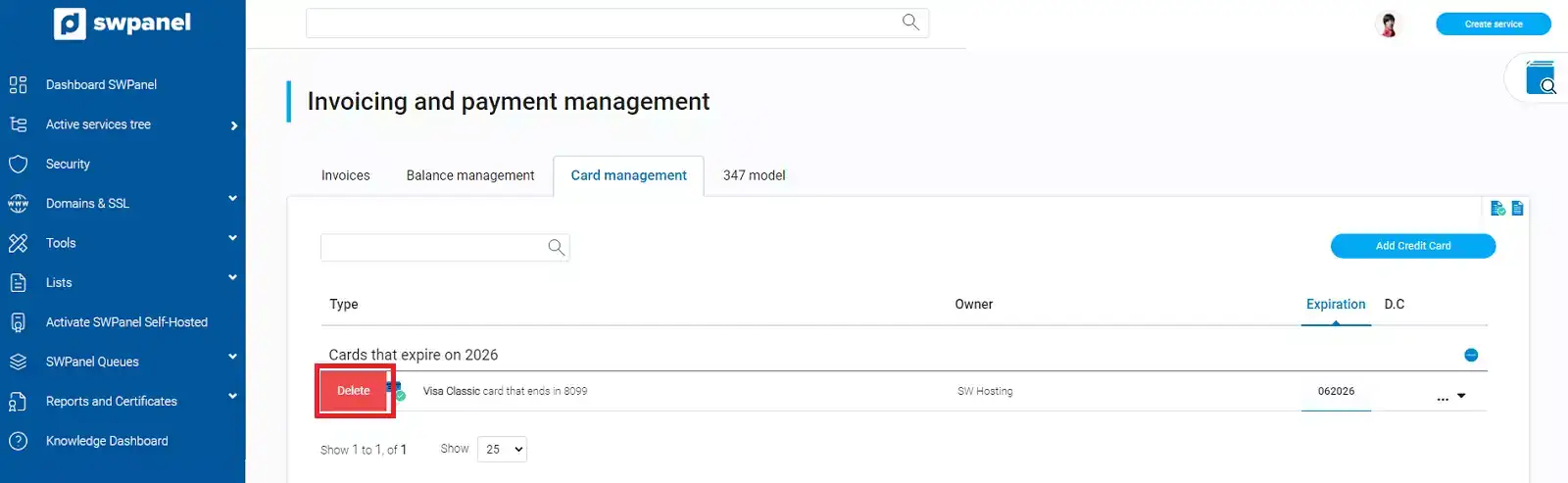
To check your cards linked to SWPanel, you must place your mouse cursor over your customer account logo -> 'My account'. Subsequently, you must click on Card Management:
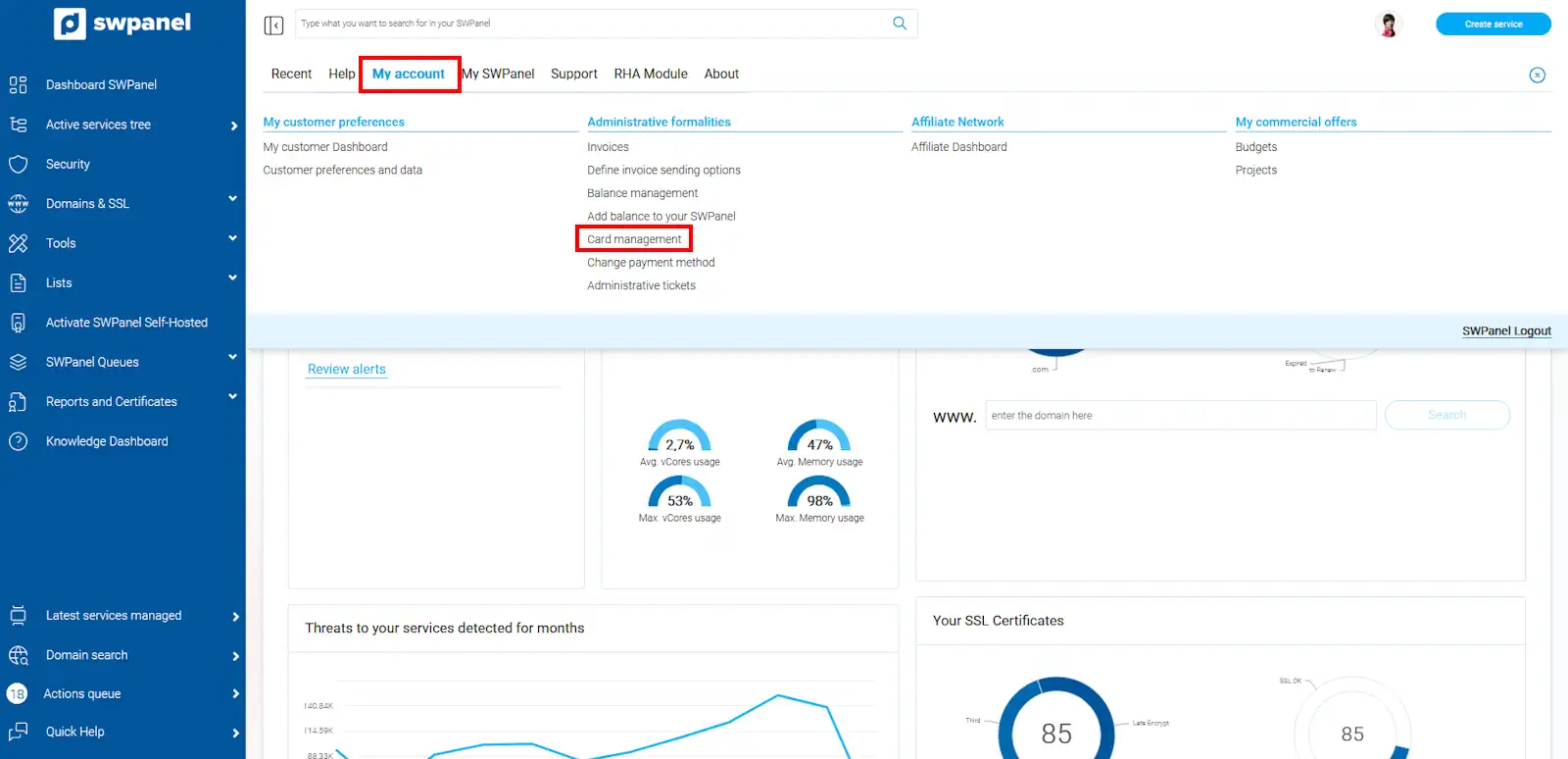
In this section, all the credit cards you have entered into your SWPanel will be displayed.
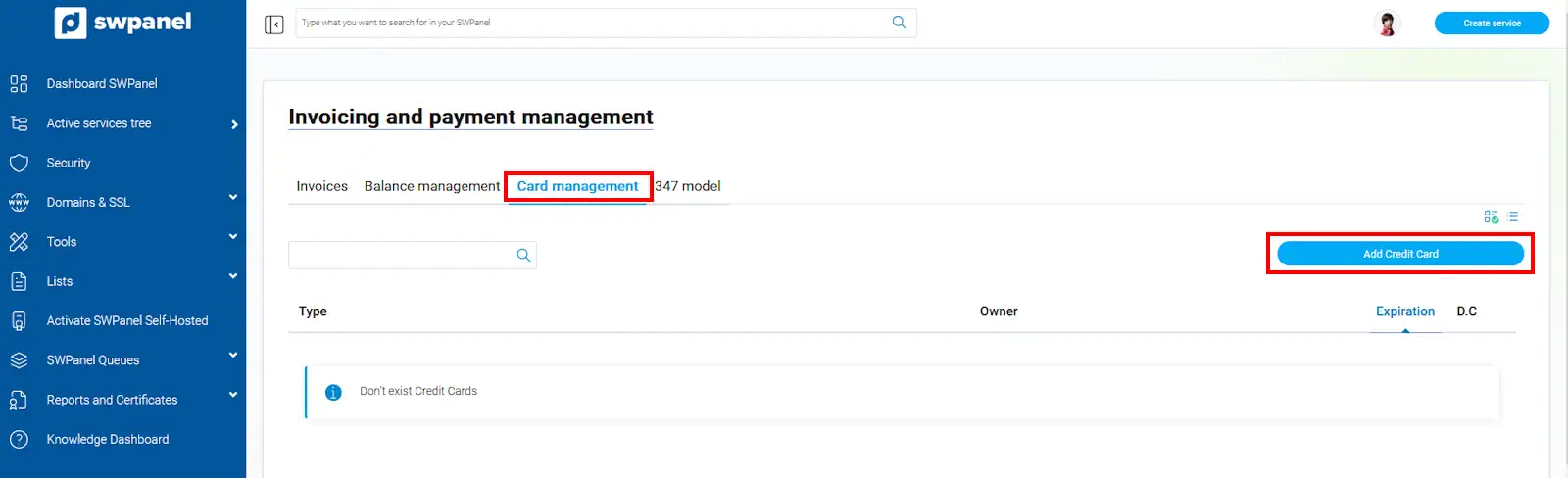
Here you can also add new credit cards using the blue button that appears on your right.
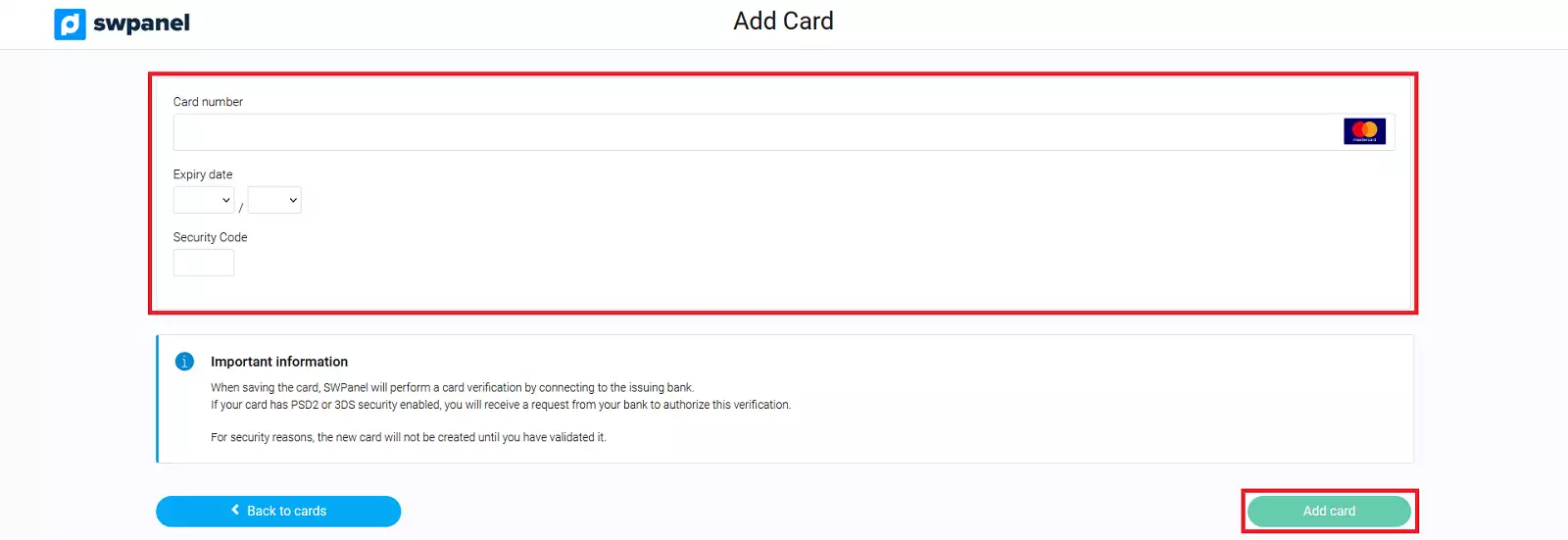
Once the new card has been added, you must validate it through your banking application to confirm that it belongs to you.
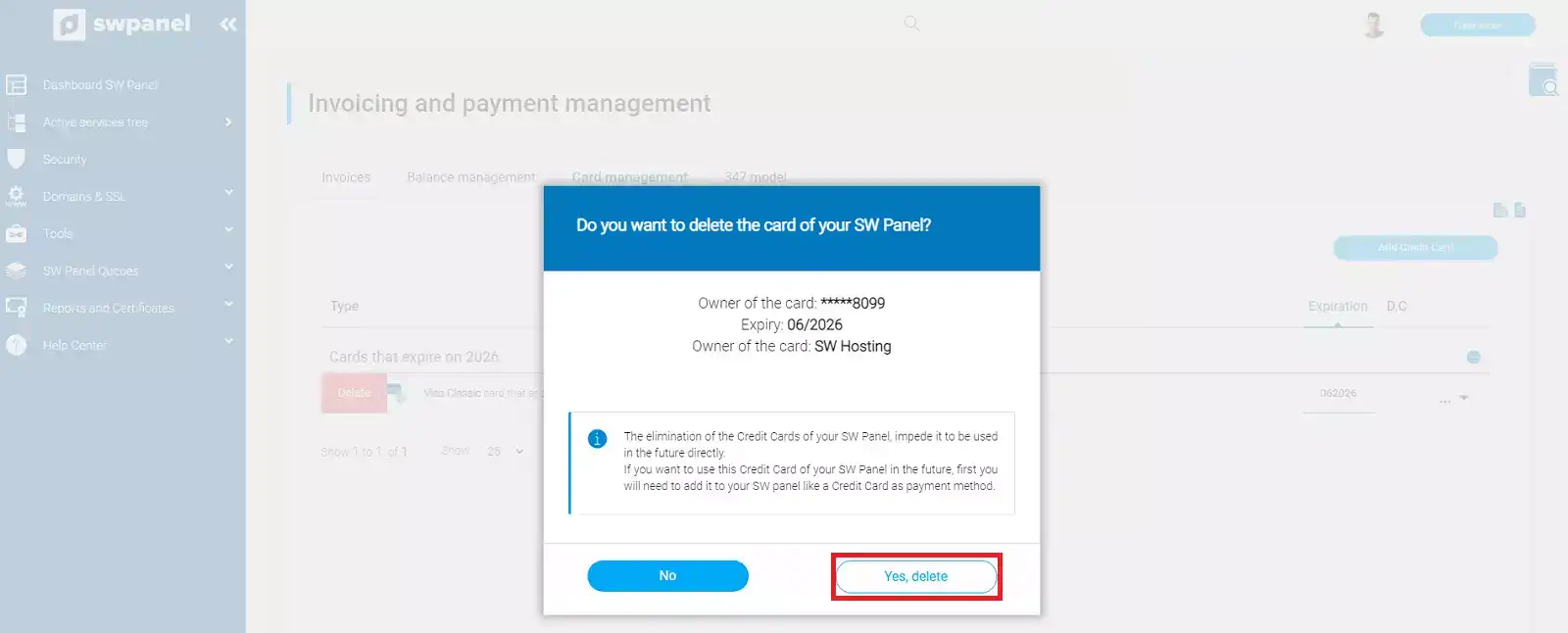
As well as deleting a card if you no longer want it to be displayed in the panel, by expanding the [ ··· ] menu located on the right side of the card -> Delete this credit card -> Confirm its deletion
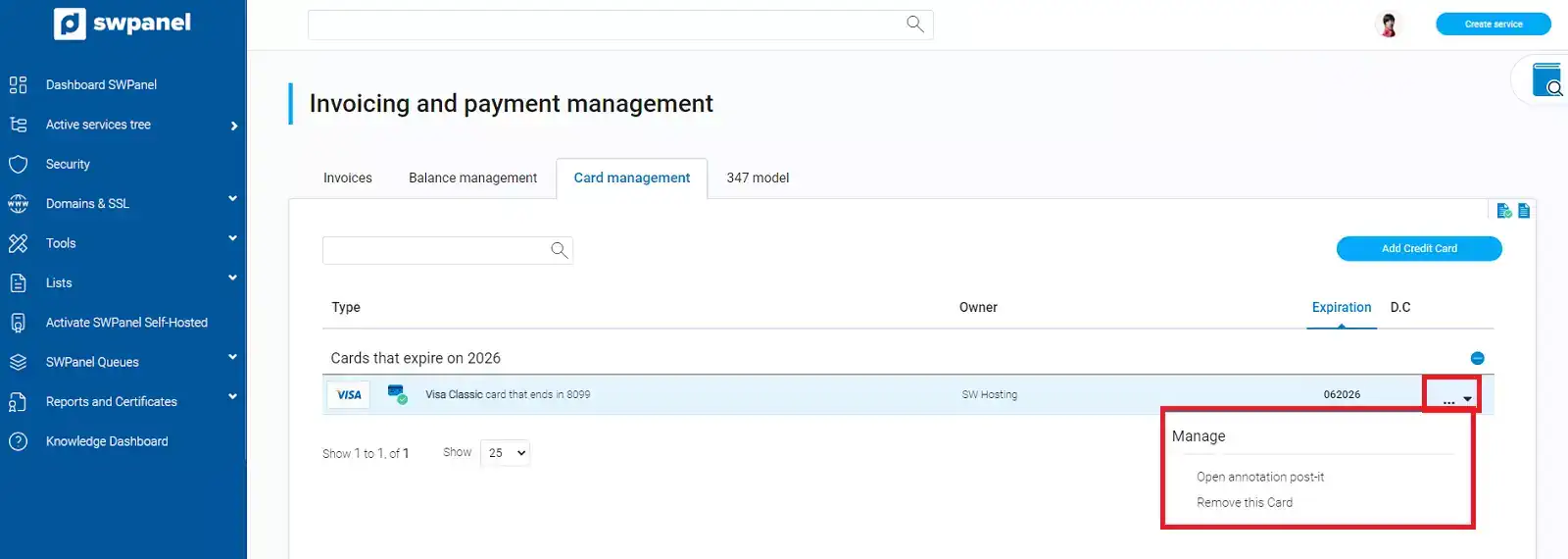
Expired cards are automatically removed with prior notice from our systems via email.