How to create a zone delegation
When you want to create a subdomain that responds to DNS servers different from those the main domain responds to, it is necessary to perform a zone delegation in the DNS zone of the main domain's Hosting service.
This zone delegation will ensure that when we look up the subdomain, the main domain resolves to the correct DNS servers.
Below, we will show how to delegate the zone of the subdomain del.swmanuales.com, which resolves to the following DNS servers:
- dns1.serveisweb.com
- dns2.serveisweb.com
Over the DNS zone of the main domain swmanuales.com, which resolves to the following DNS servers:
- dns3.swhosting.com
- dns4.swhosting.com
ATTENTION This data may vary depending on where your Hosting services are hosted! In case you do not know which DNS servers your Hosting services created in your SWPanel resolve to, we recommend reviewing the following manual Handbuch: How to change the assigned servers of a Hosting.
Steps to follow
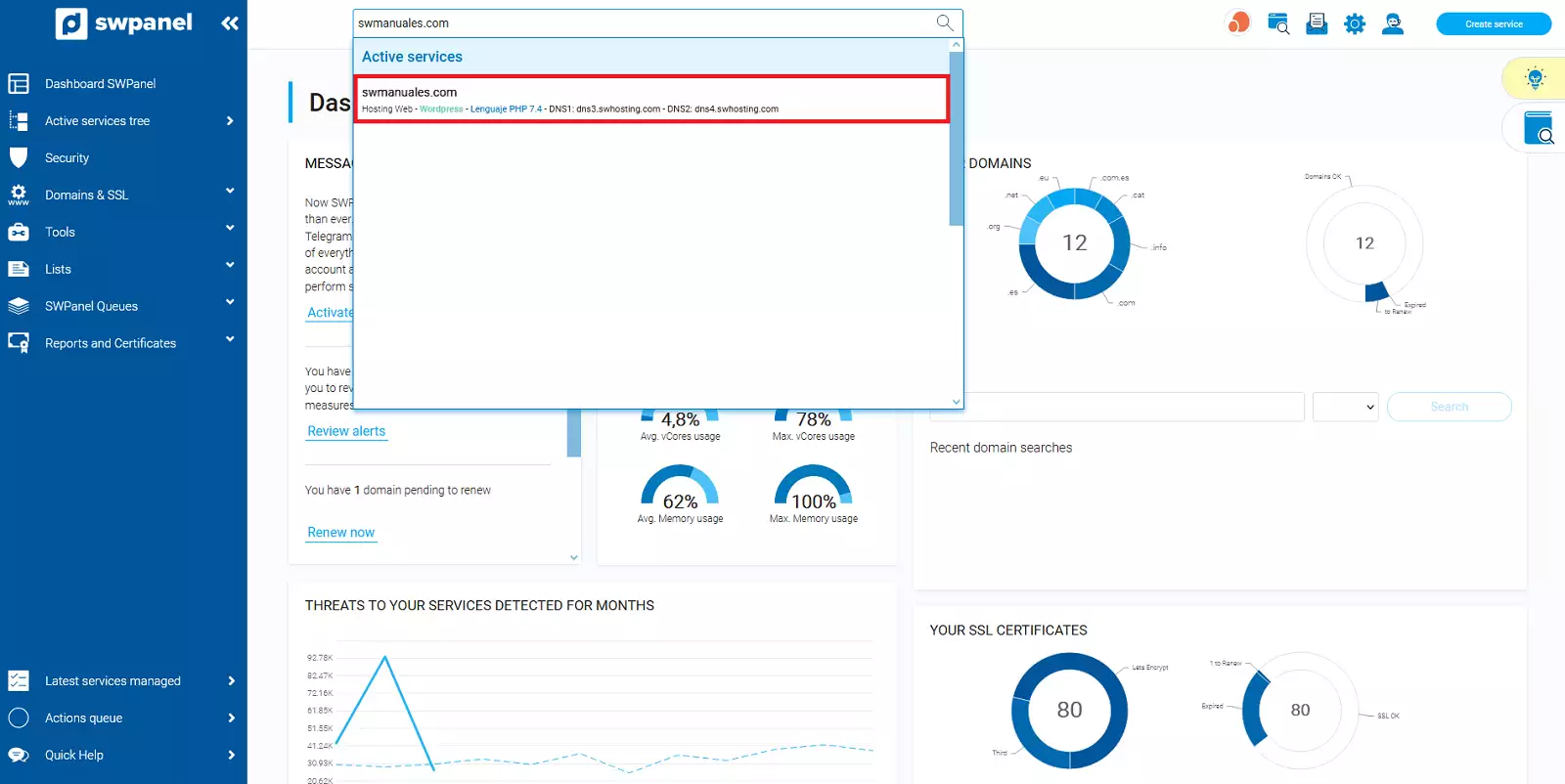
The first thing we must do is go to the Dashboard of the Hosting service of our main domain.
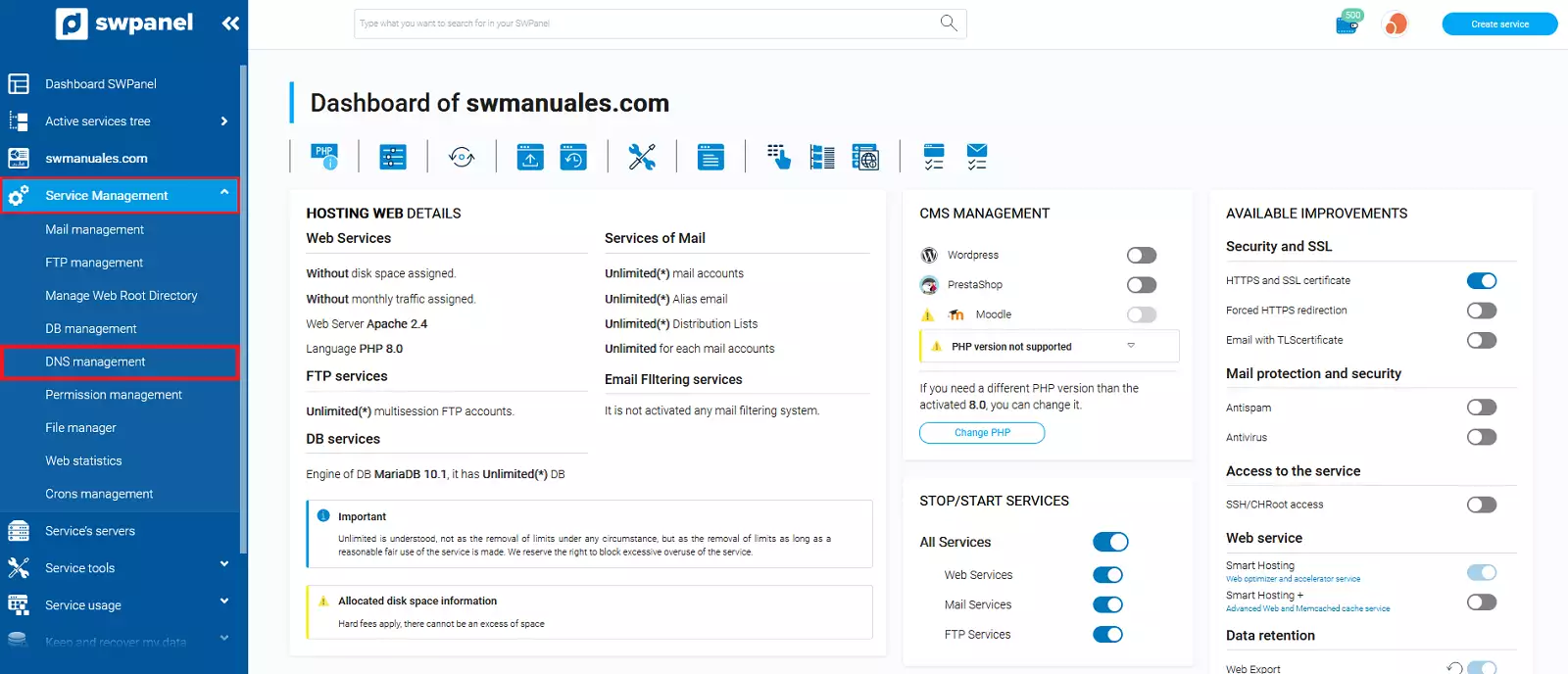
Then we go to Service management and DNS management, in the blue menu.
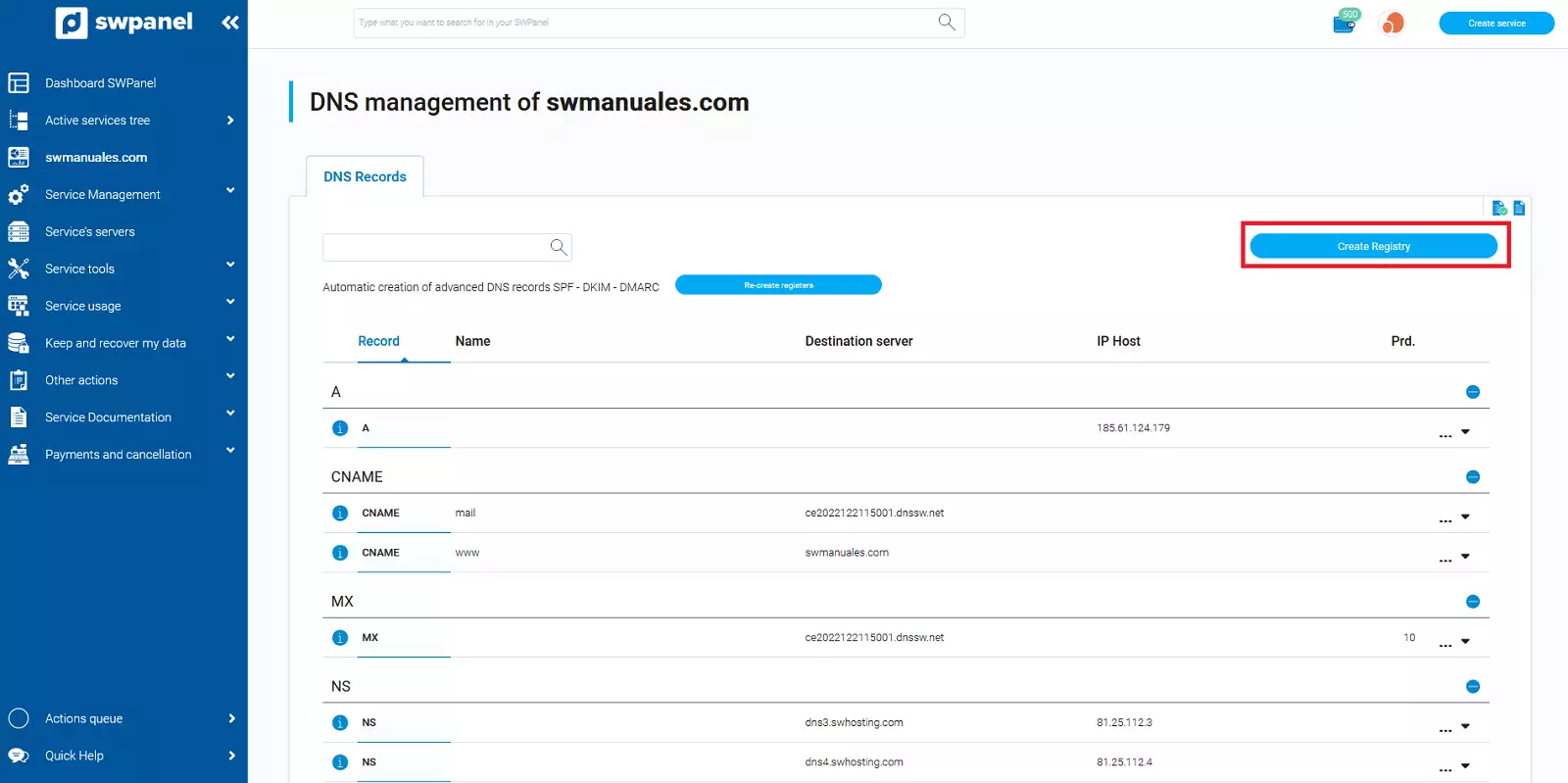
We are going to create 2 new DNS records of type NS.
For the 2 new records, the alias will be the name of the subdomain (in our case it is del). The destination server and the Host IP will depend on the DNS servers used by the subdomain.
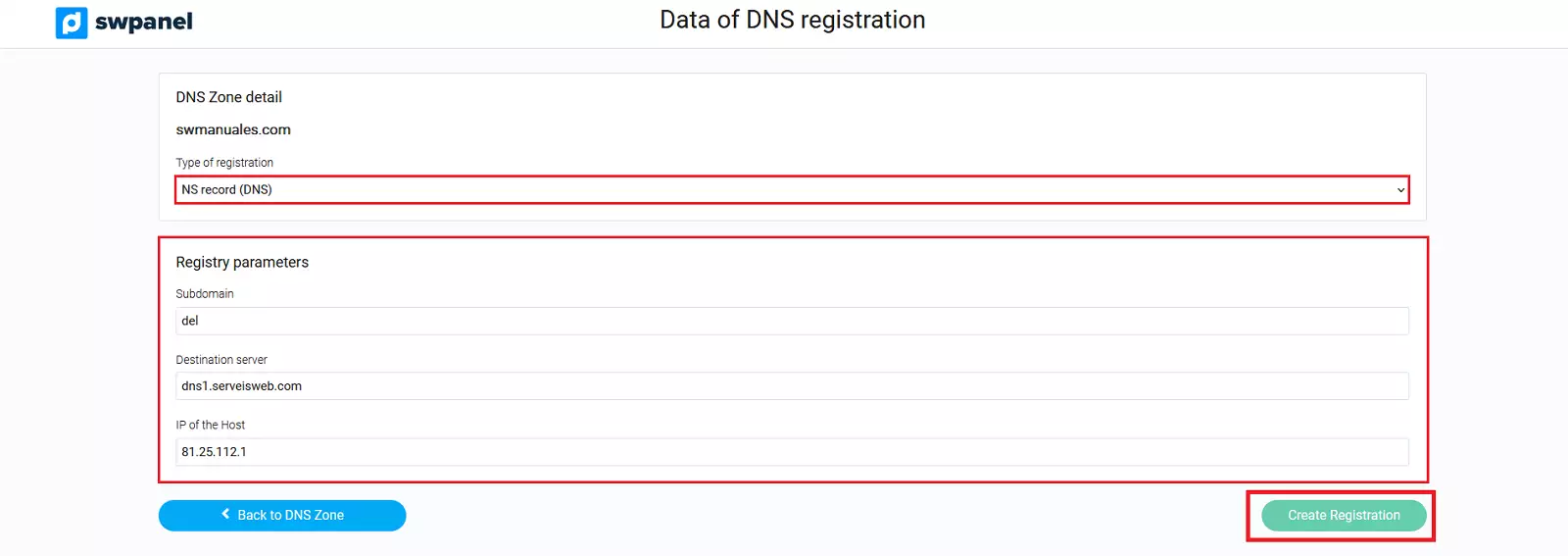
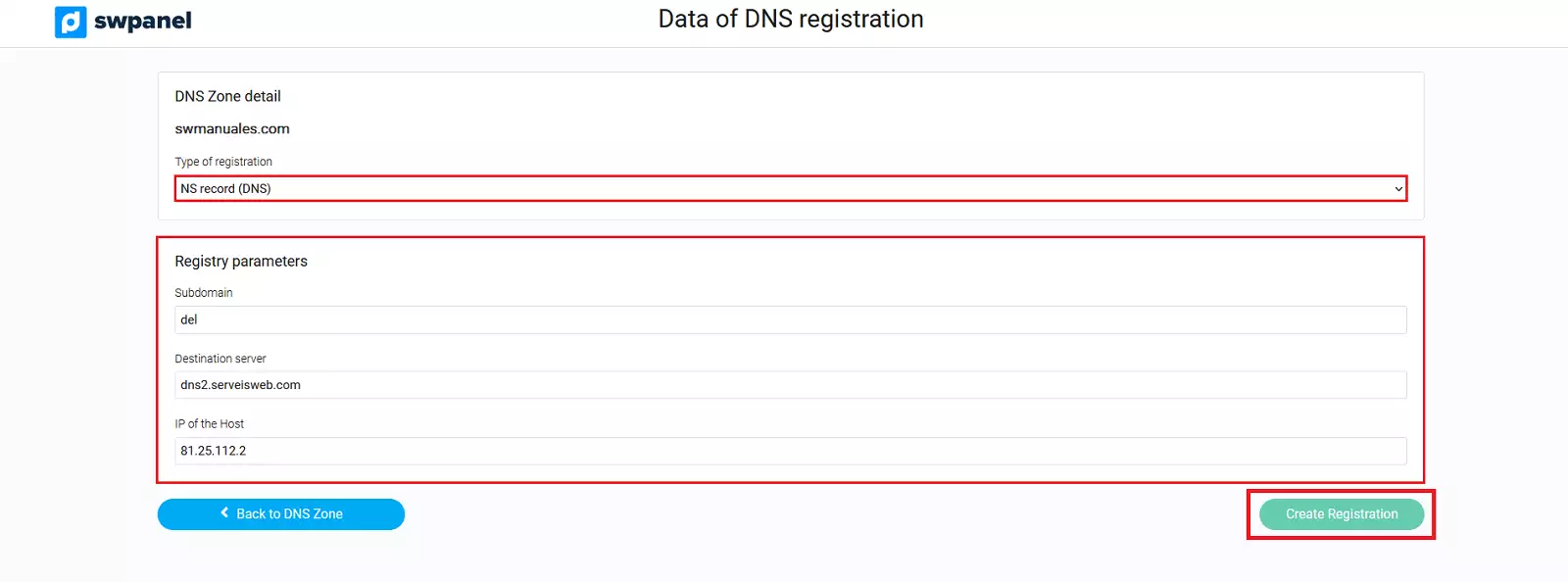
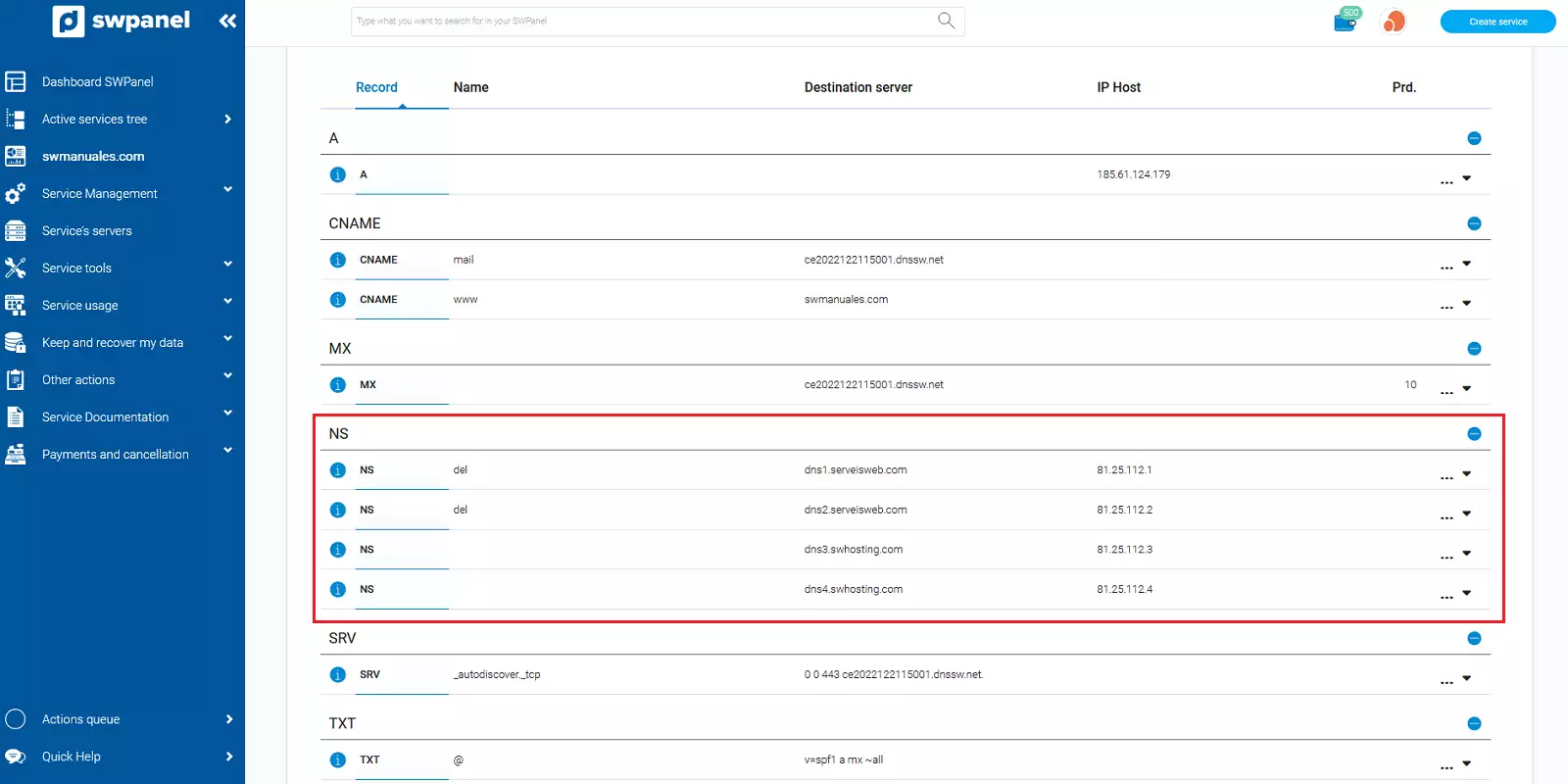
The DNS zone of our main domain will look as follows:
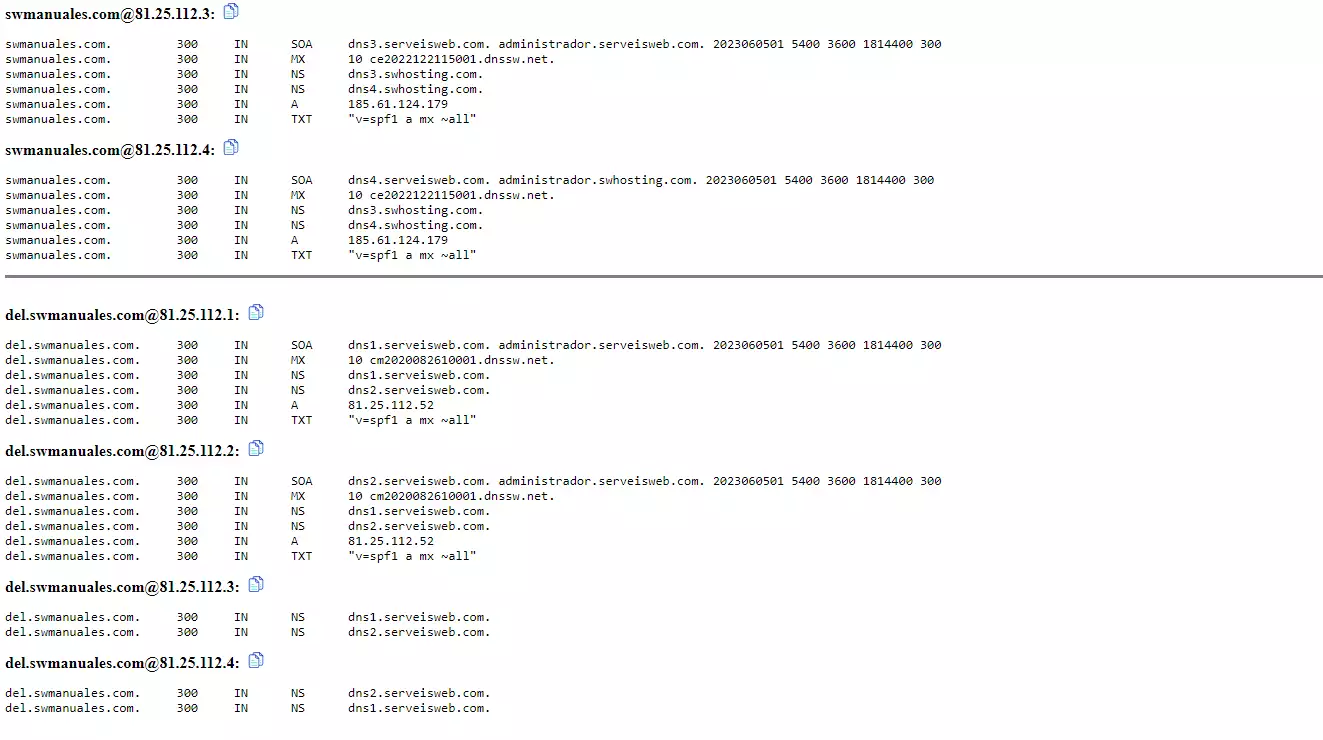
If we perform a dig of our main domain, we can see how the DNS servers dns3.swhosting.com and dns4.swhosting.com respond, while for the subdomain, the DNS servers dns1.serveisweb.com and dns2.serveisweb.com resolve.