
How can I cancel a hosting migration
To be able to cancel a migration that has ended in an error or has not finished, you must first go to the migration management of your SWPanel. To do this, from the blue side menu, click on Tools → To migrate websites → Manage migrations:
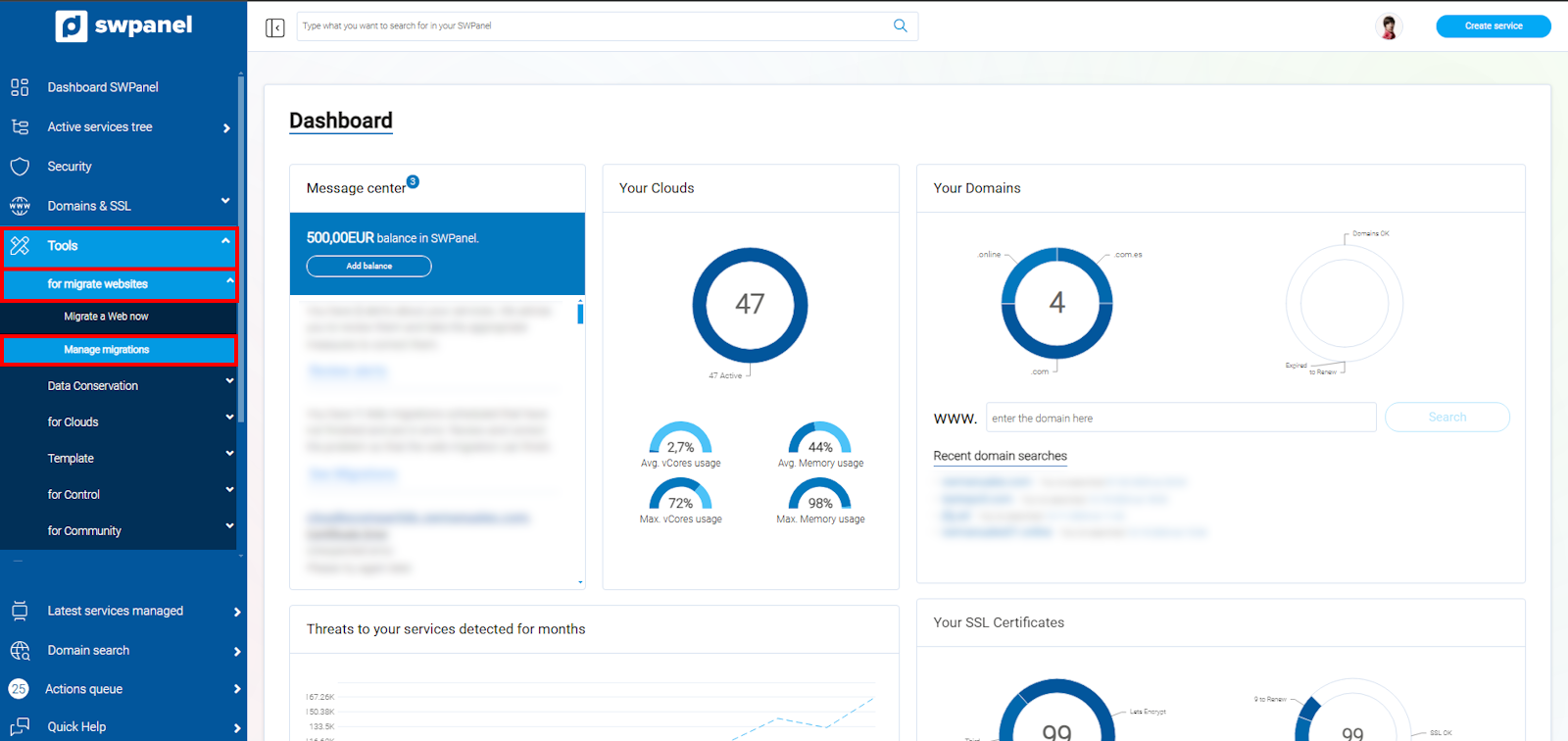
info_capture The screenshot is for guidance purposes. It was taken using version 2025.00.0017 dated 05/01/2025. It may differ from what the current version of SWPanel shows.
Next, locate your migration action and, using the [...] menu, click on Cancel Migration:
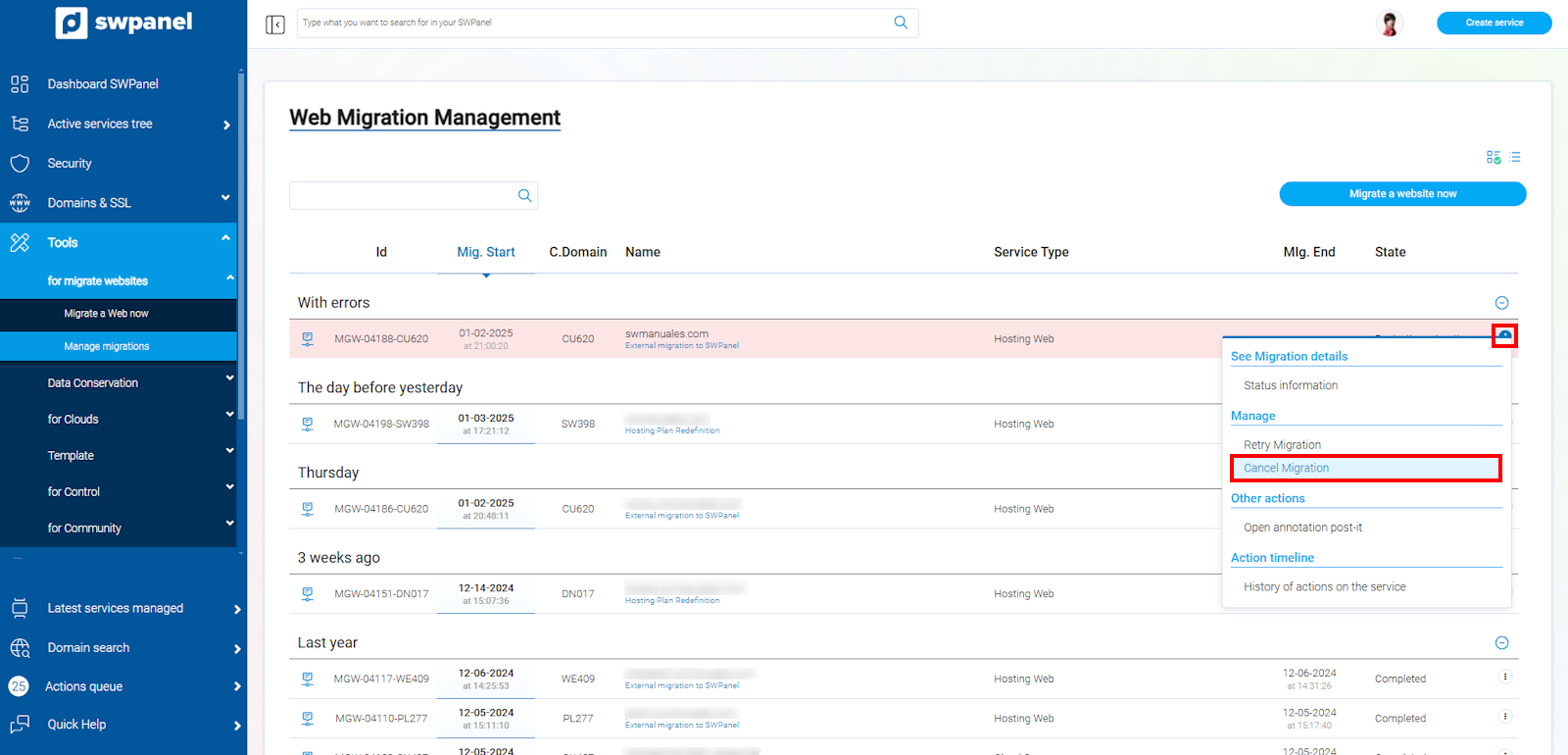
info_capture The screenshot is for guidance purposes. It was taken using version 2025.00.0017 dated 05/01/2025. It may differ from what the current version of SWPanel shows.
You must accept the cancellation of the migration. To do this, you must type the word that appears in bold in the text box:
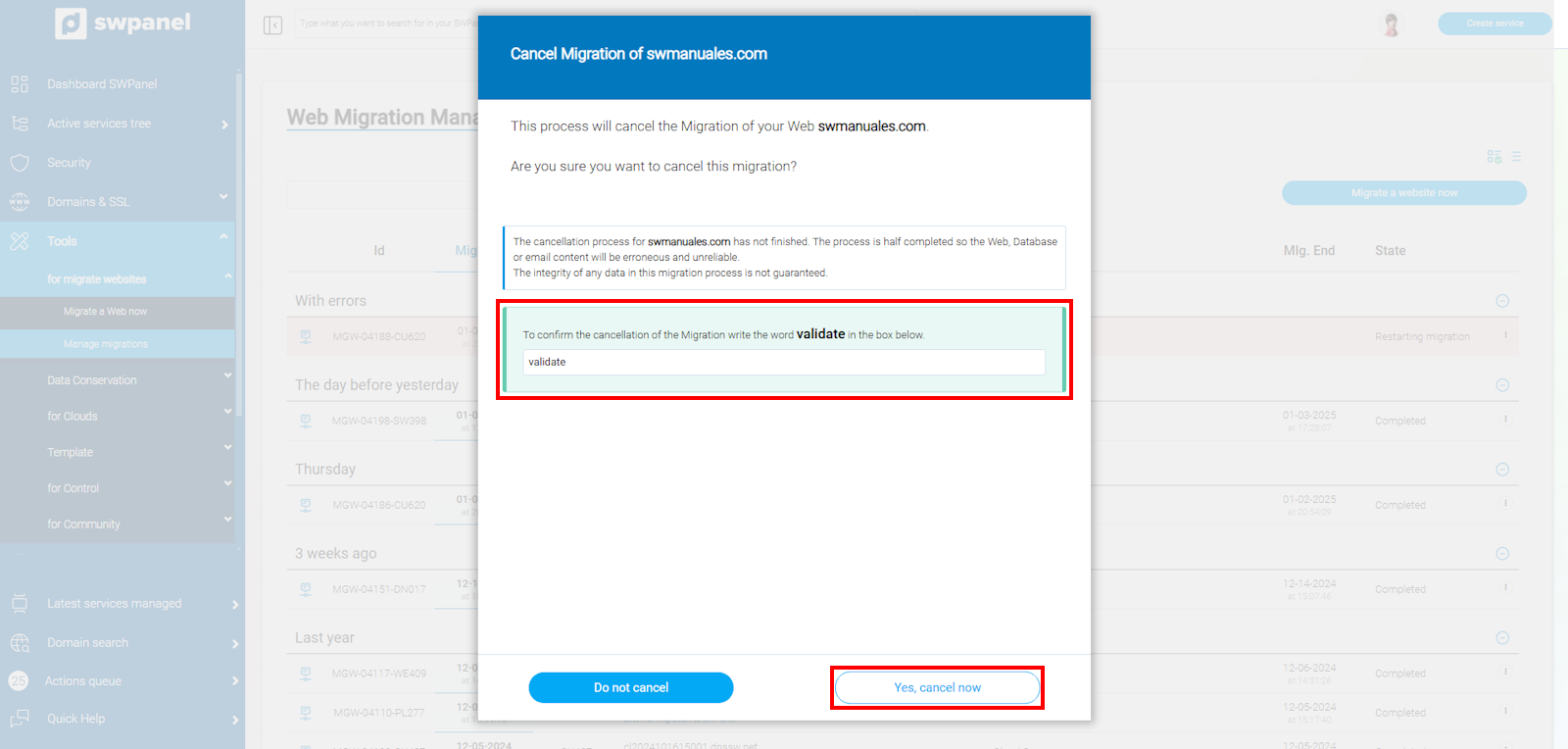
info_capture The screenshot is for guidance purposes. It was taken using version 2025.00.0017 dated 05/01/2025. It may differ from what the current version of SWPanel shows.