
Connect to your Windows Cloud server via remote desktop
In this manual we will show you how to access your Cloud Windows server from any computer using the Remote Desktop Connection application.
What is Remote Desktop Connection?
Remote Desktop Connection is a feature provided by Microsoft on Windows computers that allows users to remotely control and access a Windows computer from another device. Remote Desktop is useful in situations where you need to access your server remotely from a distant location to perform operations such as installing a program, copying or moving files, making updates or modifying a configuration file.
How can I access my Cloud Windows server?
To be able to access the desktop of our Cloud Windows server we will need to gather a series of data:
- The server IP
- The port through which to connect
- Username
- The user password
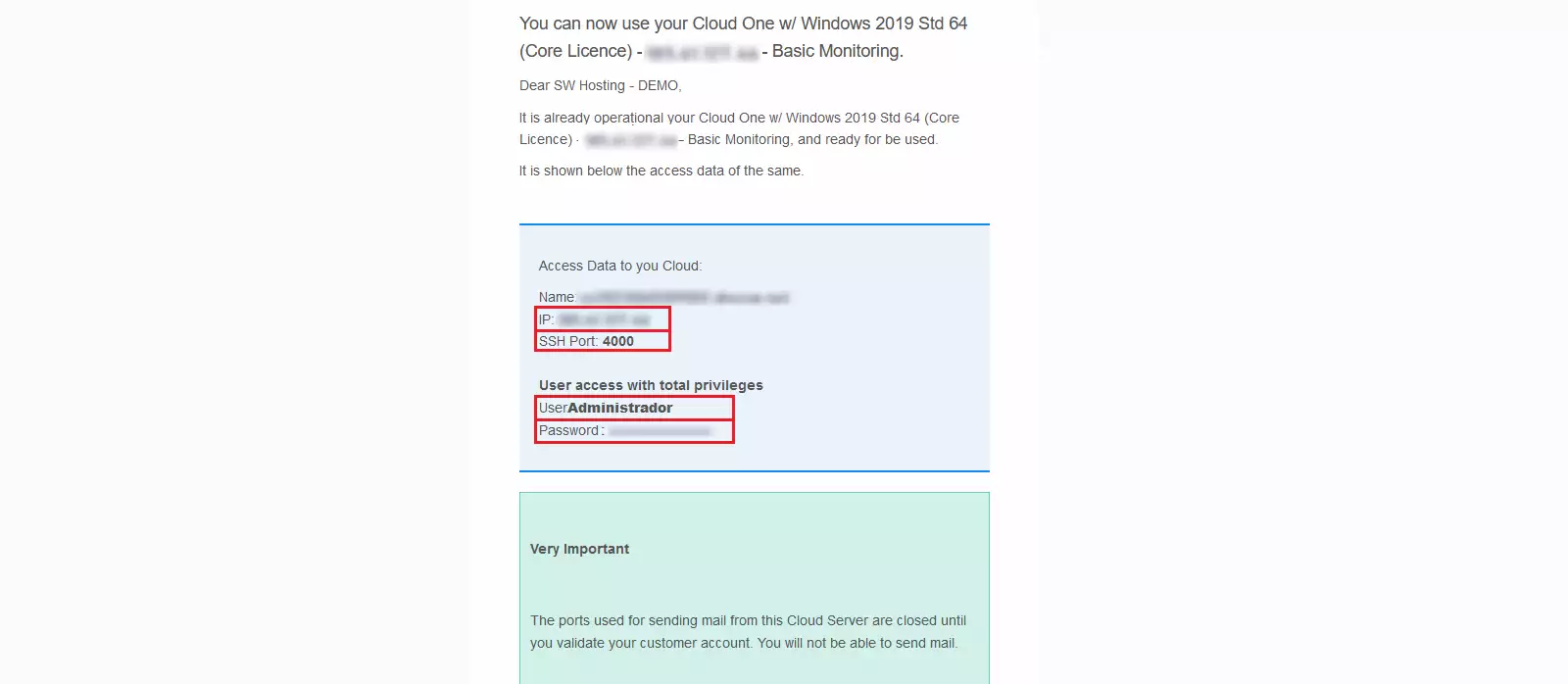
All these data are sent by email to the person responsible for the service at the time of creating a Cloud Windows server. The email is similar to the one shown below:
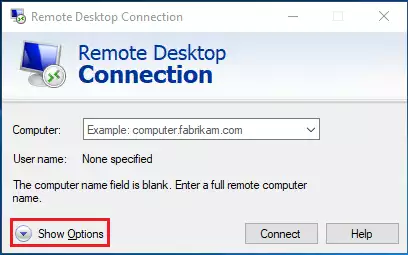
To connect with our Cloud Windows, we run the Remote Desktop Connection program and a screen like the following will appear, we will click on 'Show Options':
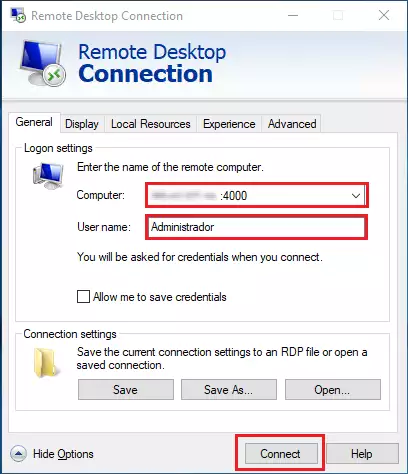
First, we will enter the IP along with the correct port (usually 4000), with the format '[ip]:[port]', we place the username (usually 'Administrator') and finally we will click on 'Connect'.
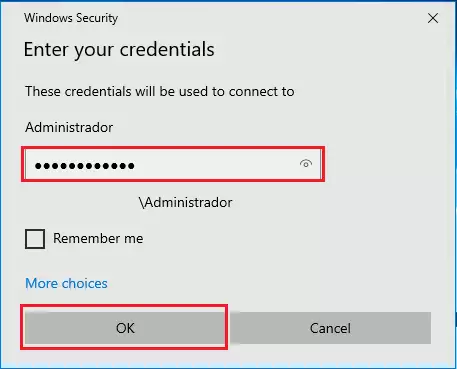
Next, it will ask for the user password, we will enter it and press 'OK'.
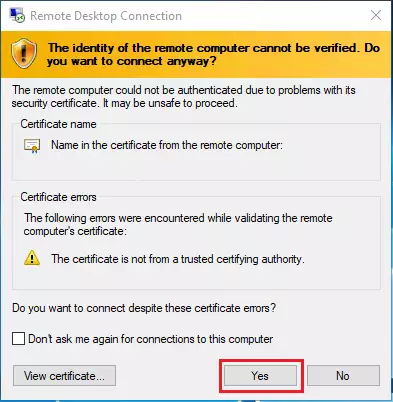
Then, a pop-up window may appear asking about the validity of the remote computer's certificate, we will press 'Yes' to continue the connection.
And we will already be on the desktop of our Cloud Windows connected with the user 'Administrator', who has all privileges and can perform any operation.
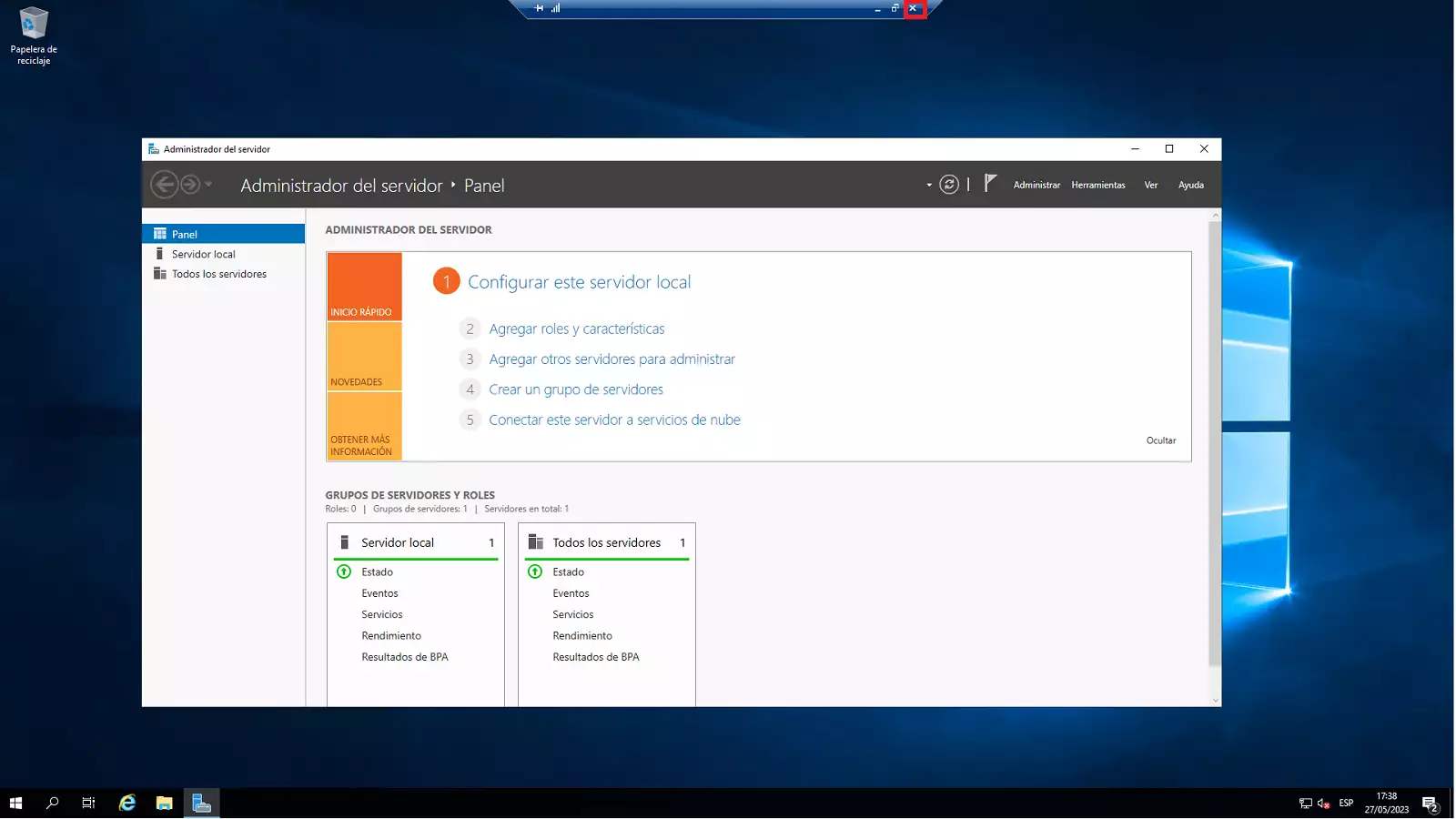
??To disconnect from the server, we will press the 'x' button located in the top bar, the program will close the connection automatically.??
Done! We now know how to access the desktop of our Cloud Windows server with the Remote Desktop Connection program.