
Talk to support with Quick Help
1. What is Immediate Help?
Immediate Help is an AI-based automatic assistance service (also known as a support bot). Its goal is to help you quickly and directly resolve queries related to SWPanel, as well as the operation of your Hosting, Web, or Cloud Server service.
Through this system, you can:
- Obtain immediate answers about the use and functionalities of SWPanel.
- Resolve doubts regarding actions or configurations that you can perform in your service.
- Detect possible incidents or operational problems.
- Receive guidance and steps to solve problems.
Immediate Help works as an automated support system. As you make queries, the system analyzes the information and proposes possible solutions or recommendations.
In this way, through a guided interaction, you will be able to identify problems in your service and receive clear instructions to resolve them quickly.
2. How to use Immediate Help
To access Immediate Help, follow these steps from the client panel:
- Access the dashboard of your client account in SWPanel.
- In the blue side menu, click on the Immediate Help option.
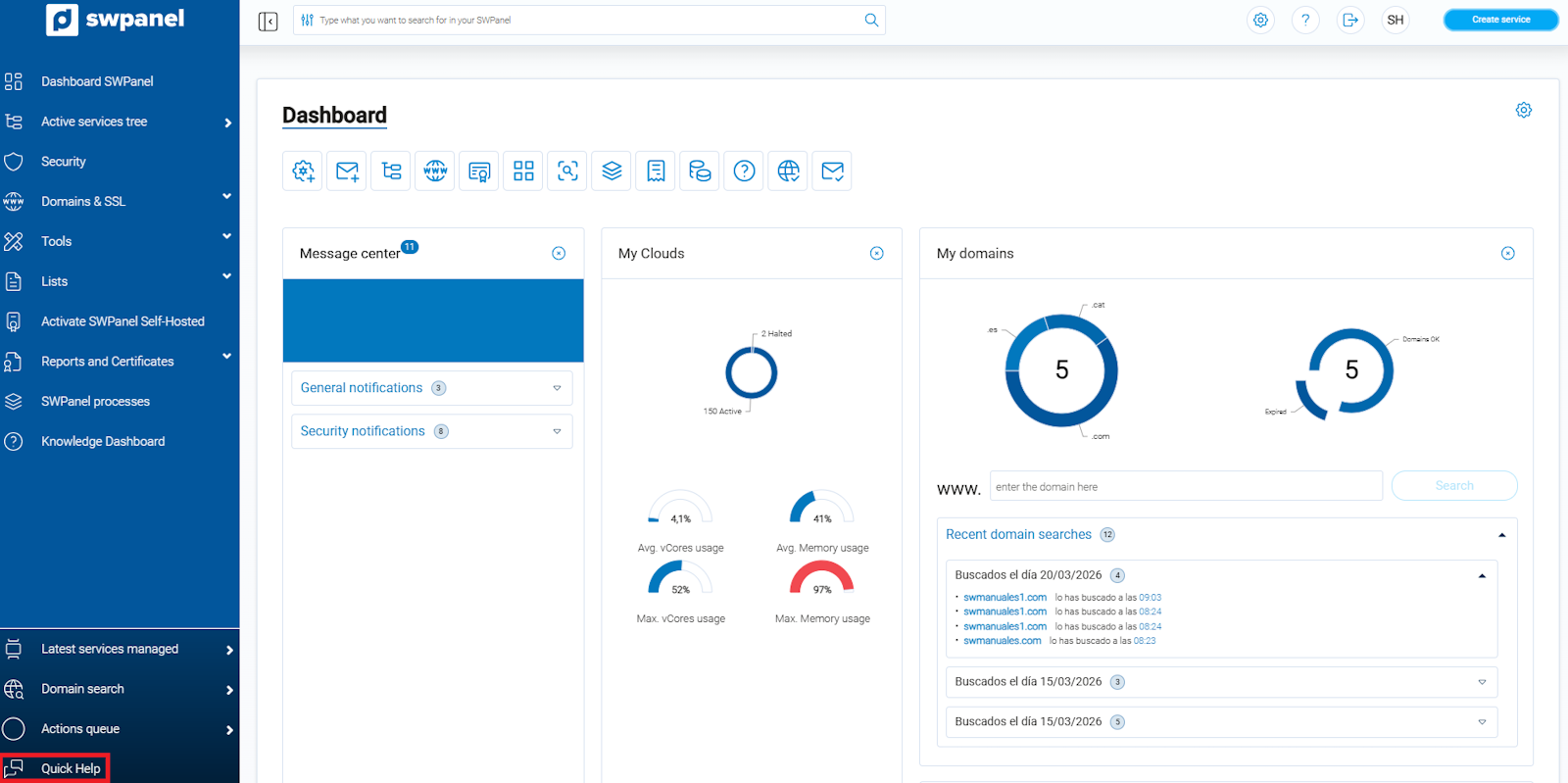
info_capture ℹ️ Note: The capture is for guidance purposes, taken on version 2026.000.0049 dated 03/21/2026. It may differ from the current version of SWPanel.
Once inside, a new window will open where you can write your query, doubt, or incident.
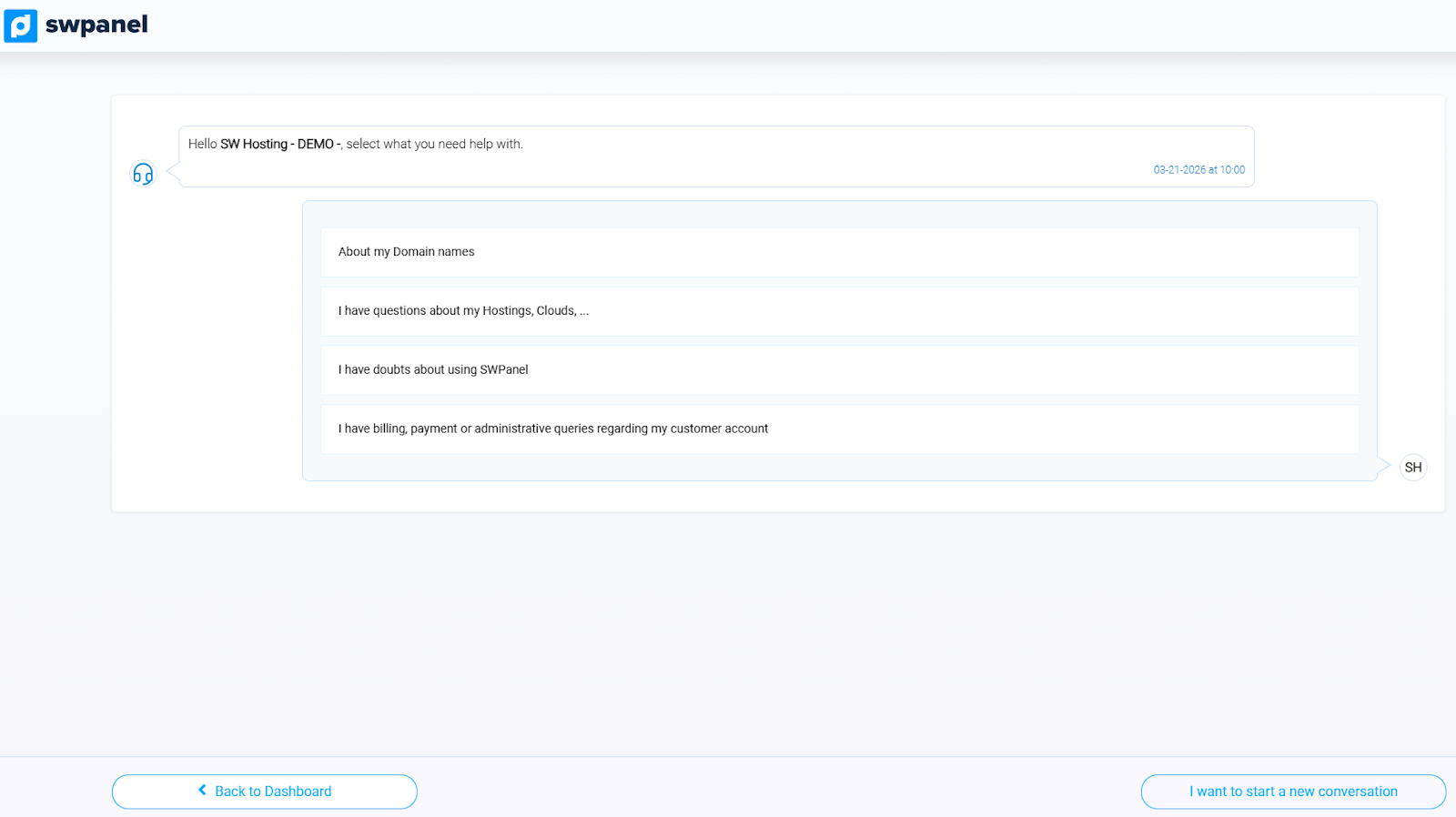
info_capture ℹ️ Note: The capture is for guidance purposes, taken on version 2026.000.0049 dated 03/21/2026. It may differ from the current version of SWPanel.
Immediate Help will analyze the information you provide and offer you instructions, recommendations, or possible solutions to resolve the problem or clarify your query.
To obtain more precise answers, it is recommended that you provide as much information as possible about the incident or doubt you have. In this way:
- The system will be able to offer answers more tailored to your case.
- The technical support team will be able to better understand the situation and provide you with more effective assistance if necessary.
3. How to escalate a query to the Support Wall
If Immediate Help needs more information to resolve your query, the system will allow you to write an additional message and escalate the request to the Support Department through a Support Wall.
This process converts the automatic query into a conventional support request, which will be reviewed by our technical team.
If you decide to escalate a query from Immediate Help to the Support Wall, it is important that the query is related to the service you have previously indicated.
info_capture ℹ️ Note: The capture is for guidance purposes, taken on version 2026.000.0049 dated 03/21/2026. It may differ from the current version of SWPanel.
The Immediate Help system will allow you to send a message to the Support Department when it is necessary to provide additional information to properly handle your request.
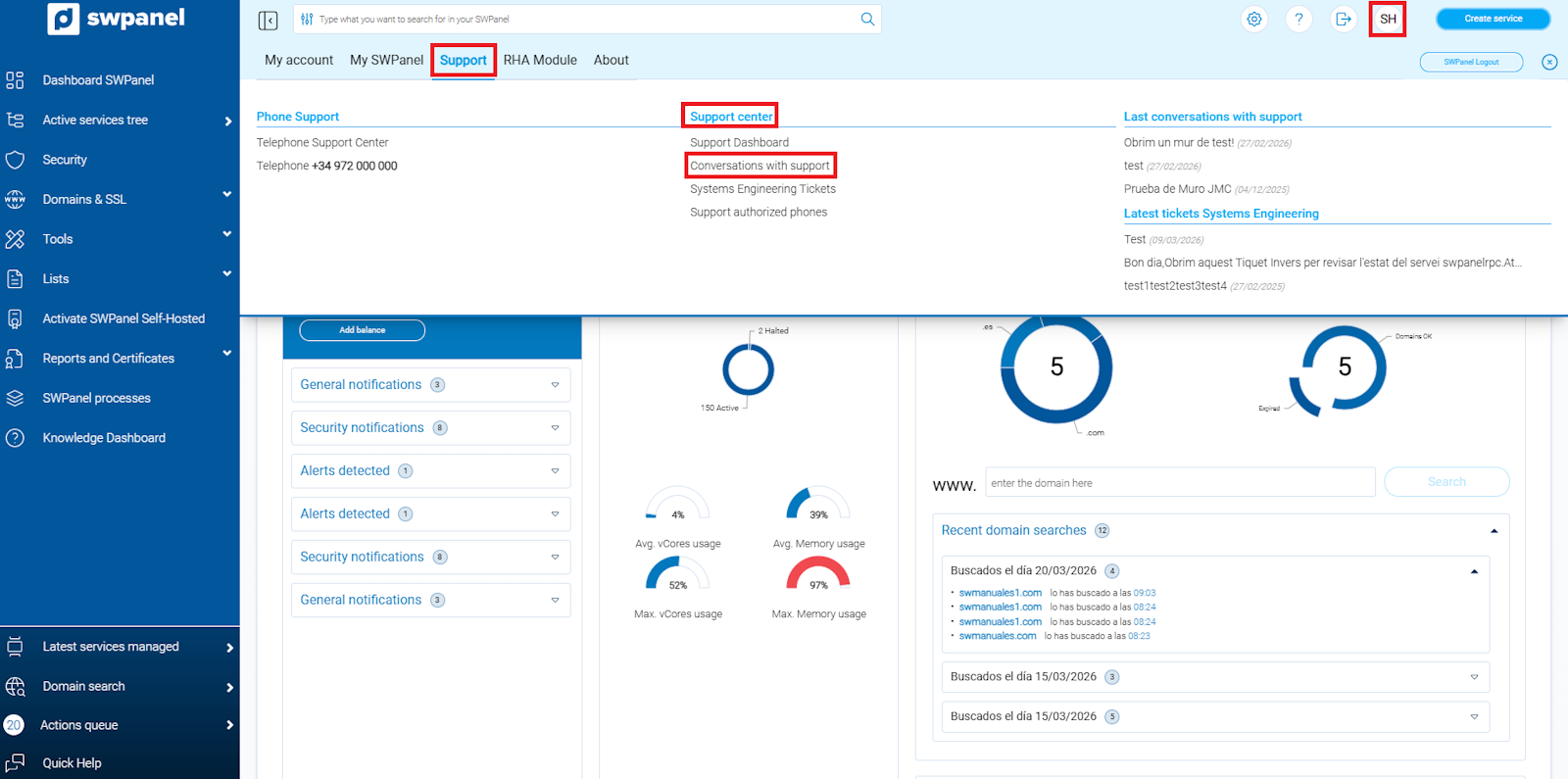
Once the query is created in the Support Wall, you can check its status and respond to the messages from the technical team from your client account:
- Access your Client Account icon.
- Enter Support.
- Click on Support conversations.
From this section, you will be able to see the status of your queries and continue the conversation with the support team.