
Stop receiving any type of notification
It is possible that, for whatever reason, you no longer wish to receive notifications from SW Hosting.
If you still have services and/or domains with SW Hosting, we do not recommend the general deactivation of notification emails, as the system will not send you any emails. Not receiving notifications does not imply that you should not perform the actions indicated in them. There are some very important notifications that we advise against deactivating.
You must do this using your private client area, SWPanel, by entering your username and password.
Deactivation is carried out through two different tabs:
-
Client file
Expand the tab in the upper right of the screen, where your name is indicated, go to the "My account" tab, and click on "Client data and preferences":
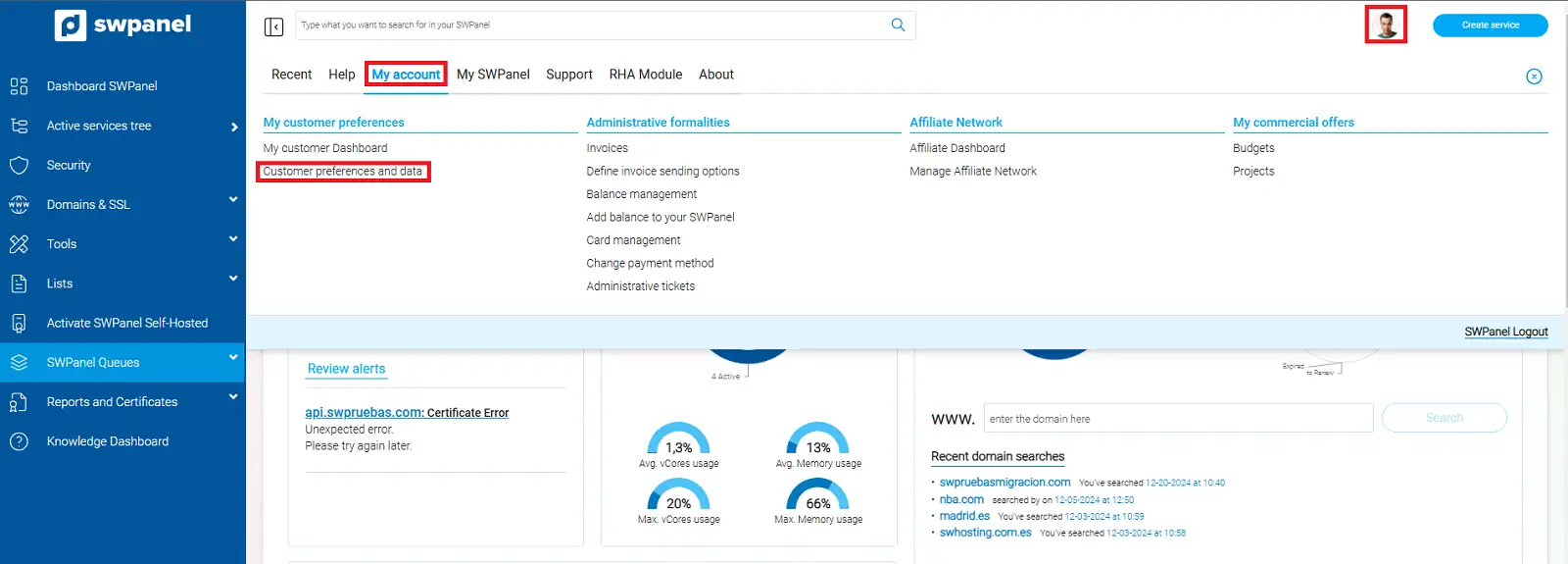
info_capture The screenshot is for guidance purposes. It was taken using version 2025.00.0017 dated 16/01/2025. It may differ from what is shown in the current version of SWPanel.
In the "General data" tab, deactivate the option that appears at the bottom of the page, inside a box, and click on "Save client file":
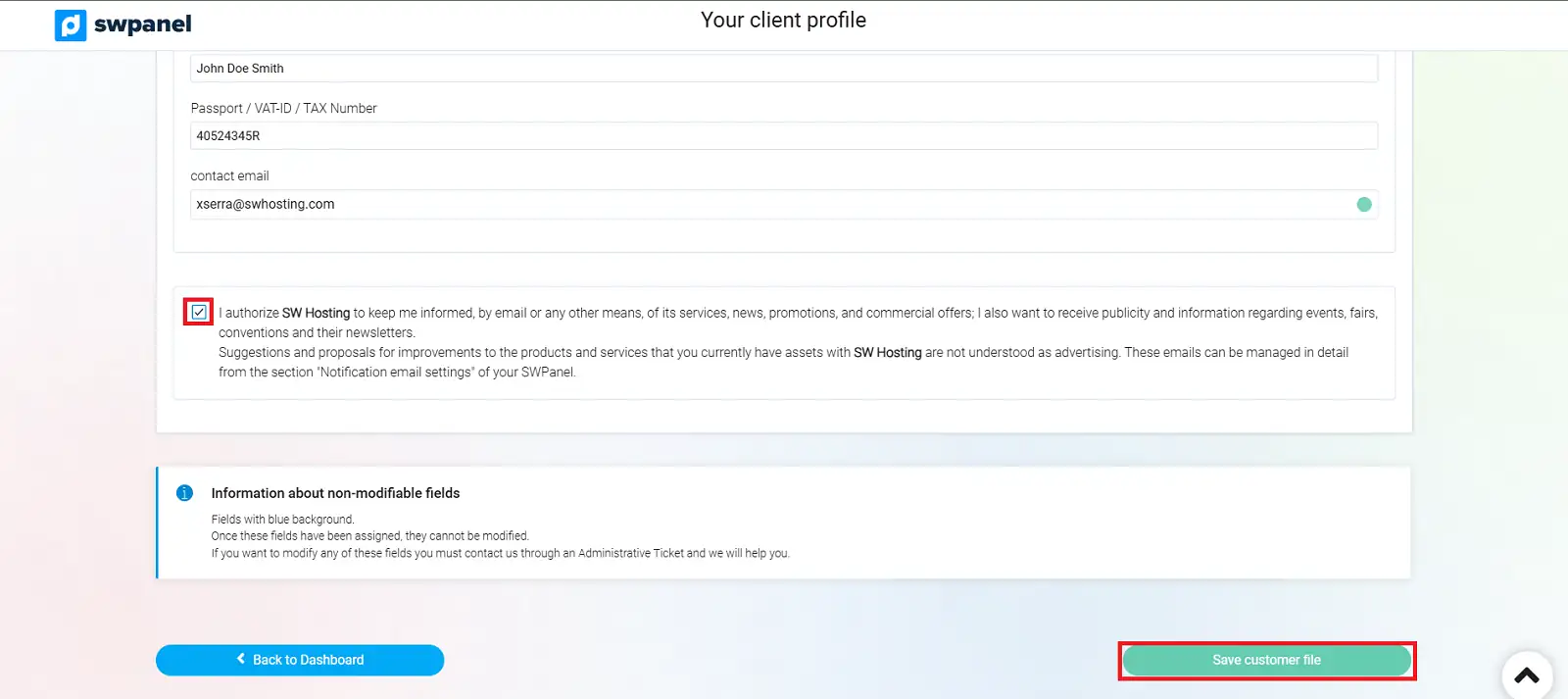
info_capture The screenshot is for guidance purposes. It was taken using version 2025.00.0017 dated 16/01/2025. It may differ from what is shown in the current version of SWPanel.
-
Notification email configuration
Expand the same upper right menu of your screen, where your name is indicated, and in the "My SWPanel" tab select the option "Notification email preferences":
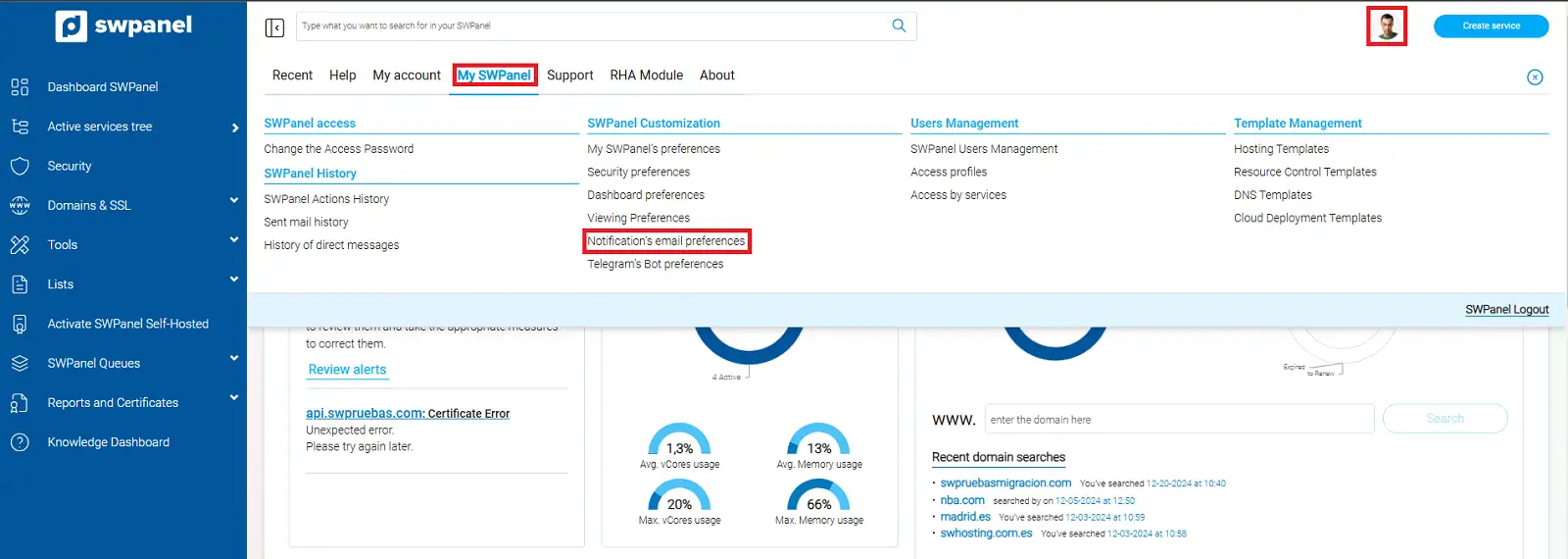
info_capture The screenshot is for guidance purposes. It was taken using version 2025.00.0017 dated 16/01/2025. It may differ from what is shown in the current version of SWPanel.
You must click on the "Deactivate all" option, which appears at the bottom of the page.
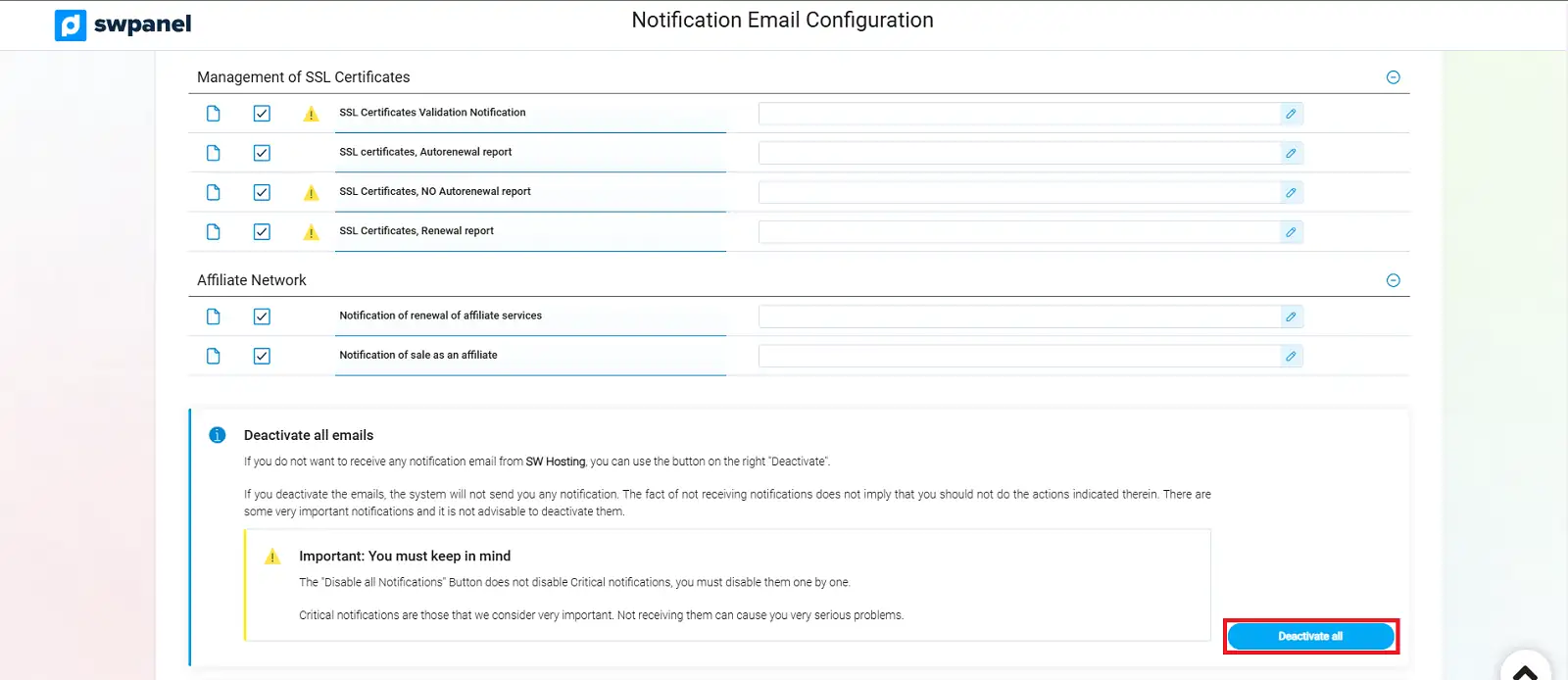
info_capture The screenshot is for guidance purposes. It was taken using version 2025.00.0017 dated 16/01/2025. It may differ from what is shown in the current version of SWPanel.