
Control Tools
What are control tools?
They allow us to view the current inventory of services, registered domains, and templates in an organized manner.
The control lists collect information that, due to its relevance, may need to be monitored periodically, such as space and traffic usage, domain expiration dates, among others.
Likewise, we have the option to export the information, which allows us to keep a record of the control performed as well as the data displayed at that moment.
To access it, we click on the Control Tools option (left menu) and the section to be consulted.
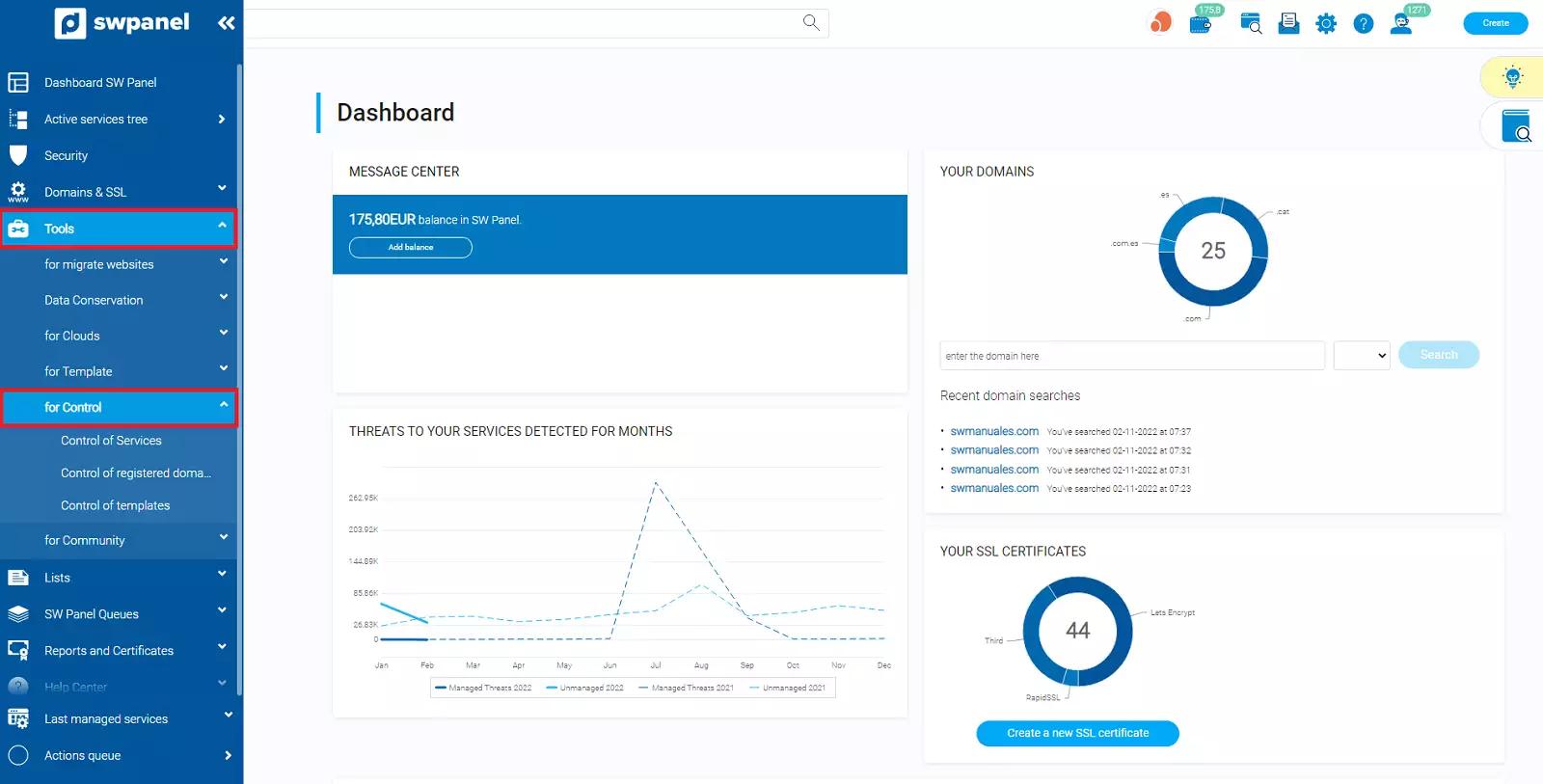
In order to simplify the consultation of lists, in each section we can sort the results by clicking on the column title.
Service Control
Shows the list of Cloud servers and services that are currently registered.
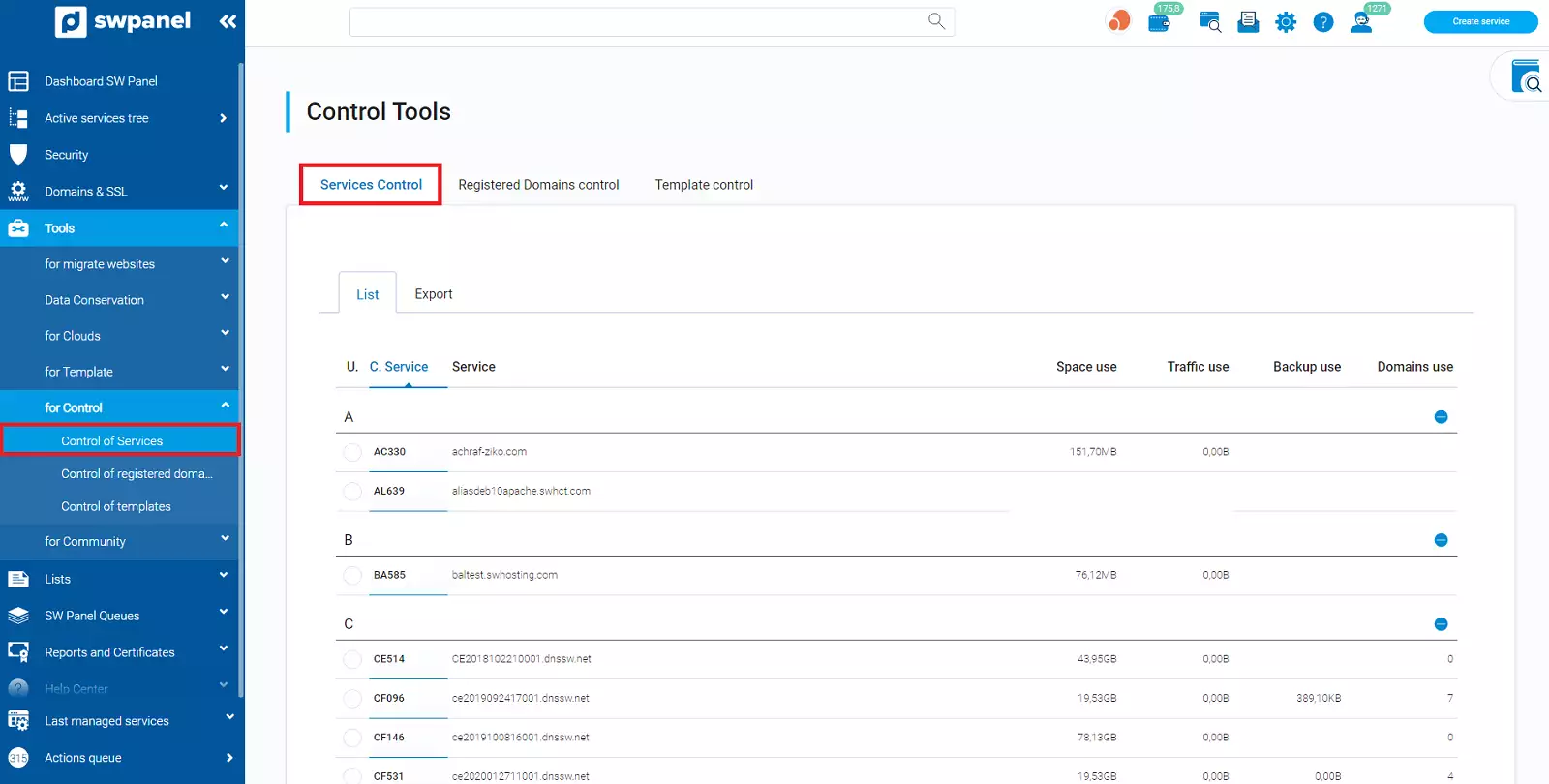
Collects the following data:
- Service Code: Unique identifier of the Cloud or service.
- Service: Host name.
- Space Usage: Space consumed.
- Traffic Usage: Traffic consumed.
- Backup Usage: Space dedicated to backups consumed. This data is totaled at the Cloud server level only.
Export data
The data can be exported in Excel, CSV (separated by the character '|') and XML format. In each export, we can set a control date that will appear in the exported file and limit the data to be exported by service code.
To perform the export, we access the Export tab:
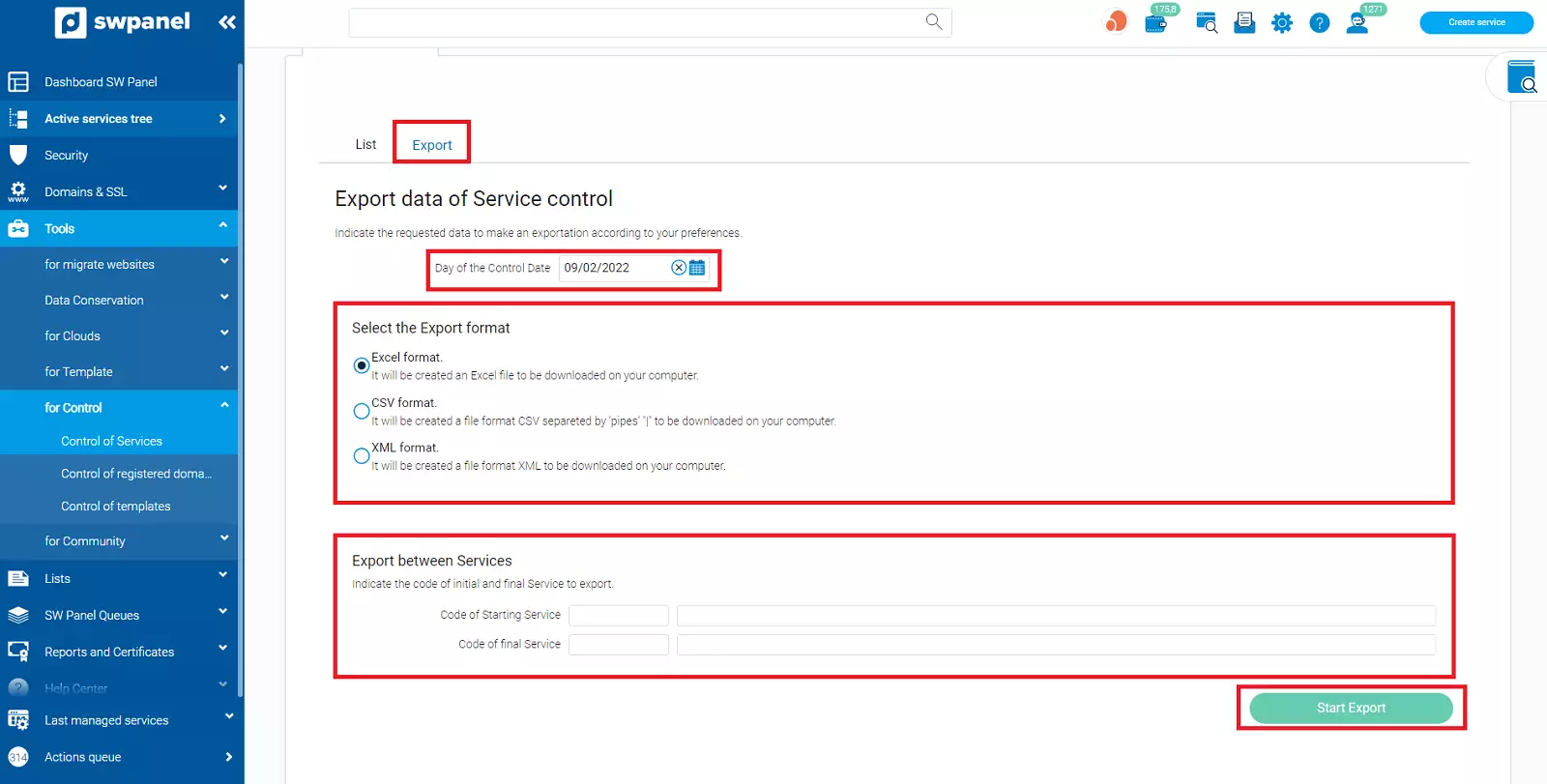
- Specify a control date.
- Select the export format.
- Optional. Enter the initial and final service code to limit the data to be exported (see the 'Service Code' column in the 'List' tab).
Registered Domain Control
Shows the list of registered domains.
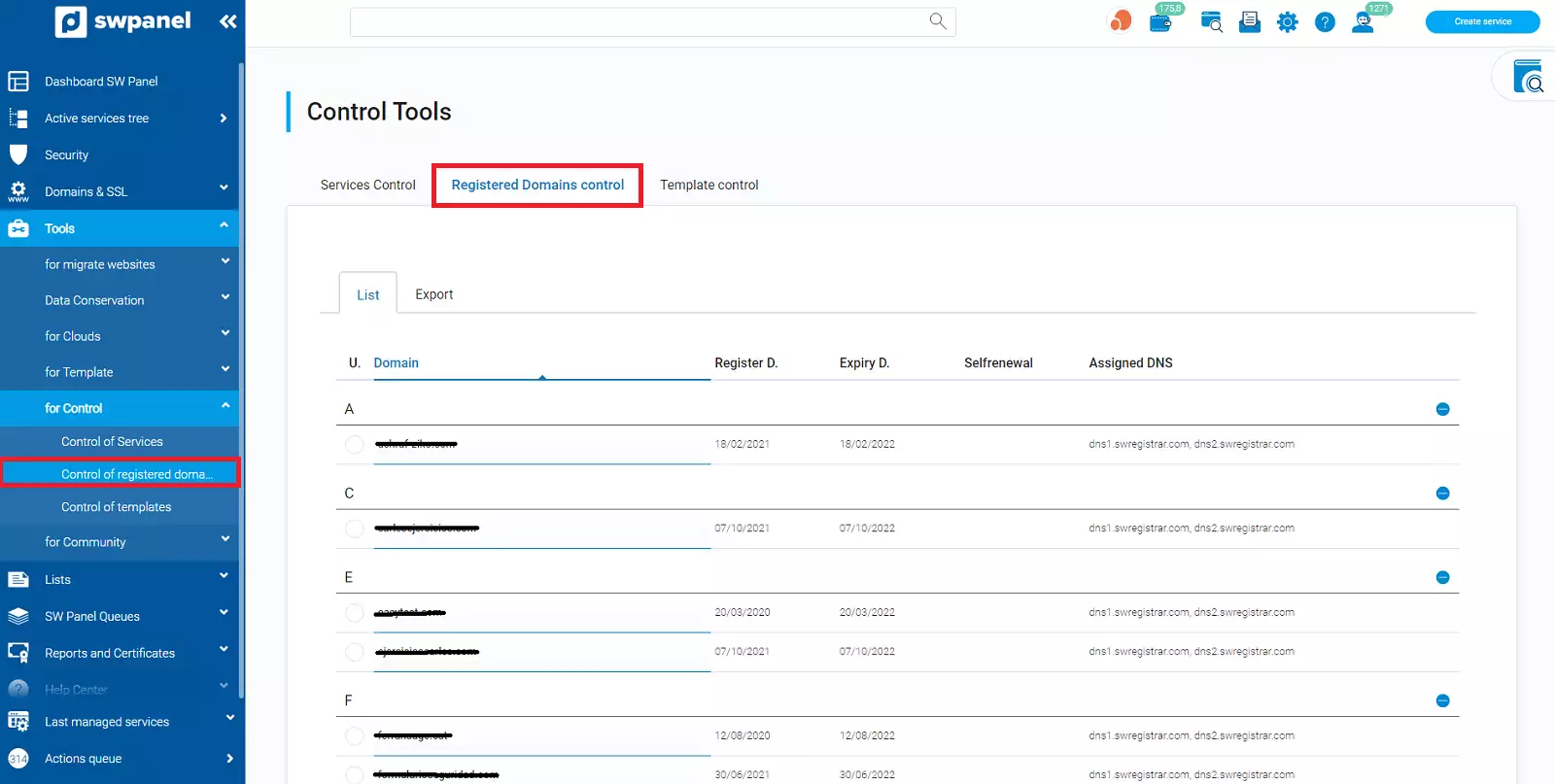
Collects the following data:
- Domain: Name of the registered domain.
- Registration Date: Date on which the domain was registered.
- Expiration Date: Date on which the domain will expire.
- Auto-renewal: If the domain has it active, the date on which it will be auto-renewed appears.
- Assigned DNS: Date on which the domain will expire.
Export data
The data can be exported in Excel, CSV (separated by the character '|') and XML format. Likewise, we can filter the export by registration date, expiration, or auto-renewal.
To perform the export, we access the Export tab:
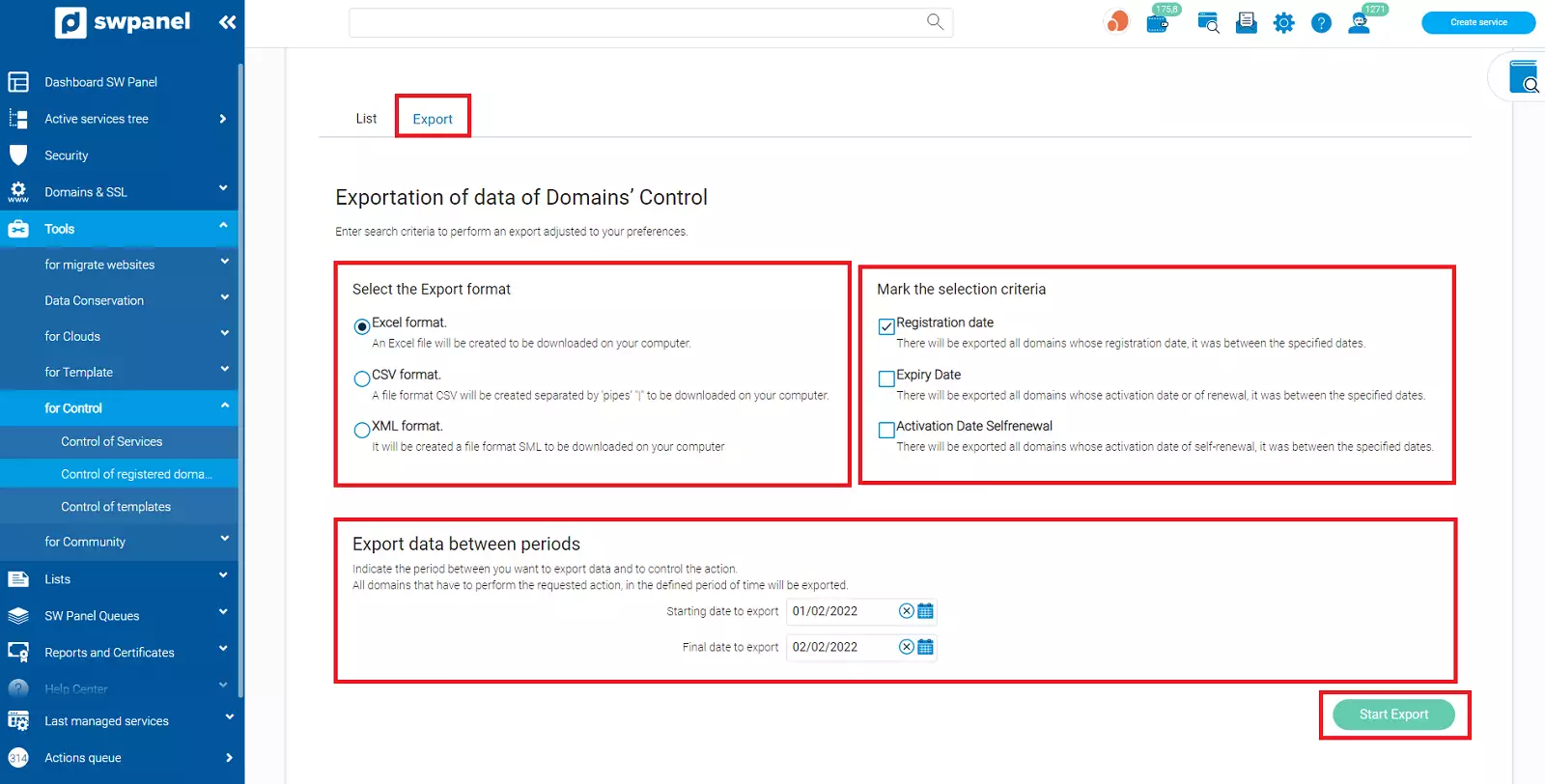
- Select the export format.
- Enter the date range we wish to consult.
- Mark the selection criterion:
- By Registration Date: Domains whose registration date is between the dates indicated in the previous step will be exported.
- By Expiration Date: Domains whose expiration date is between the dates indicated in the previous step will be exported.
- By Auto-renewal Activation Date: Domains whose auto-renewal date is between the dates indicated in the previous step will be exported.
Template Control
Allows verifying if services are linked to a template and which template they are linked to.
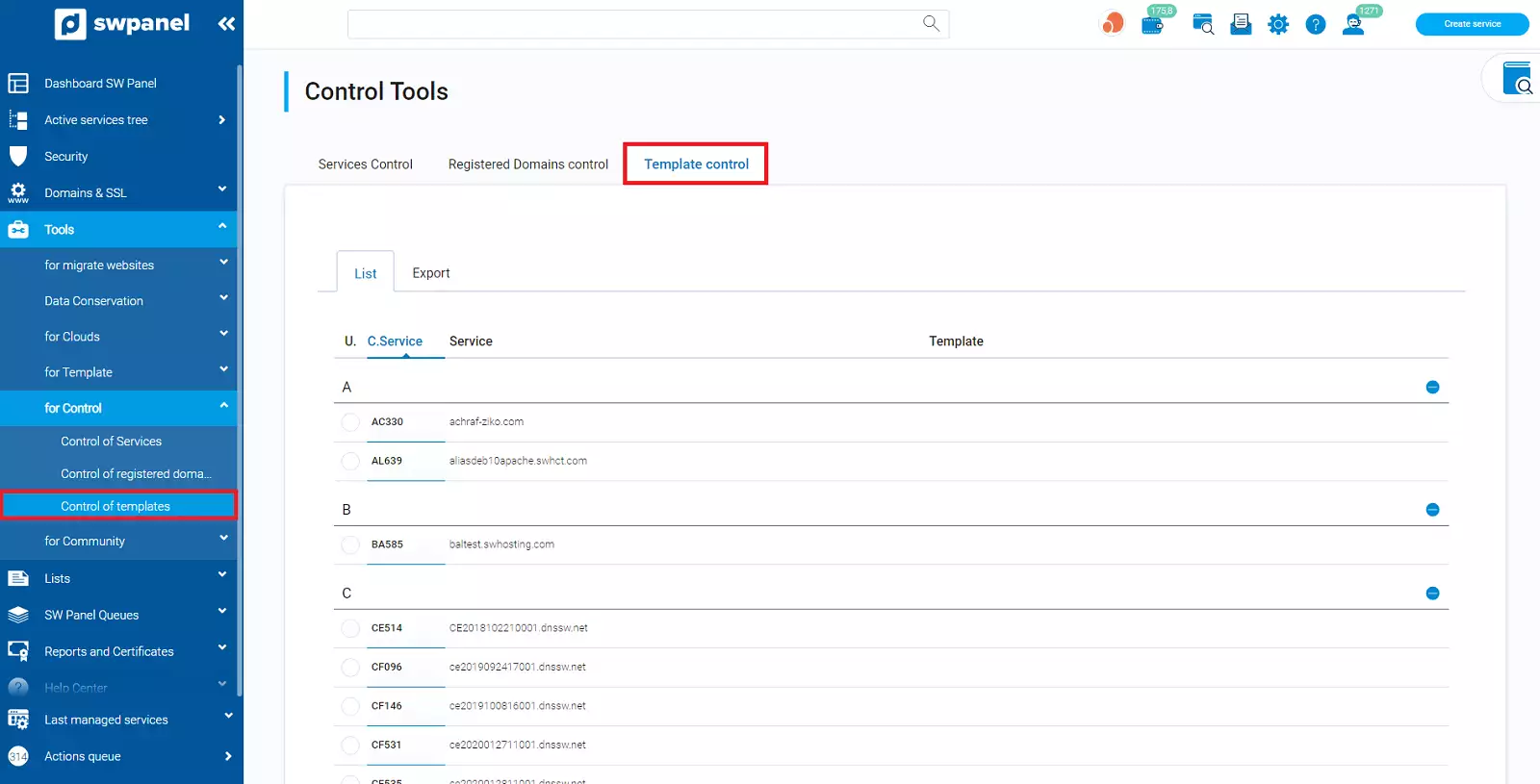
Collects the following data:
- Service Code: Unique identifier of the Cloud or service.
- Service: Host name.
- Template: If the service is linked to a template, the template name is shown.
Export data
The data can be exported in Excel, CSV (separated by the character '|') and XML format. In each export, we have the option to export only services with a template, services without a template, or both. Additionally, we can limit the data to be exported by service code.
To perform the export, we access the Export tab:
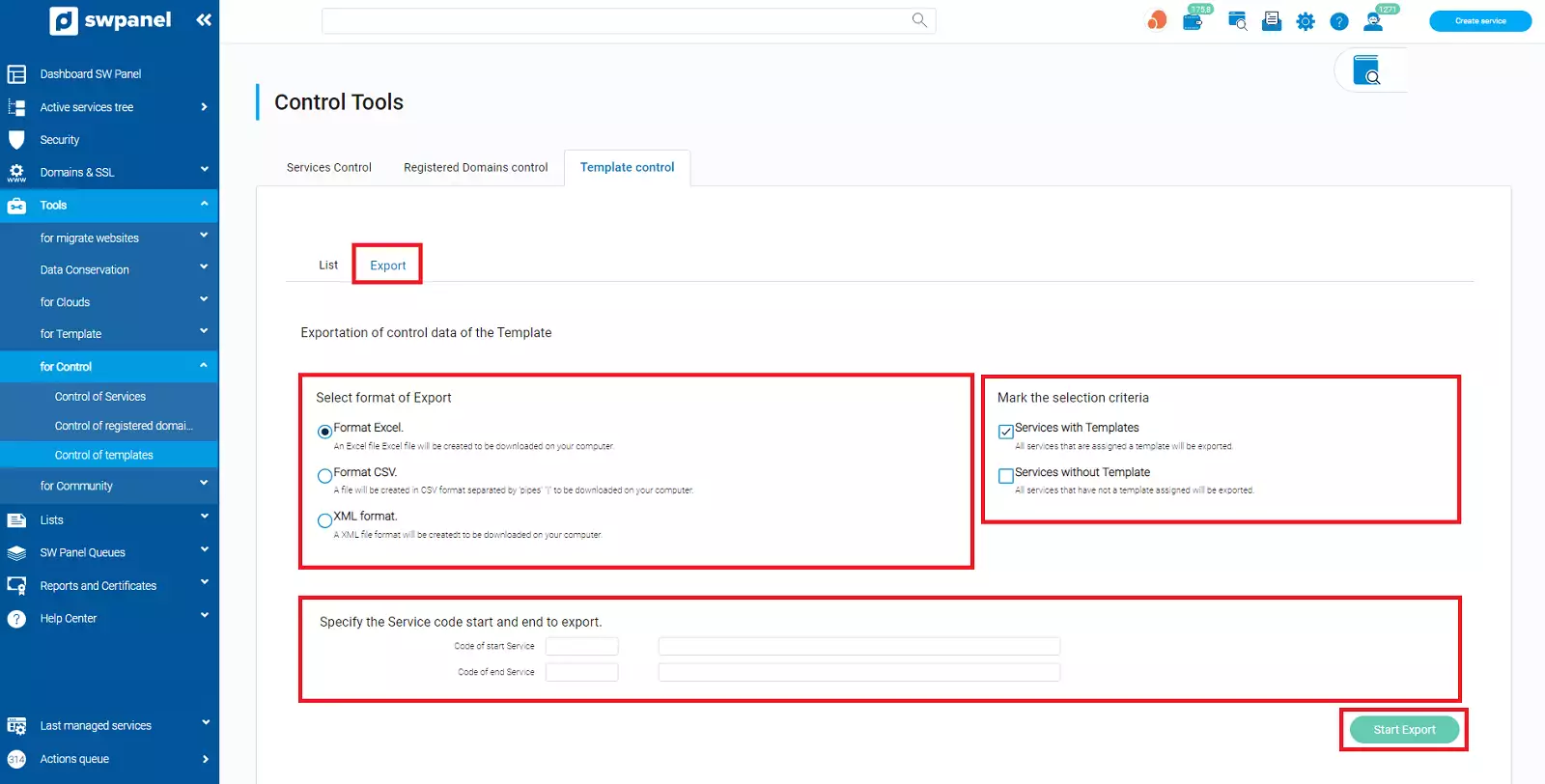
- Select the export format.
- Mark the selection criterion: Services with Template, Services without Template, or both.
- Optional. Enter the initial and final service code to limit the data to be exported (see the 'S. Code' column in the 'List' tab).