
Move my Hosting Plan between Data Centers
Aktualisiert am
2026-10-28 15:01:21
13
Besuche
Depending on your target audience, you may be interested in having your website in one location or another. The option 'Move my Hosting plan Location' allows you to change the Hosting Data Center to the country that best fits your needs.
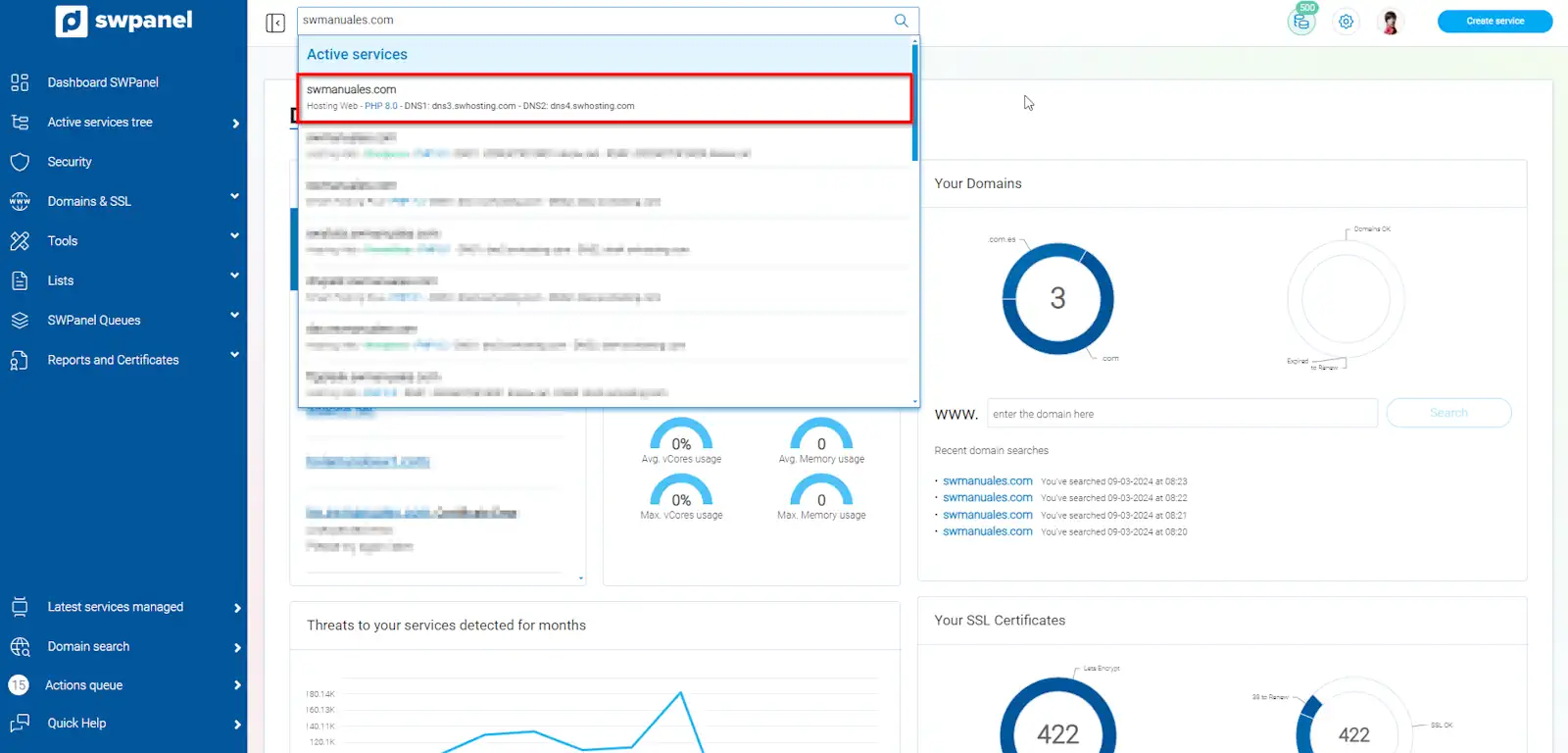
First of all, to do this quickly, you can access the Hosting plan you want to move via the SWPanel search bar at the top:
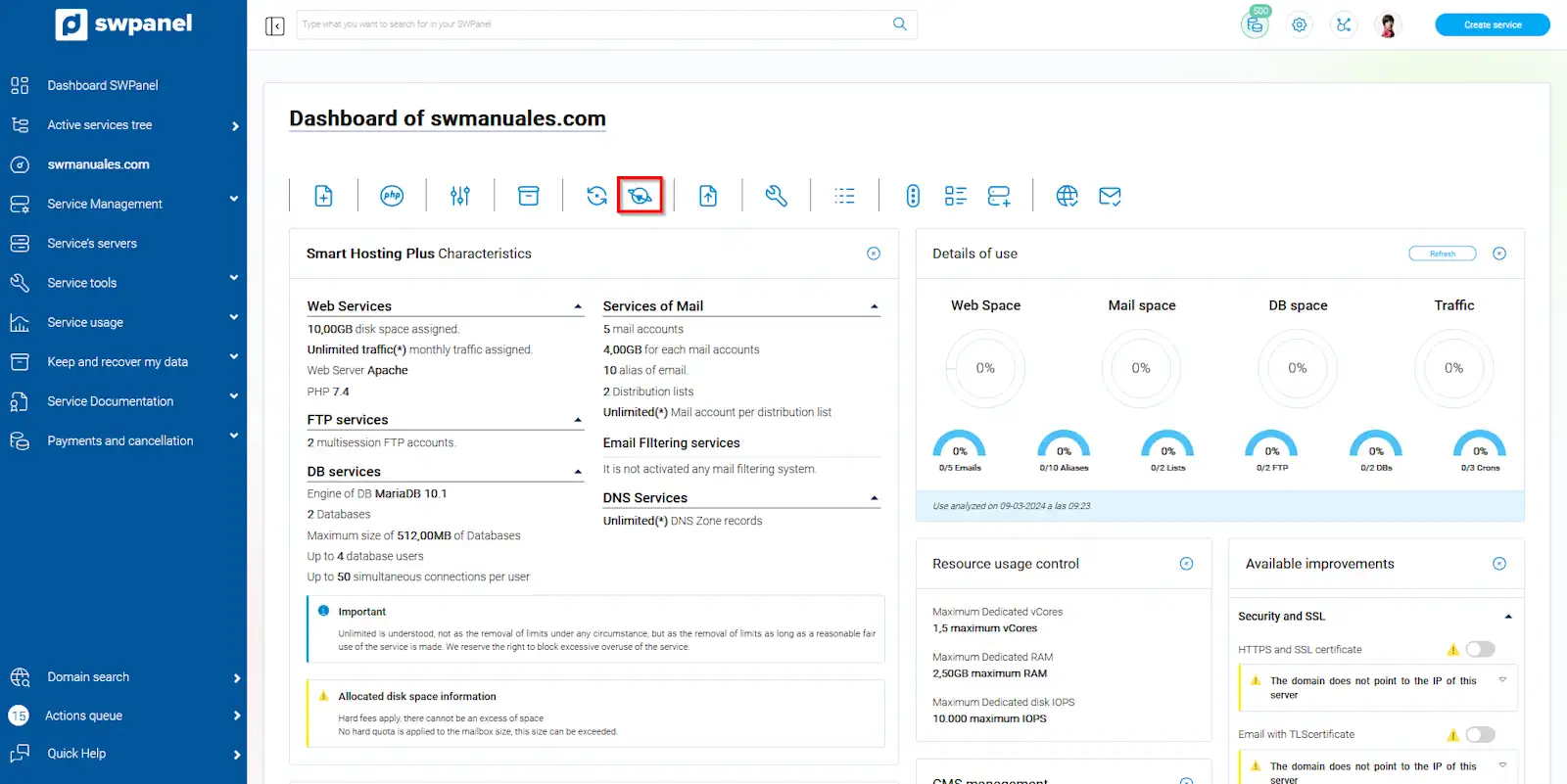
Once in the dashboard, click on the icon 'Move the Hosting Plan location/Data Center':
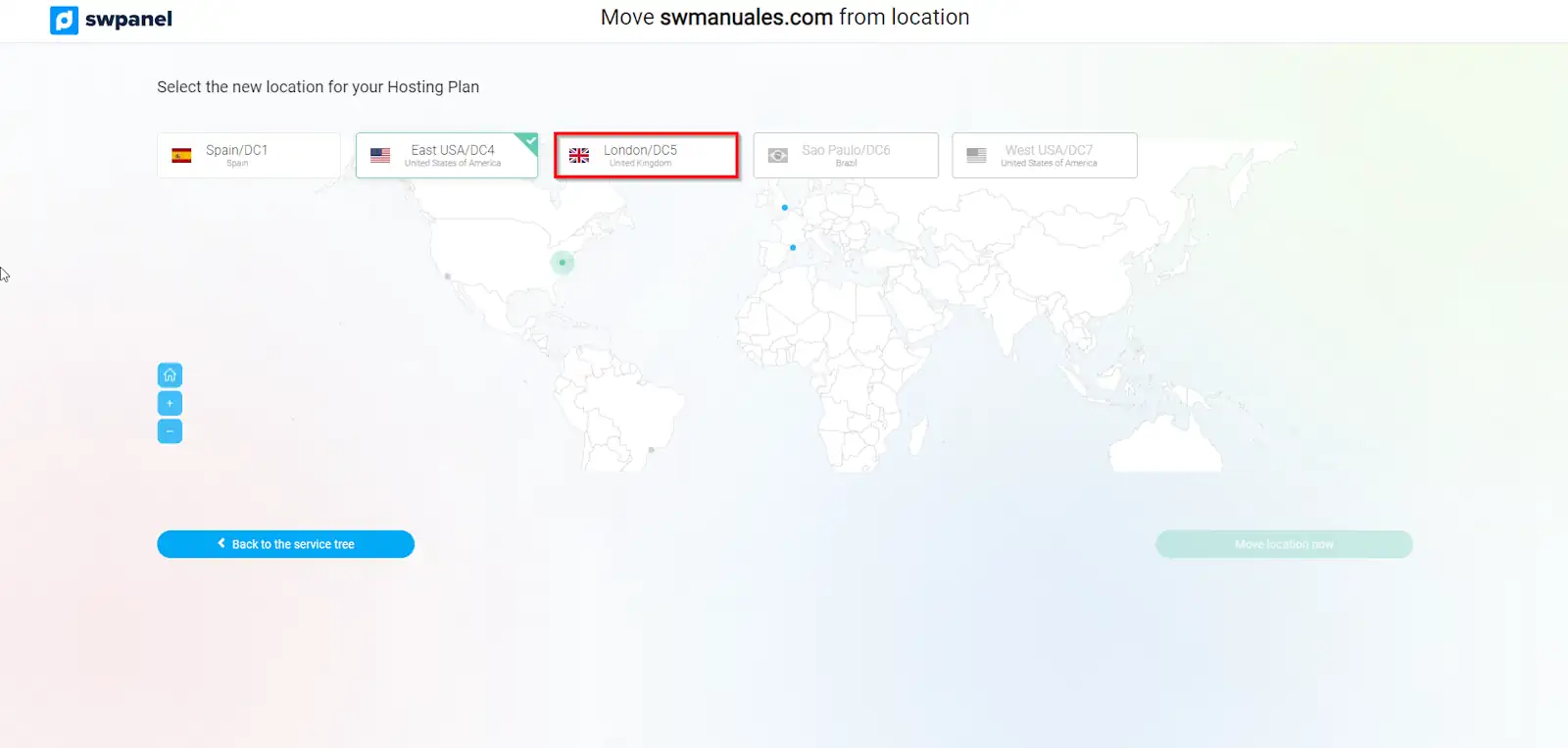
Next, you will see all the available options. You must select the destination country.
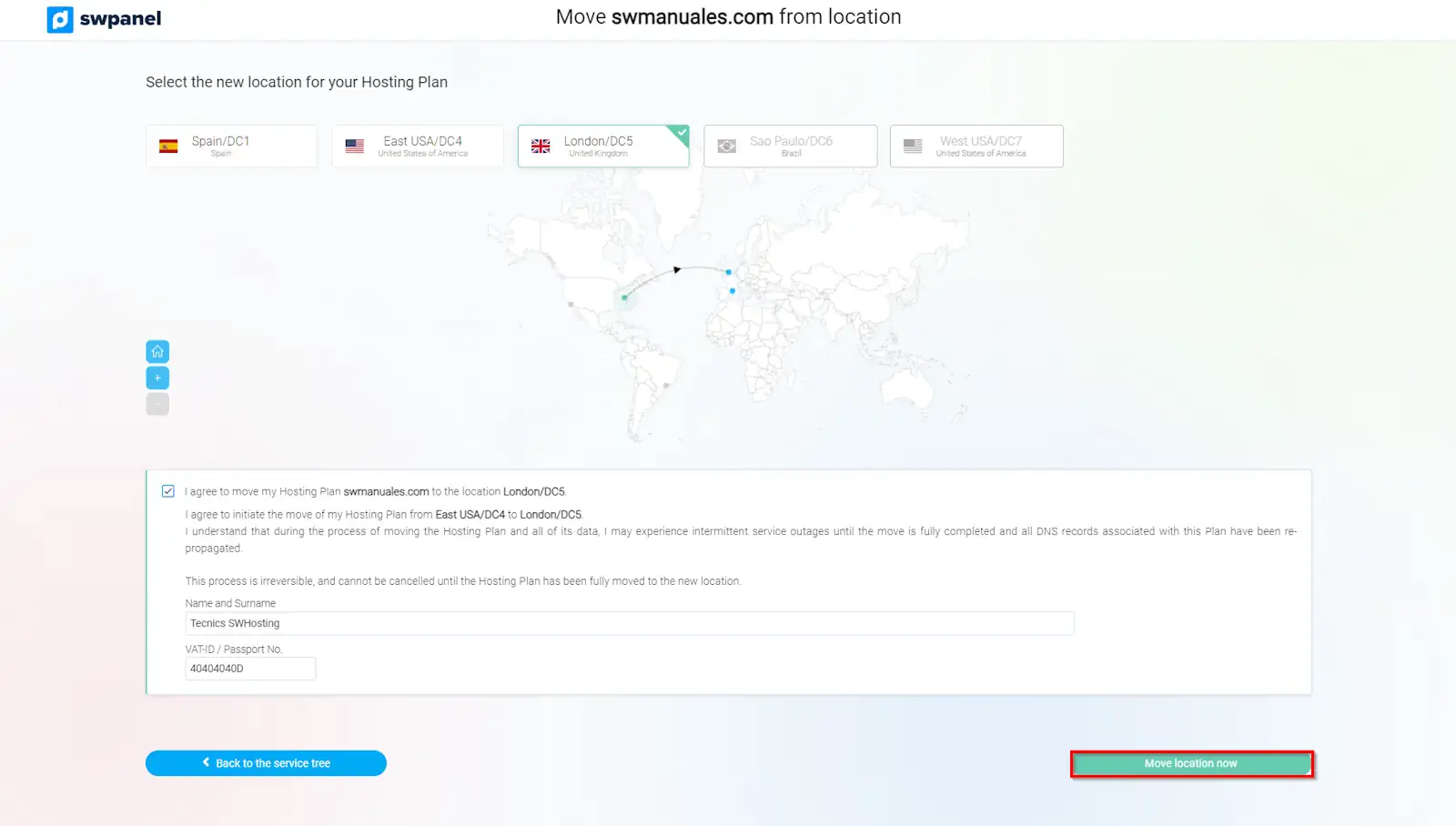
In this step, you must accept the move and click on the button 'Move location now'.
Done! In a matter of minutes, your Hosting will be located in another Data Center.