
What is Cloud Storage?
What is Cloud Storage?
Cloud Storage, or cloud storage, is a data storage model based on computer networks, conceived in the 1960s, where data is hosted in virtualized storage spaces.
Basically, we can have a secure space in the cloud to store different files, videos, photos, etc.
How to deploy Cloud Storage in SW Hosting?
To deploy Cloud Storage in SW Hosting, you must follow these steps:
1- Log in to your SWPanel and go to the Create Service section:
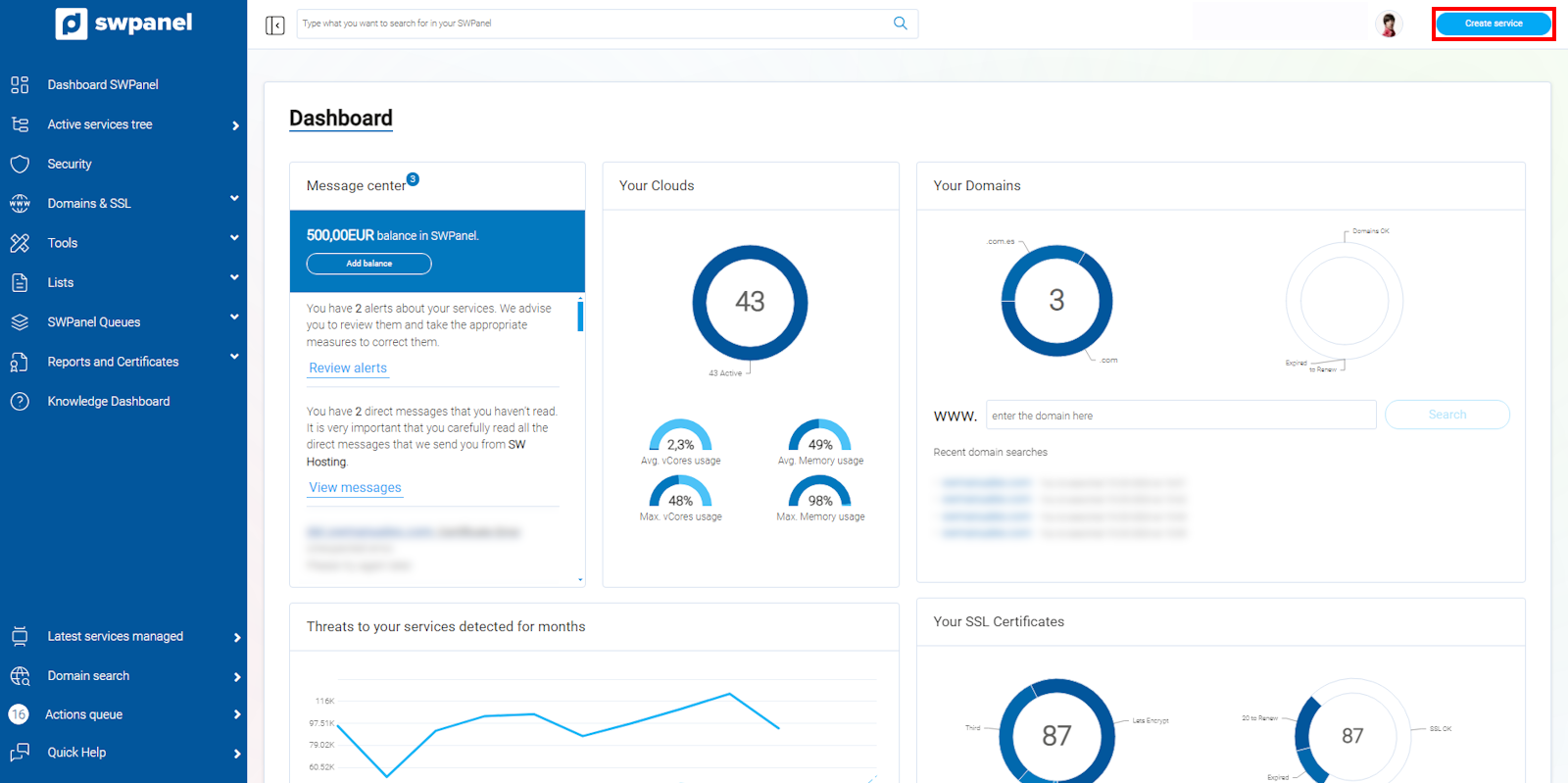
info_capture The screenshot is for guidance purposes. It was taken using version 2025.00.0017 dated 04/01/2025. It may differ from what the current version of SWPanel displays.
2 - Next, select Cloud Disk -> Cloud Storage:
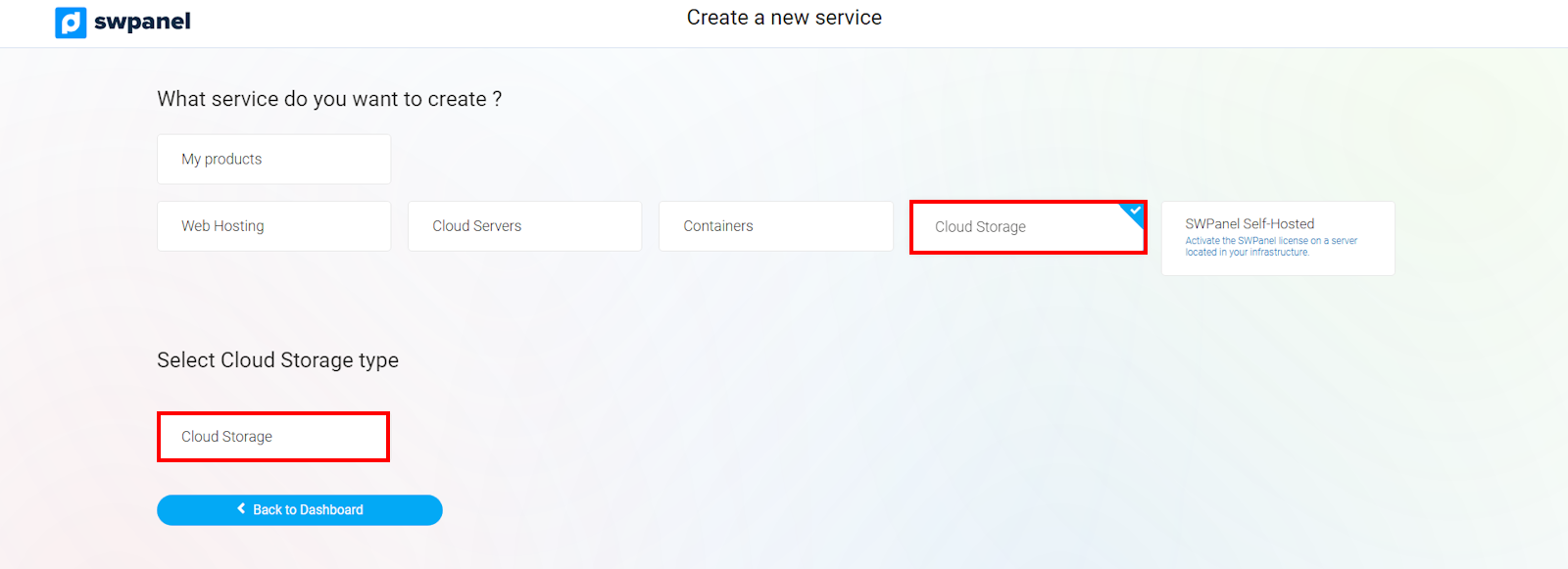
info_capture The screenshot is for guidance purposes. It was taken using version 2025.00.0017 dated 04/01/2025. It may differ from what the current version of SWPanel displays.
3- Afterward, you can choose a custom Cloud Storage size:
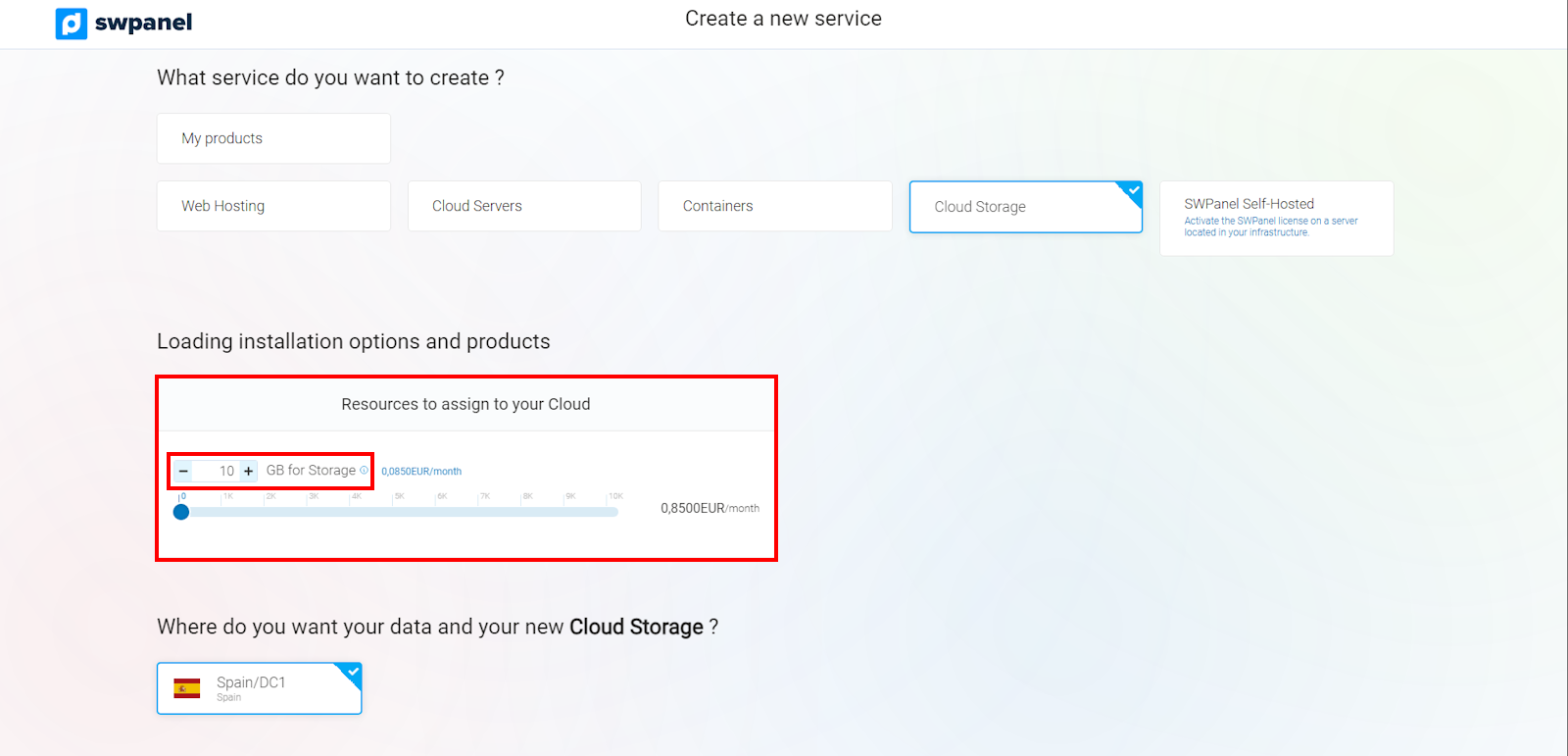
info_capture The screenshot is for guidance purposes. It was taken using version 2025.00.0017 dated 04/01/2025. It may differ from what the current version of SWPanel displays.
4 - To finish, you must accept and finalize the data:
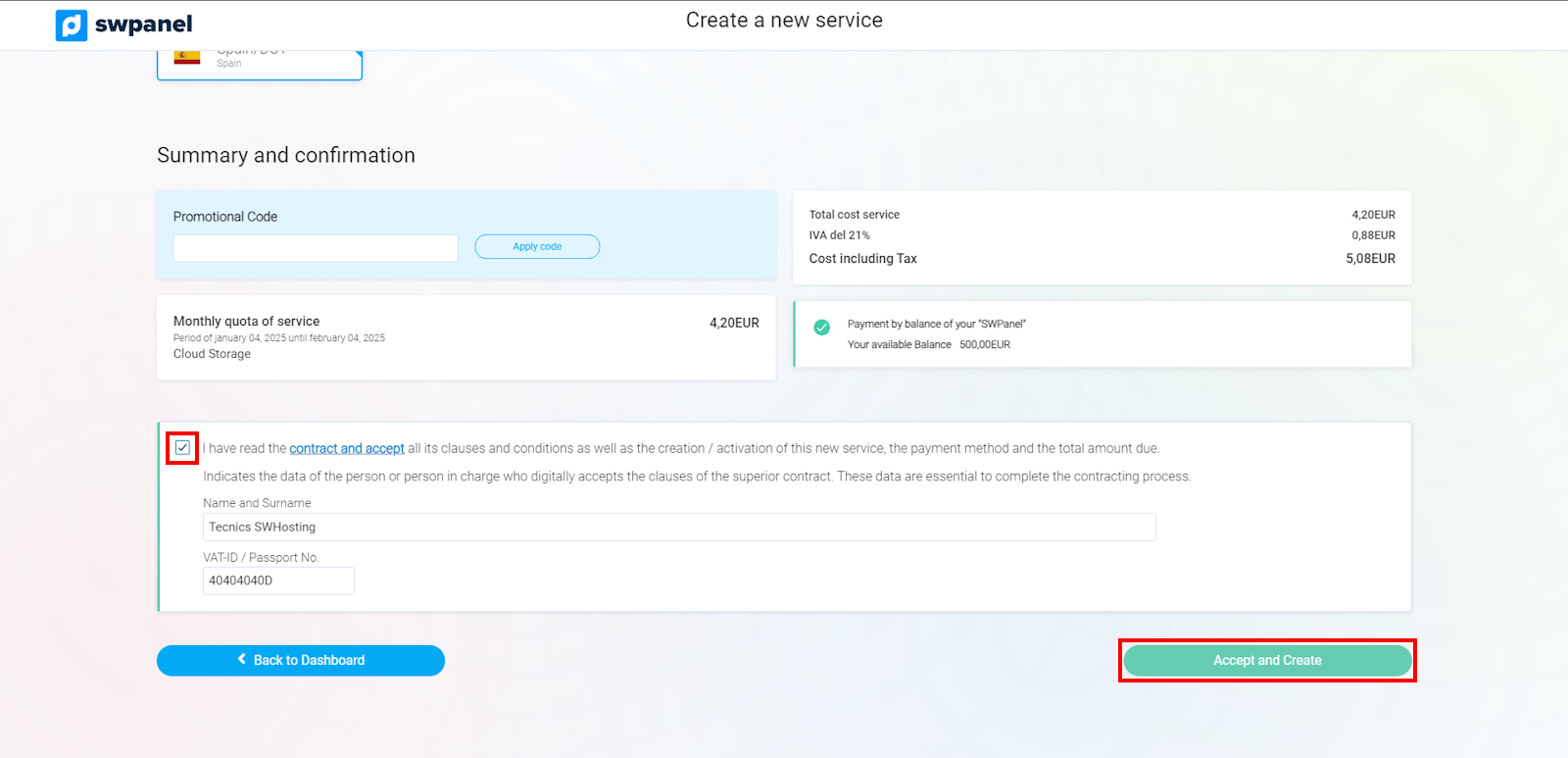
info_capture The screenshot is for guidance purposes. It was taken using version 2025.00.0017 dated 04/01/2025. It may differ from what the current version of SWPanel displays.
5 - Then, you will see that the service is being created:
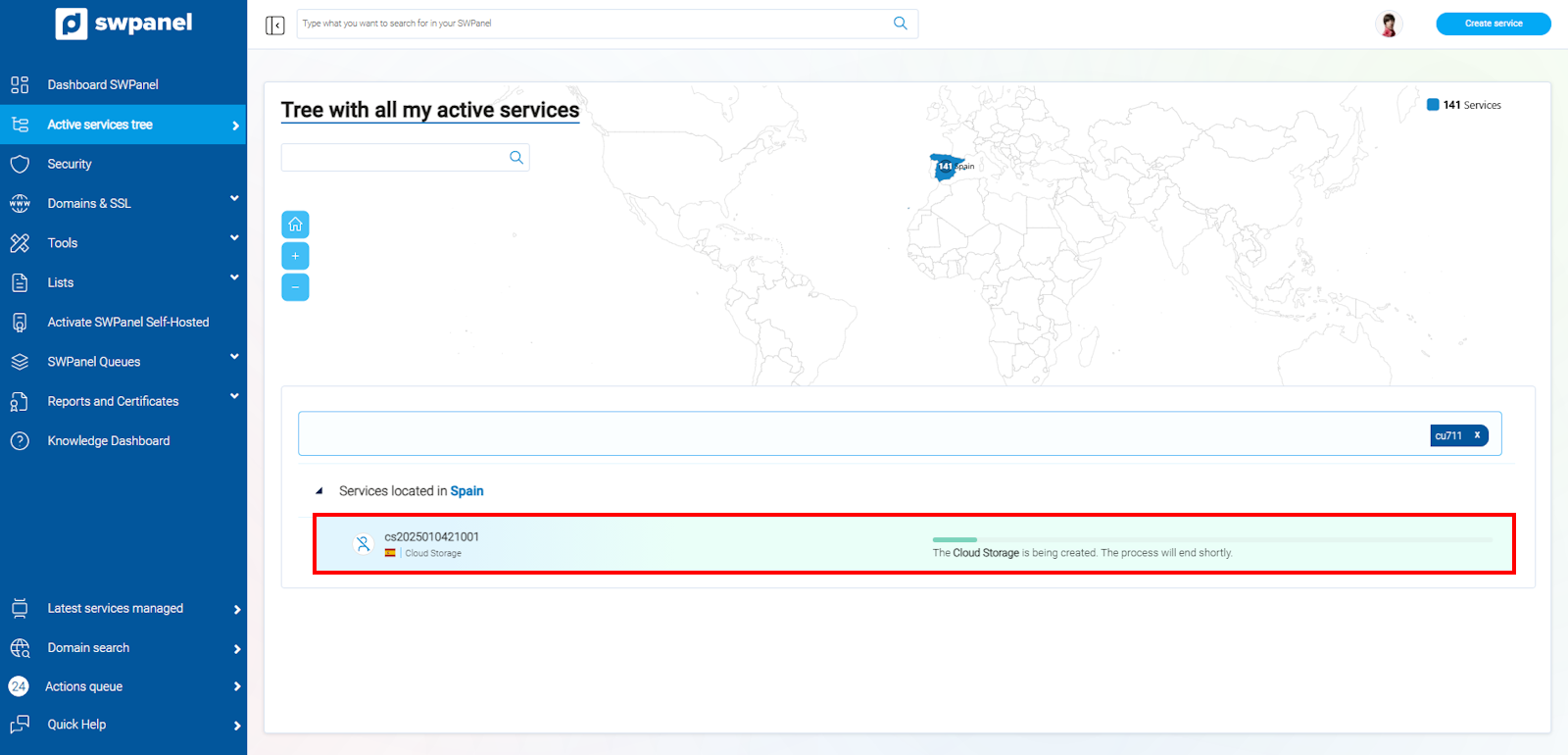
info_capture The screenshot is for guidance purposes. It was taken using version 2025.00.0017 dated 04/01/2025. It may differ from what the current version of SWPanel displays.
6 - Once the service is created, you can access its Dashboard:
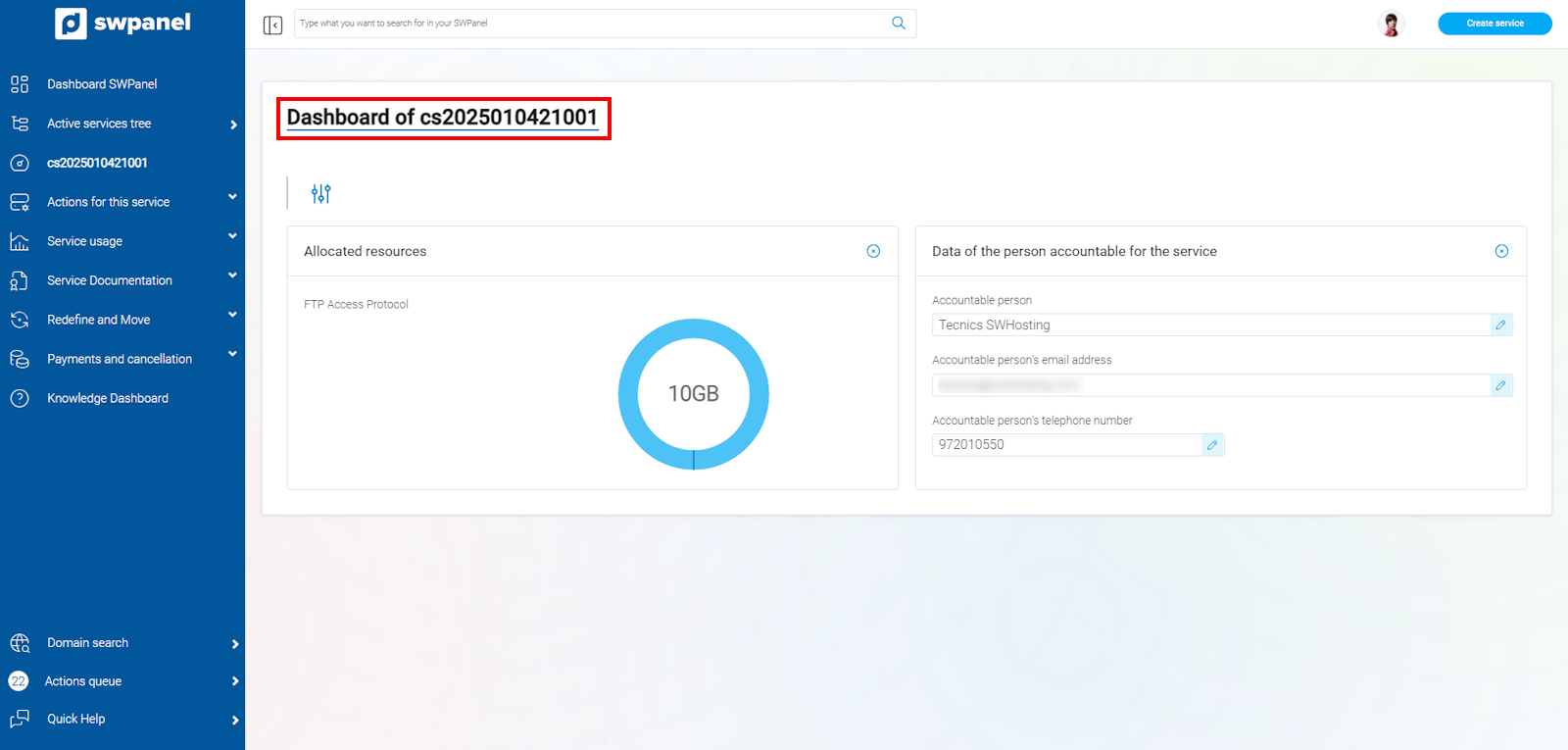
info_capture The screenshot is for guidance purposes. It was taken using version 2025.00.0017 dated 04/01/2025. It may differ from what the current version of SWPanel displays.
7 - You will receive an email with the access credentials:
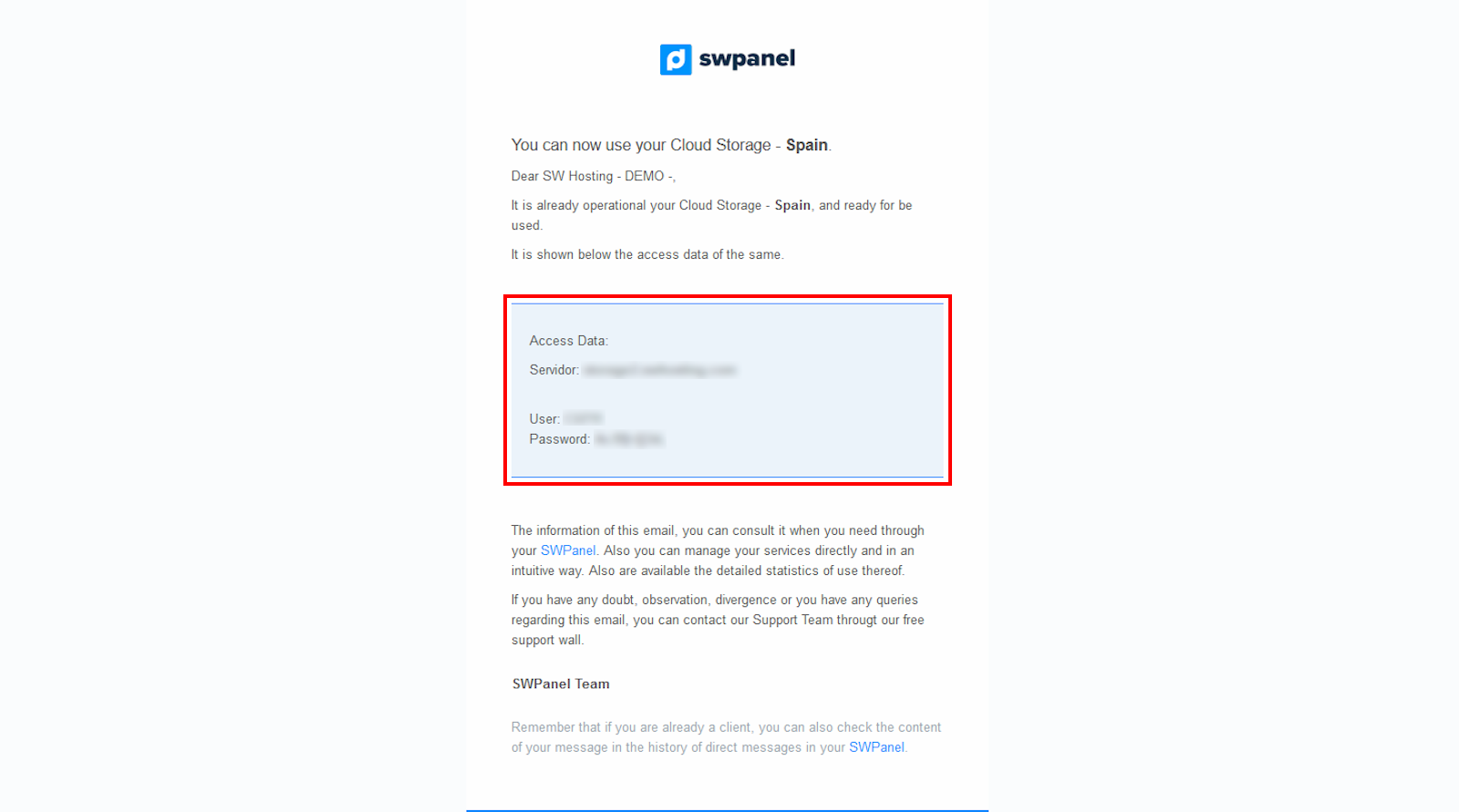
info_capture The screenshot is for guidance purposes. It was taken using version 2025.00.0017 dated 04/01/2025. It may differ from what the current version of SWPanel displays.
Service Access
To find out how to access the FTP or to change the access password, you should do it as follows:
1- Go to 'Actions on this service'. 2- Click on 'Service access data':
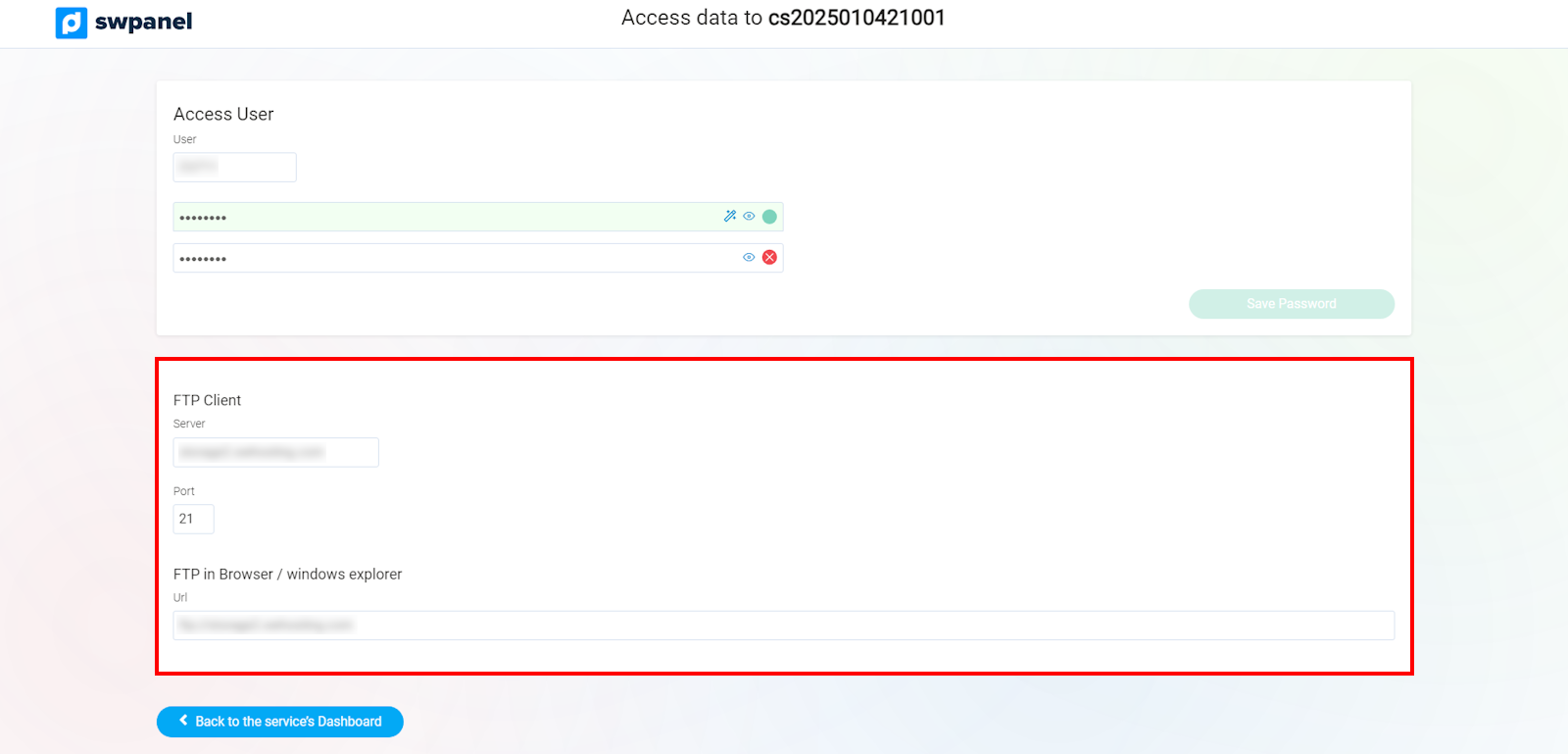
info_capture The screenshot is for guidance purposes. It was taken using version 2025.00.0017 dated 04/01/2025. It may differ from what the current version of SWPanel displays.
If you wish to make the connection using FileZilla, you must specify the following data:
Server: storage2.swhosting.com
User: Your access username
Password: The established password