
Enable and disable the Antispam service in a Cloud with SWPanel
In which type of Clouds can the Antispam service be activated?
The Antispam service can only be activated in Clouds with an SWPanel license.
How does it work?
Our antispam system is based on two concepts: learning and a list of unwanted email accounts.
While not infallible, this system guarantees a notable reduction in the number of junk emails, and its application and implementation are very simple.
The system learns which emails are 'unwanted' using statistical methods and comparing them with other spam emails, as many of them have common factors.
A “blacklist” for unwanted emails is also used; that is, they are included in a database and, in the event of receiving the same email, it is automatically filtered.
If emails are evaluated as legitimate emails, they are allowed to go directly to the user's mailbox. Those evaluated as spam are sent to a quarantine repository so that they can be recovered if necessary.
For Clouds with SWPanel and Debian 11 onwards, all junk mail will be stored in the Spam folder available in each email account.
For older servers, spam will be stored in a [email protected] account.
Procedure
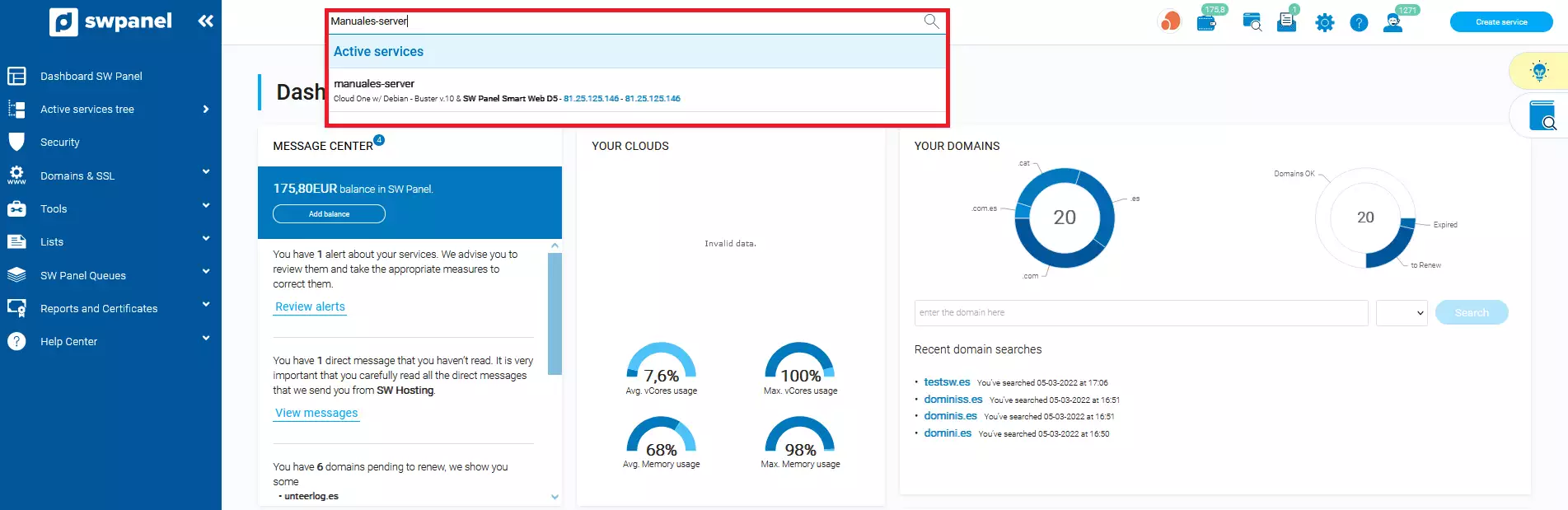
Access SWPanel and use the search bar to find your Cloud; in our case, it is called Manuales-Server, yours will have a different name. Once you find it, select it.
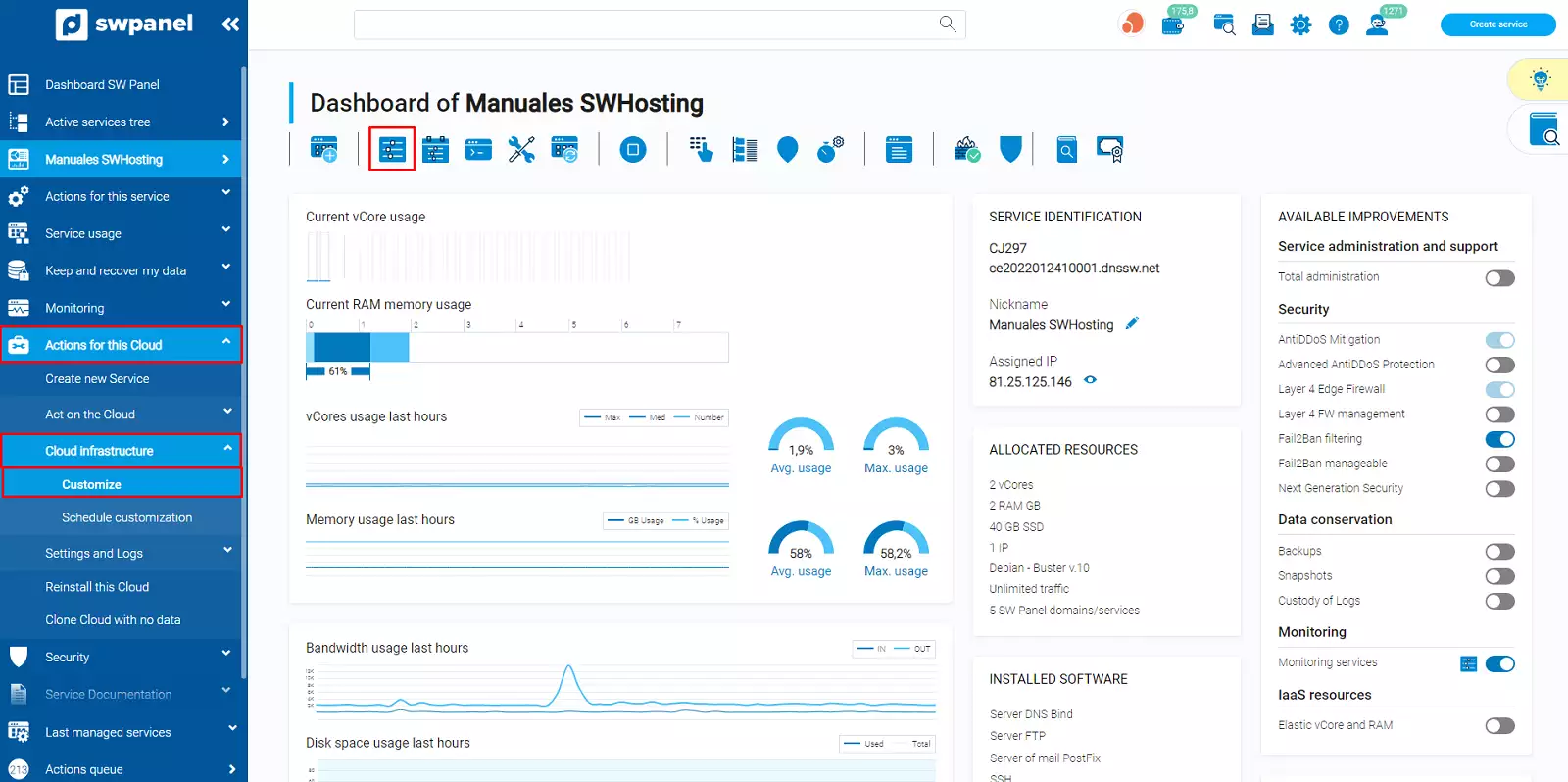
In your Cloud server dashboard, you have 2 paths:
-
In the left side menu, select Actions for this Cloud -> Cloud Infrastructure -> Customize.
-
From the customize and adjust the resources and services of this Cloud icon that appears in the top toolbar:
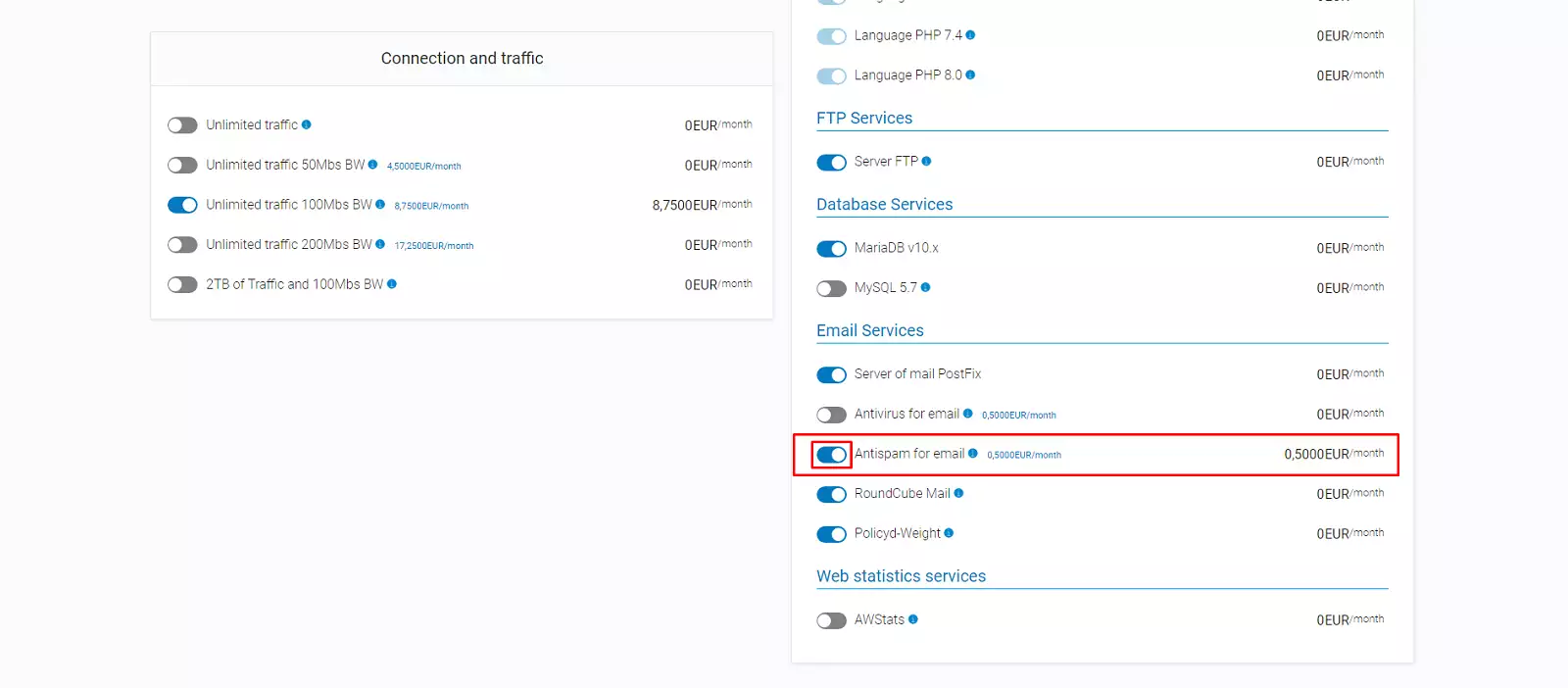
In the 'customize' section, you must scroll until you find the option: Customize installed software or services. Subsequently, you must go to 'Email services' -> Email Antispam services and click next:
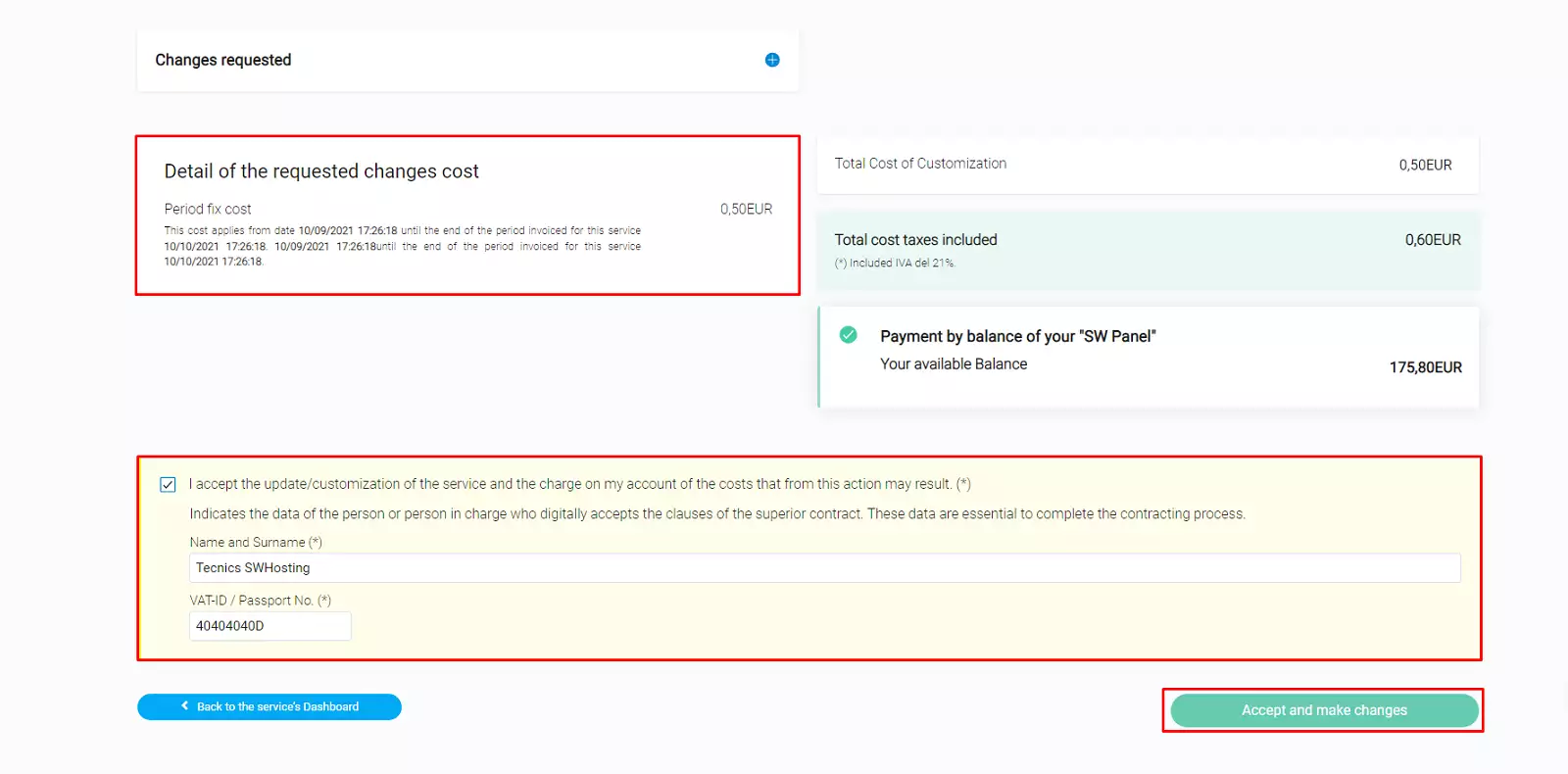
Then, you must accept the costs derived from the contracted extra, enter the required data (name and NIF) and Accept and finalize changes:
Remember that this process must be repeated for each of the services dependent on the main Cloud server for which you want to have the Antispam service activated.
Activate Antispam in your cloud server hosting
Once the antispam service is active on your cloud server, you can activate it in your cloud's hosting services as follows:
Access SWPanel and use the search bar to find your hosting service; in our case, it is called swmanuales.com, yours will have a different name. Once you find it, select it.
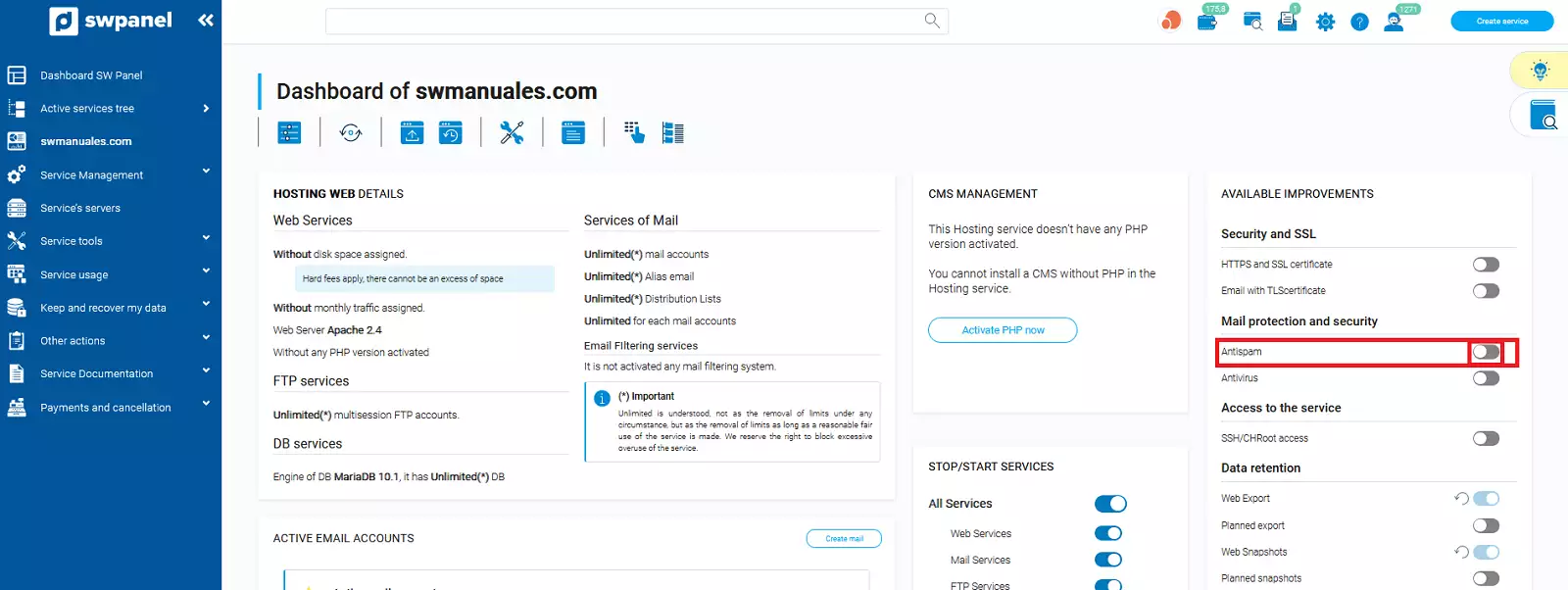
Once inside your Cloud hosting service, you must activate the antispam checkbox.
In the new window, we can see an information box where the operation of the AntiSpam service is explained.
To finish, we must accept the activation of the service.
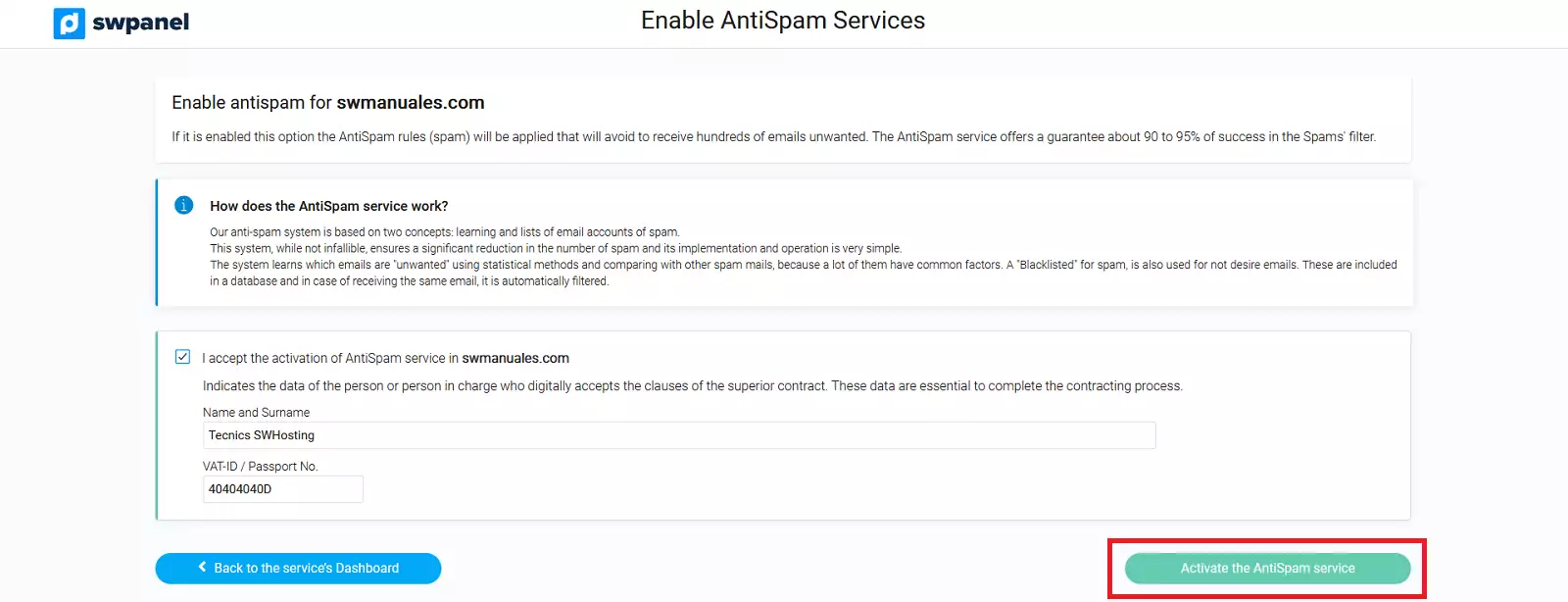
With this, the antispam service will be activated in the service.
Deactivate the Antispam service on your cloud server
To deactivate the Antispam filtering of the main Cloud server (this will deactivate the service for all services dependent on it that have it activated), you must select Cloud Server -> Customize -> Deactivate Email antispam services.
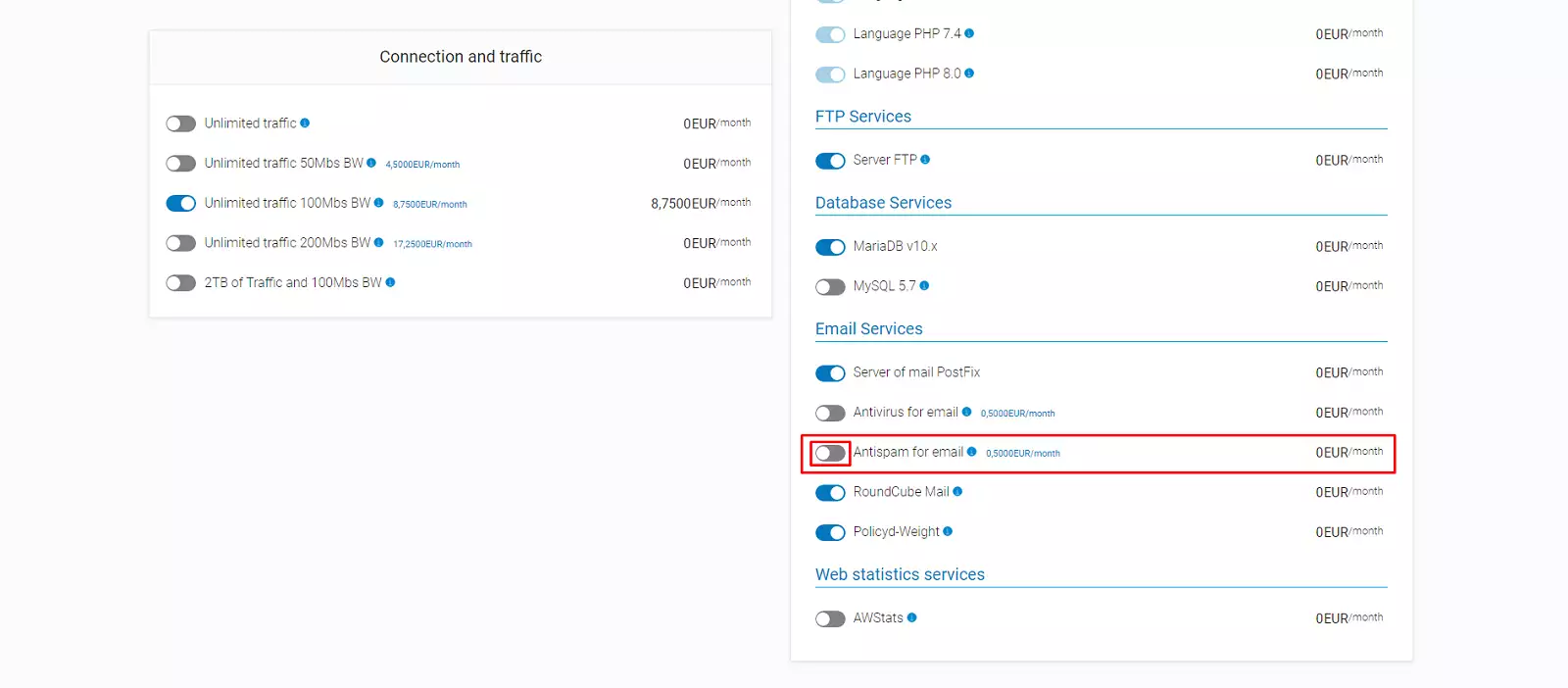
You will have to 'Accept and apply changes' again and the antispam filtering will have been deactivated.