
How to stop web, FTP or email services in your Hosting
In your SW Hosting Hostings you can choose, stop or start the FTP, Email and Web services independently. This is useful if you wish to dispense with these services during specific moments.
To activate or deactivate the FTP/Web/Email services, you must follow these steps:
From the search box of your SWPanel, you should locate the service where you want to deactivate the services.
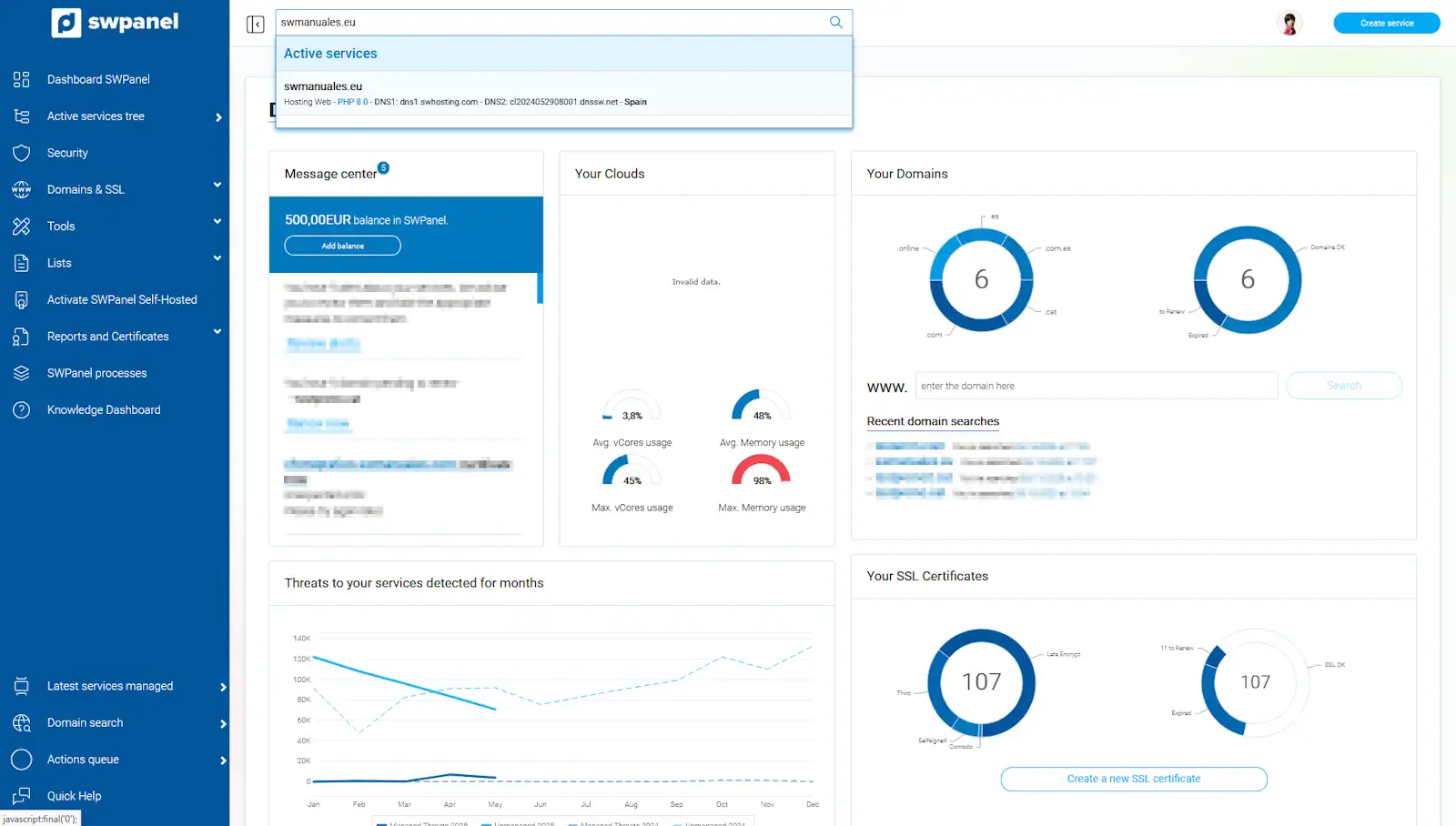
info_capture The screenshot is for guidance only. It was taken on version 2025.004.0002 dated 19/05/2025. It may differ from what the current version of SWPanel displays.
Next, you should go to the Stop / Start services section. From this section, you can select, stop all services, or stop each of the previously mentioned services individually. To do this, select the 'check' for each of the services you want to stop:
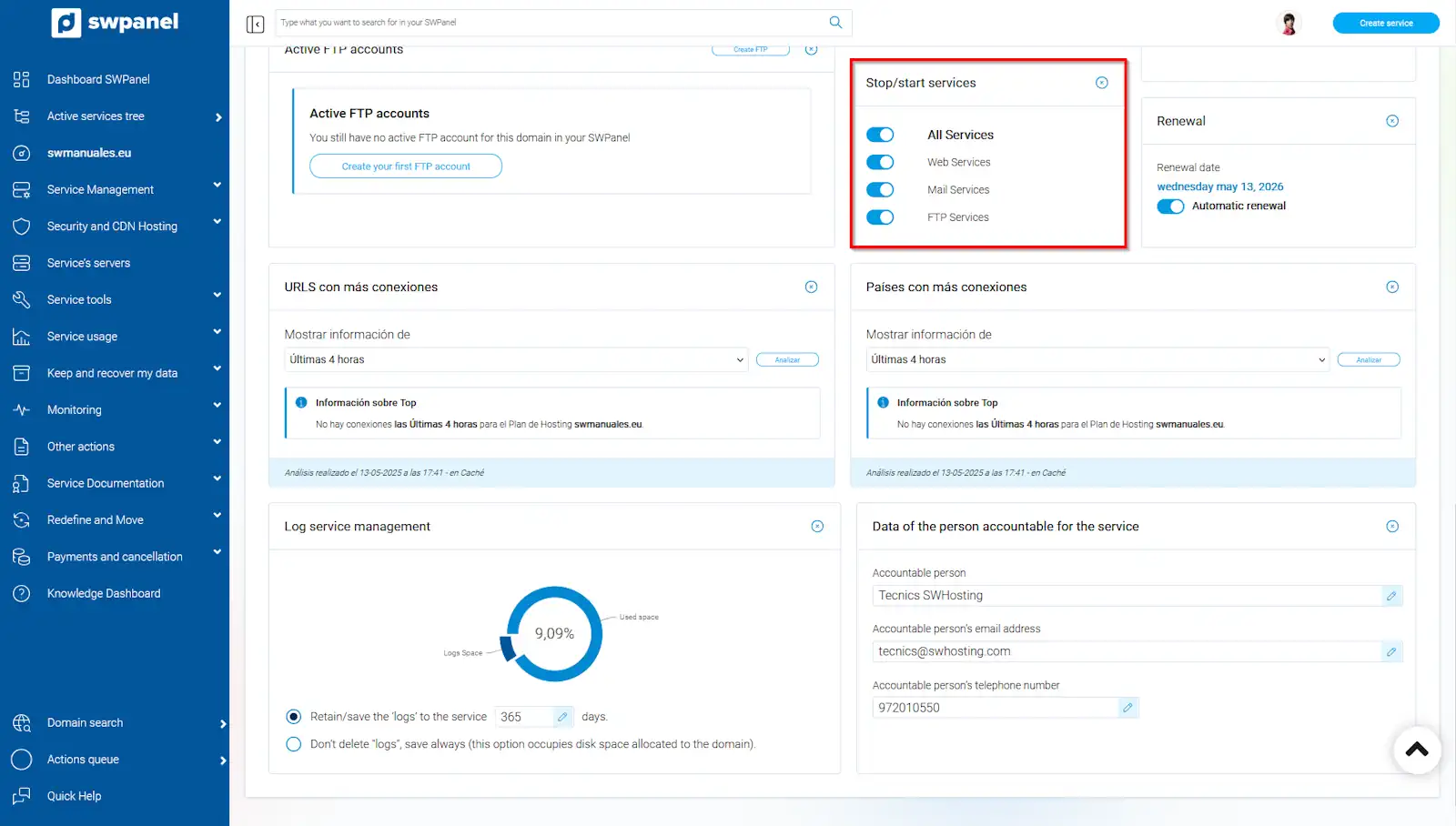
info_capture The screenshot is for guidance only. It was taken on version 2025.004.0002 dated 19/05/2025. It may differ from what the current version of SWPanel displays.
When you want to stop any of the services, a warning box will be shown indicating that stopping a running service implies that all processes related to this service stop working, which could cause crashes and data loss. To finish, select Yes, execute now. From this moment, the service you have selected will no longer be active. In case the web service has been selected, the website associated with the Hosting will appear blank.
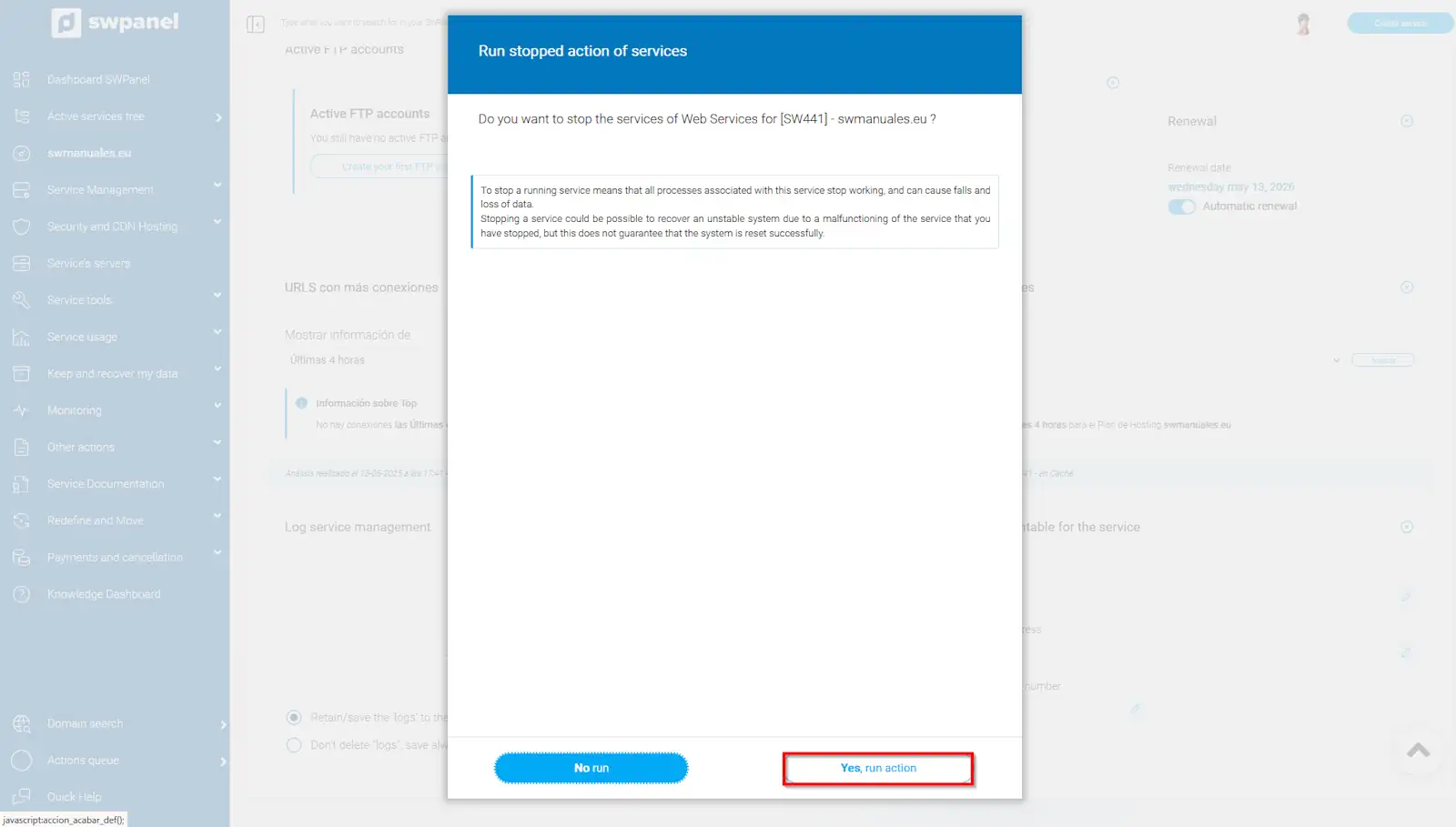
info_capture The screenshot is for guidance only. It was taken on version 2025.004.0002 dated 19/05/2025. It may differ from what the current version of SWPanel displays.
To restart the deactivated services, you must follow the same process, but in reverse; that is, instead of unchecking the check, check it:
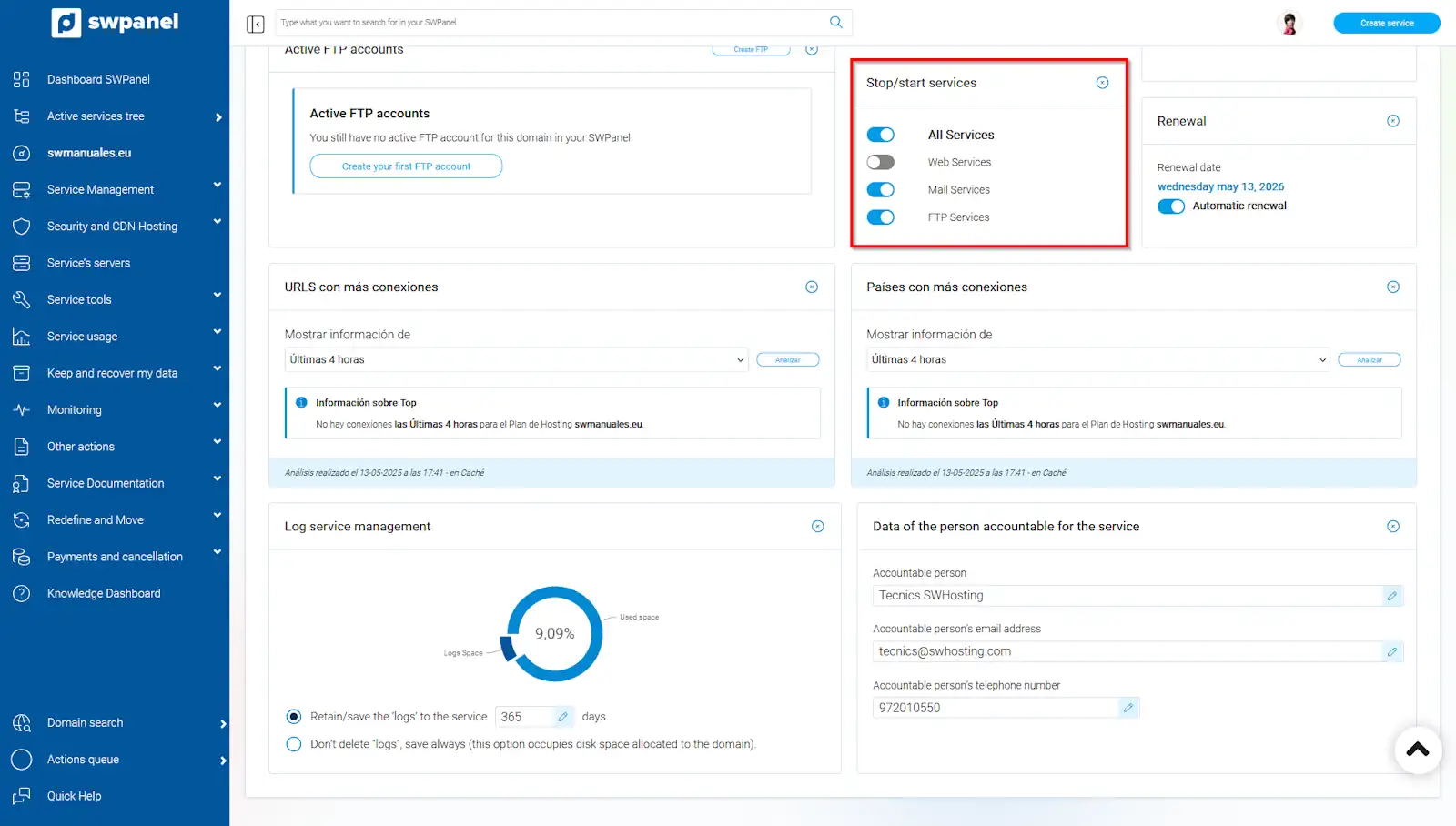
info_capture The screenshot is for guidance only. It was taken on version 2025.004.0002 dated 19/05/2025. It may differ from what the current version of SWPanel displays.
⚠ Remember that stopping a service does not imply stopping the service associated with it; that is, the fact of stopping, for example, the web service, does not imply stopping the Apache2 service.