
How to consult form 347 from SWPanel
To consult Form 347 from your SWPanel, you must click on your client account logo. Then, click on 'My account' and finally, you must click on Invoices.
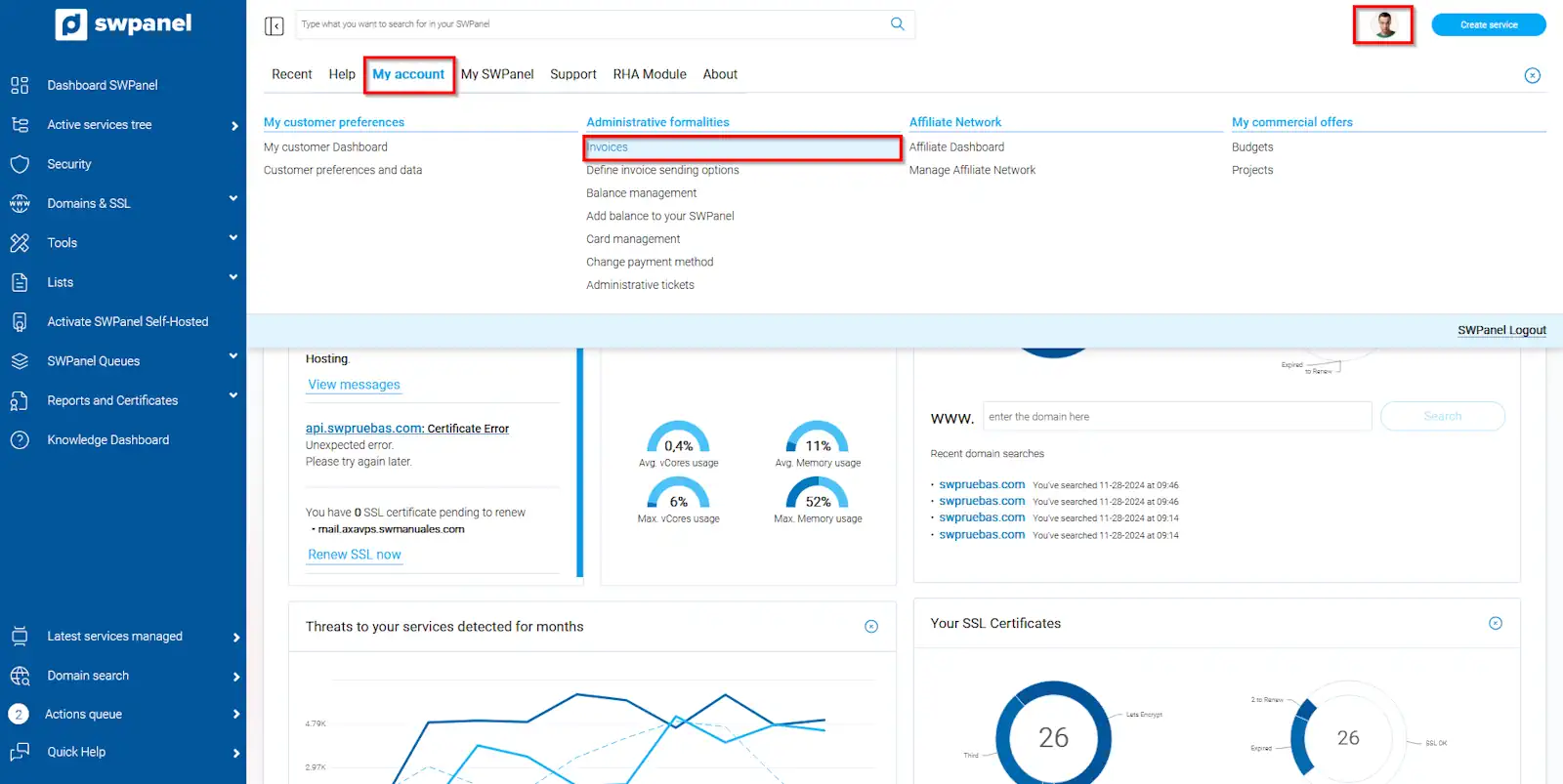
info_capture The screenshot is for guidance purposes. It was taken on version 2025.00.0015 dated 01/12/2024. It may differ from what the current version of SWPanel shows.
From the Form 347 tab, you can consult all the invoices of the year for Form 347, which is the annual informative declaration of operations with third parties carried out throughout the fiscal year. You will notice that the invoice number, date, description, and amount are clearly indicated, in addition to a quarterly total.
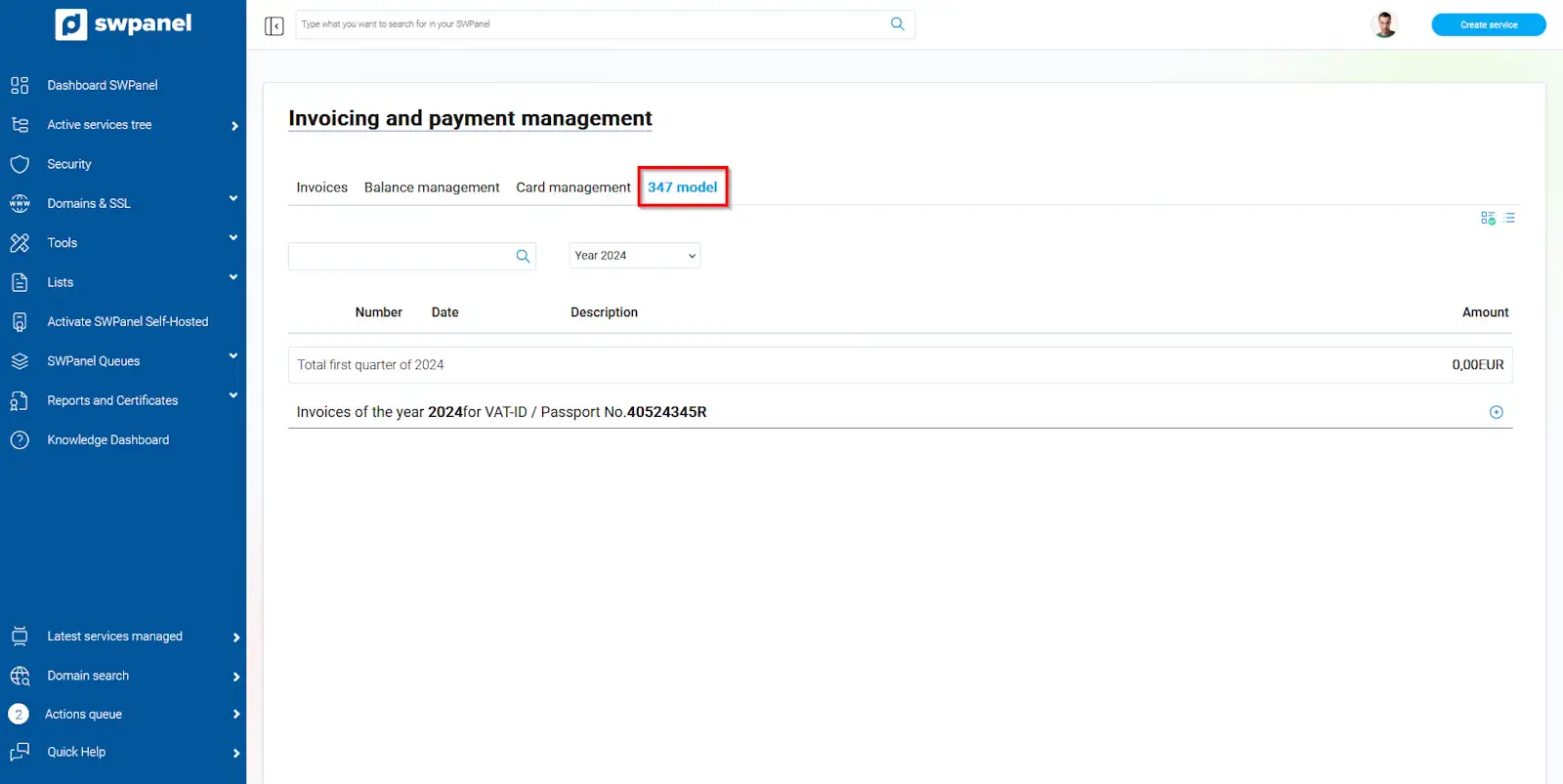
info_capture The screenshot is for guidance purposes. It was taken on version 2025.00.0015 dated 01/12/2024. It may differ from what the current version of SWPanel shows.