
How to manage your balance through SWPanel
To consult and manage your SWPanel balance, you must place your mouse cursor over your customer account logo -> 'My account'. Subsequently, you must click on Balance Management:
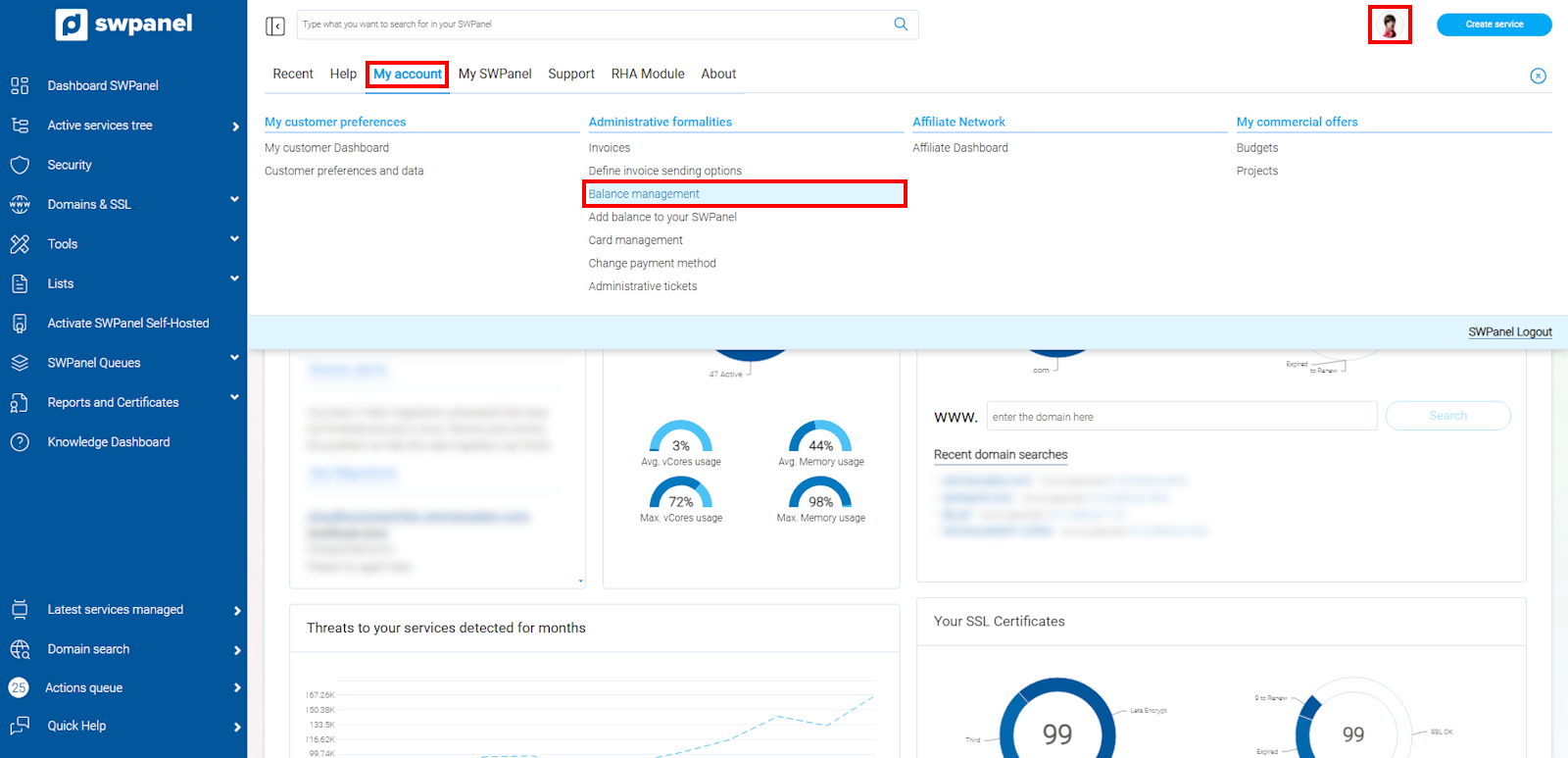
info_capture The screenshot is for guidance purposes. It was taken using version 2025.00.0017 dated 05/01/2025. It may differ from what the current version of SWPanel displays.
In this section, you can view the balance movements associated with your account.
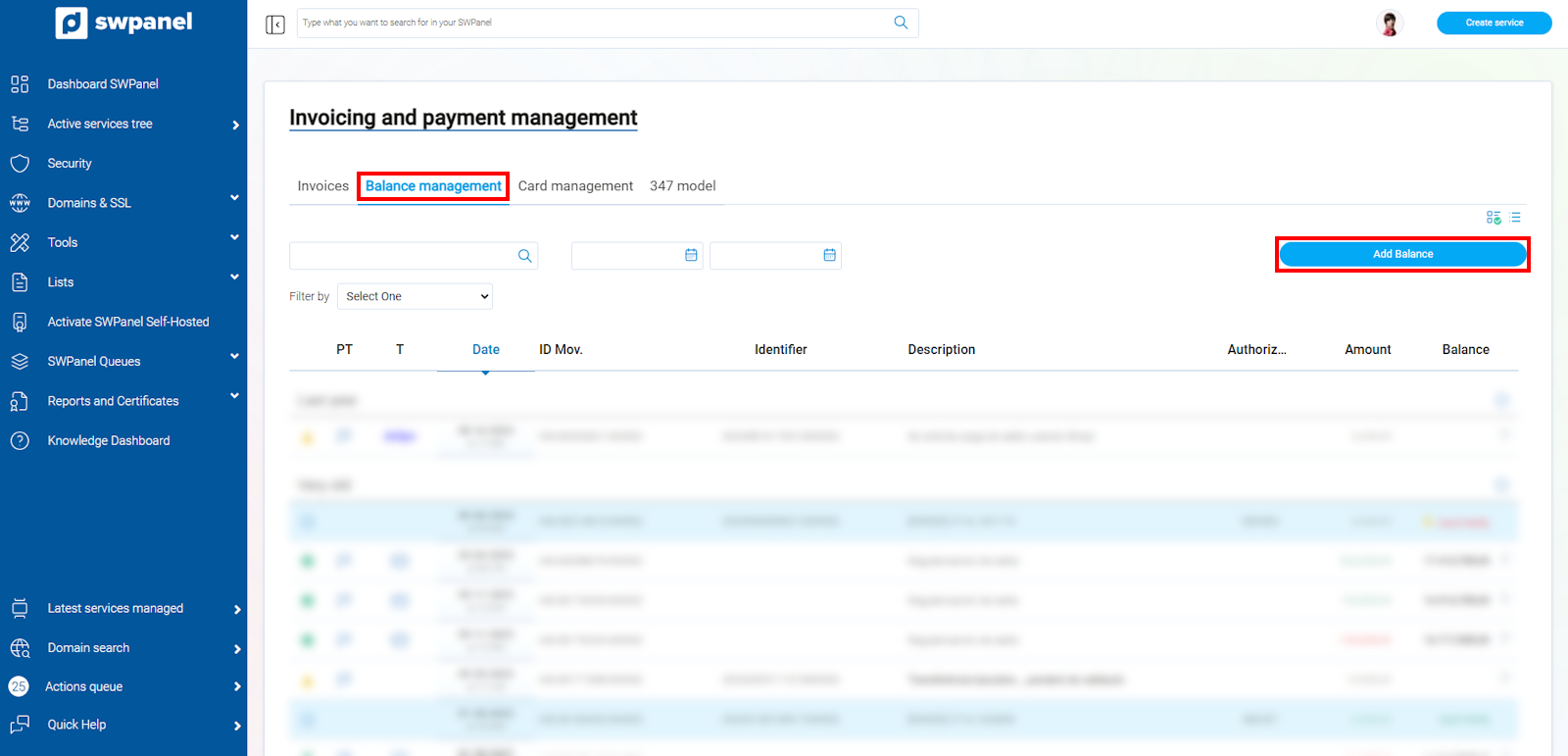
info_capture The screenshot is for guidance purposes. It was taken using version 2025.00.0017 dated 05/01/2025. It may differ from what the current version of SWPanel displays.
From here, you can also add balance to your account via credit card, PayPal, Stripe, or bank transfer payment, always with a minimum amount of 5€.
Remember that topping up credits using PayPal or Stripe has an additional charge from the platform. The credit that will be added to your SWPanel will be the result of the requested top-up minus said amount.
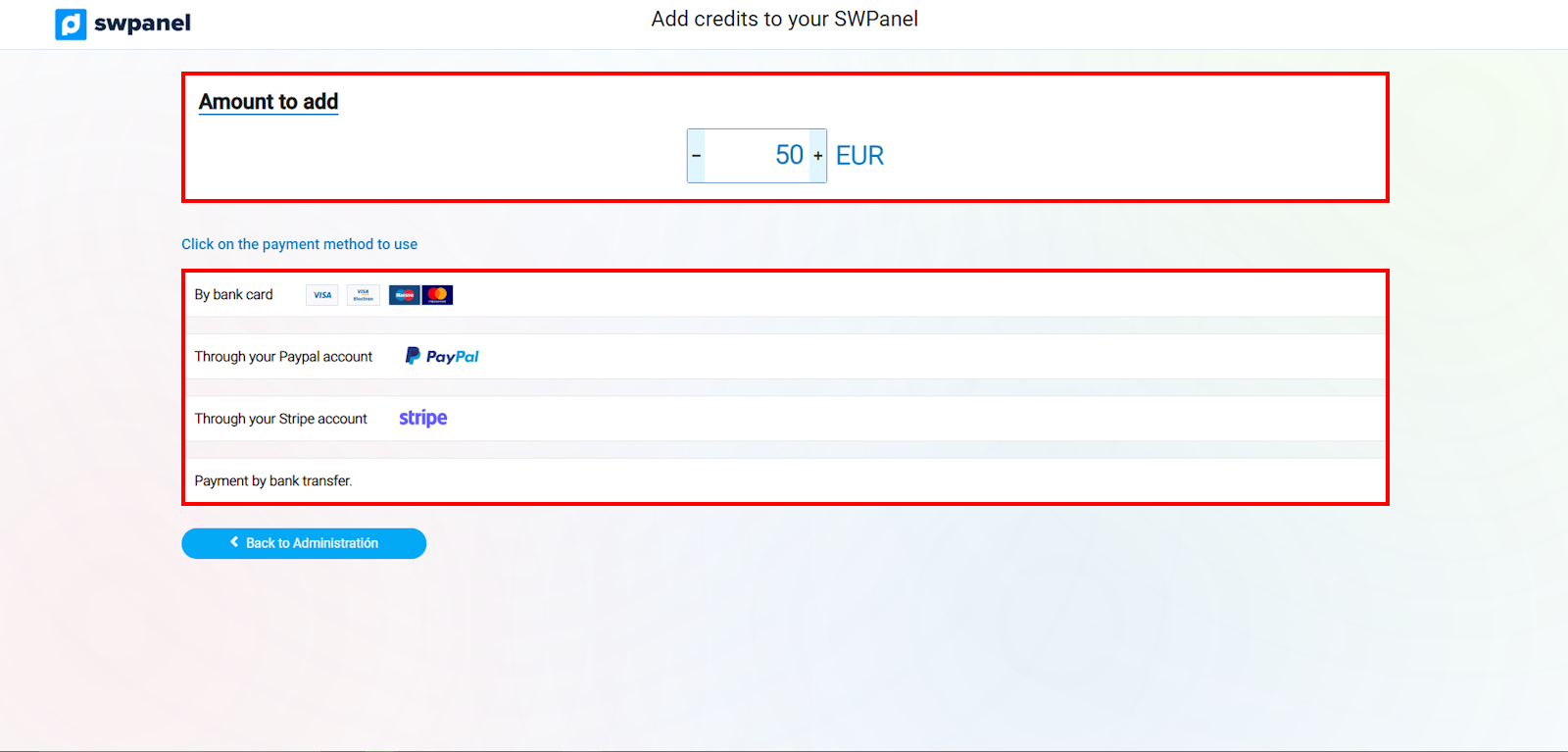
info_capture The screenshot is for guidance purposes. It was taken using version 2025.00.0017 dated 05/01/2025. It may differ from what the current version of SWPanel displays.