
How to change the FTP password
To change the password of an FTP account in your SWPanel, you must follow these steps.
- Access SWPanel and go to the Dashboard of the service where the FTP account to be modified is located, using the search bar at the top.
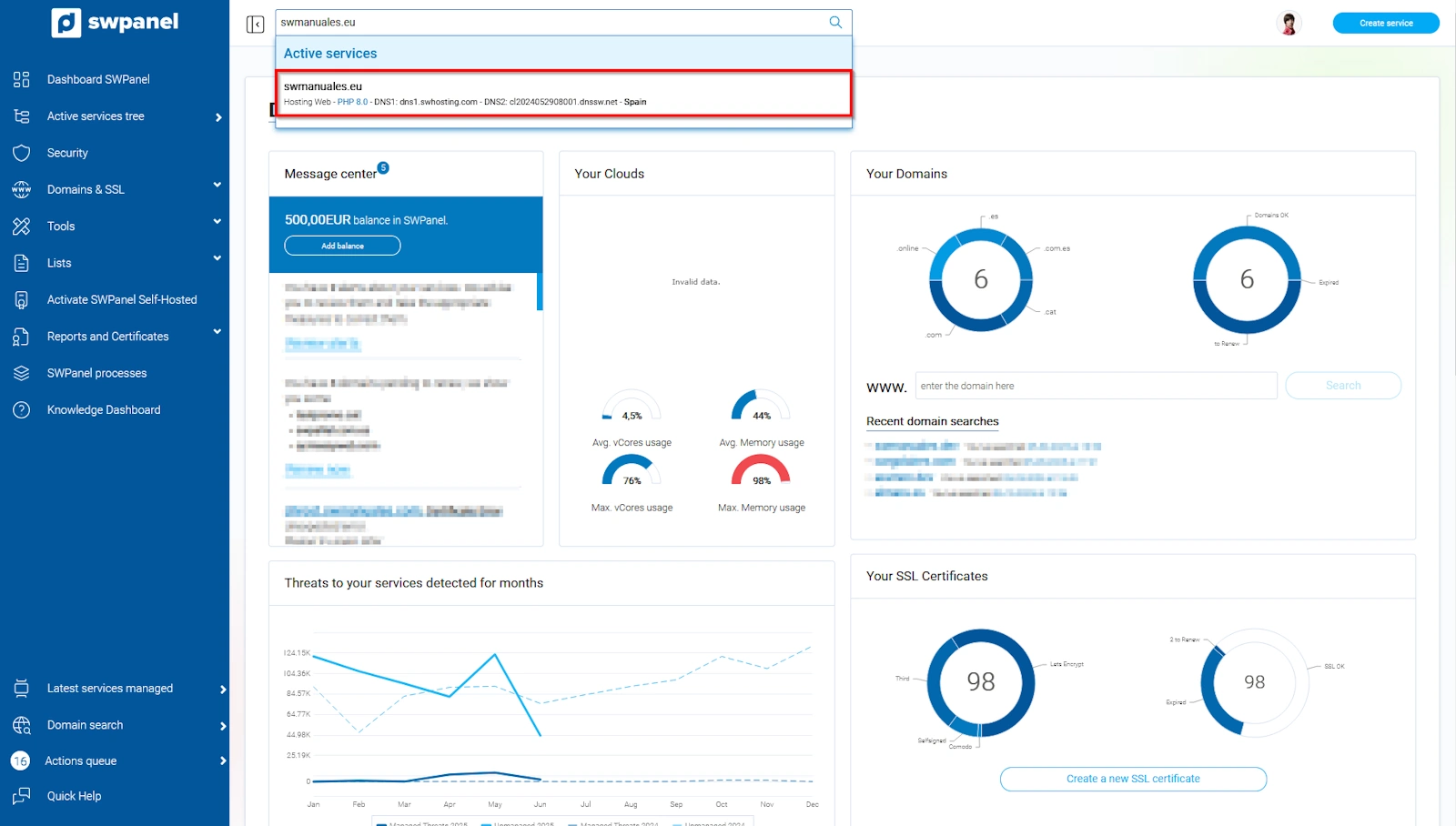
info_capture The screenshot is for guidance only. It was taken using version 2025.004.0002 dated 11/06/2025. It may differ from what is shown in the current version of SWPanel
danger Please note that to make any modification to the FTP, you must ensure that the FTP service is activated. You can check this in the hosting dashboard under the 'Stop/Start my services' section.
- Once inside the service Dashboard, go to Service Management → FTP Management from the blue side menu.
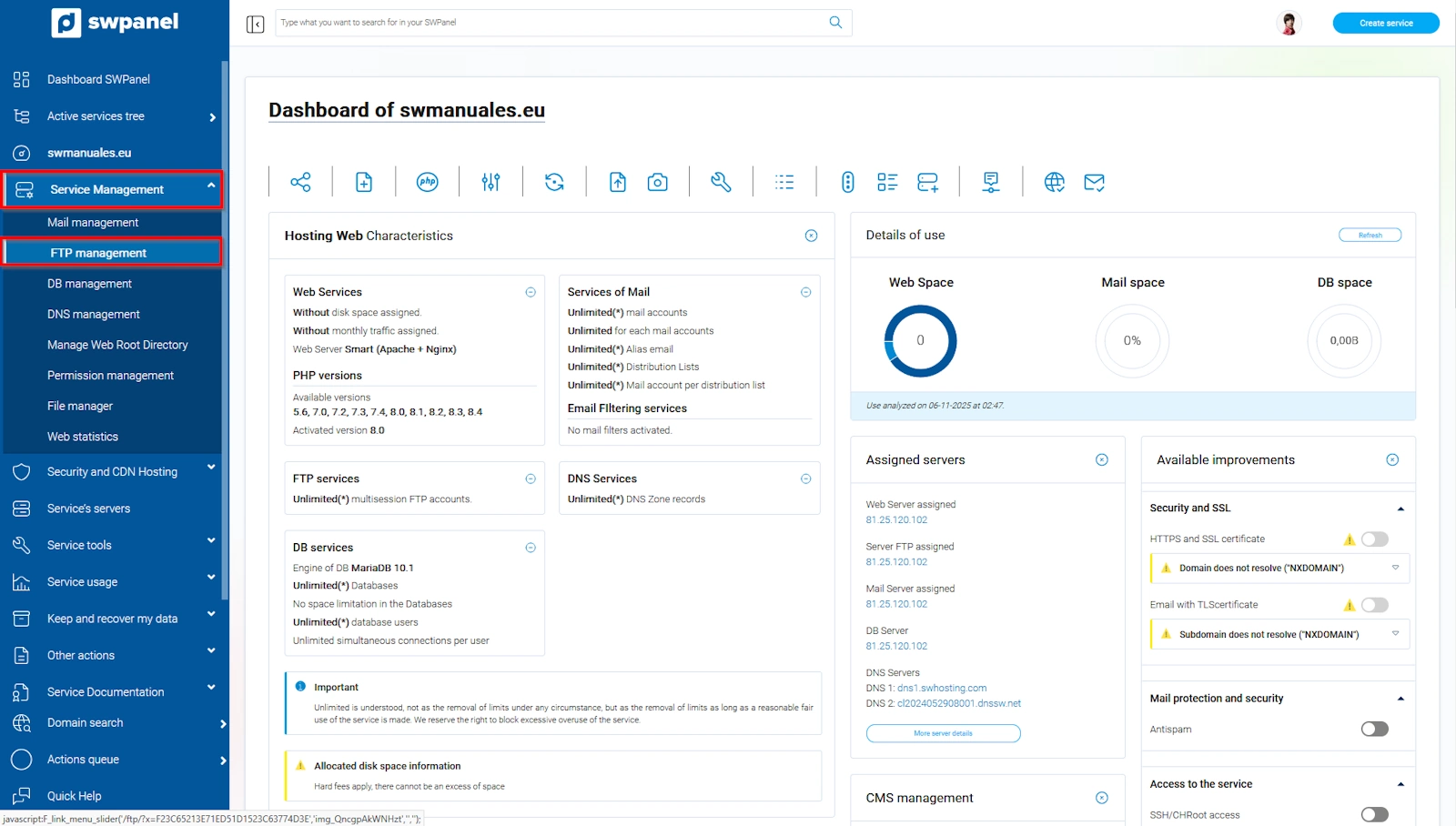
info_capture The screenshot is for guidance only. It was taken using version 2025.004.0002 dated 11/06/2025. It may differ from what is shown in the current version of SWPanel
- Hover over the three dots [...] to the right of your email account and click on Modify this FTP account.
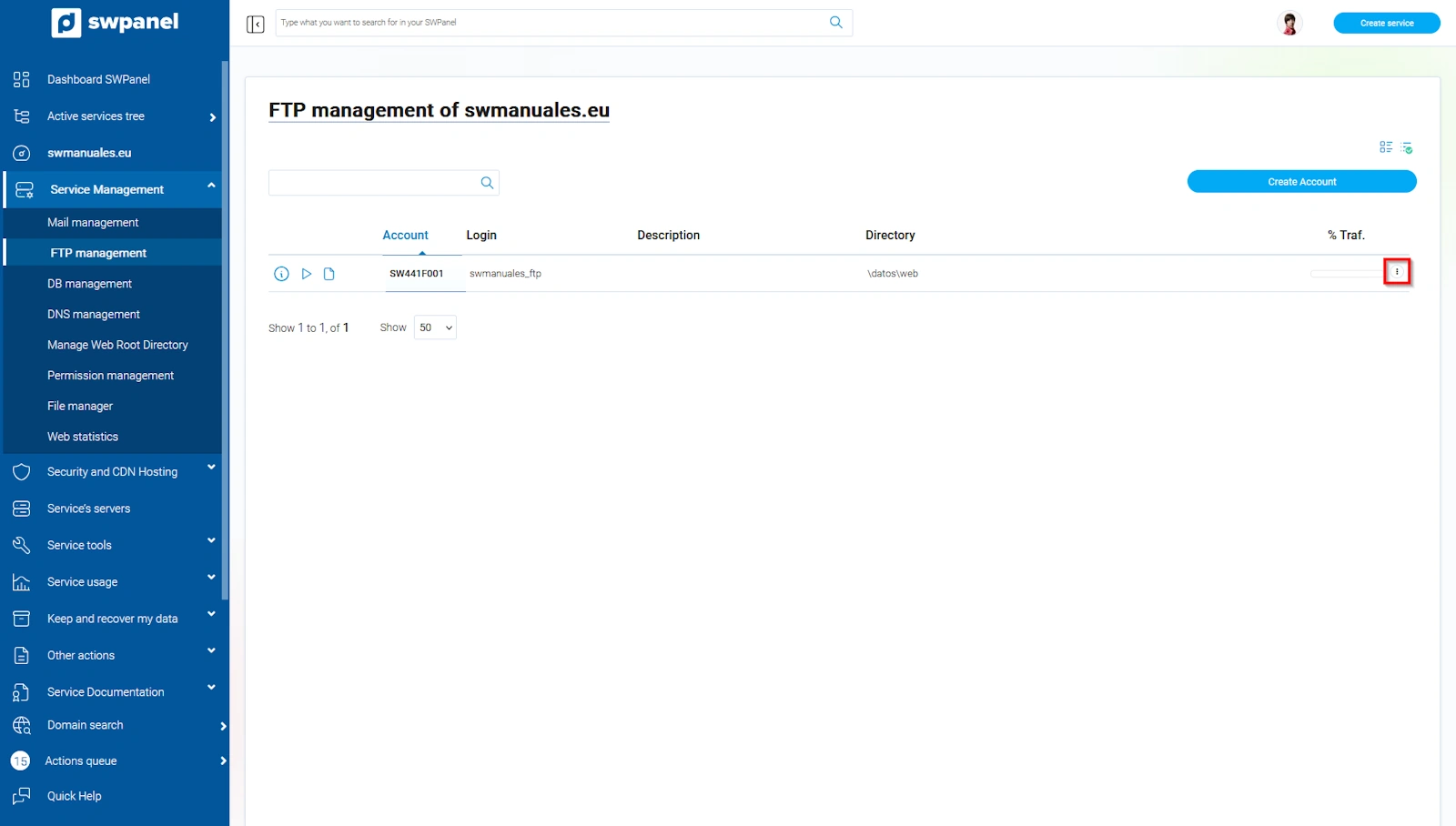
info_capture The screenshot is for guidance only. It was taken using version 2025.004.0002 dated 11/06/2025. It may differ from what is shown in the current version of SWPanel
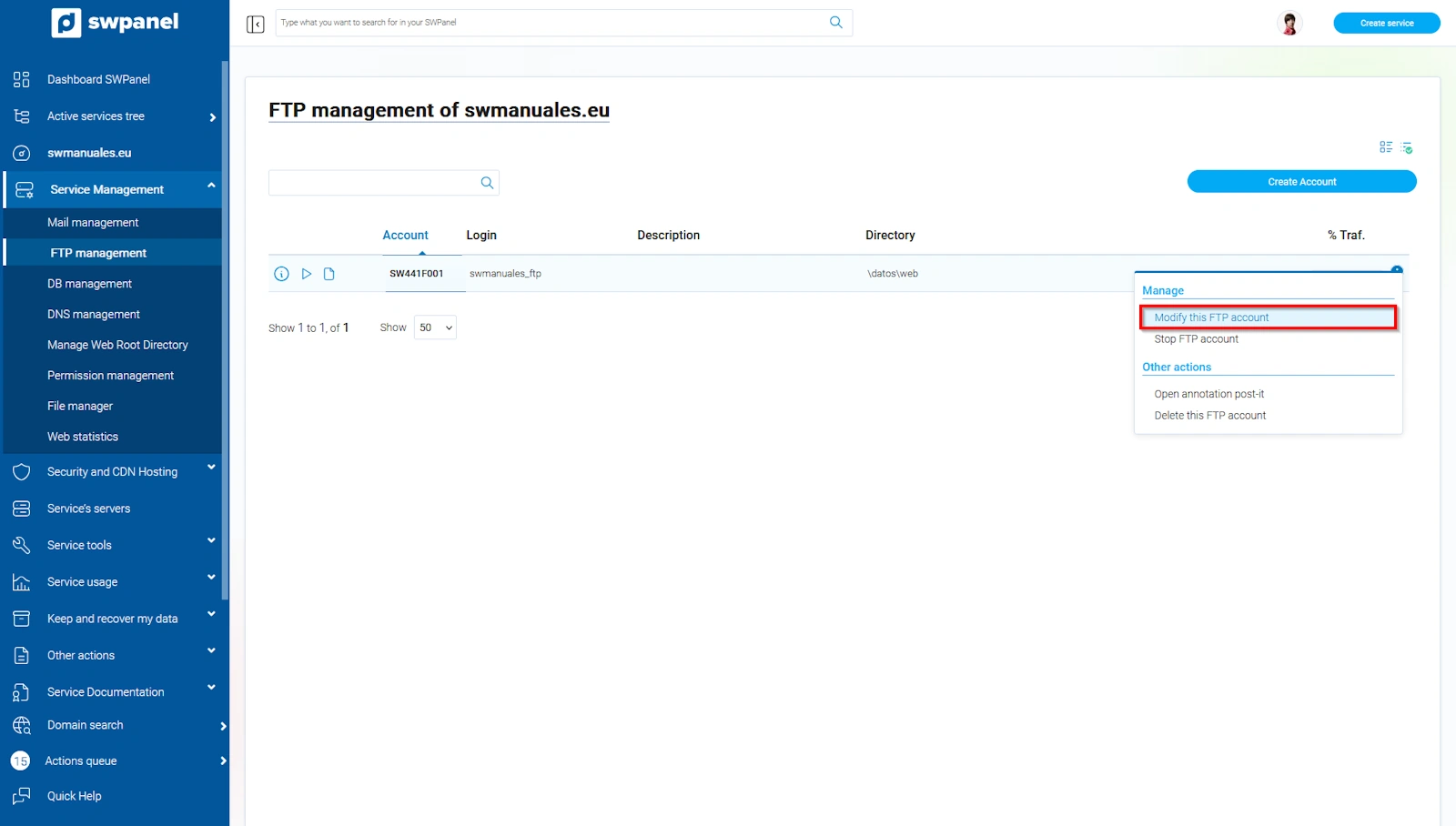
info_capture The screenshot is for guidance only. It was taken using version 2025.004.0002 dated 11/06/2025. It may differ from what is shown in the current version of SWPanel
- Next, enter a new password. You can use the 'magic wand' icon to generate a new password.
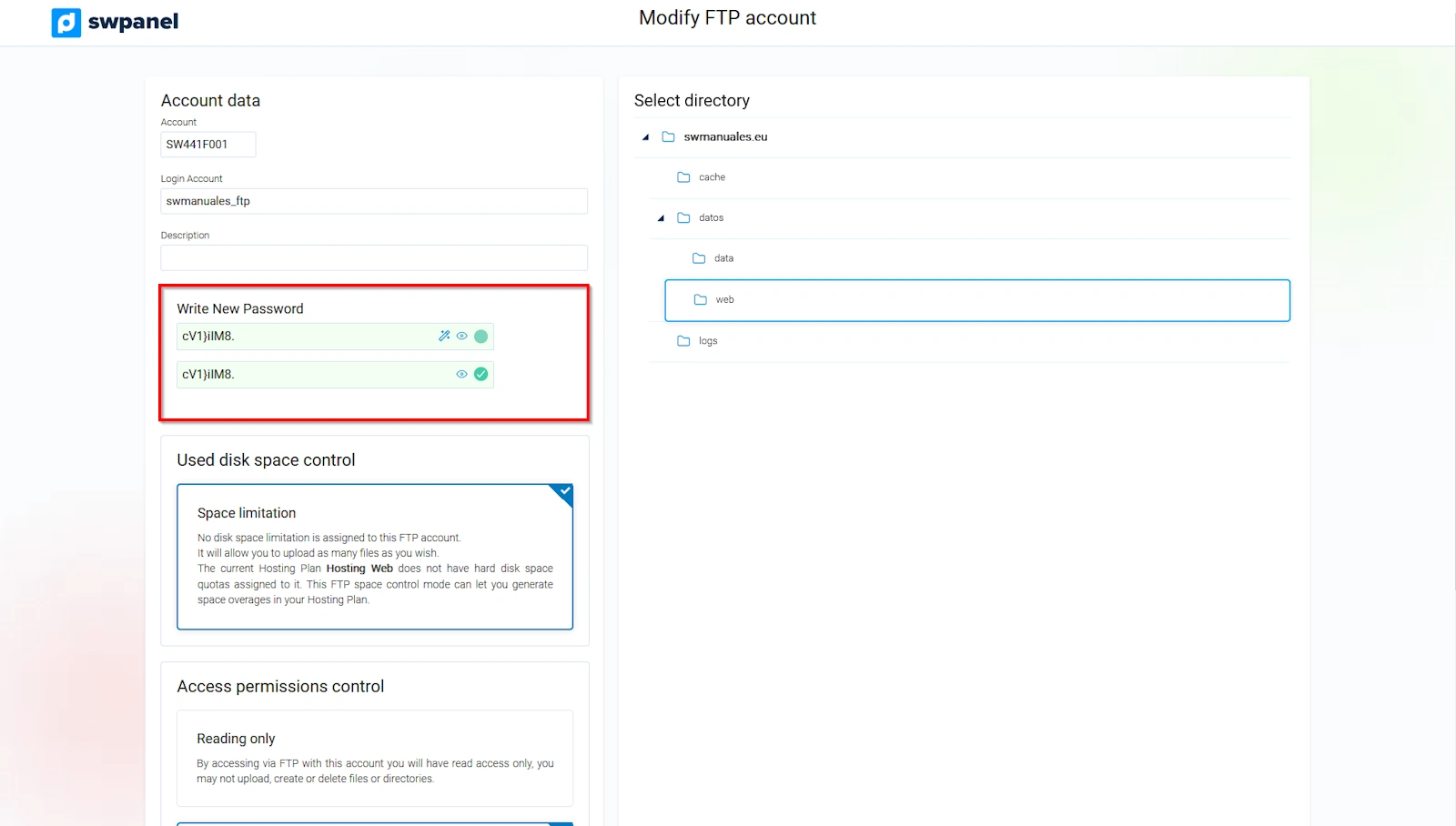
info_capture The screenshot is for guidance only. It was taken using version 2025.004.0002 dated 11/06/2025. It may differ from what is shown in the current version of SWPanel
- Once entered, you must finalize the changes by clicking the 'Modify account' button.
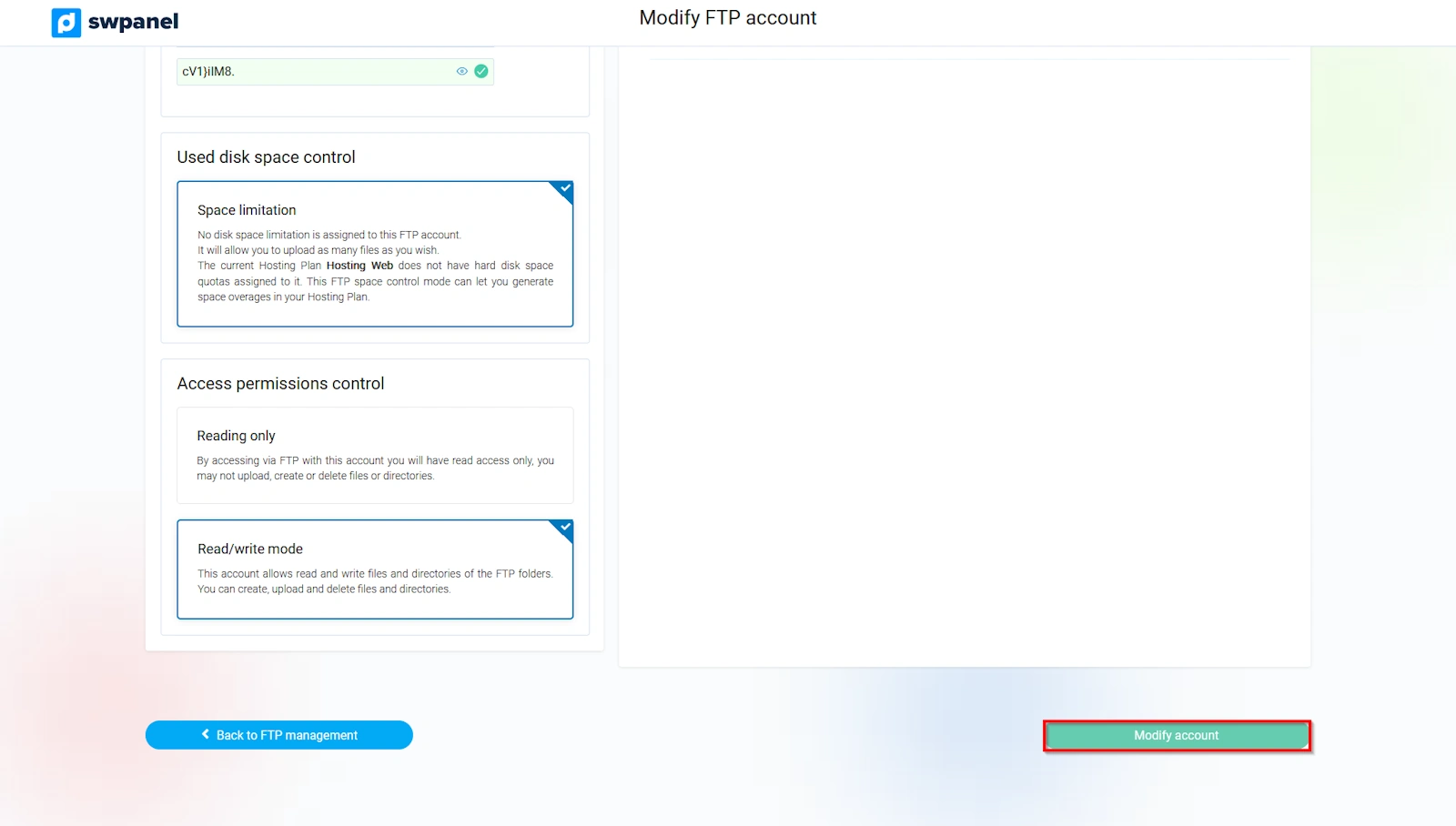
info_capture The screenshot is for guidance only. It was taken using version 2025.004.0002 dated 11/06/2025. It may differ from what is shown in the current version of SWPanel
Please note that if the FTP account is assigned or linked to WordPress, you will not be able to modify it.
To create an FTP account, refer to manual Manuel : How to create an FTP account