
How to restart a domain registration or transfer
When registering or transferring a domain, the process may result in an error due to various reasons (missing contact data, incorrect authcode, blocked domain, etc.). When this happens, our system sends a domain status email indicating that an error has occurred.
Therefore, you have two options: Restart or Cancel the registration/transfer
Restart the registration/transfer
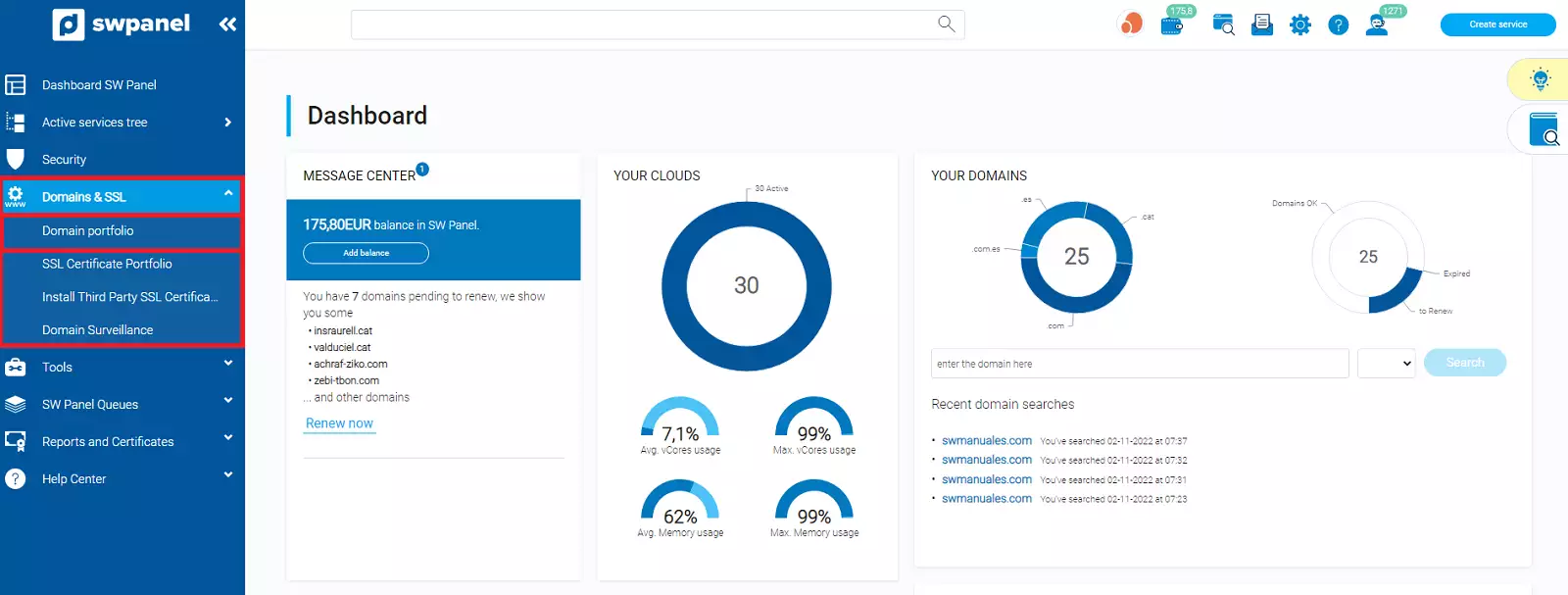
To restart the registration or transfer of a domain, you must access your SWPanel and click on the Domains and SSL tab, which appears in the blue left side menu -> Domain Portfolio
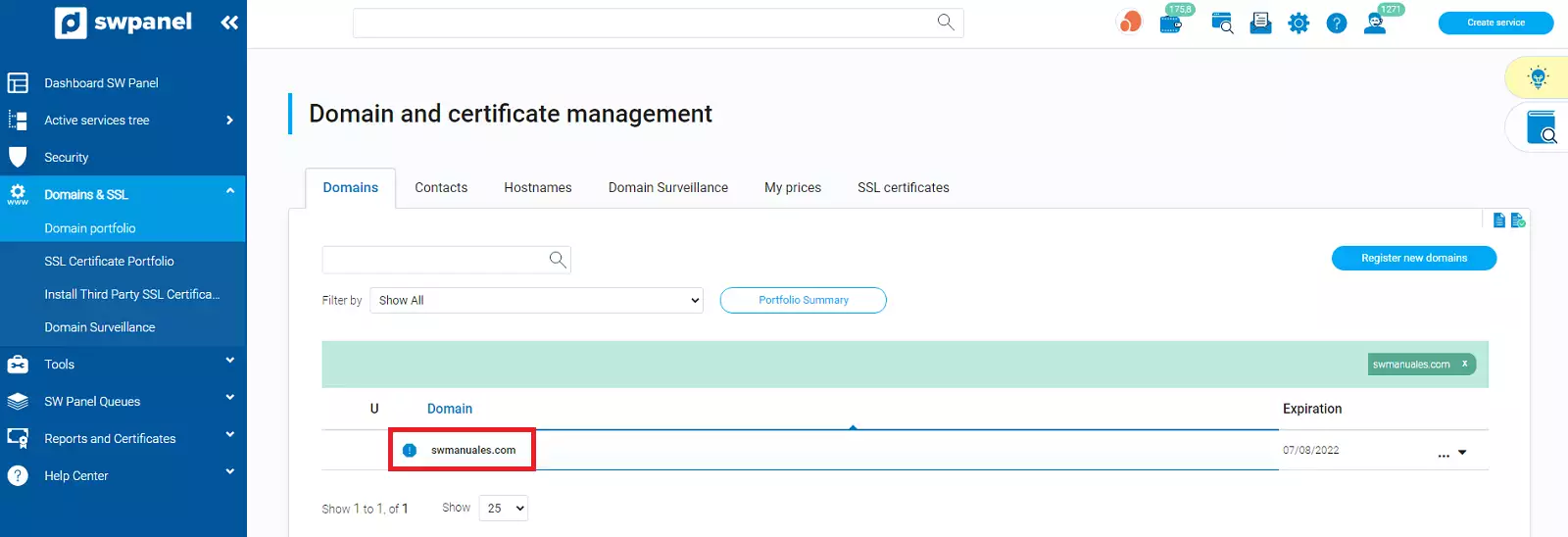
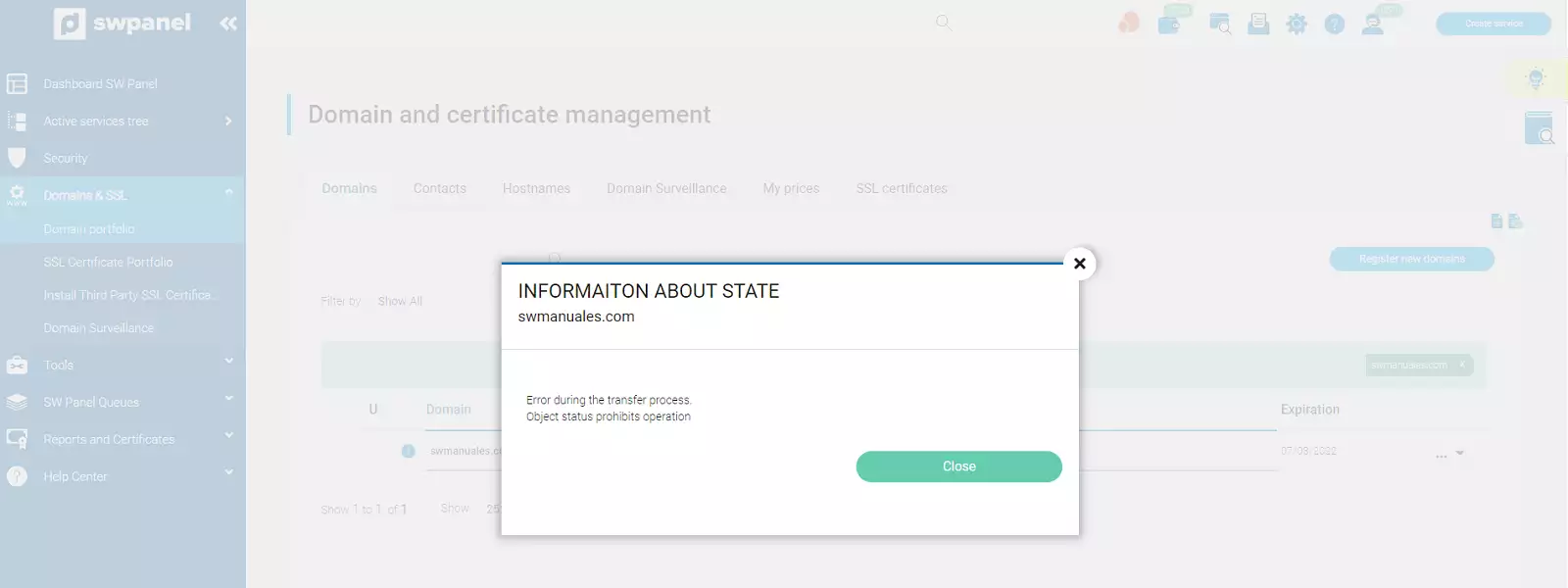
Here your domain will appear with an error icon to its left. If you click on it, the type of error that occurred will be detailed
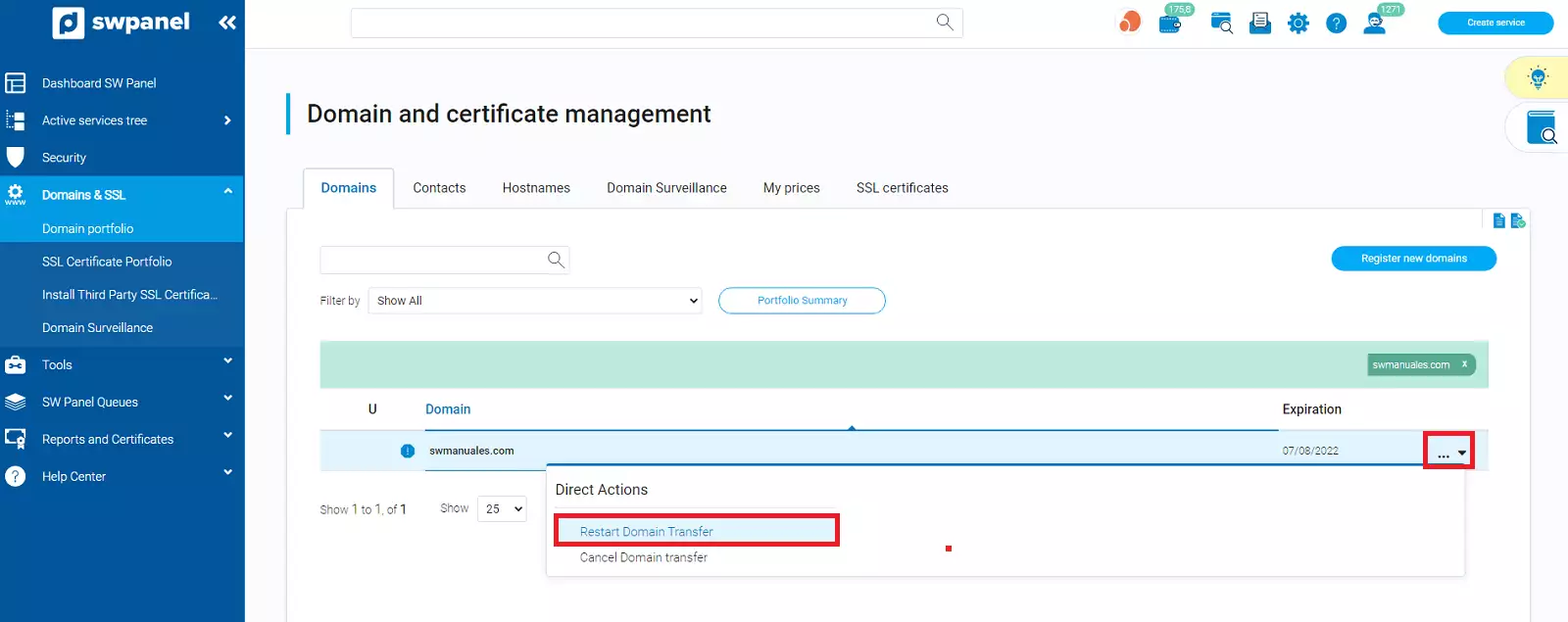
If you expand the tab that appears to the right of the domain, you will be able to restart its registration or transfer
In the case of a domain transfer, enter the authcode again, check the checkbox and click on 'Restart transfer'
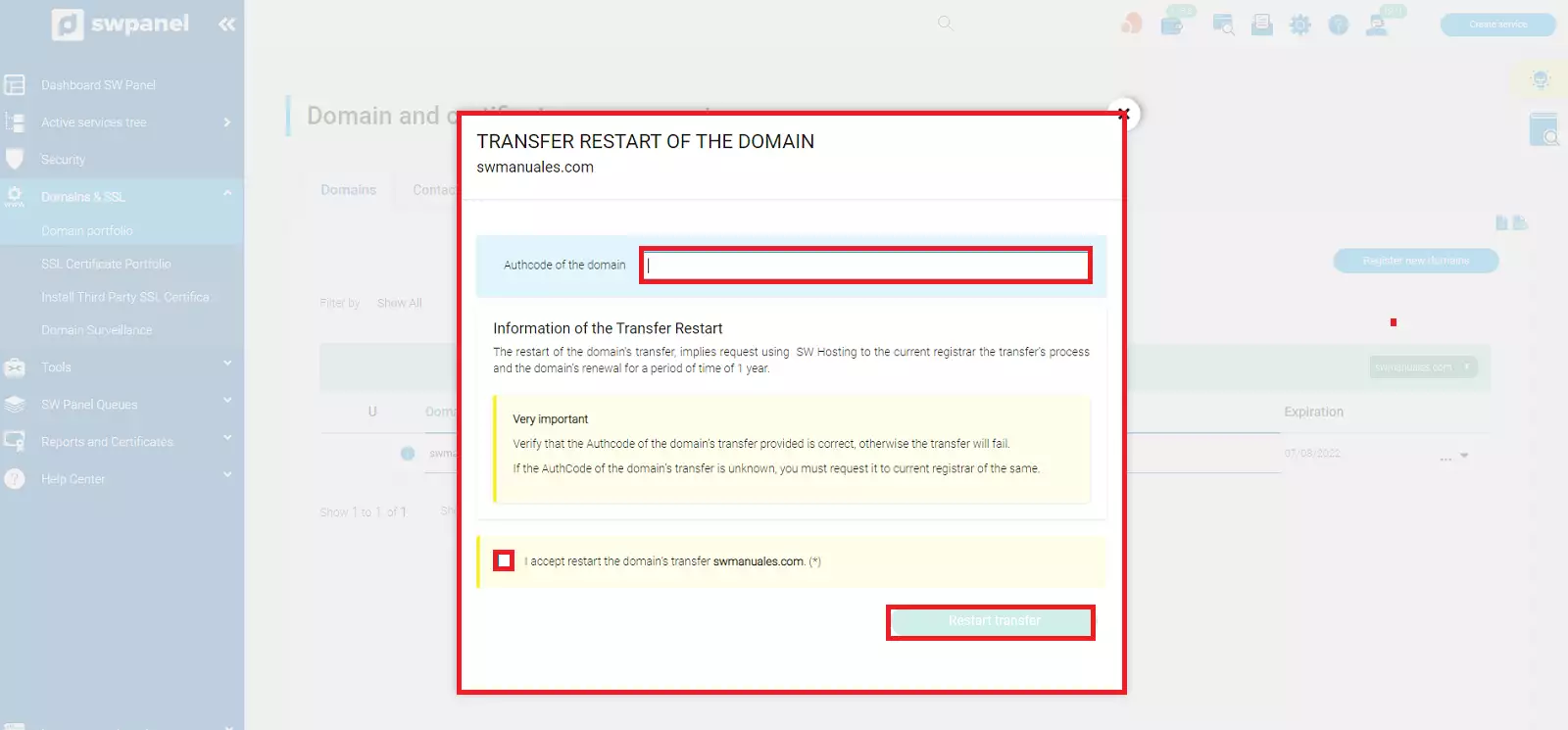
When you restart a domain transfer, the email is sent again for the administrative contact of the domain to accept it. This email is sent by the current domain registrar and serves to authorize or cancel said transfer.
This action must be carried out within the established period, which is indicated in the email itself. Normally, it is 3 calendar days. If you do not respond before this period, the domain will not be transferred.
Once you have accepted the transfer, it will be completed within a maximum of 5 days unless the current provider denies the request.
Our system will notify you of the completion of the registration or transfer via an email.
Once the registration or transfer process has been completed, you will not be able to transfer the domain to another registrar again until 60 days have passed.
You will receive a final email, in accordance with the regulations of the international organization for domains ICANN and as explained in manual Manuel : Whois Accuracy, with a link to verify your email address.
It is very important to attend to this email and validate said address within the established timeframe (15 days); otherwise, the domain will be deactivated until its verification.