
How to request the authcode of a domain
The Authcode is a transfer code necessary to move your domain from one provider to another.
All domains require this code to complete the transfer process.
To request it:
- Log in to your SWPanel.
- In the left side menu (blue), select Domains and SSL.
- Click on Domain Portfolio and look for the option to obtain your Authcode.
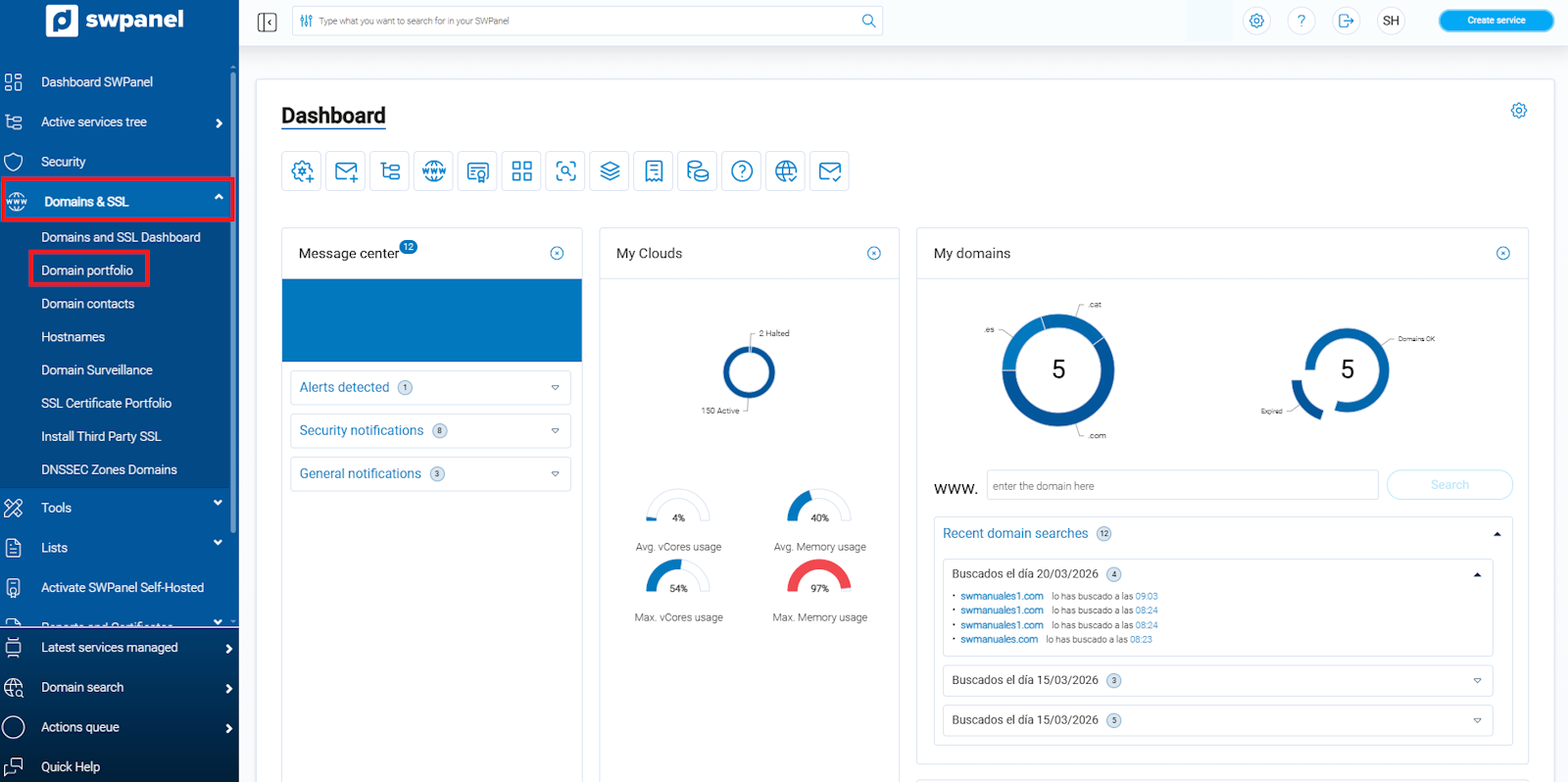
info_capture ℹ️ Note: The screenshot is for guidance purposes, taken from version 2026.000.0049 dated 21/03/2026. It may differ from the current version of SWPanel.
Request the Authcode
- Log in to your SWPanel.
- In the left side menu (blue), select Domains and SSL → Domain Portfolio.
- Locate the domain for which you wish to request the Authcode.
- Hover your cursor over the "…" dropdown that appears to the right of the domain and select Request Authcode.
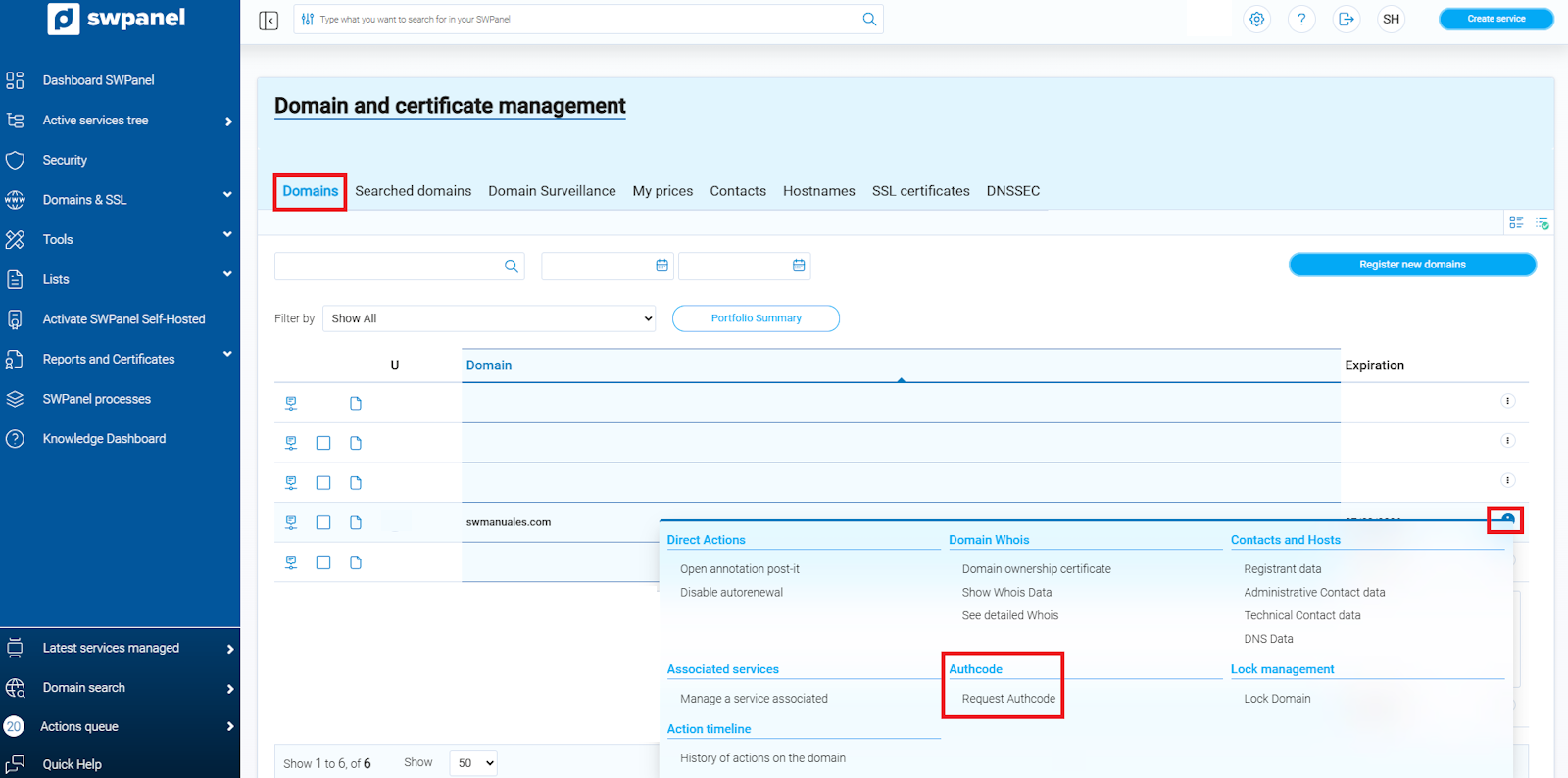
info_capture ℹ️ Note: The screenshot is for guidance purposes, taken from version 2026.000.0049 dated 21/03/2026. It may differ from the current version of SWPanel.
Complete the Authcode request
- Fill in the requested Statistical Data.
- Enter, in order: First and Last Name and, finally, the ID (DNI) of the person responsible for the request.
- Click on Request Authcode to complete the process.
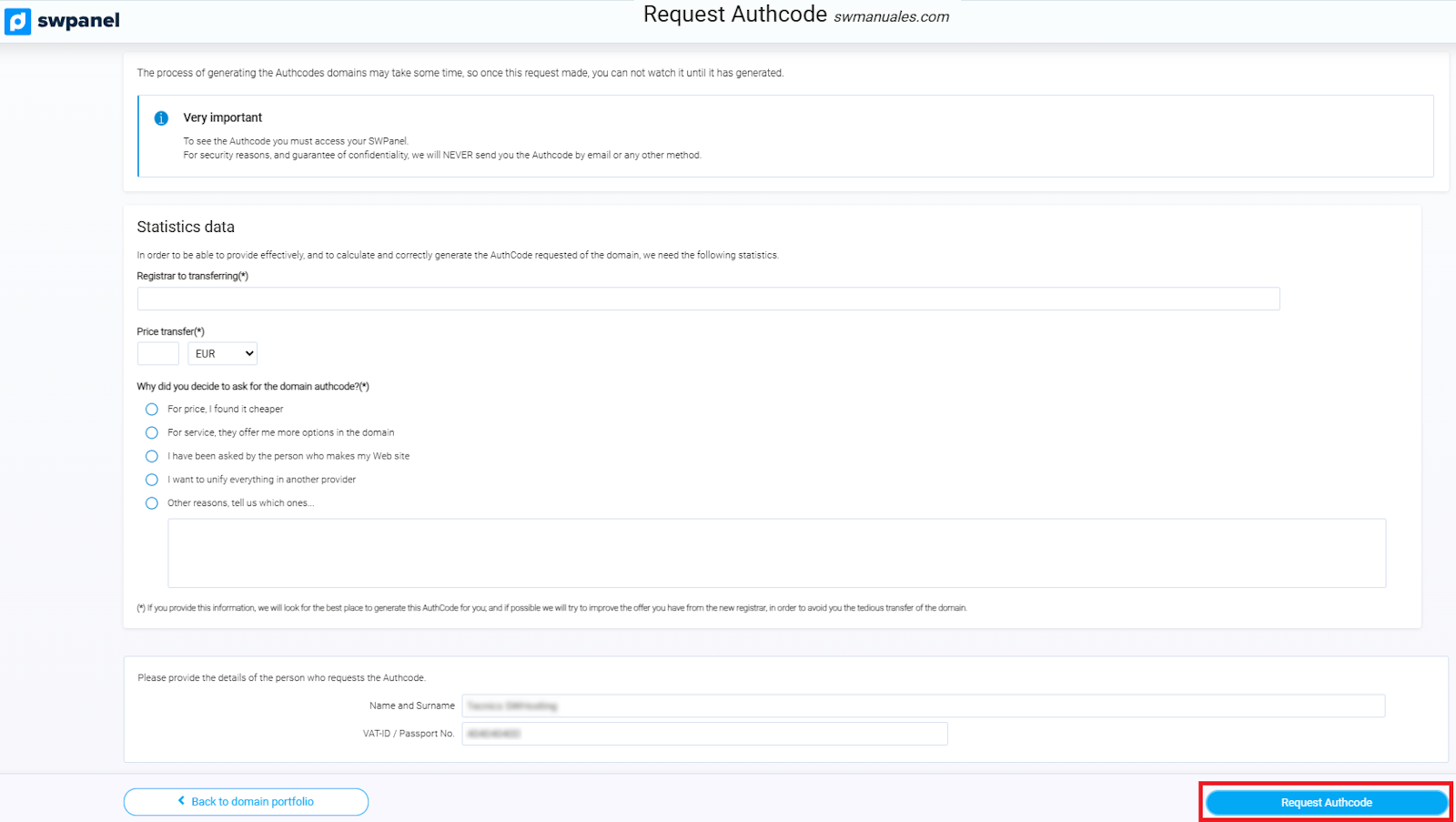
info_capture ℹ️ Note: The screenshot is for guidance purposes, taken from version 2026.000.0049 dated 21/03/2026. It may differ from the current version of SWPanel.
View the Authcode
- Once requested, you will return to the main Domain Portfolio tab.
- To view the Authcode, go back to the "…" dropdown to the right of the domain and select View Authcode.
⚠️ Important: whenever you need to check the Authcode, you must do so from SWPanel. It will under no circumstances be sent by email.
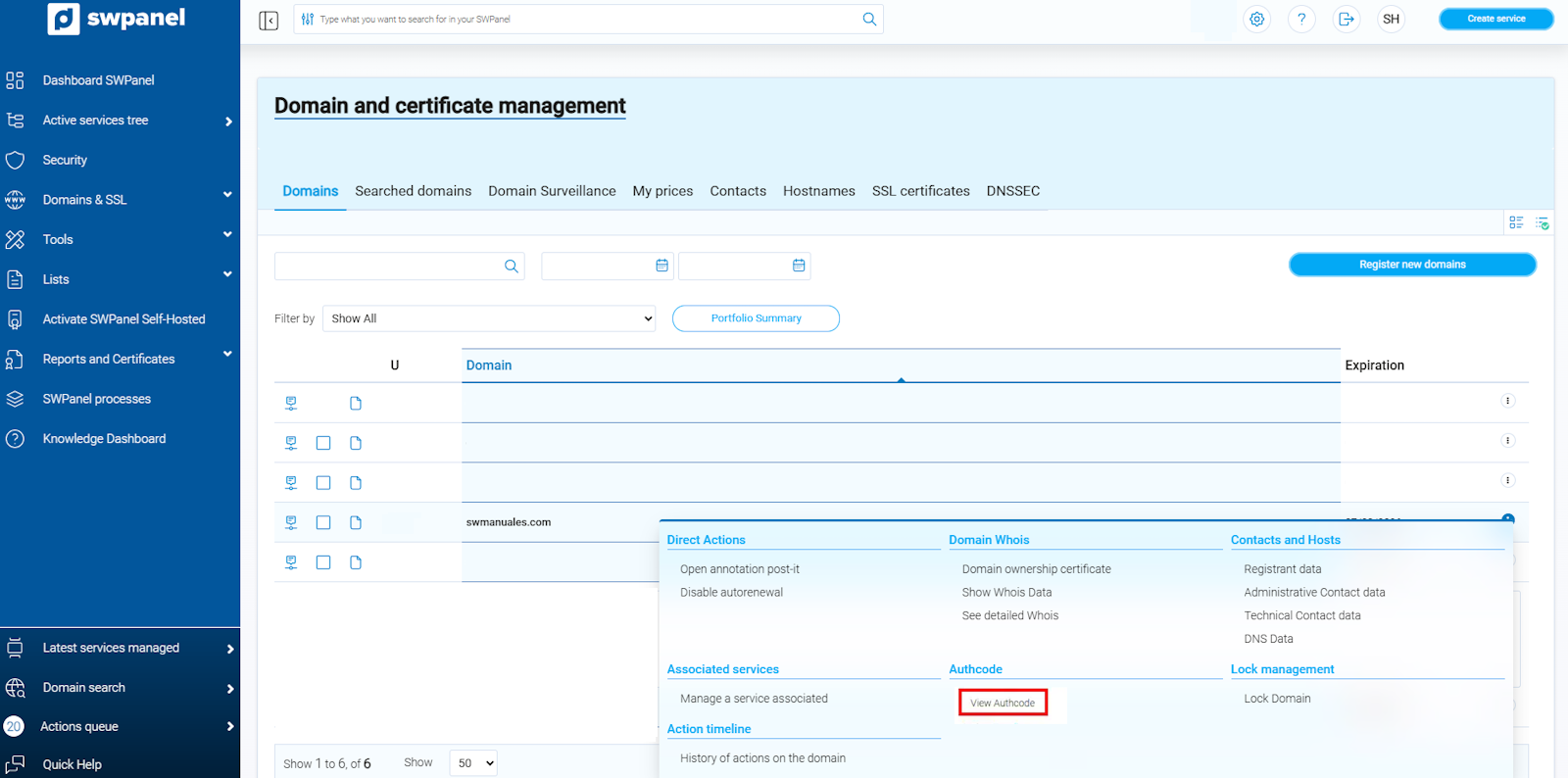
info_capture ℹ️ Note: The screenshot is for guidance purposes, taken from version 2026.000.0049 dated 21/03/2026. It may differ from the current version of SWPanel.
Validity and restrictions of the Authcode
- The Authcode is valid for 15 days.
- After this time has elapsed, you must request it again.
- If an invoice is generated during this period, the Authcode will cease to be valid and it will be necessary to request a new one if you have not yet initiated the domain transfer.
Situations in which the Authcode CANNOT be requested:
- Blocked domain: You must unlock it before requesting it.
- Auto-renewal enabled: Disable auto-renewal before requesting it.
- Domain in auto-renewal process: This process begins 60 days before the domain expires; you must wait for it to finish.
- Expired domain: You must recover it before requesting the Authcode.
- Outstanding balance in your customer account: Settling the balance is mandatory before requesting it.
- Less than 60 days since domain registration: Applies to all domain extensions.
- Less than 60 days since domain transfer: Applies only to generic domains (.CAT, .COM, .NET).
- Less than 60 days since domain ownership change: Applies only to generic domains (.CAT, .COM, .NET).