How to link the Telegram Bot to your SWPanel
To link the Telegram Bot to your SWPanel account, you must follow these steps:
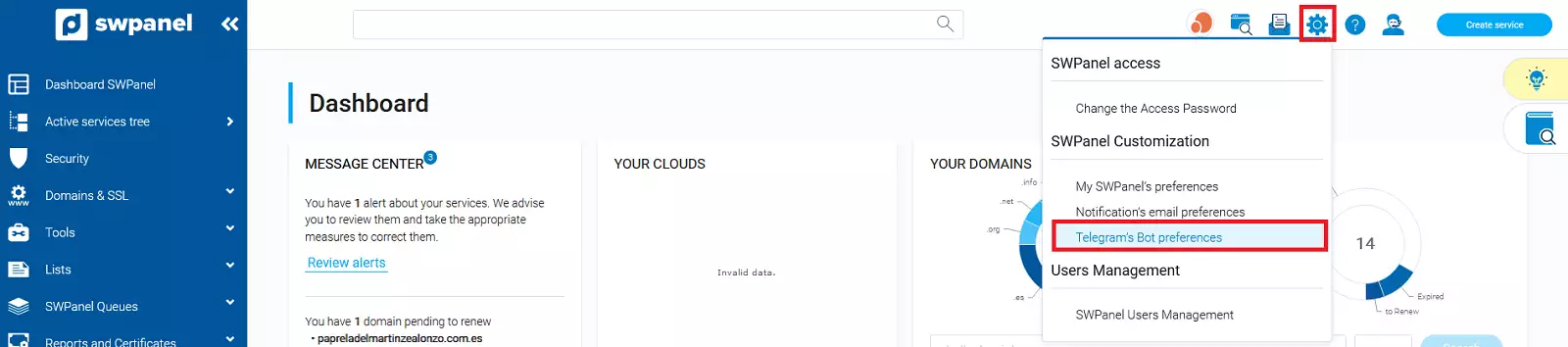
1. Access your SWPanel client account, hover the cursor over the settings icon and, in the dropdown menu, click on the "Telegram Bot Preferences" option
2. In the following window, click on the "Activate and link now" button

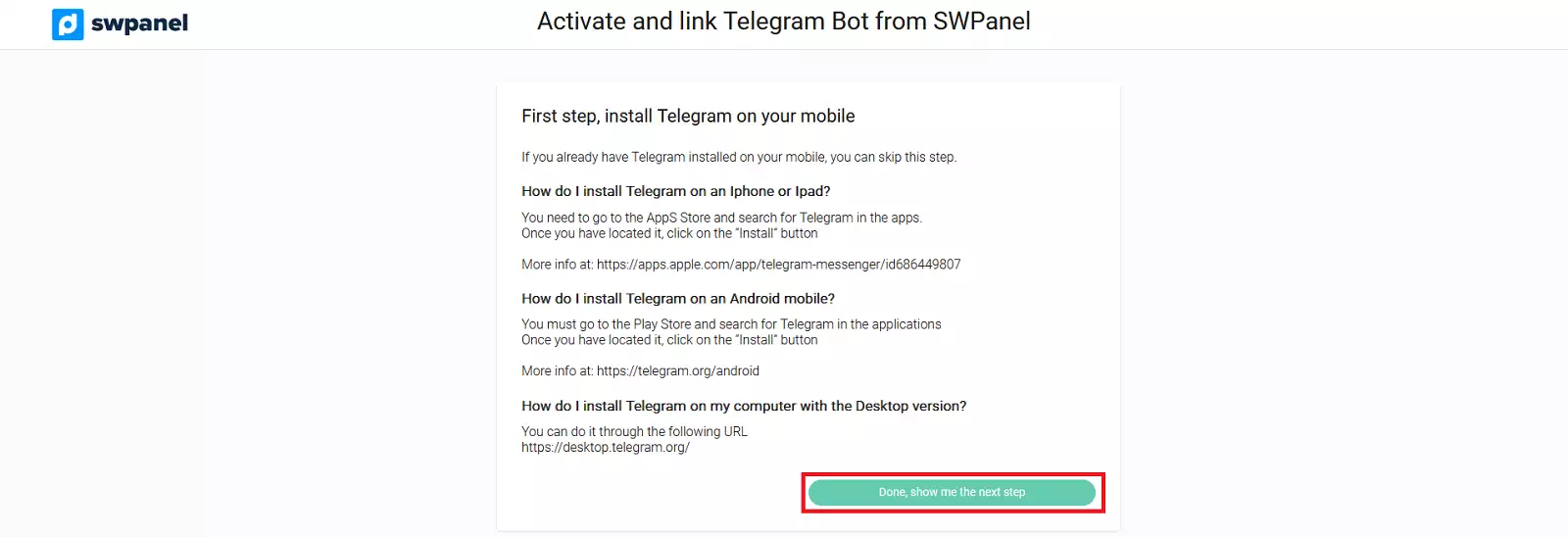
3. Once Telegram is installed on your device, you can continue with the process by clicking on the "Done, show me the next step" button
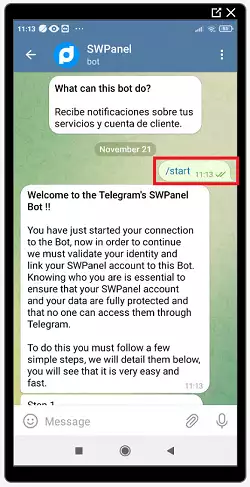
4. Scan the QR code that will appear in the following window with your mobile phone and, once Telegram has automatically started on your device, type the message /start.

5. Next, click on the "Done, show me the next step" button in the SWPanel wizard.

6. The SWPanel wizard will provide a text that you must type into your Telegram chat to obtain your linking code

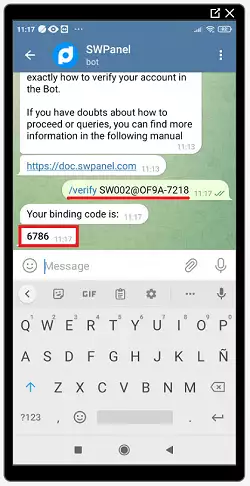
7. In the SWPanel wizard, enter the linking code obtained from your Telegram and click on the "Link now" button

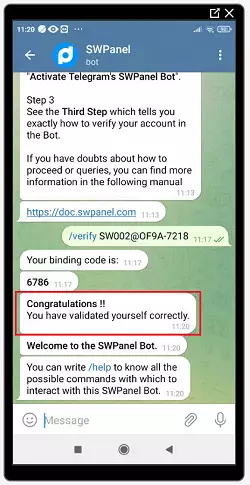
8. You will receive a message in your Telegram confirming that "You have been successfully validated".