How to activate Cloudflare CDN via SWPanel for your Hosting service
SWPanel allows you to easily enable your Hosting service to be served by Cloudflare's CDN.
A content delivery network (CDN) is a group of servers distributed across different geographic zones that speed up the delivery of web content by bringing it closer to users. Data centers around the world use caching, a process that temporarily stores copies of files, so that you can access Internet content with a device or web browser faster through a nearby server.
CDNs cache content such as websites, images, and videos on proxy servers near their physical location.
Enabling the Cloudflare CDN will improve your website, among other aspects:
• Ultra-fast delivery of static and dynamic content.
• Better performance, reduction in loading times, and lower costs.
• Improvements in your Web security through a Web Application Firewall (WAF)
• Fast and easy-to-use DNS
danger For WordPress: Before activating the CloudFlare CDN on your service, make sure that it has an active SSL certificate [Manuel : How to install a Let's Encrypt SSL certificate with SWPanel] and forced HTTPS redirection [Manuel : Enable forced HTTPS redirection] enabled. Otherwise, connections to your website could end in an error generating a redirection loop 'ERR_TOO_MANY_REDIRECTS'.
danger For Prestashop: Before activating the CloudFlare CDN on your service, make sure that it has an active SSL certificate [Manuel : How to install a Let's Encrypt SSL certificate with SWPanel] and active HTTPS redirection, enabled from PrestaShop [Manuel : How to enable HTTPS connections in Prestashop] enabled. Otherwise, connections to your site could end in an error generating a redirection loop 'ERR_TOO_MANY_REDIRECTS'.
danger To be able to activate this improvement, the domain must be in your SWPanel account.
danger If you have subdomains, their DNS zone will stop being operational. You must perform a DNS zone delegation [Manuel : How to create a zone delegation] for your subdomain.
How to activate the Cloudflare CDN from SWPanel
To activate the Cloudflare CDN from SWPanel, first access your service dashboard:

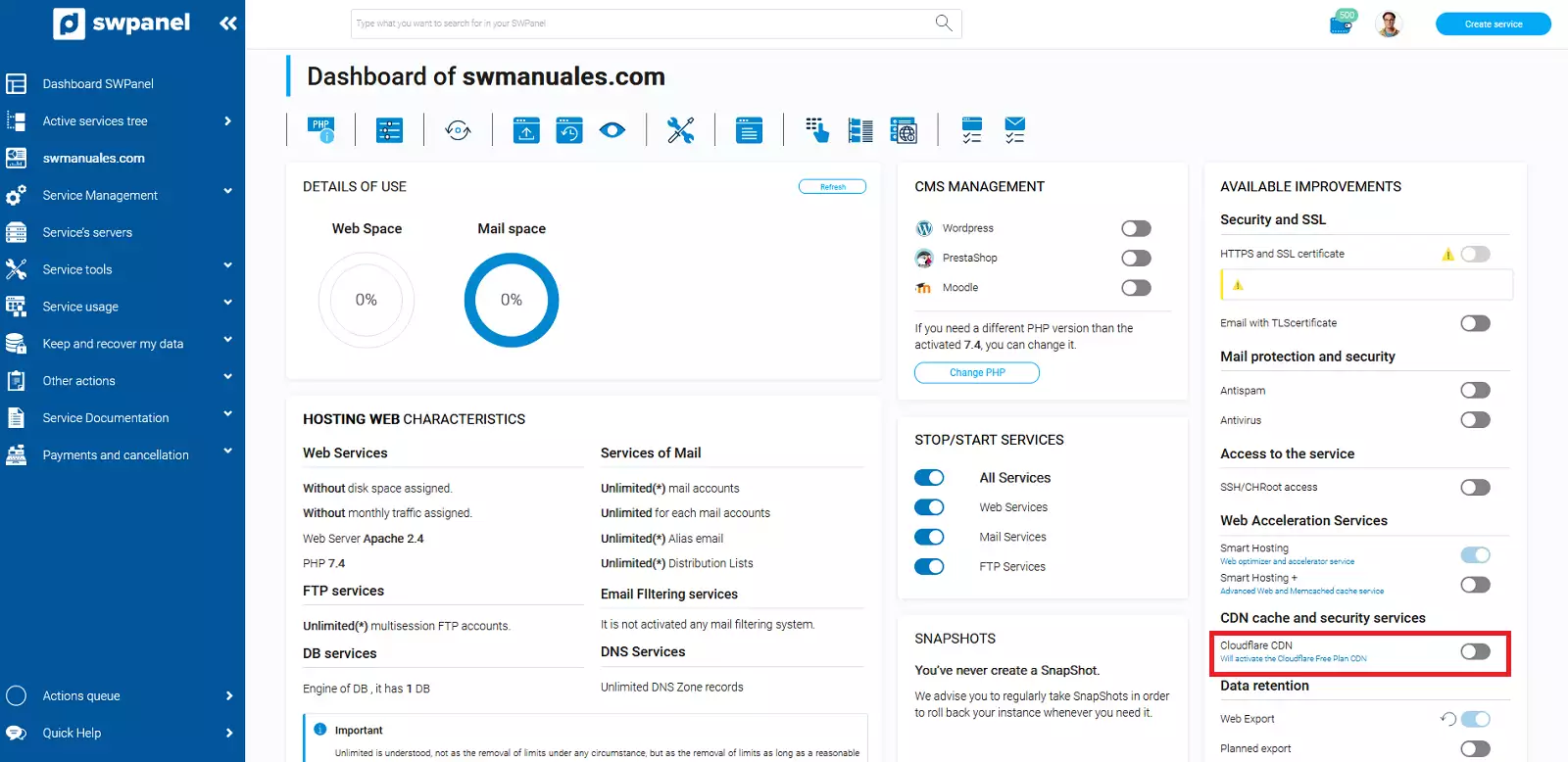
Subsequently, in the 'Available Improvements' panel, activate 'Cloudflare CDN':
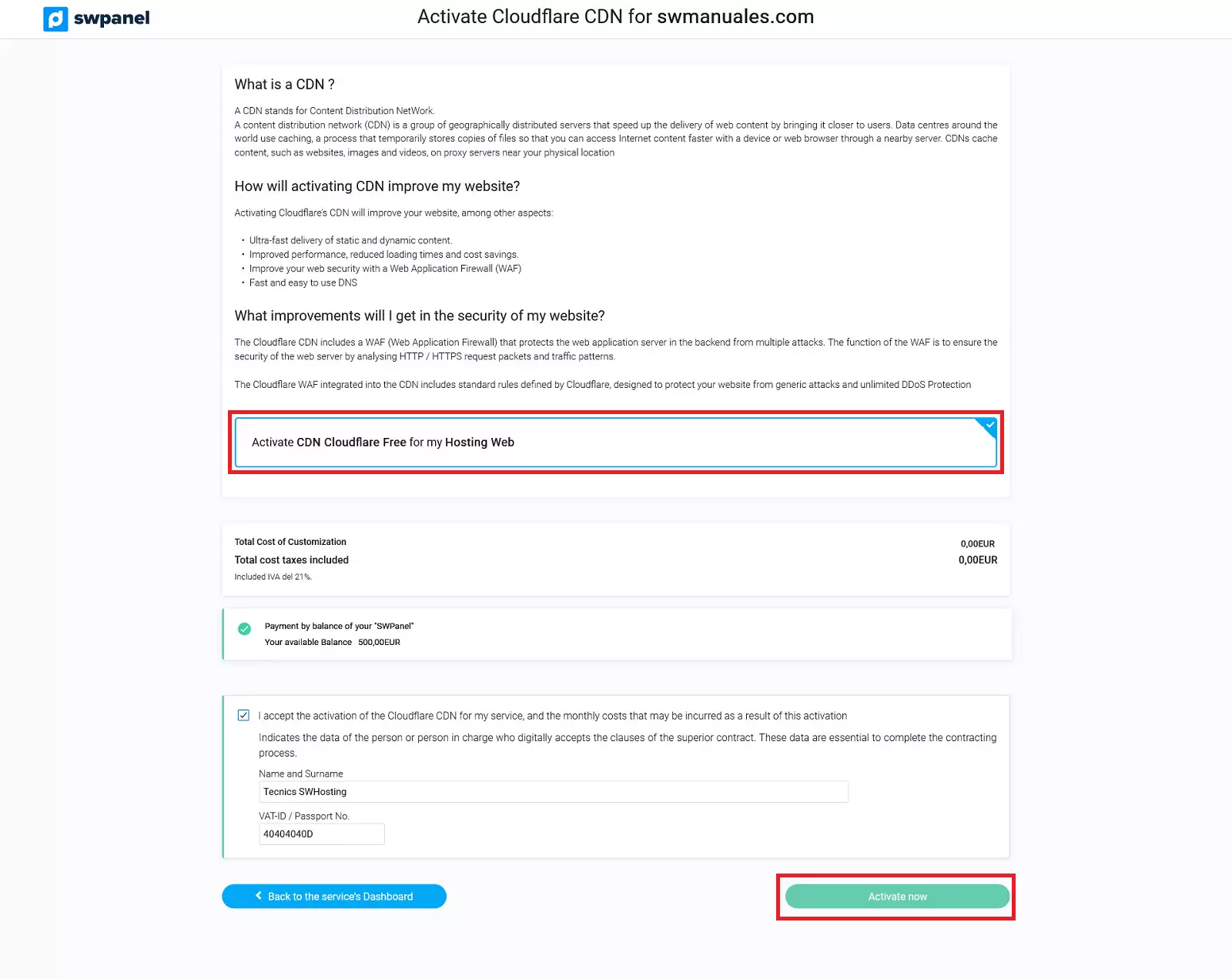
Finally, confirm the activation by selecting the option 'Activate Cloudflare CDN Free on my Web Hosting' and clicking on 'Activate now':