
How to delete an email account ?
Access SWPanel and go to the Dashboard of the service where the email account is located, using the search bar located at the top.
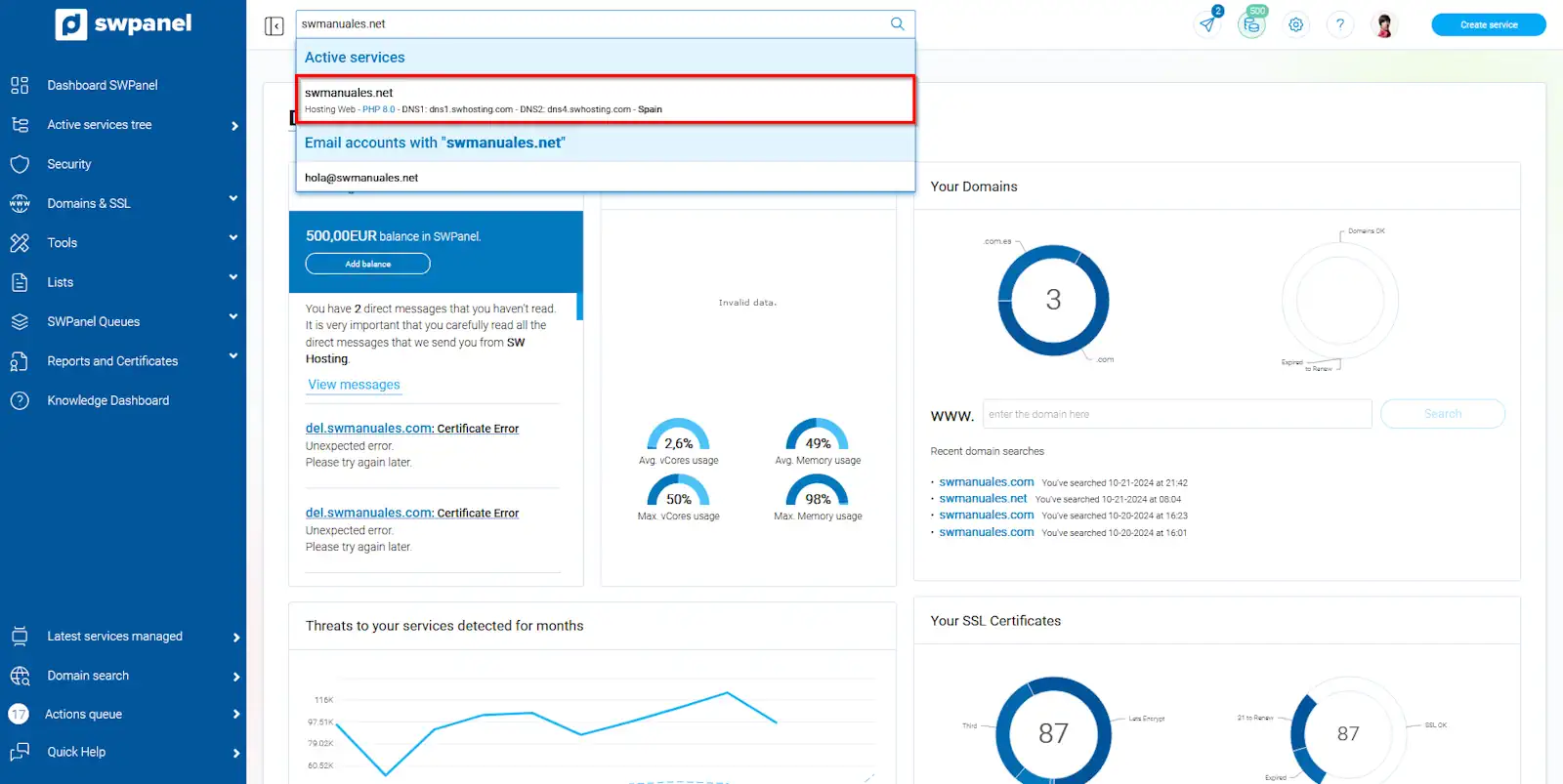
info_capture The screenshot is for guidance purposes. It was taken from version 2024.07.0134 dated 06/11/2024. It may differ from what the current version of SWPanel shows.
Once in the service Dashboard, you must go to Service Management → Email Management from the blue side menu.
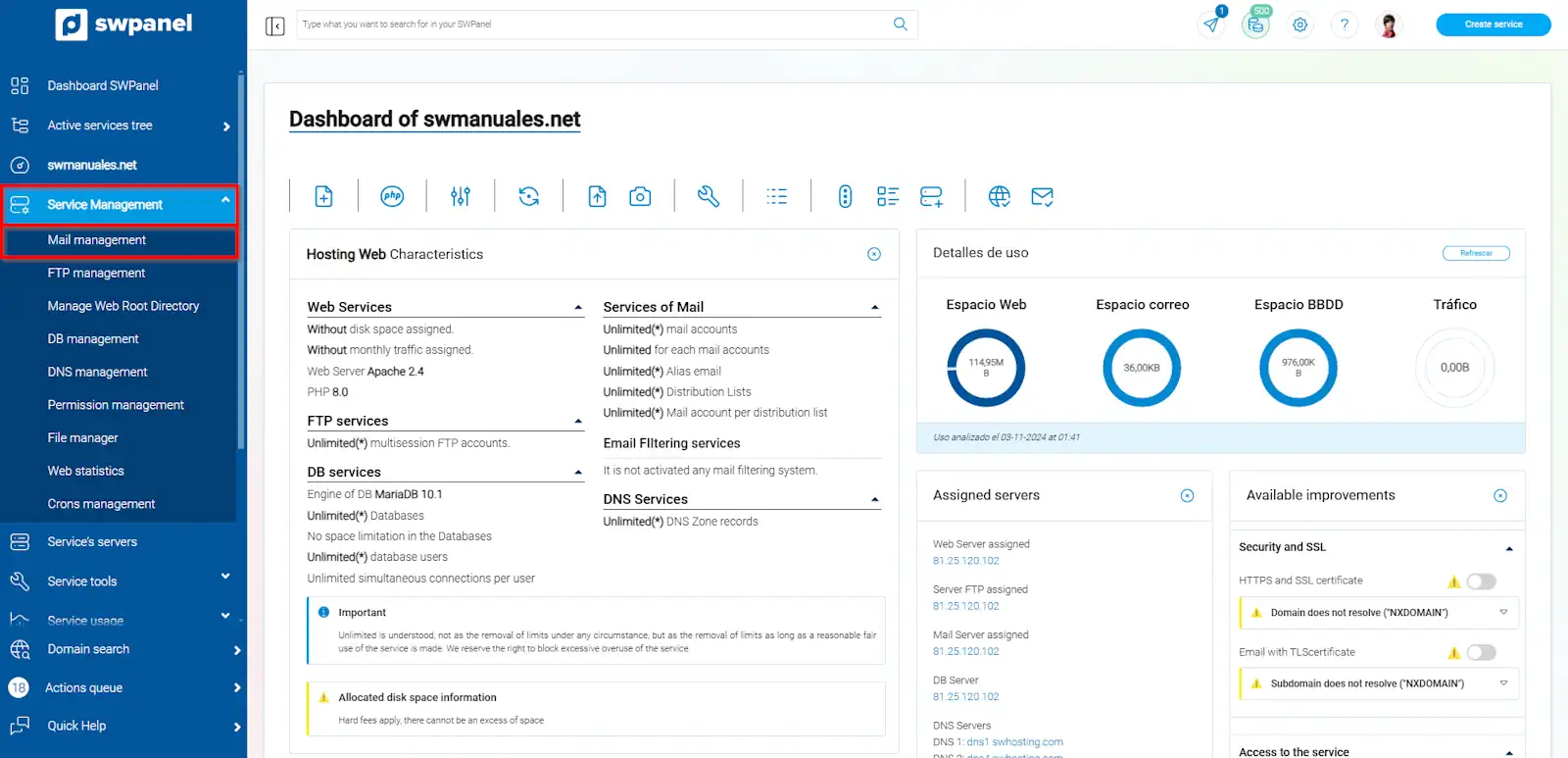
info_capture The screenshot is for guidance purposes. It was taken from version 2024.07.0134 dated 06/11/2024. It may differ from what the current version of SWPanel shows.
Locate the email account and, from the [...] menu, click on 'Delete this email account'.
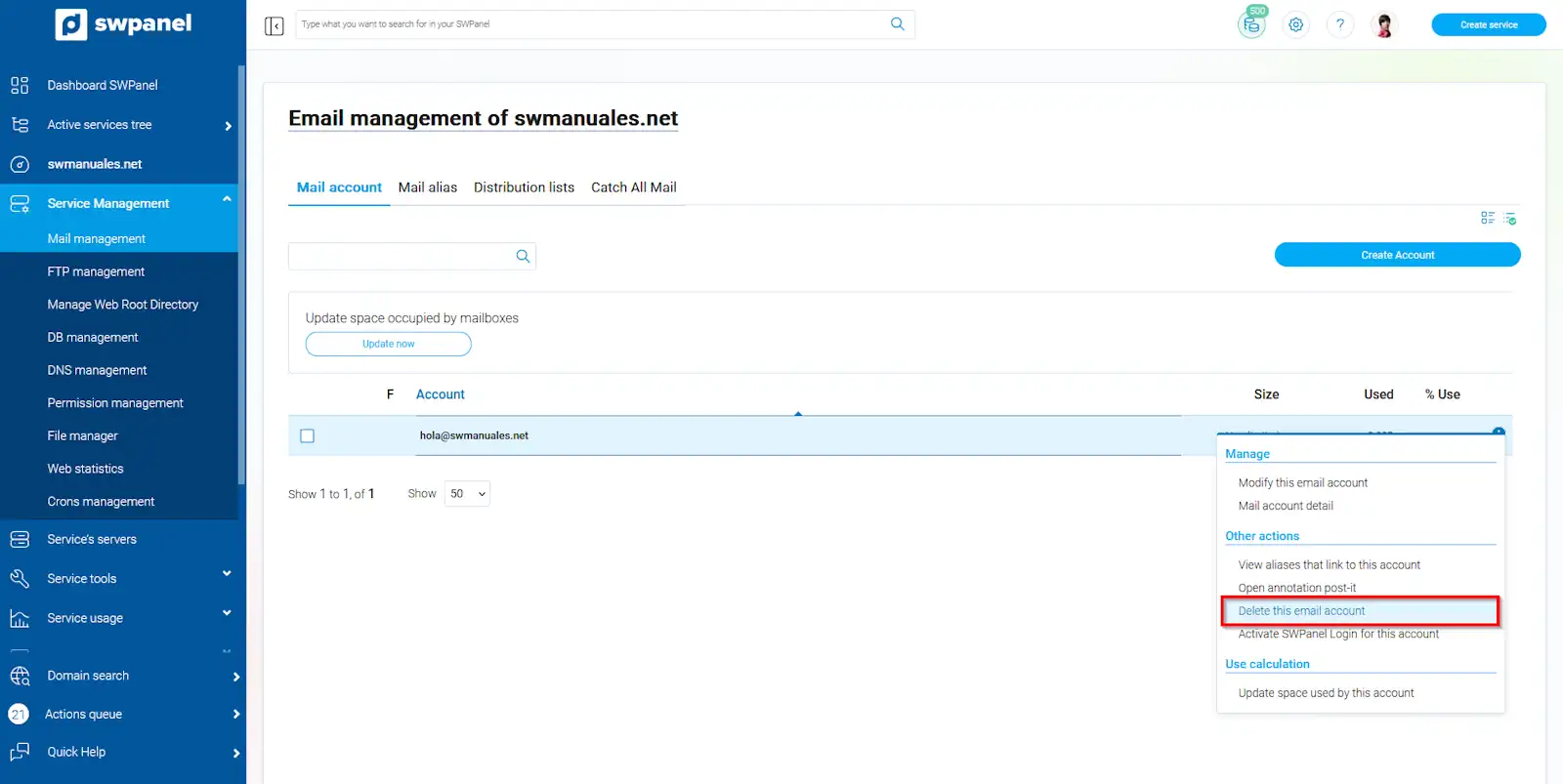
info_capture The screenshot is for guidance purposes. It was taken from version 2024.07.0134 dated 06/11/2024. It may differ from what the current version of SWPanel shows.
You must confirm the deletion of your email account using the red 'Delete' button.
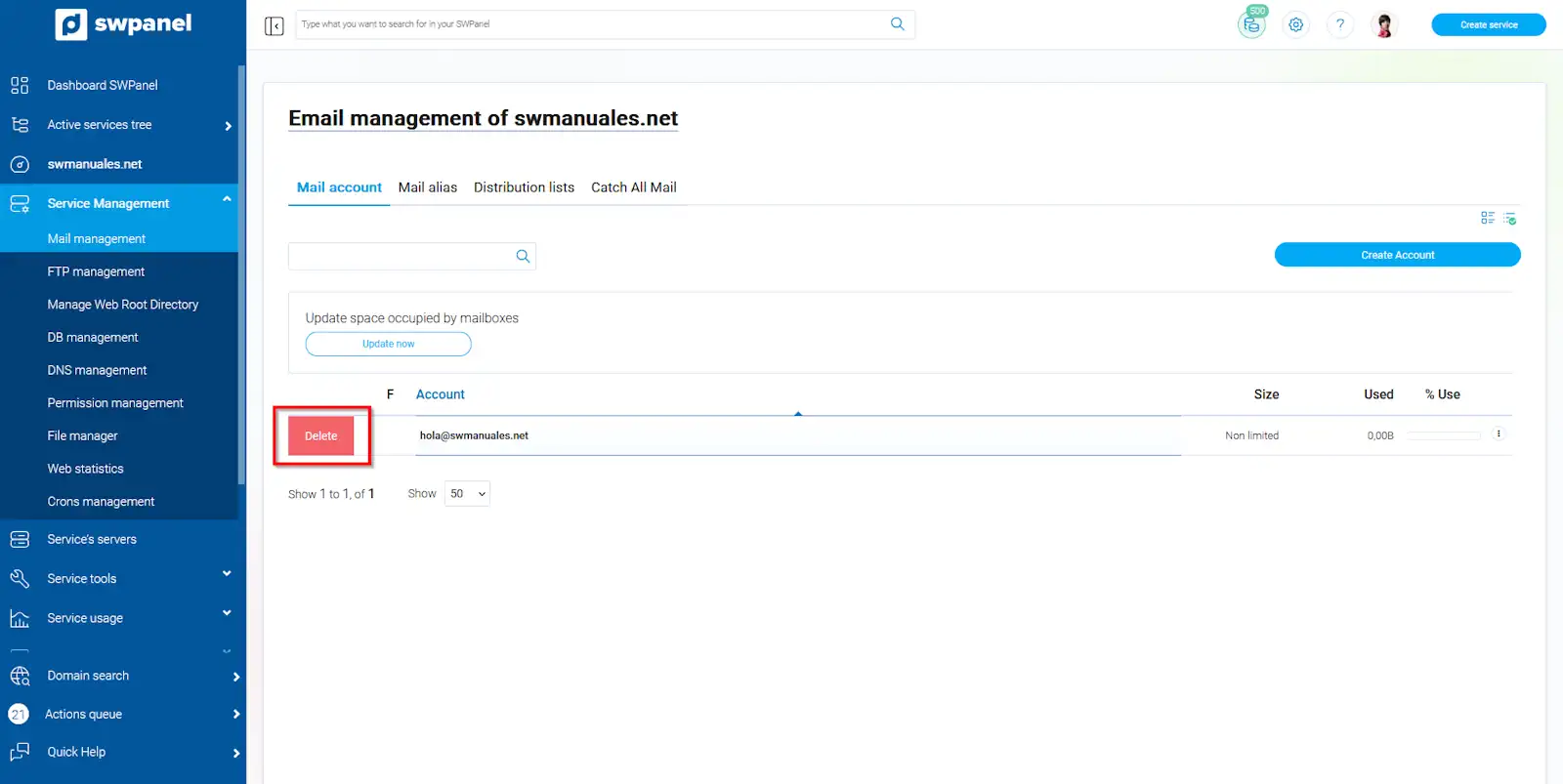
info_capture The screenshot is for guidance purposes. It was taken from version 2024.07.0134 dated 06/11/2024. It may differ from what the current version of SWPanel shows.
Finally, accept the deletion of your email account using the 'Yes, delete' button.
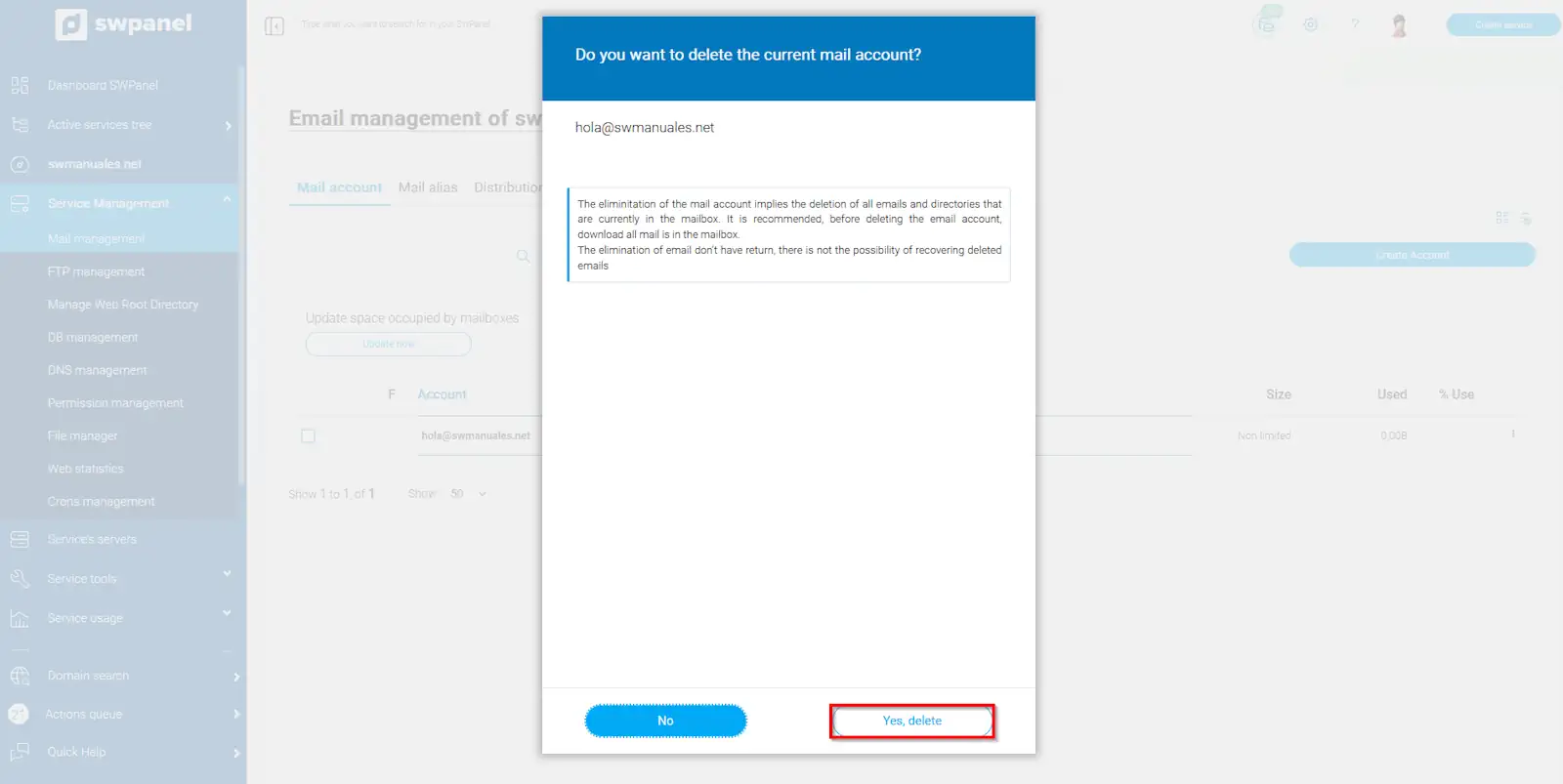
info_capture The screenshot is for guidance purposes. It was taken from version 2024.07.0134 dated 06/11/2024. It may differ from what the current version of SWPanel shows.