
How to create a service for a subdomain
When creating a hosting service, for various reasons, you may need to associate it with a subdomain of a domain you own.
In the following manual, we will provide the information and the steps to follow on how you can create a hosting service associated with a subdomain.
From SWPanel, you can set up your Hosting service associated with a subdomain in a matter of minutes; to do so:
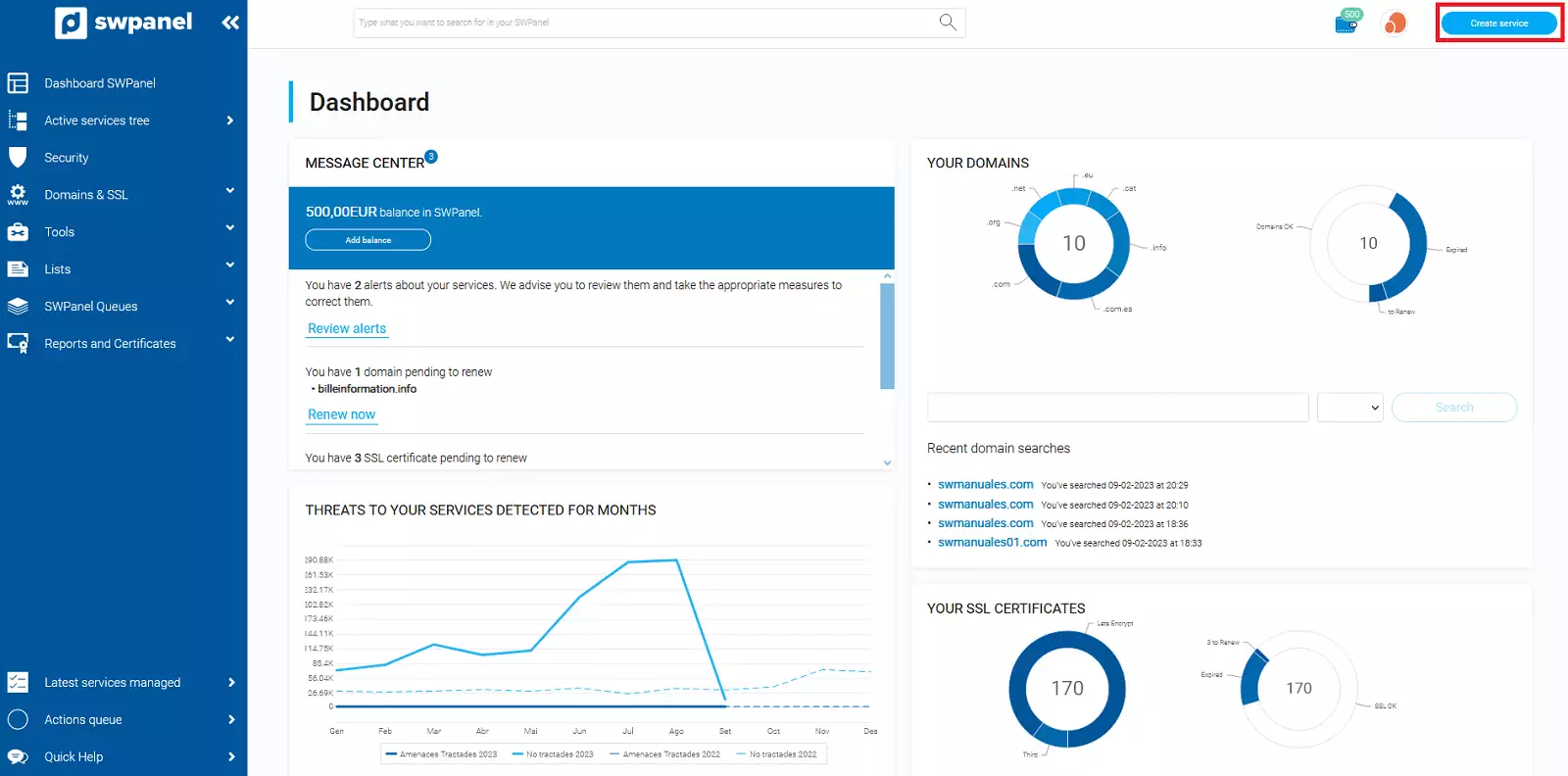
- Click on Create Service (upper right corner):
In case you need to create the hosting associated with a subdomain within a Cloud, you can follow the following manual, maintaining the guidelines of this same manual:
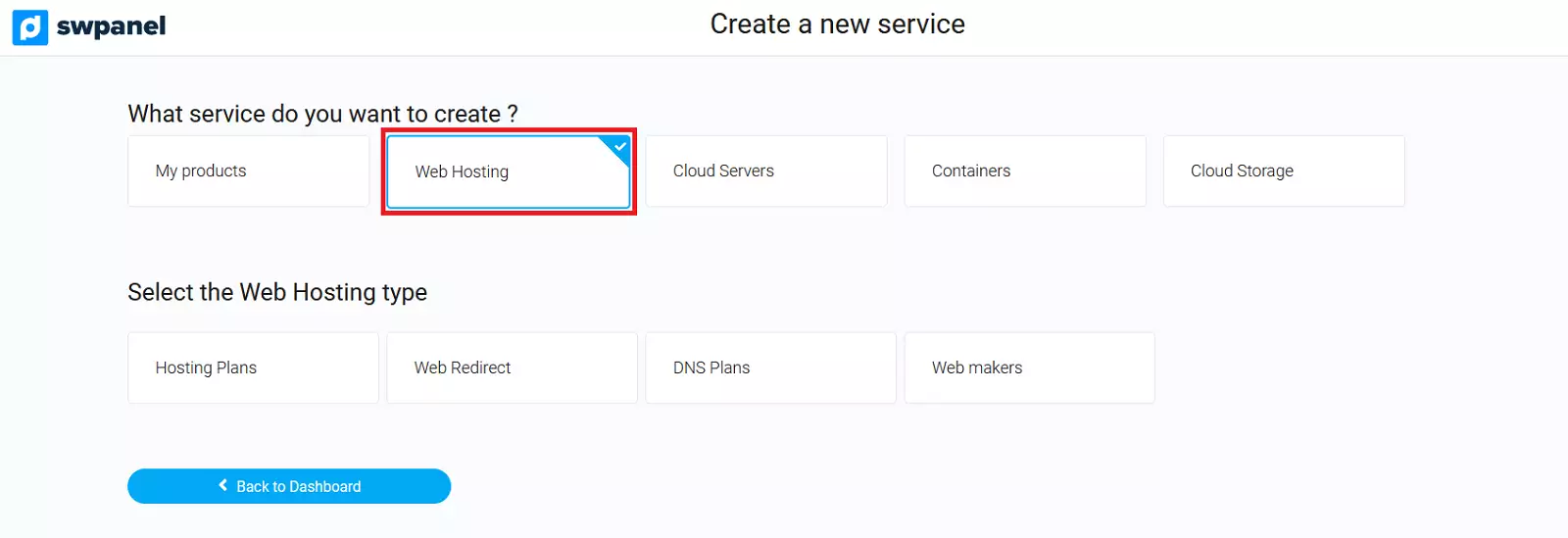
- Next, select Web Hosting:
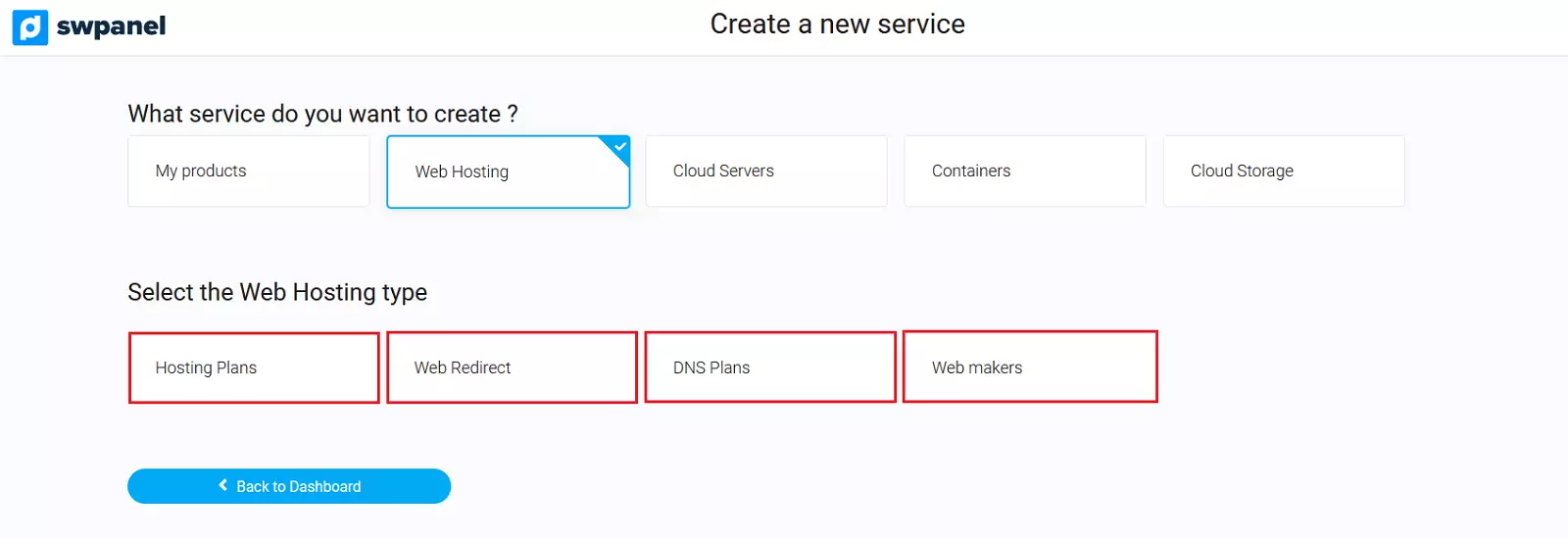
- Next, select the hosting plan you desire:
-
Hosting Plans: Shared hostings to be able to create a website, databases, email accounts, FTP accounts, DNS records, etc.
-
Redirectors: Redirection Hosting plans are ideal for those users who want to perform a redirection in an easy and fast way.
-
DNS Plans: They are a very good option if you only need to have DNS records associated with a domain, as it is not possible to create a website with this type of Hosting.
-
Web Builders: Here you can create an SW EasyWeb, a website that can be created in 1 minute.
When you have decided which Hosting plan best fits your needs, it will be time to indicate the name of the subdomain in the 'Domain name' field.
Example of subdomain name: subdominio.swmanuales.com
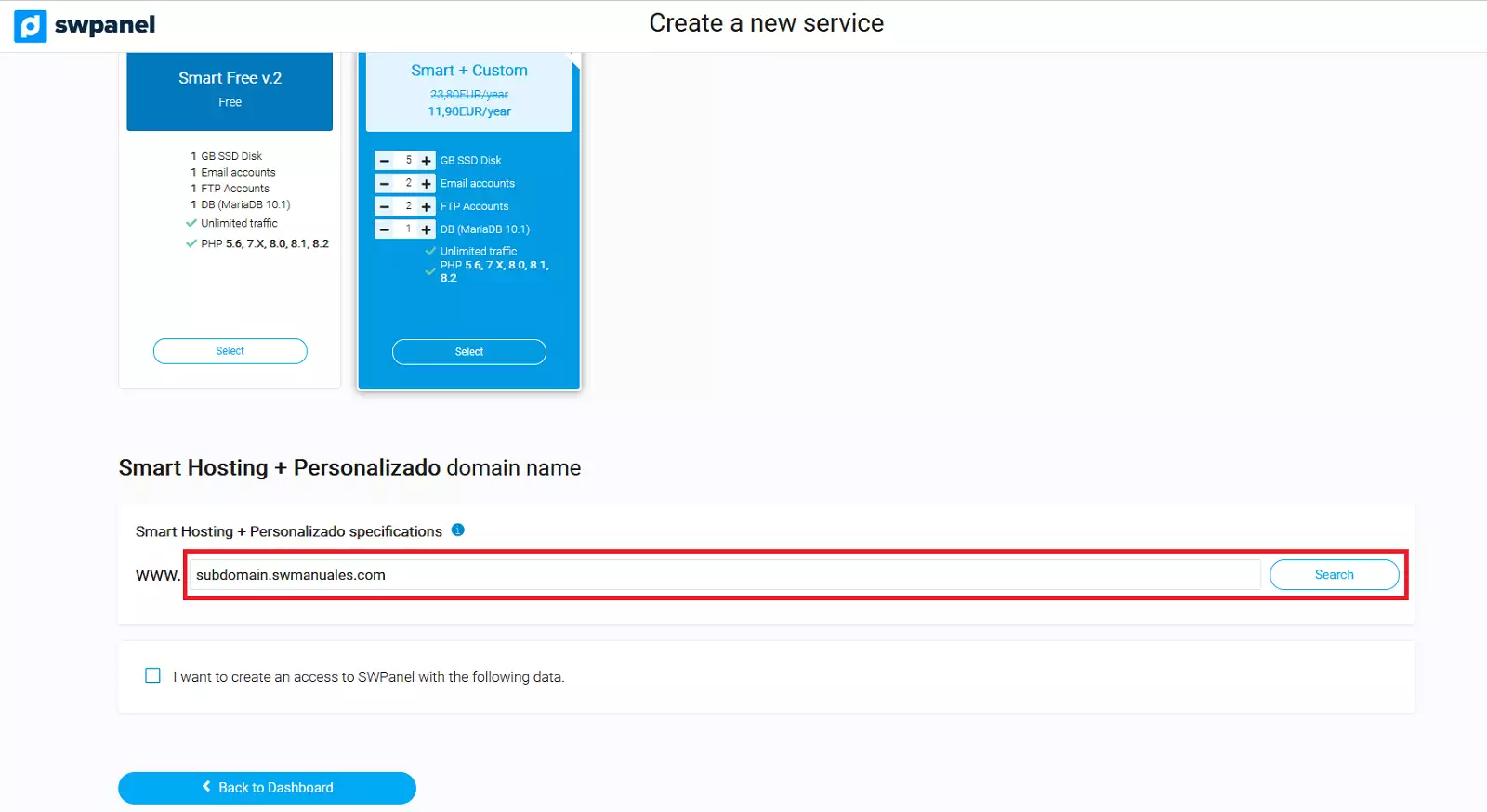
By clicking the Search button, the status of the domain of the entered subdomain will appear.
You can choose to register the domain if it is available, transfer it if you are the owner, or simply activate the service without registering the domain.
Now you can adjust your new Hosting to your needs: the PHP version and the creation of an email account for the indicated subdomain:
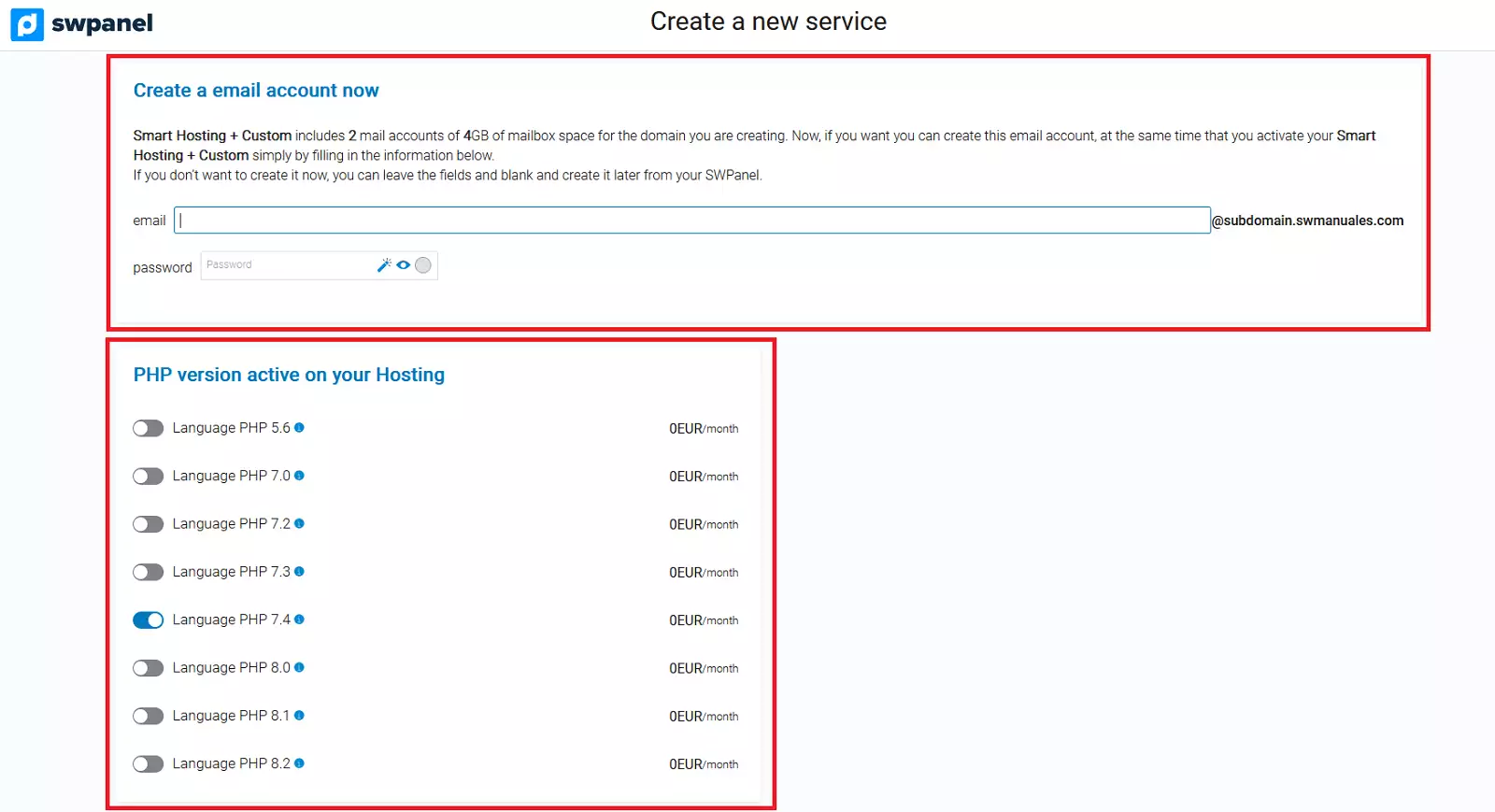
After reviewing the data that appears on the screen, click on Accept and create to proceed with the contracting:
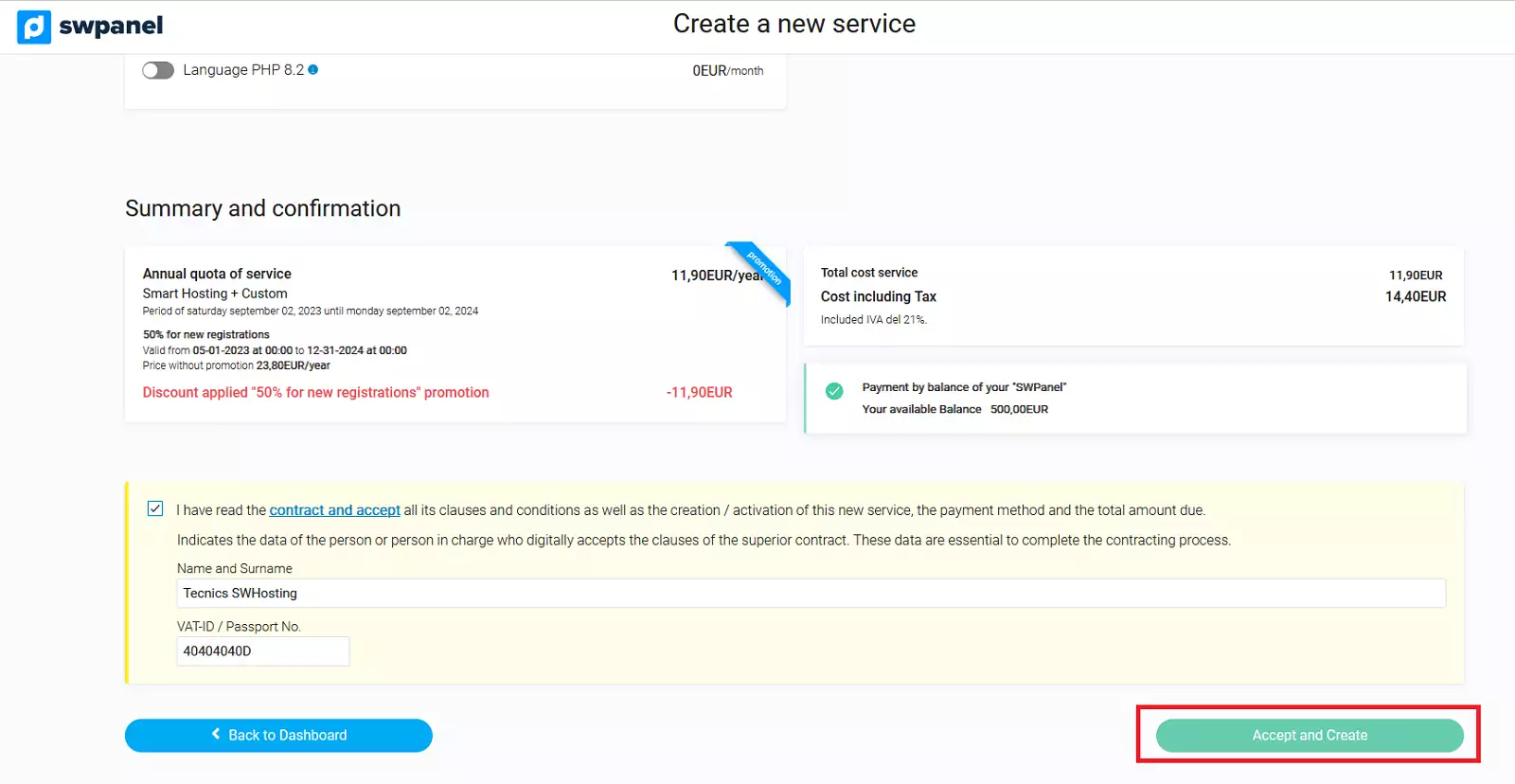
Done! Your new Hosting service associated with a subdomain is now operational.