
How to create an additional website within my Hosting Plan?
IMPORTANT: Before starting, we must keep in mind that all additional websites added within our contracted Plan will use the space resource assigned to this Plan. It is not possible to allocate a custom size to each website. All use the same space resource assigned to their 'Parent Plan'. For example: If we need to increase the disk space resource for one of these additional websites, we would have to do it from the Parent Plan dashboard.
- First, we access the main dashboard of swPanel.
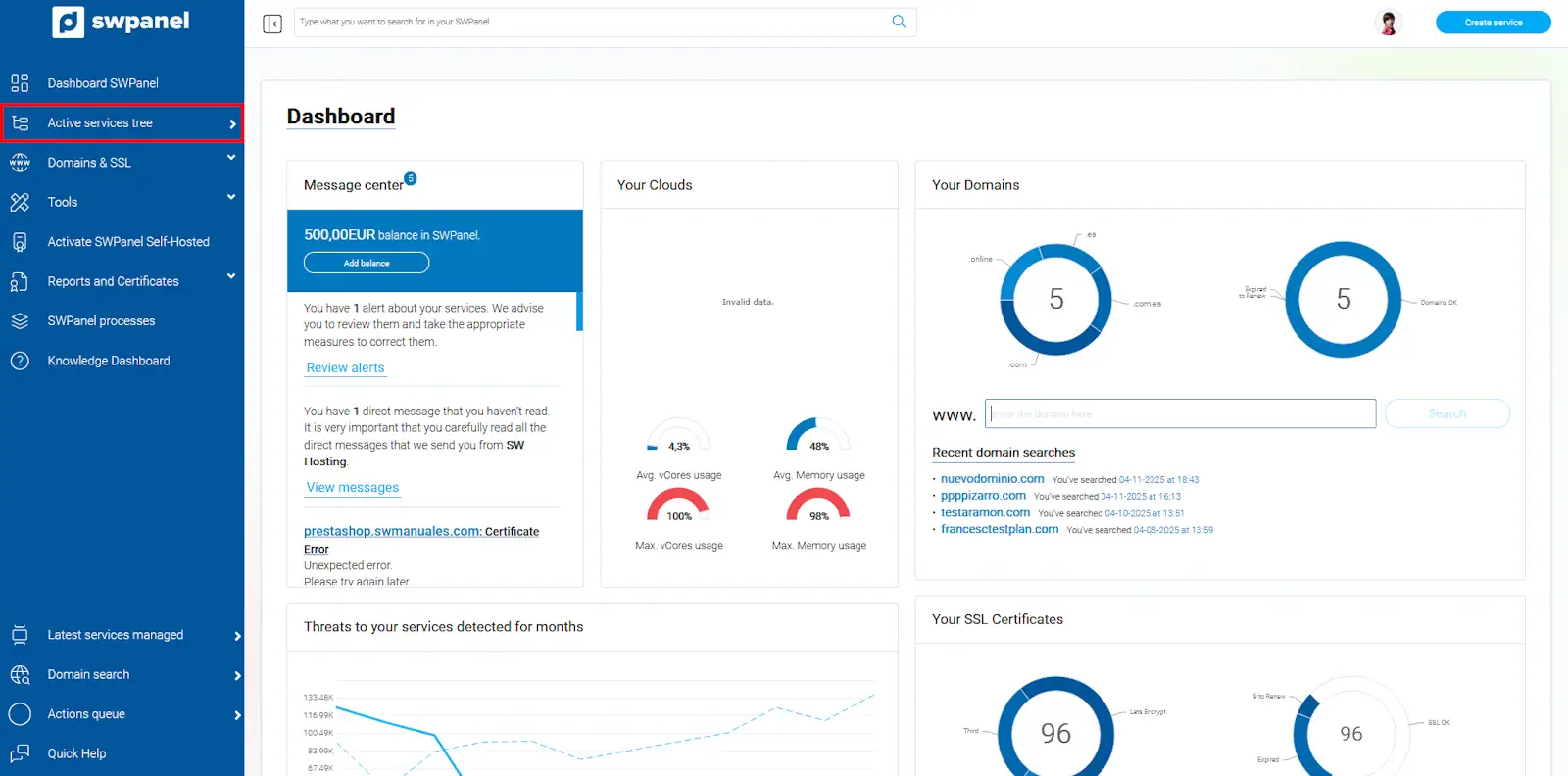
info_capture The screenshot is for guidance purposes. It was taken using version 2025.003.0007 dated 11/04/2025. It may differ from what the current version of SWPanel shows.
- In the 'Services Tree' on the right side of the screen, we will see our contracted Plans and/or Services. We look for where the Hosting Plan is and, on the right in the [...] menu, we select 'Create website'
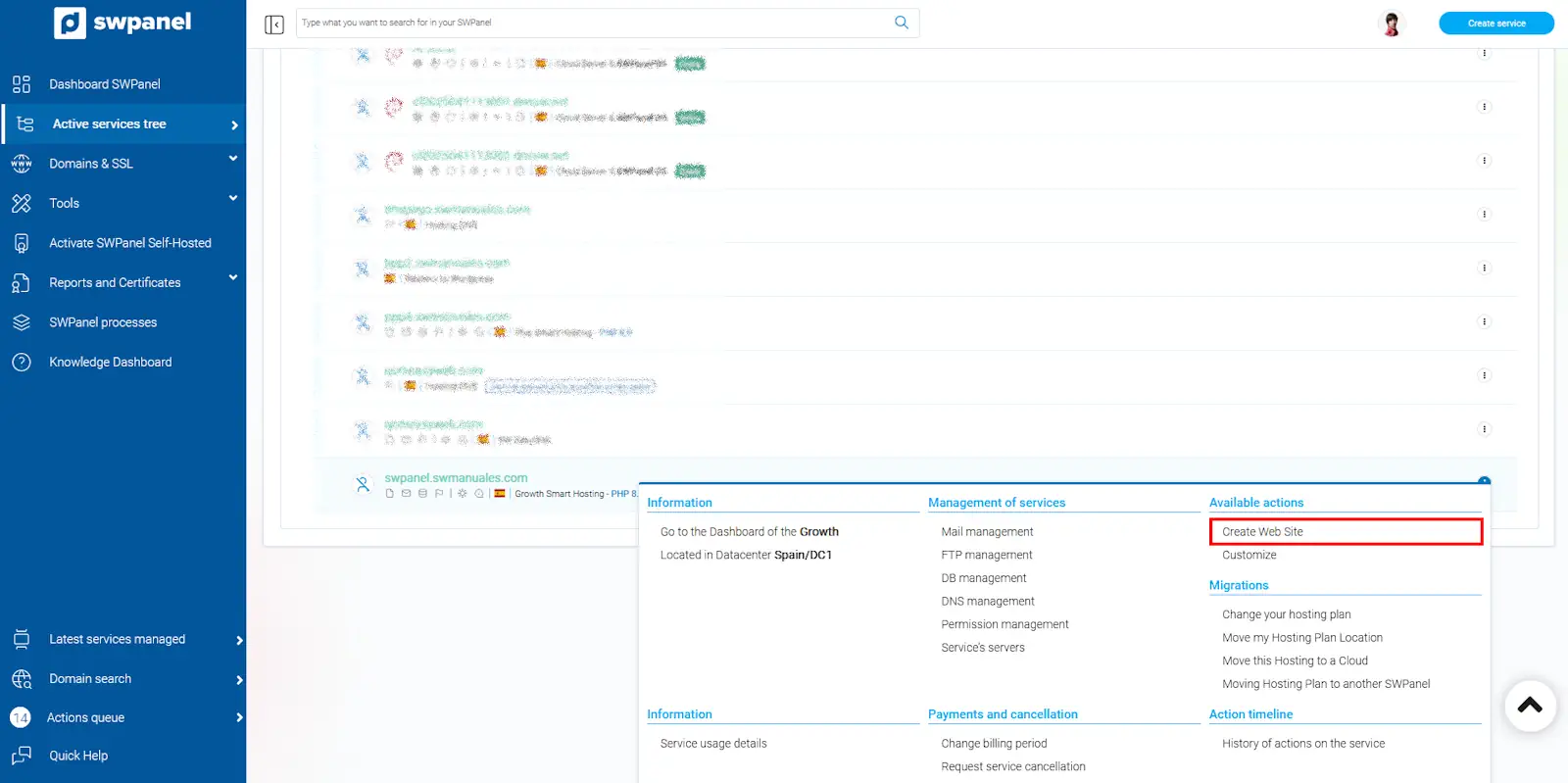
info_capture The screenshot is for guidance purposes. It was taken using version 2025.003.0007 dated 11/04/2025. It may differ from what the current version of SWPanel shows.
-
In the next window, we select 'Hosting Plan' and we will be able to enter the domain associated with this new website. Supported associated domains:
- We can associate an existing domain from our domain portfolio.
- We can associate a new domain. In this case, the wizard will ask for the necessary information to carry out the registration of the new domain.
- We can associate a subdomain (subdomain.domain.com)
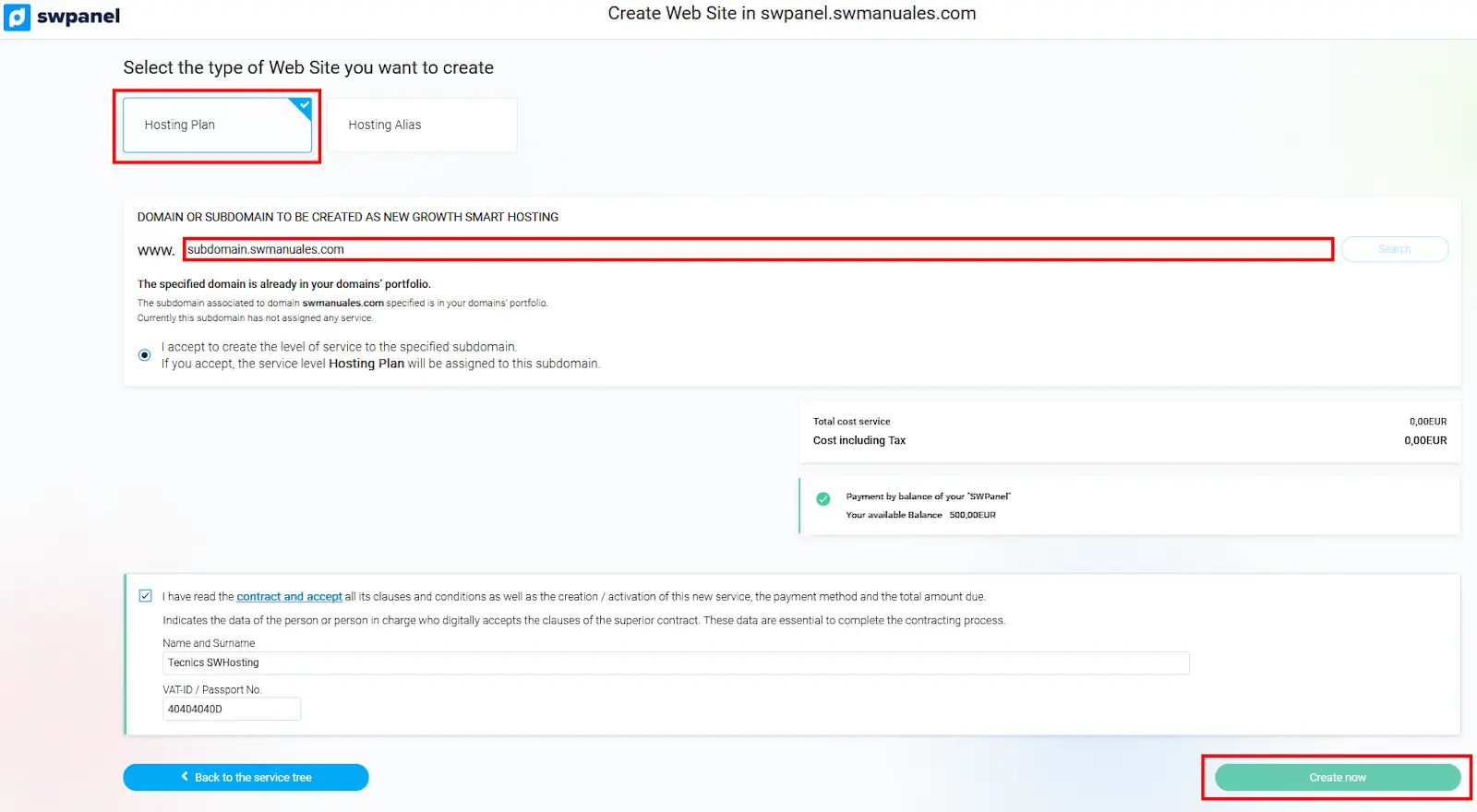
info_capture The screenshot is for guidance purposes. It was taken using version 2025.003.0007 dated 11/04/2025. It may differ from what the current version of SWPanel shows.
Once the new hosting plan is created, we can also access it from the SWPanel services tree.
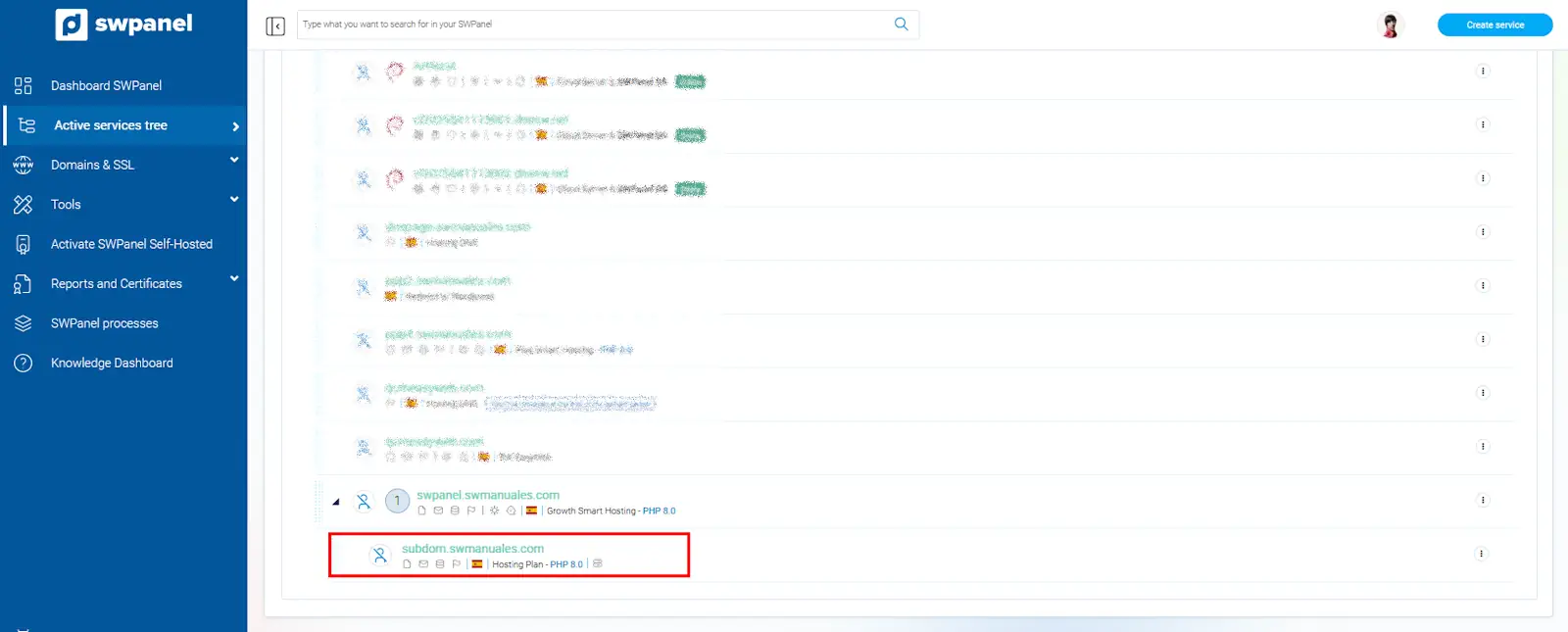
info_capture The screenshot is for guidance purposes. It was taken using version 2025.003.0007 dated 11/04/2025. It may differ from what the current version of SWPanel shows.
Complementary information:
Since additional websites inherit the characteristics and functionalities of the Parent Plan, we can customize the resources assigned to any additional website from the Parent Plan Dashboard.
The customizable resources are as follows:
- Disk space.
- PHP version.
- Additional databases.
- Additional email accounts.
- Additional email aliases.
- Additional distribution list.
- Additional FTP accounts.
To carry out this customization, we will follow the instructions in the following manual: Manuel : How to adjust the parameters and add-ons of my Hosting Plan?