
Affiliate Network
Don't belong to our Affiliate Network yet? You can click here to find more information on our website!
What is an Affiliate?
An affiliate is a commission agent who earns a direct commission in exchange for the services and clients they provide to us.
How does the affiliate system work?
Very easy! When you join our affiliate program, we provide you with an affiliate code and links (which include the code) to our Hosting products. You will automatically receive a commission when someone purchases or renews a hosting service through the link we provide.
danger To receive the commission automatically, it is essential to contract the services through the affiliate URL. The first step must be to select the hosting type and from there proceed with the domain, not the other way around.
danger If the user first accesses the SWPanel and then contracts the service, the purchase will not be registered under your affiliation and you will not receive any commission.
For your peace of mind, we have implemented a cookie system that ensures that even if the person you referred starts the contracting process and does not finish it, as long as they complete it within the next 30 days, you will also receive your commission.
Finally, you can withdraw your money whenever you want, once you accumulate a minimum, and very low, amount of €20.
You can recommend us to your friends, readers, followers, user community... and continue earning money without any kind of limit.
How much do I earn for each service activation?
For each service activation made through your affiliate ID, you will earn a 35% commission of the service price.
How do I collect my commissions?
The minimum amount to collect the commissions you accumulate is €20. This amount will be withdrawn in the following way:
The amount will be credited to you, leaving it as a positive balance in your SWPanel, so that you can use it to contract new services and/or domains, or renew those you already have in your portfolio.
How to activate your account as an SW Hosting affiliate?
Please keep in mind that, to join our affiliate network, you must first have a validated SWPanel account. If you are not familiar with the procedure to validate your customer account, we recommend you take a look at the following manual:
? Manuel : Validate customer account
You must access your SWPanel, click on your customer icon and select the option My customer preferences -> My customer Dashboard.
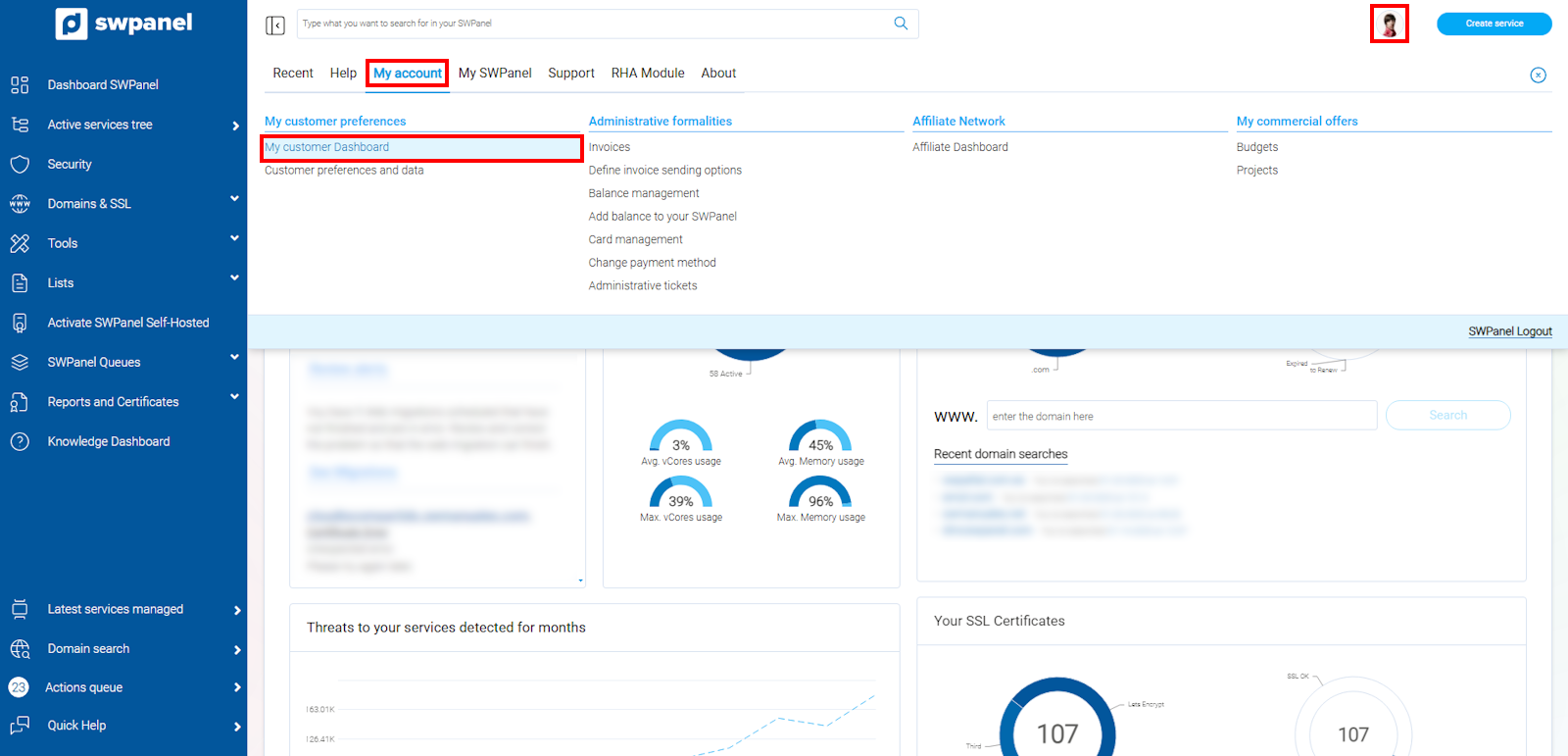
info_capture The screenshot is for guidance purposes. It was taken using version 2025.00.0017 dated 05/02/2025. It may differ from what is shown in the current version of SWPanel.
In this section, we will look for the "Affiliation and promotions" section and we can activate the "Activate my account as an SW Hosting Affiliate" option.
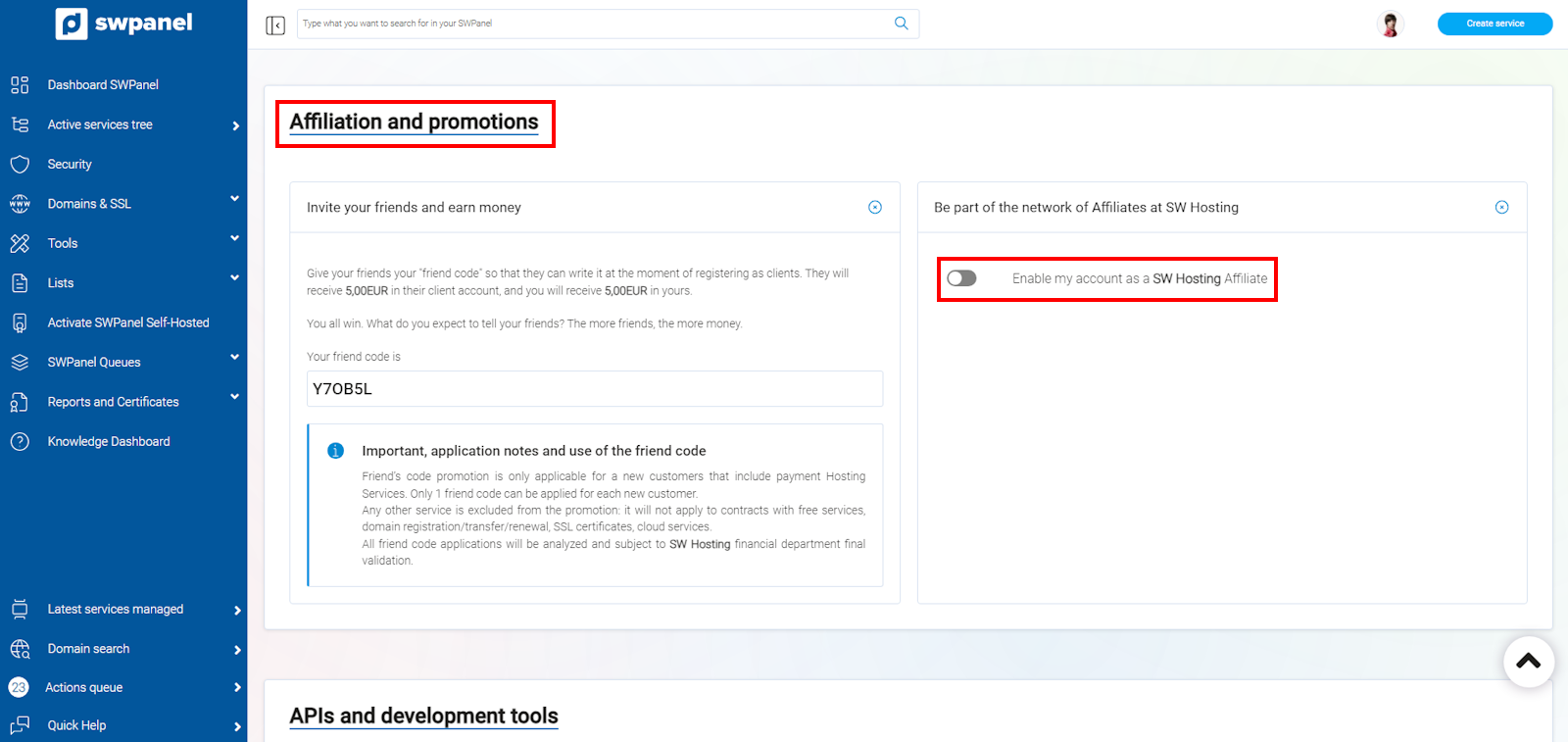
info_capture The screenshot is for guidance purposes. It was taken using version 2025.00.0017 dated 05/02/2025. It may differ from what is shown in the current version of SWPanel.
In the next window, you only need to click on the "Activate as Affiliate" button.
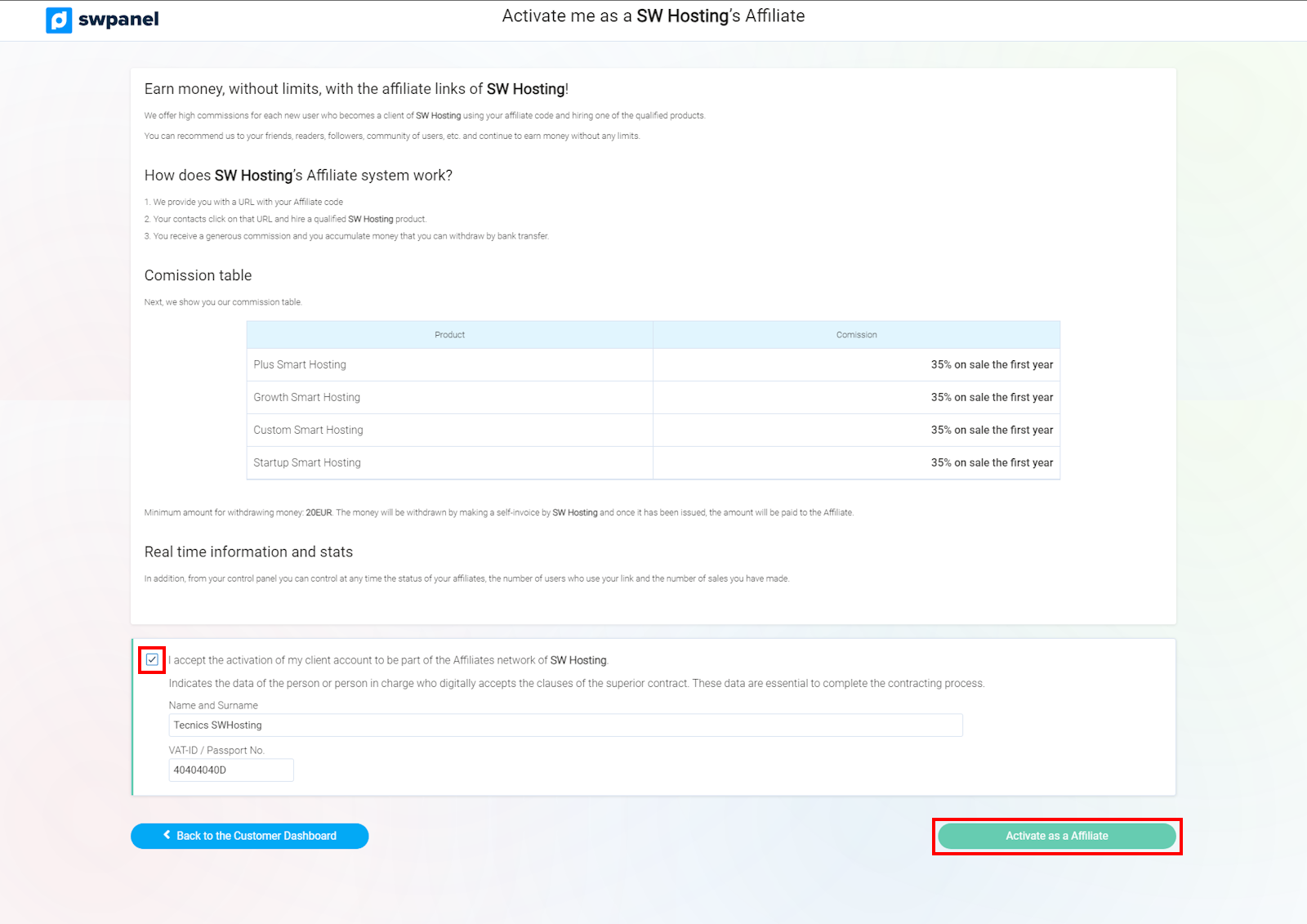
info_capture The screenshot is for guidance purposes. It was taken using version 2025.00.0017 dated 05/02/2025. It may differ from what is shown in the current version of SWPanel.
Once you have your SWPanel account with the affiliate network activated, you will be able to access the 2 sections of said system: Affiliate Dashboard and Affiliate Network Management.
Affiliate Dashboard
Go to your SWPanel, click on your customer icon and select the option Affiliate Network -> Affiliate Dashboard.
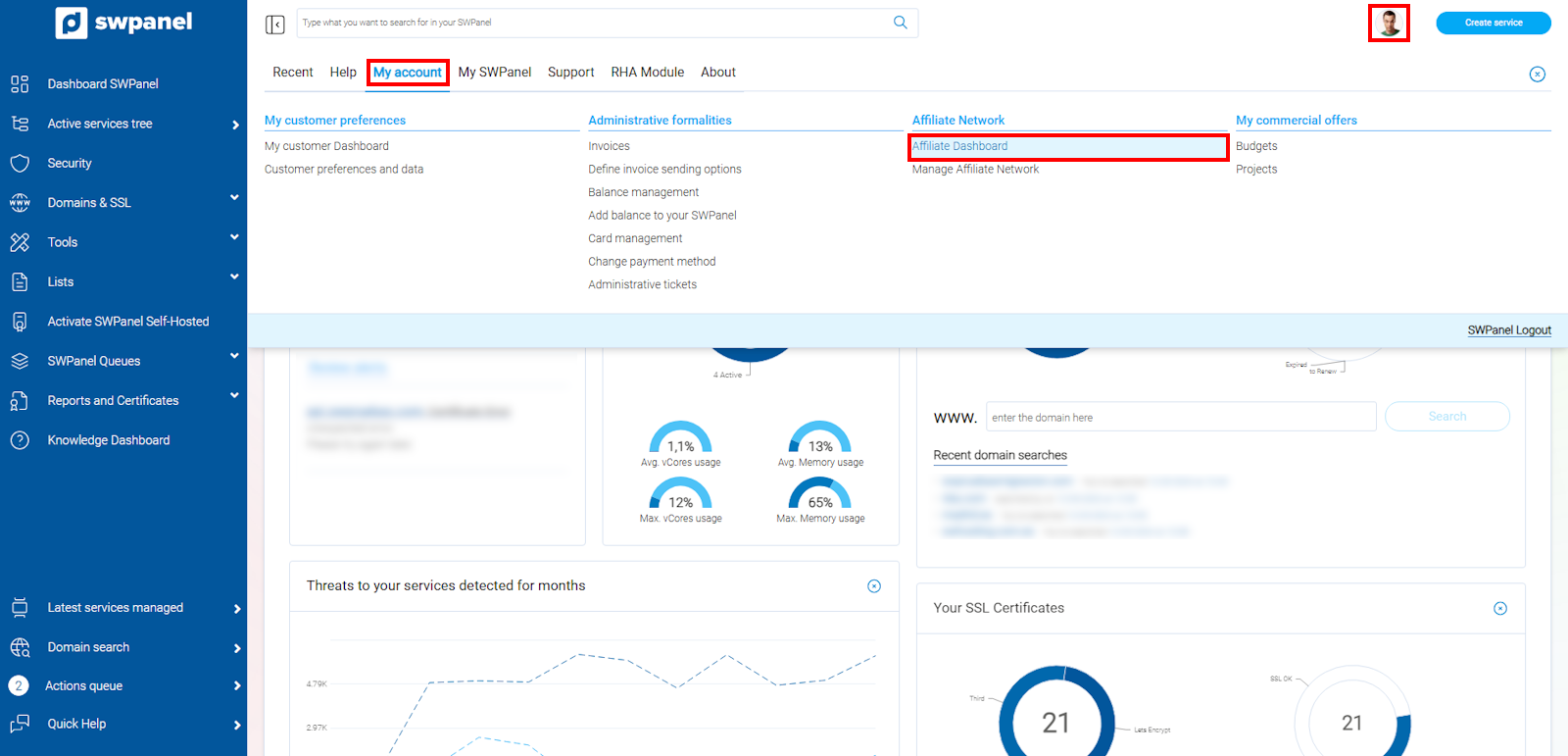
info_capture The screenshot is for guidance purposes. It was taken using version 2025.00.0017 dated 05/02/2025. It may differ from what is shown in the current version of SWPanel.
First, you will be able to see a summary of your affiliate network statistics, divided into three sections.
- A general summary in numbers
- A visual summary by countries
- A graphic summary of commissions per month and plan type
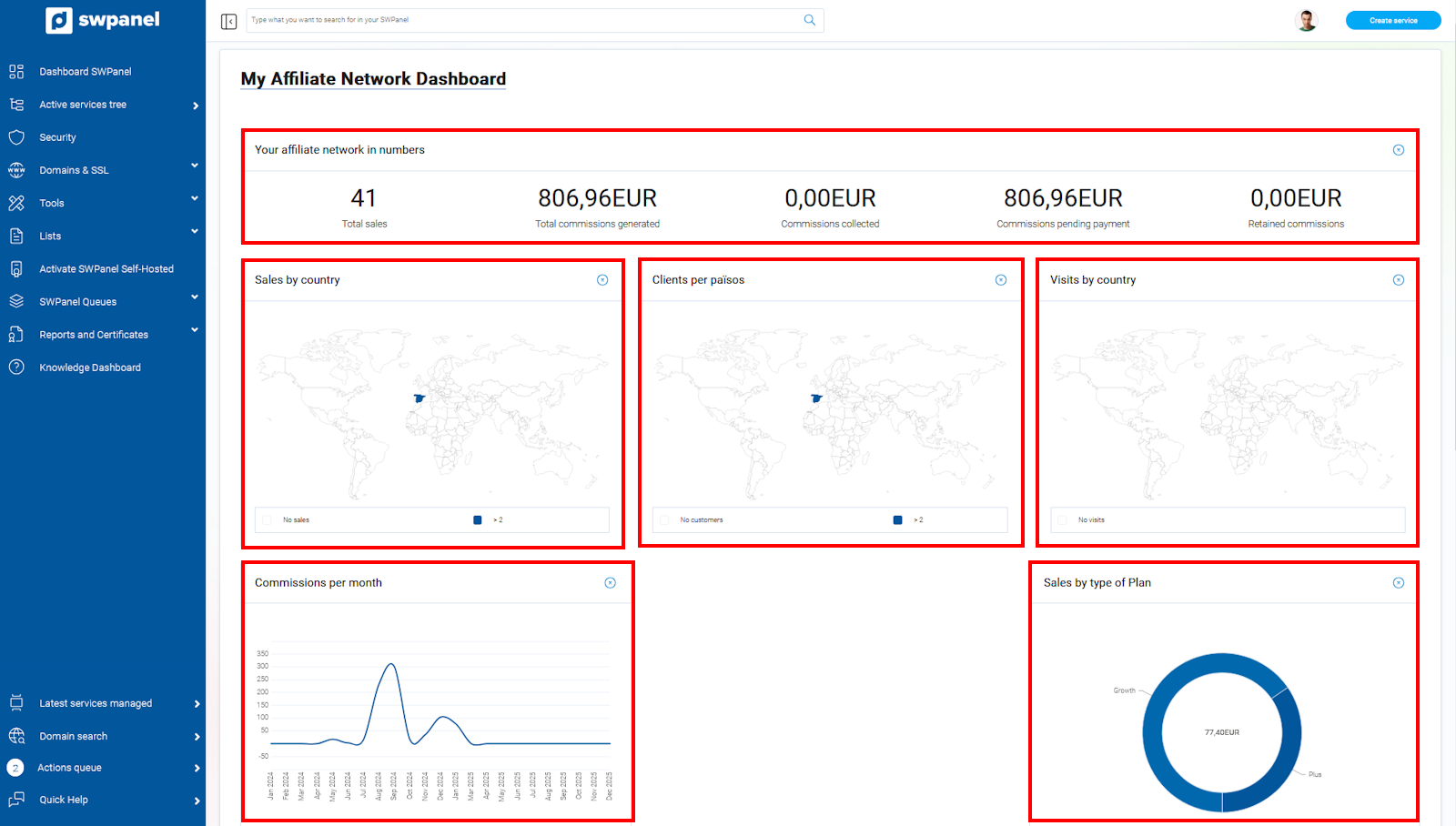
info_capture The screenshot is for guidance purposes. It was taken using version 2025.00.0017 dated 05/02/2025. It may differ from what is shown in the current version of SWPanel.
In the next section, you can view your SW Hosting Affiliate Code, as well as the personalized link that you can provide to your referrals.
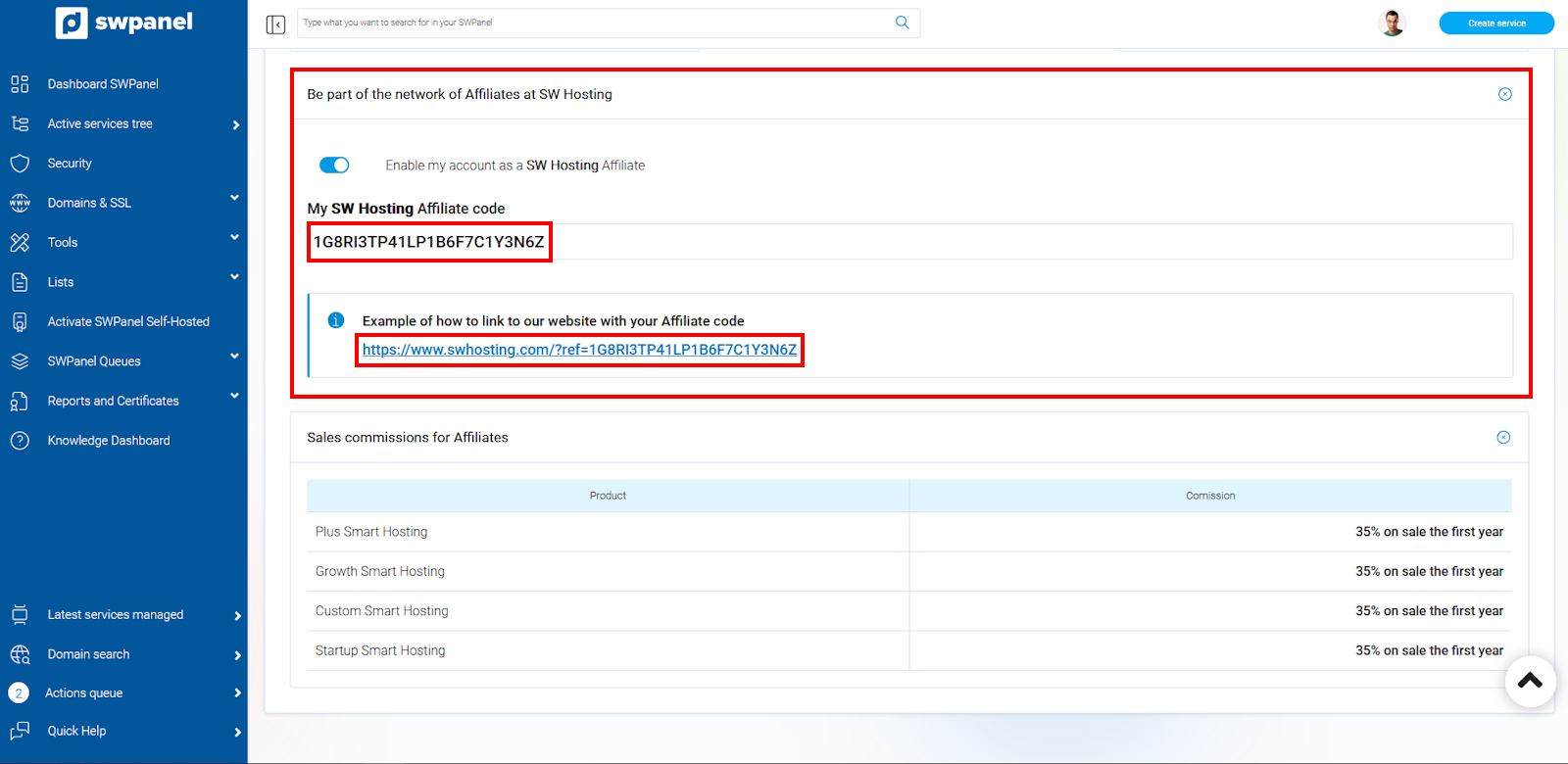
info_capture The screenshot is for guidance purposes. It was taken using version 2025.00.0017 dated 05/02/2025. It may differ from what is shown in the current version of SWPanel.
Finally, you can view a quick summary of the last 15 operations carried out with your affiliate code.
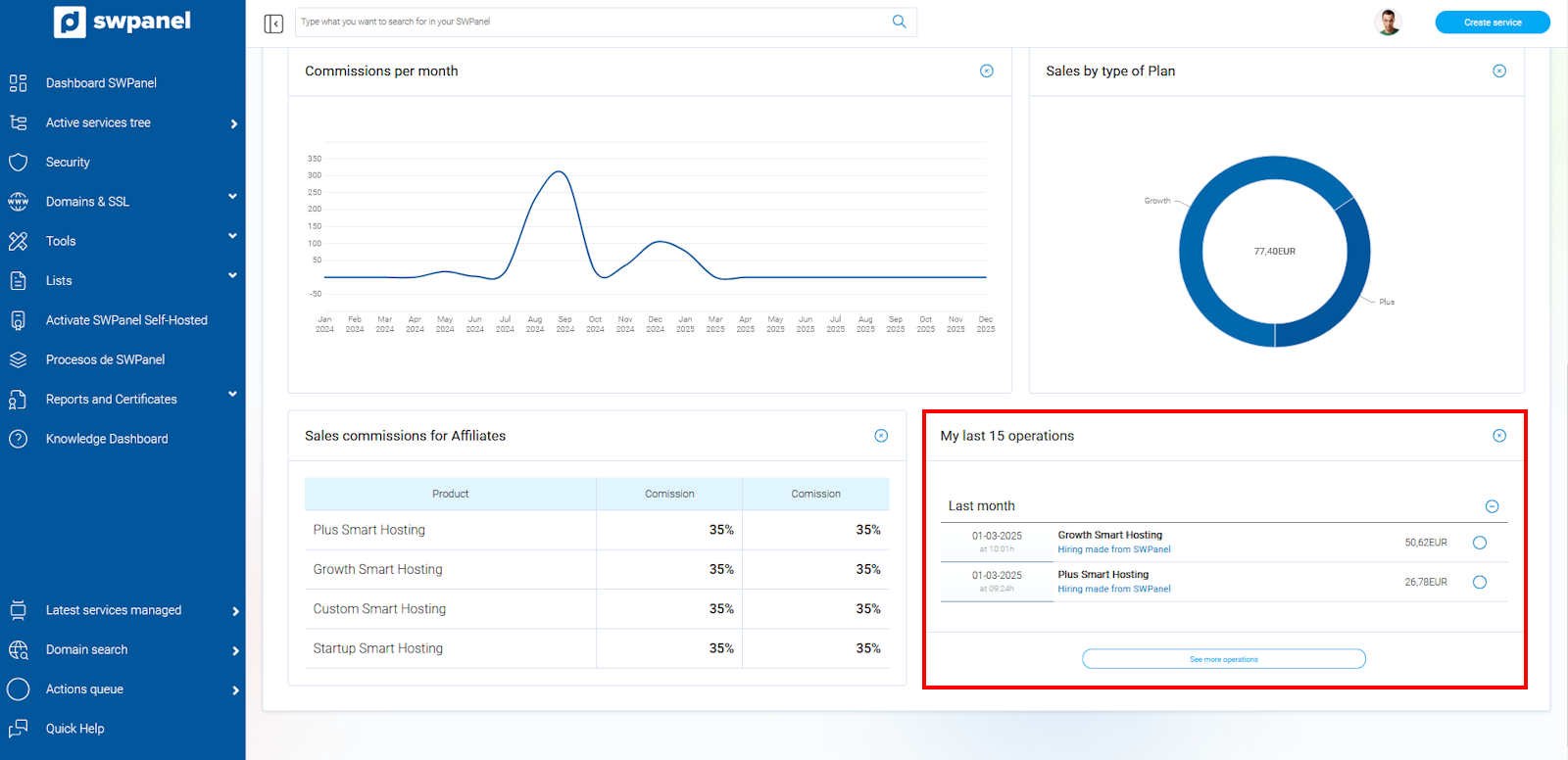
info_capture The screenshot is for guidance purposes. It was taken using version 2025.00.0017 dated 05/02/2025. It may differ from what is shown in the current version of SWPanel.
Affiliate Network Management
Go to your SWPanel, click on your customer icon and select the option Affiliate Network -> Affiliate Network Management.
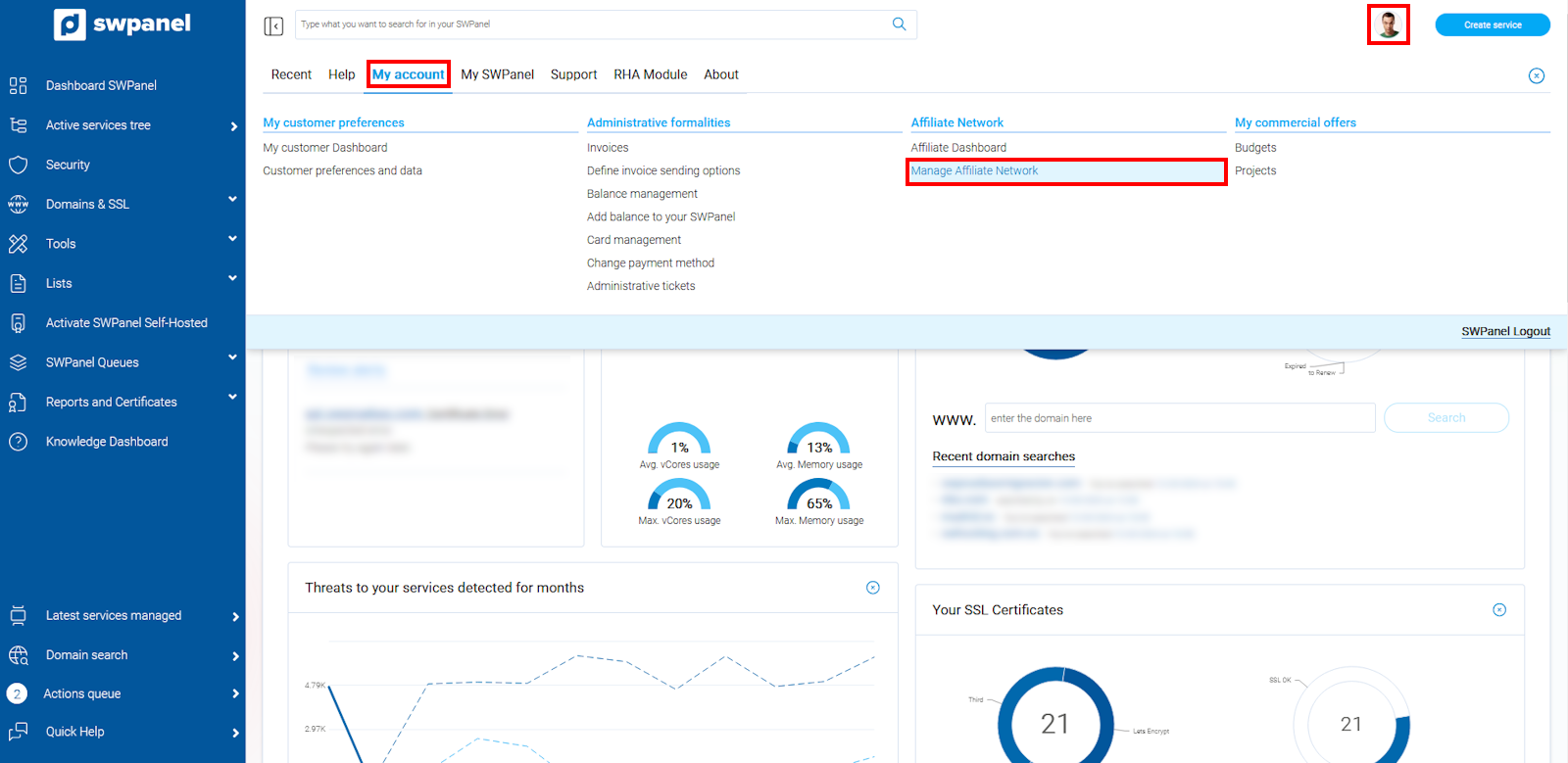
info_capture The screenshot is for guidance purposes. It was taken using version 2025.00.0017 dated 05/02/2025. It may differ from what is shown in the current version of SWPanel.
In the following section, we can view three sections separated by independent tabs: "Sales", "Visits", and "Preferences".
Sales
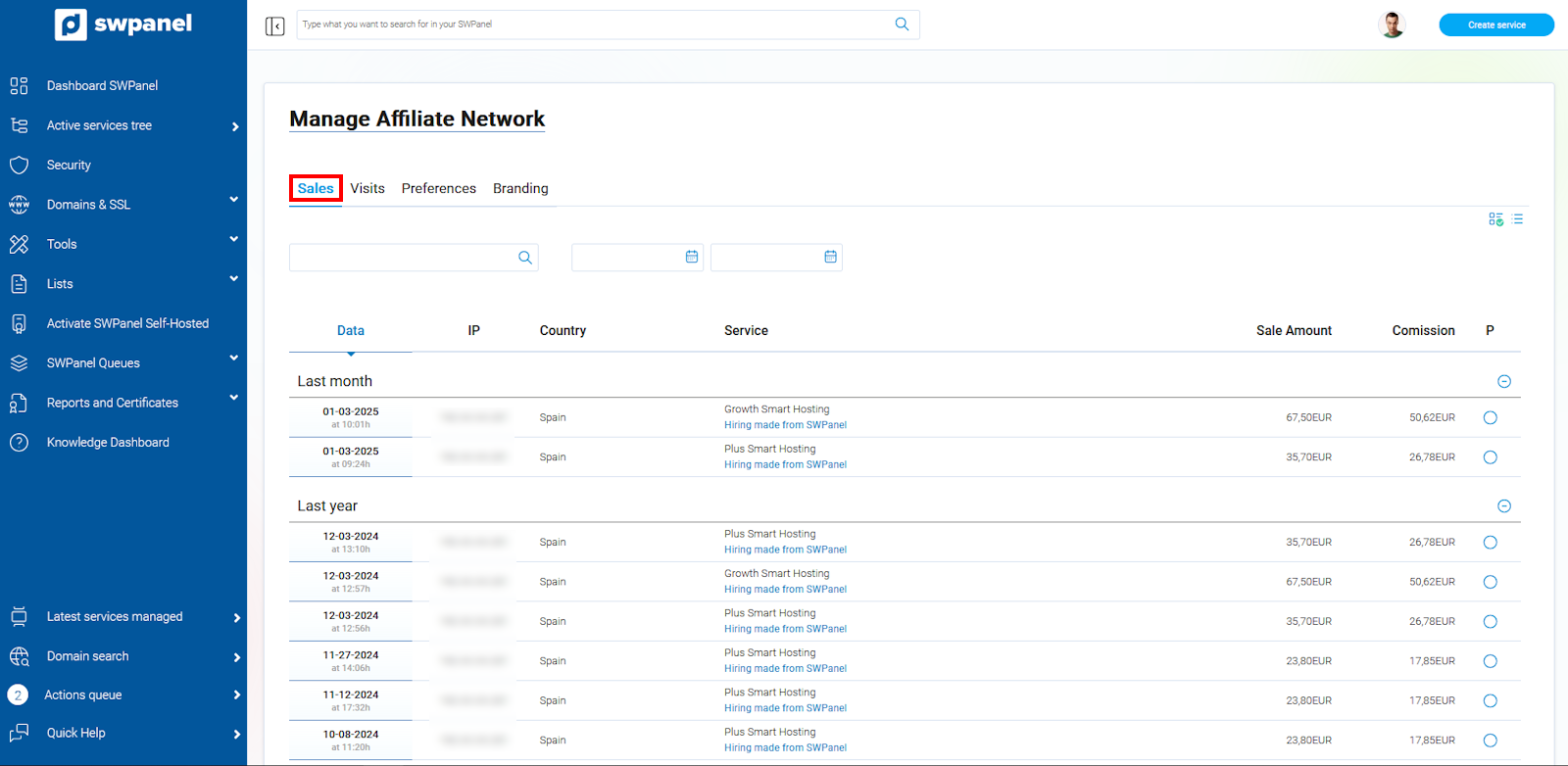
In this section, we can view the operations carried out and the following information is provided:
- Date the contract was made
- IP from which the contract was made
- Country from which the contract was made
- Type of hosting contracted
- Contract amount
- Sale commission
- Commission status
info Please note that once the contract is made, the commission will be held for a period of approximately 30 days to prevent contracting fraud. Once this time has elapsed, it will move to the next stage and will be pending payment on our part.
info_capture The screenshot is for guidance purposes. It was taken using version 2025.00.0017 dated 05/02/2025. It may differ from what is shown in the current version of SWPanel.
Visits
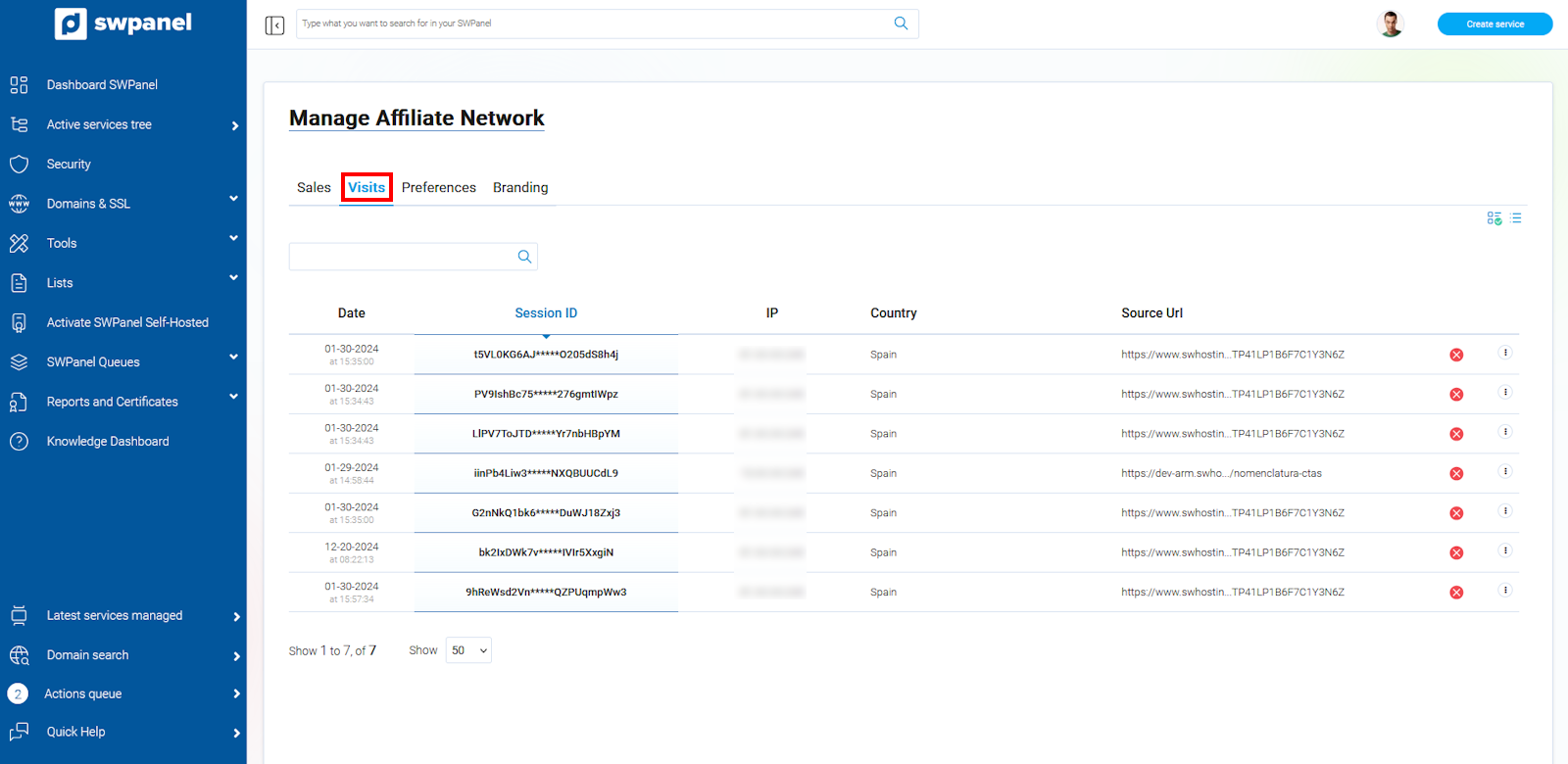
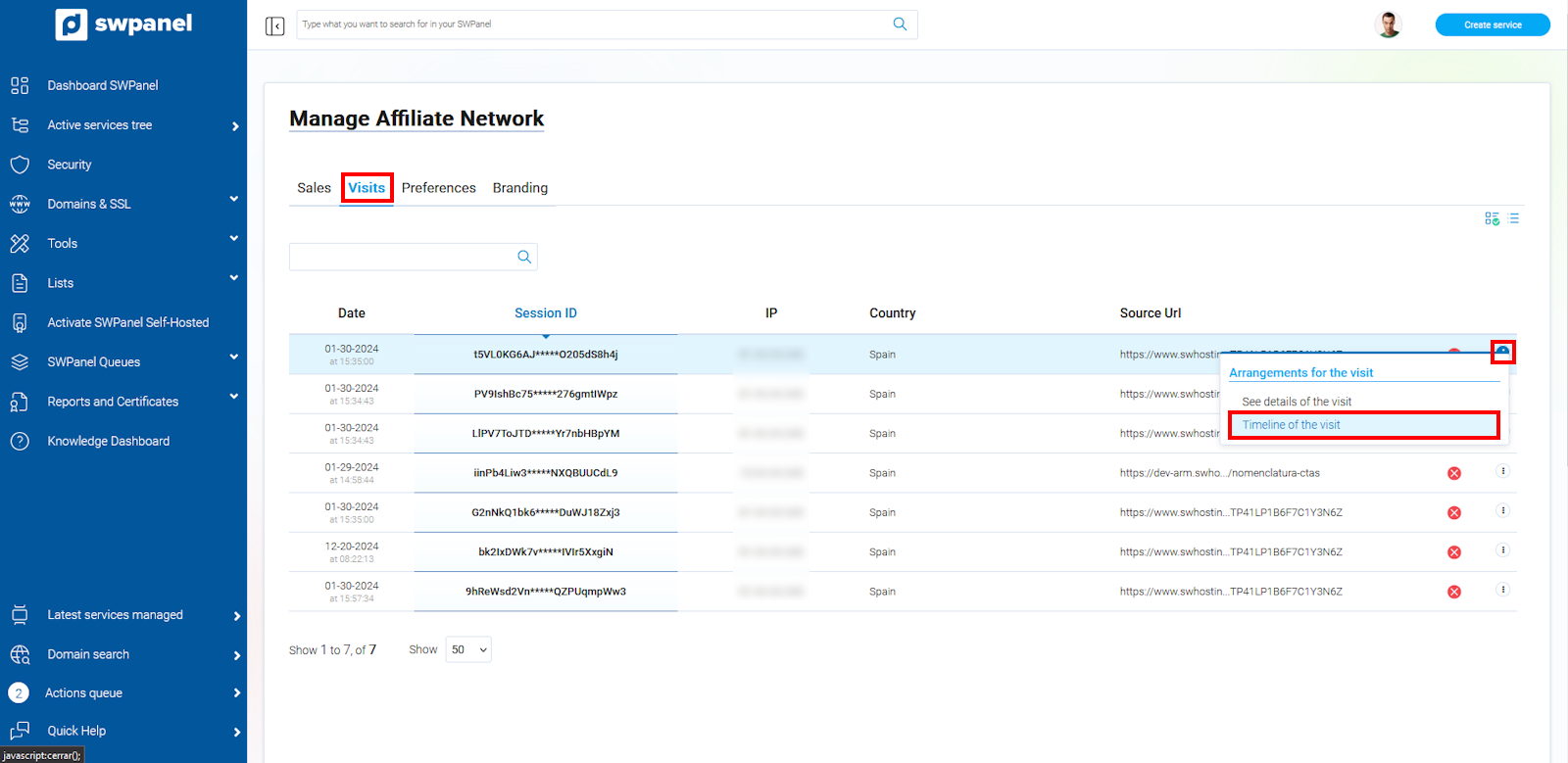
In this section, you can consult all the visits made to the website through a link with your personalized token. You can review the following information:
- Date of the visit
- Session ID
- IP that made the visit
- Country from which the visit was made
- URL from which the visit originated
- Whether the visit led to a contract
Additionally, this section allows us to review the visit in more detail, and even follow a history of what was performed during it.
info_capture The screenshot is for guidance purposes. It was taken using version 2025.00.0017 dated 05/02/2025. It may differ from what is shown in the current version of SWPanel.
-
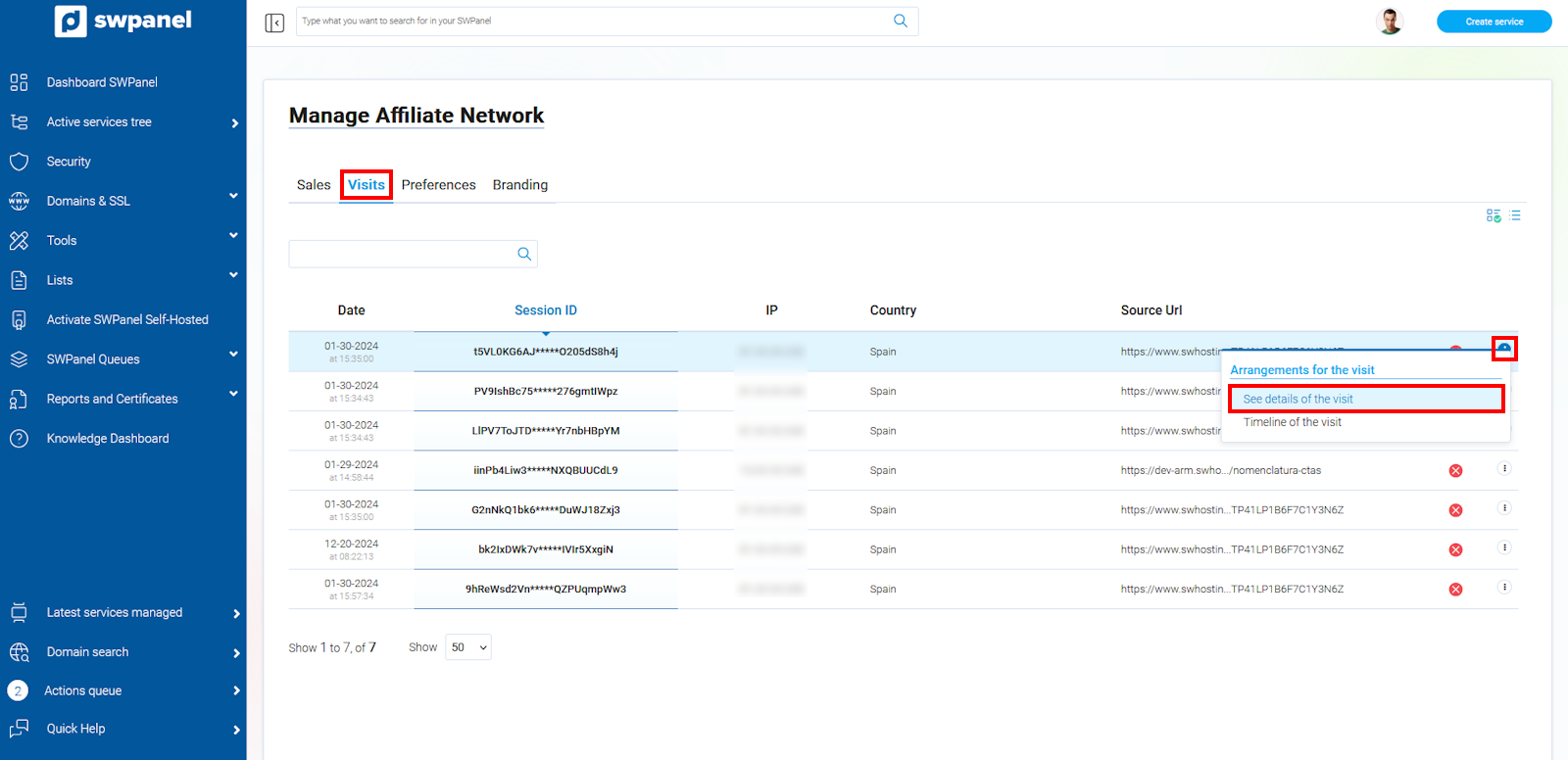
View visit details
Once in the Visits tab, go to the "..." dropdown and select the View visit details option.
info_capture The screenshot is for guidance purposes. It was taken using version 2025.00.0017 dated 05/02/2025. It may differ from what is shown in the current version of SWPanel.
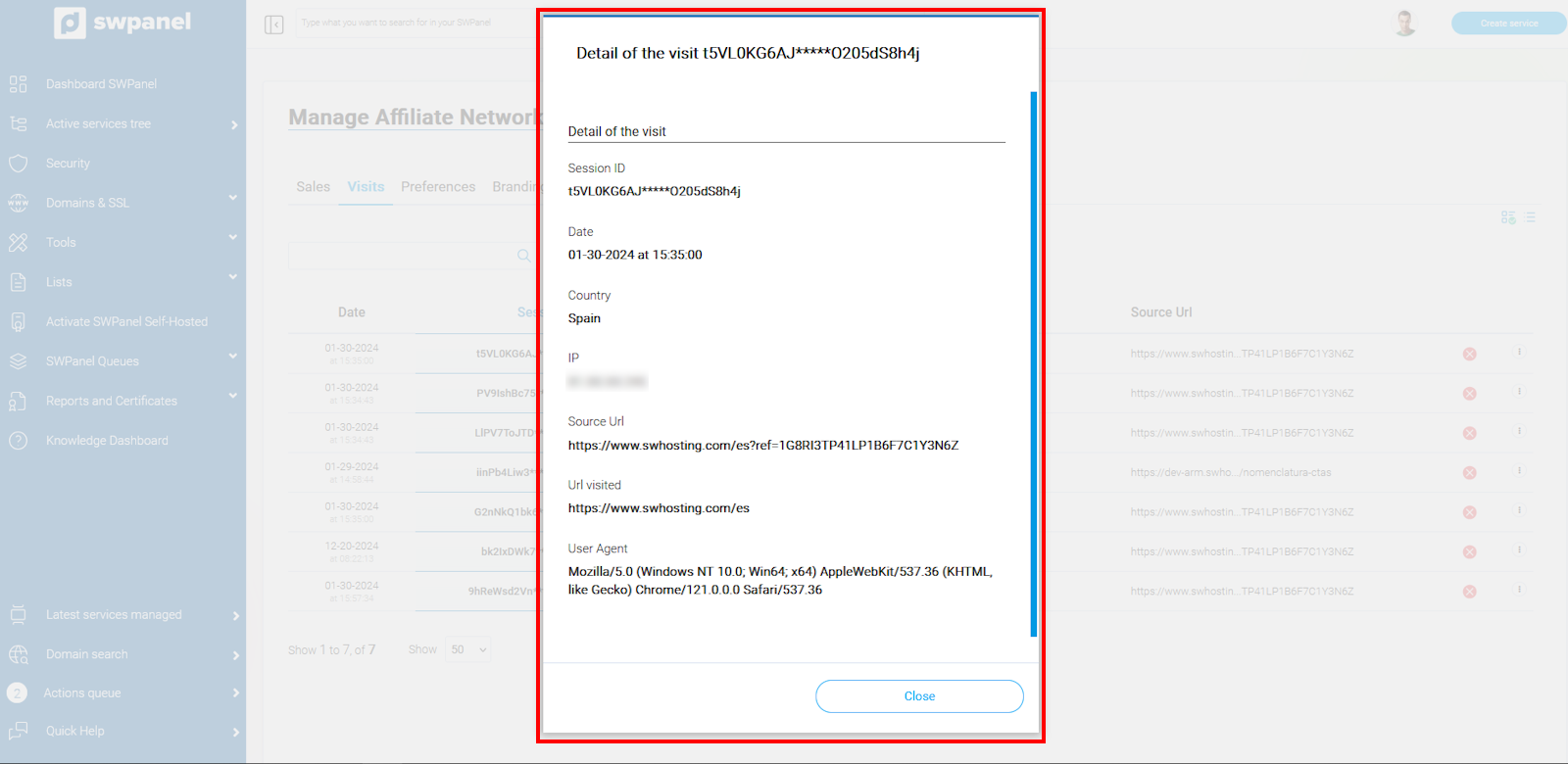
This section breaks down all the data referring to the visit.
info_capture The screenshot is for guidance purposes. It was taken using version 2025.00.0017 dated 05/02/2025. It may differ from what is shown in the current version of SWPanel.
-
Visit timeline
Once in the Visits tab, go to the "..." dropdown and select the Visit timeline option.
info_capture The screenshot is for guidance purposes. It was taken using version 2025.00.0017 dated 05/02/2025. It may differ from what is shown in the current version of SWPanel.
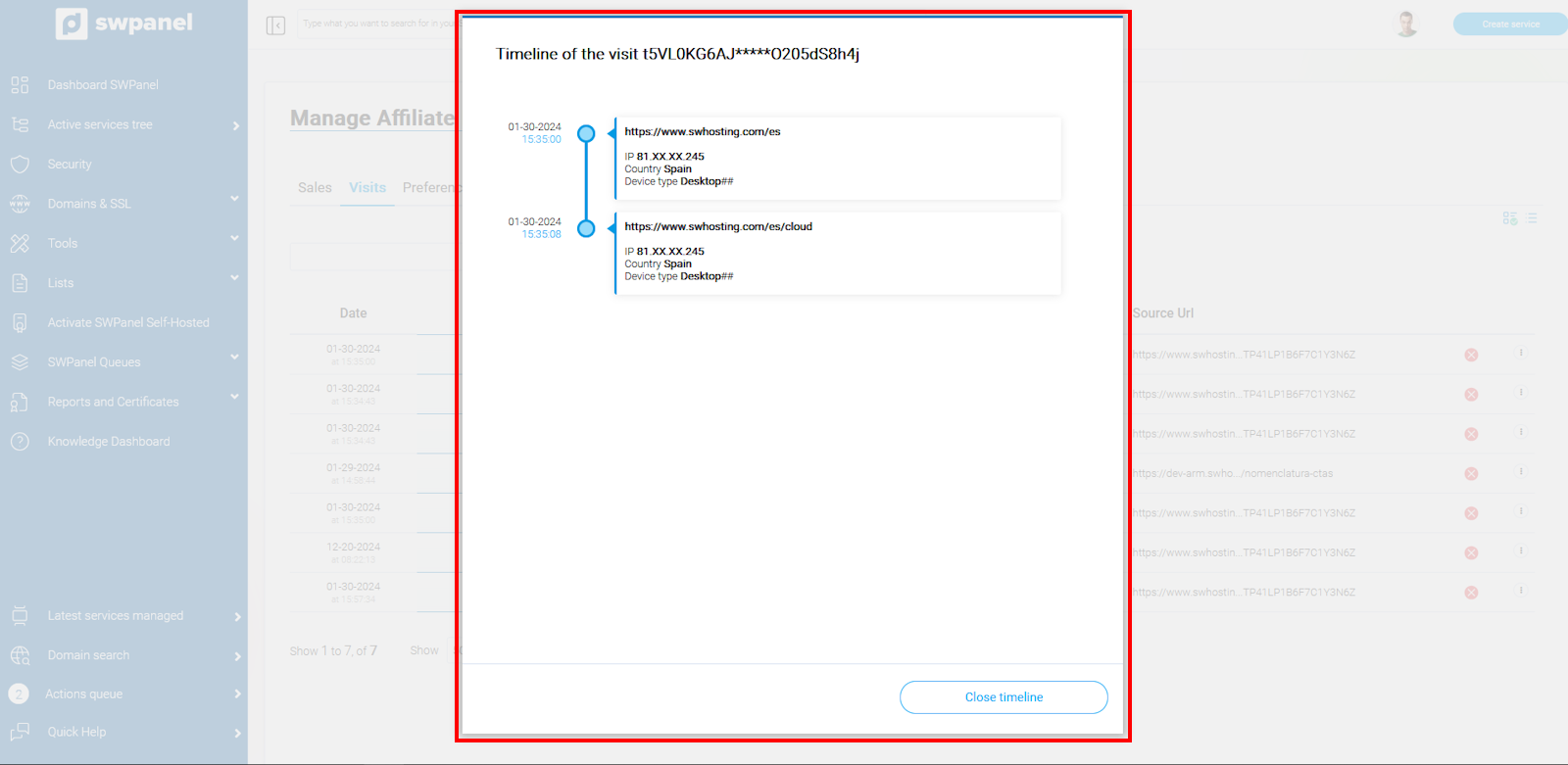
This section offers a chronological history of the sections visited during the visit, and provides more details about it by hovering the mouse pointer over one of the actions.
info_capture The screenshot is for guidance purposes. It was taken using version 2025.00.0017 dated 05/02/2025. It may differ from what is shown in the current version of SWPanel.
Preferences
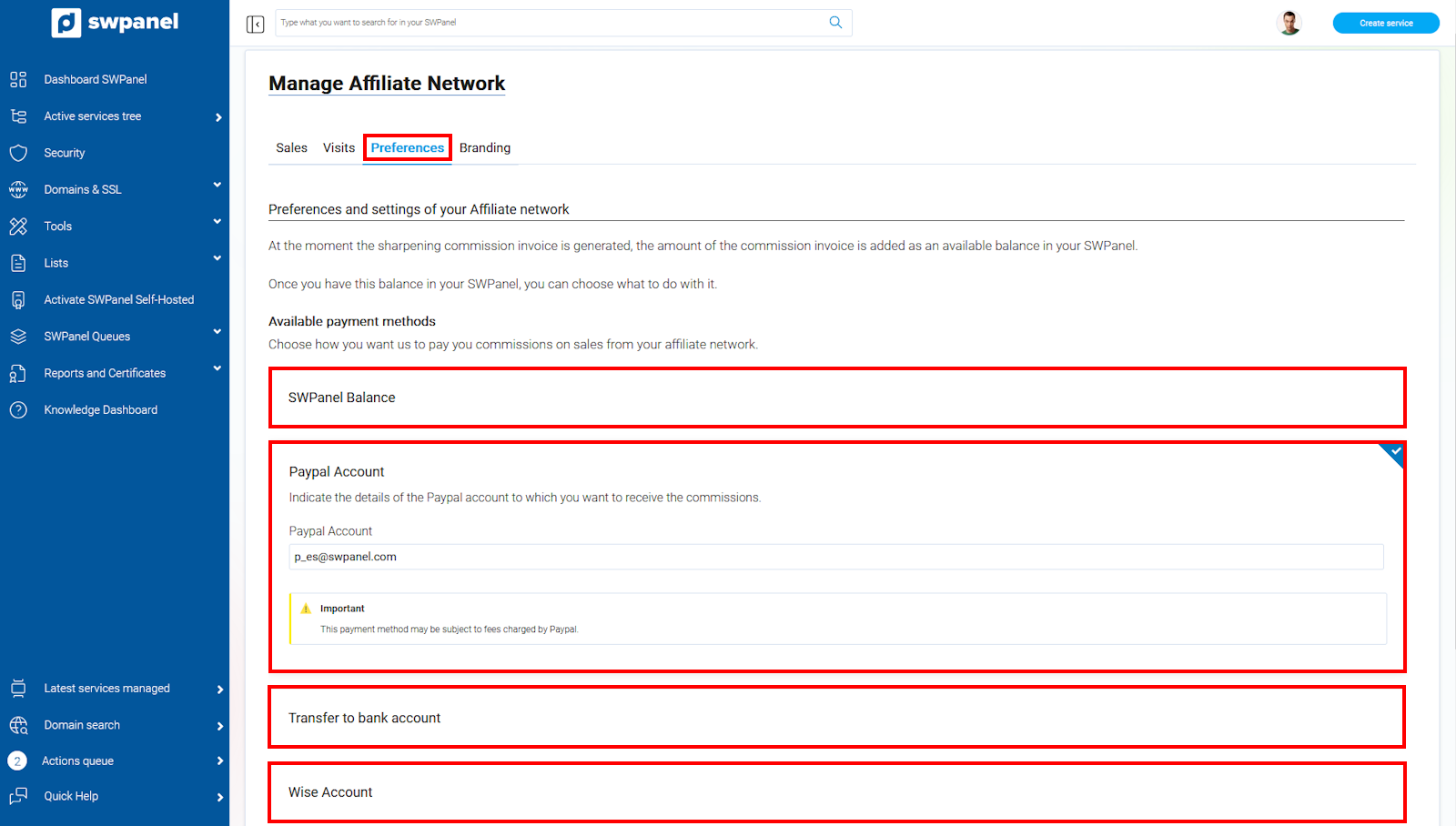
In this section, we can select the preferred payment method to collect commissions from our sales in the affiliate network.
The options we offer are:
- SWPanel balance
- Paypal account
- Bank transfer
- Wise account
info_capture The screenshot is for guidance purposes. It was taken using version 2025.00.0017 dated 05/02/2025. It may differ from what is shown in the current version of SWPanel.
?? Please note that depending on the payment method chosen, there may be commissions imposed by said method.
Now that you know all the advantages, join our affiliate network and start benefiting from them!