
Update Ubuntu 19.04 repositories
Ubuntu 19.04 Disco Dingo Discontinuation
Ubuntu version 19.04 reached the end of its life in late January 2020. Canonical, the company behind the famous open-source distribution, offered nine months of support, meaning that updates and the corresponding security patches will no longer be carried out. However, SW Hosting continues to offer its deployment in Cloud VPS Ubuntu 19.04 instances.
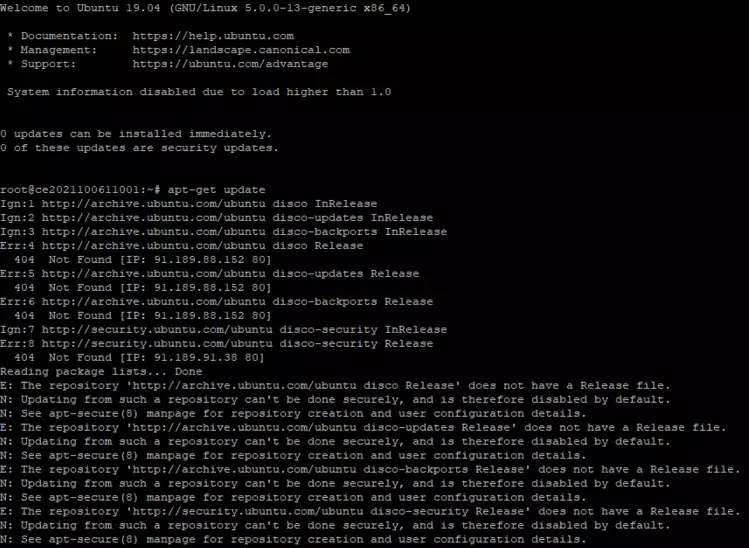
Do all Ubuntu versions have so little support?
Ubuntu LTS versions (Long Term Service) have 'support for up to 2 years after their release (previously it was 3 years, reaching 5 years with the Ubuntu server 12.04 LTS version). This is not the case for the one we have on our servers.
So, what can I do with my Ubuntu 19.04 server?
If you do not want to update your Ubuntu operating system to a newer version, you can modify the source of the repositories that come by default in the Ubuntu 19.04 ISO, in order to use the old repositories.
How to modify the repositories of my Ubuntu 19.04?
First, you will need to access your server via SSH. You can do this through the SWPanel console using PuTTY software [Manuale: Connect to your Cloud via console using PuTTY] for Windows or the Linux or Mac console. Once you are on your server, you will need to edit the sources.list file, located in /etc/apt/. You can use chaval or vim. For example
nano /etc/apt/sources.list
 Below you can see the repositories.
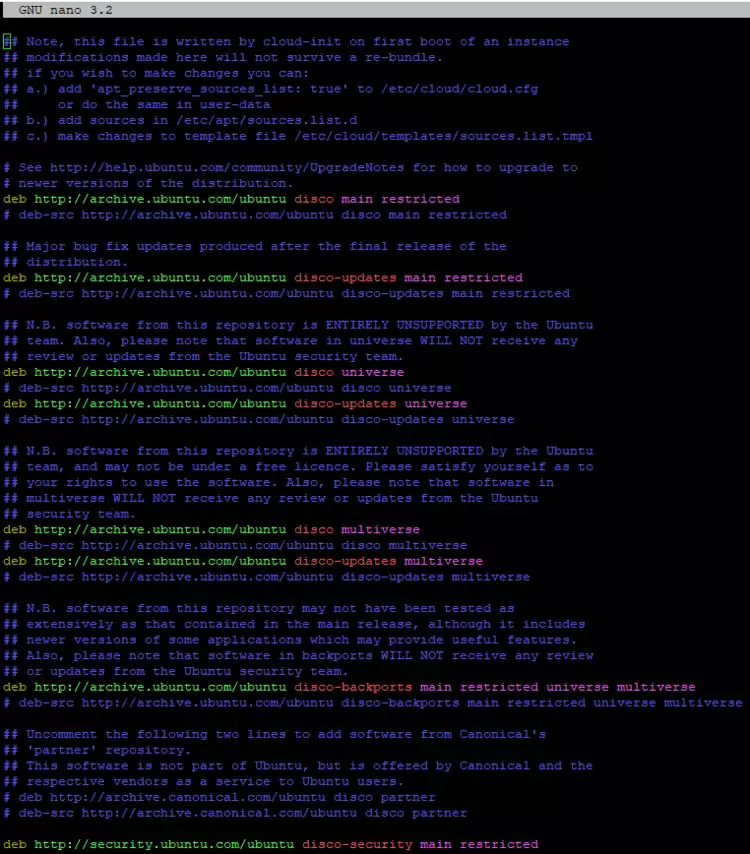
Once here, you will need to modify the repositories to 'old-releases'. Example of how it should look to receive new updates:
 deb http://**old-releases**.ubuntu.com/ubuntu/ disco main restricted

deb http://**old-releases**.ubuntu.com/ubuntu/ disco-updates main restricted

deb http://**old-releases**.ubuntu.com/ubuntu/ disco universe
deb http://**old-releases**.ubuntu.com/ubuntu/ disco-updates universe

deb http://**old-releases**.ubuntu.com/ubuntu/ disco multiverse
deb http://**old-releases**.ubuntu.com/ubuntu/ disco-updates multiverse

deb http://**old-releases**.ubuntu.com/ubuntu/ disco-backports main restricted universe multiverse

deb [http://security.ubuntu.com/ubuntu](http://security.ubuntu.com/ubuntu) disco-security main restricted
deb [http://security.ubuntu.com/ubuntu](http://security.ubuntu.com/ubuntu) disco-security universe
deb [http://security.ubuntu.com/ubuntu](http://security.ubuntu.com/ubuntu) disco-security multiverse
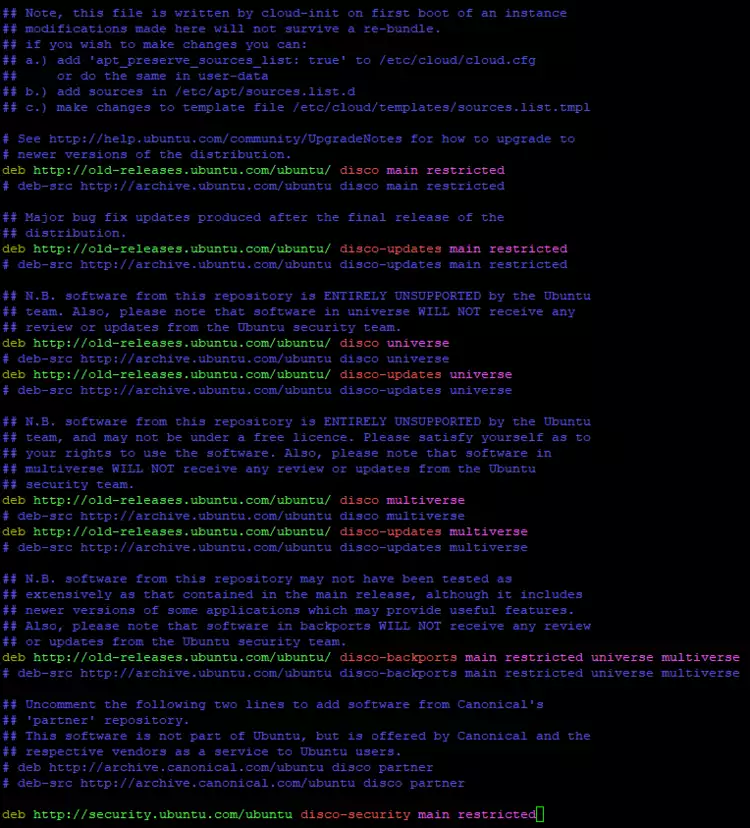
danger IMPORTANT: to save changes with the chaval editor, remember that you will have to press the
control + xkeys on your keyboard.
Once the changes have been edited and saved, you will be able to update your server using the old repositories, provided that there are packages available to be updated.