
Change of contact for a .es domain
As indicated in manual Manuale: Change of contact for a domain, changing the holder or owner of a .ES domain differs from other domains, as it cannot be done directly from SWPanel. This change requires a special procedure through NIC.es. In this manual, we will explain step by step how to update the holder of a .ES domain.
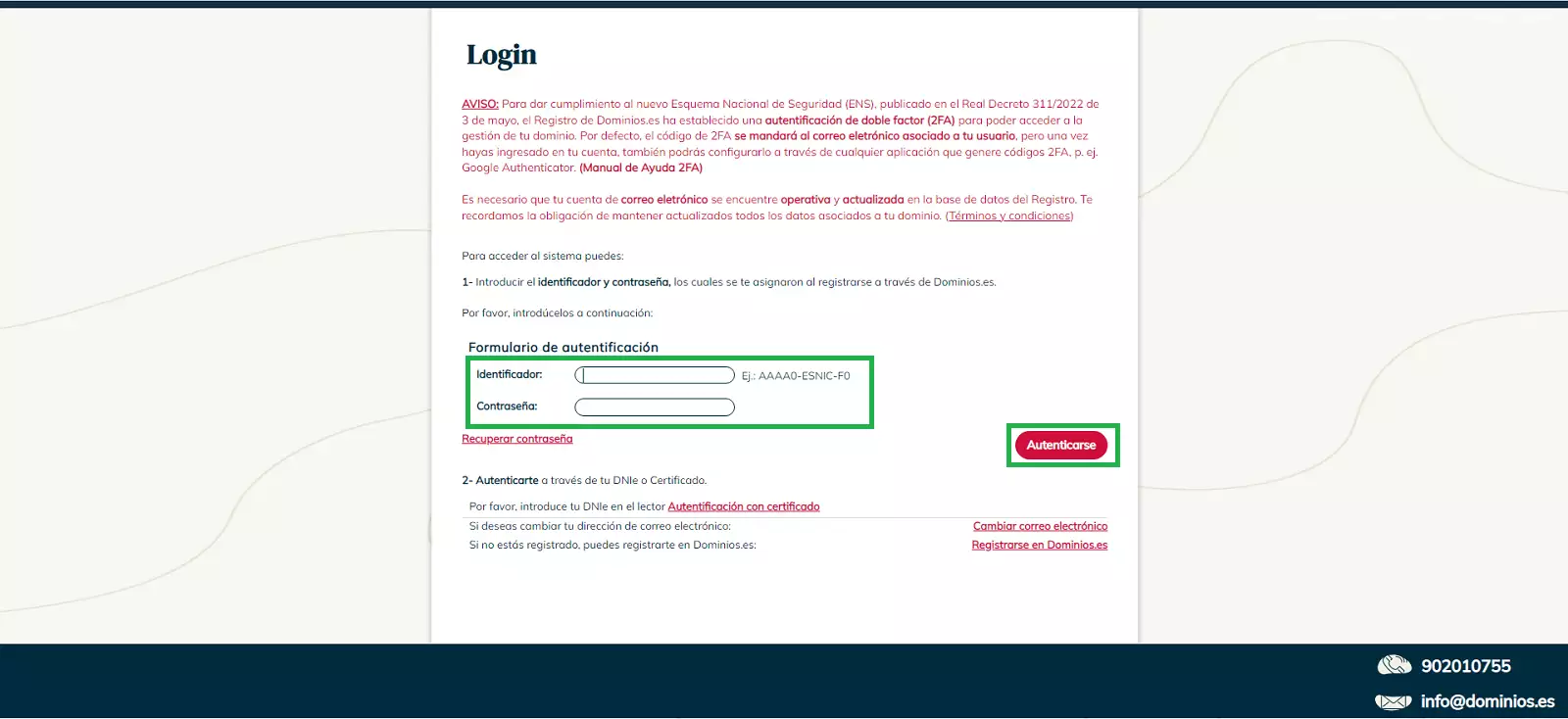
To start the process, we will access ESNIC to modify the domain's contact details. To do this, we will need:
- Username: the username format is
AAAA0-ESNIC-F0. - Password: associated with the NIC.es account.
- Verification code: it will be sent to the email address linked to the account.
Note: If you have not previously registered at Dominios.es, you must access register your domain and complete the initial registration before proceeding with the holder modification.
In the side menu, select 'Domain Transfer Request'. Then, complete the following details:
- Domain details to be transferred.
- New holder details and PCA details using their Nic-Handle identifier.
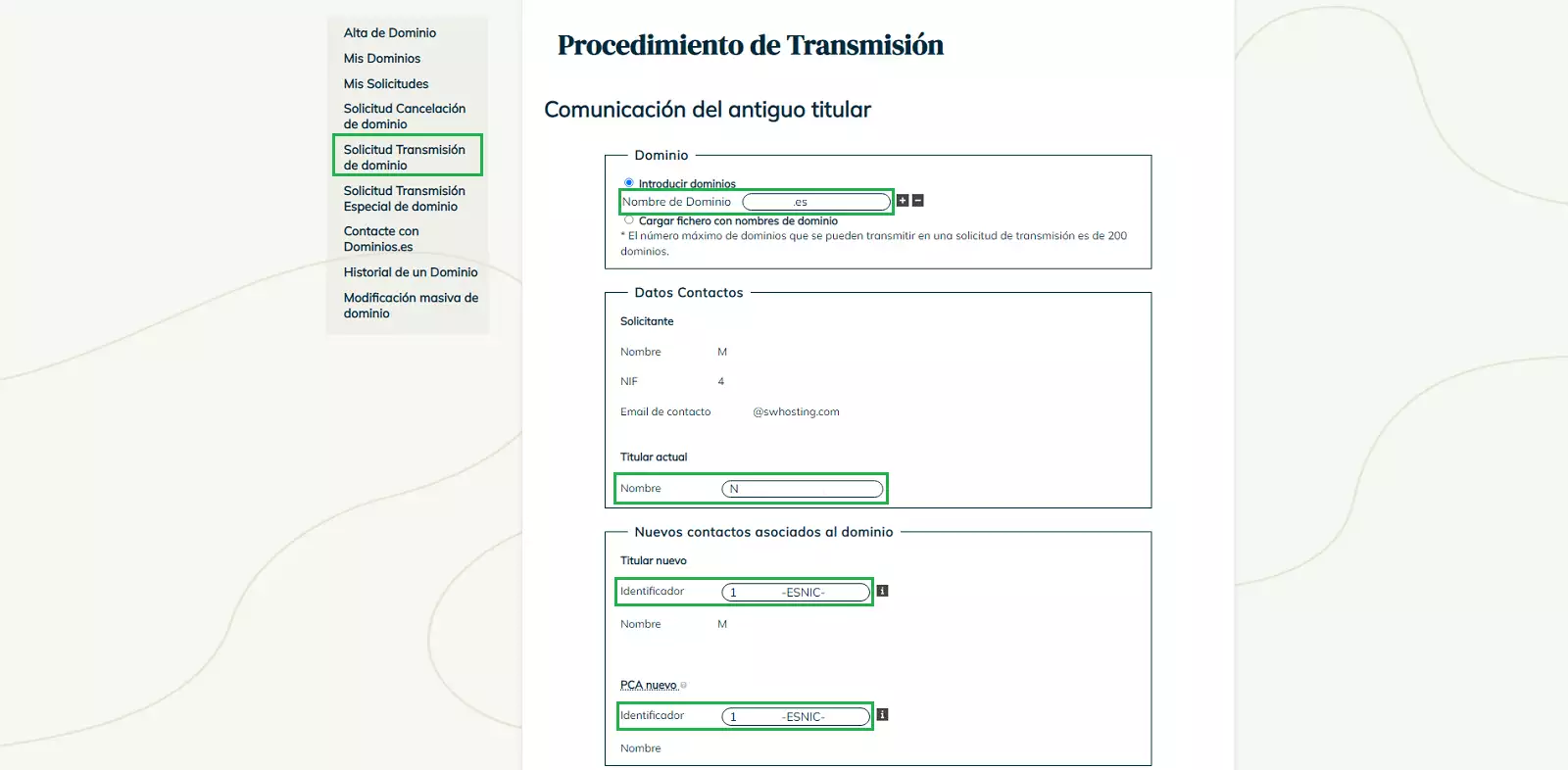
Important: If the new holder does not have a Nic-Handle, it will be necessary to create a Nic-Handle for the new contact before continuing.
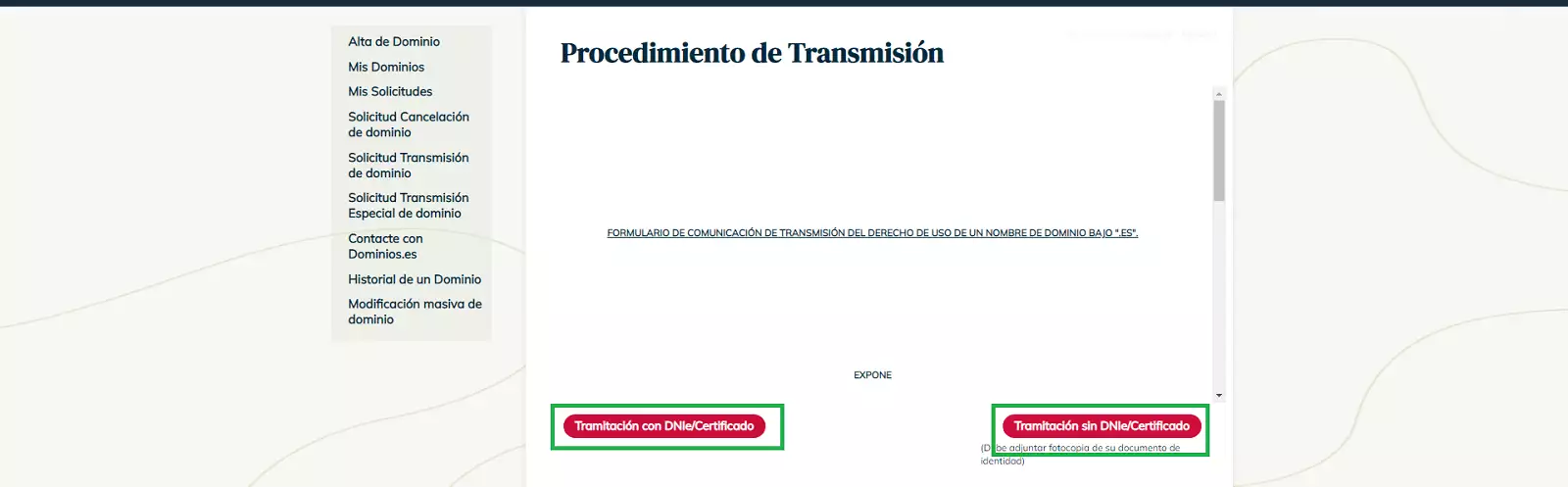
Next, to finalize the request process, the identity of the holder must be verified in one of the following ways:
- ID (DNI) or Electronic Certificate: using official authentication methods.
- Photocopy of the ID (DNI): it must be a digital image with a maximum width of 600 px.
Once the request has been sent, NIC.es will ask the current holder or the administrative contact to accept the change by sending an email to both contacts.
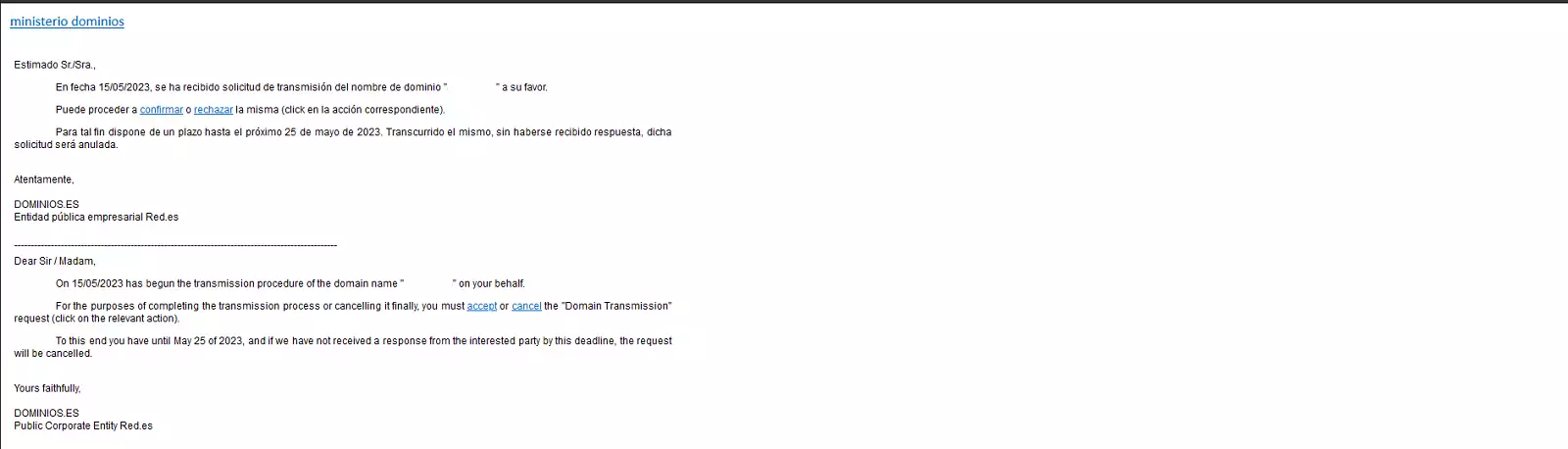
Upon accepting the transfer, you will be redirected to the ESNIC page to continue the process. On this page, you will be asked again to confirm if you wish to accept the transfer:
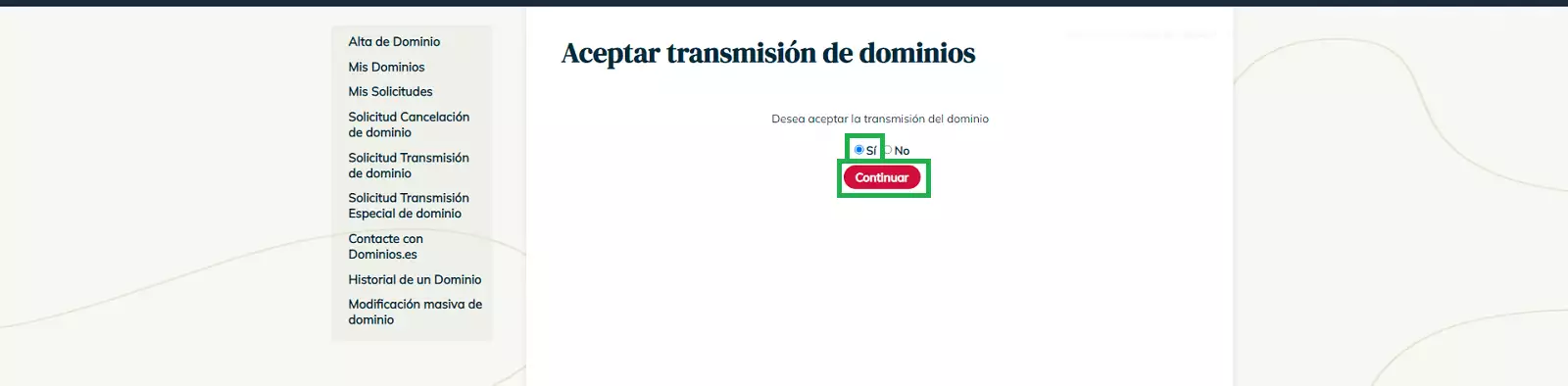
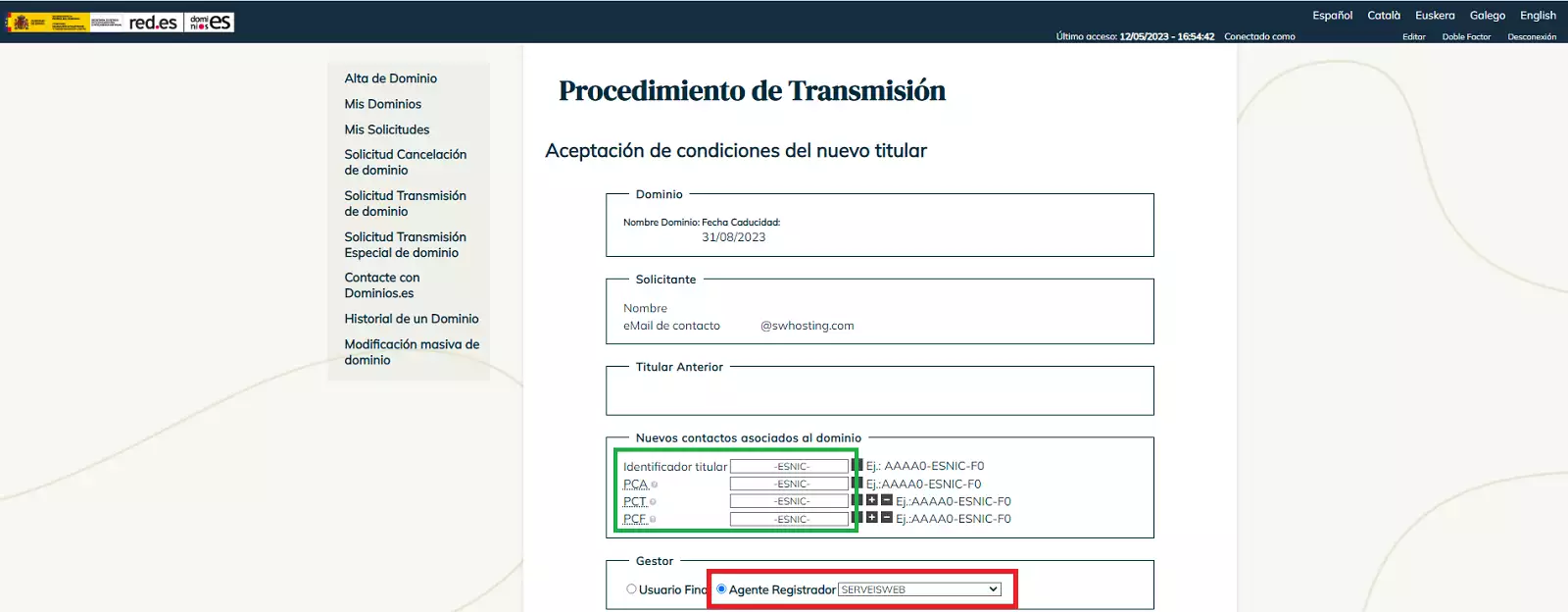
On the following screen, we must pay special attention to the domain contacts and the final configuration:
- Domain contacts: specify the different contacts that will be assigned to the domain:
- PCA (Domain Owner)
- PCT (Technical Contact)
- PCF (Administrative Contact)
- Registrar: make sure to select SERVEISWEB.
- If you do not specify it, the domain will be registered directly by ESNIC and will disappear from your SWPanel.
- Nameservers: optionally, you can indicate which Nameservers you wish to configure once the transfer has been completed.
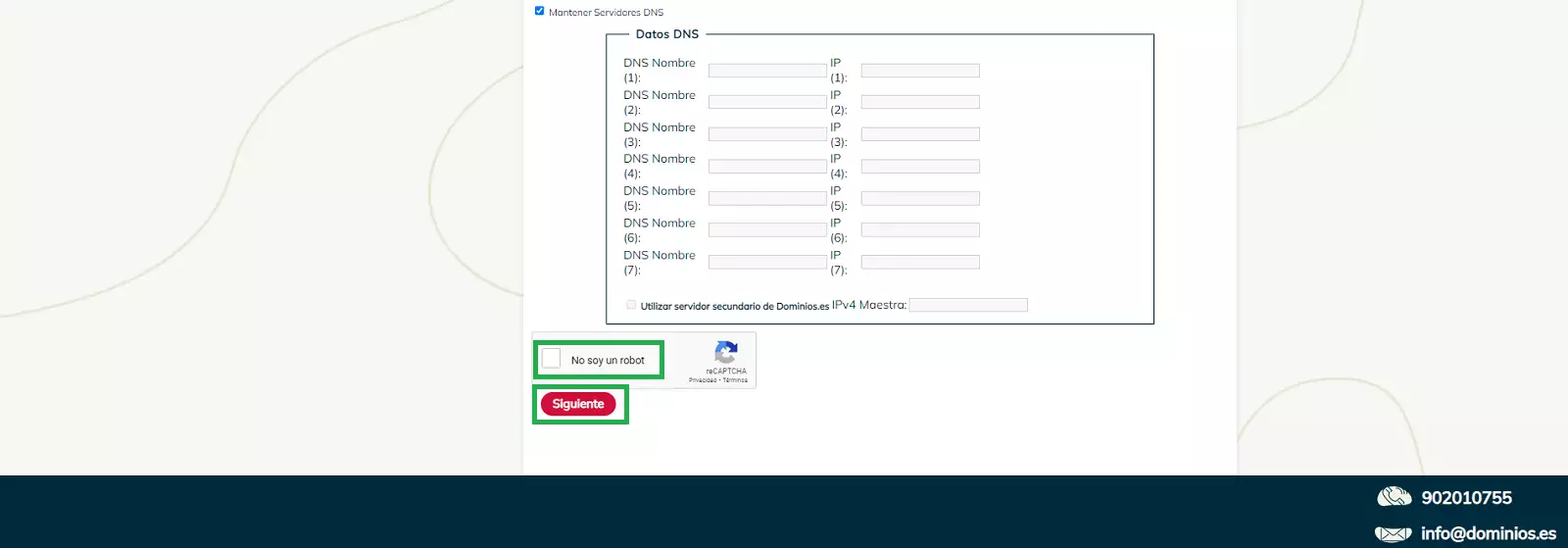
To confirm acceptance, you must again verify your identity in one of the following ways:
- ID (DNI) or Electronic Certificate: using official authentication methods.
- Photocopy of the ID (DNI): it must be a digital image with a maximum width of 600 px.
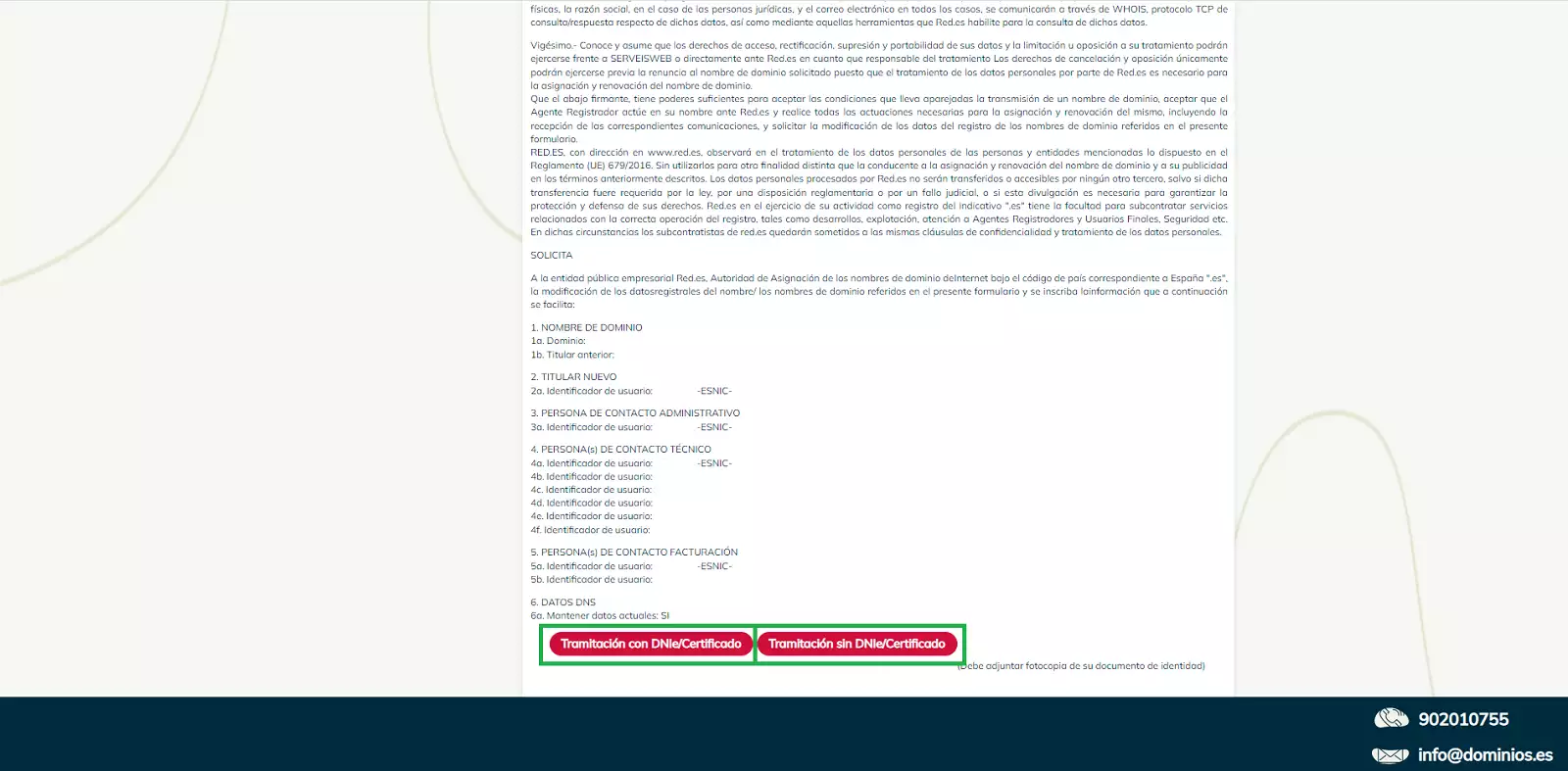
Finally, if everything has been done correctly, a confirmation window will appear indicating that the request for change of ownership has been registered.
Note: ESNIC will review the request and, if all information is correct, will approve the change of ownership.
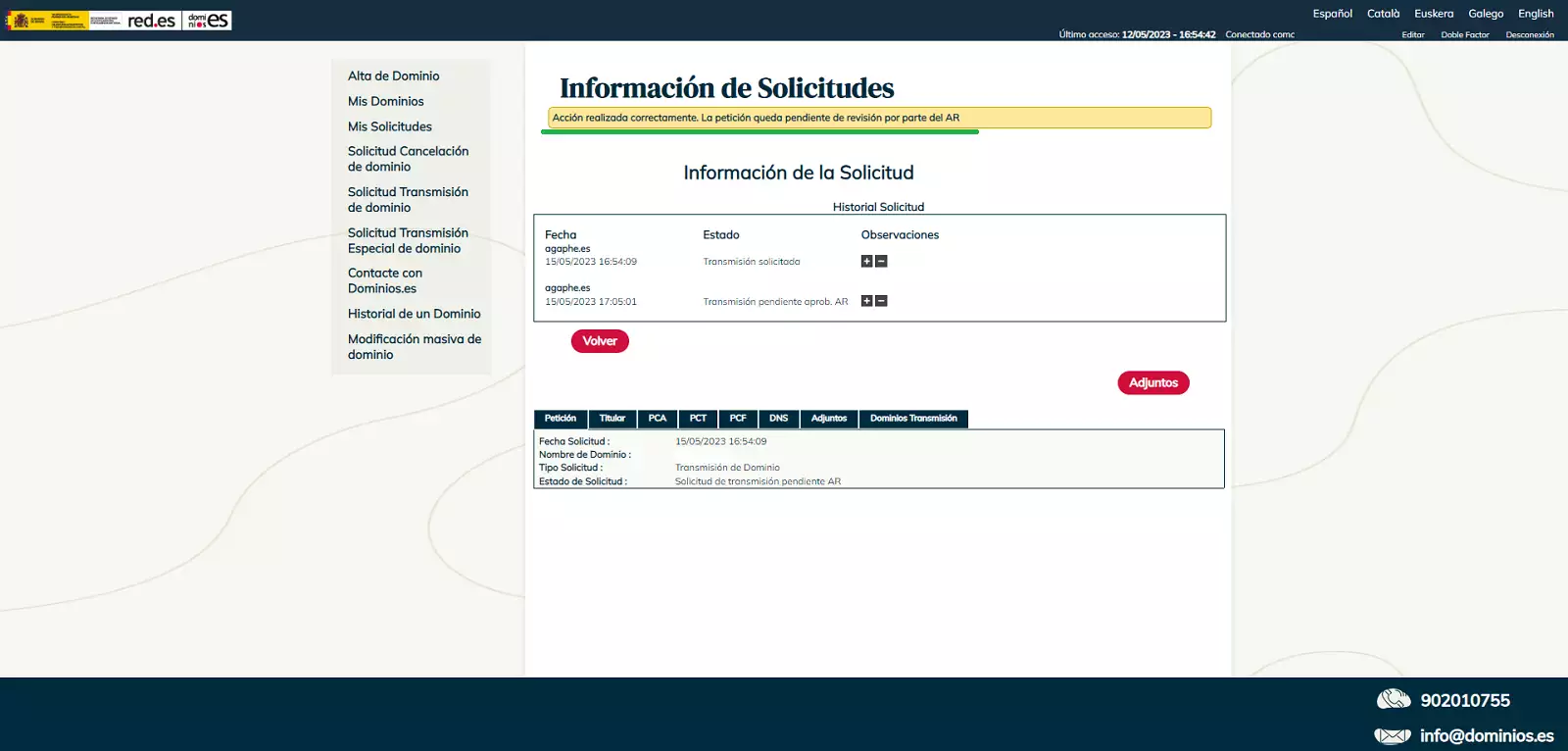
Acceptance period: The validation of the change of ownership may take up to 10 days.
Important: If the request is not accepted within this period, it will be automatically canceled.