
How to block access for a SWPanel user
To block access for an SWPanel user, you must follow these steps:
a) Access your SWPanel client account, hover the mouse cursor over the "SWPanel Customization" icon and click on the "SWPanel User Management" option
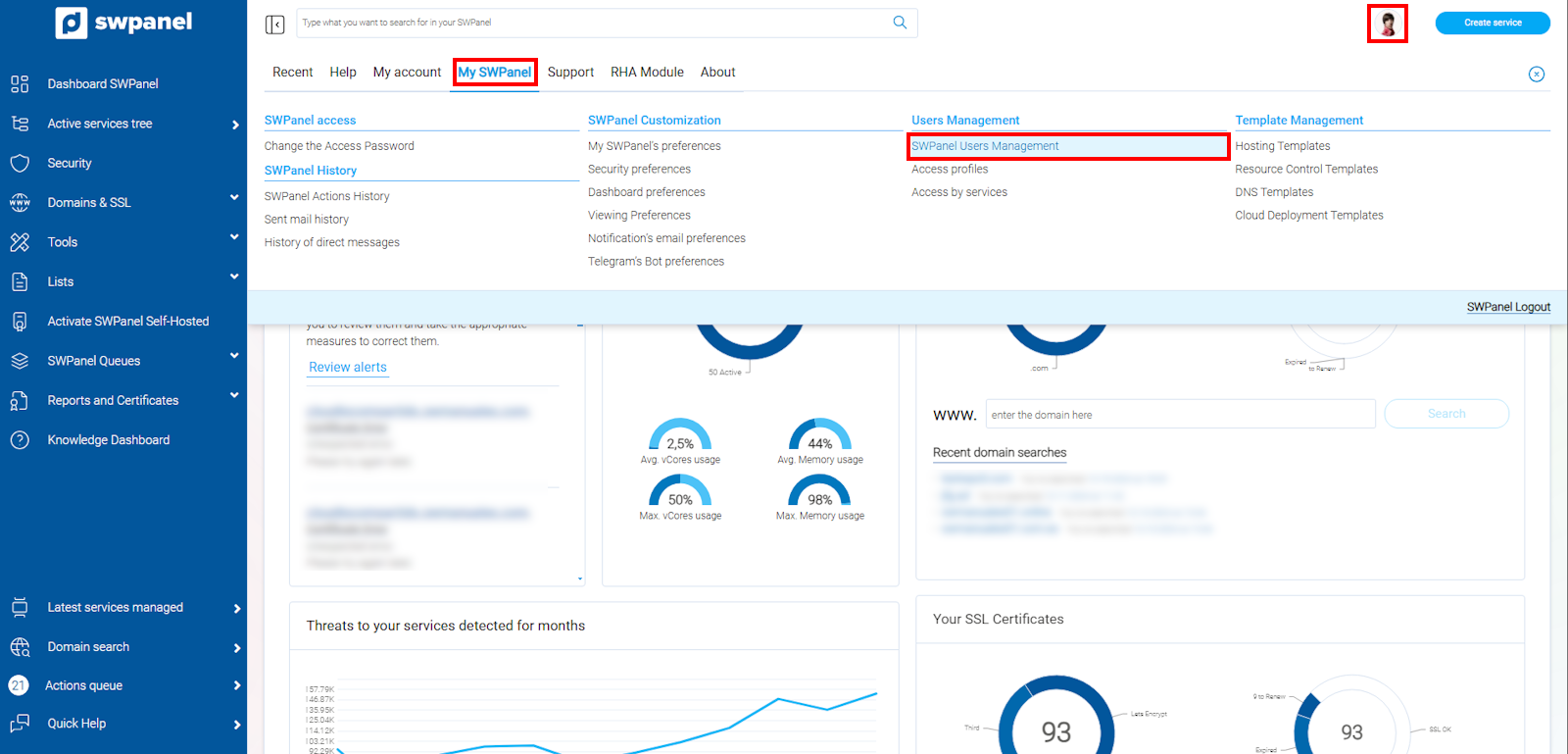
info_capture The screenshot is for guidance purposes. It was taken using version 2025.00.0017 dated 05/01/2025. It may differ from what is shown in the current version of SWPanel.
b) Locate the user whose access you wish to block, hover the cursor over the options menu and click on Block User
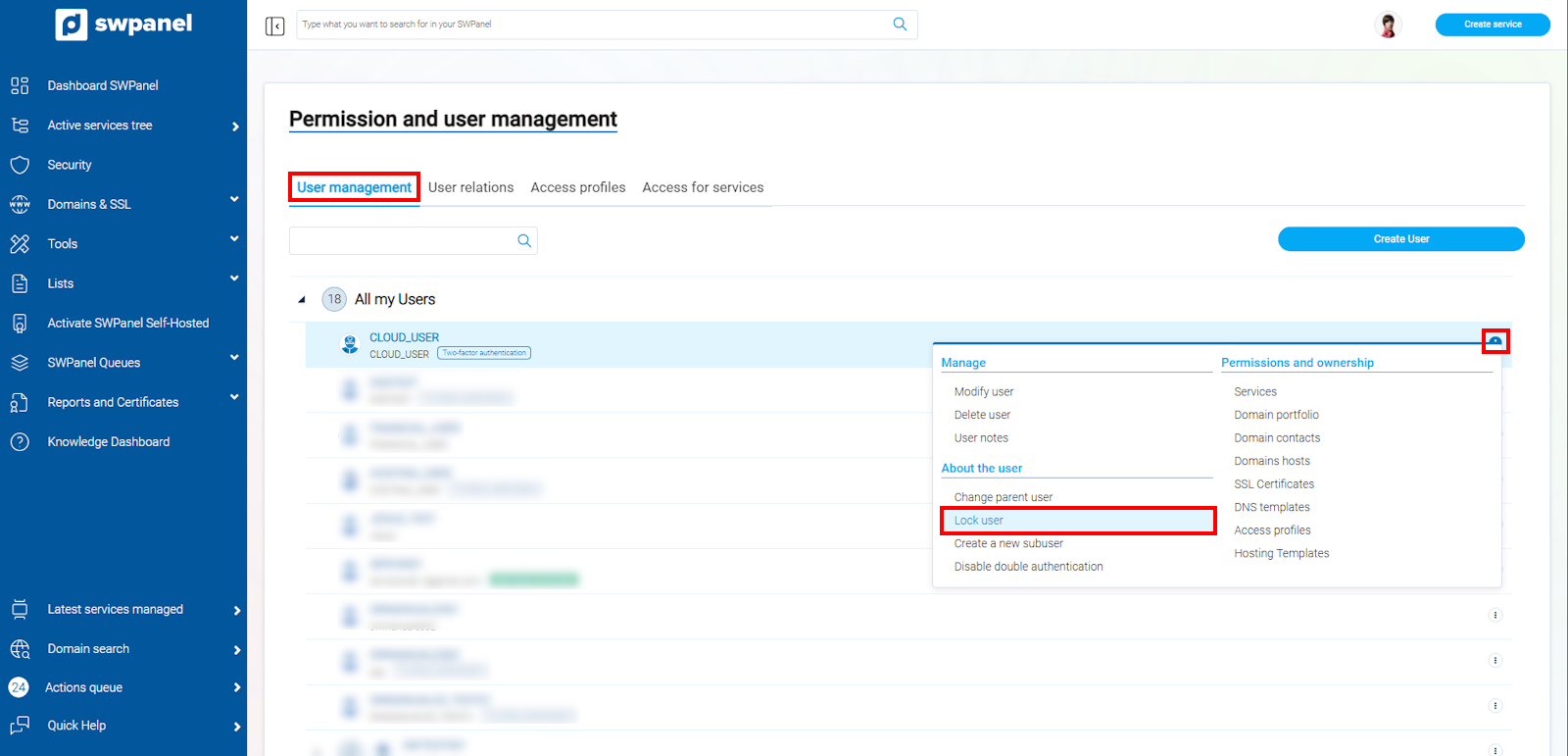
info_capture The screenshot is for guidance purposes. It was taken using version 2025.00.0017 dated 05/01/2025. It may differ from what is shown in the current version of SWPanel.
c) In the following window, check the checkbox to accept the activation of the SWPanel user block and click the "Activate Block" button.
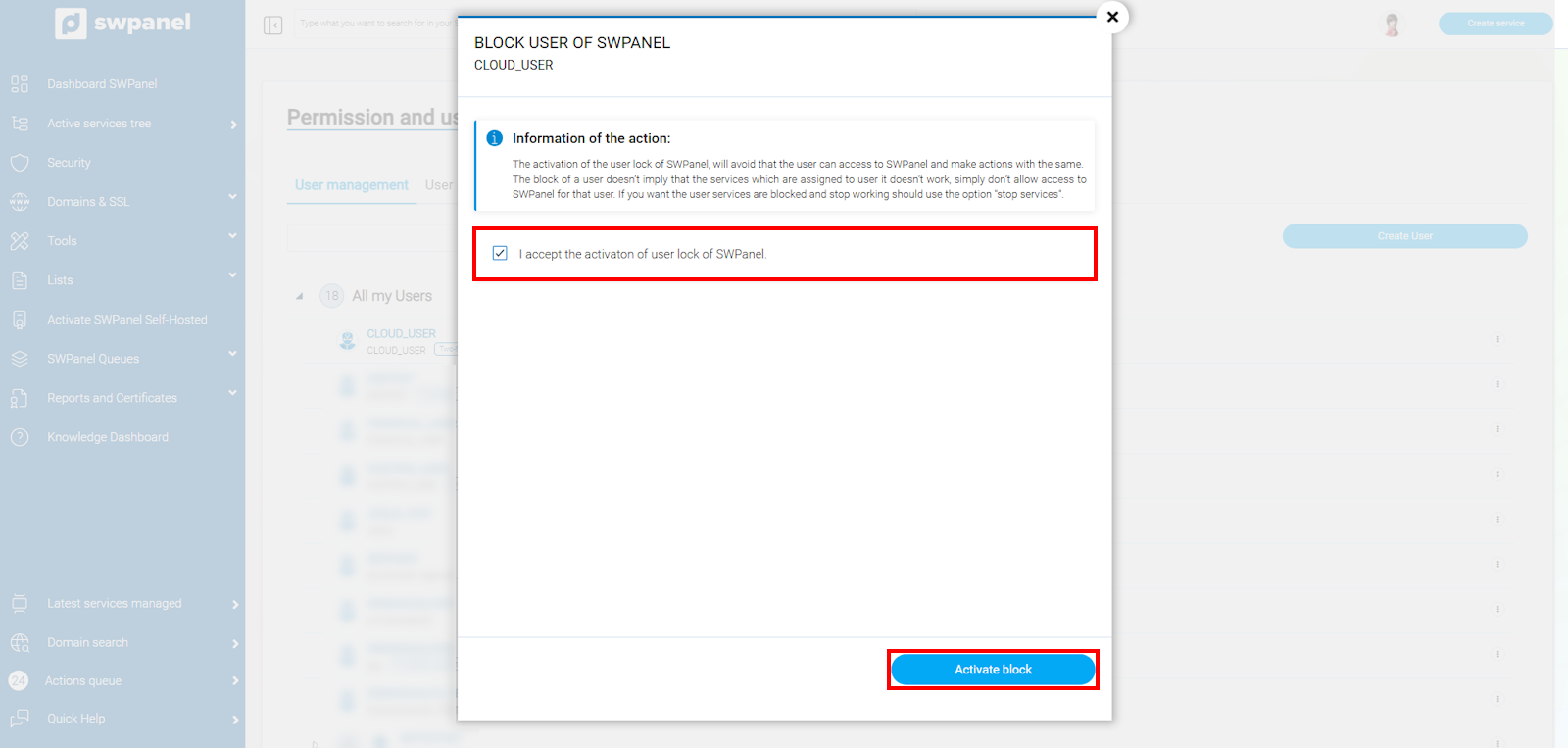
info_capture The screenshot is for guidance purposes. It was taken using version 2025.00.0017 dated 05/01/2025. It may differ from what is shown in the current version of SWPanel.