
How to rename a service
SWPanel offers you the possibility to rename your Cloud servers and service containers or create aliases for them to identify them more easily.
To rename a service, you must first locate it using the service search tool in your SWPanel:
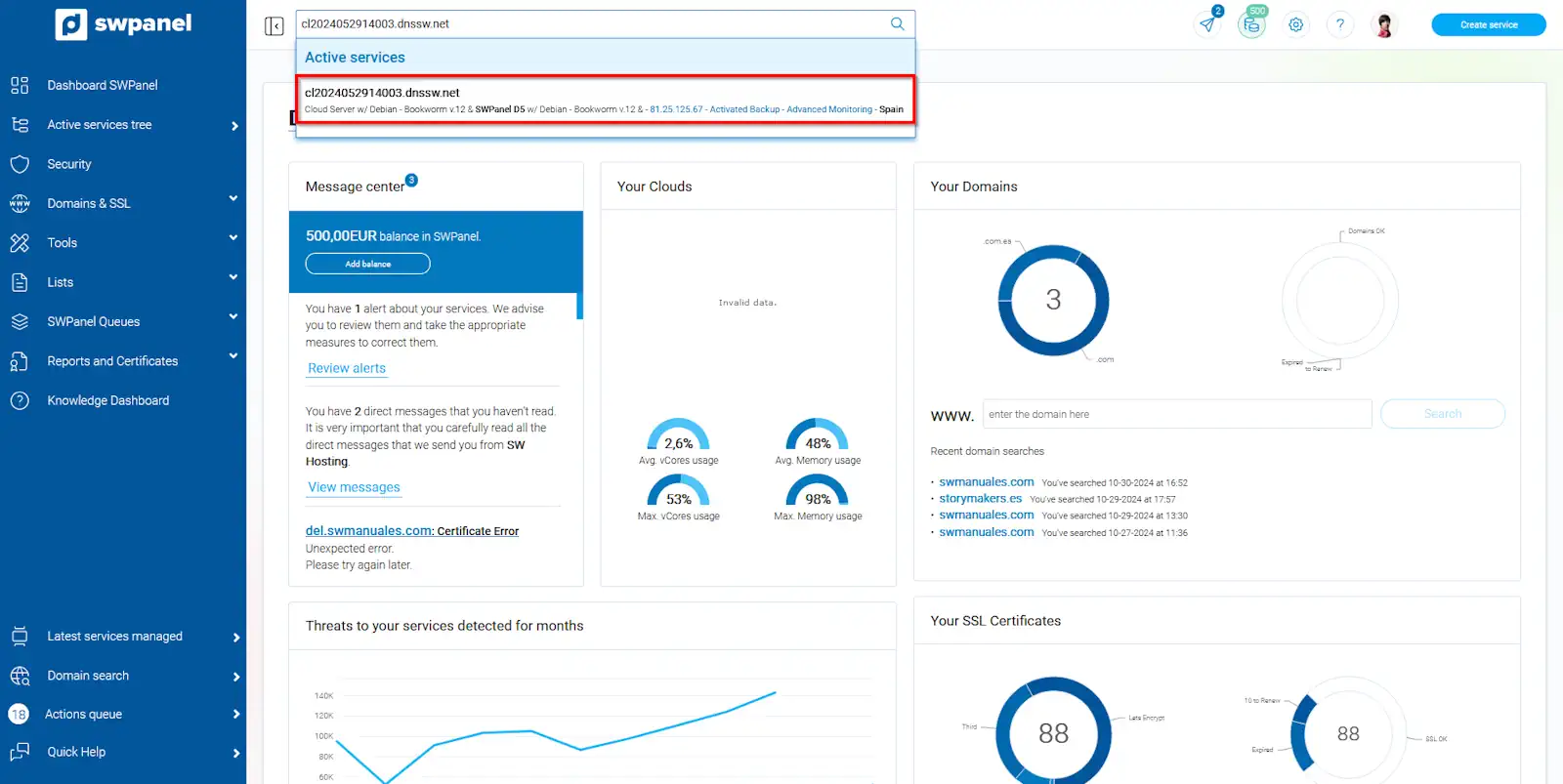
info_capture The screenshot is for guidance purposes. It was taken using version 2024.07.0134 dated 31/10/2024. It may differ from what the current version of SWPanel displays.
Once you are in your service Dashboard, you must go to the blue left side menu and expand the tab 'Actions on this service', and choose the option 'rename'
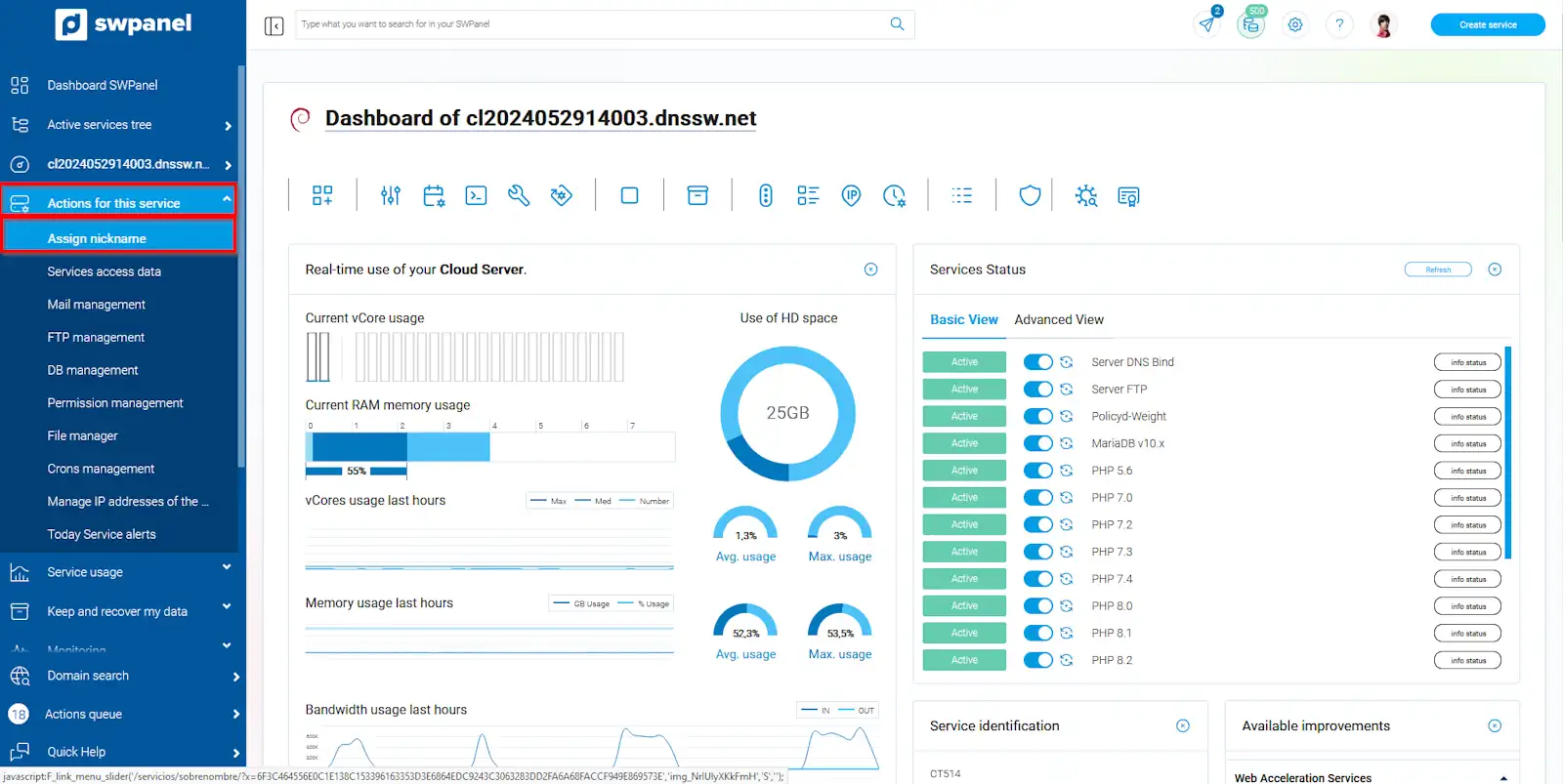
info_capture The screenshot is for guidance purposes. It was taken using version 2024.07.0134 dated 31/10/2024. It may differ from what the current version of SWPanel displays.
In the following window, enter or modify the nickname you want the service to have and accept the changes with the insert/modify button
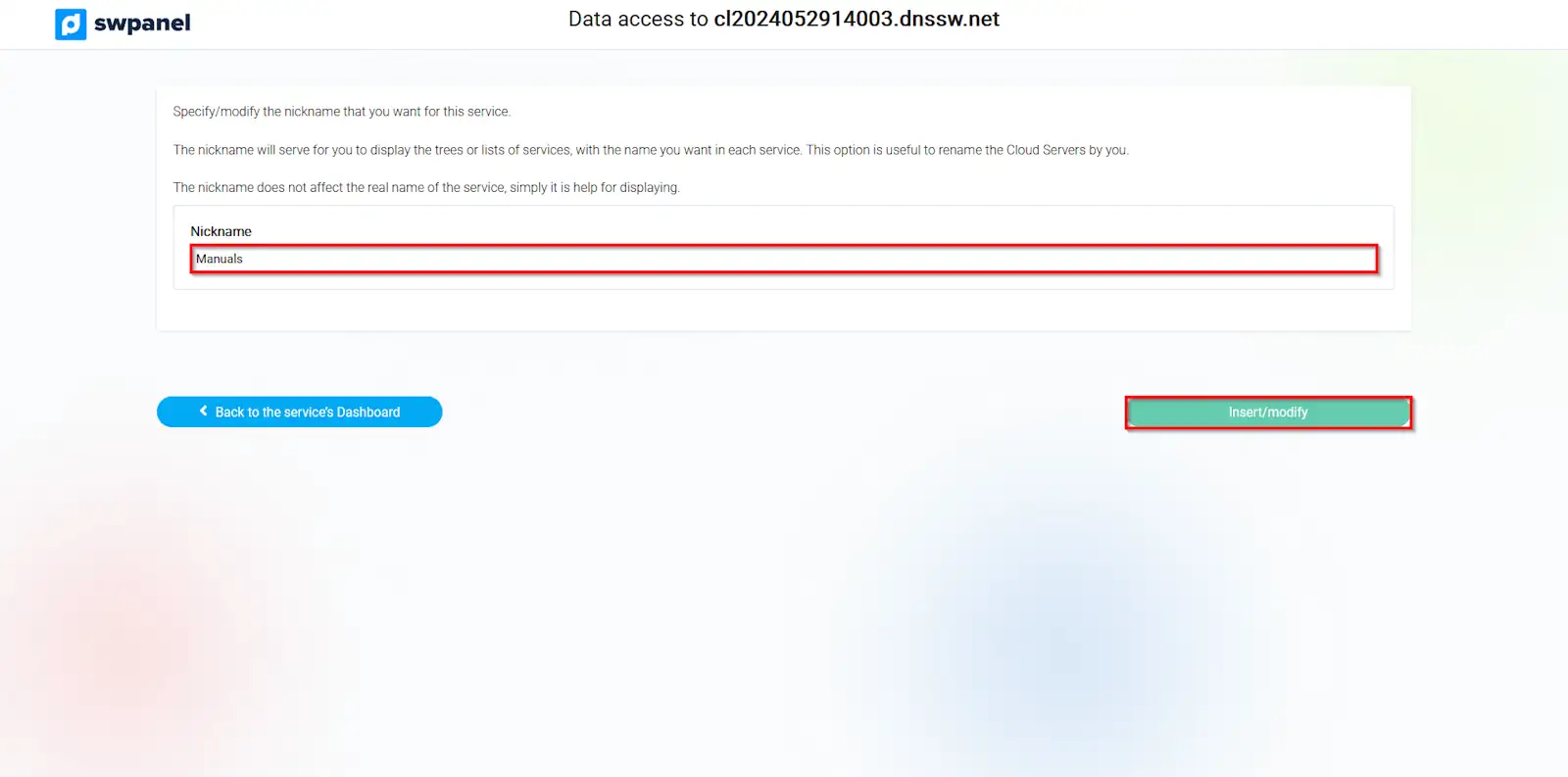
info_capture The screenshot is for guidance purposes. It was taken using version 2024.07.0134 dated 31/10/2024. It may differ from what the current version of SWPanel displays.
There is another method to rename all your Cloud servers quickly and in an orderly manner.
From the general SWPanel Dashboard, click on Active services tree, located in the blue left side menu
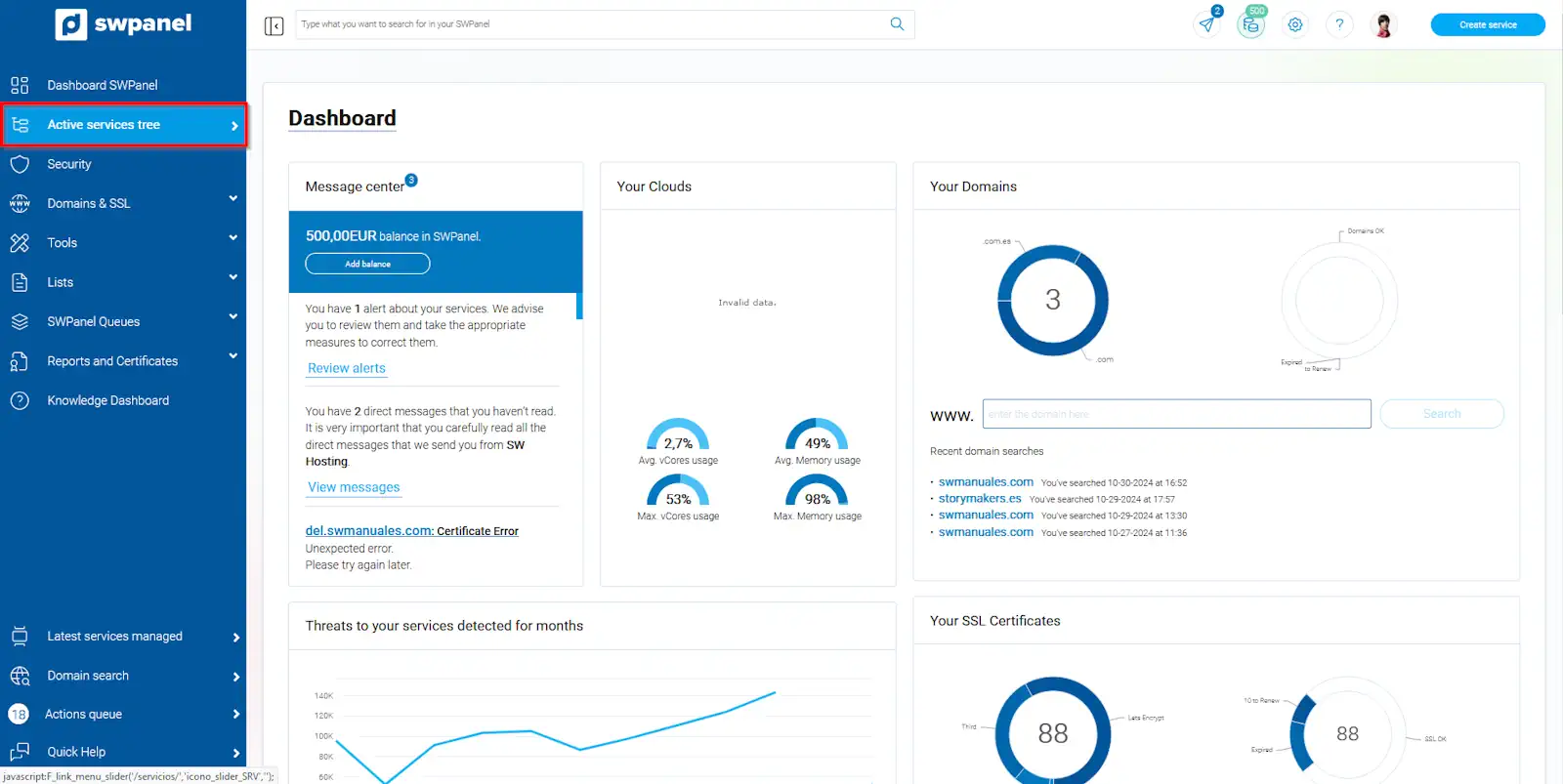
info_capture The screenshot is for guidance purposes. It was taken using version 2024.07.0134 dated 31/10/2024. It may differ from what the current version of SWPanel displays.
Once you view the list of all my active services, you can go to the button '...', to the right of the cloud, and click on the option rename
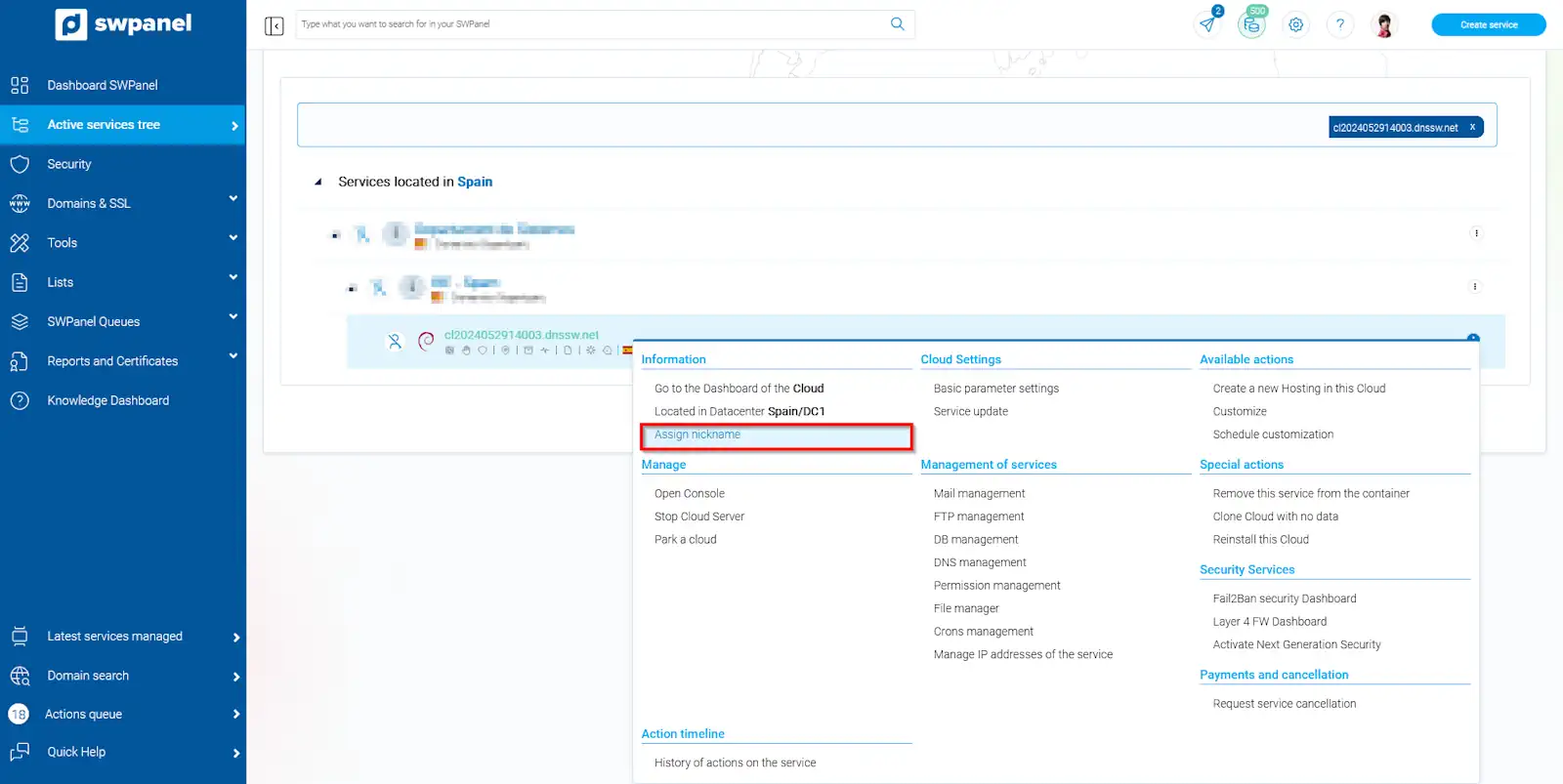
info_capture The screenshot is for guidance purposes. It was taken using version 2024.07.0134 dated 31/10/2024. It may differ from what the current version of SWPanel displays.
In the following window, enter or modify the nickname you want the service to have and accept the changes with the insert/modify button
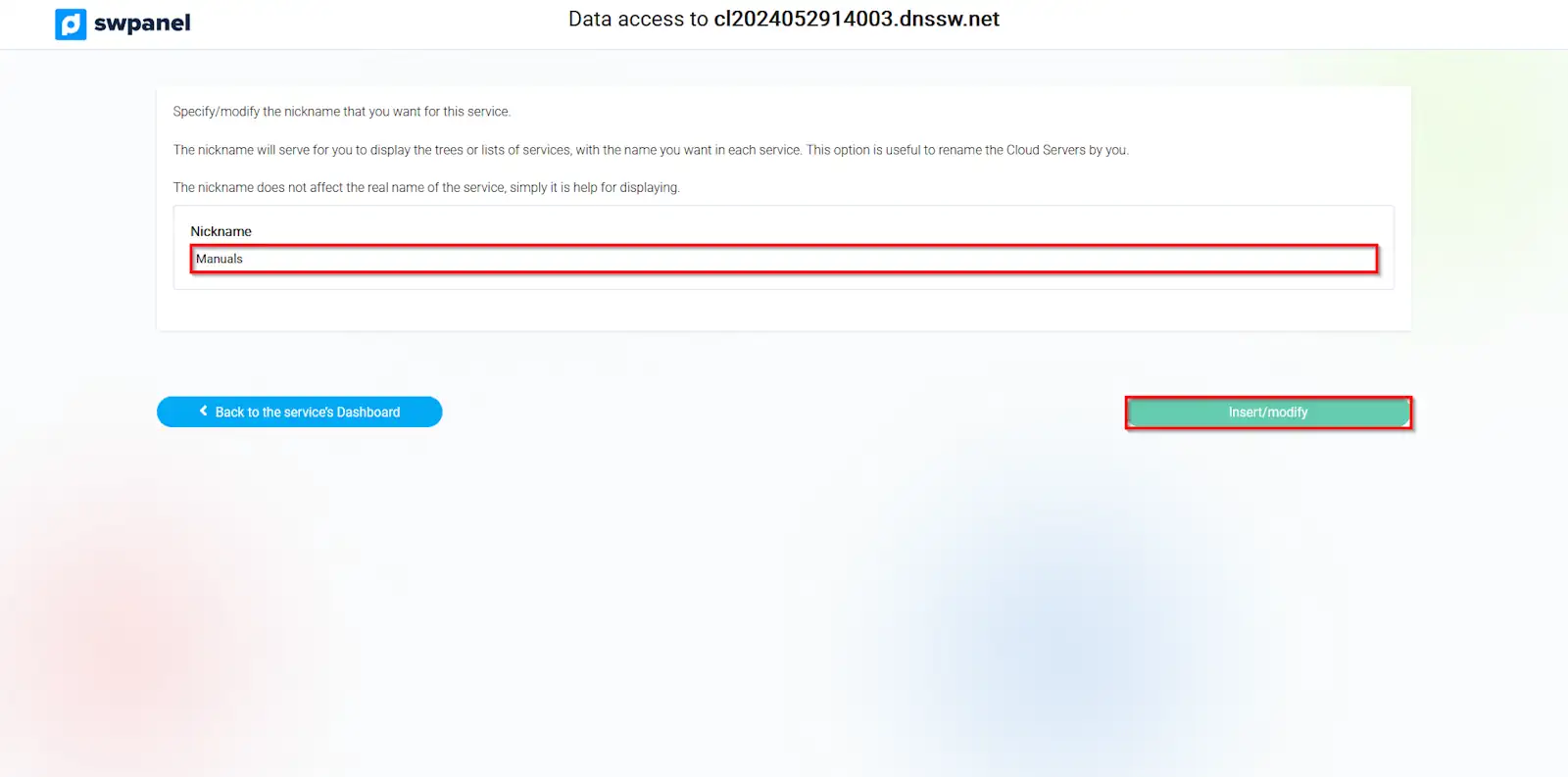
info_capture The screenshot is for guidance purposes. It was taken using version 2024.07.0134 dated 31/10/2024. It may differ from what the current version of SWPanel displays.