
How to check my hosting IP
For various reasons, you may need to know your hosting IP, whether you need it to configure DNS records, application development, or for any other management.
In the following manual, we will show you how you can easily check your hosting IP from SWPanel:
1.Access the service Dashboard. To do this, click Active services tree(left menu) and click on the corresponding service, or you can locate the service in the general search of SWPanel:
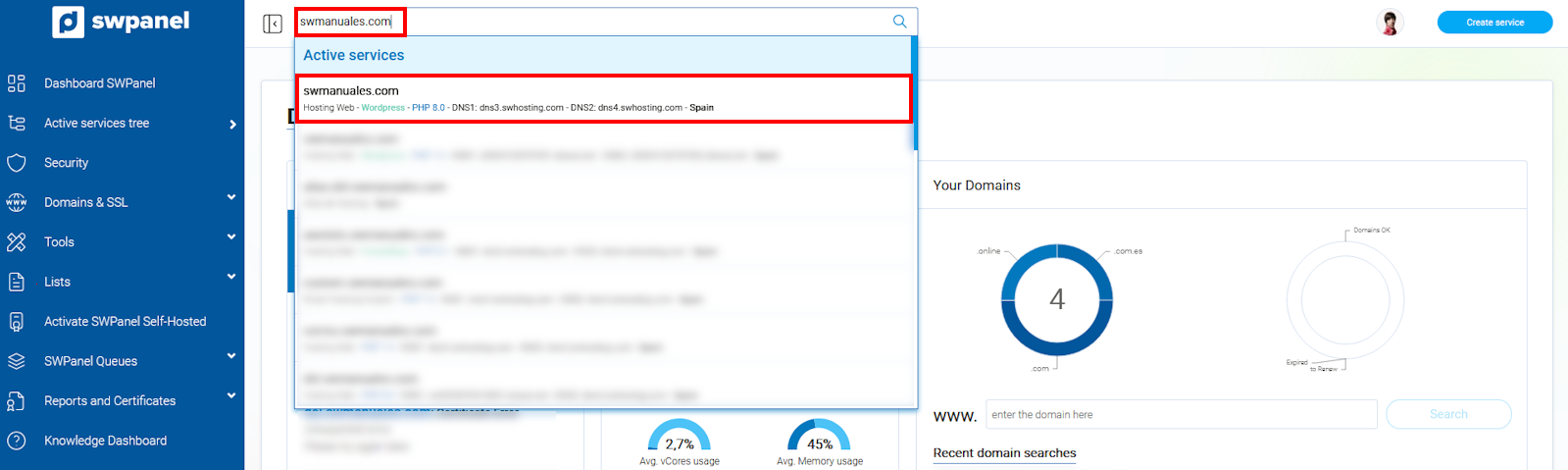
info_capture The screenshot is for guidance purposes. It was taken from version 2025.00.0017 dated 12/28/2024. It may differ from what the current version of SWPanel shows.
2.Access Service servers(left menu):
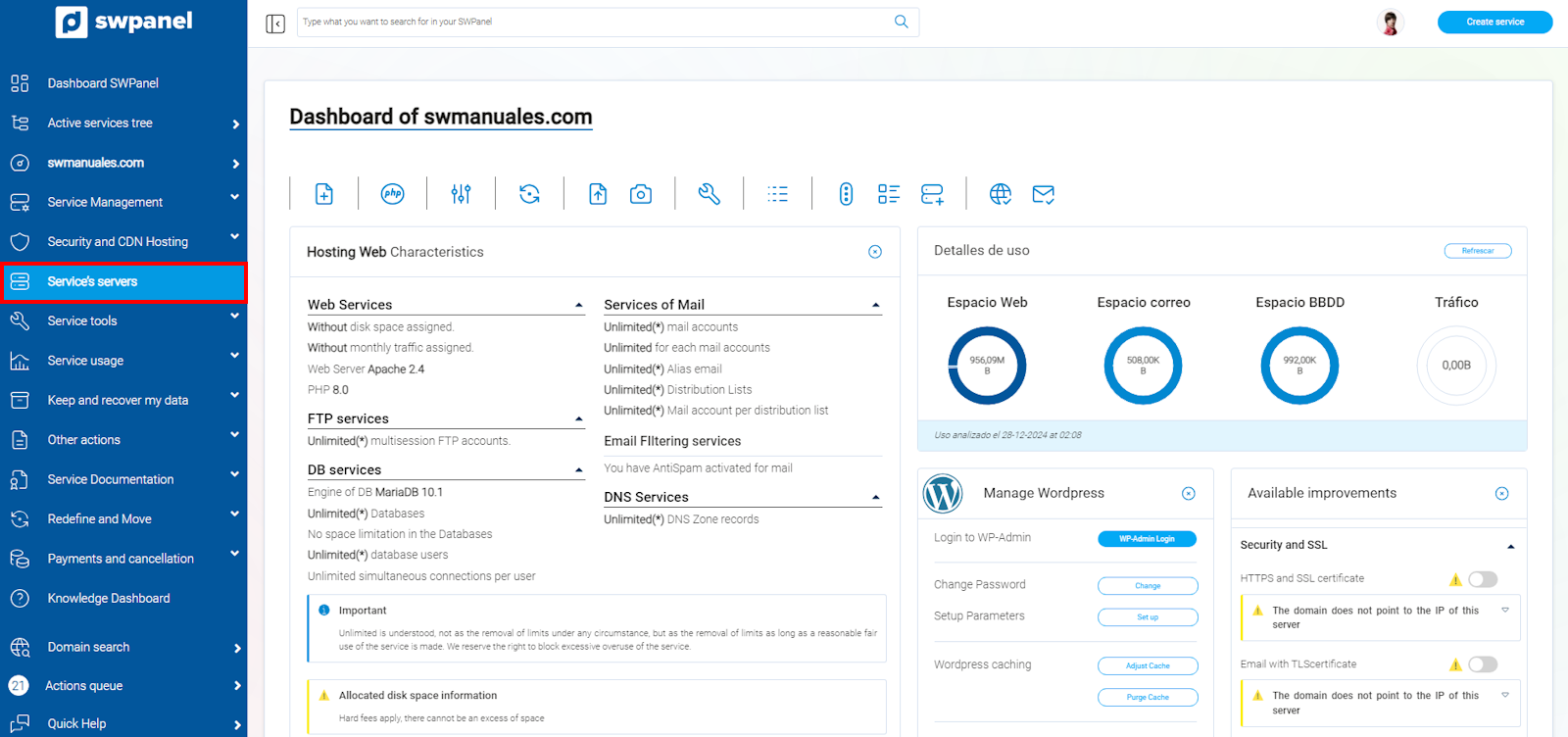
info_capture The screenshot is for guidance purposes. It was taken from version 2025.00.0017 dated 12/28/2024. It may differ from what the current version of SWPanel shows.
3.Next, you will see your hosting IP in the Web server IP section
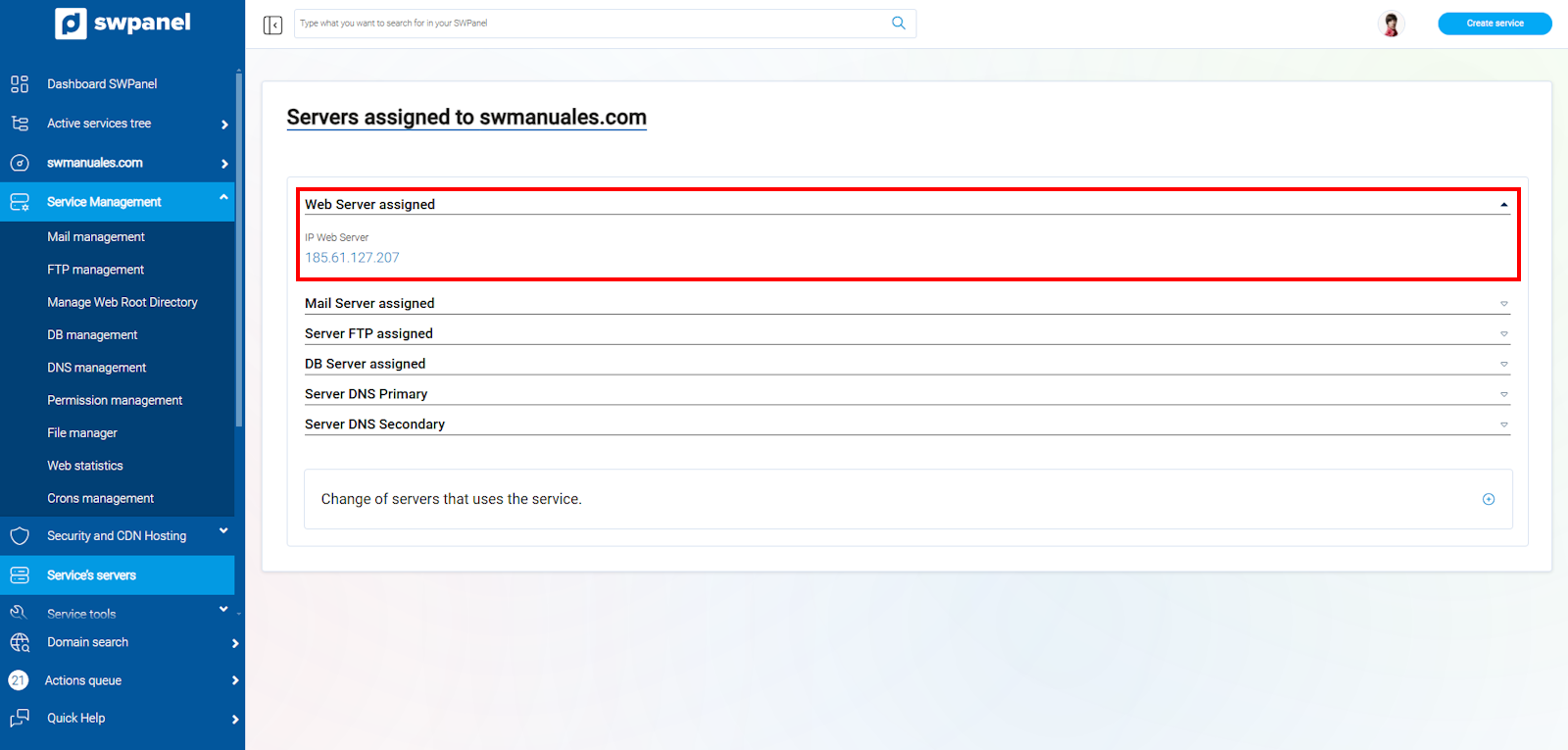
info_capture The screenshot is for guidance purposes. It was taken from version 2025.00.0017 dated 12/28/2024. It may differ from what the current version of SWPanel shows.