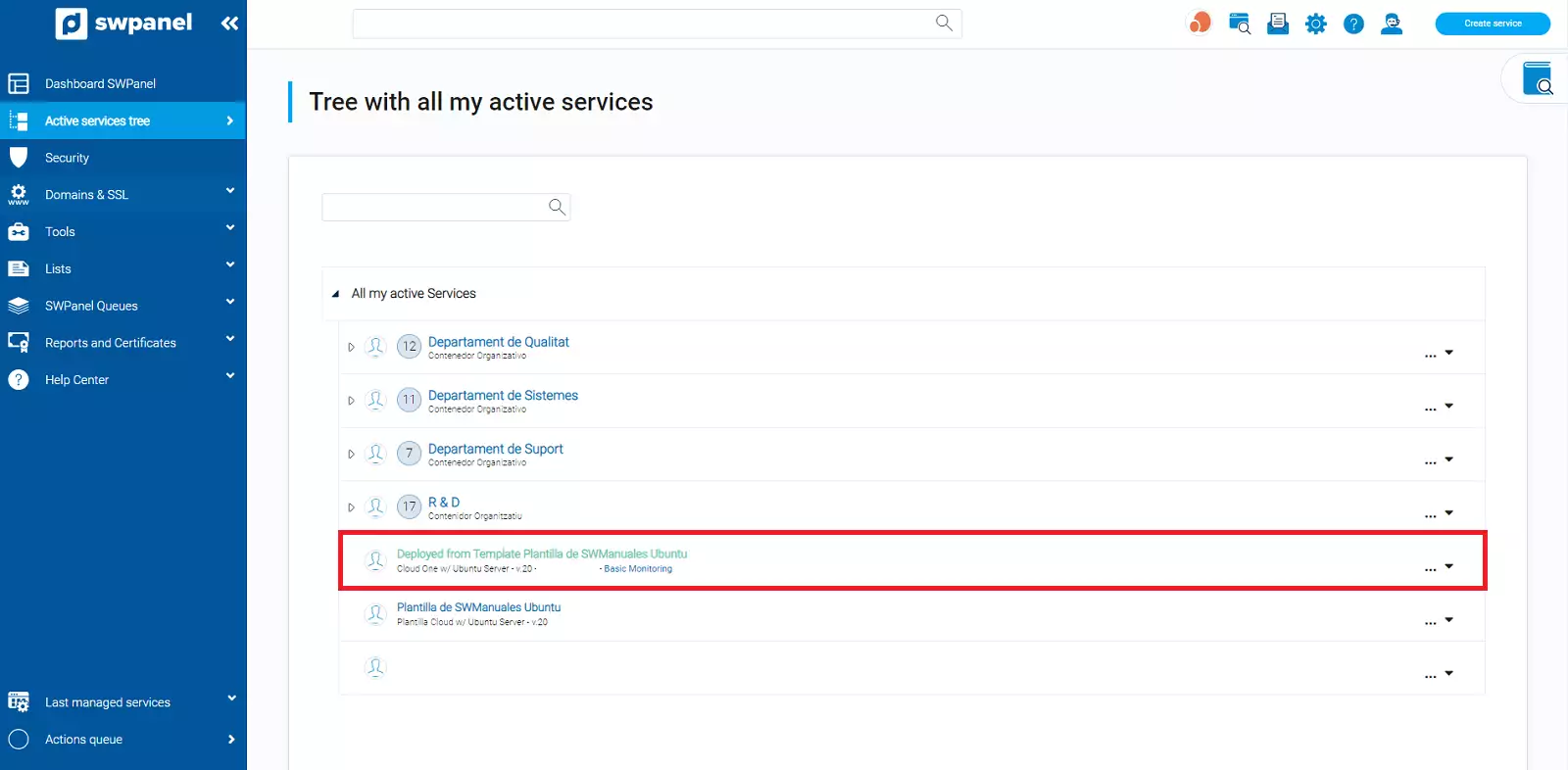
How to create a Cloud using a Template
How to create a Cloud using a Template
A Cloud deployment template allows you to create a Cloud server with the same resources as the original (without data).
?? Important: When deploying a service using a deployment template, the same IP as the server used to create it will be configured. Therefore, there may be connectivity issues until it is modified.
In the case of a Linux server, you must configure the server's IP with the IP found in your SWPanel.
In the case of a Windows service, you must also use the sysprep tool to avoid duplicate name / ID problems within the same network.
To create a Deployment Template, you can follow this manual: Manuale: How to create Cloud deployment templates
Deployment of a service through a Template
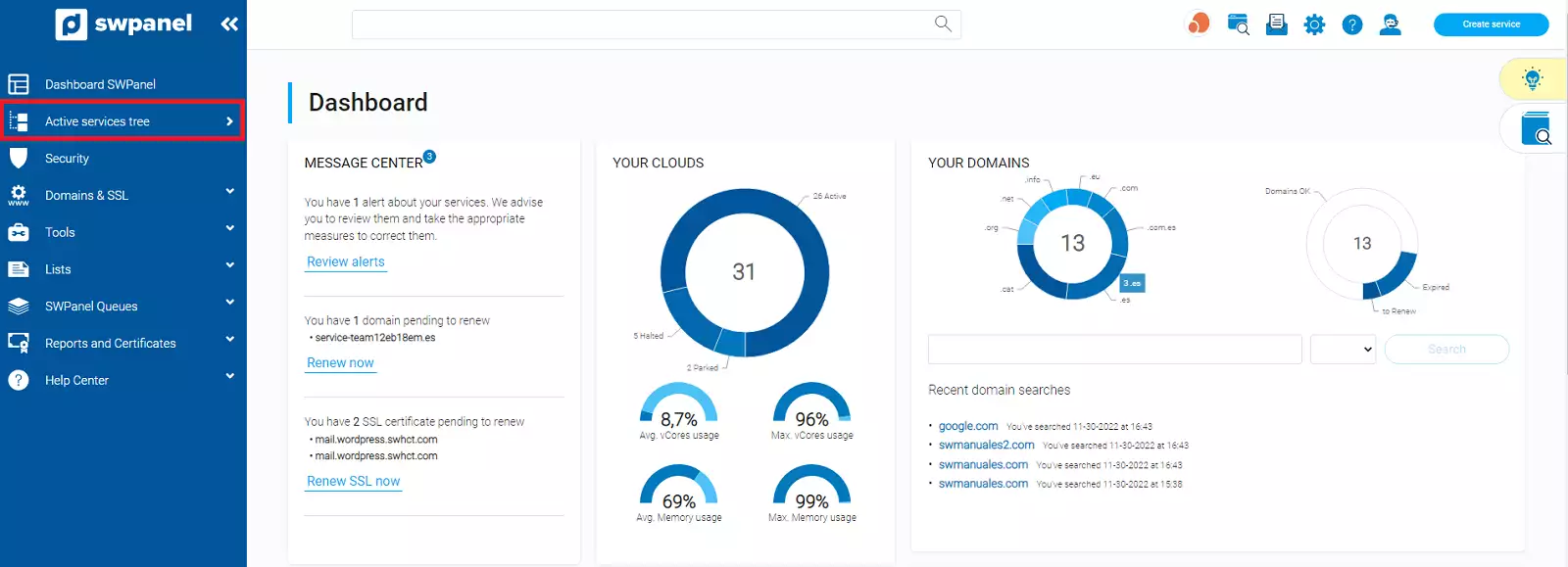
You must access the services tree of your SWPanel account:
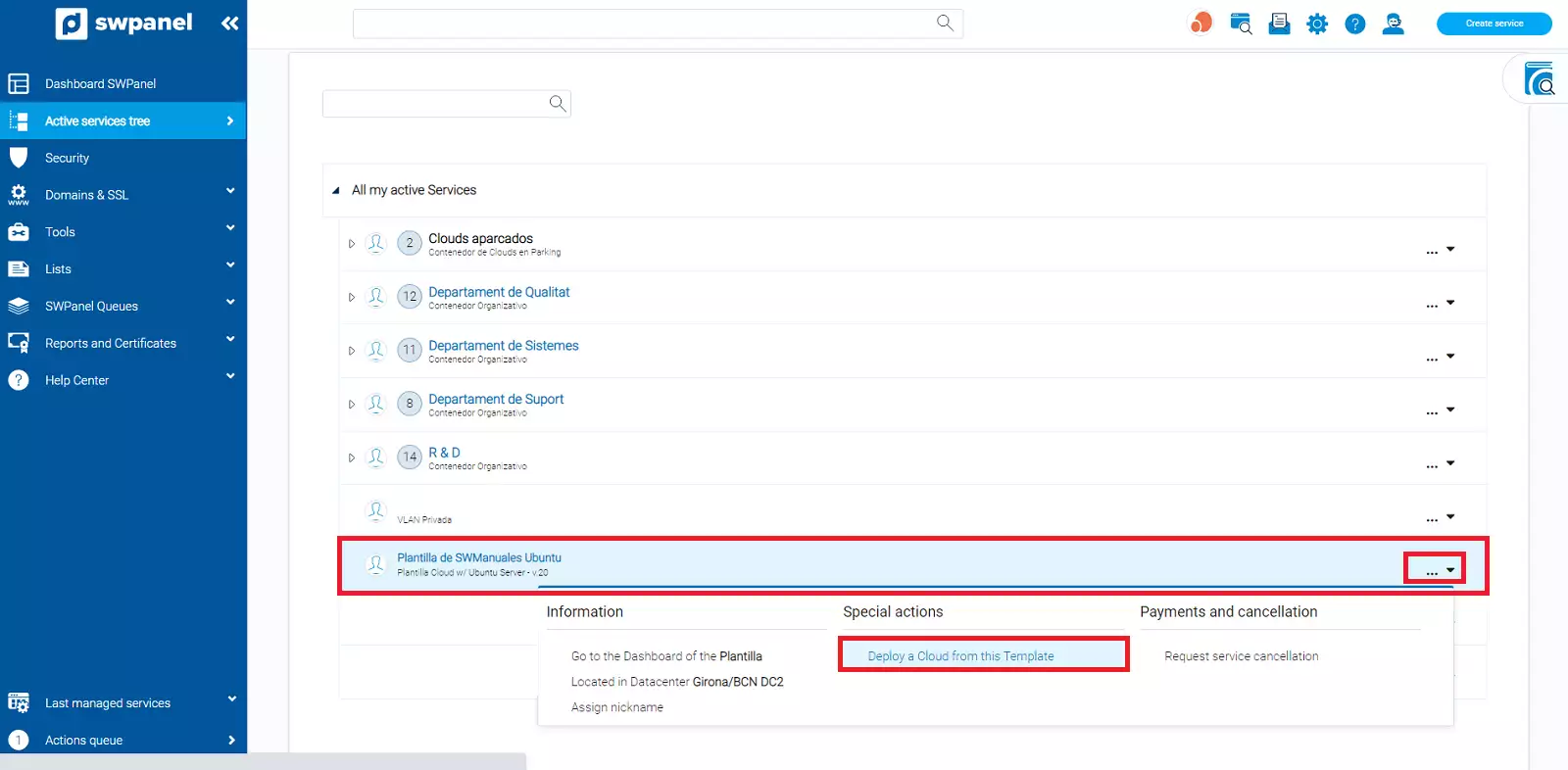
Locate the Deployment Template you wish to use, hover the cursor over the [...] menu and click on the 'Deploy a Cloud from this Template' option:
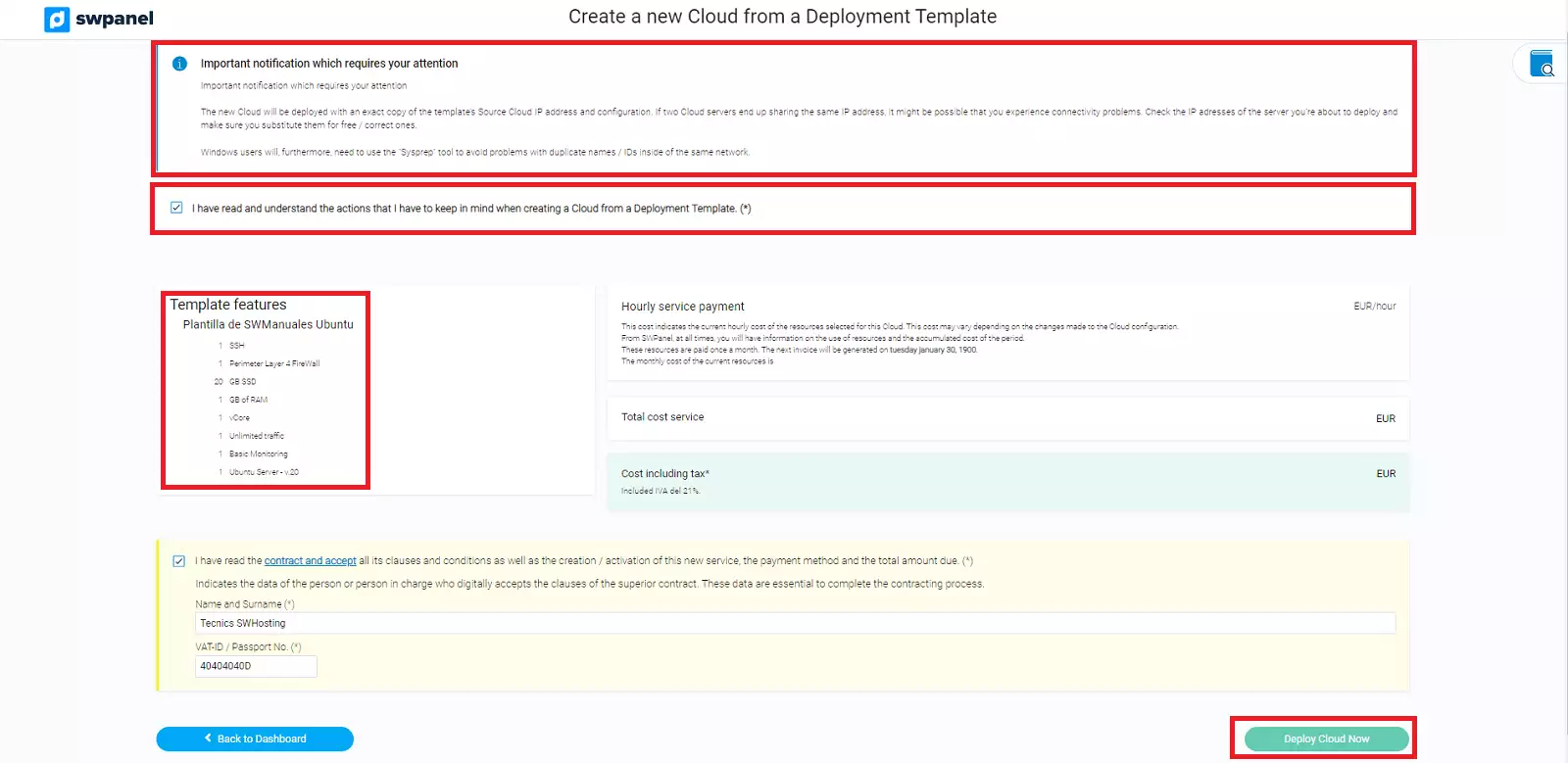
In the "Template Features" section, you will be able to see the characteristics with which the Cloud server will be deployed.
You must read and accept the informative notification and finally click on the "Create Template now" button:
Once the server creation process is finished, it will be displayed in the Active Services Tree section like any other.