
How to activate DNSSec on my hosting
What is DNSSEC?
DNSSEC(Domain Name System Security Extensions) is a set of security extensions designed to protect the DNS protocol by adding digital signatures and advanced cryptography; in other words, DNSSEC adds an additional layer of security to the domain resolution process, ensuring that the received data comes from a legitimate source.
Why is DNSSEC important and what are its benefits:
To understand the importance of DNSSEC, we must first know how DNS (Domain Name System) works, which is a fundamental technology for the operation of the Internet.
The DNS is the system that allows the translation of the domain names we use (such as www.swhosting.com) into IP addresses, which computers use to communicate with each other; however, traditional DNS is vulnerable to several types of attacks, such as:
- Domain Spoofing: The attacker can redirect traffic from a legitimate website to a malicious server.
- Cache Poisoning: The attacker can modify the information stored in DNS servers, leading users to be directed to fake websites.
- Among other spoofing and forgery attacks.
By incorporating DNSSEC at the DNS level, it provides several benefits, such as:
- Protection against cache poisoning attacks: DNSSEC ensures that DNS server responses come from a legitimate source, which prevents attackers from injecting false data.
- Data Integrity: DNS records are not altered in transit, ensuring that data is not modified during transmission.
- Origin Authenticity: The data we receive from the DNS server comes from a verified and authorized source.
DNSSEC Installation on your Web Hosting
Prerequisites
If you have hosting on a server managed by SWPanel or have a Smart Hosting plan, you can activate DNSSEC easily and quickly; however, you must meet the following requirements:
For primary domains:
- The domain must be registered in SWPanel.
- The domain must not be expired, make sure the domain is registered and active.
- Hostnames must be managed by SWPanel, you must use DNS servers managed through SWPanel, such as "dns3.swhosting.com" and "dns4.swhosting.com".
- The Hosting must be hosted on a Debian 12 server or higher.
- The domain must not have Cloudflare activated.
For subdomains:
- The primary domain must have an active DNS Hosting Plan. This is necessary because DNSSEC can only be activated on domains that are correctly managed within SWPanel.
- DNSSEC must be activated on the primary domain. If the primary domain does not have DNSSEC, the subdomain will not be able to activate it either. You can review and activate this option in your domain settings within SWPanel.
- The primary domain must be in your SWPanel domain portfolio. You can only manage DNSSEC on domains that you have registered and managed within your SWPanel account.
- DNS management of the primary domain must be done from SWPanel. If the primary domain has its DNS servers with another provider, it will not be possible to activate DNSSEC in subdomains from SWPanel.
Install DNSSEC on your Web Hosting
Access SWPanel and go to the Dashboard of your service:
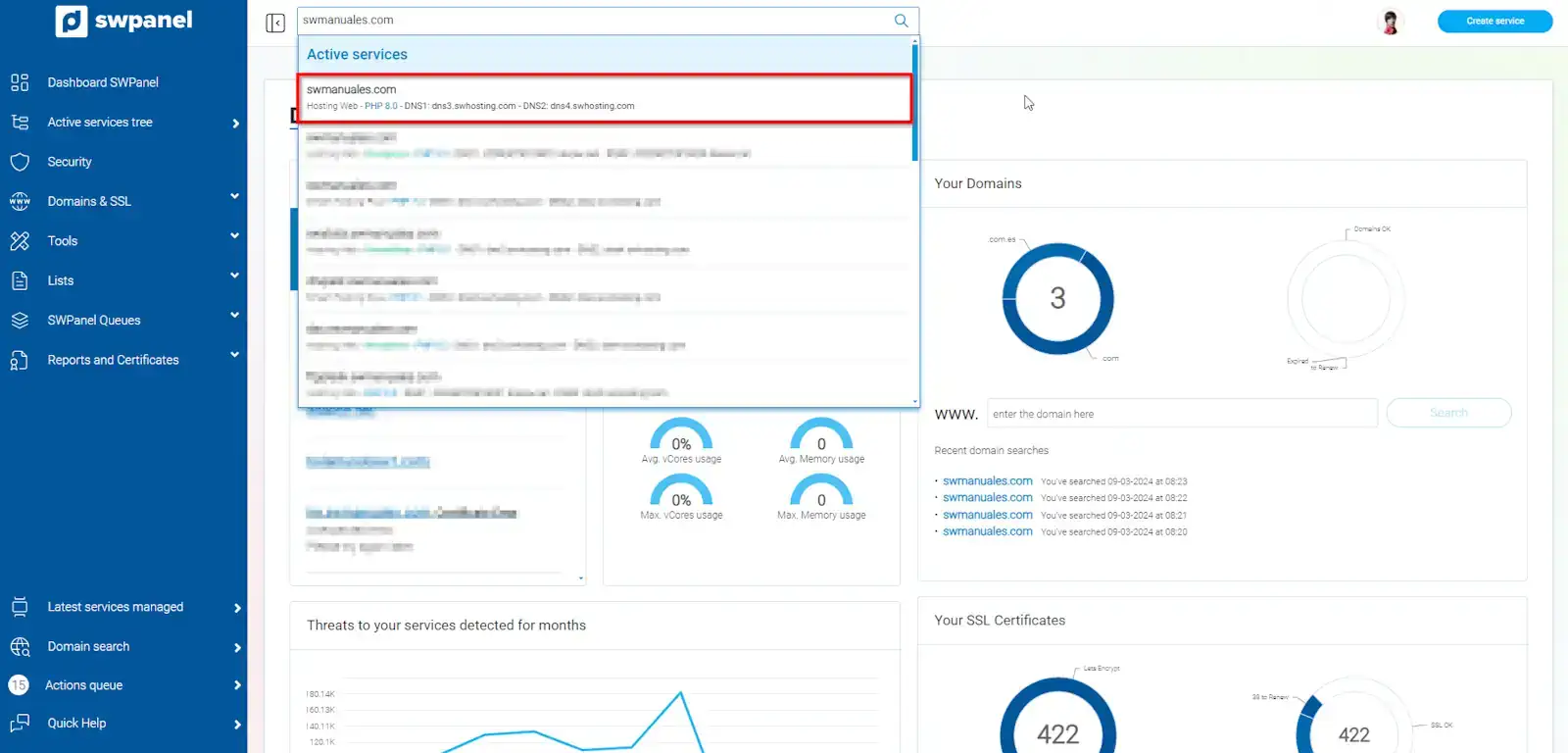
?? Use the search bar at the top to quickly locate your service.
In the Available improvements section (top right section), activate the DNSSEC option:
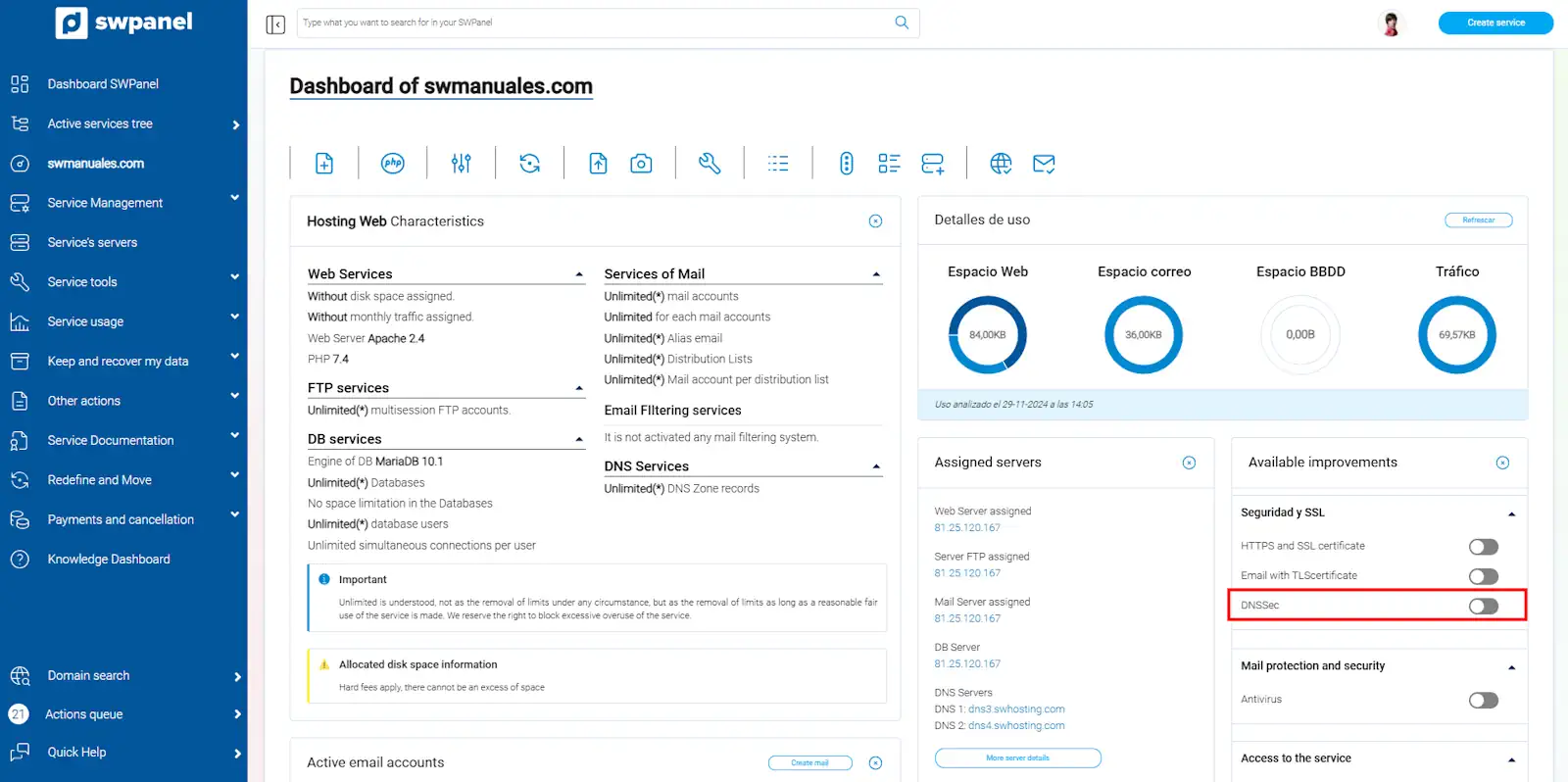
Once selected, the next step will be to press the Activate now button
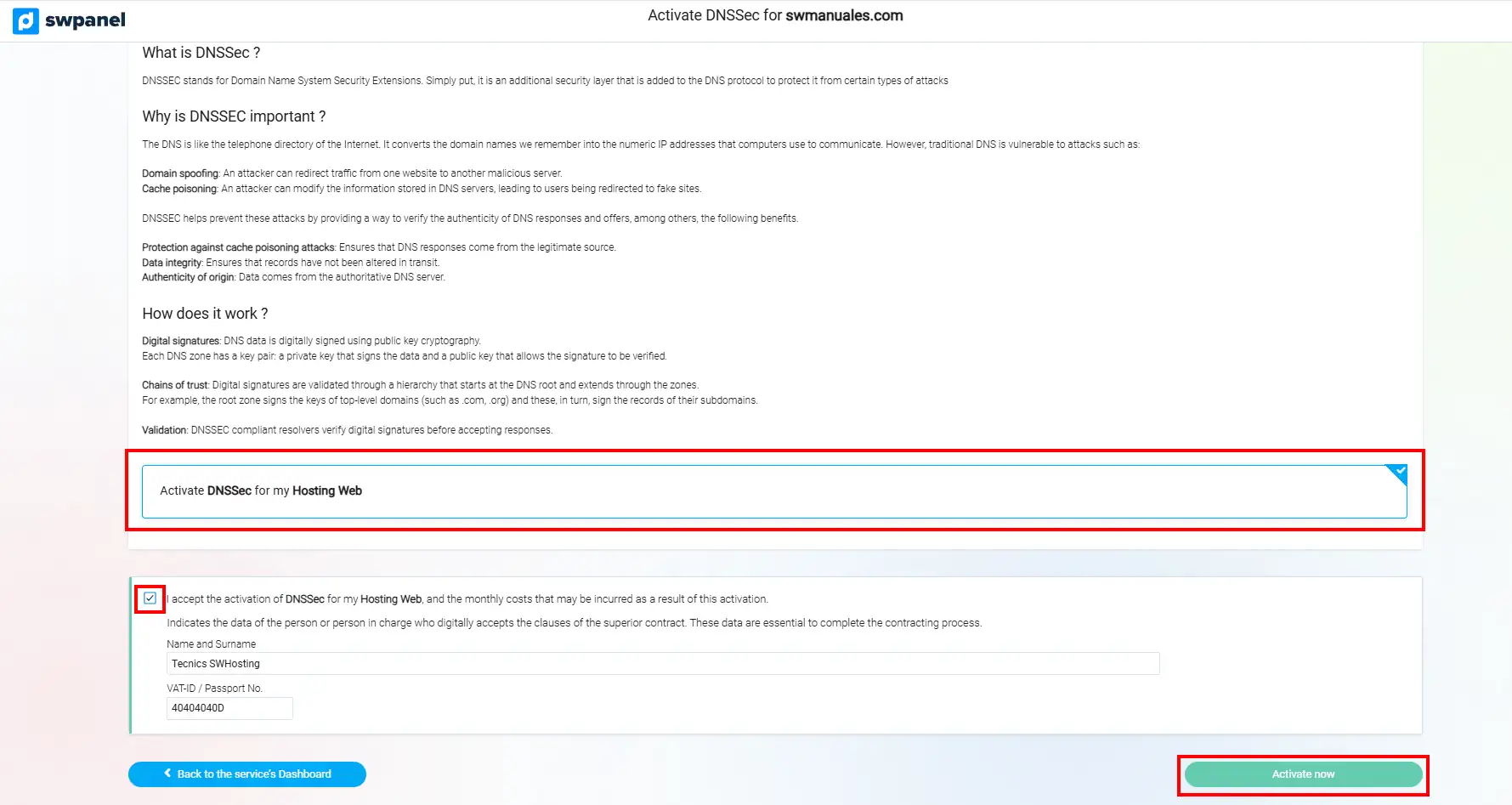
success Done! In a matter of minutes, your Hosting will have DNSSEC installed.
To activate DNSSEC on a subdomain, the process is identical to that of a primary domain, with the only difference being that the primary domain must have DNSSEC enabled beforehand.