How to configure WP Mail SMTP with TLS in WordPress
WP Mail SMTP is one of the most common plugins in WordPress for sending emails. In this manual, we will show you how to configure it with the TLS certificate.
Requirements to have WP Mail SMTP with TLS
-- We must have a WordPress installation with the WP Mail SMTP plugin installed.
If you have a hosting service with us, this plugin comes installed by default:
If you wish to manually install this plugin, you can follow this manual:
**⚠ This manual explains how to configure the plugin via port 25 ⚠ **
-- The other important point is to have an SSL/TLS certificate
You can install the TLS certificate for free if you have a hosting service in SWPanel:
Configuration of WP Mail SMTP with TLS
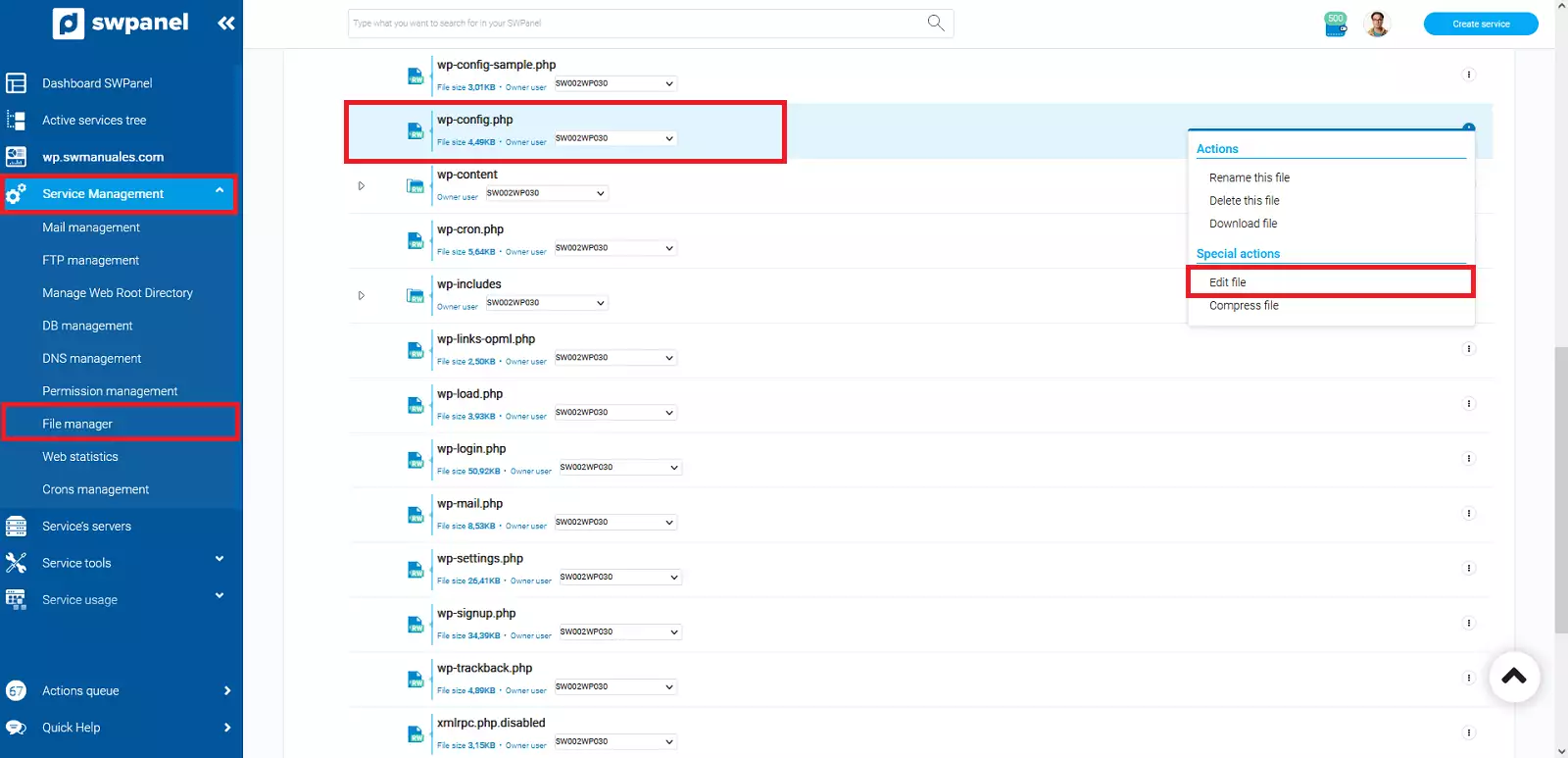
We must go to our configuration file 'wp-config.php' and edit it.
From SWPanel, this can be done as follows:
Service Management -> File Manager -> wp-config.php -> Edit file
Once inside this file, we will look for the plugin definitions and add the following:
- SMTP Server: In our case 'mail.swp.swmanuales.com' <- You must indicate your SMTP server.
- Port: 587 <- We will define the port so that it uses the TLS certificate.
- Certificate Type: TLS. <- The type of certificate we want to use.
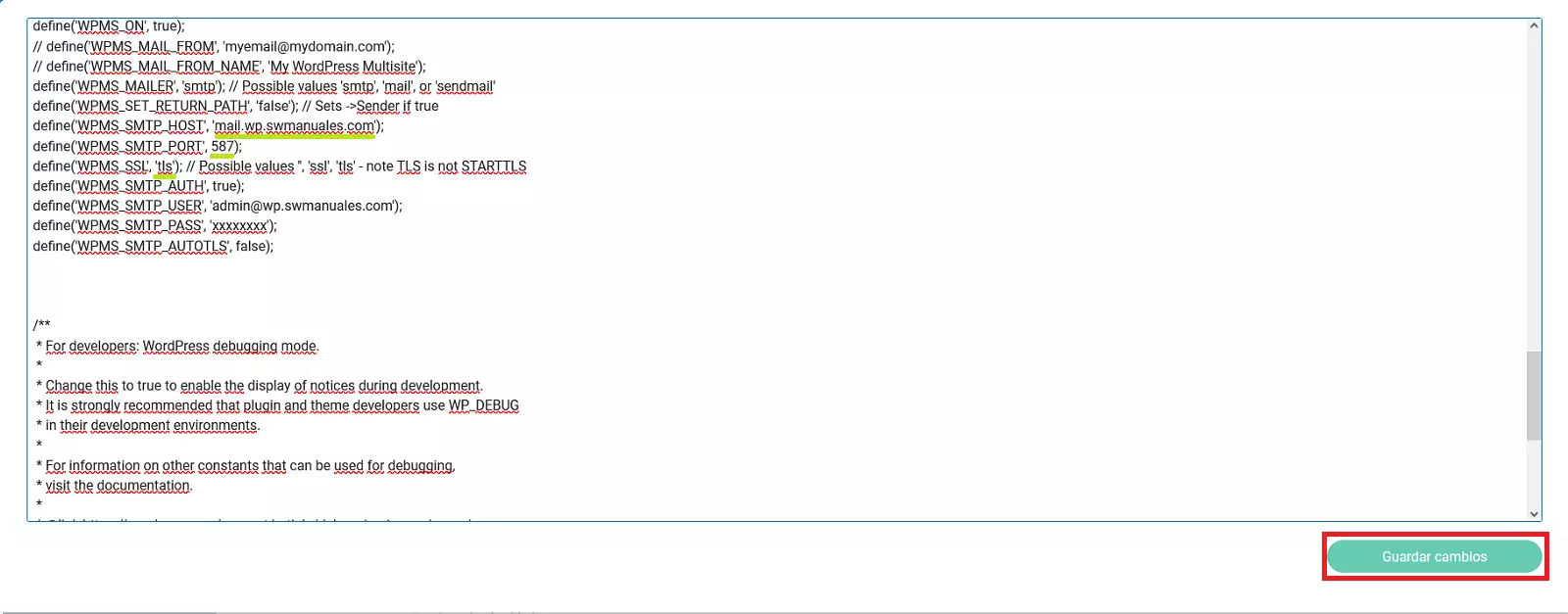
And we will save the changes to the file.
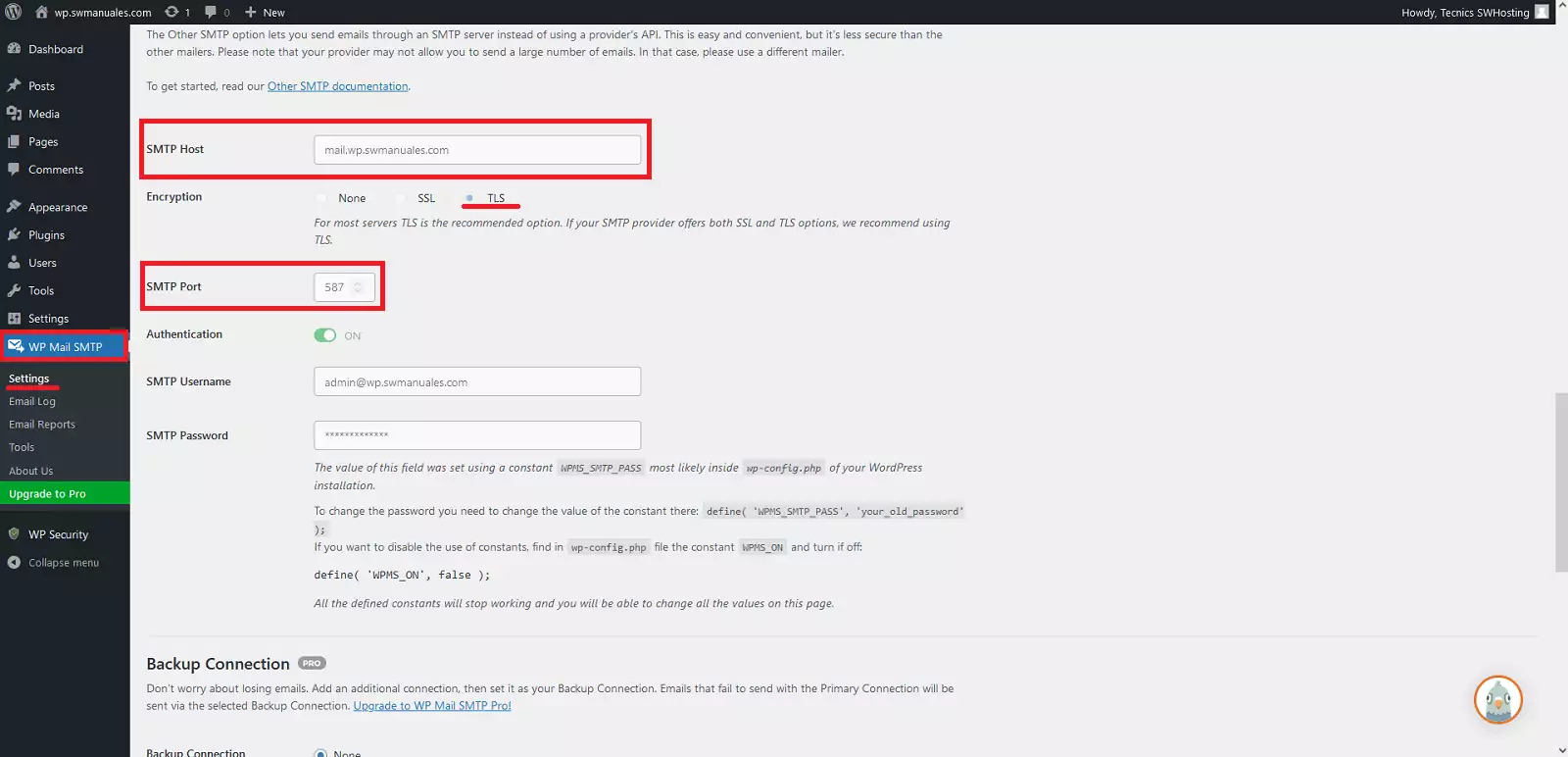
To finish, we will verify that it has been performed correctly by accessing our WordPress management panel.
We will go to the plugin management section 'WP Mail SMTP' -> 'Settings'.
And we verify that it has been configured correctly:
Generate test email
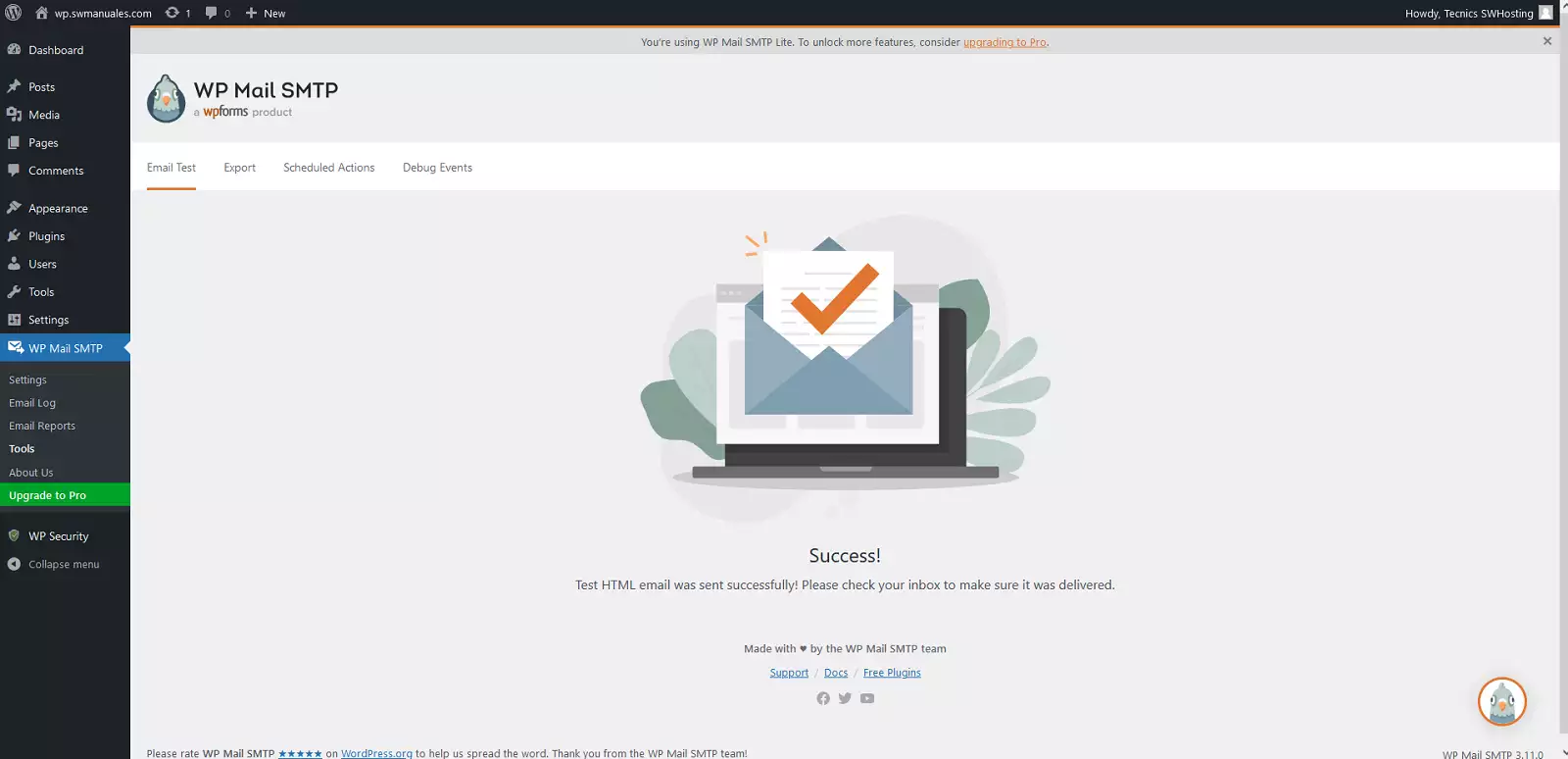
Once configured, we are going to check the correct operation by generating a test email.
We will go again to the plugin management 'WP Mail SMTP' -> 'Tools' -> 'Email test'.
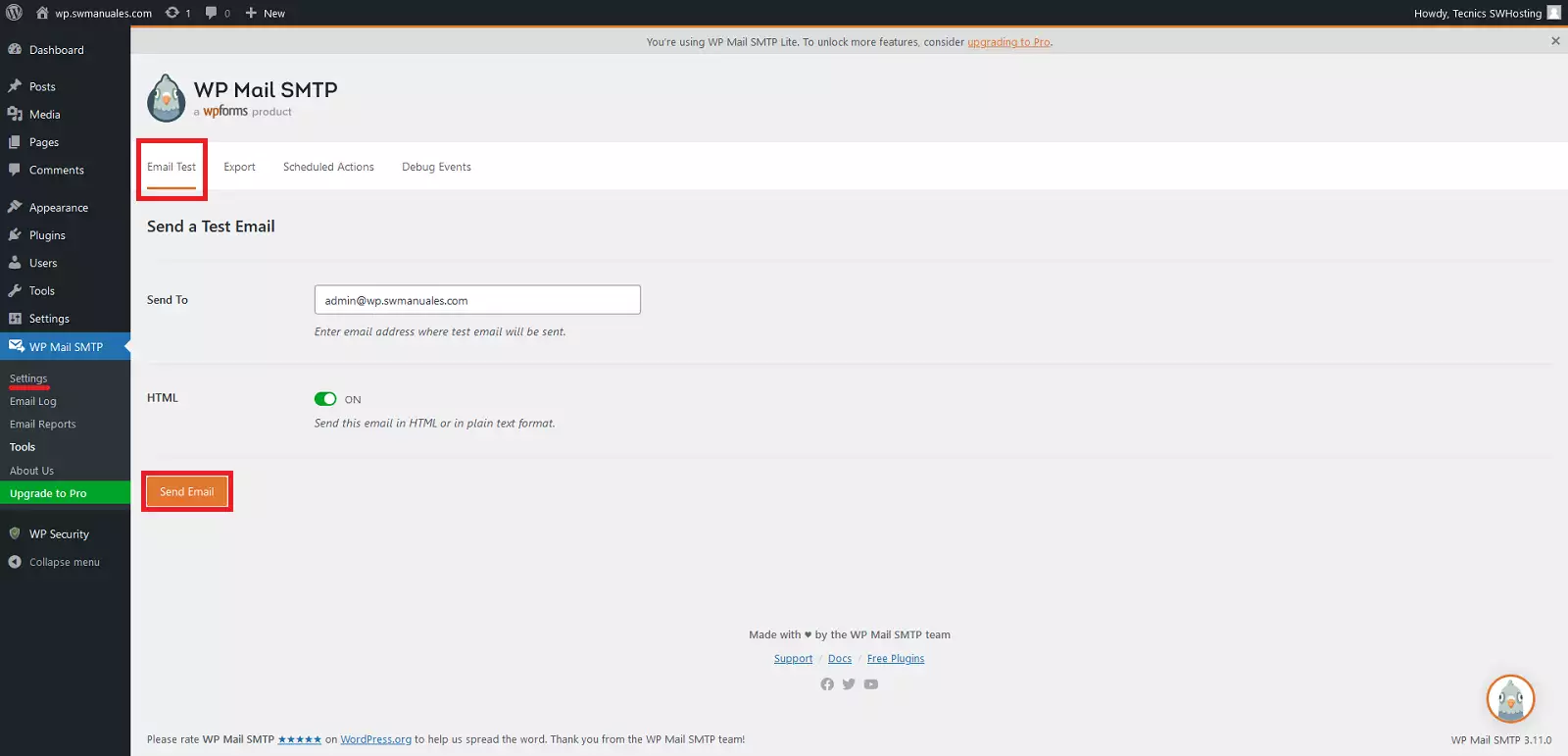
And it will indicate the result of the email: