
How to create an email alias
An email alias is an email account that redirects all messages it receives to any other account. An alias can have one or several recipients. The email alias does not take up space since it does not store the email, it simply forwards it to another/s.
To create an email alias, go to the hosting service where you wish to create it from the 'Active services tree', or you can use the general search of the SWPanel to find it:
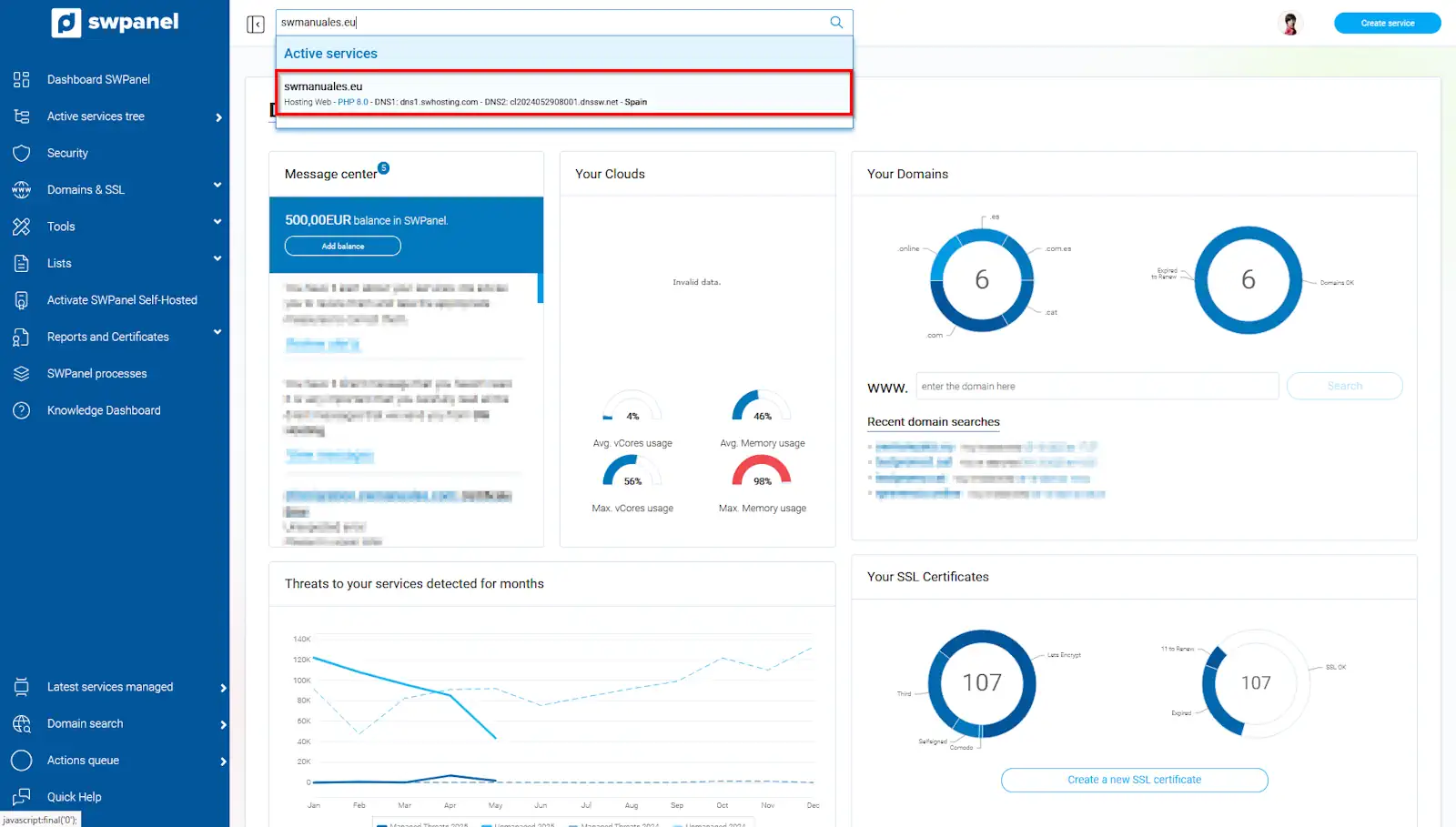
info_capture The screenshot is for guidance. It was taken from version 2025.004.0002 dated 13/05/2025. It may differ from what the current version of SWPanel shows.
Once inside the service Dashboard, you must go to 'Service management' → 'Email management' from the blue side menu:
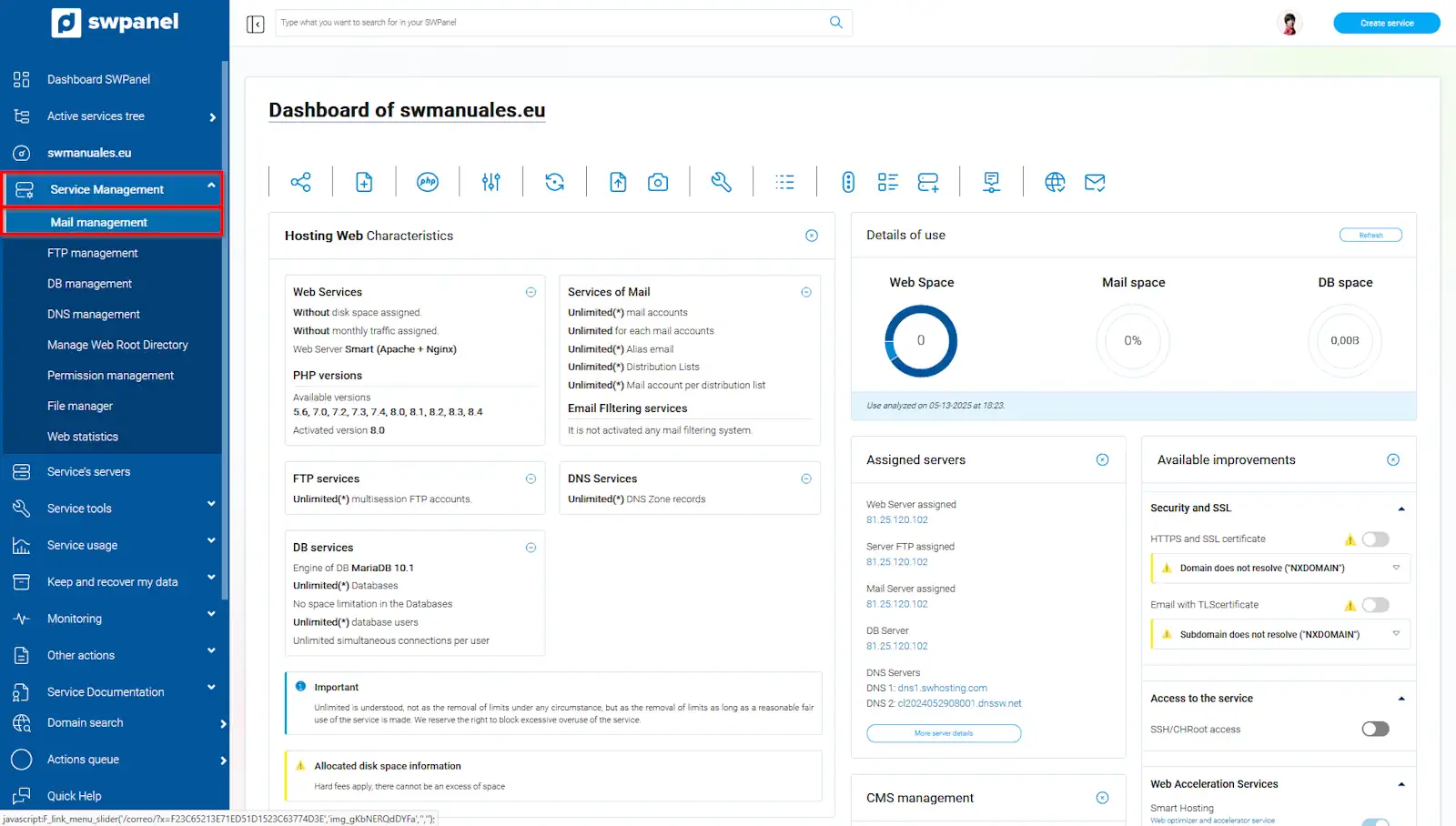
info_capture The screenshot is for guidance. It was taken from version 2025.004.0002 dated 13/05/2025. It may differ from what the current version of SWPanel shows.
Once in the 'Email management of your service' menu, you must click on the 'Email aliases' tab and subsequently on the blue 'Create Alias' button, located in the upper right part:
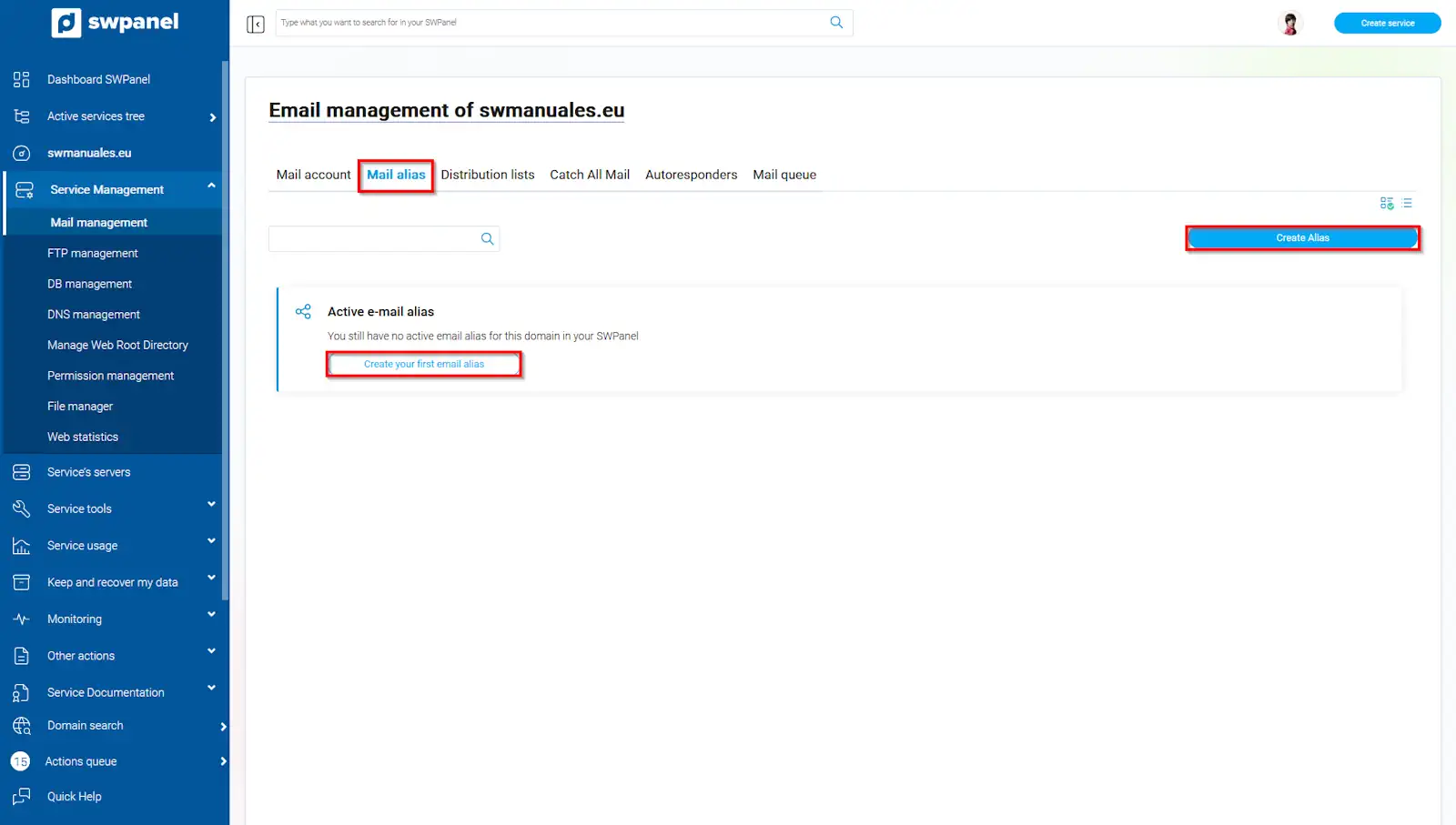
info_capture The screenshot is for guidance. It was taken from version 2025.004.0002 dated 13/05/2025. It may differ from what the current version of SWPanel shows.
In this section, you must enter the name of the 'Alias' account to which the emails will be sent and the account(s) that you want to receive them. Remember that you must click the 'create' button to finalize the process.
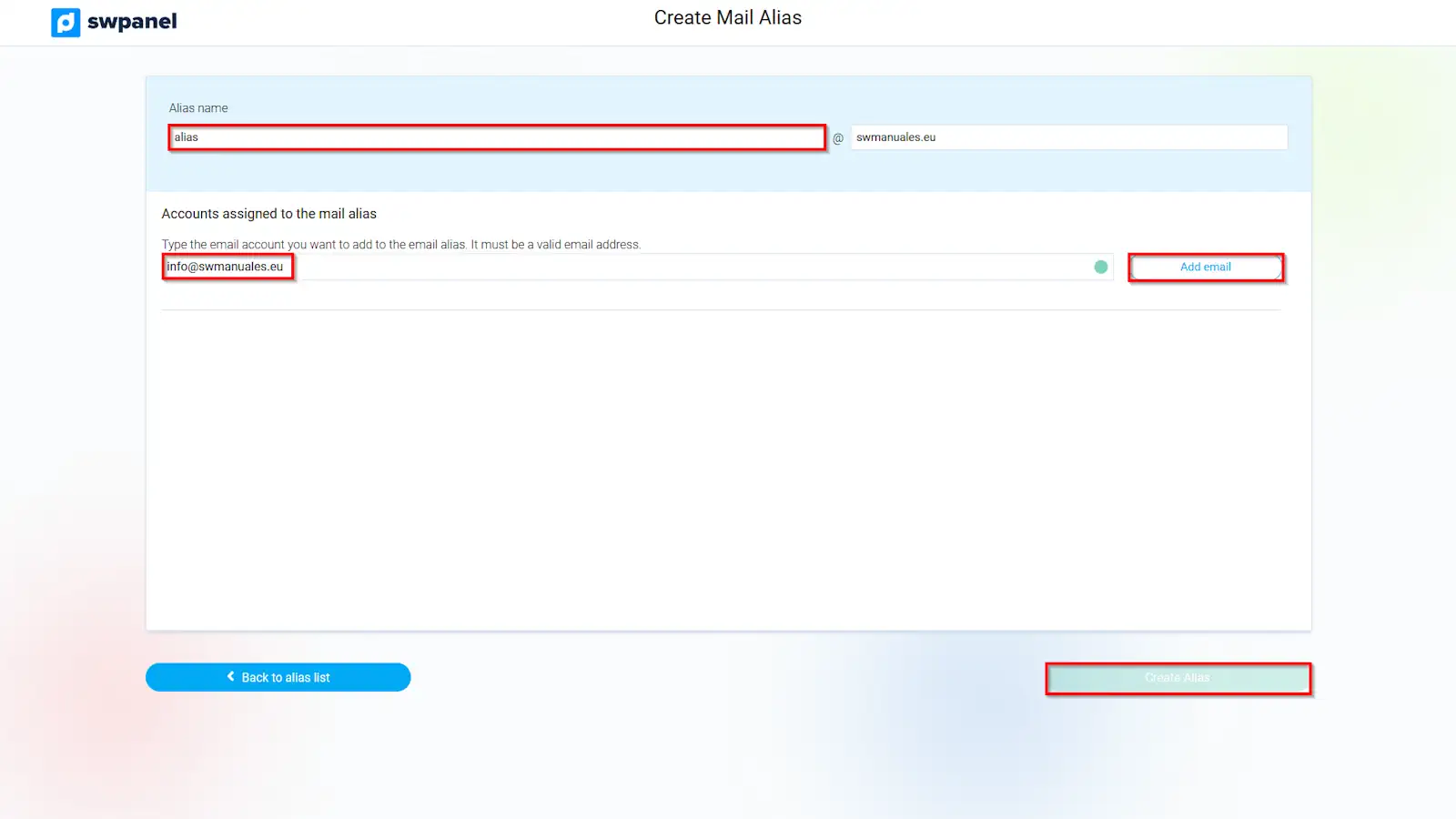
info_capture The screenshot is for guidance. It was taken from version 2025.004.0002 dated 13/05/2025. It may differ from what the current version of SWPanel shows.
Once the alias is created, any email sent to it will be received by the account(s) configured as recipients.