
How to create a Cloud with SWPanel as a management panel
To create a Cloud service with SWPanel as the management panel, you must first access your SWPanel, entering your username and password. Once you are in your SWPanel Dashboard, you must click on the Create Service button that you will find in the upper right part:
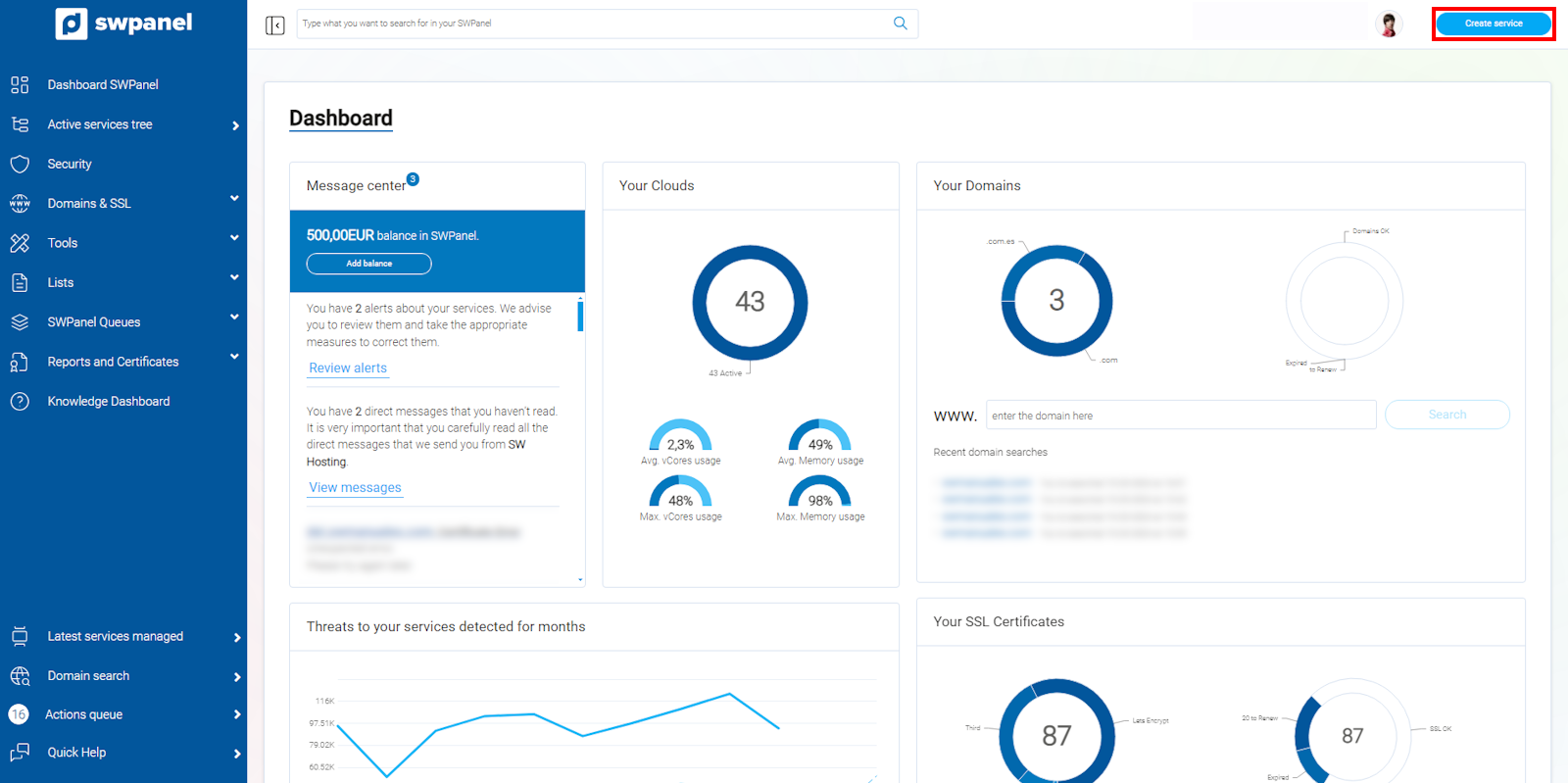
info_capture The screenshot is for guidance. It was taken from version 2025.00.0017 dated 05/01/2025. It may differ from what the current version of SWPanel shows.
Here you must select Cloud Servers -> Control Panels, which is the option to hire a Cloud server, choosing the type of control panel you want:
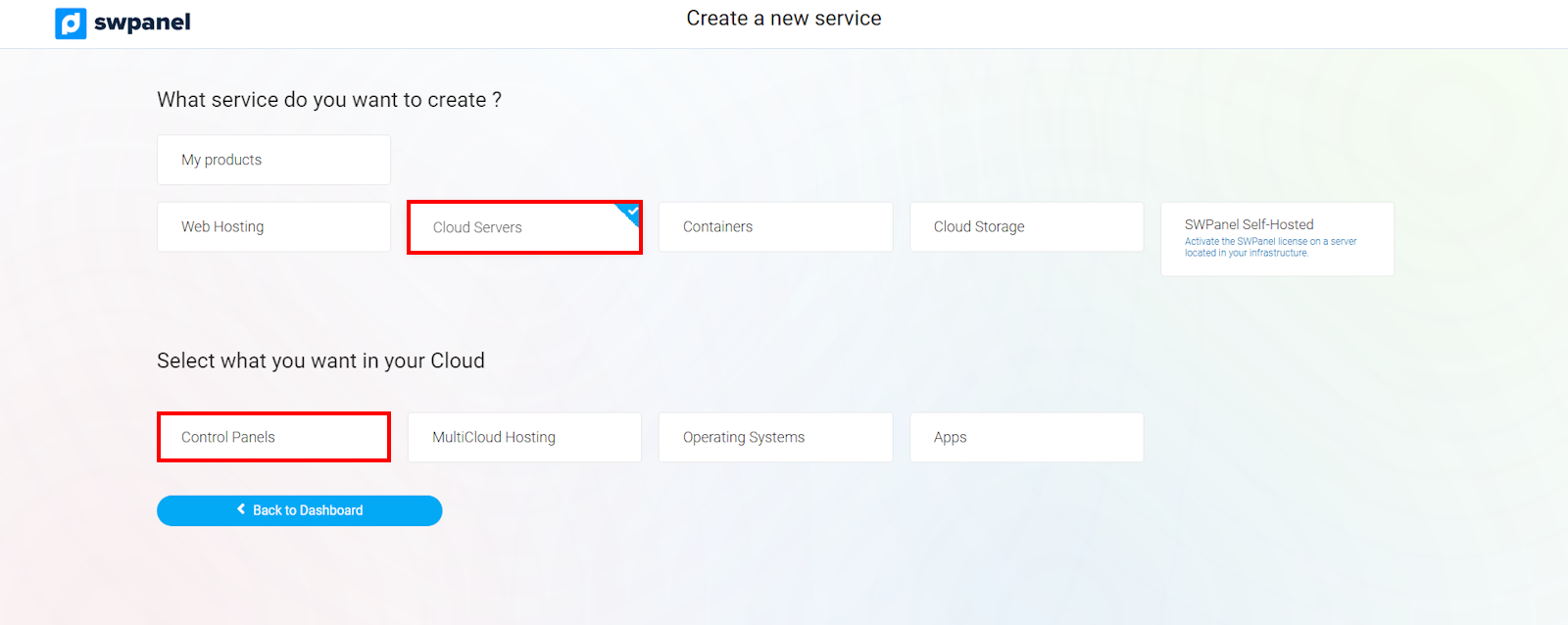
info_capture The screenshot is for guidance. It was taken from version 2025.00.0017 dated 05/01/2025. It may differ from what the current version of SWPanel shows.
The control panel to be chosen will be SWPanel:
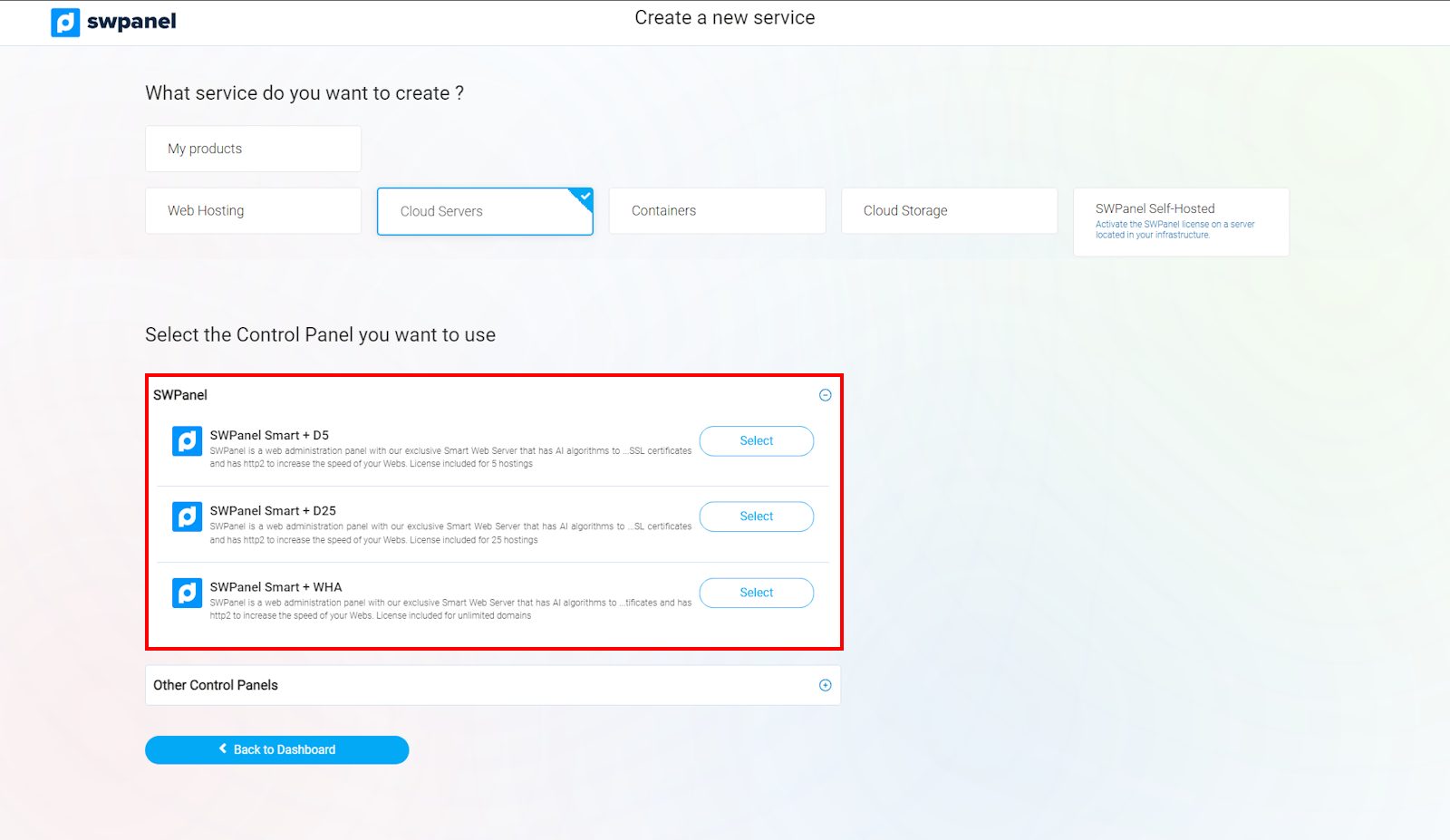
info_capture The screenshot is for guidance. It was taken from version 2025.00.0017 dated 05/01/2025. It may differ from what the current version of SWPanel shows.
Next, select the type of Cloud you want, as well as its size, the Data Center where you want to locate the service, and the number of Clouds with the same characteristics you wish to create:
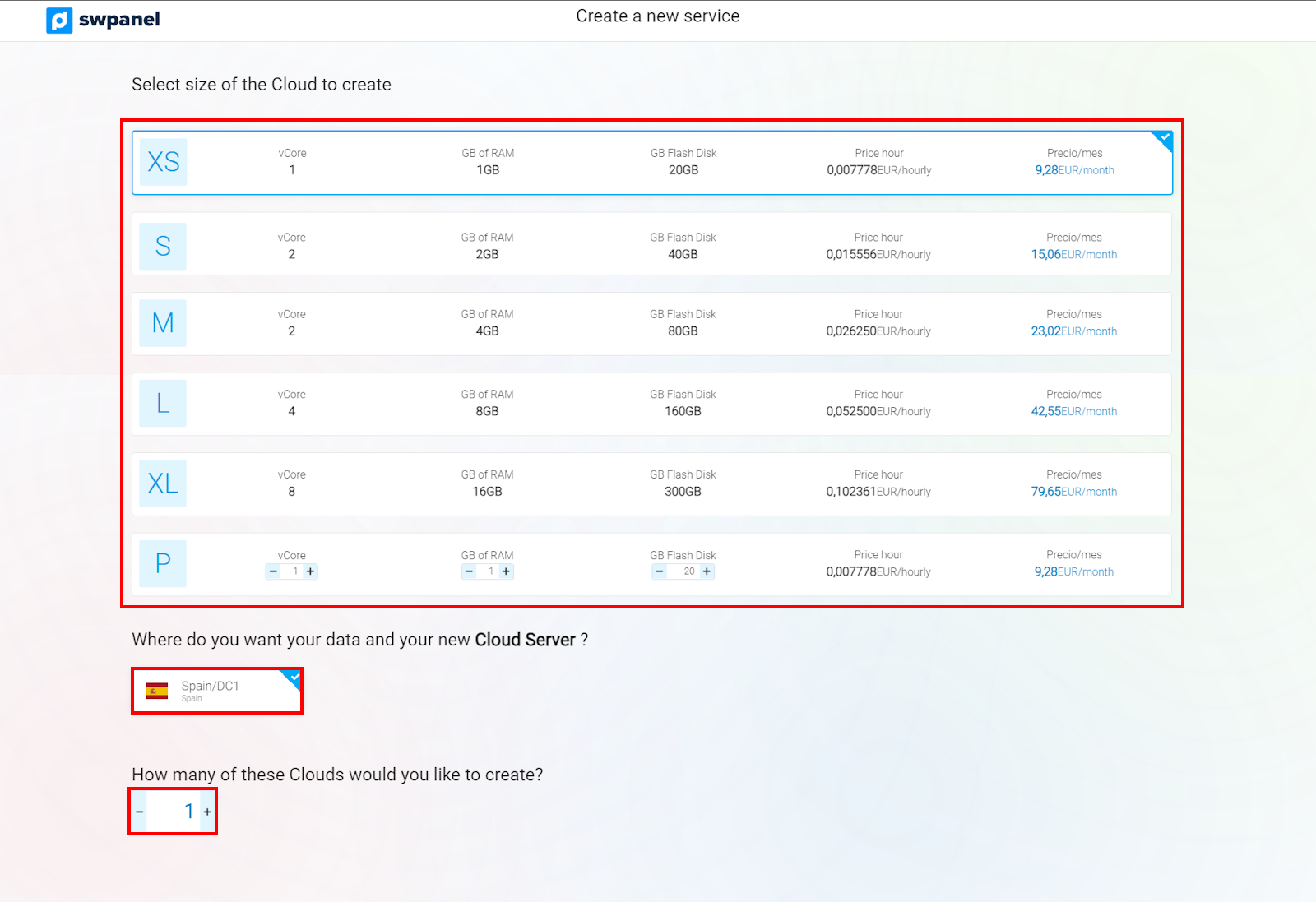
info_capture The screenshot is for guidance. It was taken from version 2025.00.0017 dated 05/01/2025. It may differ from what the current version of SWPanel shows.
To finish, accept and finalize the hiring:
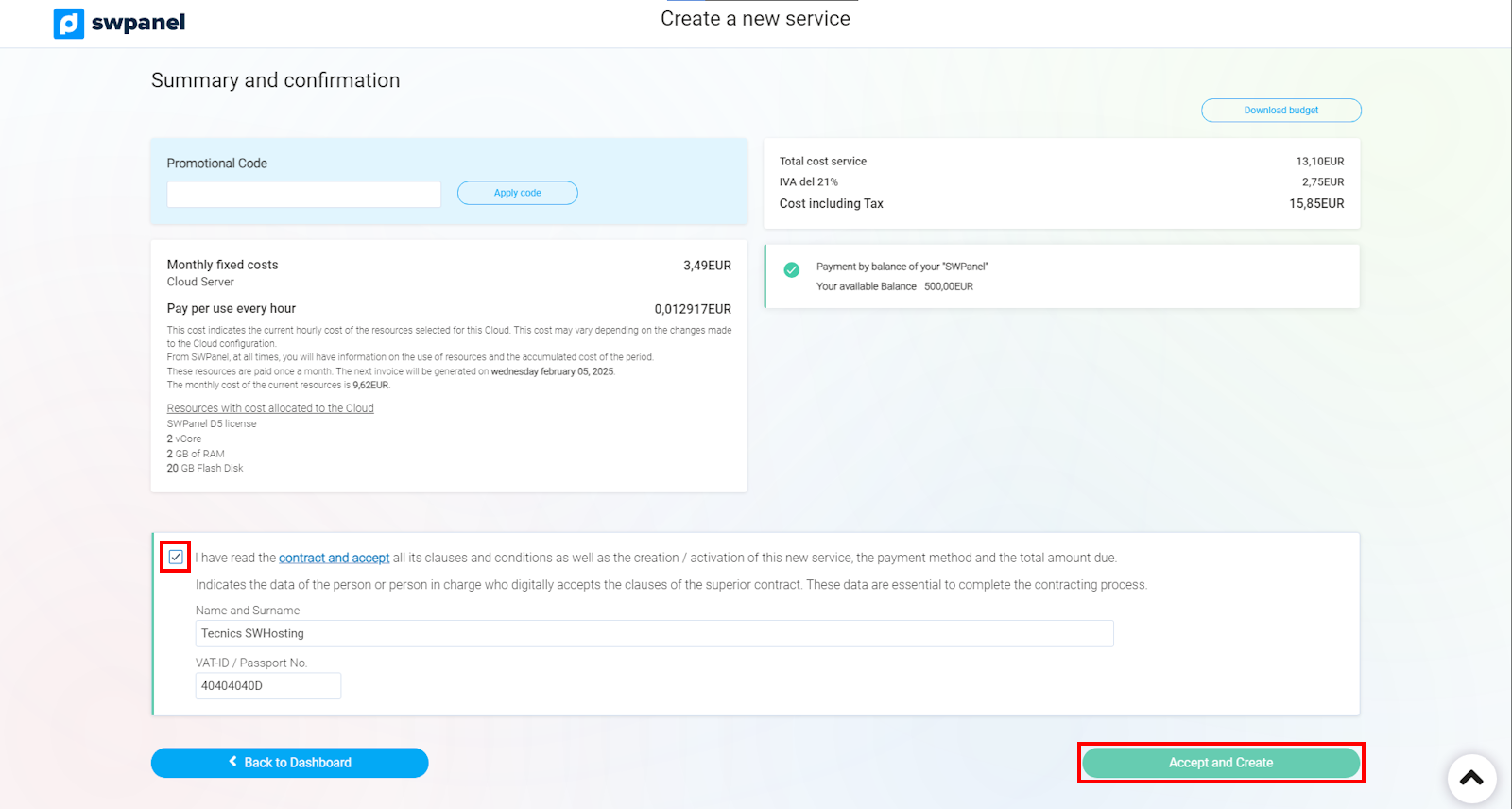
info_capture The screenshot is for guidance. It was taken from version 2025.00.0017 dated 05/01/2025. It may differ from what the current version of SWPanel shows.