How to install Prestashop manually on your hosting.
PrestaShop is a free and open-source content management system designed to build e-commerce online stores from scratch.
Minimum requirements
The minimum requirements to install Prestashop are as follows:
-
Web server. For example: Apache 1.3, Apache 2.x, Nginx, Microsoft IIS…
-
PHP version 5.4 or later.
-
MySQL 5.0 or later, installed and with a database created.
-
Access to an FTP or SSH client.
All these requirements are met if you have one of our hosting services.
Download Prestashop
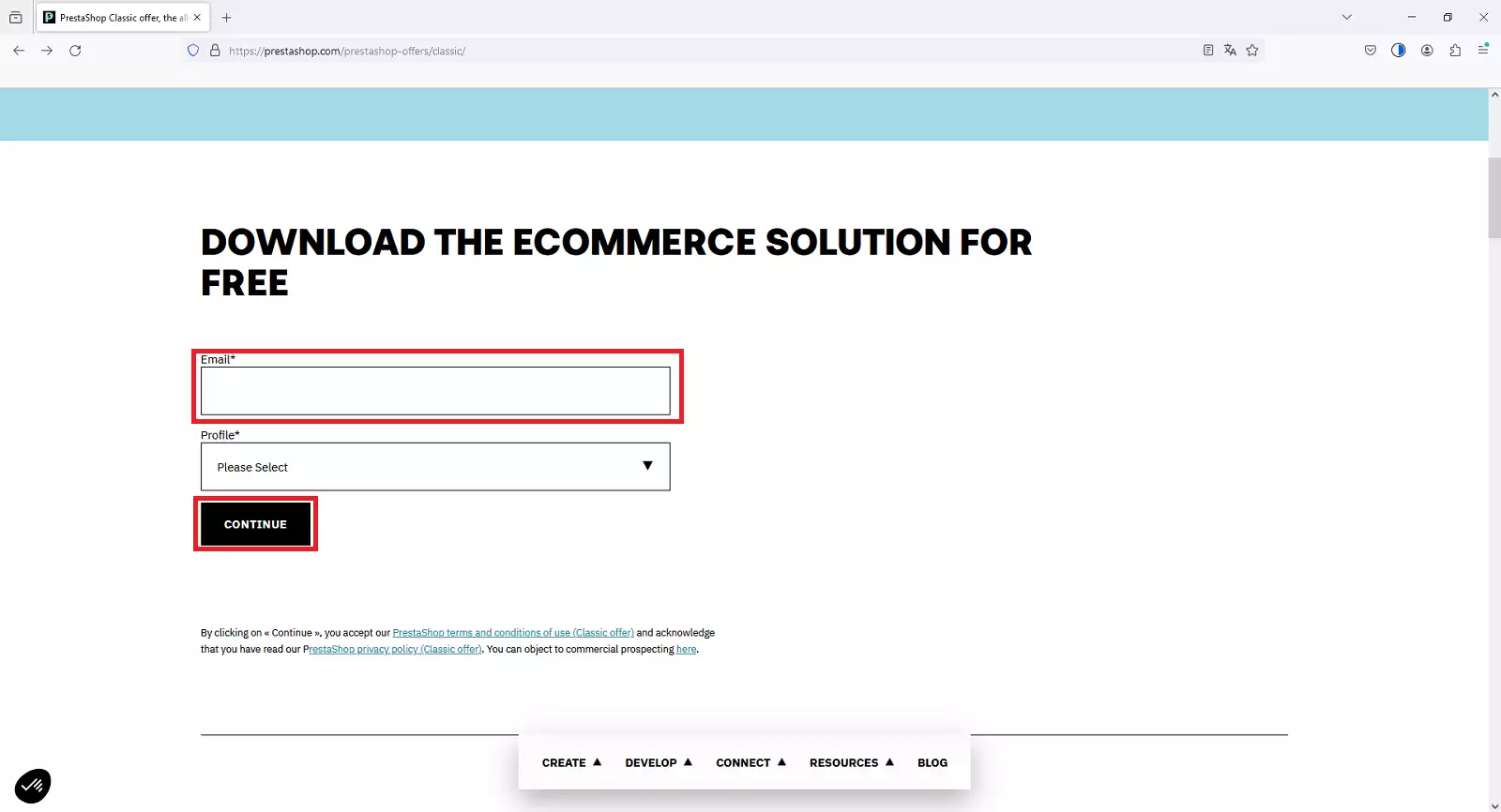
We will go directly to the official Prestashop page to download the most recent version:
- https://prestashop.com/prestashop-offers/classic/
We will enter our email address to continue with the process:
Once done, the download will begin.
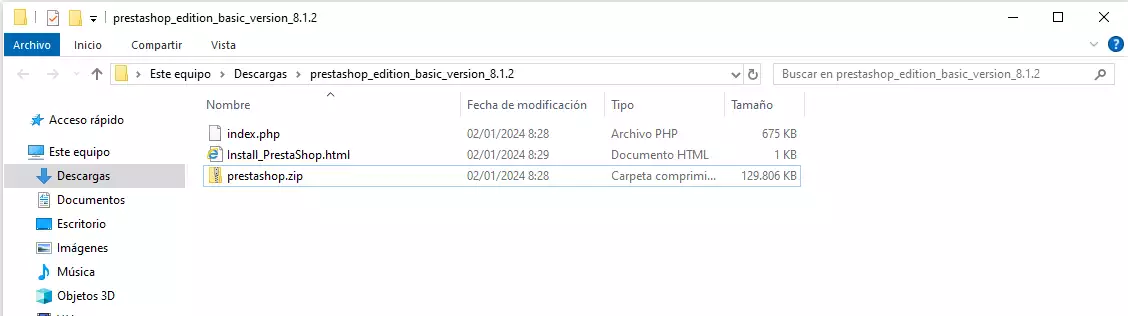
A .zip file with the following content will be downloaded:
Database creation
An essential step in the installation of Prestashop is the creation of the associated database.
You can follow our manual if you have the service at SWHosting:
Once you have your database, it is essential to remember its username and password.
Import Prestashop to your hosting
We will proceed to import the previously downloaded files to our hosting service.
This step can be easily carried out via FTP.
You can follow our manual if you have the service at SWHosting:
In our case, we will use the FTP manager Filezilla; you can follow our manual:
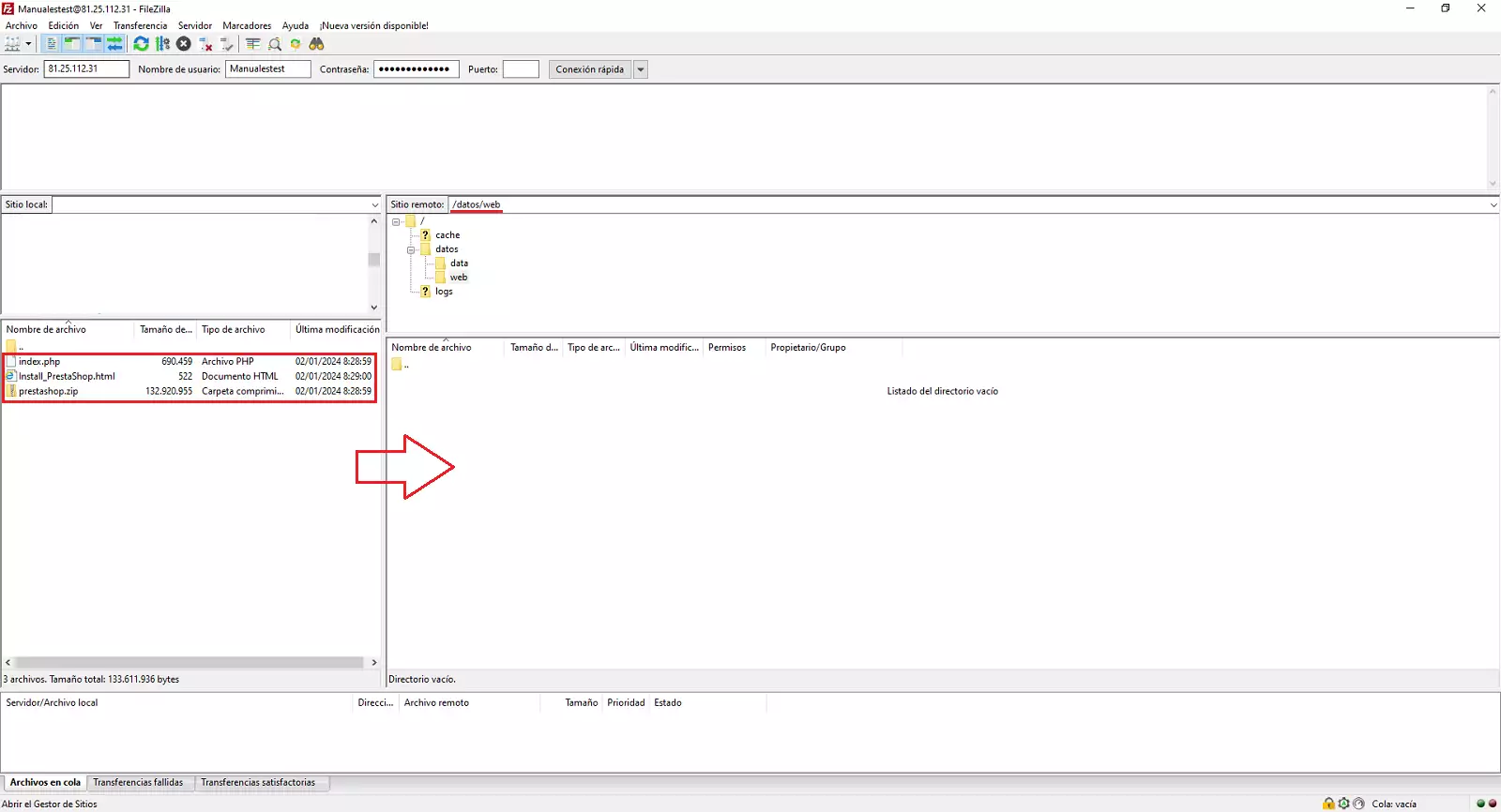
Once you have accessed it, we will see the following:
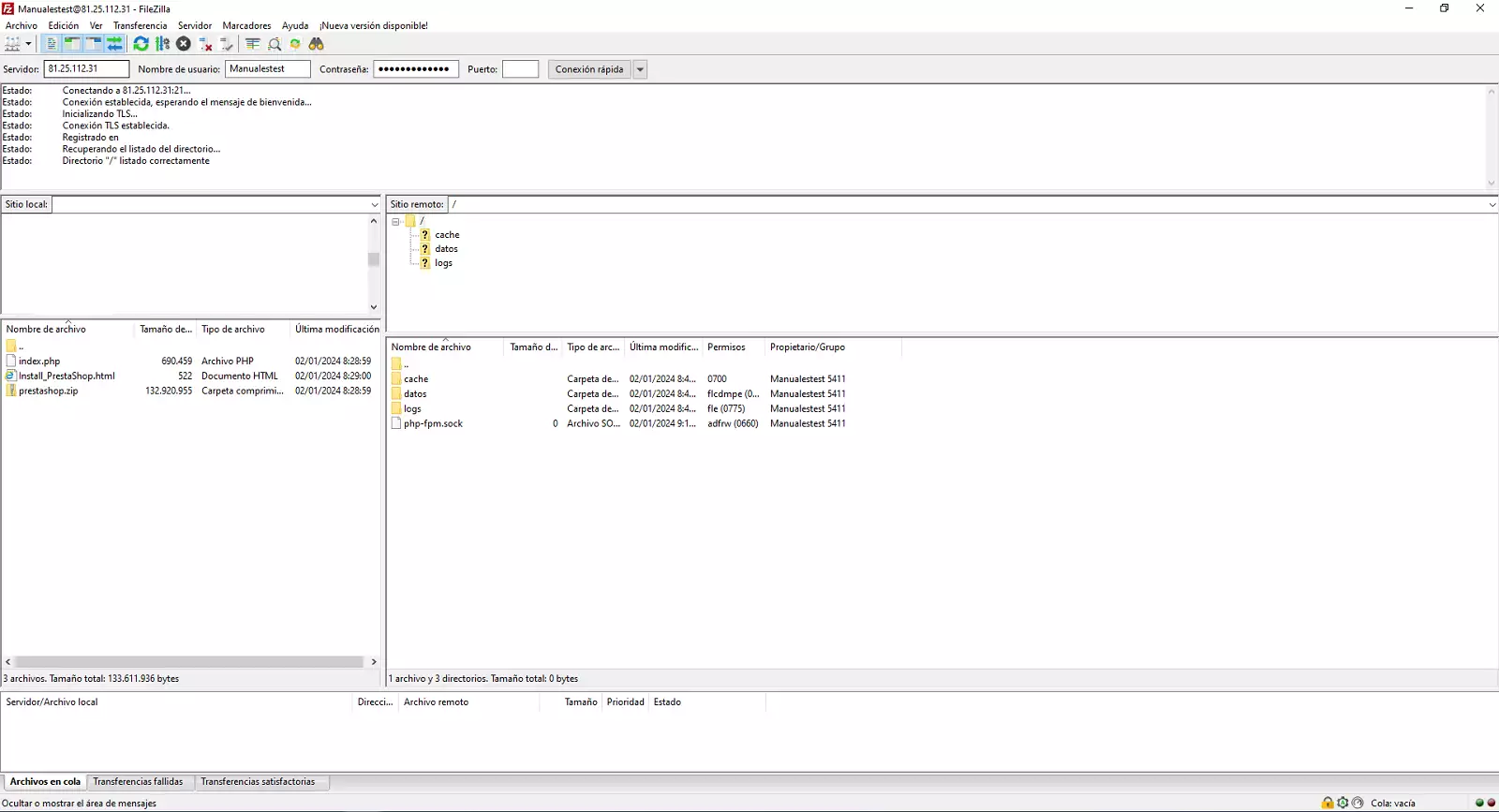
We will go to the path /datos/web/ and move the downloaded content:
Install Prestashop
Finally, we will proceed with the installation of Prestashop. To do this, we will access the domain URL, in our case:
- http://swmanuales.com
And we will see how the installation starts automatically:
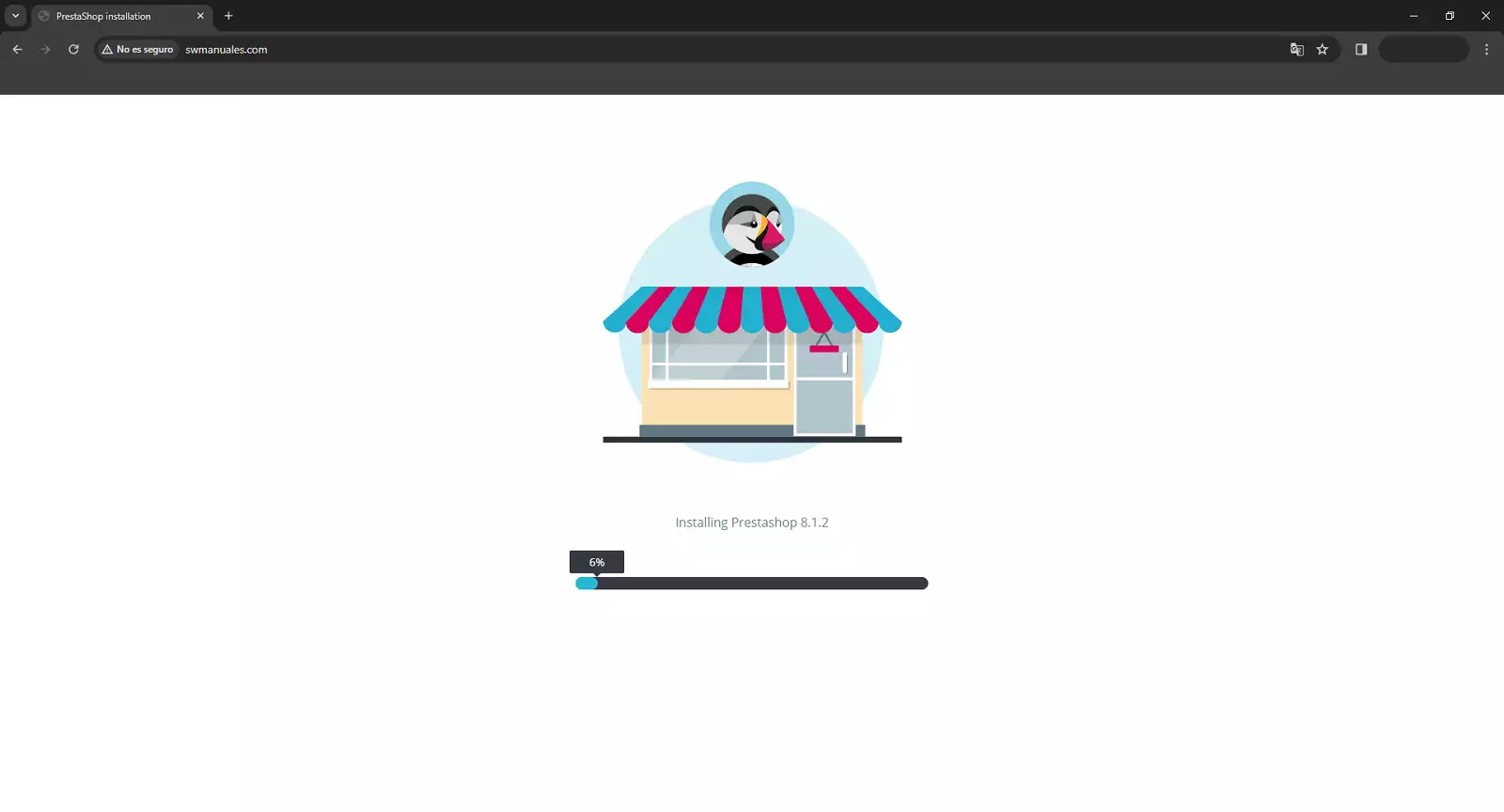
Once finished, we proceed to advance according to the information we need.
We will establish the connection to the database:
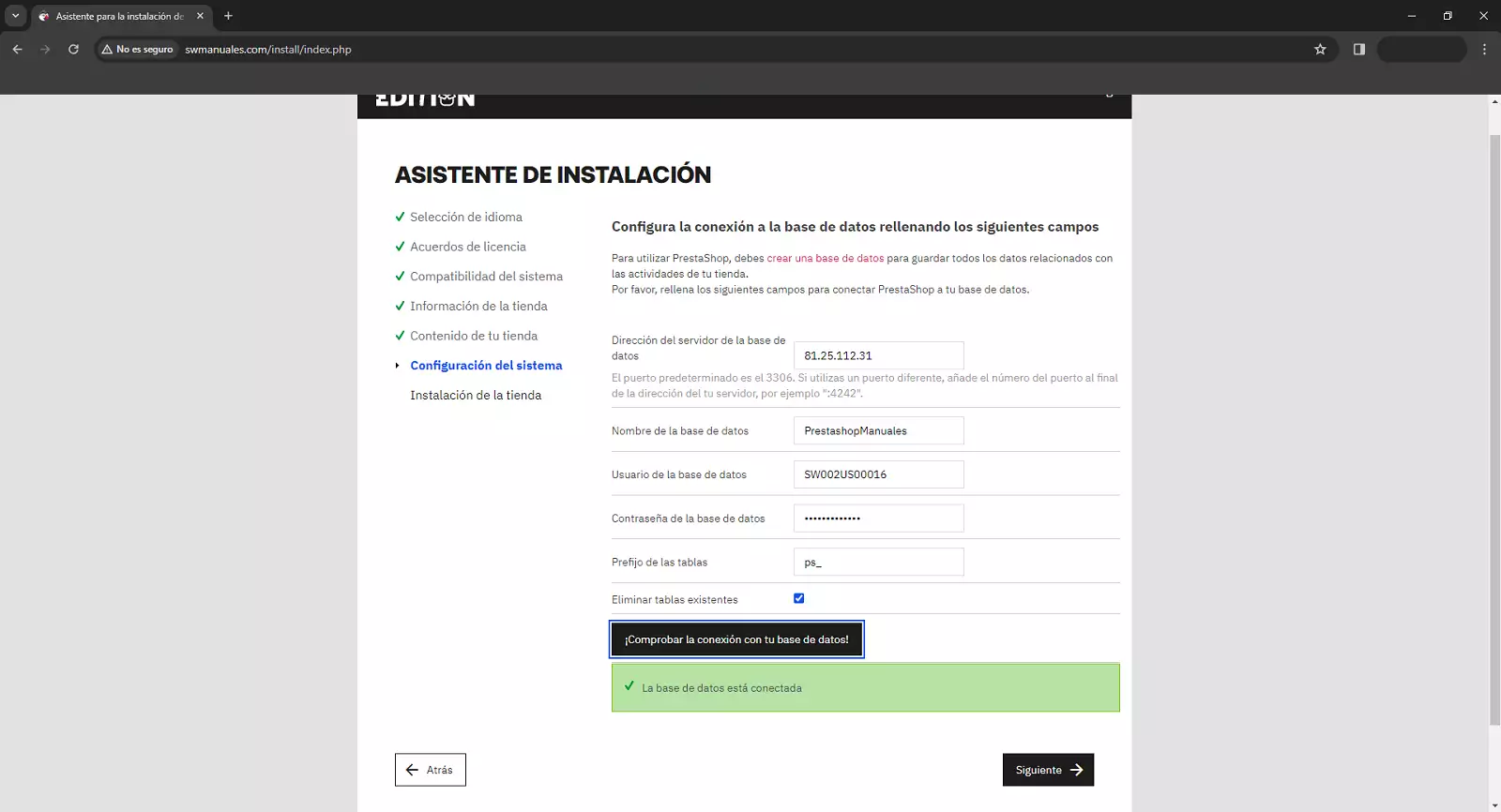
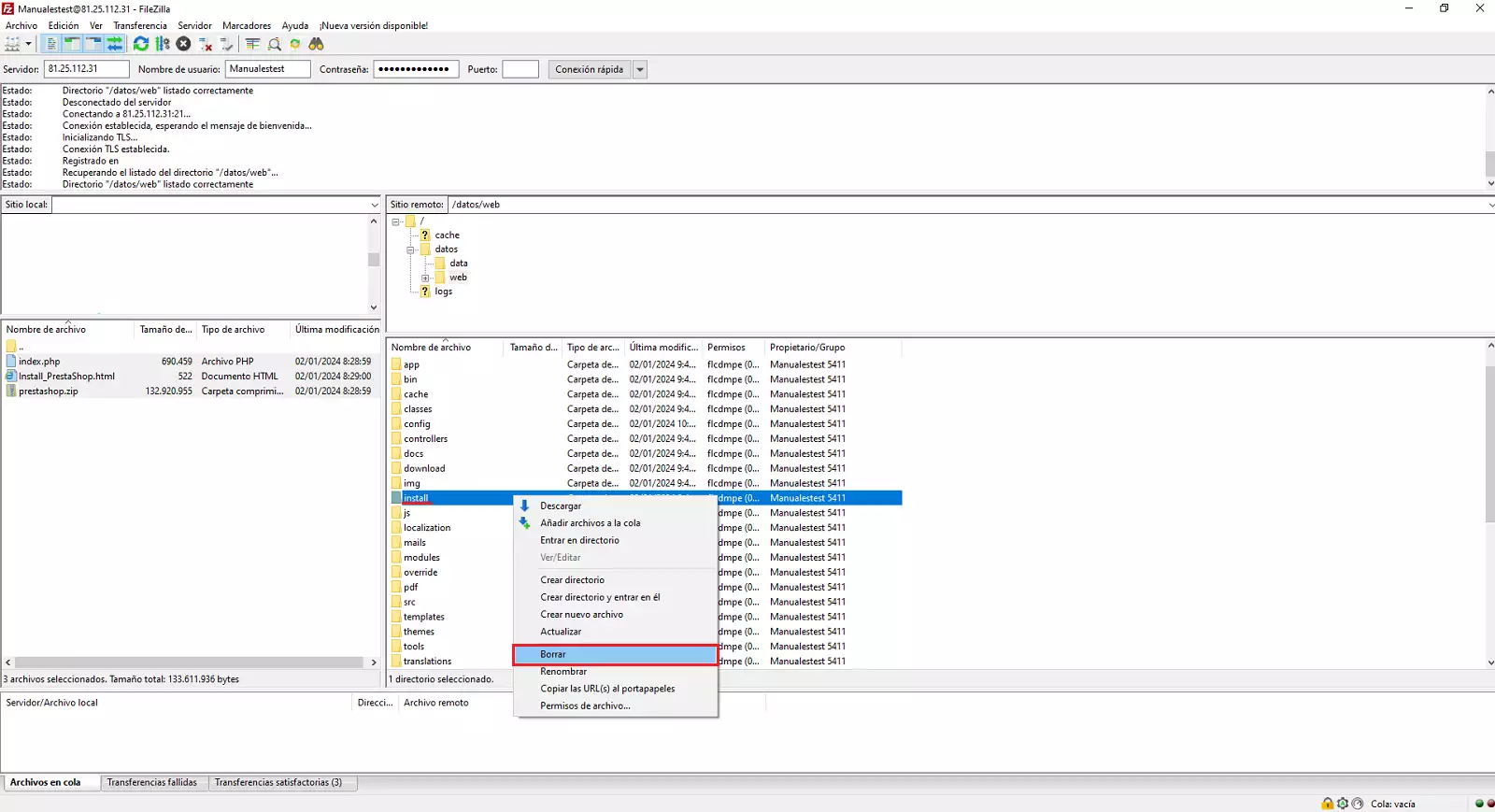
To finish, Prestashop asks us to delete the /install folder; we can do this directly via FTP: