
How to modify the destination directory of an FTP account
The root directory of an FTP account is the folder that is highest in the directory hierarchy. You will be able to see, from the selected folder, its content and the content of the child directories.
To modify the root directory of an FTP account, you must access the dashboard of your Hosting Service. Subsequently, you must access Service Management → FTP Management:
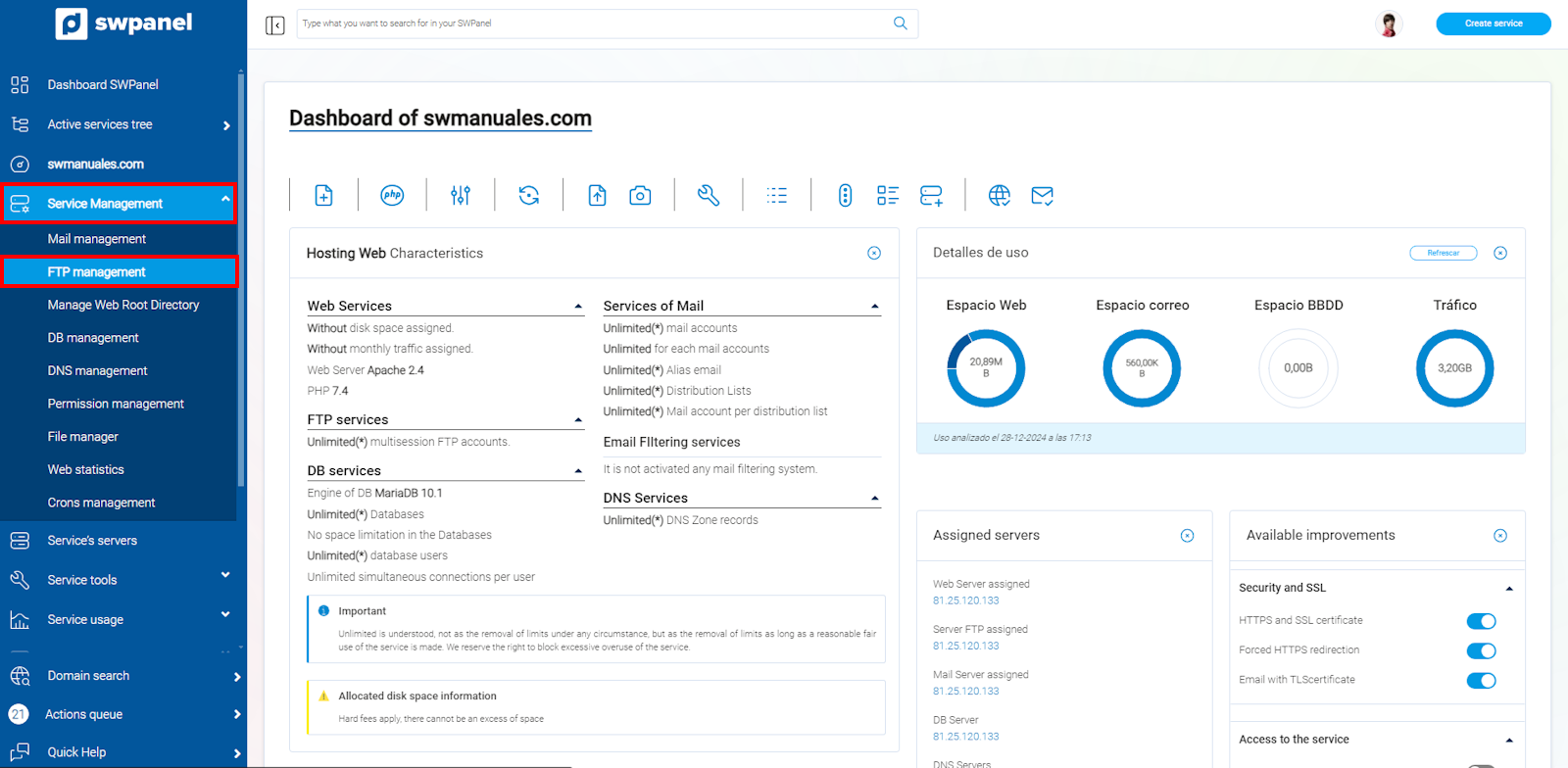
info_capture The screenshot is for guidance purposes. It was taken using version 2025.00.0017 dated 12/28/2024. It may differ from what the current version of SWPanel shows.
You must locate your FTP account. Subsequently, click on the [...] menu → modify FTP account.
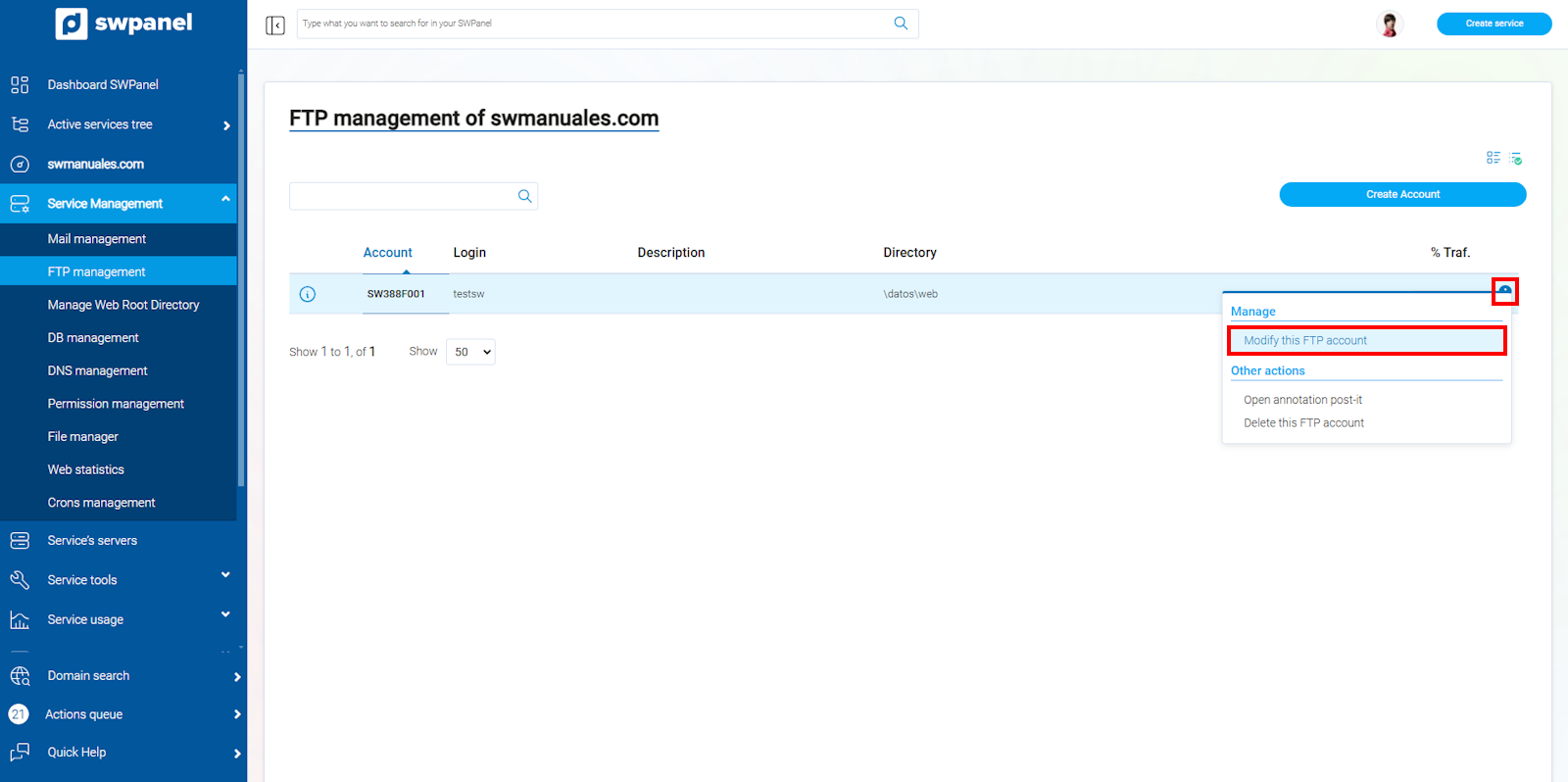
info_capture The screenshot is for guidance purposes. It was taken using version 2025.00.0017 dated 12/28/2024. It may differ from what the current version of SWPanel shows.
In this new window and from the Select directory section, mark the new root directory for your FTP account.
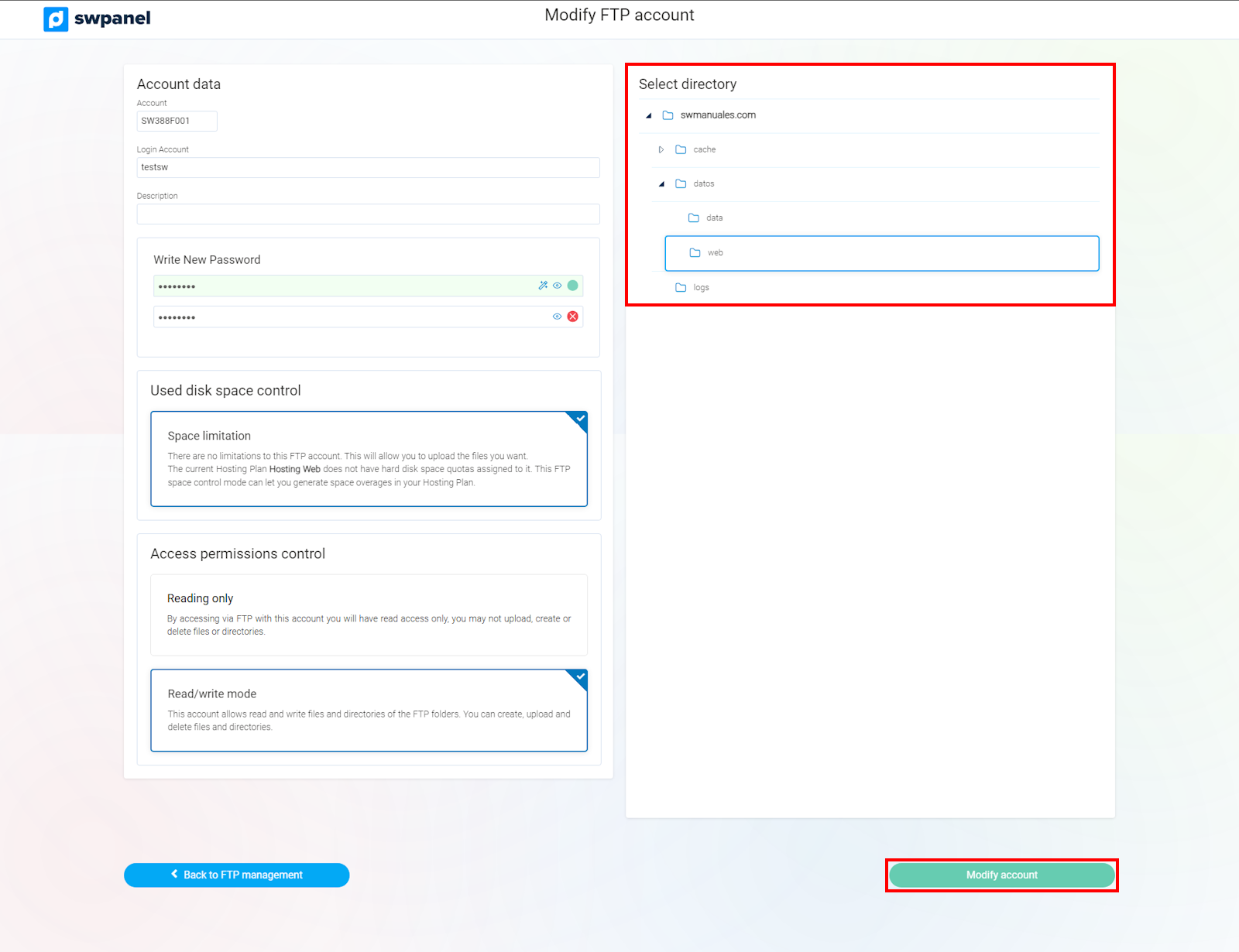
info_capture The screenshot is for guidance purposes. It was taken using version 2025.00.0017 dated 12/28/2024. It may differ from what the current version of SWPanel shows.
Please note that the FTP account will not be able to access any directory located above the root directory.
If the FTP account is assigned or linked to WordPress, you will not be able to modify its root directory.
To create an FTP account, consult manual Manuale: How to create an FTP account