
How to renew a domain from your SWPanel
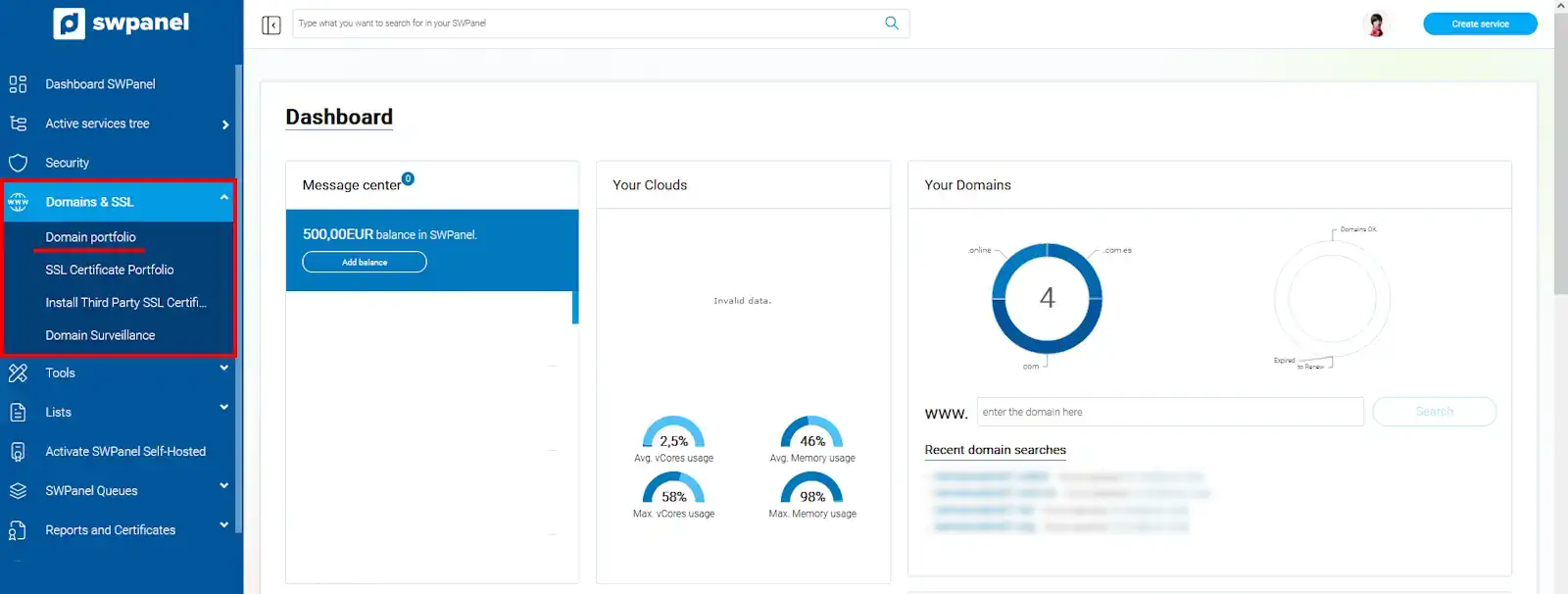
To renew a domain, you must access your SWPanel account Once inside, go to the Domains and SSL -> Domain Portfolio tab, which you will find in the blue left side menu:
info_capture The screenshot is for guidance purposes. It was taken from version 2025.00.0017 dated 11/12/2024. It may differ from what the current version of SWPanel shows.
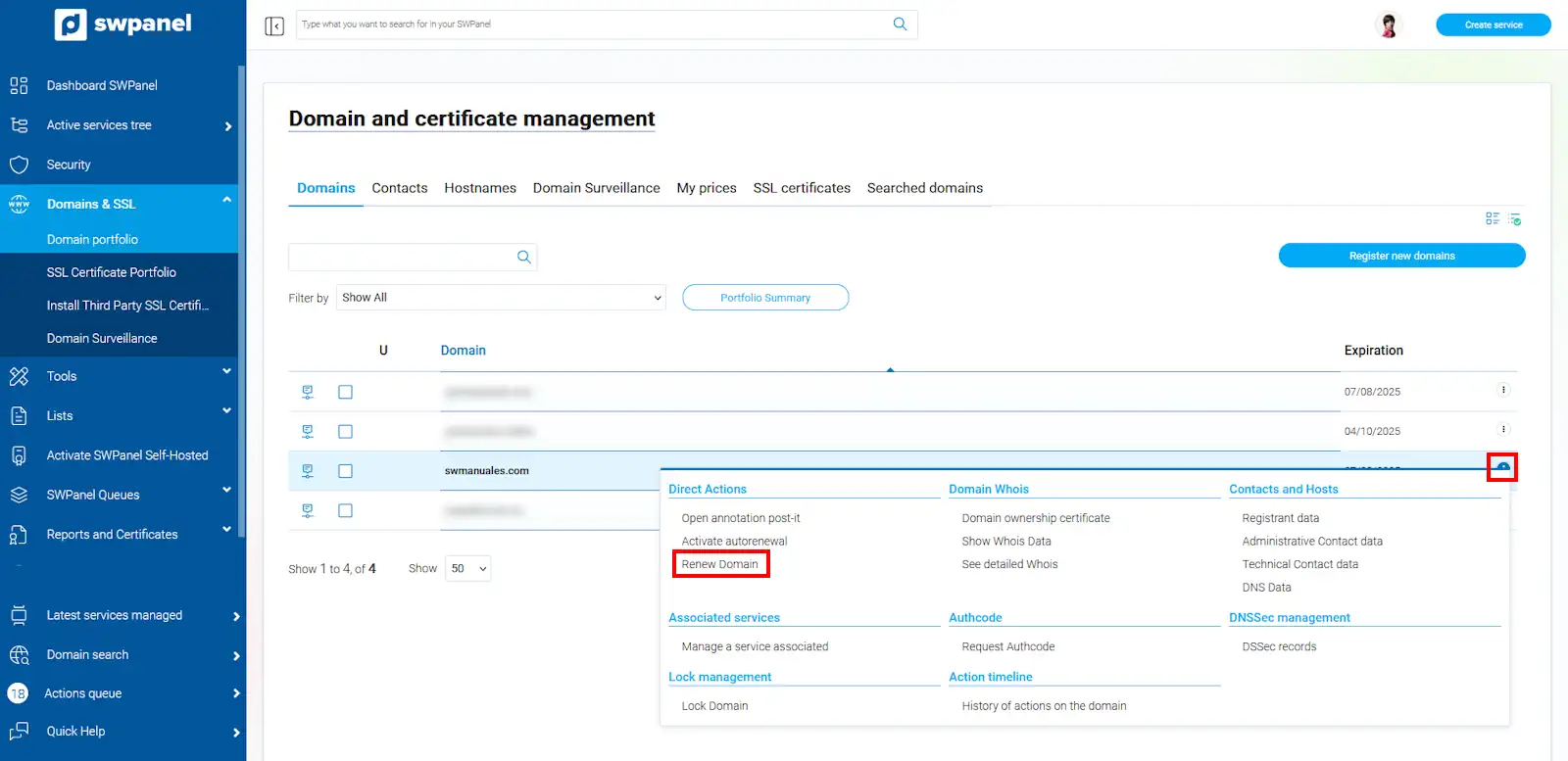
Locate the domain you wish to renew, expand the options menu that appears to its right, and click on "Renew domain"
info_capture The screenshot is for guidance purposes. It was taken from version 2025.00.0017 dated 11/12/2024. It may differ from what the current version of SWPanel shows.
Regardless of when you renew your domain, the time remaining until it expires is irrelevant; you will never lose days of validity. One more year is always added to the current expiration date of the domain.
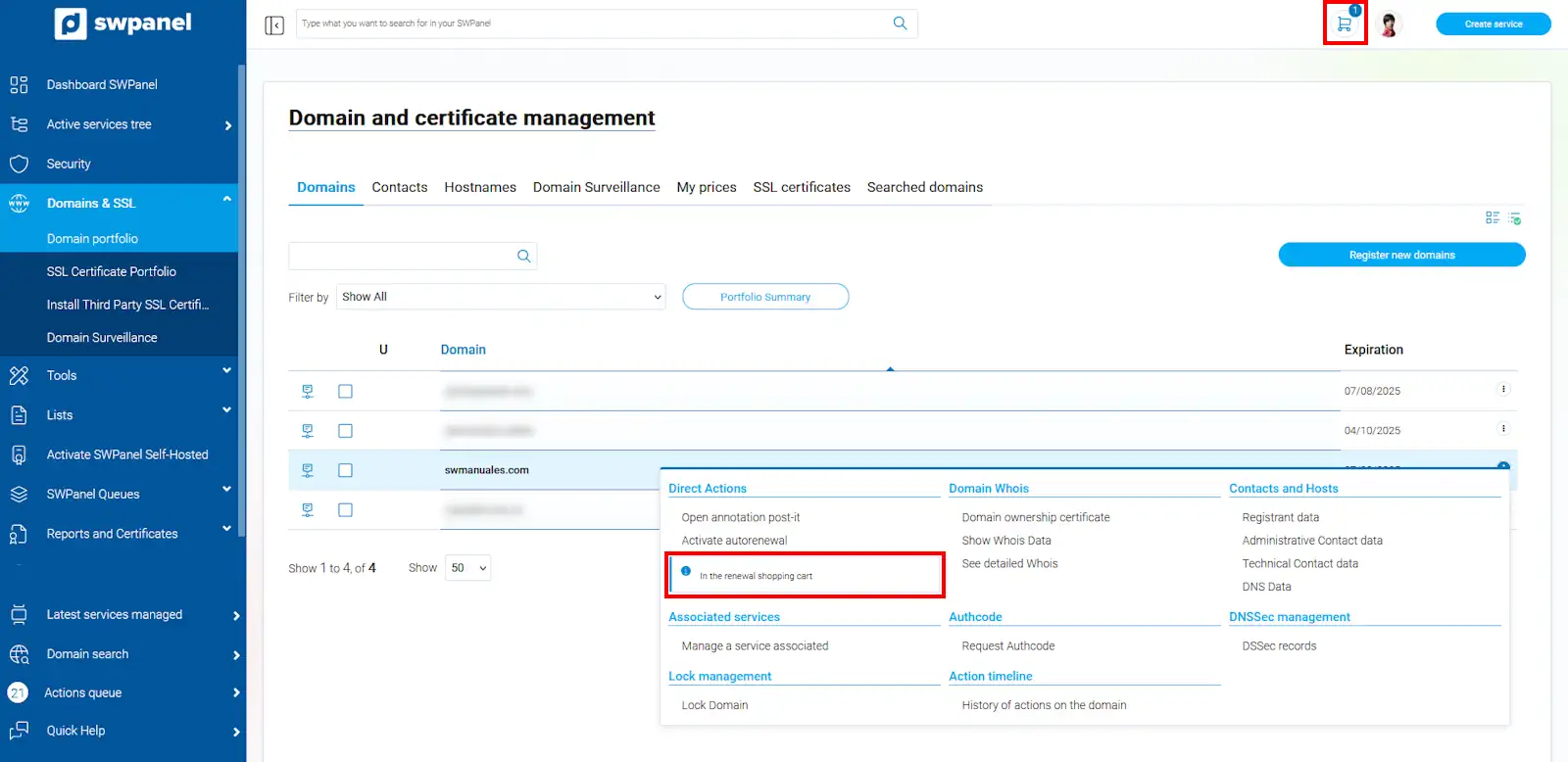
The text "in the renewal cart" will appear, and it will have been added to your cart right at the top. Click on the cart icon to complete the process:
info_capture The screenshot is for guidance purposes. It was taken from version 2025.00.0017 dated 11/12/2024. It may differ from what the current version of SWPanel shows.
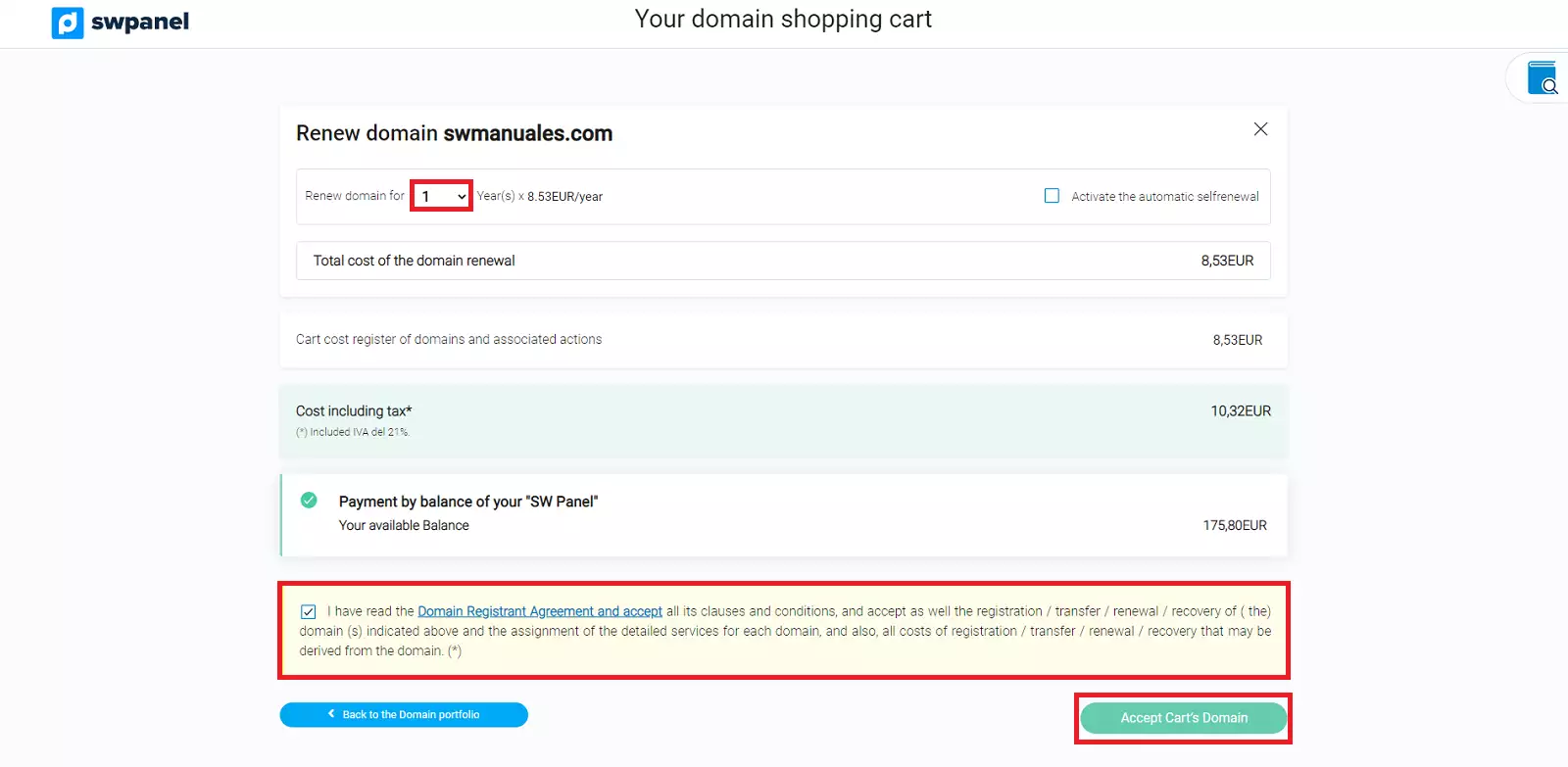
Indicate the number of years you wish to renew it for and click on "accept domain cart"
info_capture The screenshot is for guidance purposes. It was taken from version 2025.00.0017 dated 11/12/2024. It may differ from what the current version of SWPanel shows.
Domains can only be renewed for a maximum of 10 years.
In a few minutes, you will be able to see the new expiration date of your domain.