
Create a website on my Hosting
Easy Guide to Creating Multiple Websites in a Hosting Plan
In this guide you will learn, step-by-step and in a simple way, how to create several websites within a single hosting plan in SWPanel. You do not need advanced knowledge, just follow the instructions and in a few minutes you will have a new website up and running.
Basic Concepts You Should Know
Before starting, it is important that you understand some key terms so that you can follow this guide without any problems:
What is a Website?
A website is a set of interconnected pages published on the Internet. It can be a blog, an online store, a company page, or any other information accessible through a browser such as Google Chrome or Firefox.
Example: If you visit www.ejemplo.com, you are accessing a website.
What is a Domain?
A domain is the unique address used to access a website on the Internet. It is like a home address, but on the web.
Example: Google's domain is www.google.com.
What is a Multi-site Hosting Plan?
A Multi-site Hosting Plan is a type of web hosting service that allows you to host several websites on the same server. This means that, instead of hiring a different hosting for each site, you can manage them all from a single plan.
Example: If you have a business and want a website for your store (www.tienda.com) and another for your blog (www.blogdetienda.com), a multi-site hosting allows you to host both in the same plan without paying for two different hostings.
What is a Hosting Alias?
A Hosting Alias is a way to make an additional domain point to an already existing website, without the need to create a new site. Basically, it is an "extra name" for the same content.
Example: If your main website is www.mitienda.com, but you also want users to be able to access it by typing www.mitiendavirtual.com, you can configure the latter as an alias.
1. Does My Hosting Plan Allow Multiple Websites?
Before creating a new site, you must verify if your hosting plan allows it. To check this:
-
Access SWPanel and enter your Dashboard.
-
Click on Create service.
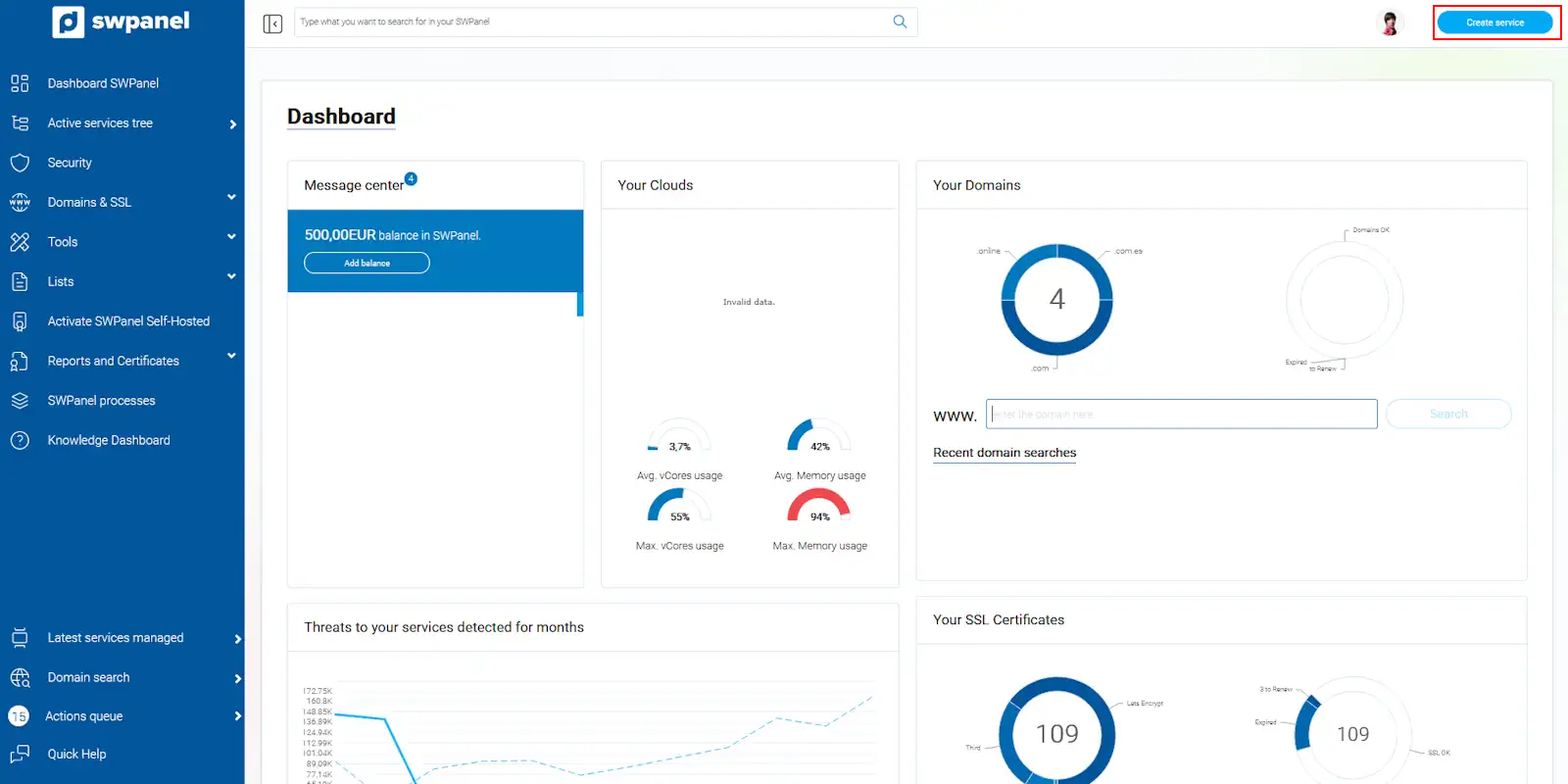
info_capture The screenshot is for guidance purposes. It was taken from version 2026.001.0057 dated 05/17/2026. It may differ from what the current version of SWPanel shows.
-
Select Web Hosting and then Hosting Plan.
-
You will see a list of available hosting plans. In the Website column, the number of sites you can host in your plan is shown.
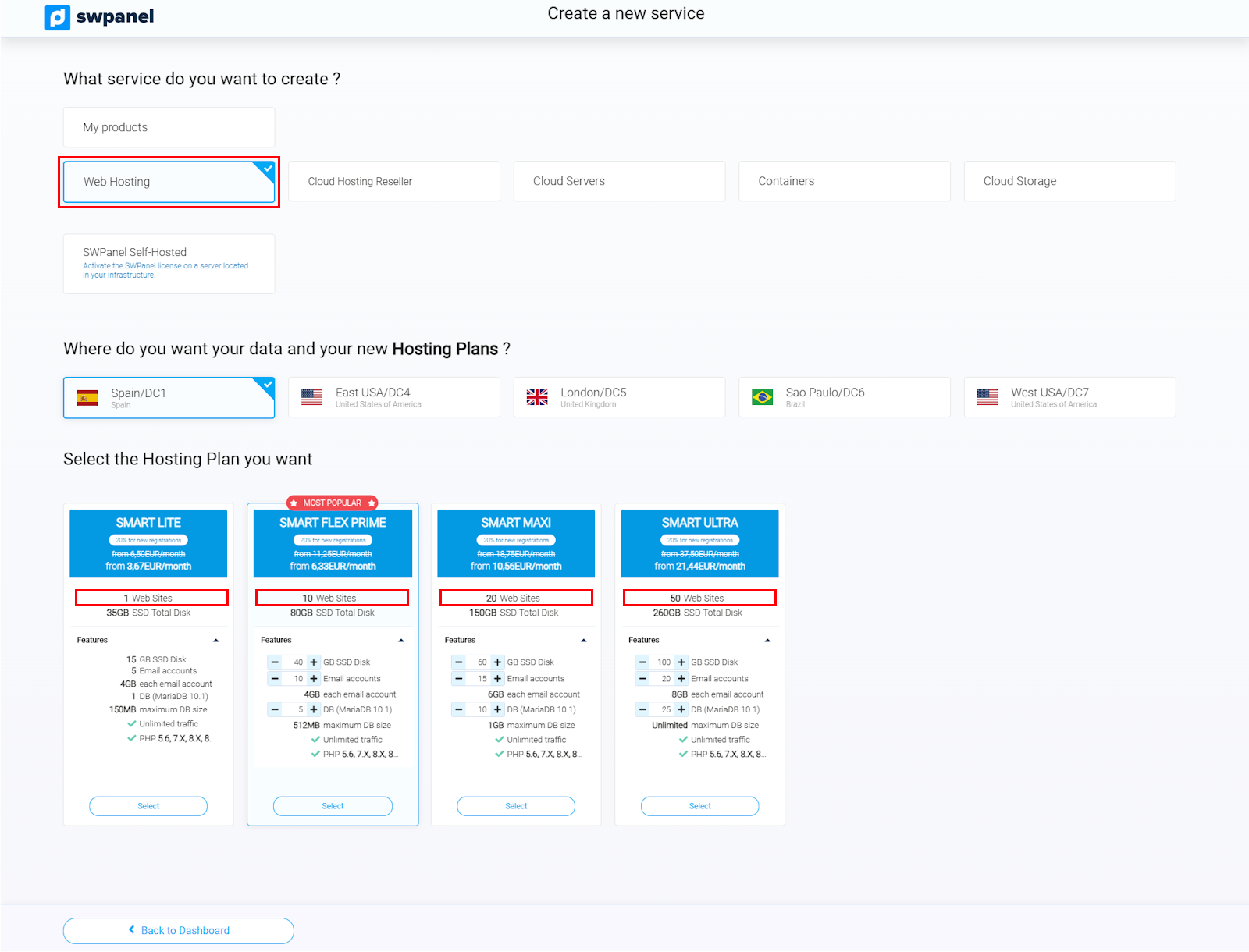
info_capture The screenshot is for guidance purposes. It was taken from version 2026.001.0057 dated 05/17/2026. It may differ from what the current version of SWPanel shows.
Example: If your plan indicates "3 websites", it means you can host up to 3 different sites on that same hosting.
If your plan allows more than one website, you can proceed with the configuration.
2. Creating a New Website in your Hosting
2.1 Accessing your Hosting
-
Search for your hosting in SWPanel:
- Type the name of your hosting in the top search bar and select it.
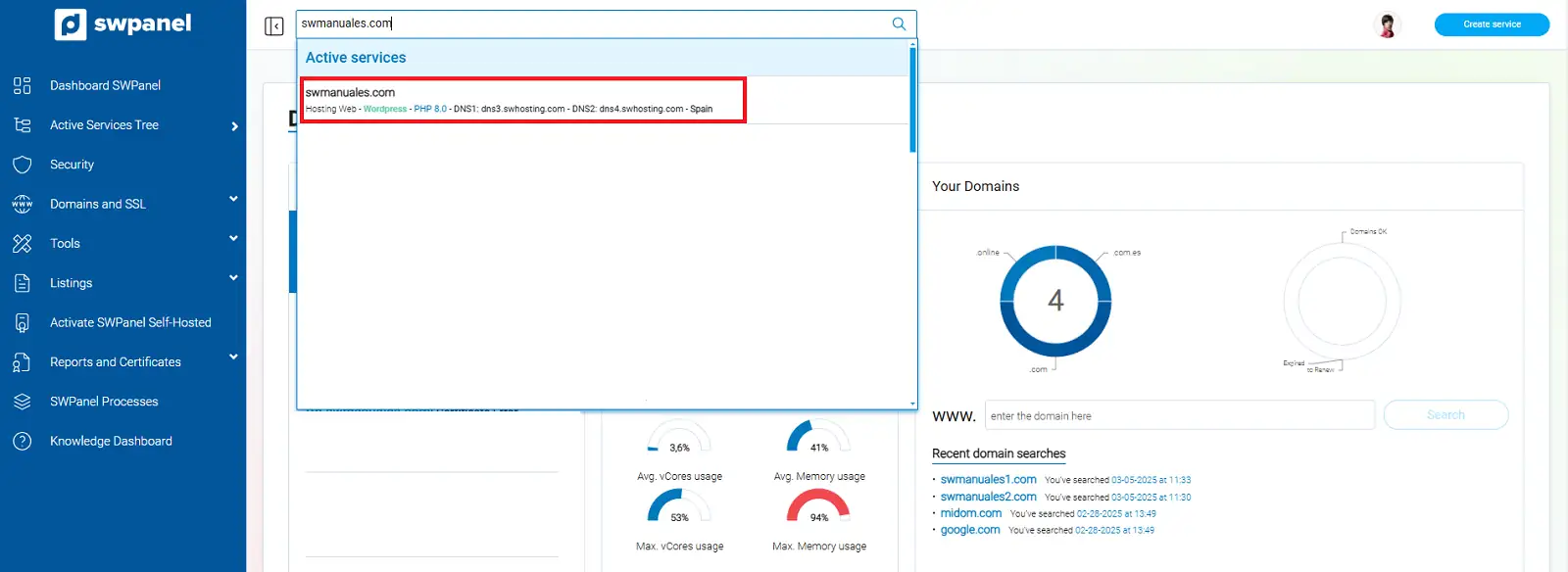
info_capture The screenshot is for guidance purposes. It was taken from version 2026.001.0057 dated 05/17/2026. It may differ from what the current version of SWPanel shows.
-
Click on "Create a new Website" at the top of the panel.
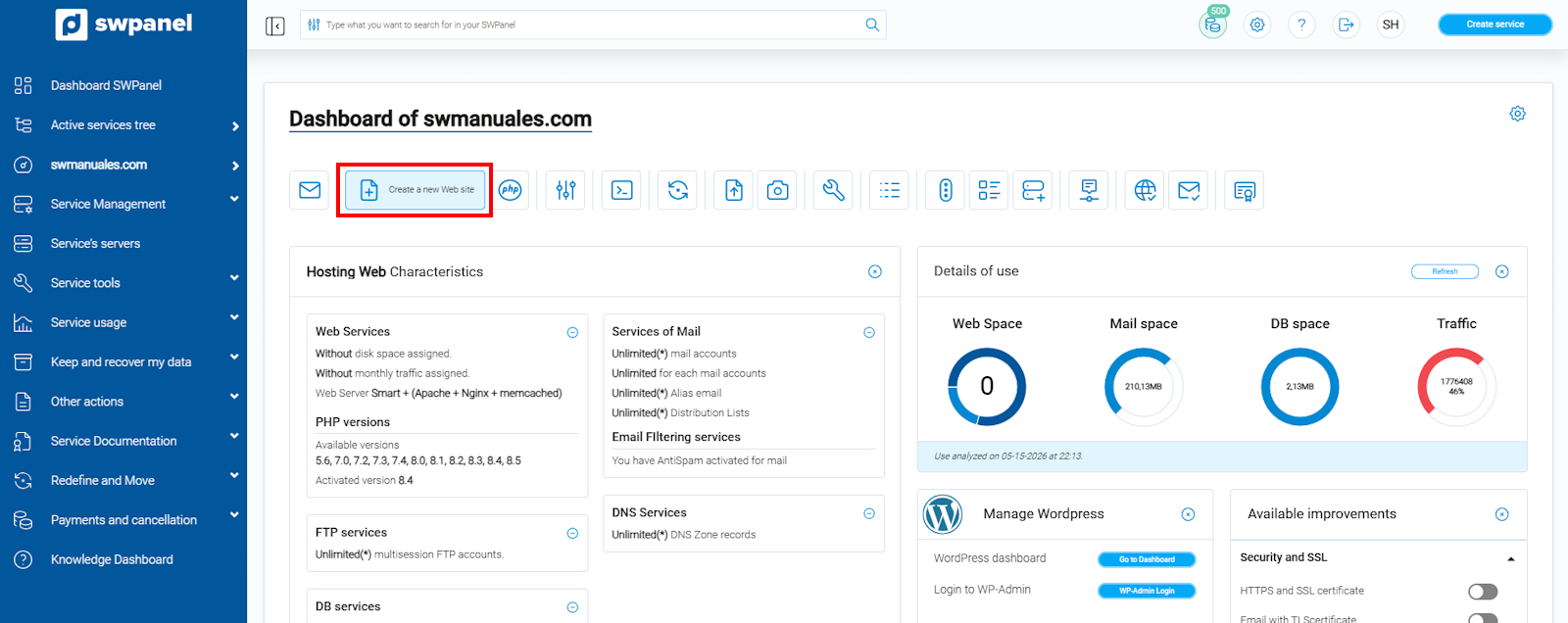
info_capture The screenshot is for guidance purposes. It was taken from version 2026.001.0057 dated 05/17/2026. It may differ from what the current version of SWPanel shows.
-
Choose what type of site you want to create:
- Hosting Alias → Shares the content with another website.
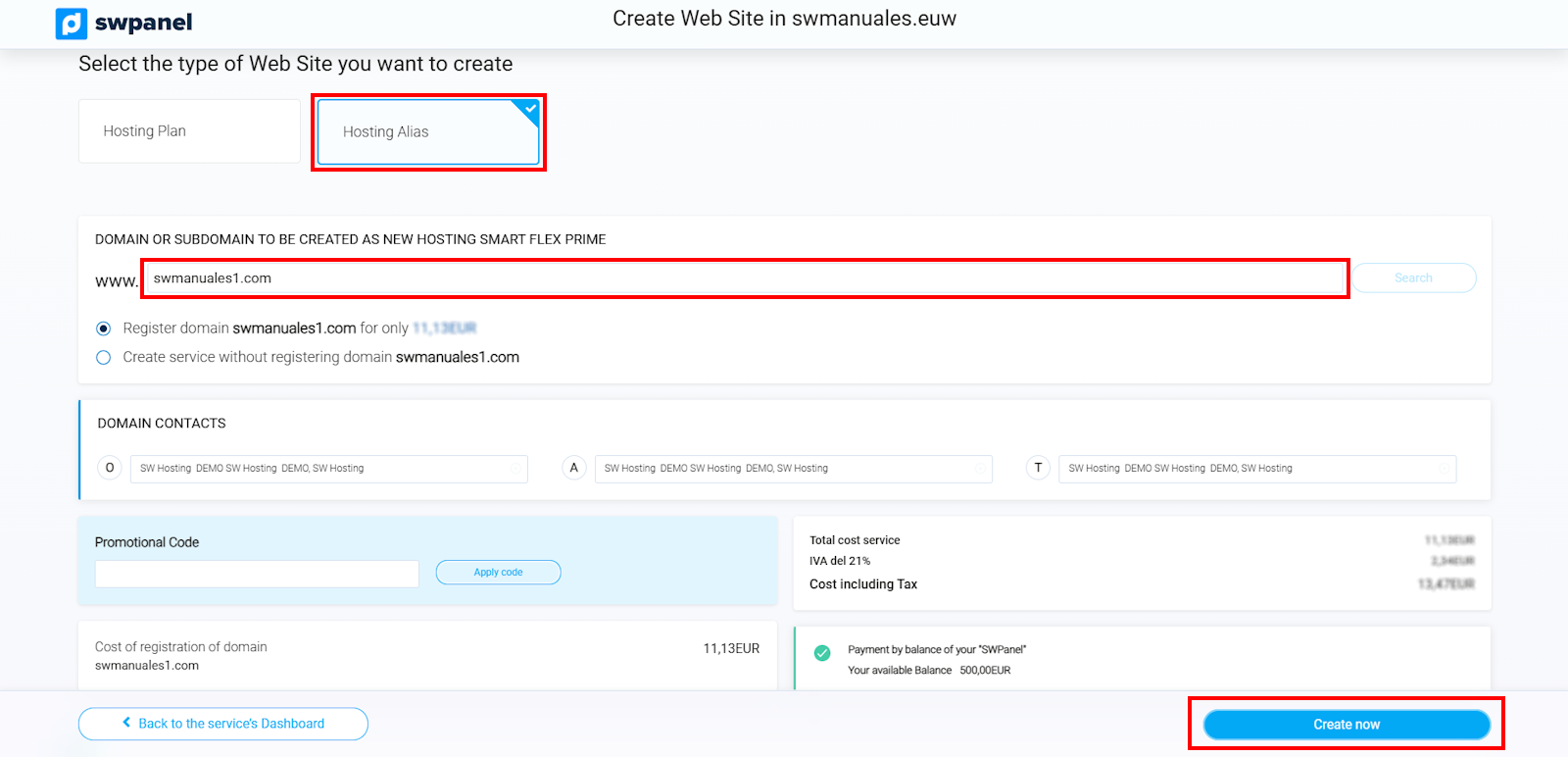
info_capture The screenshot is for guidance purposes. It was taken from version 2026.001.0057 dated 05/17/2026. It may differ from what the current version of SWPanel shows.
- New Hosting Plan → Creates a completely independent website within the same plan.
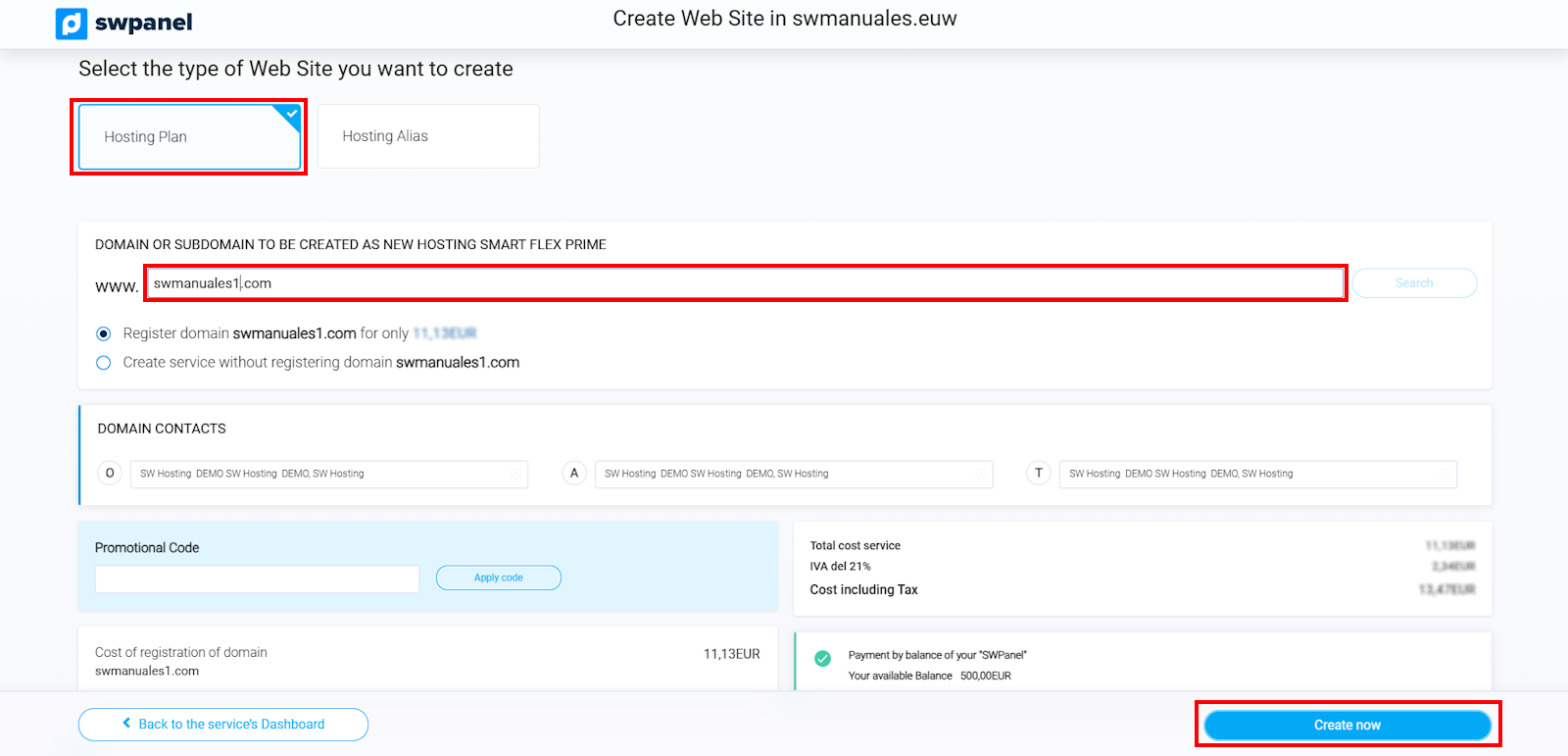
info_capture The screenshot is for guidance purposes. It was taken from version 2026.001.0057 dated 05/17/2026. It may differ from what the current version of SWPanel shows.
Done! Your New Website Has Been Created
Now you know how to add multiple websites in the same hosting plan easily and quickly.
If you have any questions, contact SWPanel technical support. We are here to help you!
Glossary of Terms
| Term | Definition |
|---|---|
| Website | A set of interconnected pages accessible on the Internet. |
| Domain | The unique address used to access a website. |
| Multi-site Hosting Plan | A service that allows hosting several websites on the same server. |
| Hosting Alias | An additional domain that points to an already existing website. |