
SWPanel History
To consult the history of your actions, emails, and direct messages in SWPanel, follow these steps:
- Click on your customer account icon.
- Select the “SWPanel History” section.
There you will be able to access all records in an organized and detailed manner.
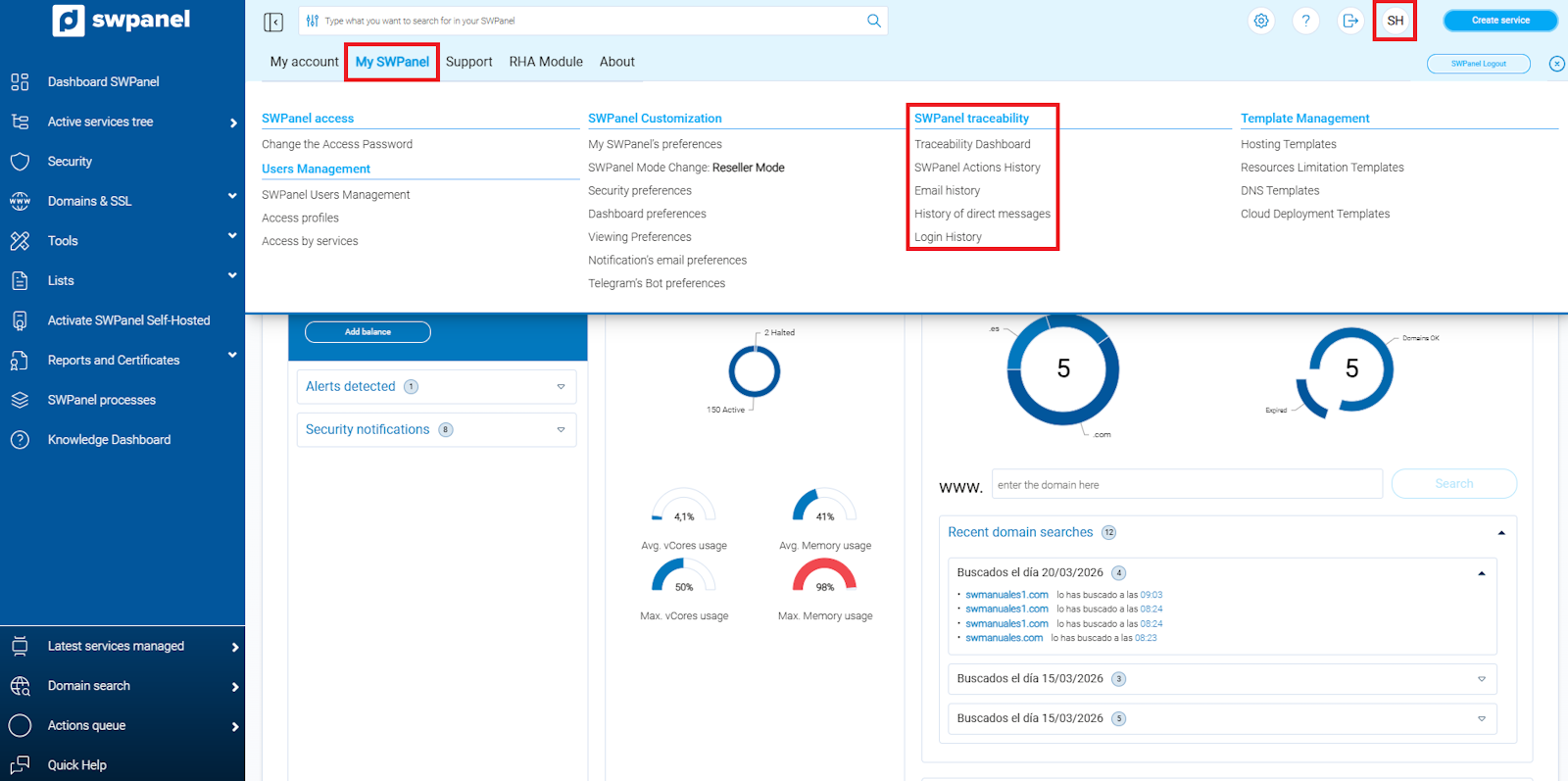
info_capture ℹ️ Note: The screenshot is for guidance purposes, taken from version 2026.000.0049 dated 22/03/2026. It may differ from the current version of SWPanel.
In each section, the history of operations performed in SWPanel, notifications sent by email (including those generated by actions within the panel), and direct messages issued by SW Hosting are recorded.
Note: To facilitate history queries, each section includes a search field that allows filtering by content, applying date filters, and sorting results by clicking on any of the columns.
SWPanel Action History
The action history records all operations carried out through SWPanel, including, but not limited to:
- Service creation
- Domain registration
- Password changes
- Other modifications made to your account
Each record allows for a detailed tracking of your activities within the panel.
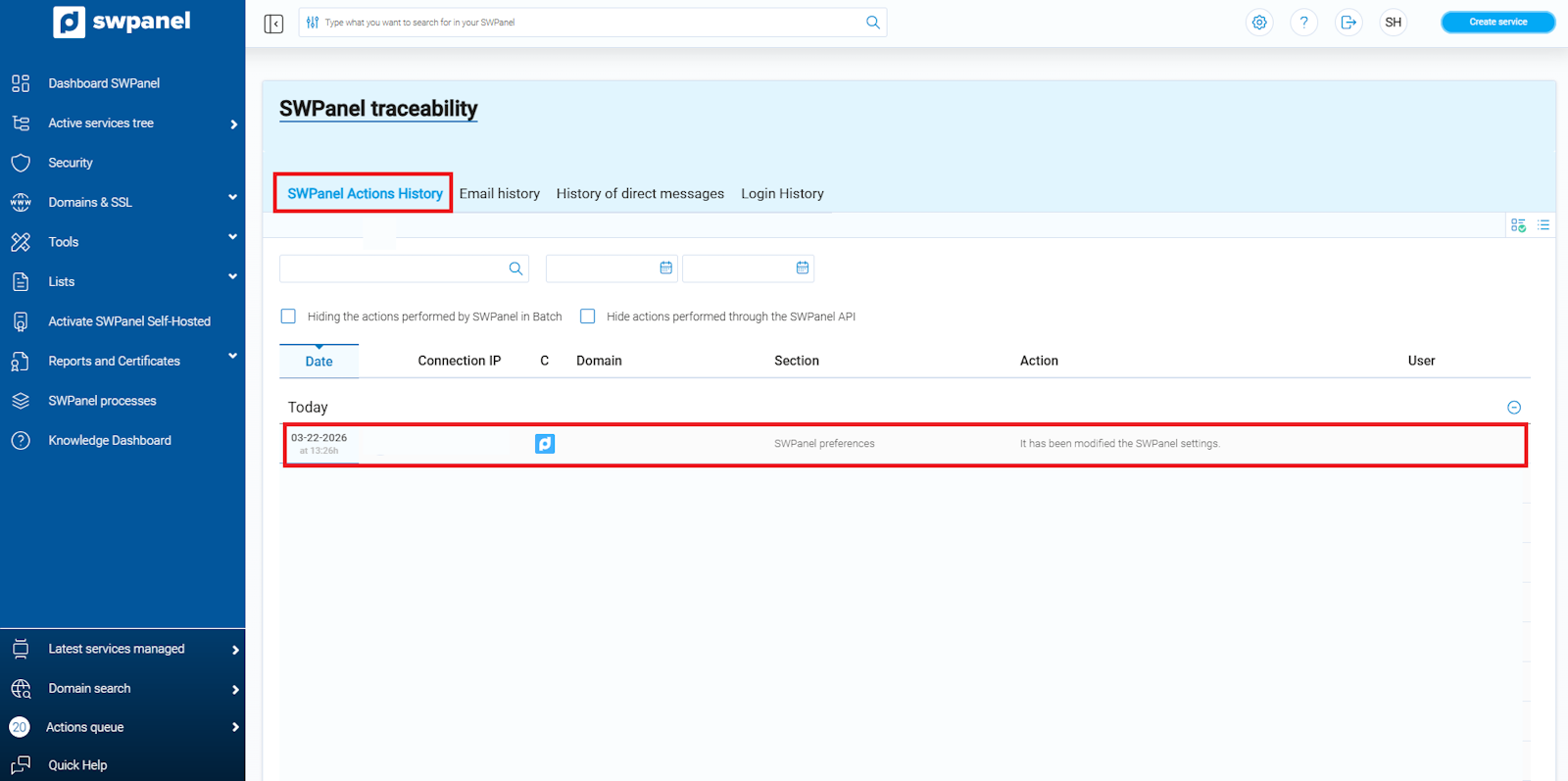
info_capture ℹ️ Note: The screenshot is for guidance purposes, taken from version 2026.000.0049 dated 22/03/2026. It may differ from the current version of SWPanel.
Additionally, by clicking on each record, you can consult additional details such as the date and time of the action, the connection IP, the user who performed it, and other relevant information.
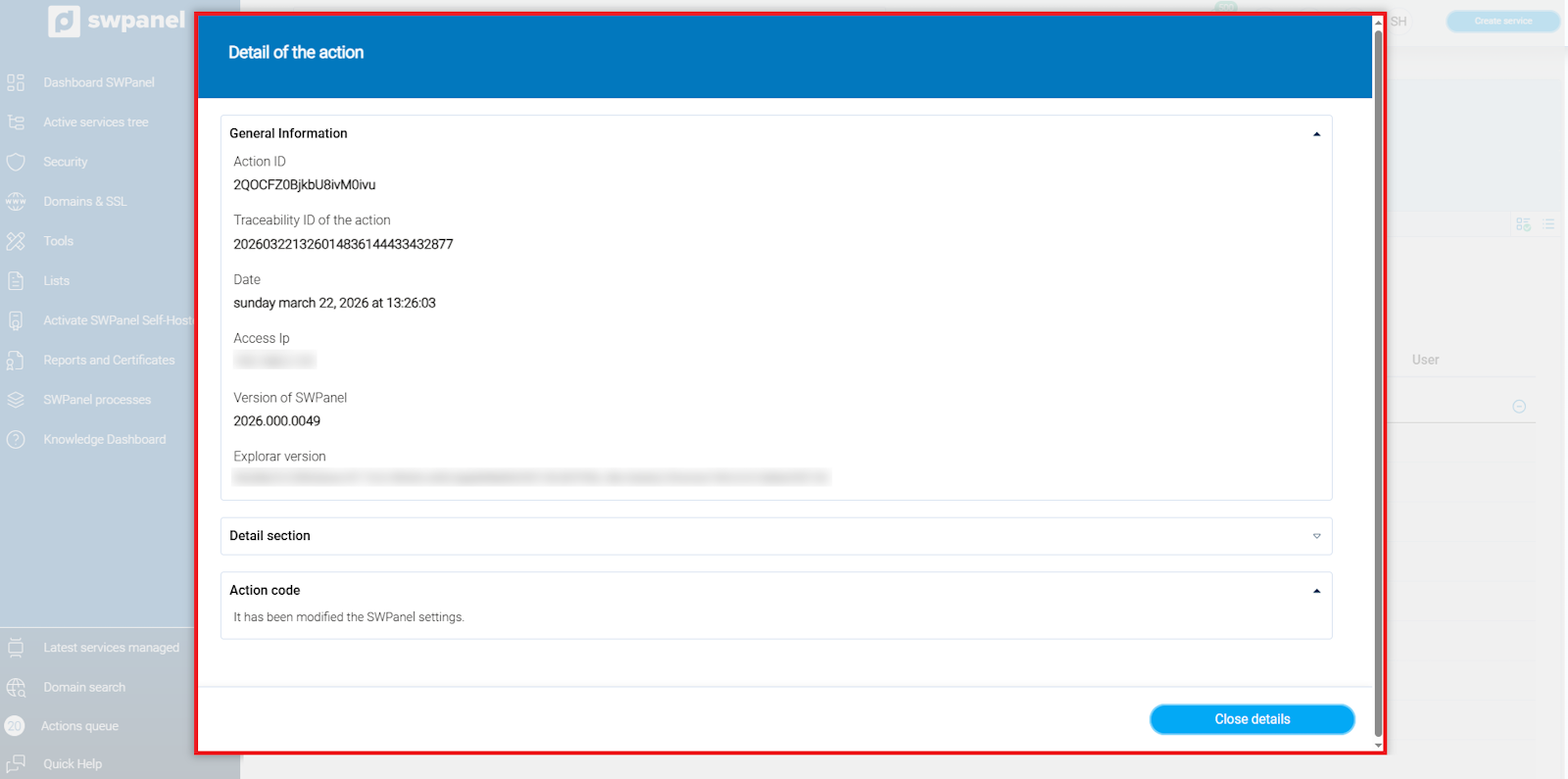
info_capture ℹ️ Note: The screenshot is for guidance purposes, taken from version 2026.000.0049 dated 22/03/2026. It may differ from the current version of SWPanel.
Email Notification History
This section compiles all email notifications resulting from actions performed in SWPanel, such as:
- Service subscriptions
- Report requests
- Changes to your account
Additionally, it includes other communications related to the provision of services, allowing for complete tracking of the emails received.
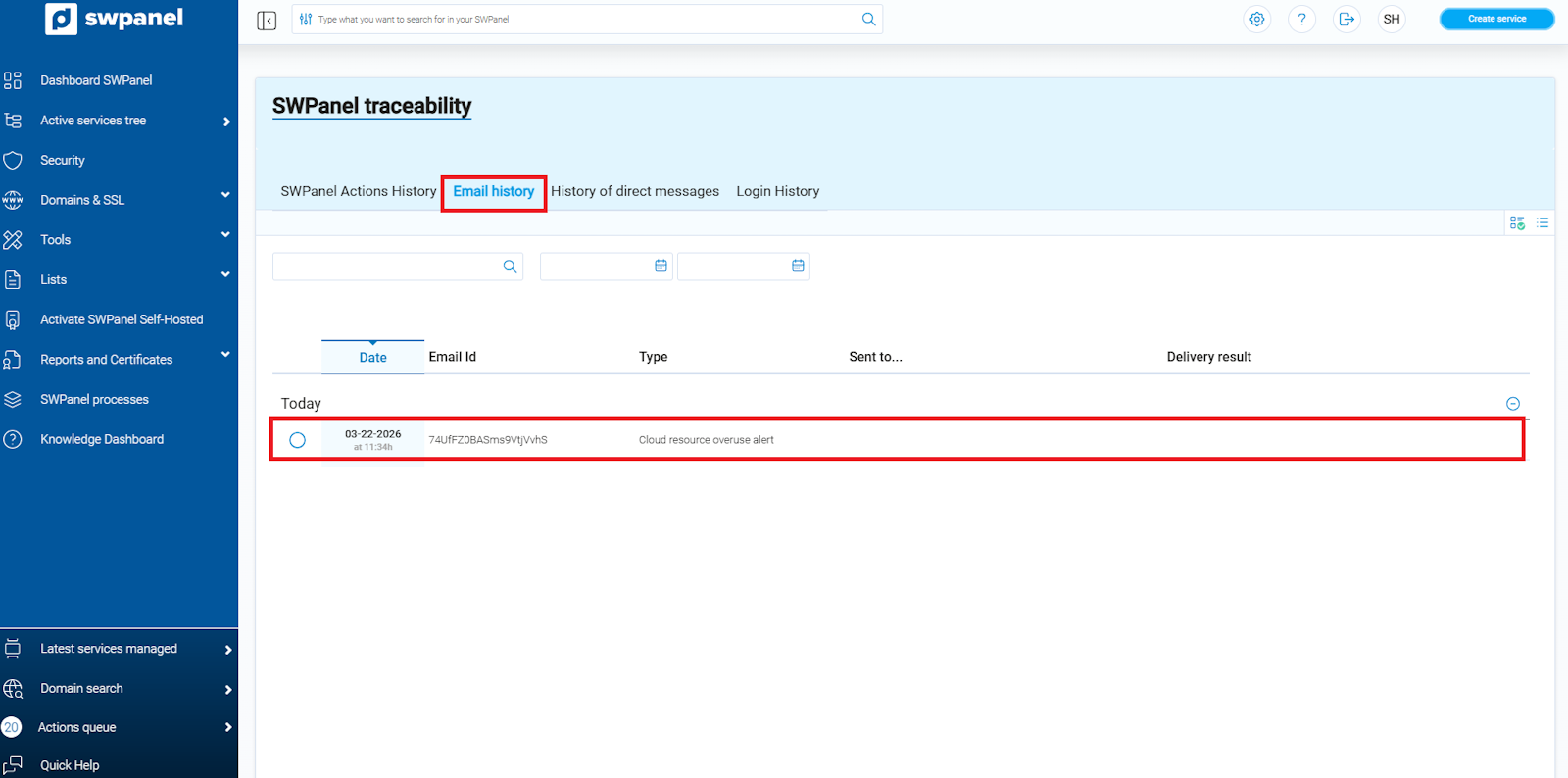
info_capture ℹ️ Note: The screenshot is for guidance purposes, taken from version 2026.000.0049 dated 22/03/2026. It may differ from the current version of SWPanel.
Notifications are classified into four types, depending on their content:
- General: Addressed to the contact designated as Representative. They include communications related to service creation, SWPanel access, renewal of contracted services, among others.
- Technical: Addressed to the technical contact. They comprise alerts on resource usage, technical tickets, monitoring system notices, etc.
- Administrative: Communications related to data modifications such as the NIF/CIF, administrative tickets, and similar operations.
- Billing: Including the issuance of invoices, payments, collections, and other financial matters.
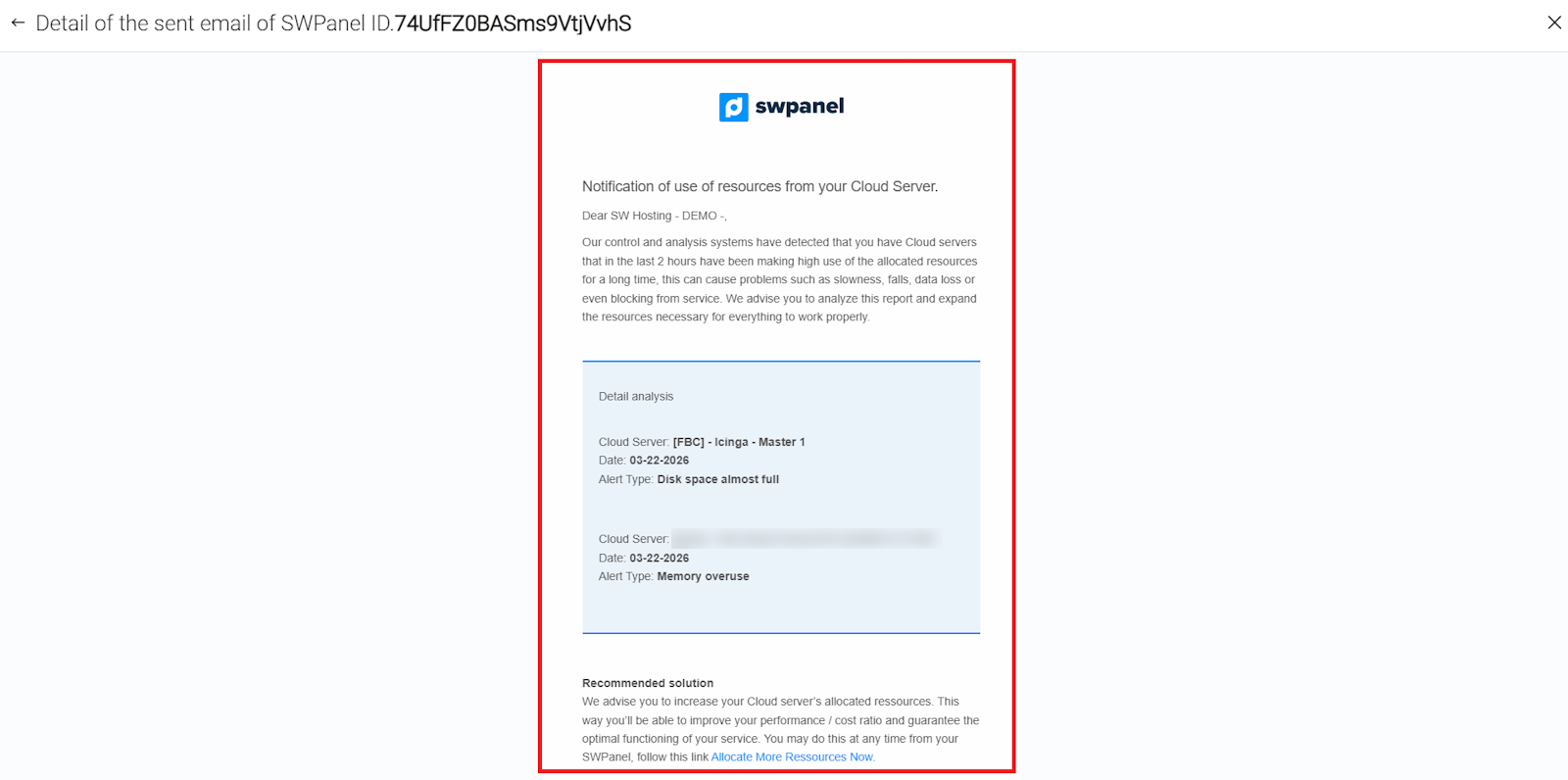
info_capture ℹ️ Note: The screenshot is for guidance purposes, taken from version 2026.000.0049 dated 22/03/2026. It may differ from the current version of SWPanel.
It is possible to read any notification by clicking on it.
Important: If the notification contains sensitive data or confidential information, its content will not be displayed for security reasons and in compliance with the ISO 27001 standard.
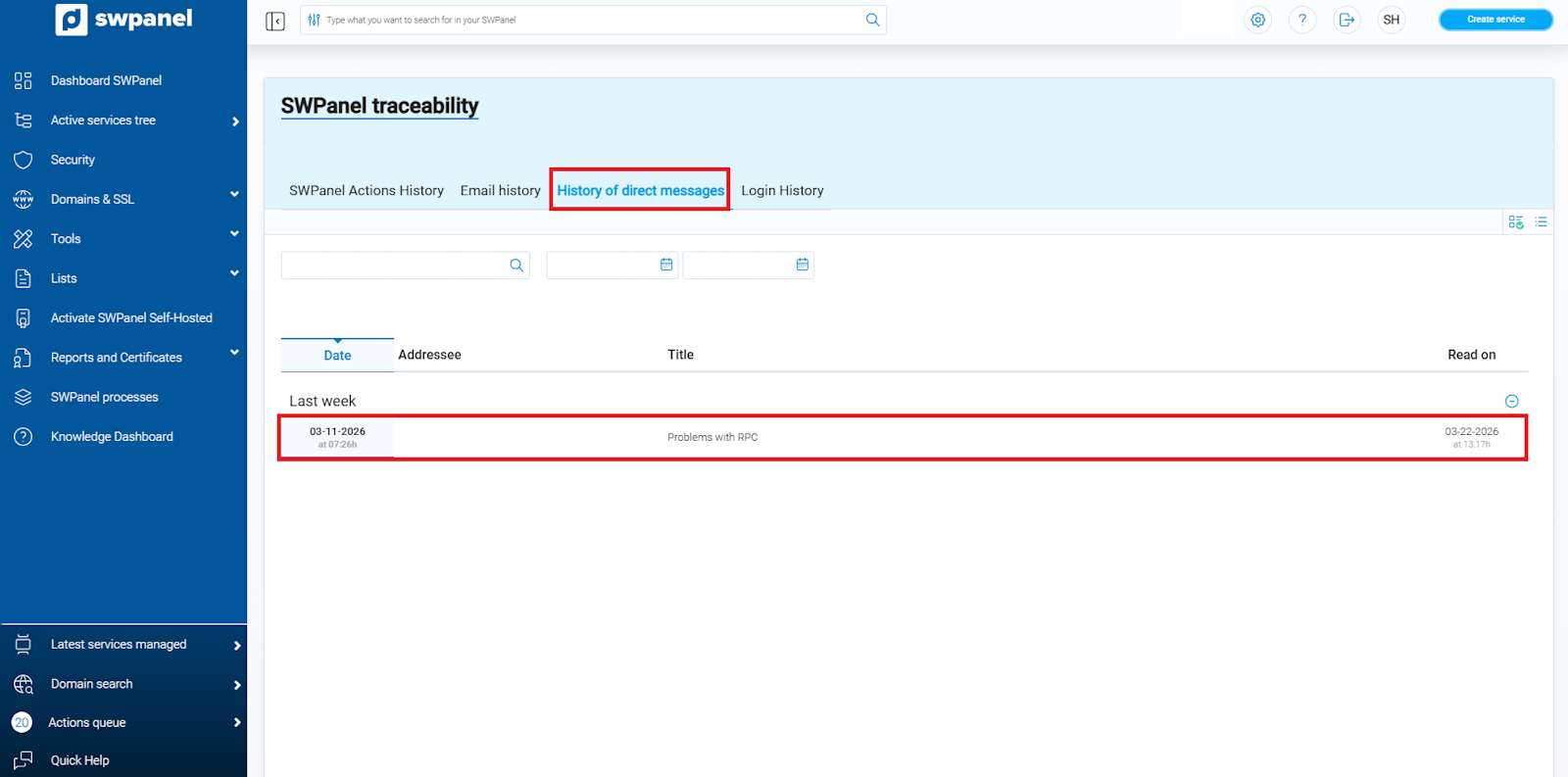
info_capture ℹ️ Note: The screenshot is for guidance purposes, taken from version 2026.000.0049 dated 22/03/2026. It may differ from the current version of SWPanel.
Direct Message History
SW Hosting will send direct messages periodically to keep you informed about:
- Maintenance activities
- New features of SWPanel
- Products and services
- Other relevant information related to your account and contracted services
These messages allow for a direct and centralized tracking of important communications from SW Hosting.
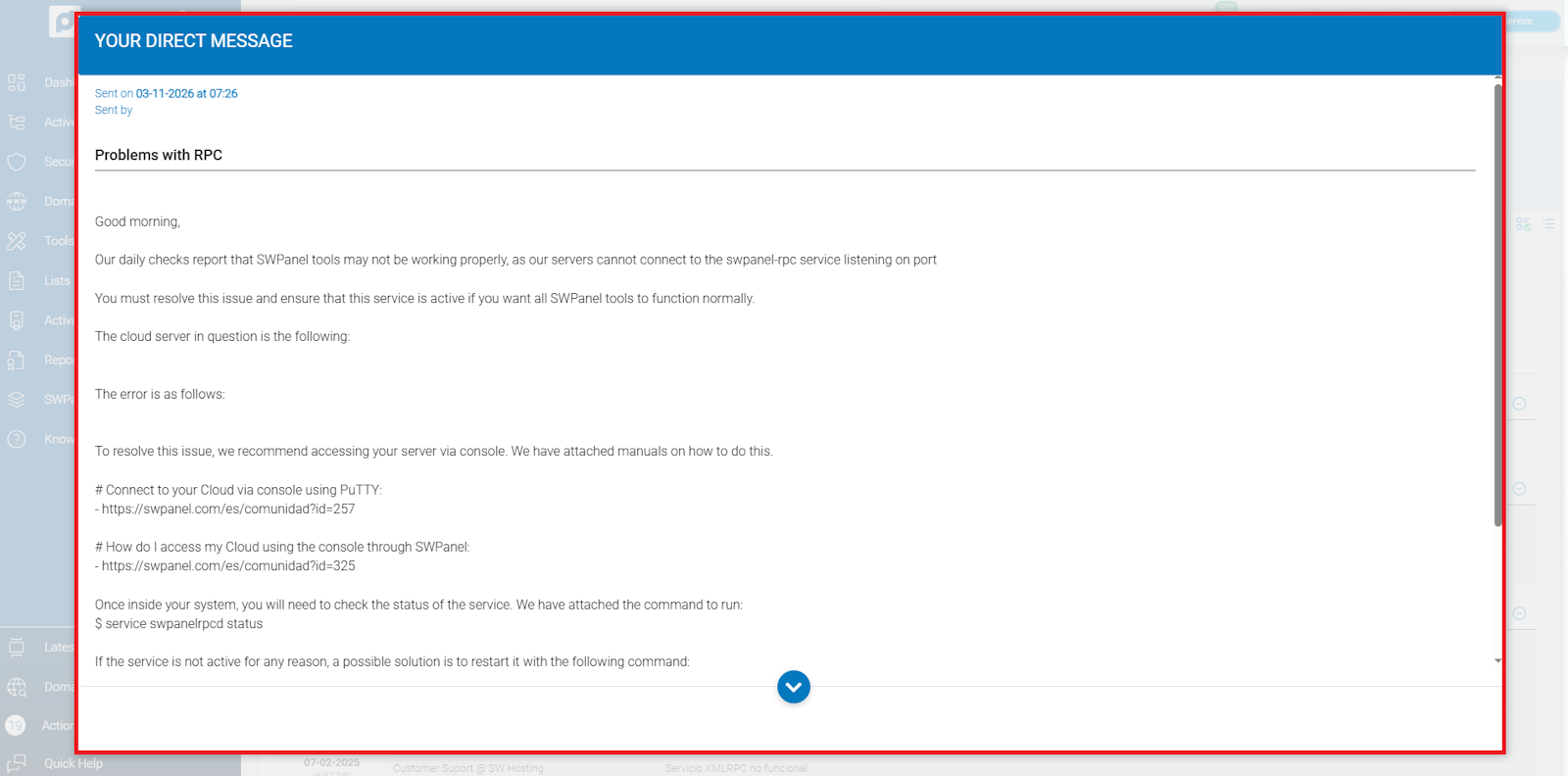
info_capture ℹ️ Note: The screenshot is for guidance purposes, taken from version 2026.000.0049 dated 22/03/2026. It may differ from the current version of SWPanel.
Messages of special relevance will be automatically displayed on the screen upon logging into SWPanel, ensuring that you do not overlook important information.
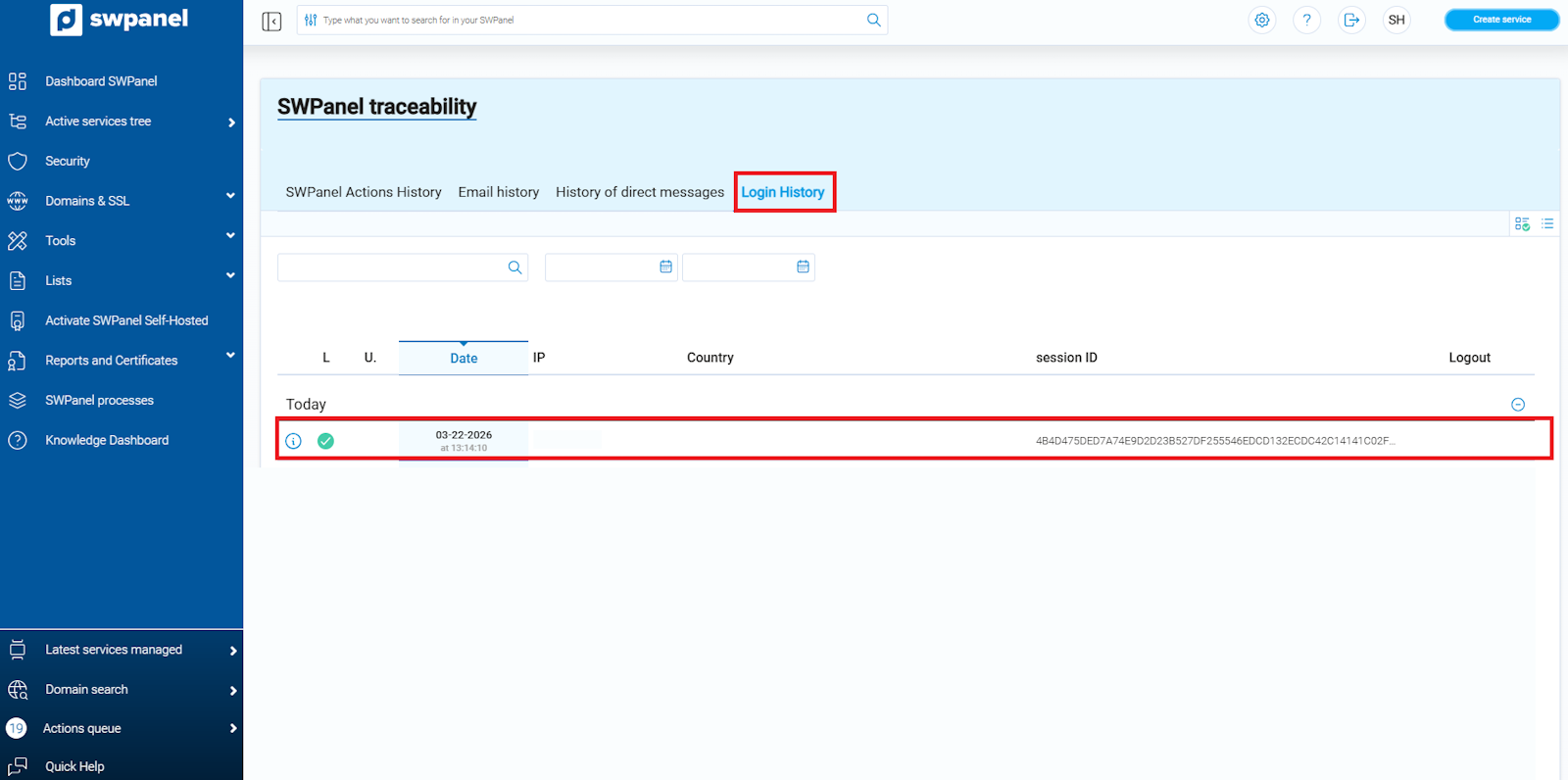
info_capture ℹ️ Note: The screenshot is for guidance purposes, taken from version 2026.000.0049 dated 22/03/2026. It may differ from the current version of SWPanel.