
Listings
Lists allow you to view and manage all active accounts of a service in a single point, including:
- Email accounts (and aliases)
- FTP accounts
- Databases
From this section, you can easily consult, filter, and manage all these resources.
💡 To facilitate the search, each list includes a filter field and allows you to sort the results by clicking on the columns.
Email List
To access: Left menu → Lists → Email List
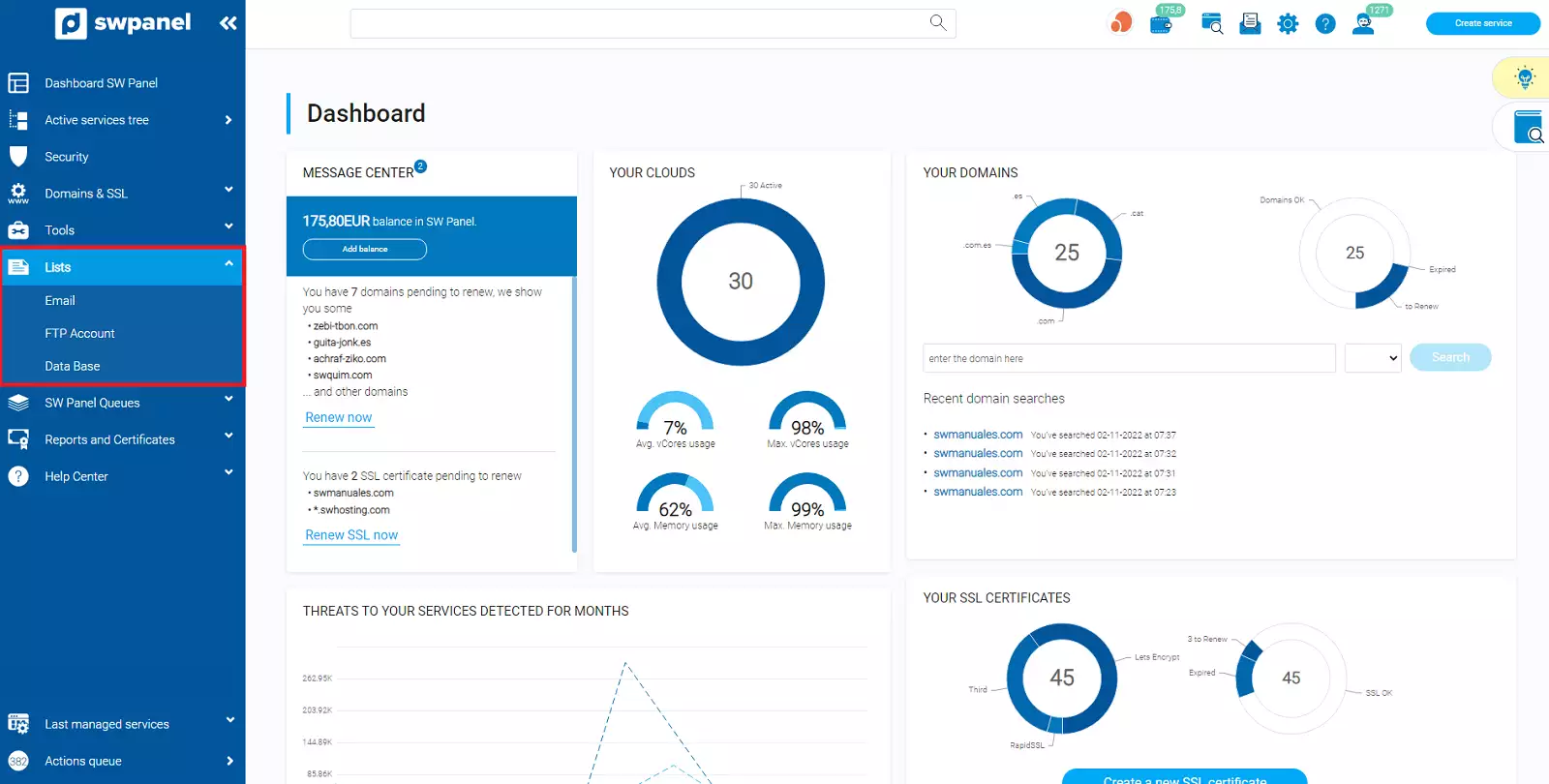
info_capture ℹ️ Note: The screenshot is for illustrative purposes, taken from version 2026.001.0026 dated 03/05/2026. It may differ from the current version of SWPanel.
This section is divided into several tabs:
Email accounts
Here you can quickly see:
- Service the account belongs to
- Total allocated space
- Current usage
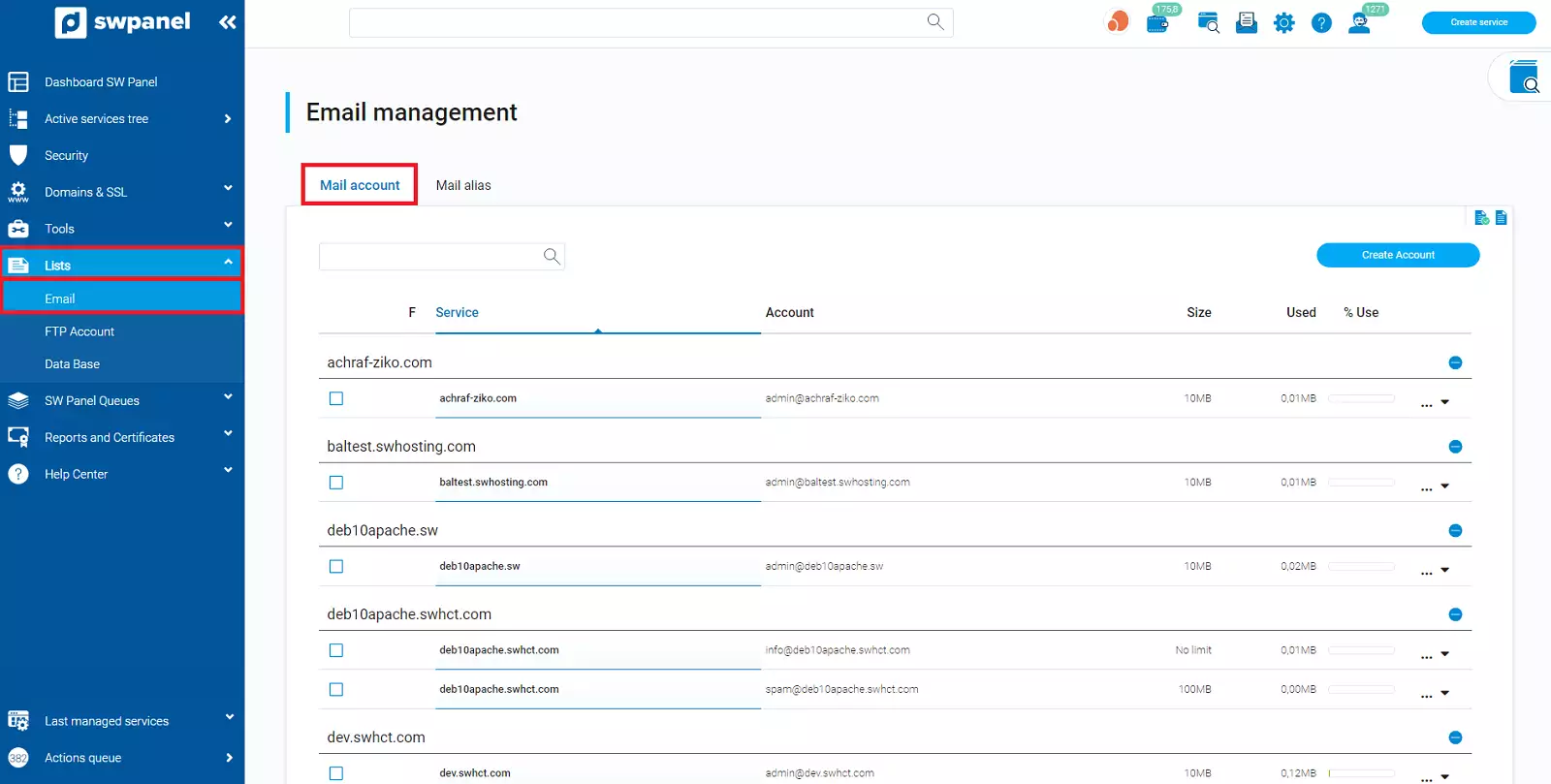
info_capture ℹ️ Note: The screenshot is for illustrative purposes, taken from version 2026.001.0026 dated 03/05/2026. It may differ from the current version of SWPanel.
Email aliases (distribution lists)
Shows information such as:
- Associated service
- Alias address
- Description
- Administrator account
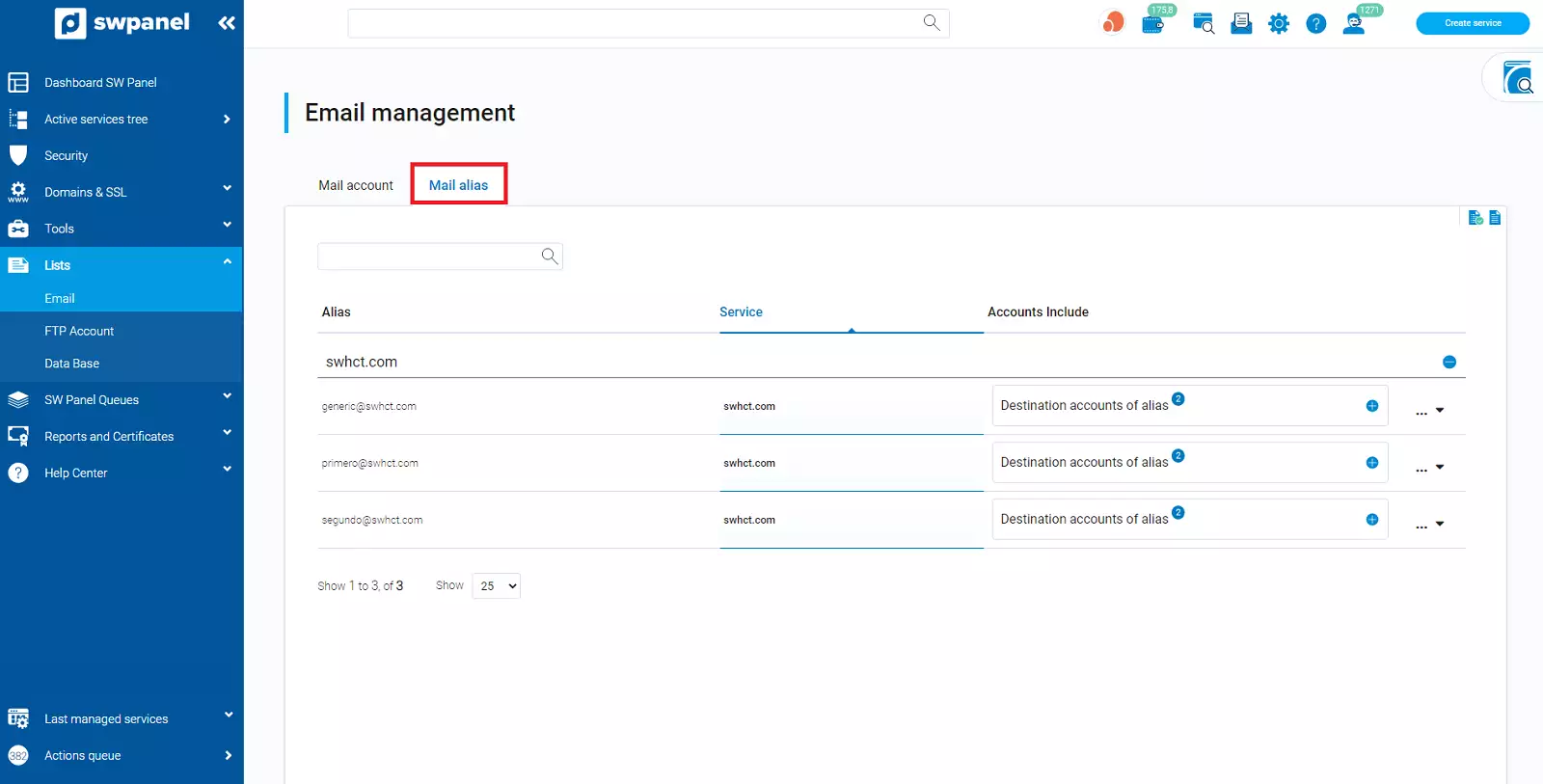
info_capture ℹ️ Note: The screenshot is for illustrative purposes, taken from version 2026.001.0026 dated 03/05/2026. It may differ from the current version of SWPanel.
Management
From the Manage menu (on the right), you can:
- Modify configurations
- Delete accounts or aliases
FTP Accounts List
To access: Left menu → Lists → FTP Accounts List
All active FTP accounts are shown here with information such as:
- User (login)
- Description
- Associated service
- Assigned root directory
- Percentage of traffic consumed
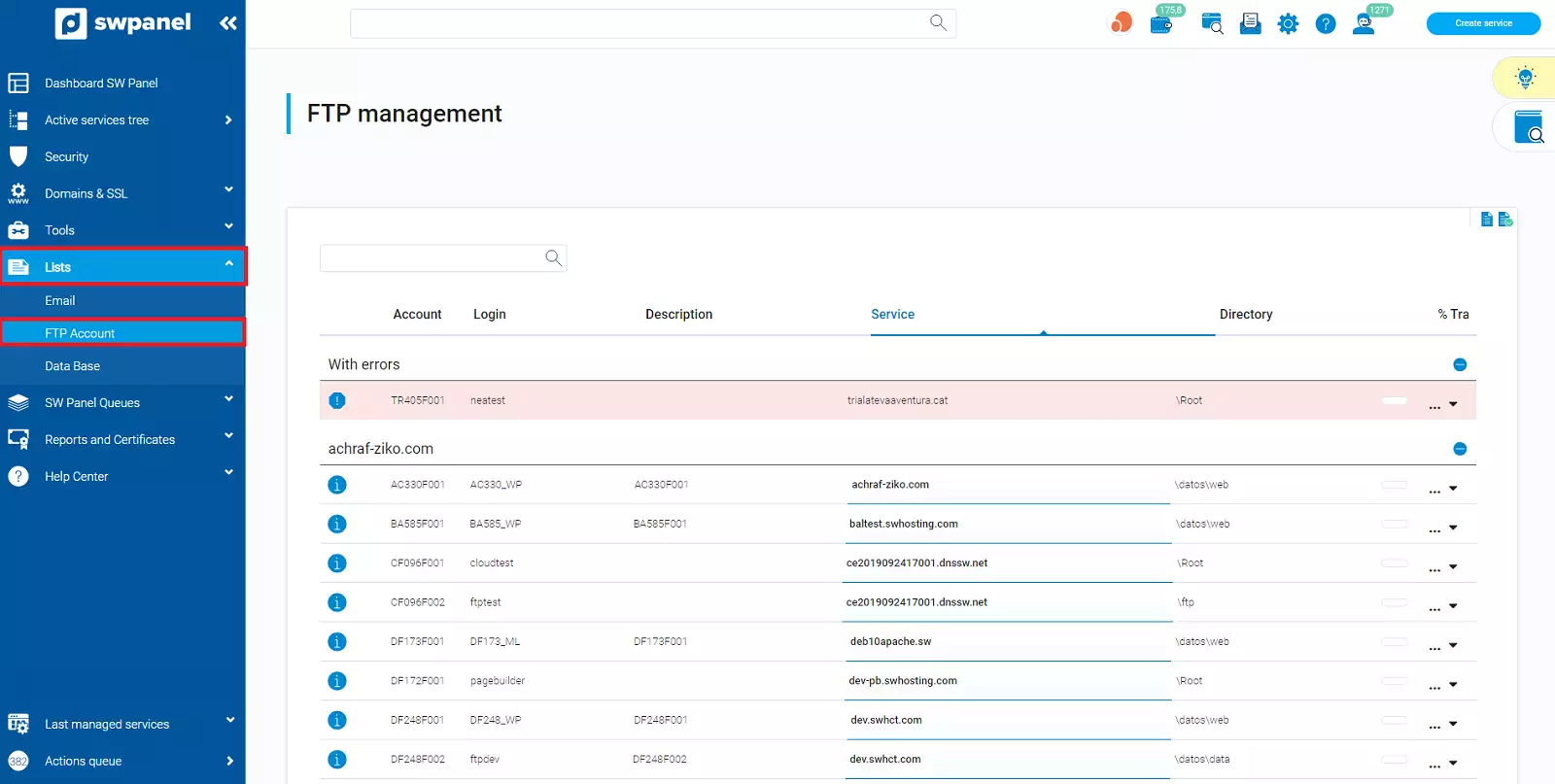
info_capture ℹ️ Note: The screenshot is for illustrative purposes, taken from version 2026.001.0026 dated 03/05/2026. It may differ from the current version of SWPanel.
Management
From the Manage menu, you can:
- Edit accounts
- Delete accesses
Database List
To access: Left menu → Lists → Database List
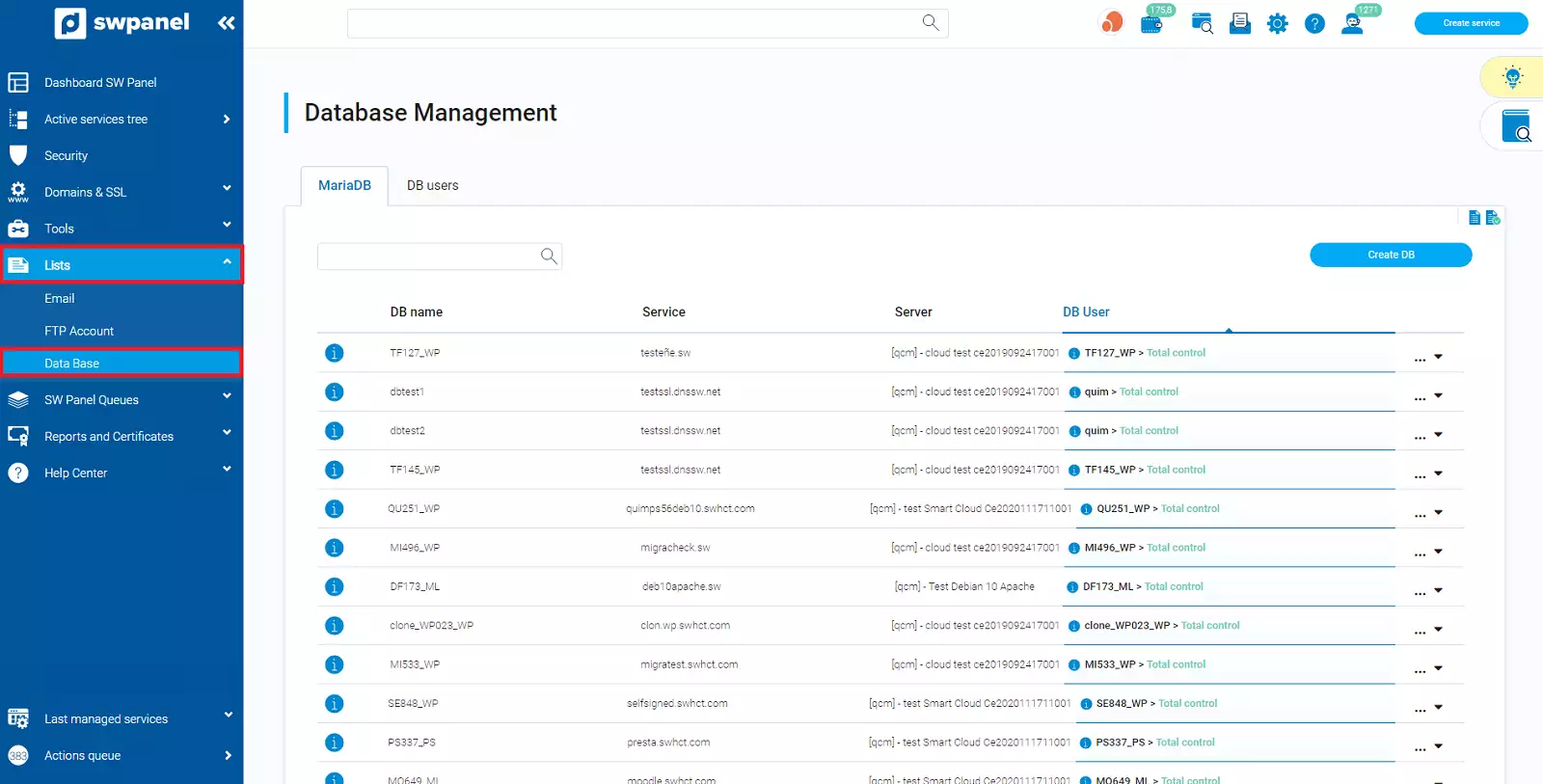
info_capture ℹ️ Note: The screenshot is for illustrative purposes, taken from version 2026.001.0026 dated 03/05/2026. It may differ from the current version of SWPanel.
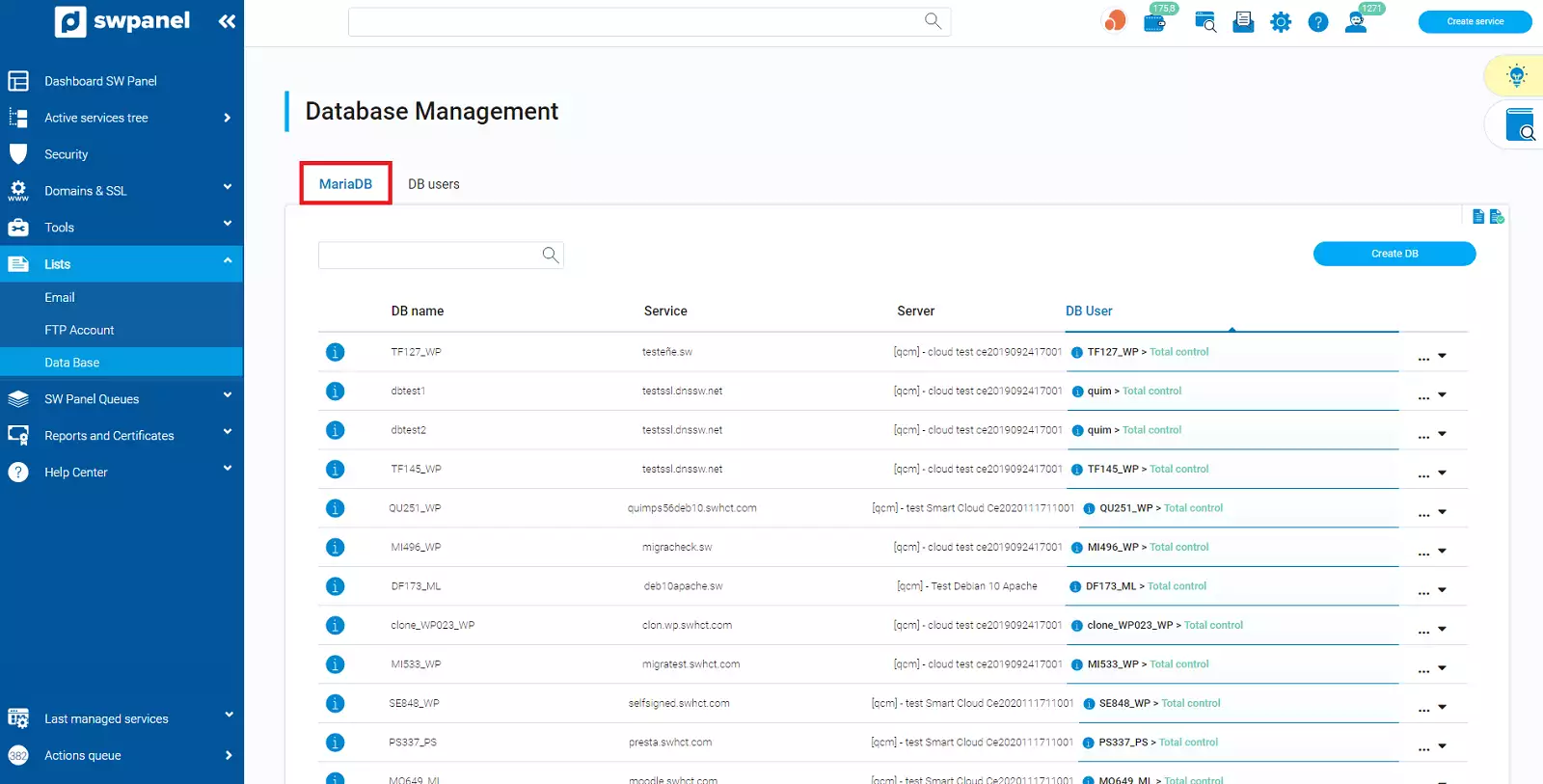
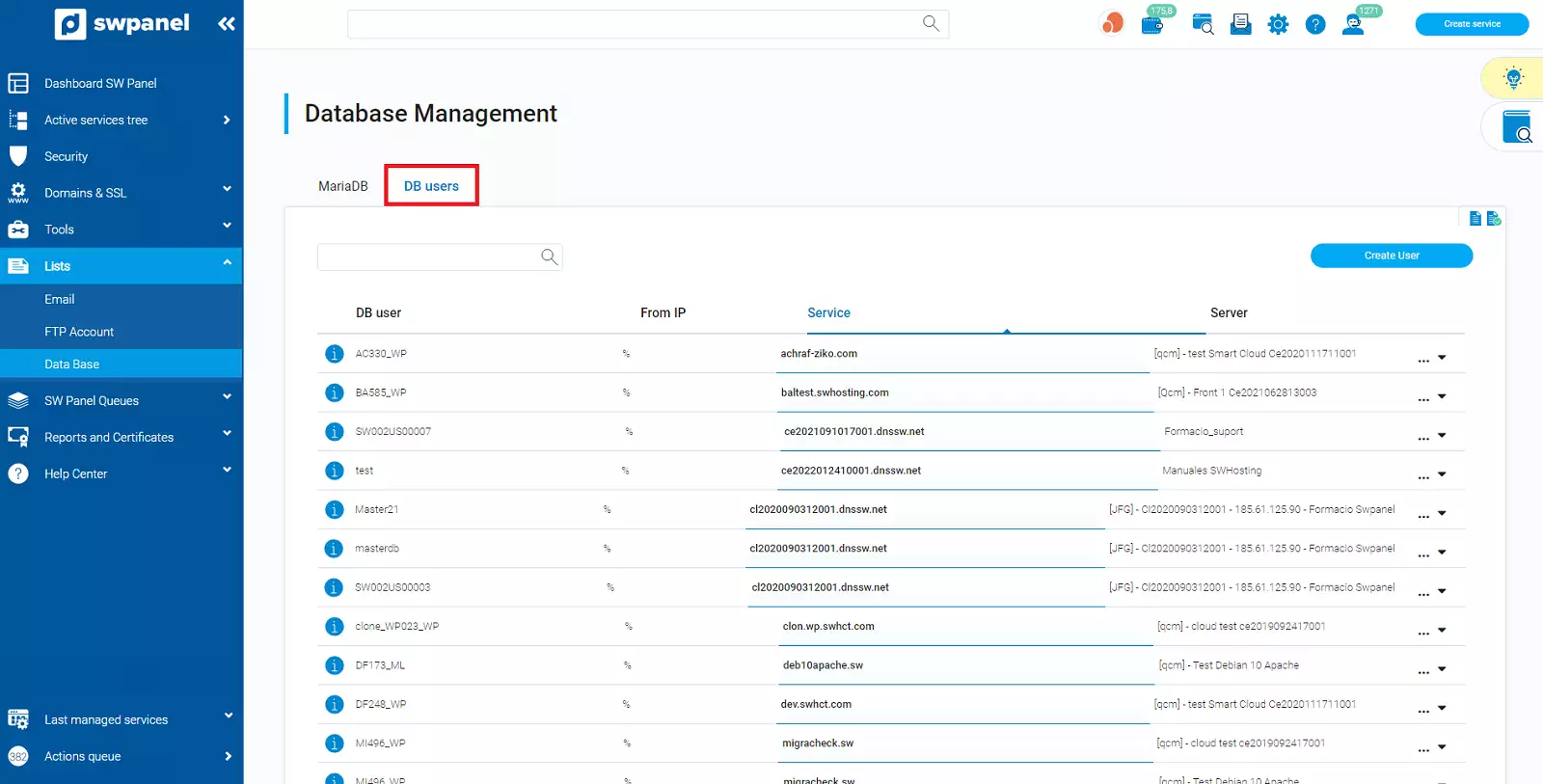
This section includes two tabs:
DB Users
List of active users with:
- Username
- Associated service
- Server
info_capture ℹ️ Note: The screenshot is for illustrative purposes, taken from version 2026.001.0026 dated 03/05/2026. It may differ from the current version of SWPanel.
Databases (MariaDB)
Shows active databases along with:
- Database name
- Associated service
- Server IP
- Users with access
- Assigned permissions
info_capture ℹ️ Note: The screenshot is for illustrative purposes, taken from version 2026.001.0026 dated 03/05/2026. It may differ from the current version of SWPanel.
Management
From the Manage menu, you can:
- Modify configurations
- Delete users or databases