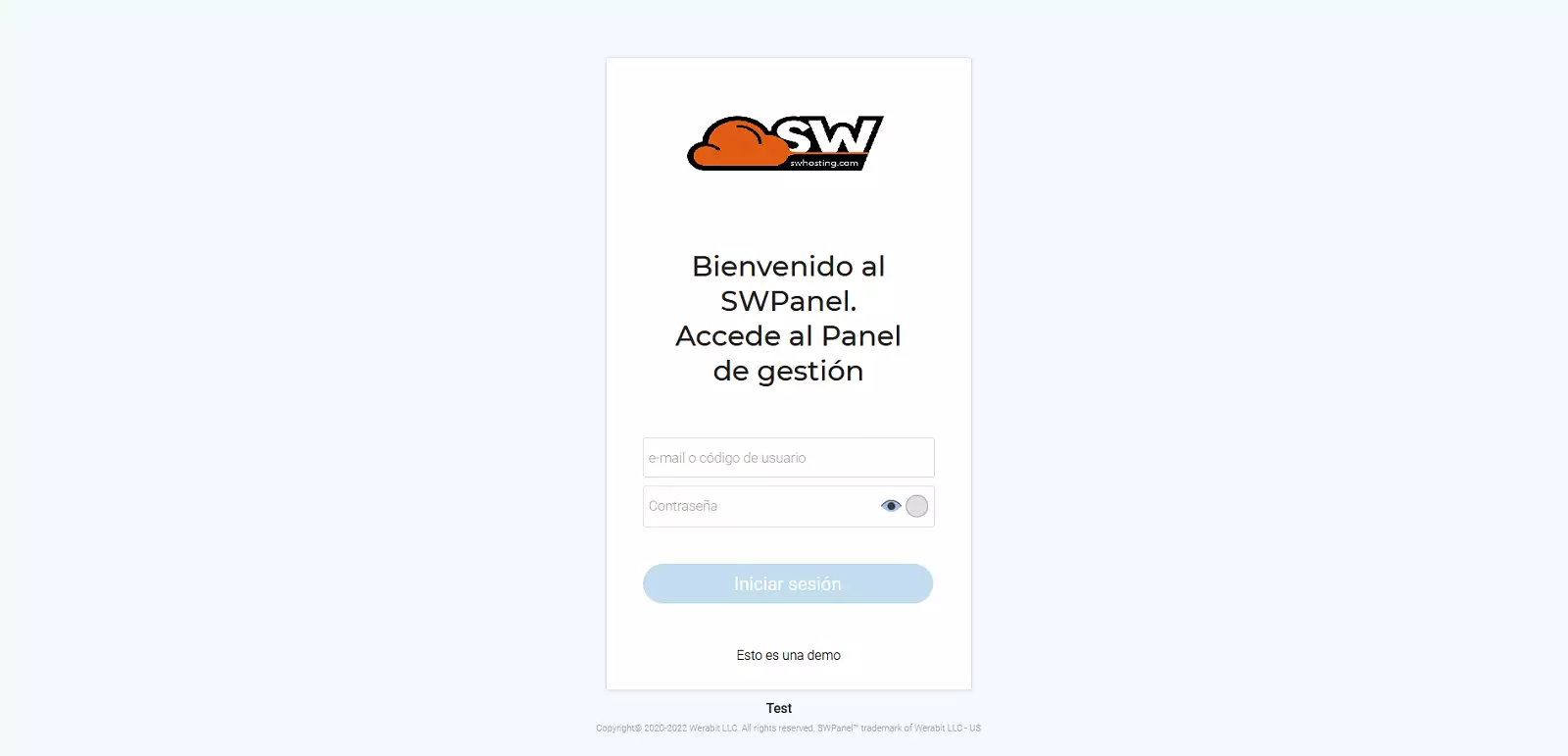
Customization of the SWPanel Login
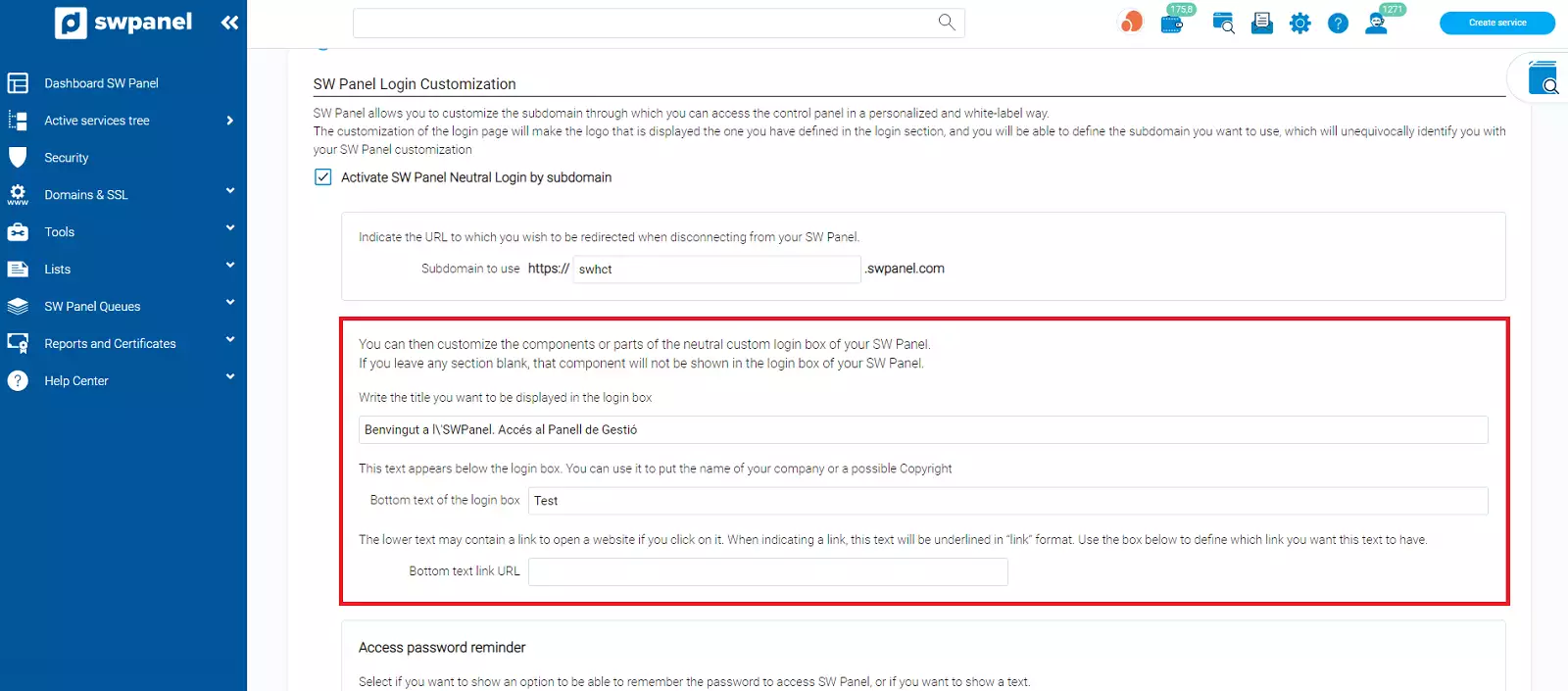
This option allows you to customize the subdomain through which you can access the control panel in a personalized and white-label manner. Customizing the login page will ensure that the logo displayed is the one you have defined in the login section, and you will be able to define the subdomain you wish to use, which will uniquely identify you with your SWPanel customization.
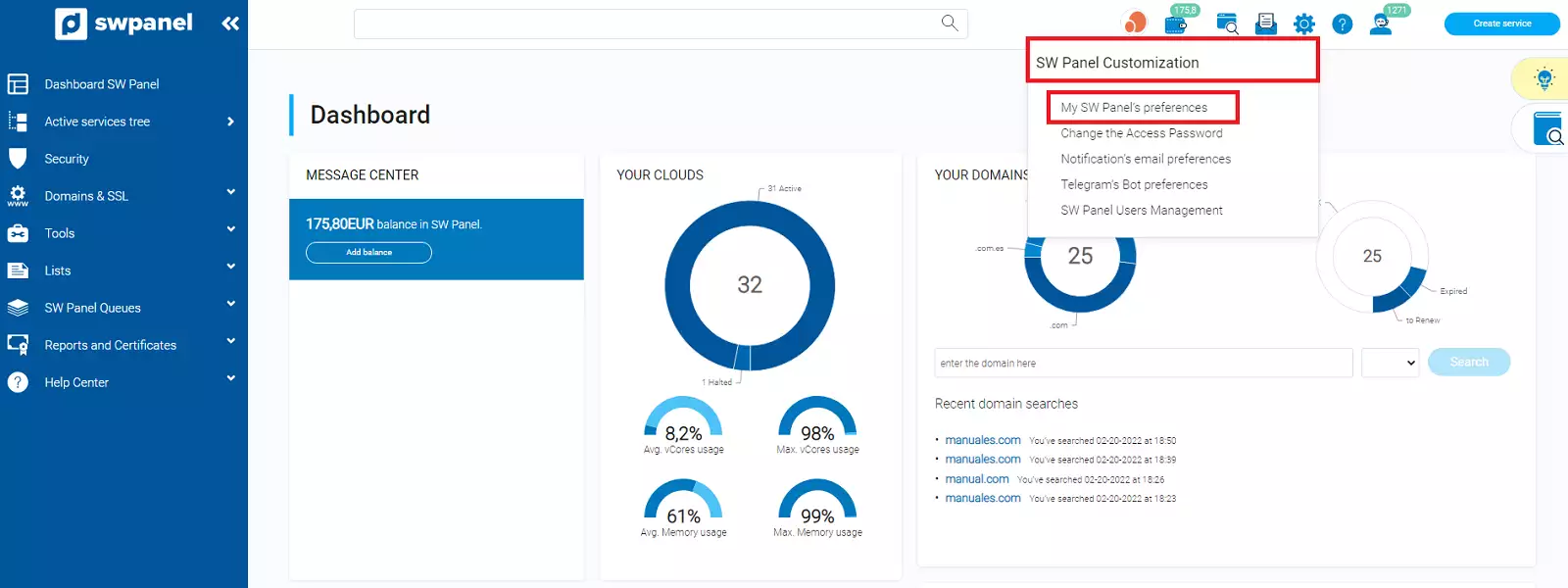
To customize it, place the cursor over the top right tab of your SWPanel where your name is indicated -> My SWPanel Preferences
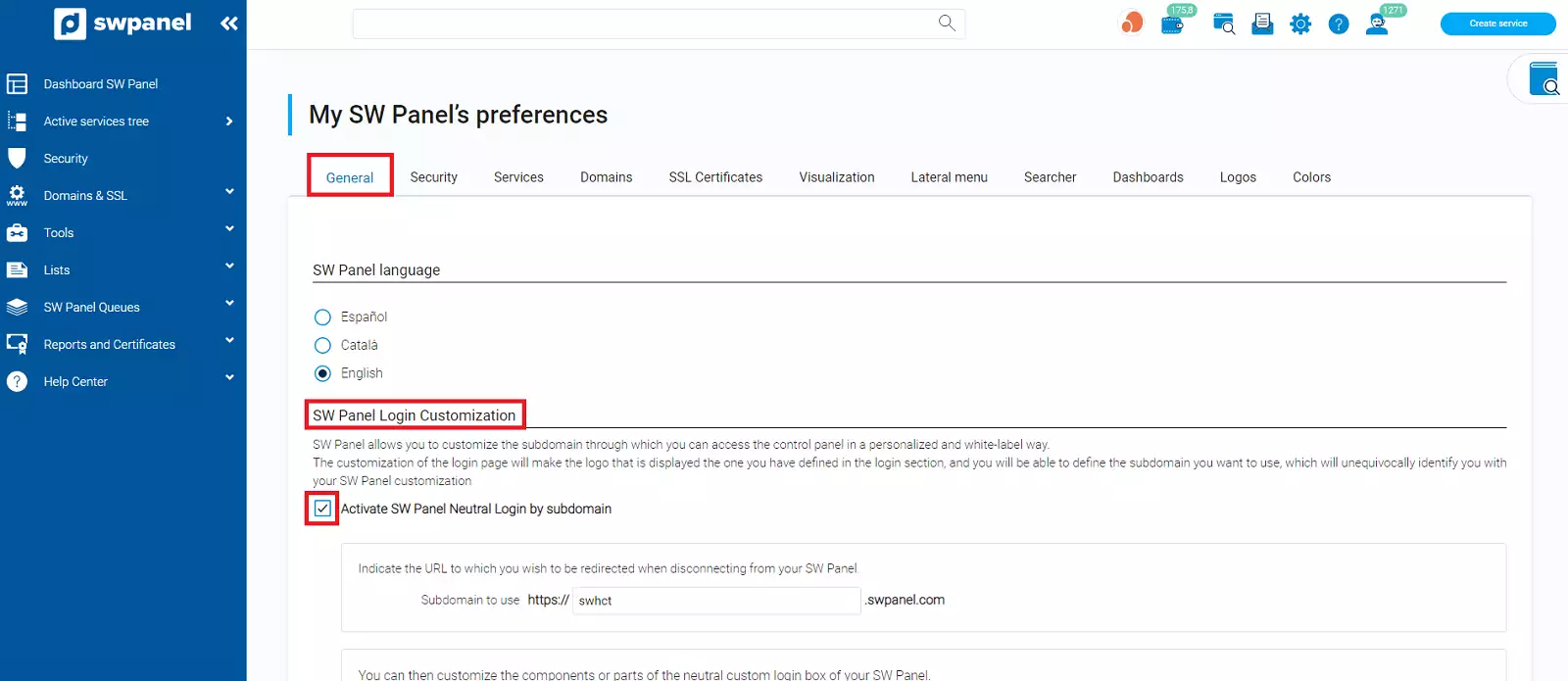
In the General tab, you must go to the SWPanel Login Customization section and click on Activate neutral login by SWPanel subdomain
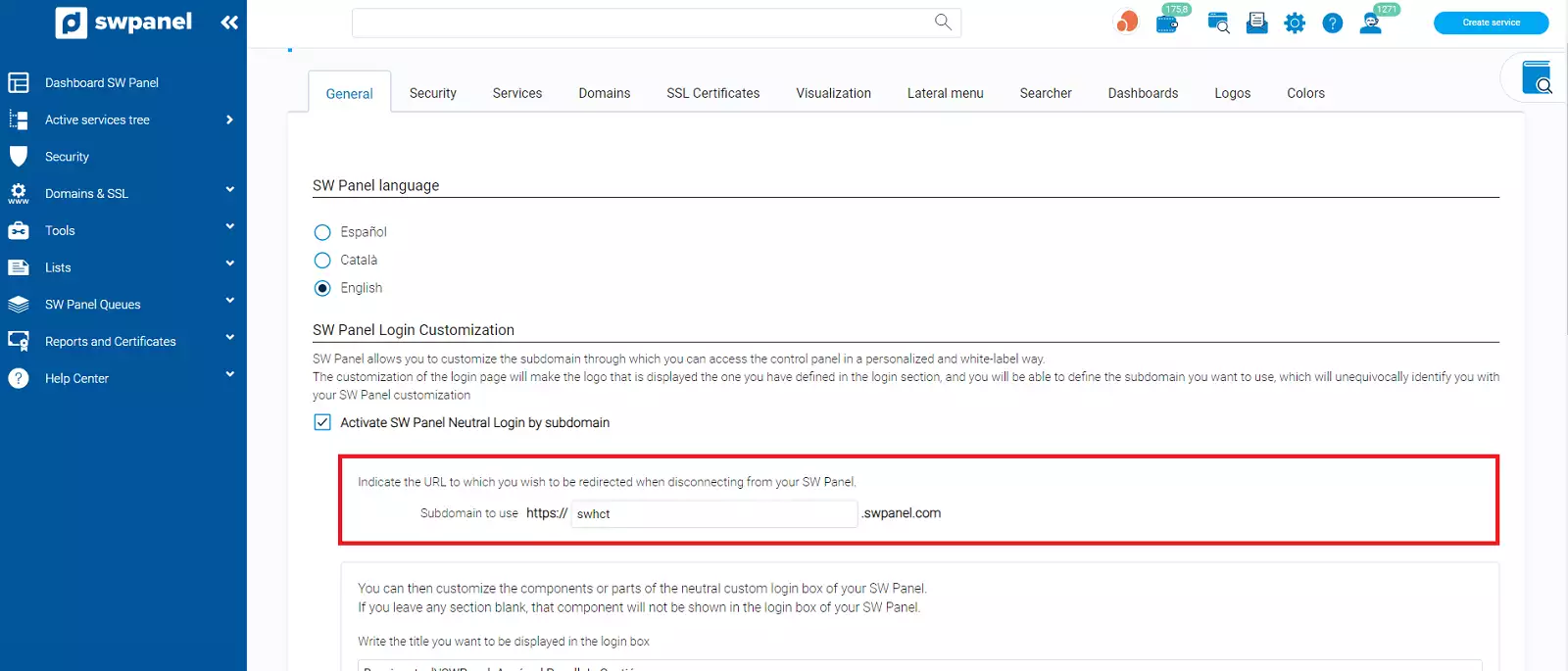
This option will allow you to:
-
1. Indicate the URL to which you wish to be redirected when logging out of SWPanel
-
2. Customize the components or parts of the neutral personalized login box of your SWPanel
-
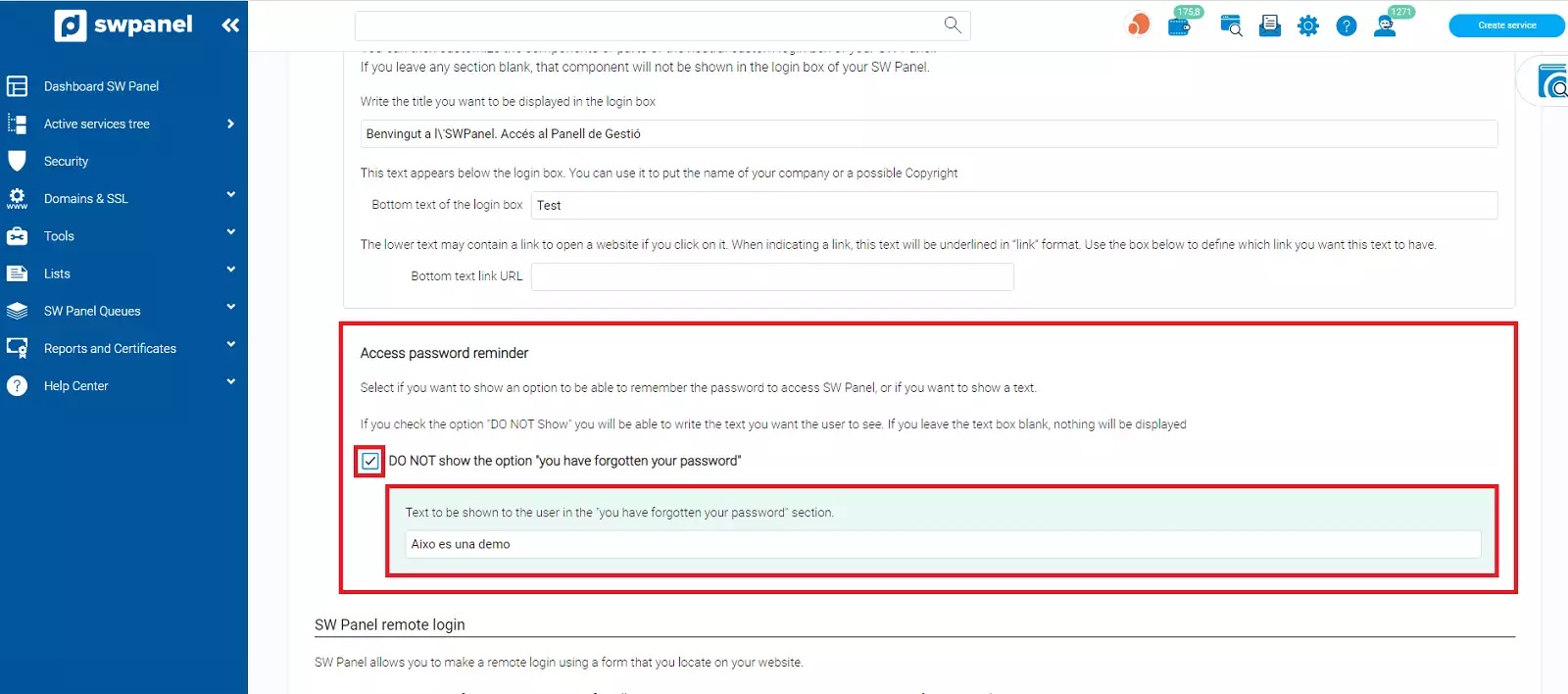
3. Access password reminder
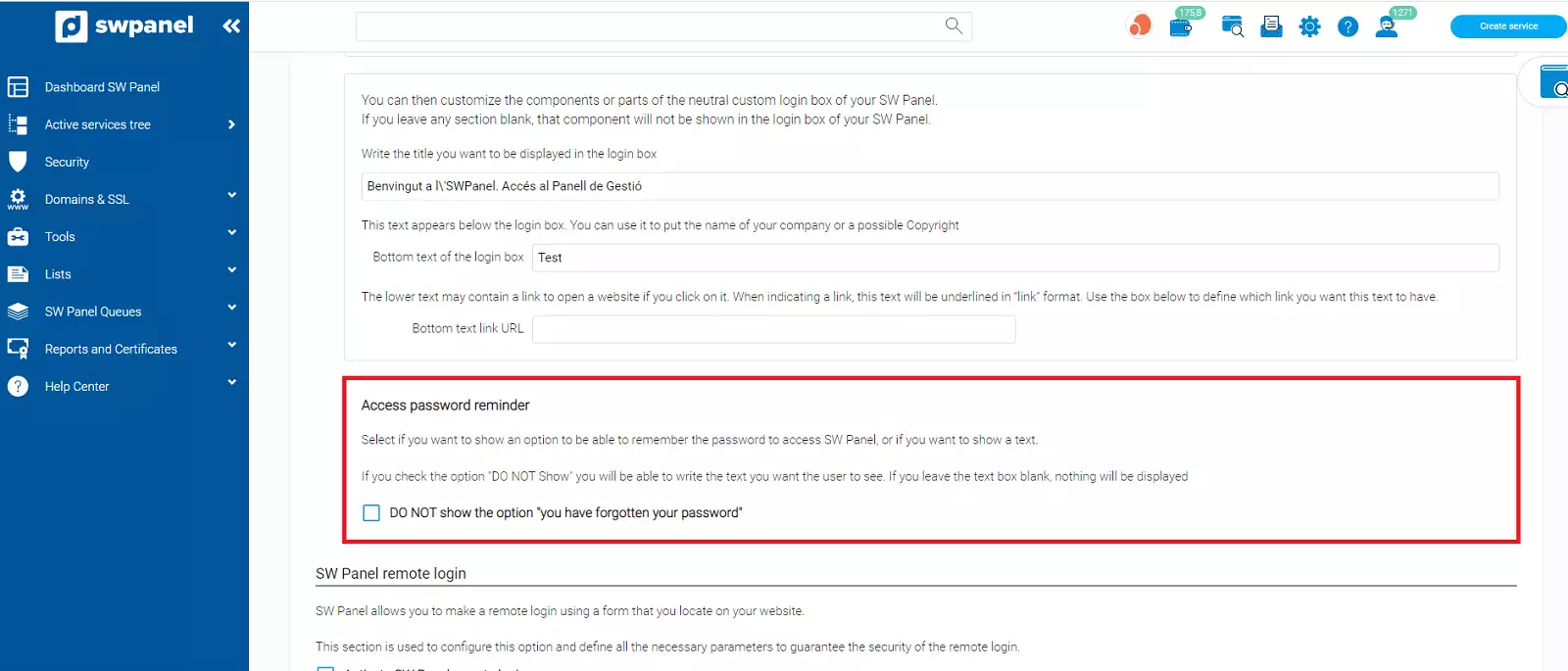
If you click on the option 'Do not show the 'forgot password' option', you can write a text to be displayed
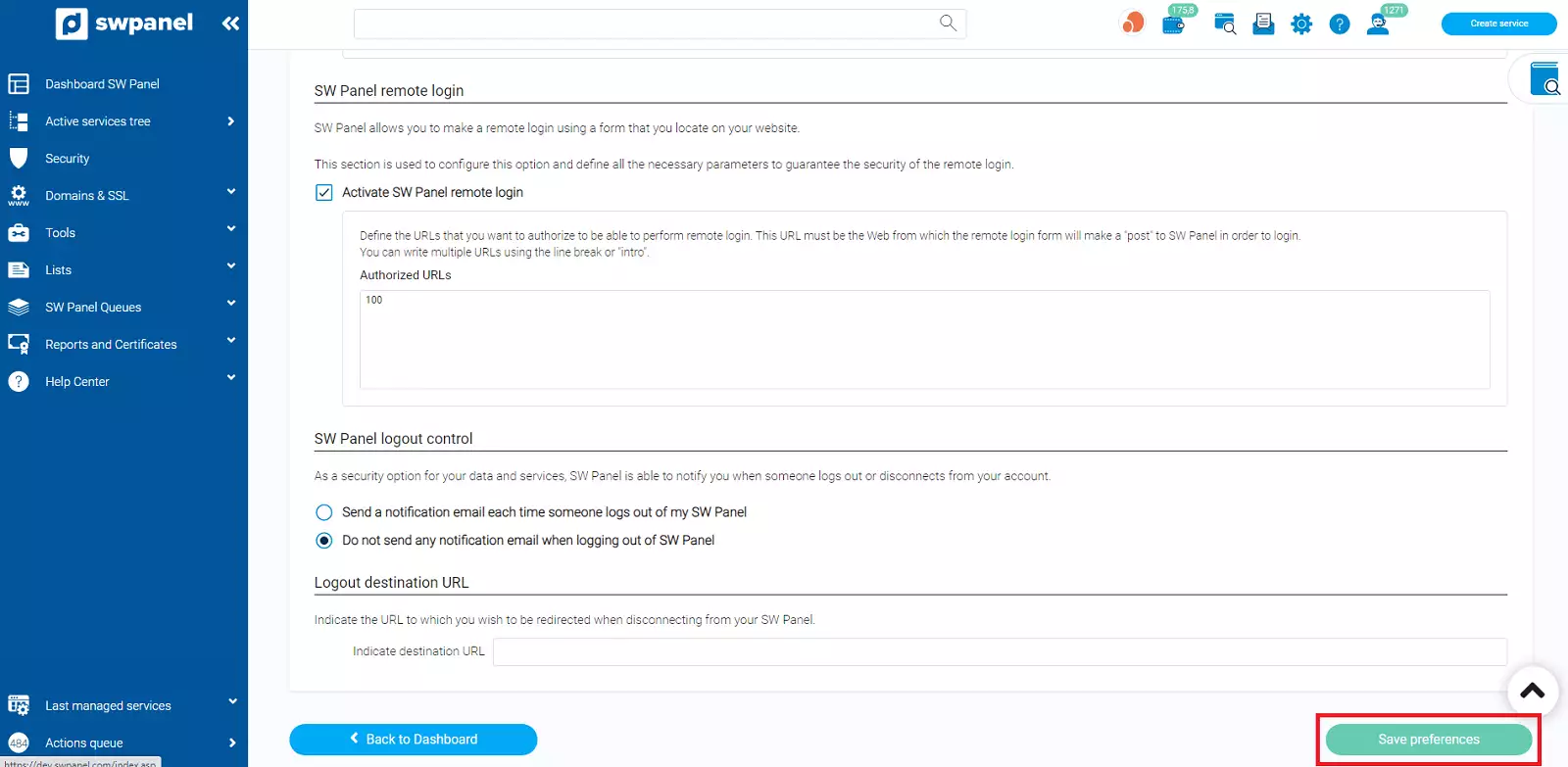
Always remember that in order for the changes to be applied, you must click on Save preferences
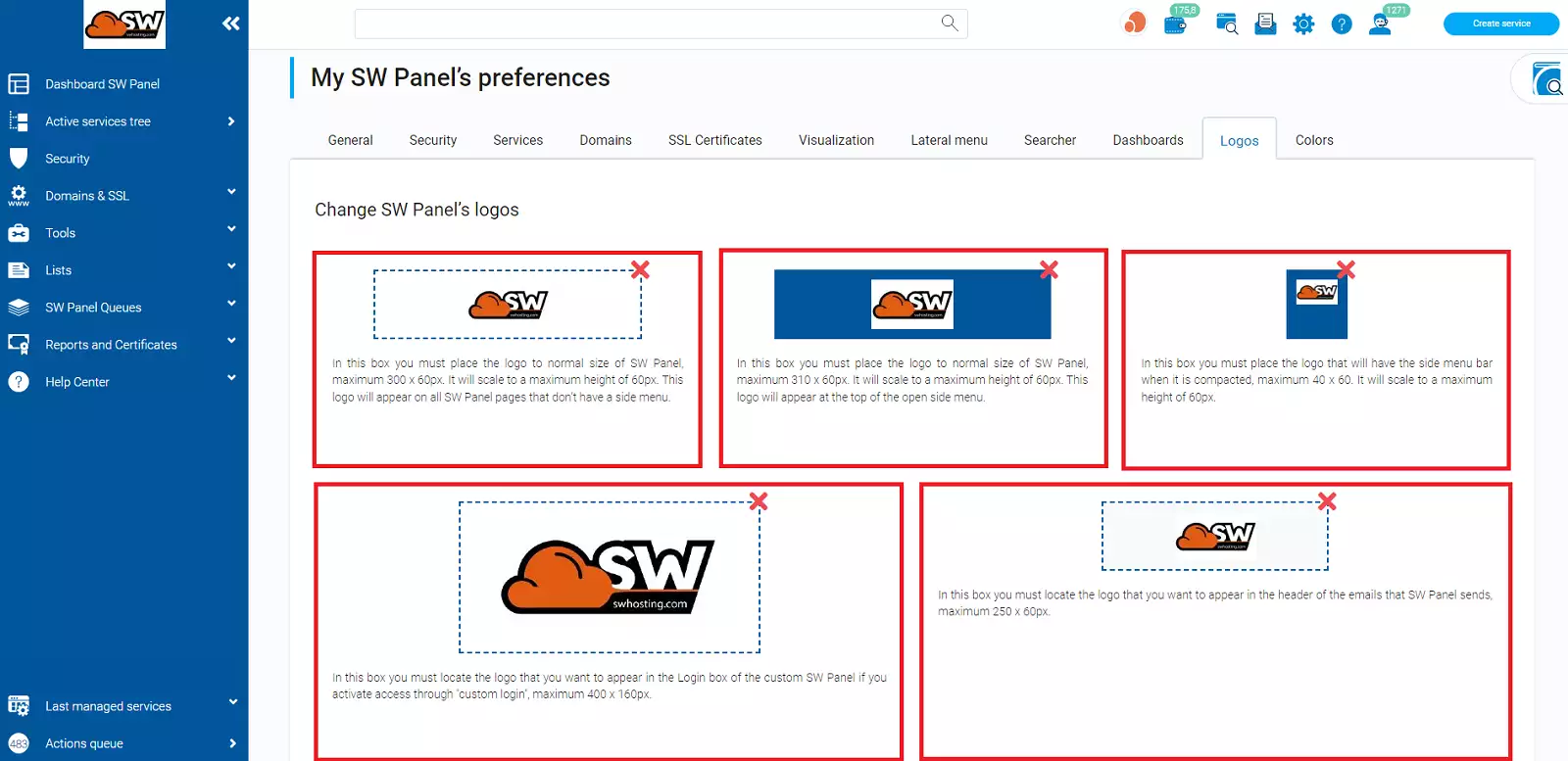
Finally, you can also customize a logo. To do this, you must go to the Logos tab (within this same My SWPanel Preferences section) and drag an image into box number 4, which belongs to the SWPanel Login box. The information box already indicates that the maximum size for this logo should be 400x150px
 Click on Save Preferences
Customization example
If you click on 'DEMOMANUAL' the URL indicated above will open: www.swdemomanuales.com