
Recreate DNS zone
When recreating the DNS zone, it will revert to the default values for all created records. To recreate it, you must access your service dashboard.
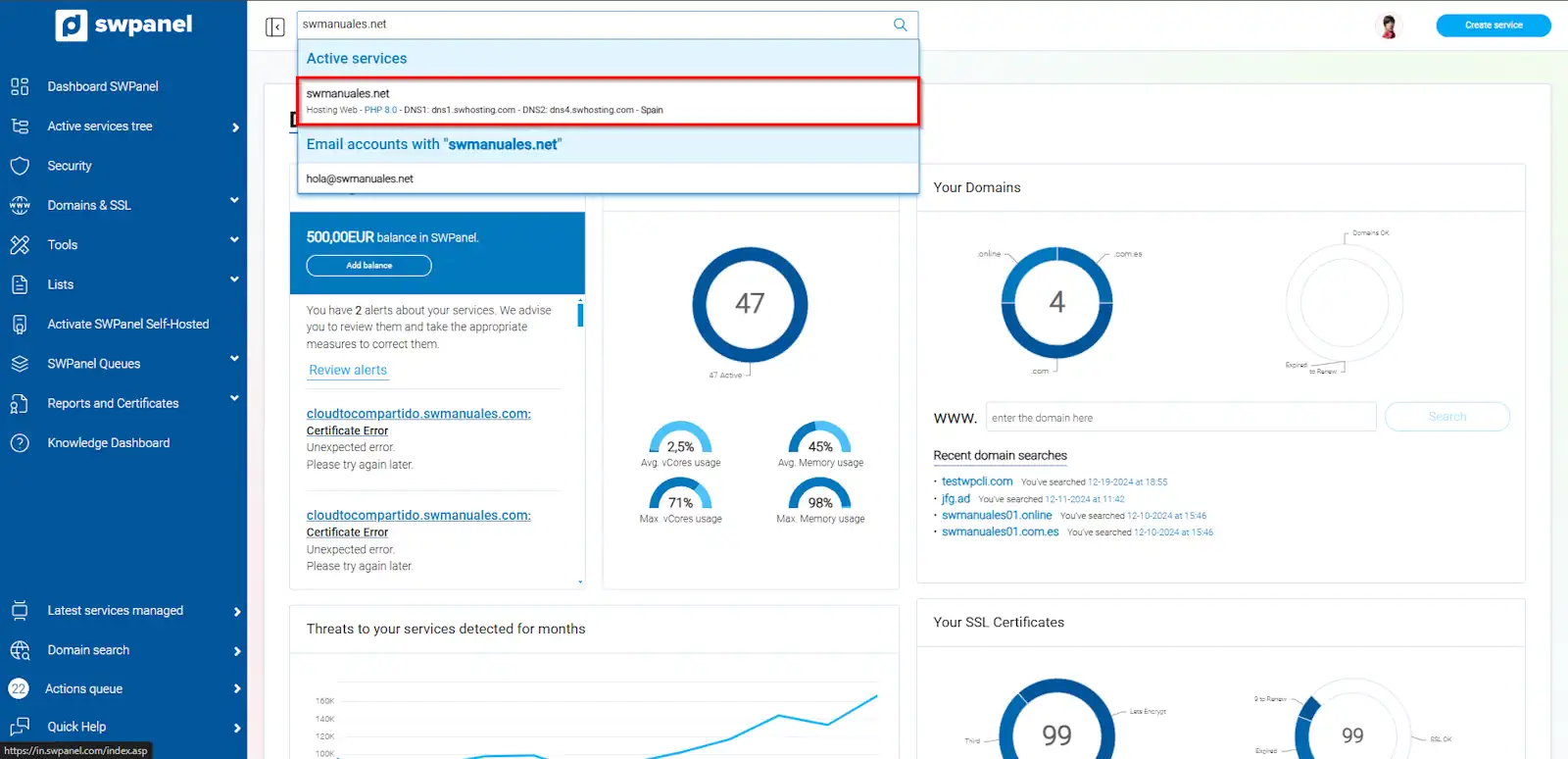
info_capture The screenshot is for guidance purposes. It was taken from version 2025.00.0017 dated 14/01/2025. It may differ from what is shown in the current version of SWPanel.
Next, go to the Service Management > DNS Management section (left menu):
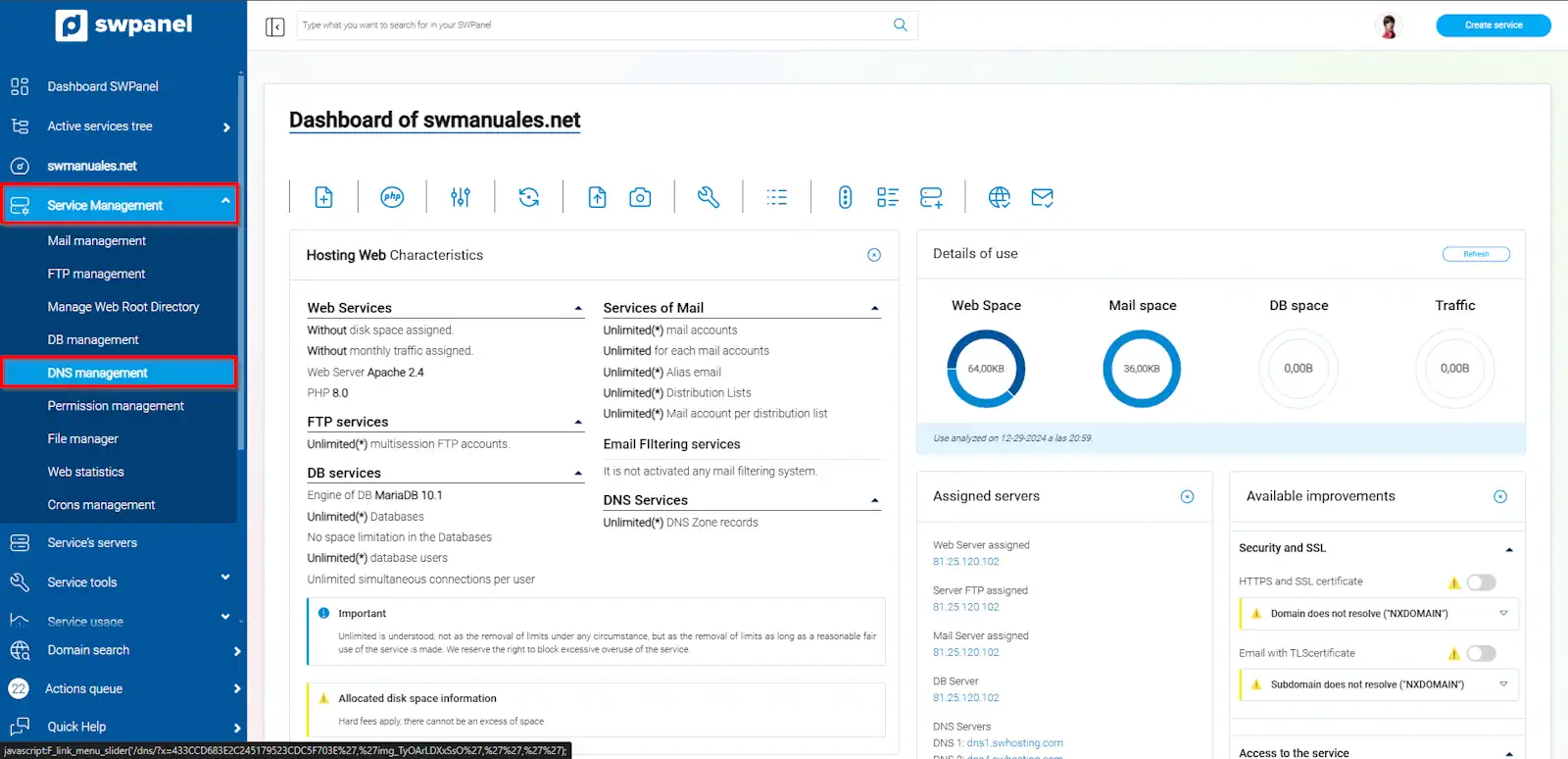
info_capture The screenshot is for guidance purposes. It was taken from version 2025.00.0017 dated 14/01/2025. It may differ from what is shown in the current version of SWPanel.
Recreate the entire DNS zone for this service: This action will delete the currently configured DNS zone and set the one that came by default with the hosting service.
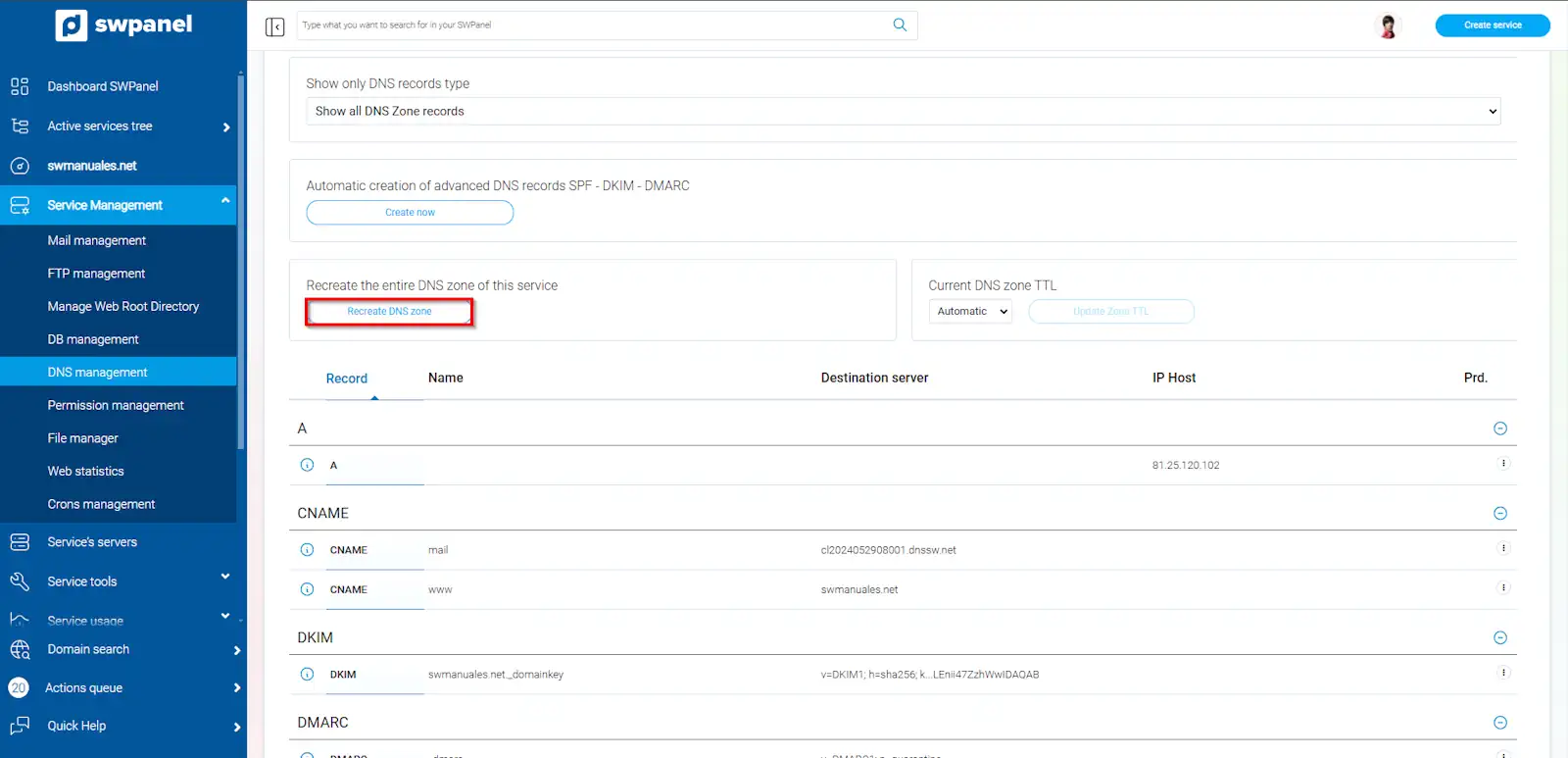
info_capture The screenshot is for guidance purposes. It was taken from version 2025.00.0017 dated 14/01/2025. It may differ from what is shown in the current version of SWPanel.
Finally, you must confirm the DNS zone changes by clicking the "Yes, Recreate Zone" button. The process of restoring the DNS zone may take a few minutes. You can use an external tool to check the propagation of the DNS records.
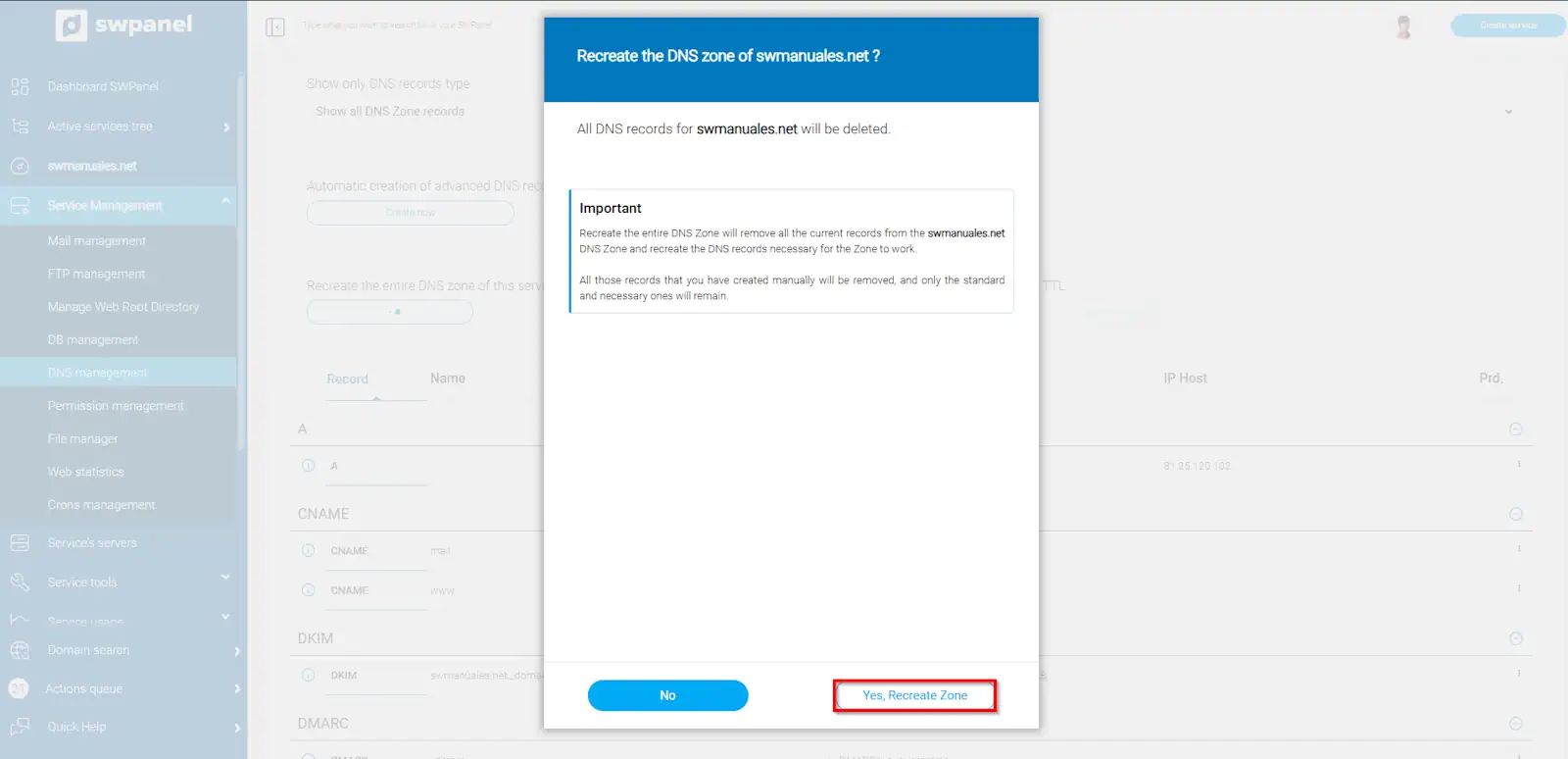
info_capture The screenshot is for guidance purposes. It was taken from version 2025.00.0017 dated 14/01/2025. It may differ from what is shown in the current version of SWPanel.