
Enable Web Statistics
In this manual, we are going to learn how to activate Web statistics.
?? First of all, you should keep in mind that Web Statistics cannot be viewed as soon as they are activated; instead, you must wait for a period of 24 hours. This is because the system must collect information for a minimum period of time before it begins to display statistics. ??
This service is free and can be activated in all Shared Hosting services (with the exception of Free Hosting services), as well as in all Cloud Hosting services that have the AWStats option previously activated.
If you do not have AWStats active in your Cloud, you can consult our manual "Activate the AWStats option in my Cloud".
To activate AWStats, or web statistics, type the name of the service in the top search bar of your SWPanel:
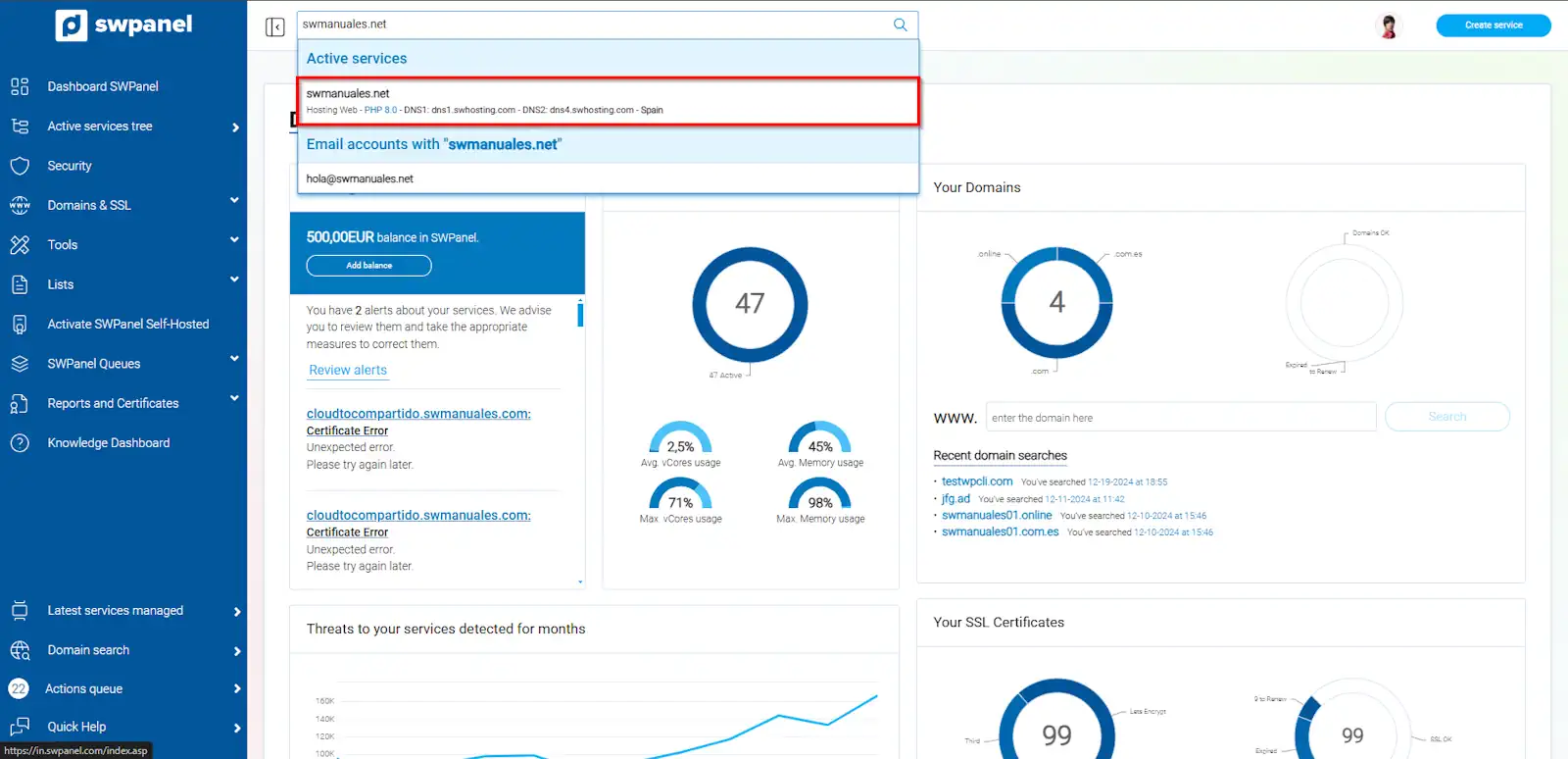
info_capture The screenshot is for guidance purposes. It was taken using version 2025.00.0017 dated 01/26/2025. It may differ from what the current version of SWPanel displays.
Next, from the service Dashboard, click, in the left side menu of the Panel, on Service management > Web statistics:
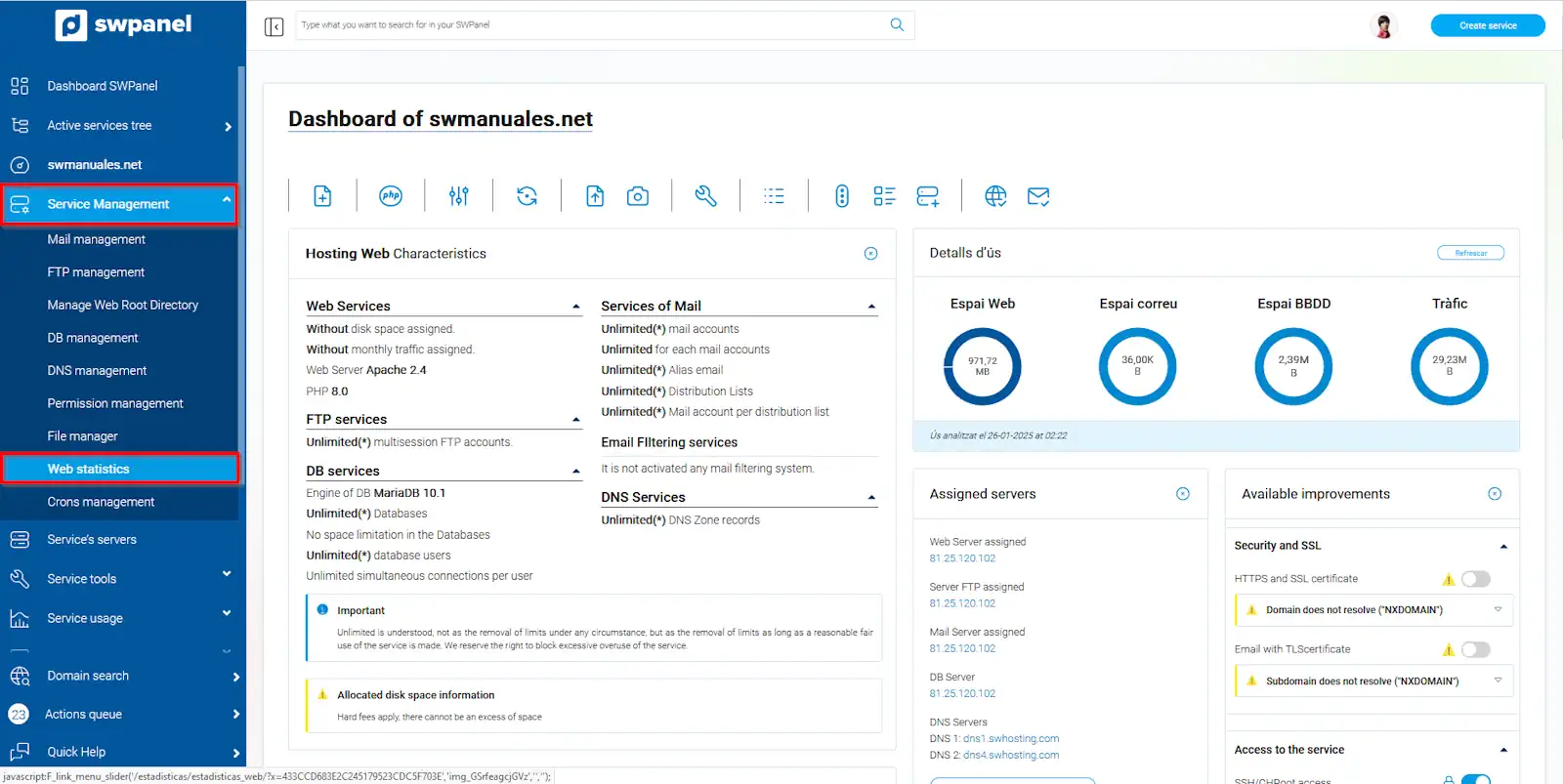
info_capture The screenshot is for guidance purposes. It was taken using version 2025.00.0017 dated 01/26/2025. It may differ from what the current version of SWPanel displays.
A message regarding the management of AWStats will appear that you must keep in mind, where the following is mentioned:
- When activating the web page statistics service for the domain, these will be created in a private directory within the selected domain.
- The activation time for statistics is approximately 24 hours, after which they will be updated regularly as new visits to the web page occur.
Click on the checkbox "I have read and accept the activation and operation of the Web statistics" and then on "Activate statistics":
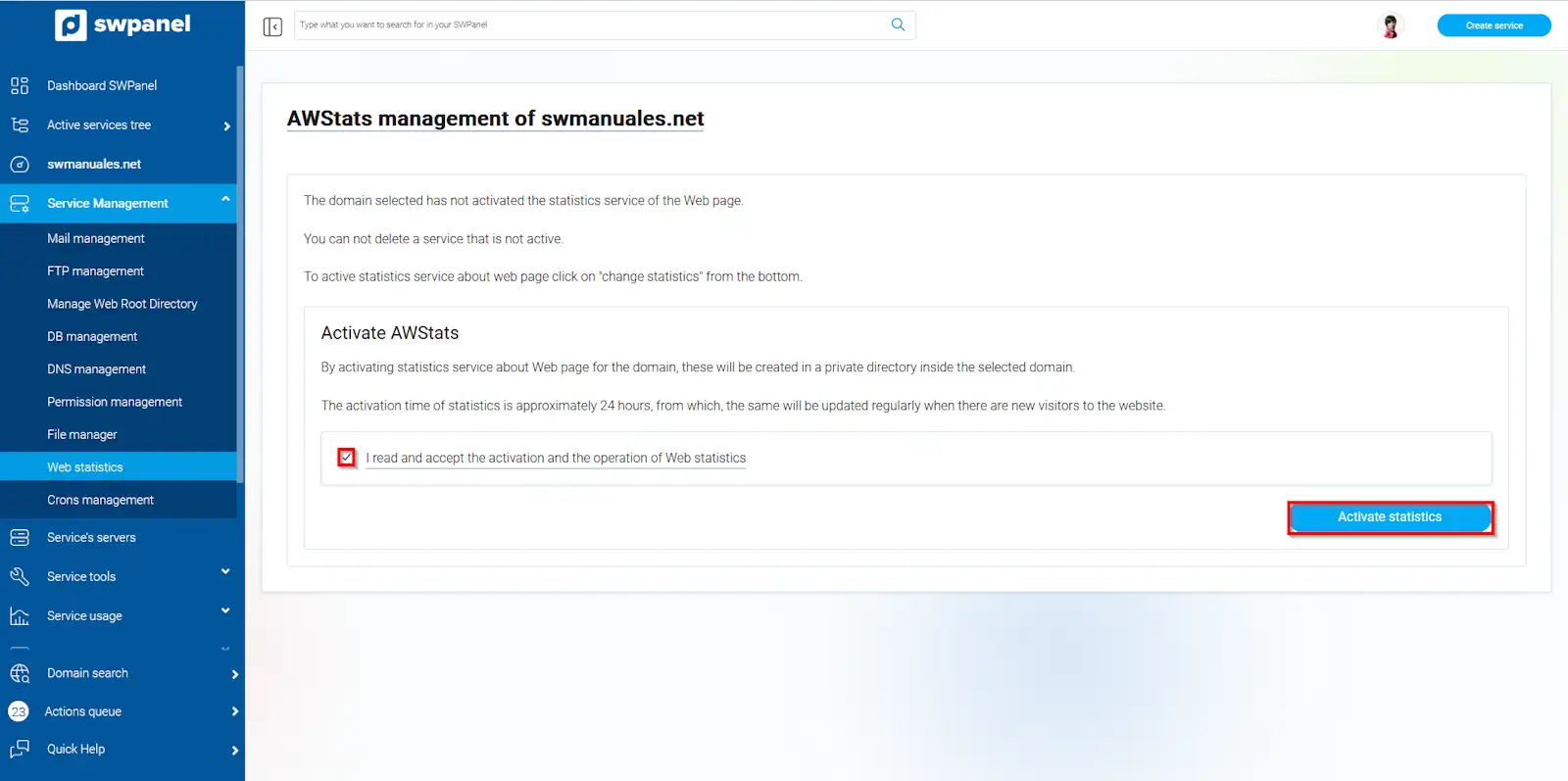
info_capture The screenshot is for guidance purposes. It was taken using version 2025.00.0017 dated 01/26/2025. It may differ from what the current version of SWPanel displays.
After 24 hours, you will be able to view your website statistics.