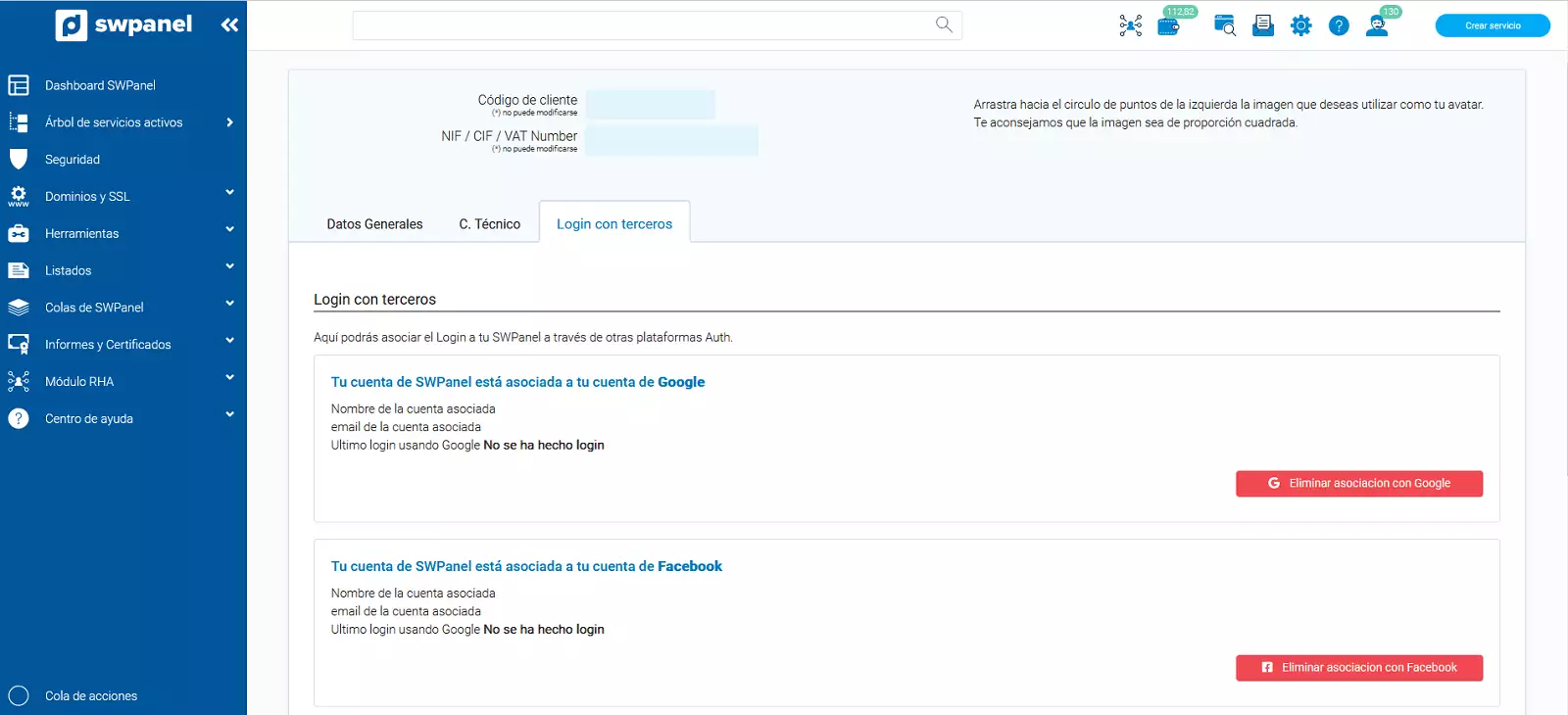
How to access SWPanel using my Google or Facebook accounts
Your SWPanel allows you to log in to your customer account using the same access credentials (Username and password) as your Google or Facebook user account.
In this way, when accessing your SWPanel customer account from the URL https://swpanel.com/login/go/ you will be able to use your Google or Facebook account to log in automatically and without the need to enter your username and password.
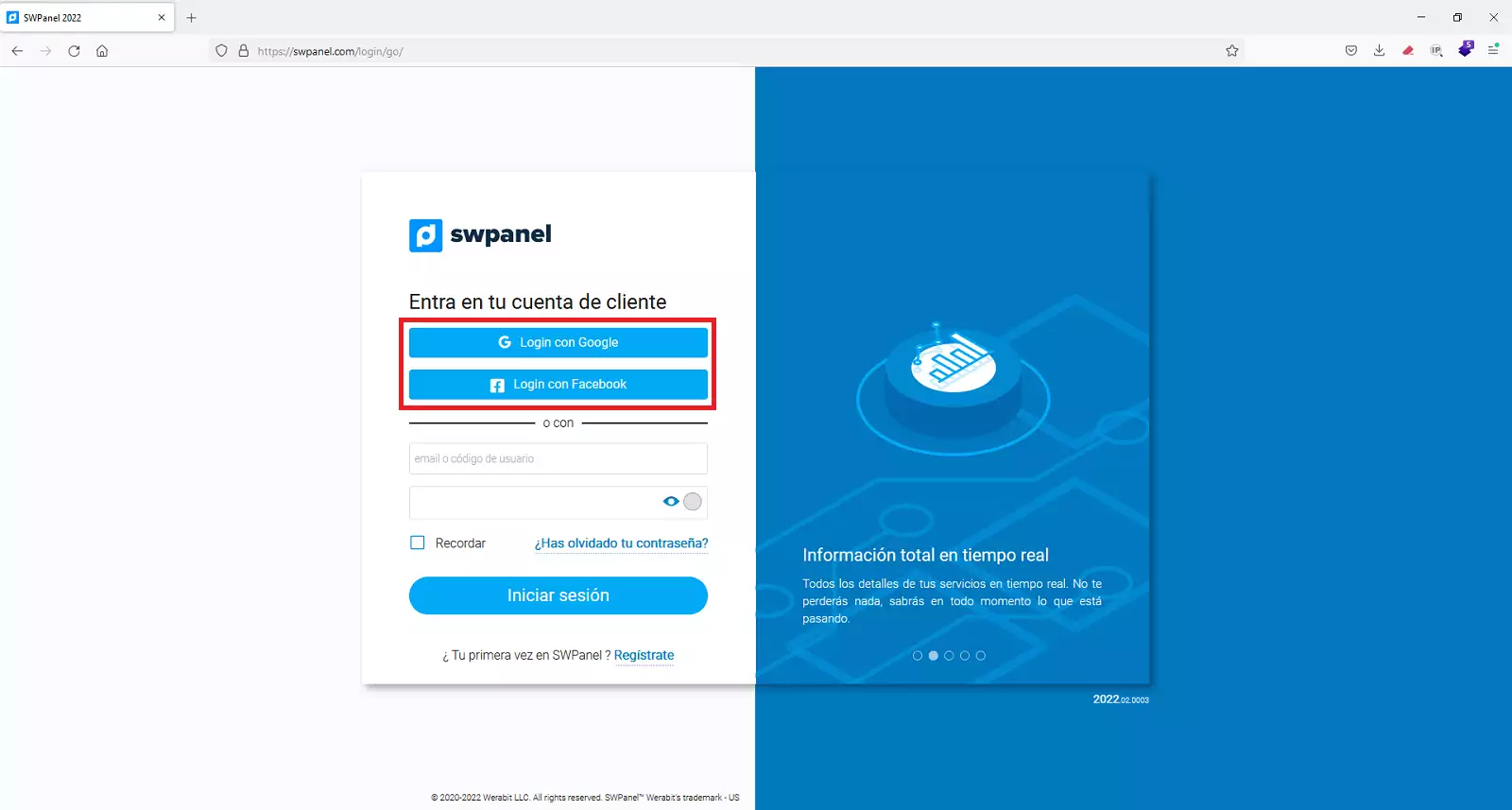
The only condition is that the email of the Google or Facebook accounts you activate must be the same as the contact email in your SWPanel customer account.
To associate your SWPanel login with your Google or Facebook accounts, you must follow these steps:
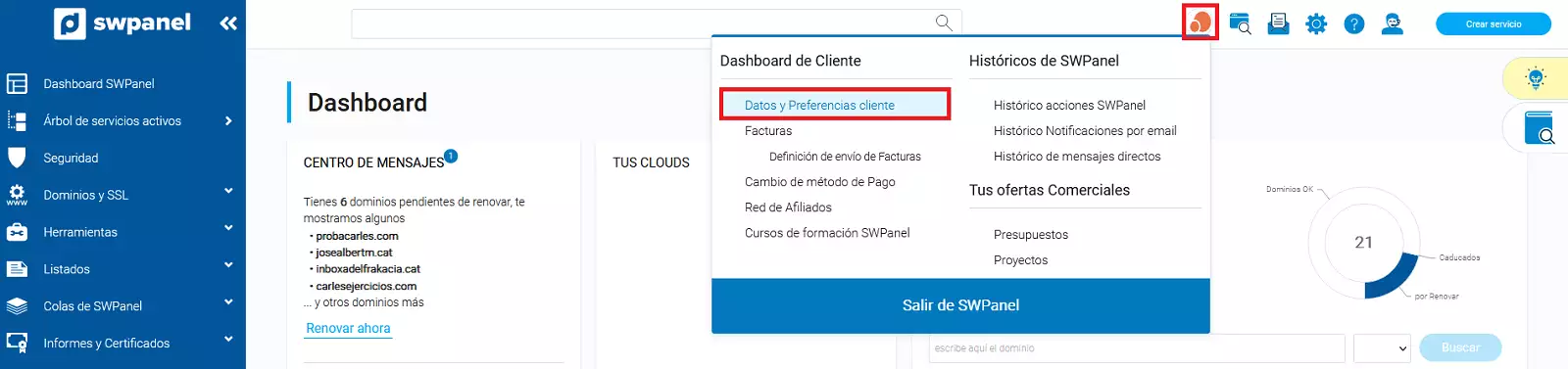
1) Access your SWPanel user account and go to the 'Customer Data and Preferences' section.
2) Go to the 'Third-party Login' tab and click the 'Associate Login to Google' or 'Associate Login to Facebook' button.
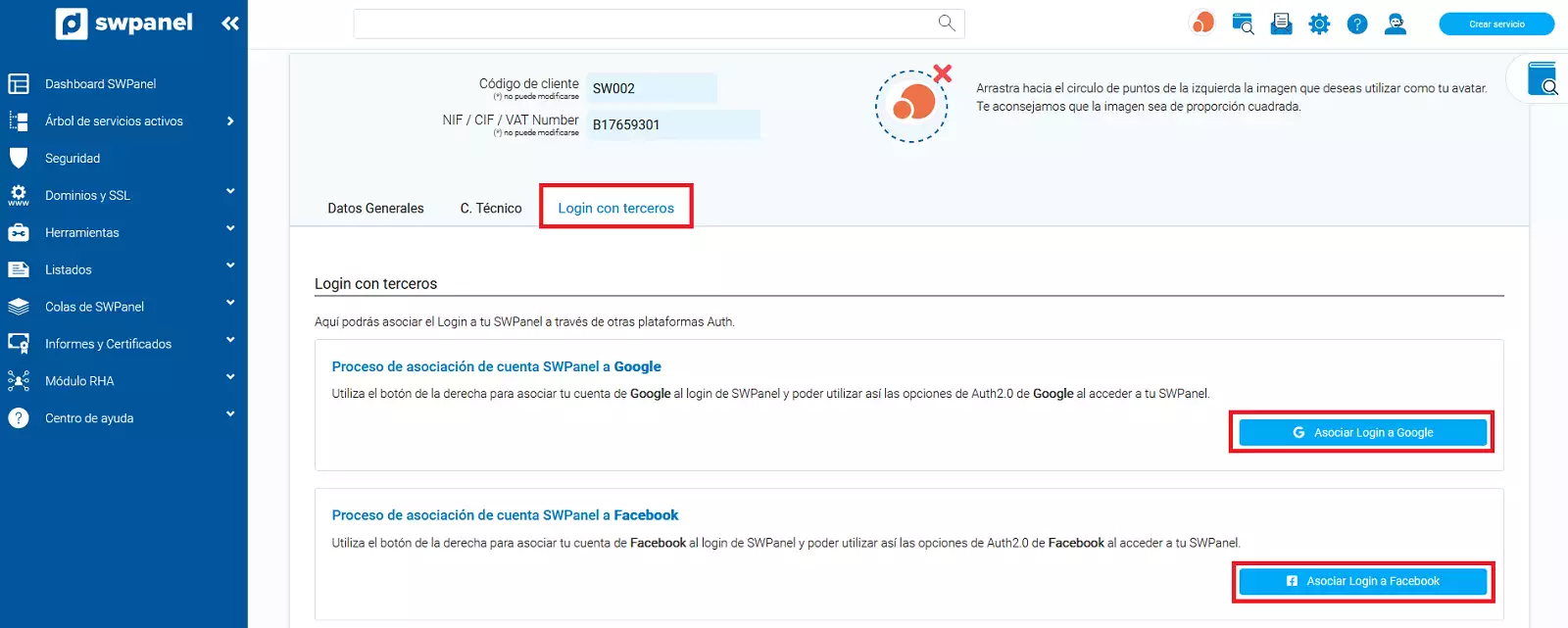
3) In the following pop-up window, enter your Google/Facebook email address and then your password, so that your credentials can be validated and the association of your login to SWPanel can be activated.
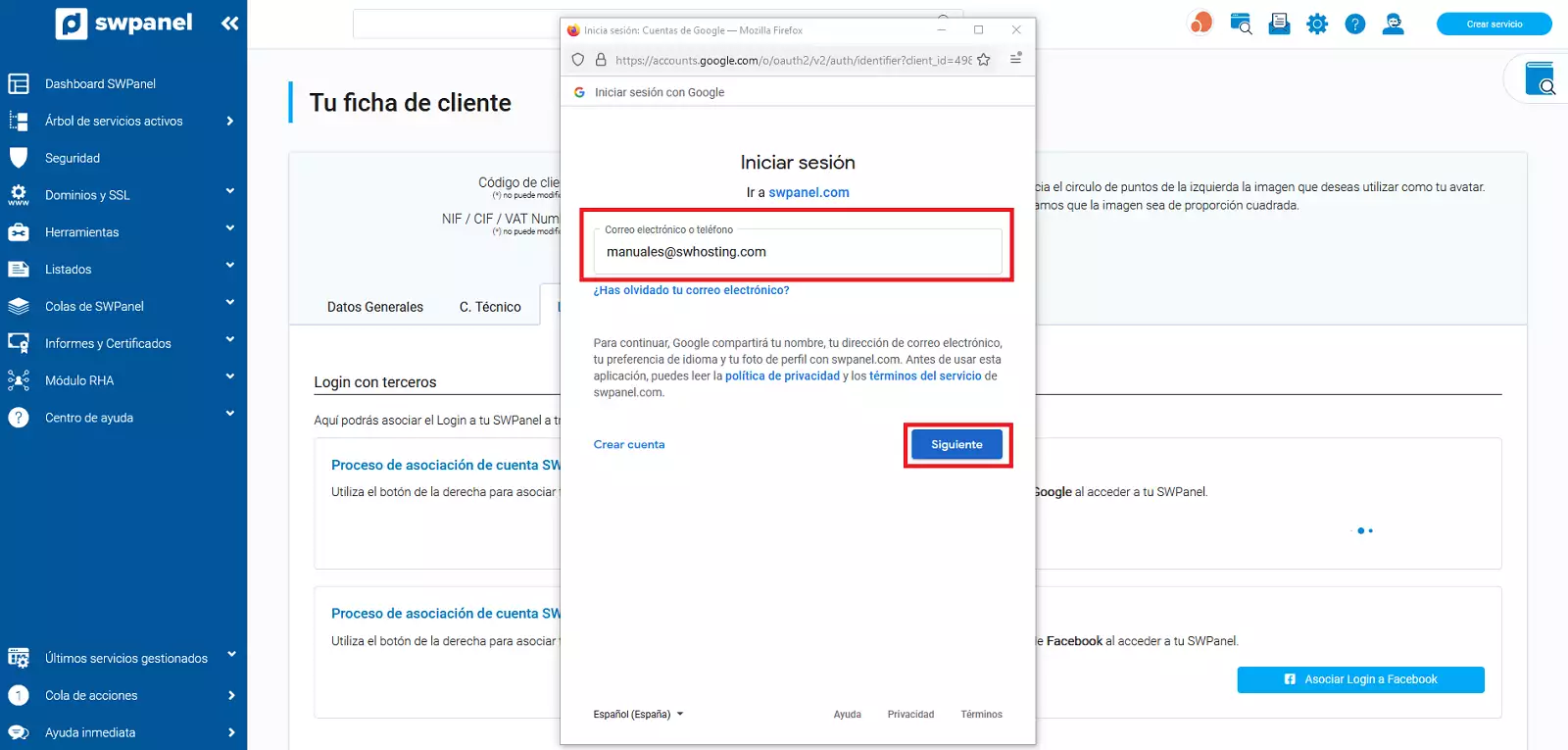
4) Once this process is completed, your SWPanel login will be associated with your Google /Facebook accounts, which will allow you to access your SWPanel account with them.