
How to adjust the parameters and add-ons of my Hosting Plan?
The steps to follow to adjust the basic parameters of a Hosting service are as follows:
1- Type the name of the service in which you wish to modify the basic parameters in the SWPanel search bar and click on it.

info_capture The screenshot is for guidance purposes. It was taken from version 2026.001.0058 dated 21/05/2026. It may differ from what the current version of SWPanel shows.
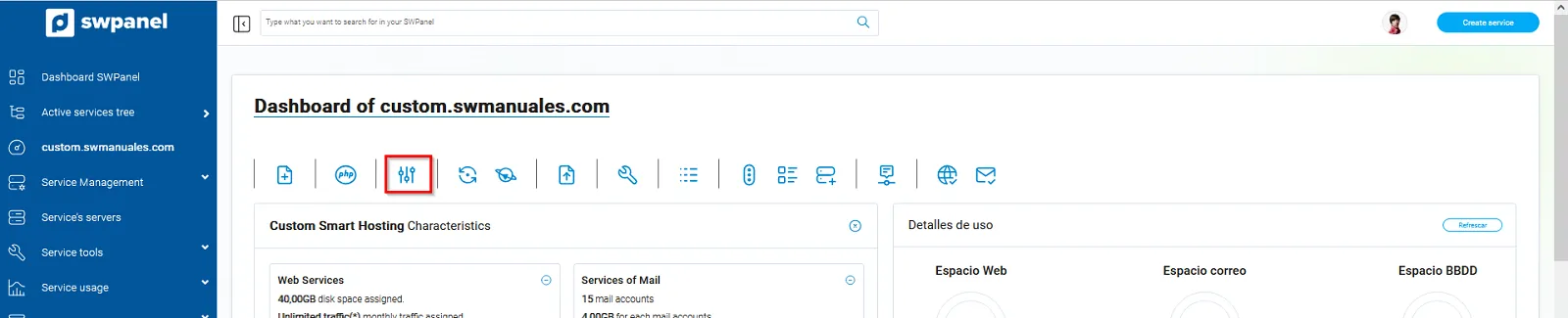
2- In the Dashboard of your contracted service, click on the icon to adjust the parameters and add-ons of your Hosting plan.
info_capture The screenshot is for guidance purposes. It was taken from version 2026.001.0058 dated 21/05/2026. It may differ from what the current version of SWPanel shows.
Once inside this space, the following changes can be made:
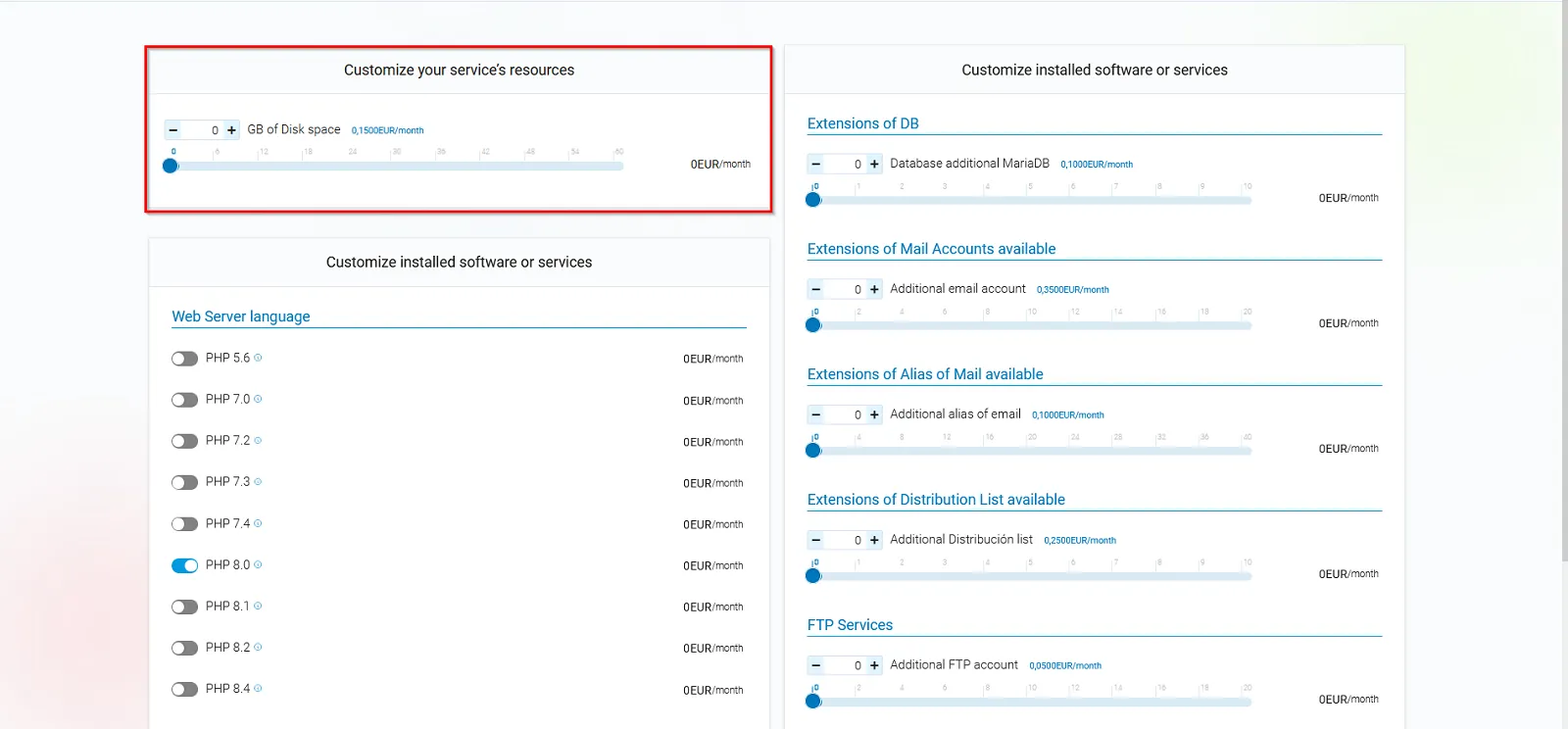
3- CUSTOMIZE SERVICE RESOURCES:
3.1 Disk space (GB): Regarding the amount of storage assigned to the service, here you can increase its capacity in case you need more space.
*Option available in: Hosting Smart Flex Prime | Hosting Smart Flex Maxi | Hosting Smart Flex Ultra.
info_capture The screenshot is for guidance purposes. It was taken from version 2026.001.0058 dated 21/05/2026. It may differ from what the current version of SWPanel shows.
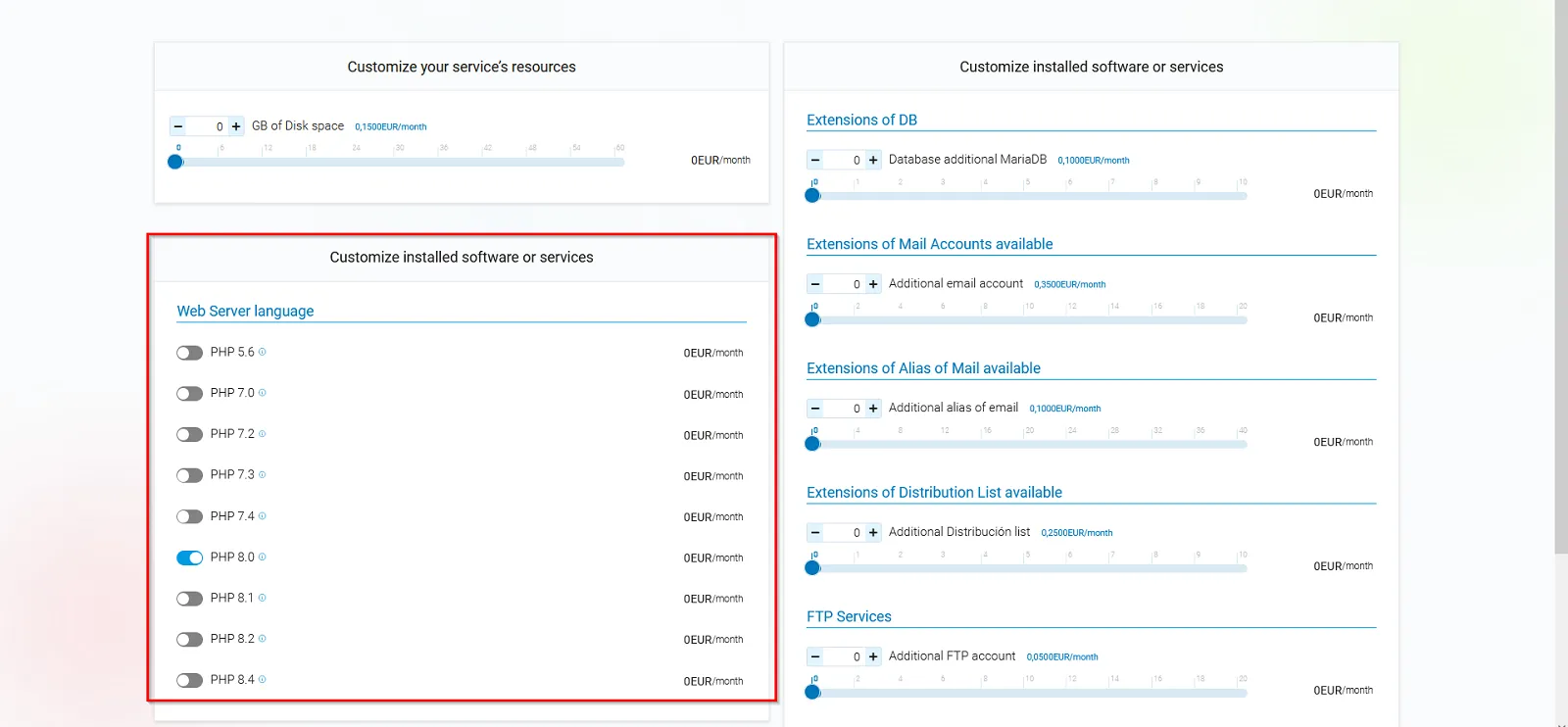
4- CUSTOMIZE INSTALLED SOFTWARE OR SERVICES:
4.1 Web Server Language (PHP): Allows you to change the active PHP version in your hosting plan to a different one, depending on the needs of your website or application. Updating to more recent versions of PHP improves security, performance, and compatibility.
*Option available in all shared hosting services.
info_capture The screenshot is for guidance purposes. It was taken from version 2026.001.0058 dated 21/05/2026. It may differ from what the current version of SWPanel shows.
4.2 Database Expansions (Additional MariaDB databases): You can add, if needed, other additional MariaDB databases. This is useful if you manage multiple applications or websites that require an independent database.
*Option available in: Hosting Smart Flex Prime | Hosting Smart Flex Maxi | Hosting Smart Flex Ultra.

info_capture The screenshot is for guidance purposes. It was taken from version 2026.001.0058 dated 21/05/2026. It may differ from what the current version of SWPanel shows.
4.3 Available Email Account Expansions. You can add additional email mailboxes..
*Option available in: Hosting Smart Flex Prime | Hosting Smart Flex Maxi | Hosting Smart Flex Ultra.

info_capture The screenshot is for guidance purposes. It was taken from version 2026.001.0058 dated 21/05/2026. It may differ from what the current version of SWPanel shows.
4.4 Available Email Alias Expansions: An alias allows several different emails to redirect all messages to the same main account. It is useful for centralizing communications without multiple mailboxes. Here you can increase the total number of available aliases based on the needs of your organization.
*Option available in: Hosting Smart Flex Prime | Hosting Smart Flex Maxi | Hosting Smart Flex Ultra.

info_capture The screenshot is for guidance purposes. It was taken from version 2026.001.0058 dated 21/05/2026. It may differ from what the current version of SWPanel shows.
4.5 Available Distribution List Expansions: This is an email address where several predefined recipients can be grouped. It is ideal for sending emails to teams or groups without having to write each address manually.. Here you can increase the number of available distribution lists according to the needs of your organization.
*Option available in: Hosting Smart Flex Prime | Hosting Smart Flex Maxi | Hosting Smart Flex Ultra.

info_capture The screenshot is for guidance purposes. It was taken from version 2026.001.0058 dated 21/05/2026. It may differ from what the current version of SWPanel shows.
4.6 FTP Services (Additional FTP account): An FTP account is independent access to the server that allows you to transfer website files using an FTP client. With additional accounts, you can grant access to different users, allowing the restriction of access to specific folders.
*Option available in: Hosting Smart Flex Prime | Hosting Smart Flex Maxi | Hosting Smart Flex Ultra.

info_capture The screenshot is for guidance purposes. It was taken from version 2026.001.0058 dated 21/05/2026. It may differ from what the current version of SWPanel shows.
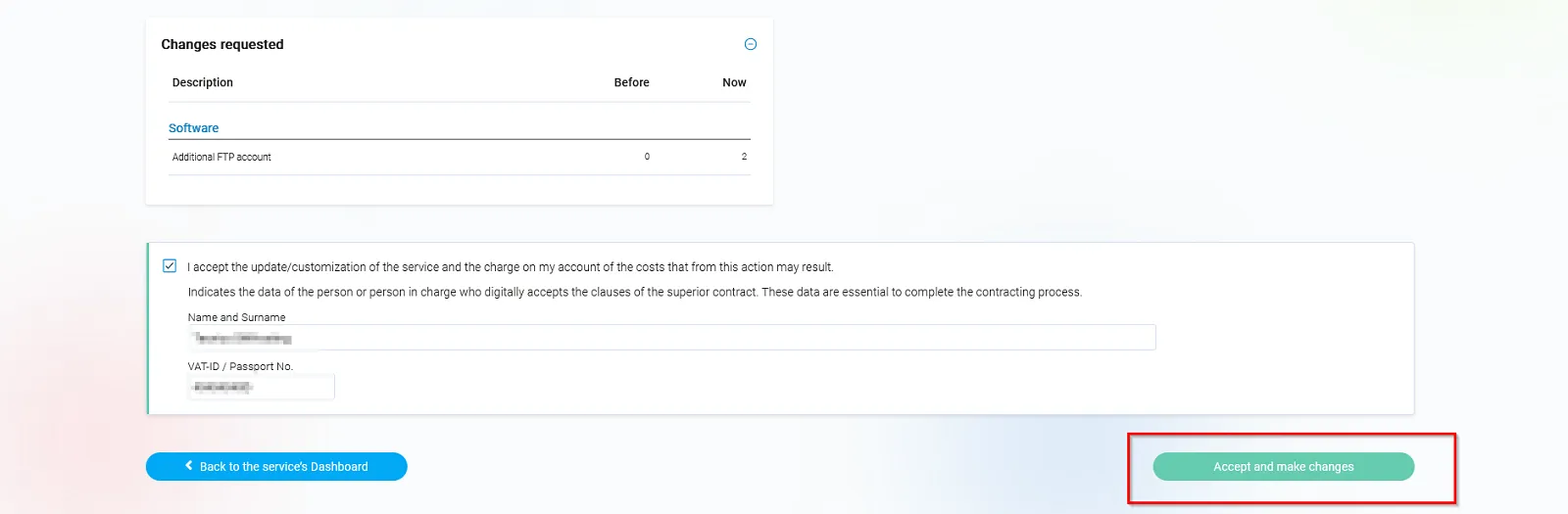
Once you have made the modifications you consider necessary, you must accept and finalize the changes.
info_capture The screenshot is for guidance purposes. It was taken from version 2026.001.0058 dated 21/05/2026. It may differ from what the current version of SWPanel shows.