
How to create a mailbox from SWPanel
In this manual, we will teach you how to create an email account for your domain from SWPanel.
To do this, locate, from the 'Active services tree', the service where you want to create the email account, or you can use the SWPanel general search to find it:
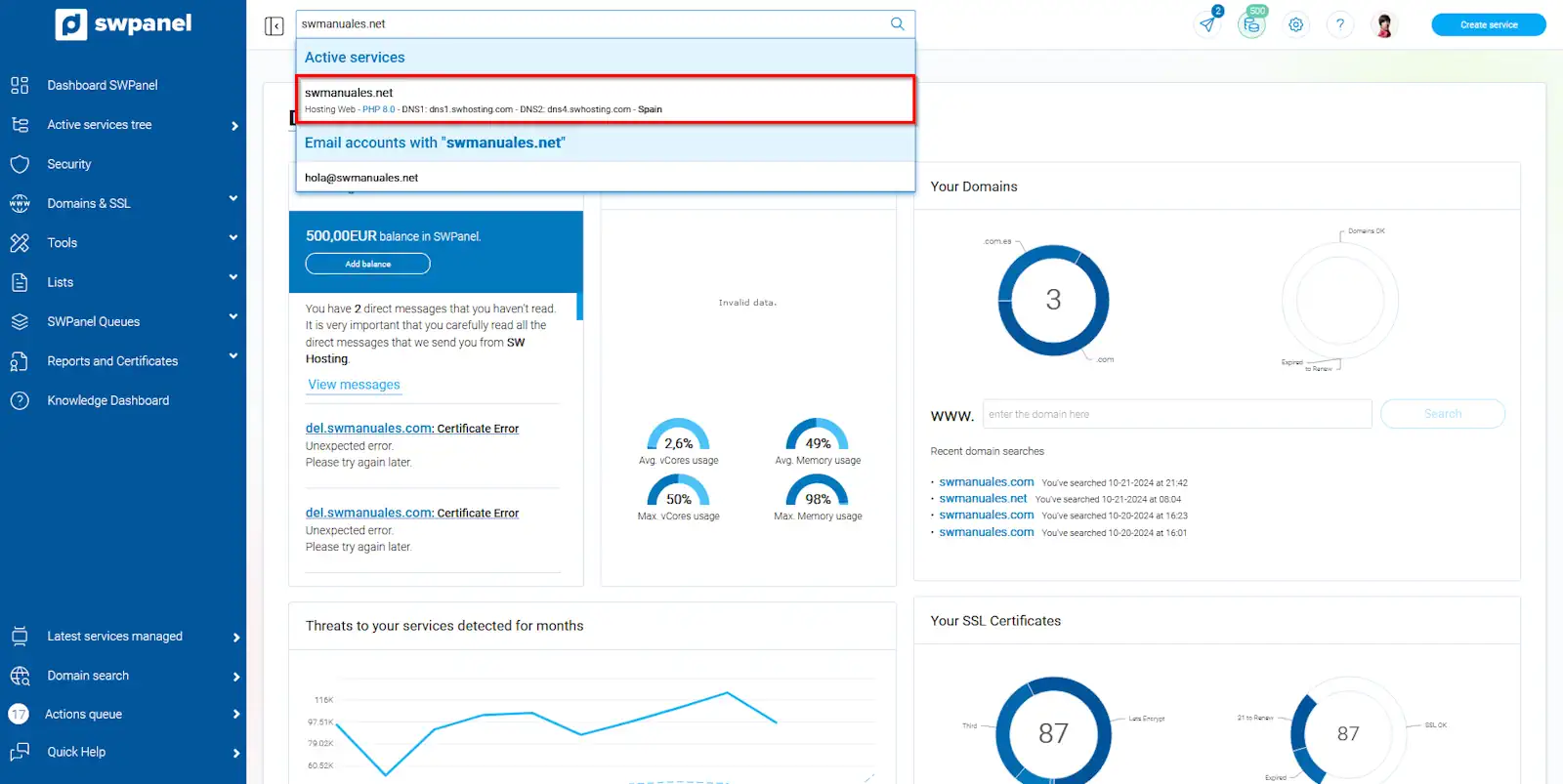
info_capture The screenshot is for guidance purposes. It was taken using version 2024.07.0134 dated 05/11/2024. It may differ from what the current version of SWPanel shows.
Once inside the service Dashboard, you should go to 'Service management' → 'Email management' from the blue side menu:
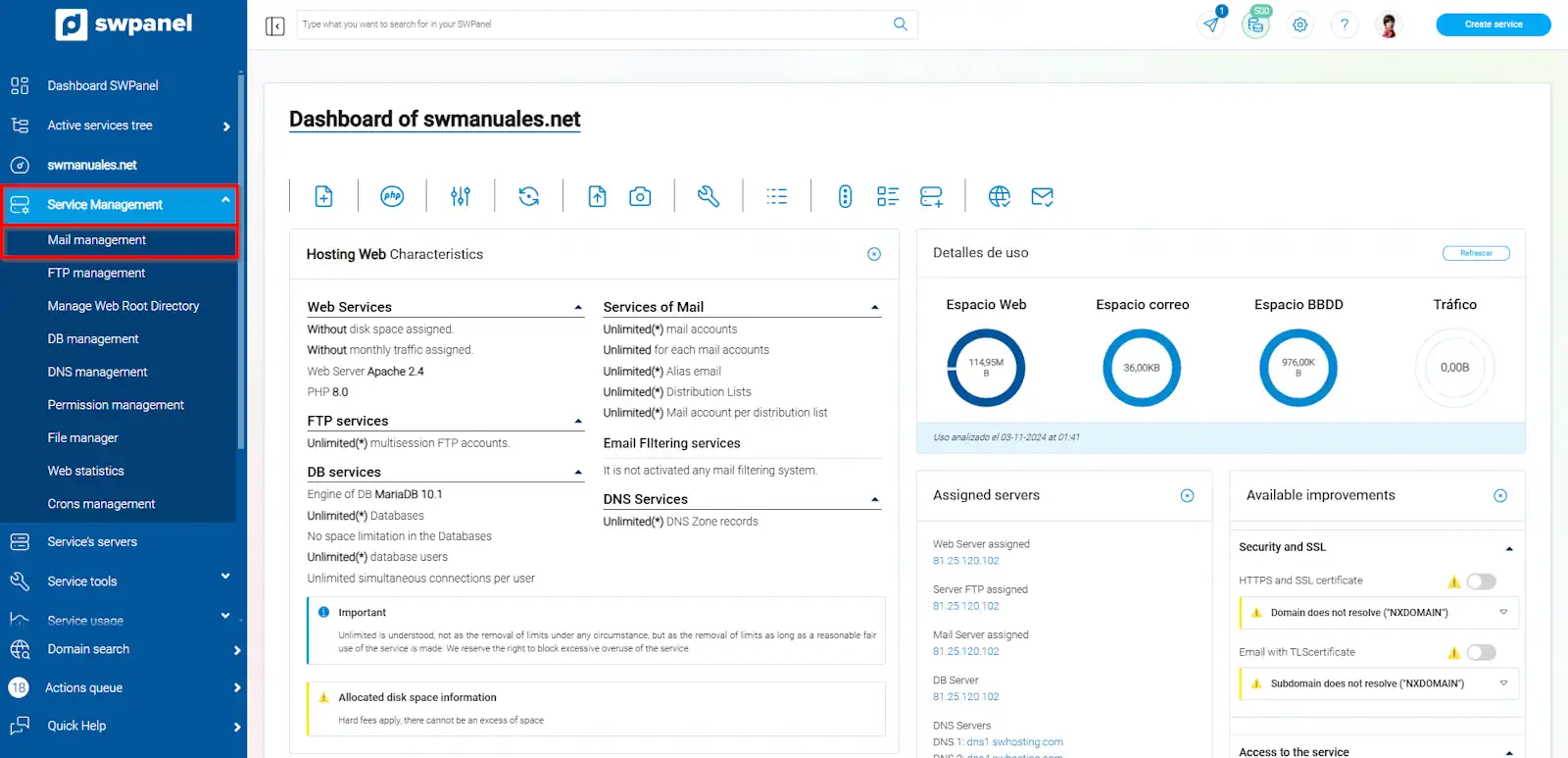
info_capture The screenshot is for guidance purposes. It was taken using version 2024.07.0134 dated 05/11/2024. It may differ from what the current version of SWPanel shows.
Once in the 'Email management for your service' menu, you should click on the blue 'Create Account' button, located in the upper right part:
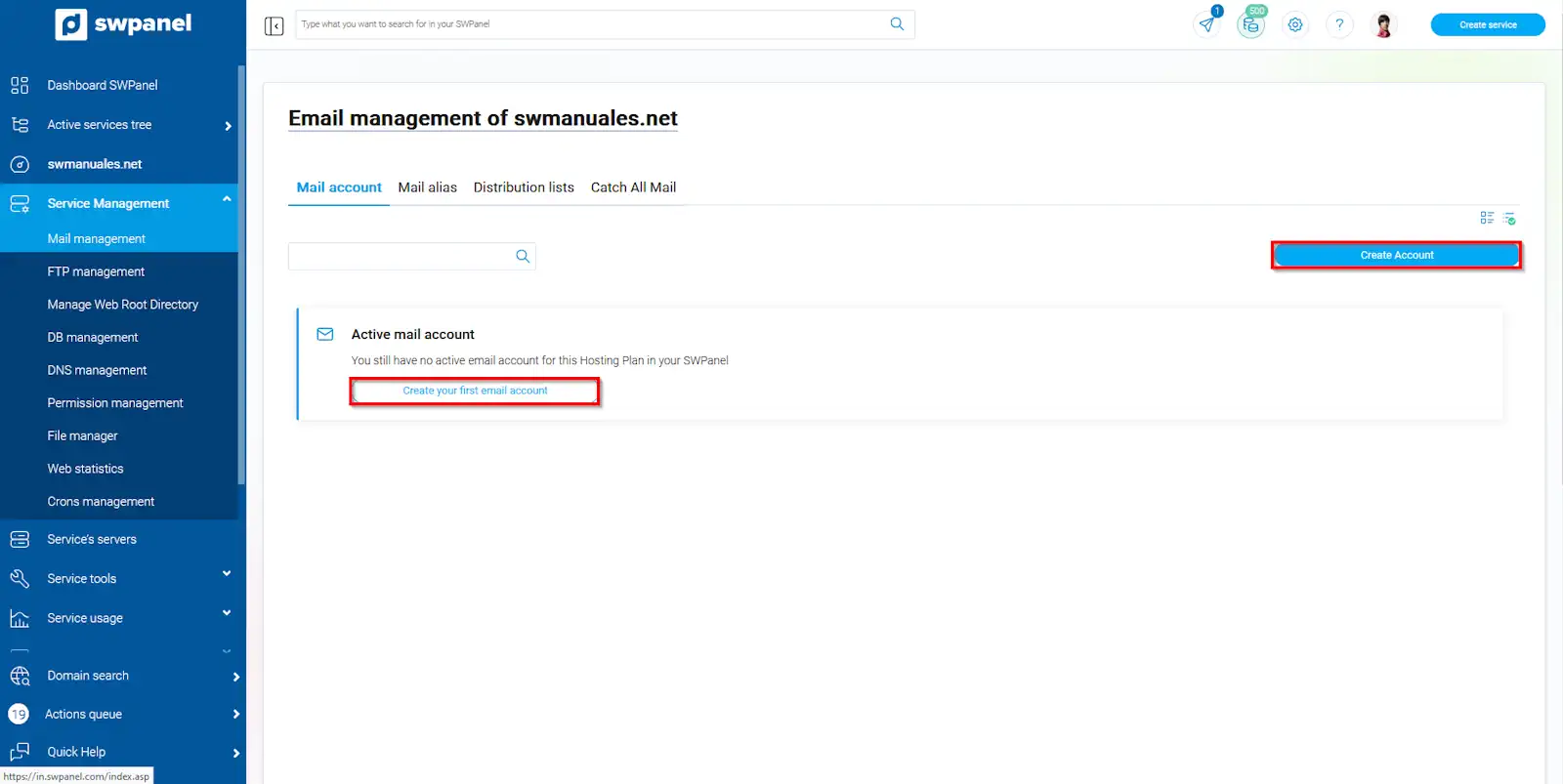
info_capture The screenshot is for guidance purposes. It was taken using version 2024.07.0134 dated 05/11/2024. It may differ from what the current version of SWPanel shows.
In this section, you must indicate the account name and the password you will use to access it. You will also have other options, such as limiting the maximum size of your mailbox, specifying an email account so that all incoming mail is diverted to that account, and also the possibility of adding an automatic response for all received messages.
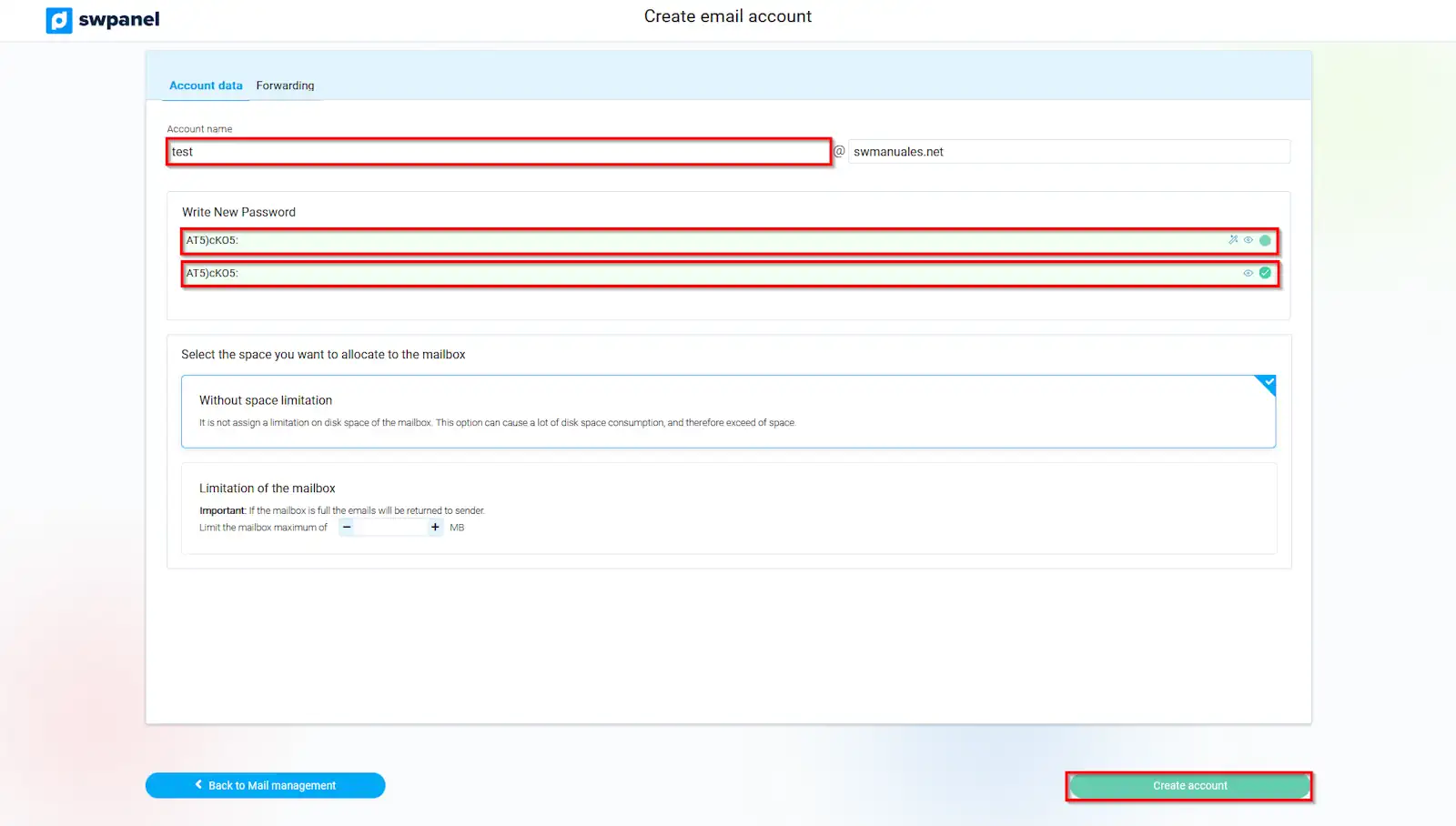
info_capture The screenshot is for guidance purposes. It was taken using version 2024.07.0134 dated 05/11/2024. It may differ from what the current version of SWPanel shows.
You must take into account the password strength. At SW Hosting, we take the security of your data very seriously. This is why we require you to use a password considered 'secure'. In the password field, you will see some indications with the minimum and necessary requirements to guarantee the security of your account.
Remember that you must accept by clicking the 'create account' button to finalize the email account creation process.
Now that you have your email account created, you may wonder, how can I start using it? Below, we provide a link to another of our manuals where you can check how to configure your email accounts.
In case you have doubts about the current functioning of your email mailboxes, you can use our internal testing tools to check sending, receiving, and general email tests.